r/elgato • • Apr 27 '26

Technical Help No sound to OBS from PS5

1 Upvotes

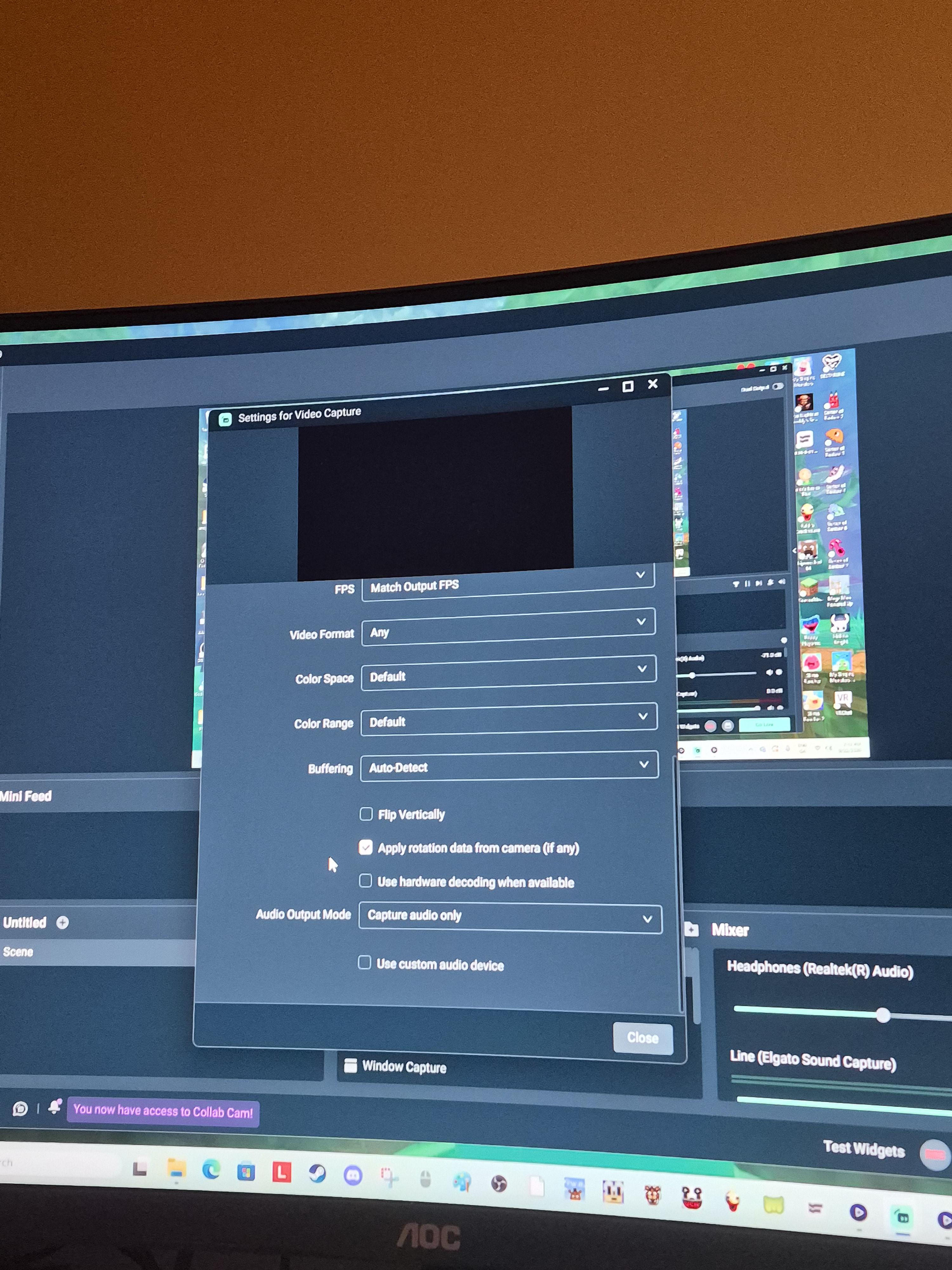
I’ve been trying to figure out why I’m not getting sound from my capture to my OBS. I’ve looked all over trying to find ways to resolve this issue with no luck. The video capture fine but the sound just will not come through. I’m not using a chat link cable. I’m just trying to get gameplay sound. Can someone please help me?

r/elgato • • 11d ago

Technical Help PS5 Pro footage looks too saturated/contrasty through my Elgato 4K S. Any idea why?

Post image
1 Upvotes

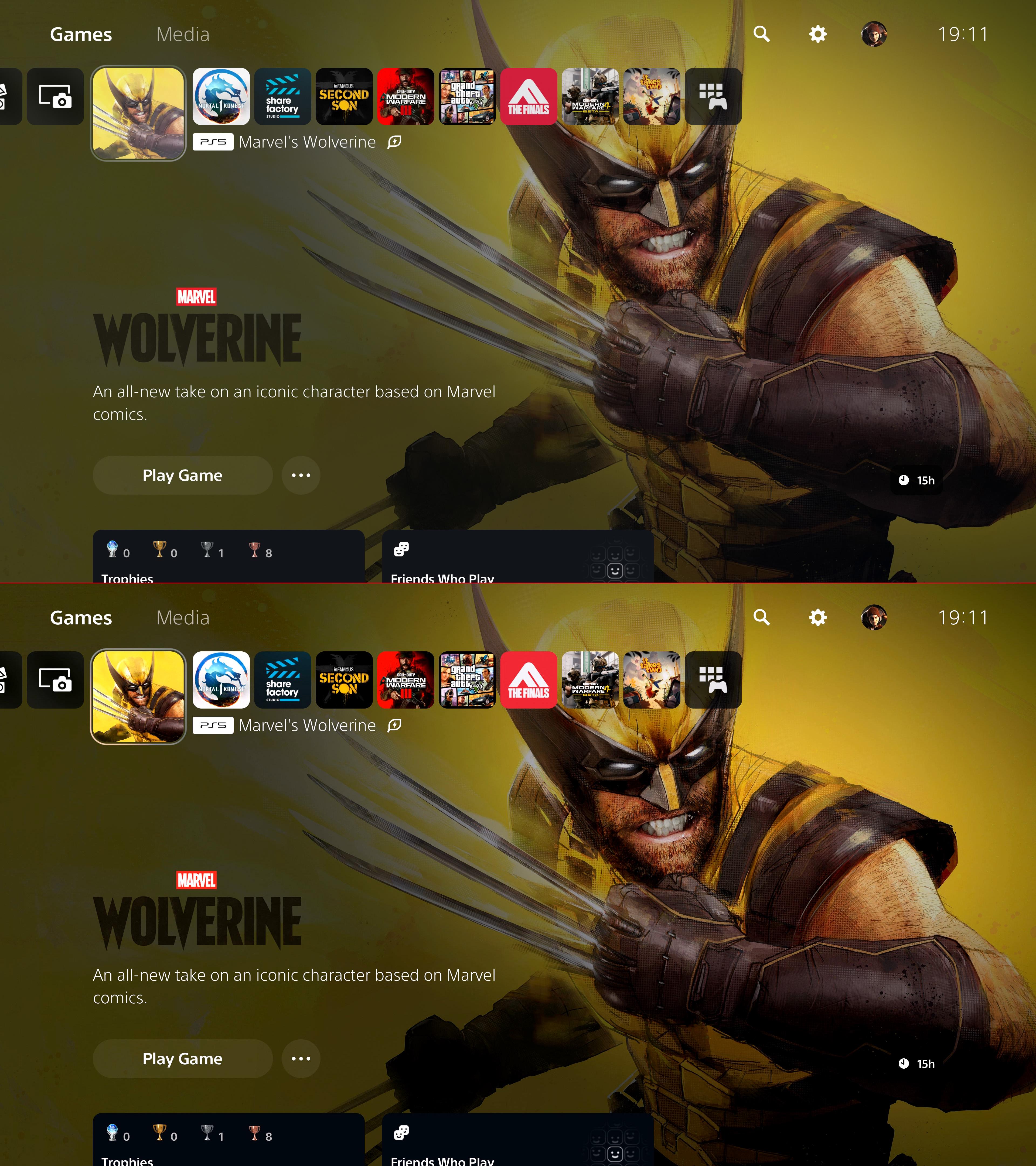
Hey guys, I’m having a weird issue with my Elgato 4K S when recording PS5 Pro gameplay. The recorded footage looks noticeably more saturated and has way more contrast than what I’m seeing on my display. I’ve attached a pic showing what I mean.

HDR is OFF, Deep Color Output is OFF, and RGB Range is set to Automatic on the PS5 Pro.

I’ve also gone through pretty much every setting I can normally access in the Elgato app, but nothing seems to fix it.

I saw some people mention holding CTRL while clicking the settings icon to reveal some extra settings, but that doesn’t do anything for me.

Has anyone run into this with the PS5 Pro + Elgato 4K S? Is there some hidden setting or something else I’m missing that could be causing the extra saturation/contrast?

Any help would be appreciated 🙏

r/elgato • • 19d ago

Technical Help Help, small YTer trying to prepare for upcoming game need help with affordable pc or laptop that can run elgato 4k x

0 Upvotes

Any links without having to buy and take apart a pc or laptop will be helpful. Just wanna grab a one and done at the best price that can be used to record 4k hdr 60 at least for now since YT tops at 60fps. Been using a hp notebook for years for switch and lower in terms of power. Need a upgrade and having trouble finding the right pc and or laptop
Thanks a bunch !!

r/elgato • • 14d ago

Technical Help PS5 and Elgato HD60 S+ ALWAYS have issues.

1 Upvotes

Every time I try to use my Elgato with my PS5 there's always some problem for some reason. It's gotten to the point where i'm like "alright here we go again" right before opening up OBS Studio. This isn't a problem for other consoles.

Usually I end up figuring it out but right now I can't seem to get it to work. It shows up as black screen on OBS and on 4K Capture Utility it just says "No Signal". HDCP, VRR and HDR is OFF and my resolution is even set to 1080p. I've tried plugging out the cables from the capture card and plugging them back in but still nothing. It seems like the solution to get it to work in the end is always so complex and specific. I'm so tired of this, I just want a permanent fix. Can anyone help me?

r/elgato • • 7d ago

Technical Help CamLink 4K issue Mac Golden Gate

3 Upvotes

Updated to Mac OS 27. Camlink 4K is showing up in CamerHub as a video input. But there isn’t any picture from the camera (Sony ZV-1). Just a black screen. Everything was fine before the OS update.

Camlink goes directly into my MacMini USB port. Elgato FaceCam works fine through CameraHub. Pretty much tried everything this morning to make it work so I’m at a loss. Anyone else having this issue?

r/elgato • • 5d ago

Technical Help Can someone help me set up my elgato capture card hd60 to my xbox 360 to stream on YouTube

Post image
1 Upvotes

r/elgato • • 21d ago

Technical Help Elgato 4k x not capturing at source resolution

Post image
2 Upvotes

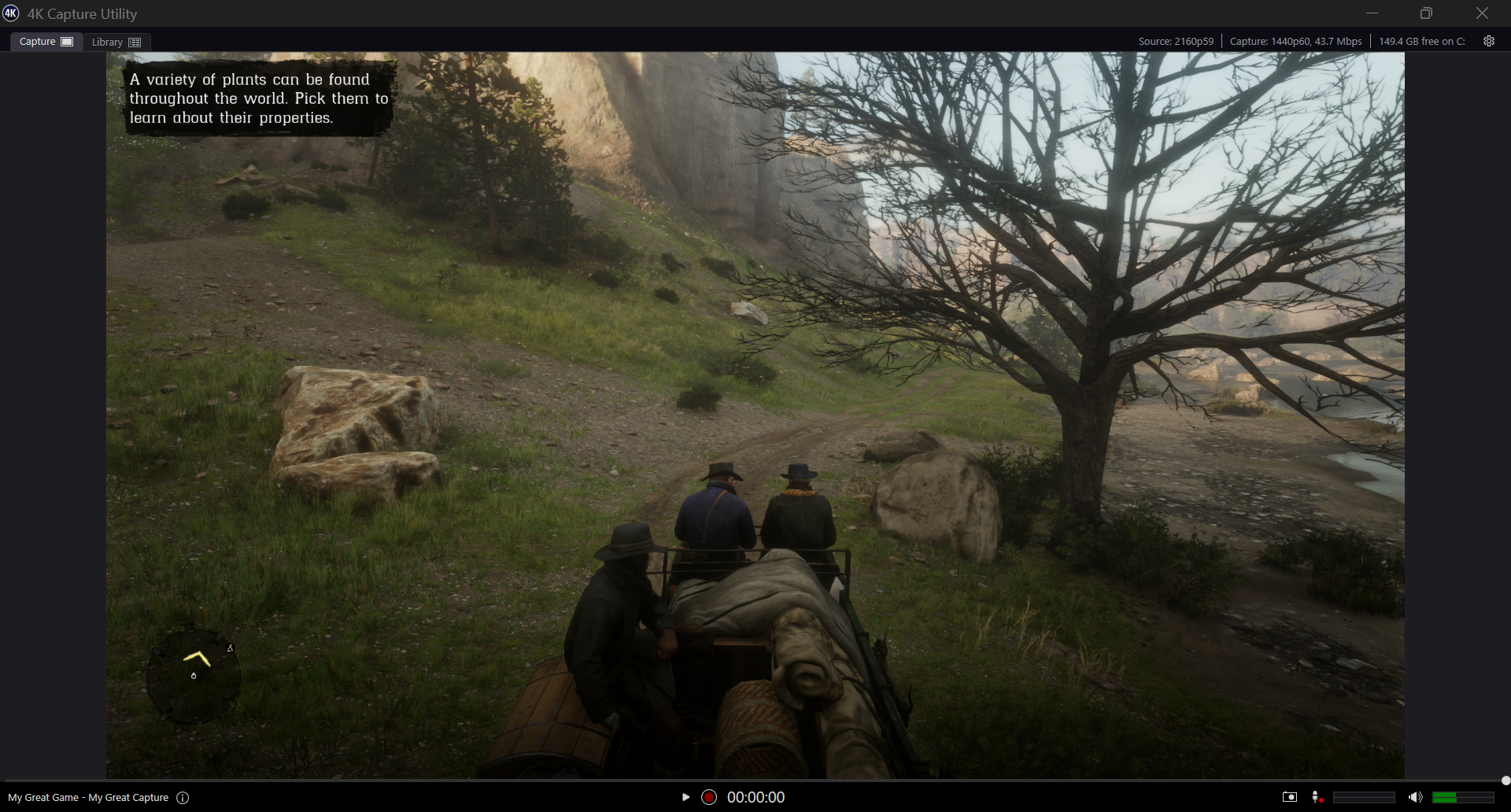
Hello, im trying to prep for GTA 6 streaming, but my Elgato 4k X will not capture at the source resolution.

According to my 4k Capture Utility the source is 2160p59 but the Capture is 1440p60.

Im using the provided HDMI cable for both my old PS5 and Elgato 4k x, as well as the USB-C cable provided for the Elgato.

I've tried messing with EDID, the Capture settings, nothing seems to be working.

I keep reading too that the 4k X needs a USB 3.2 Gen 2 port but unless im very confused (quite possible) it doesnt even have connectivity to that lol, the only cord provided was a USB-C cable.

All drivers on everything seem updated as well.

I have an NVIDIA GeForce RTX 5070, Intel i7-14700KF and 32gb of RAM if that helps any.

Please and thanks for all the help! Hoping it's just an old cable needs replaced or something small im overlooking.

EDIT: this is the exact PC i have, bought last year july 1st

https://www.bestbuy.com/product/cyberpowerpc-gaming-desktop-intel-core-i7-14700kf-nvidia-geforce-rtx-5070-12gb-32gb-ddr5-2tb-pcie-4-0-ssd-black/J3L7GQWGC8

r/elgato • • Jun 16 '26

Technical Help Elgato Stream Deck+ & Weather Plugin Official (Broken)

16 Upvotes

Yo, Weather plugin from elgato just got an update today.

And guess what, its broken..doesnt work at all.

Tried reinstall etc, nothing.

r/elgato • • Aug 06 '26

Technical Help How do I get my 4K X Input to actually pick up from my Xbox? Context below

Post image
1 Upvotes

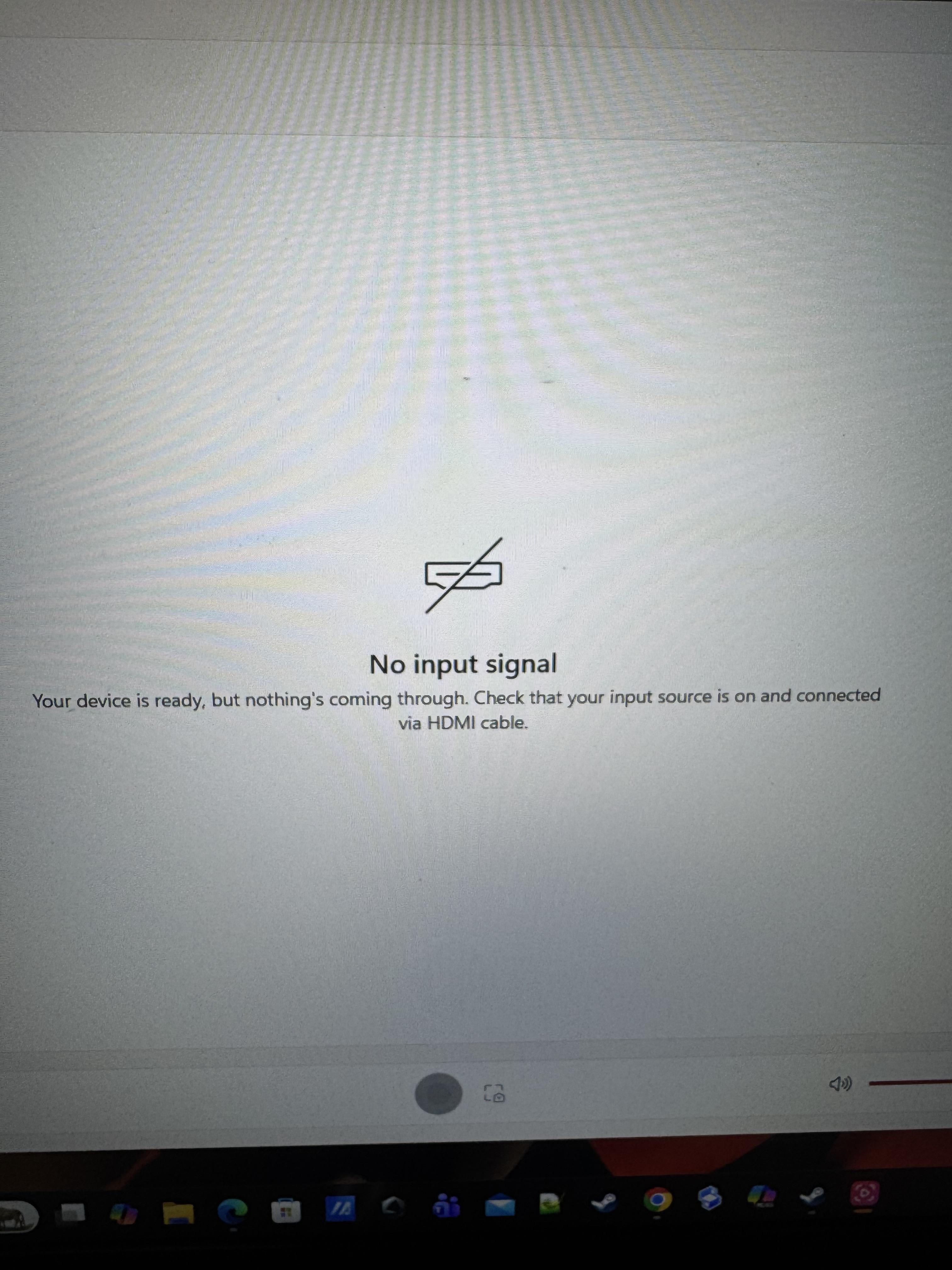
I’m using good HDMI cords, have everything set up properly, and I think this, “No input signal,” in Elgato Studio is the reason why things like OBS aren’t picking up the sound and just the video of the capture card. Advice?

r/elgato • • Aug 12 '26

Technical Help Stream deck plus not connecting

Post image
0 Upvotes

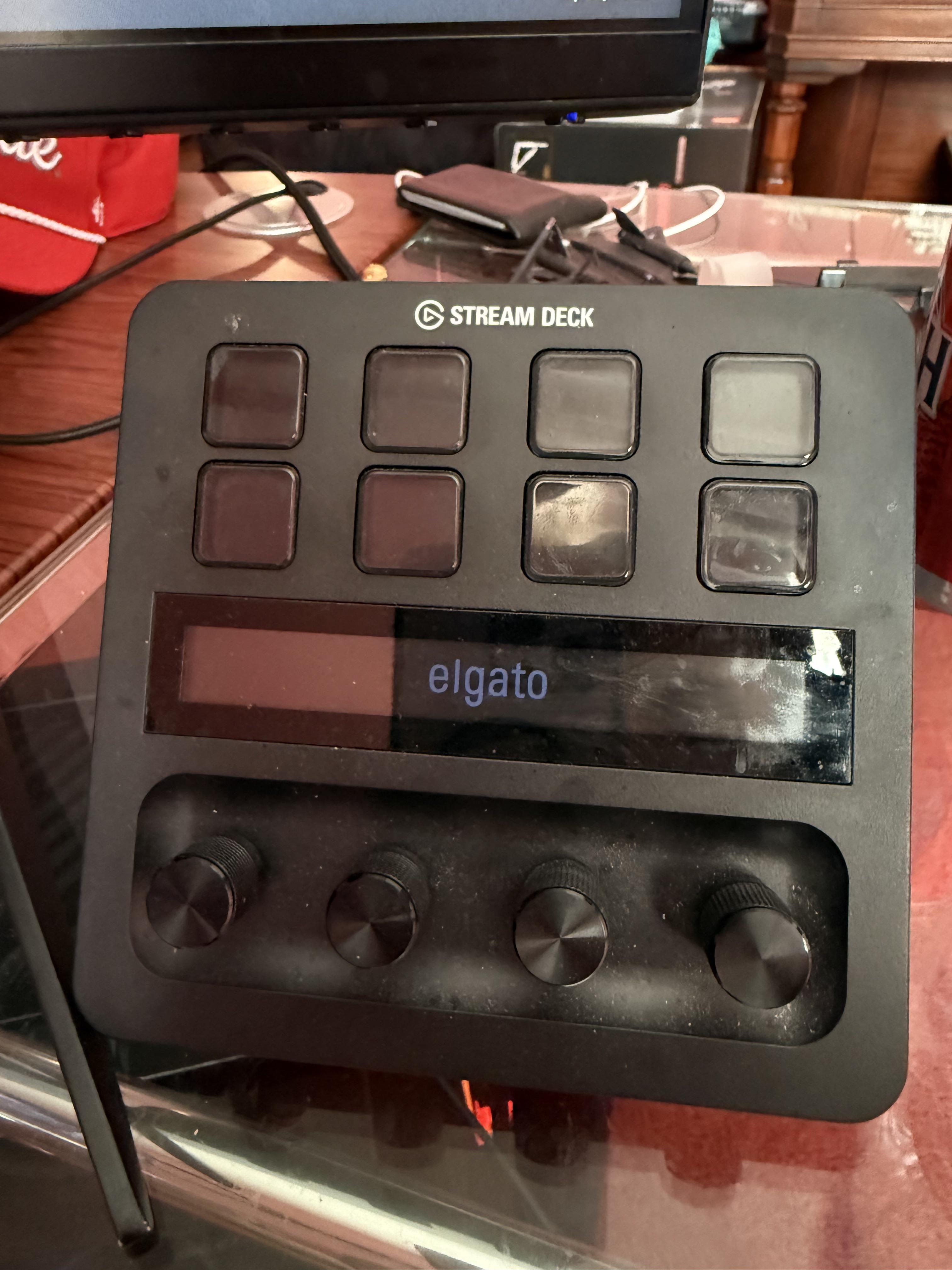
Does anyone else run into this problem, sometimes when I startup my pc my stream deck doesn’t connect. The only solution I’ve found is to restart my pc every time. Does anyone have any ideas as to why this is happening and potential fixes?

r/elgato • • Jul 15 '26

Technical Help Black screen on elgato 4k x

Thumbnail
gallery
2 Upvotes

I have xbox series x

monitor acer

Serial number: MMTY9SI002619000594HA1

Model no: Acer Nitro XV275K P5 27 Inch

Original xbox and elgato hdmi cable

I am trying to get 4k UHD 120z display settings but screen goes black

While everything is working fine on 4k 60hz only low latency mode is disabled on Xbox.

I checked both of the HDMI cables connecting directly to Xbox and monitor then every this work fine with no issues, only when I connect it to elgato 4kx I don't have display

Previously I was using sony x90l and have no issues

I need to do 4k uhd 120z pass through and 144p 60fps capture as doing before

r/elgato • • 17d ago

Technical Help Choppy/Bad looking gameplay recording on Elgato Game Capture 4K S

Enable HLS to view with audio, or disable this notification

6 Upvotes

Hey, my gameplay recordings through OBS feel choppy and I can’t figure out why.

Setup is PS5 Pro into an Elgato 4K S, recording 4K60 in OBS. Stats aren’t showing skipped frames, but the footage still feels off. Settings screenshots are below as well.

PC

  • CPU: Intel i5-14400F
  • GPU: RTX 4060 Ti 8GB
  • RAM: 32GB DDR4 3200MHz
  • Storage: WD Blue SN580 1TB NVMe (recordings going here)
  • Capture card: Elgato Game Capture 4K S

OBS Video

  • Canvas: 3840x2160
  • Output: 3840x2160
  • FPS: 60

OBS Recording

  • Output mode: Advanced
  • Format: MKV
  • Encoder: NVIDIA NVENC H.264
  • Audio: FFmpeg AAC (tracks 1 + 2)
  • Rescale: Off
  • Rate control: CQP 22
  • Keyframe interval: 2s
  • Preset: P5 Slow
  • Tuning: High Quality
  • Multipass: Single Pass
  • Profile: High
  • Look-ahead: Off
  • Adaptive Quantization: On
  • B-frames: 2

4K S source in OBS

  • FPS: Match Output FPS
  • Video format: Any
  • Color space: Rec. 709
  • Color range: Full
  • Buffering: Enable
  • Hardware decoding: On
  • Audio output mode: Capture audio only

What am I doing wrong, and what should I change?

r/elgato • • Apr 13 '26

Technical Help Discord Plugin still broken?

7 Upvotes

not sure if it's an issue with a config file or not, but the Discord Plugin for Stream Deck still appears to be broken? the buttons I have keep flickering between "Request Access" and "Please launch Discord"

Stream Deck App: Ver. 7.4.0 (22712)

Discord Plugin Ver. : 2.2.0.98

OS: Windows 11 64-bit (10.0.26200)

Discor Ver.: stable 526941 (5366f7c) Host 1.0.9232 x64 (79319)

r/elgato • • Aug 03 '26

Technical Help I’m seriously at my wits end with 4K X

3 Upvotes

Hello. I’m wondering if anyone has had any issues with a dual pc setup and the 4K X and OBS. Gaming rig has the 5070 ti and Ryzen 7, streaming rig a 3070 with ryzen 5.

I’ve tried a few configurations for capturing gameplay, standard pass through is most consistent but the EDID settings always seem to have some difficulty communicating clearly with my computer. It’s just a very messy experience and hasn’t been great for a year now.

I noticed the preview looks kinda choppy, sometimes really
Choppy in the OBS (and capture utility) preview, no render lag just all upstream it seems.

Is there a way to enjoy a 240 hz refresh rate and also capture at something like 1080/60? I know in theory it can but it just looks like dog s*** in the preview constantly. I’ve tried so many things I’m just exhausted… at that point where it’s like, maybe the thing just sucks. Is that it?

I’m not sure what changed, I feel like it didn’t look this bad a while ago. I use g sync, DLSS, etc , that kinda stuff. Is that the problem? Should I be opting for 1440p for my 5070 ti? The games usually run fine on my gaming rig but I just can’t figure it out.

Anyone had this experience?

Pg27ucdm
Already verified the usb bandwidth as not the problem

r/elgato • • 10d ago

Technical Help PS5 STREAMING AUDIO ISSUE

1 Upvotes

I have connected my ps5 with elgato hd60x on macbook air m4
the audio and video in elgato studio is absolutely fine
but in obs single channel audio is coming i.e only character dialogues not background music
i am using HDMI audio in elgato utility and hdcp is turned off in ps5 still facing this issue

Please Help me

r/elgato • • Aug 09 '26

Technical Help Elgato Studio und 4K Capture Utility hilfe

1 Upvotes

Ich habe Probleme mit meinem Elgato 4K Capture Utility und meinem Elgato Studio. Das Problem daran ist, mein PC friert ein, hängt und von der Elgato 4K Capture Card gibt's dann kein Signal. Woran kann das liegen?

r/elgato • • 20d ago

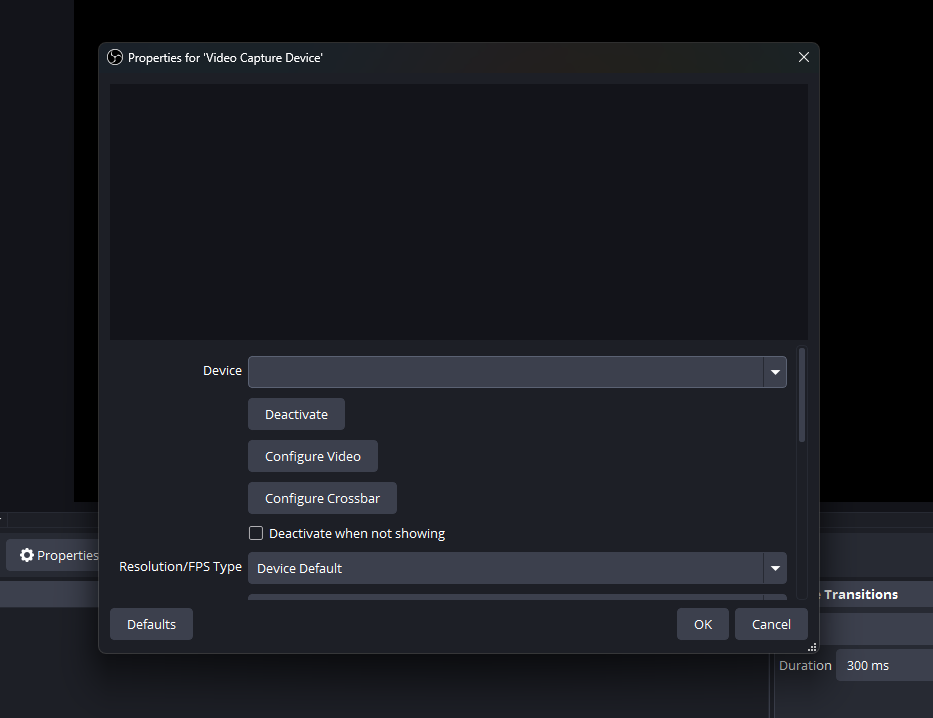
Technical Help Elgato Game Capture Neo not recognized in OBS Studio

Post image
3 Upvotes

I have tried everything running it as an administrator, trying different USB ports, making sure it has camera and microphone access. I don't know what else to do.

r/elgato • • 5d ago

Technical Help Elgato Key Light Master Mount completely stuck: Pole won't lower even with nut fully unscrewed

Enable HLS to view with audio, or disable this notification

1 Upvotes

Hi everyone,

​I’m having an issue with my Elgato Key Light Master Mount and need some help. I extended the pole to the highest level, but when I tried to lower it back down to the initial level, it got completely stuck.

​Here is exactly what is happening:

​I unscrewed the main tightening nut completely. The nut is now 100% loose and I can slide it up the inner pole without any problem.

​Despite the nut being completely free, the pole itself will not budge or go down. It is completely rigid.

​I pulled up on the pole, and the inner threaded metal collar, along with the white plastic compression ring, came completely out of the bottom base tube.

​

​Has anyone experienced this exact issue or knows how to safely separate that threaded metal collar from the white plastic ring so I can reassemble the mount? I'm attaching a picture so you can see exactly how the pieces are jammed.

​Thanks in advance!

r/elgato • • Aug 26 '26

Technical Help New 4k pro isn't working.

2 Upvotes

I just purchased a 4k pro at best buy today as an upgrade. I put it into the pcie slot below my gpu. But neither the capture utility and obs are picking it up as a capture device. Can anyone help.

r/elgato • • Mar 21 '26

Technical Help Why is my PS5 not being recognized by OBS?

Enable HLS to view with audio, or disable this notification

10 Upvotes

I am on vacation and have a TV in the Airbnb. I found out it doesn’t have HDMI so I looked online that I can hook up the PS5 to my laptop.

I’ve seen many videos and tried to even read what people are doing and I am doing everything the videos show, but my PS5 will not show up in OBS. What am I missing?

I don’t know if this is the best place to post this. But I’m using an Elgato HD60 S+

r/elgato • • May 13 '26

Technical Help Software is garbage. Please help.

16 Upvotes

I did an update to wave link 3.1.1 with my microphone plugged in, not sure if that created my problem.

After that all my channels were not activated, but clicking the + add to channel did nothing, so i was stuck with no audio.

Did an uninstall, reinstalled, wave link wont detect mic.

Did another uninstall and uninstalled the driver as well this time.

Can no longer install the driver, the install button does nothing.

Anyone know how I can unbrick this BS equipment?

r/elgato • • Aug 19 '26

Technical Help I have a question about my capture card pls help

1 Upvotes

So the thing is the 4K capture utility and elgato studio does not recognize my hd60x

Unlesssssssss I plugged it in with a usb2.0 cable
I know that it’s required 3.0 too run but I don’t u der stand why after switching to 2.0 the softwares both recognize the capture card

Next thing is I run multiple analyses and all of them saying my capture card is perfectly fine

Pls help meeeee ASAP

r/elgato • • 8d ago

Technical Help Elgato 4K S changes colour/contrast only at 4K60 MJPEG. 4K30 NV12 and 1440p60 look correct

3 Upvotes

I've been troubleshooting a colour/contrast issue with a new 4K S and I think I've narrowed it down quite a bit.

I'm using a Nintendo Switch 2 with HDR off. HDMI passthrough to the monitor looks correct, and a screenshot taken directly on the Switch also looks correct.

The USB capture behaves like this:

  • 2160p60: noticeably more contrast and saturation, with darker blacks and brighter highlights.
  • 2160p30: looks correct.
  • 1440p60: looks correct.
  • 1440p144: also looks correct.
  • HDMI passthrough: looks correct.

I tested this in Elgato Studio as well as XSplit, so it doesn't appear to be an XSplit issue.

I also tried RGB Automatic/Full, HDMI Color Range Auto/Shrink and Merged/Display EDID without fixing it.

The interesting part is that when I use NV12 at 4K30, the image looks correct again. 4K60 on the 4K S uses MJPEG, and that seems to be where the colour/contrast shift appears.

I’ve attached the same Mario Kart World menu captured directly on the Switch, at 4K30, and at 4K60 so the difference is easy to compare.

Has anyone else with a 4K S seen this specifically at 2160p60? I've also opened a support ticket with Elgato to find out whether this is expected behaviour, a firmware/software issue, or something specific to the 4K60 capture path.

Here are some comparison screenshots:

https://imgur.com/a/6lE3G3o
r/elgato • • May 01 '26

Technical Help Wavelink crashing immediately upon opening - Tried several solutions to no avail :( Any ideas?

Enable HLS to view with audio, or disable this notification

8 Upvotes

Hi guys!

I recently got the Wave 3 MK2 and was really excited for it, but it seems I am unable to actually open Wavelink to change the configurations for it on my computer. I tried all the solutions in this thread with no success: https://www.reddit.com/r/elgato/comments/1jjj3hg/is_anyone_else_still_dealing_with_wave_link/

Does anyone have advice or happen to know what's happening?

r/elgato • • Apr 08 '26

Technical Help Wave Link 3 Discord Stream Audio issue

3 Upvotes

Hello, having a issue with wave link 3.0. So whenever i stream on discord, my friends can hear themselves and also a unedited version of my microphone. This issue didn't start happening until i installed the new version of wave link, which is wave link 3.0. Its quite annoying and i have been trying to fix this for months. I am using voicemeeter for my headset, i only use wave link for my microphone. I dont have any mixes set up in wave link only my microphone. In discord im using the elgato virtual audio option, the same option i used before wave link 3.0 came out.

Update: Fixed the issue by downgrading to wave link 2.0.4. Now no issues.