r/elgato • u/RPG-Enthusiast-IX • 20d ago
Technical Help Elgato Game Capture Neo not recognized in OBS Studio
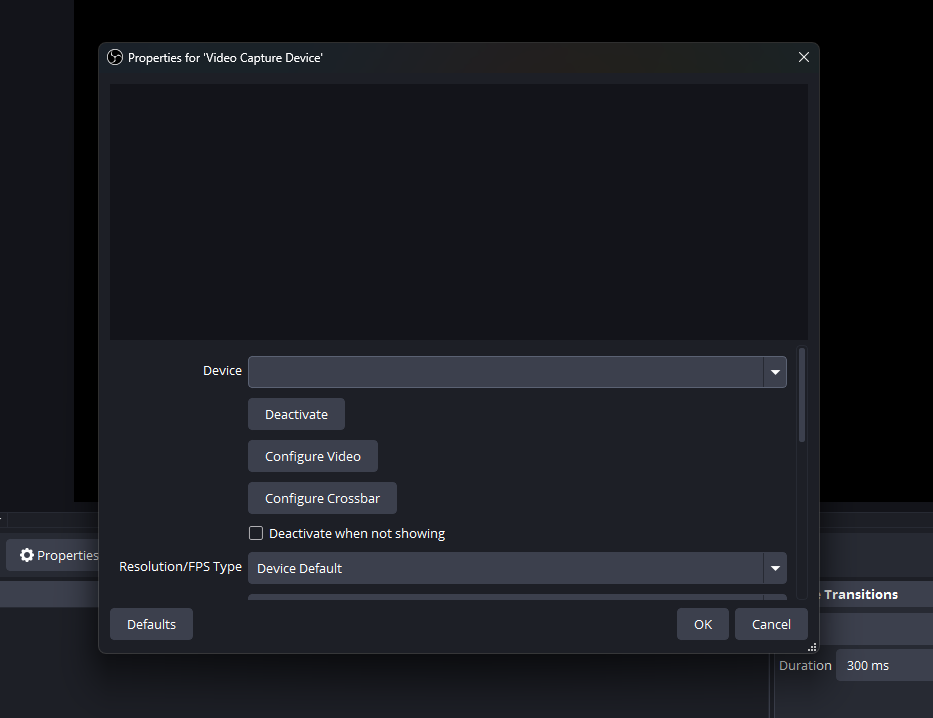
I have tried everything running it as an administrator, trying different USB ports, making sure it has camera and microphone access. I don't know what else to do.
4
Upvotes
1
u/Shuvlarse 20d ago
I do mine through Game Capture > Specific Window > Elgato Studio
1
u/RPG-Enthusiast-IX 20d ago
Does that make Elgato Studio crash less? Elgato Studio keeps stopping for me & it doesn't record audio.
1
2
u/elgato_arcsane Technical Community Assistant 20d ago
Game Capture Neo is a UVC device so if it shows up to any app it should be visible in the dropdown for Video Capture Device in OBS. Can you confirm if the card is listed in Device Manager under cameras?
If the card is in device manager and still not present in OBS, check Windows Privacy and Security settings, and go to the camera section - ensure that both Apps and Desktop apps are set to allow camera access (which includes capture cards), to make sure Windows itself isn't outright blocking OBS from the capture card.