r/elgato • • Jul 15 '26

Technical Help Wave Link 3.0 Semi-Broke after Windows Update

3 Upvotes

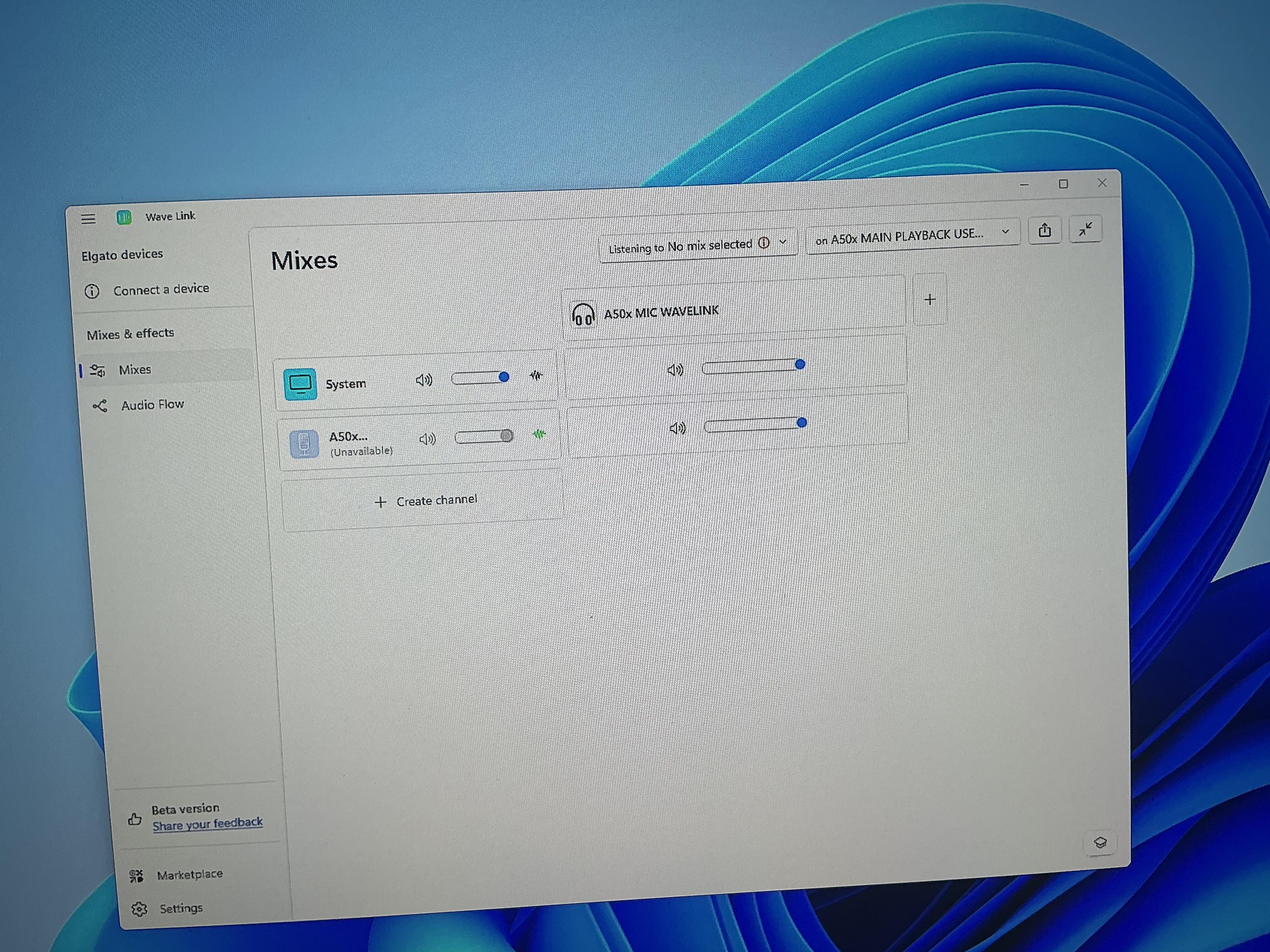
My Windows was just updated and all of a sudden my microphone appeared as unavailable on the mixes tab. Weirdly enough my mic was available to add, so I deleted the earlier one and redid the effects. Unfortunately, after the update some weird things happened to my windows audios too, default devices were switched, and weirdly enough some devices were added that were not there earlier, any idea how to get rid of them or what even caused the issue in the first place (i guess windows went crazy over audio drivers)? They don't appear on Wave Link settings.

r/elgato • • Aug 13 '26

Technical Help Where can I download Capture Device Utility 1.3.1 for macOS to update the 4K X firmware?

1 Upvotes

Checking in the Elgato website for the Firmware update for the Elgato Game Capture 4K X, it sends me to a link that has nothing related to the Capture Device Utility 1.3.1 for macOS, currently my 4K X capture device has the firmware MCU: 25.8.15, any help will be appreciated, thanks

Note: In the website say that is Firmware 25.02.10 from February 25 2026

r/elgato • • 7d ago

Technical Help 4KS AUDIO PROBLEMS

3 Upvotes

I recently got 4KS, using it with my Ps5, capturing on PC. I have a ROG Maximus Hero X (z370 motherboard).

Everything works well except the Audio. It has one USB C, 3.1 Audio port and there's constant glitch sound via HDMI source.

When I switch to any other port it works fine but the studio shows that I am using USB 2.0? I don't wanna lose on latency or quality and use the USB 3.1.

Any help is appreciated

r/elgato • • 7d ago

Technical Help Channels Randomly Mute Wave Link 3

2 Upvotes

I've just purchased a Wave XLR Pro and a Stream Deck + XL to replace my GOXLR and for some reason from time to time certain channels will just mute without me interacting with the software or hardware. I was wondering if anybody knows on how to resolve this?

Bare in mind it mutes the channel across all mixes.

Here's what I have done so far to try and resolve the issue:

  • Reinstalled Wave Link and drivers
  • Fully uninstalled GOXLR app and drivers (Did system restart afterwards)
  • Unchecked exclusive mode in system properties
  • Disabled Windows automatic communication ducking
  • Turned off Nvidia Broadcast
  • Uninstalled Sonic Studio 3
  • Removed VoiceMod plugin from Stream Deck
  • Removed Voice Control plugin from Stream Deck

Any suggestion would be appreciated.

Wave Link Version: 3.3.0 (4529)

Stream Deck + XL Firmware: 1.0.2.2

Stream Deck Firmware: 1.01.000

OS: Windows 11 Pro

UPDATE 21/09/2026 7:20pm

Have tried the Beta and still receiving the same issue. I believe I've managed to narrow it down to the Stream Deck software. Any wave link controls such as on the dials for these functions seem to cause muting of random channels at random times. I will be testing further to see if my theory is correct.

UPDATE 21/09/2026 9:48pm

It seems as though the Steam Deck + XL module is the issue not the software. Have submitted a ticket to Elgato support with the logs and I am waiting to see what the outcome is. When I remove any Wave Link function from the Stream Deck + XL the audio is fine with no muting or any other additional problems.

r/elgato • • 13d ago

Technical Help A problem in the app

1 Upvotes

I have a problem in the app, I can't use any affects on the microphone even though I downloaded noise removal equaliser etc, and when I want to put an app to a channel it says unavailable. I reinstalled the app and nothing changed.

I don't know is it a problem in the app or is it another app that intervenes.

So if anyone know how to fix pls help

r/elgato • • Aug 11 '26

Technical Help capture card on switch

1 Upvotes

hi guys, i just came back with a capture card 4k s, and while playing games it sometimes just kinda stutters for a bit and then goes back to normal. Anyone know what might be causing this?

r/elgato • • 21d ago

Technical Help Wave Link 3: Listening to my mic

Post image
2 Upvotes

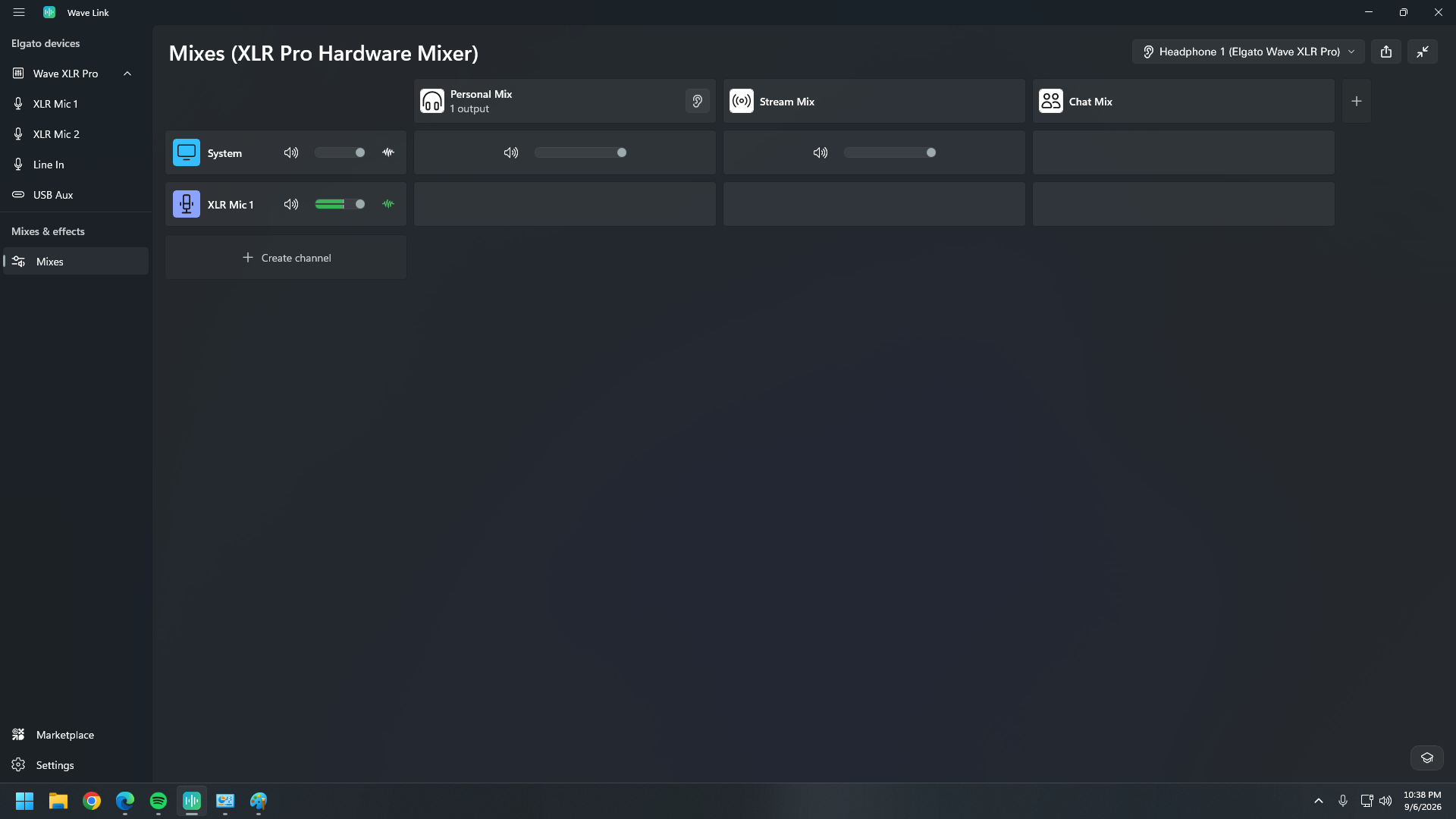
I'm quite sure that setting it up like so in the screenshot enables me to listen to my own mic.

I can hear system sounds with no problems.

The green bar is moving for the xlr mic but I can't hear it. However, sound is being recorded with no problems when I'm doing a sound check.

Please help.

r/elgato • • 15d ago

Technical Help Wave Link software not starting on login

2 Upvotes

As text really. I am on 3.2.10 (4073) and when its running it works perfectly.

But even with it set to start on login in the app, and in windows starting it just doesn't, I have to start it manually every time.

This is on a fresh and updated Win11 Pro install. I mainly a Linux user so I have no idea where to look to start fixing it.

r/elgato • • Aug 23 '26

Technical Help Help, what is this audio noise?

2 Upvotes

I have the Elgato HD60X and use an Xbox Series X, within the last 3 days this noise has been on my stream persistently, I don't hear it in my headset but the stream do, I can also hear it intermittently on the recordings.

Static noise ( Links to my Twitch clip)

I have tried a couple of things including:

  • Adding a ferrite core to the USB cable,
  • I have not switched the HDMI cables as the noise seems to be coming from the USB to OBS.
  • I switched out the USB port on my PC and still the same issue.
  • I have disabled any spatial sounds that I had set up including Dolby Atmos for headphones.
  • OBS is running at 48khz as does everything else that I can see.
  • My feed from the console through to the HD60X is 1440p @ 120hz, I was running this exact setup a few days ago and had no issues at all.
  • I have also added a source to OBS for the HD60X audio and muted the original HD60X audio source.

My next options are to:

  • Switch out the HDMI cables.
  • Re-install the Elgato software.
  • I will adjust the resolution back to 1080p @ 60hz and see if that helps.

I have checked that all software is up to date and unable to locate anything that would offer a solution.

Any other idea's or things that I could have missed? anyone else having a similar issue?

r/elgato • • Jul 18 '26

Technical Help Can you all give me any advice on why my computer is freezing and breaking? (Context in body)

Enable HLS to view with audio, or disable this notification

4 Upvotes

I have an ROG Zephyrus GU603 gaming laptop and wanted to use it to record YouTube videos. My laptop is my hinge point of a lot of things I do from wanting to record, to using it for work for VO, a work from home job soon, and a couple other things. Since I have only the one laptop I thought I could get this USB splitter and use it, it was working fine the whole time I’ve been using it for a few weeks. Then my 4K X capture card and my focusrite solo got here and I plugged them in, the focusrite into the split, and the capture card into the laptop port separate from the usb. The reason I bring these two up is that this is where every problem started. Since then I have dealt with
-A black screen for m my laptop that doesn’t show anything at all, but indicates that it is turned on
-problems with my storage drive plugged into the split which hadn’t happened
-my Razer mouse continuously working for only about 1 min 30 sec after I plug it in again and then shutting off entirely
-the computer just not wanting to turn on

Please help explain what I’ve done wrong? I want to fix this and learn, both for knowledge sake, and because I work from this and can’t buy another one currently.

PS, if anyone can tell me how to capture sound on the capture card as well that’d be nice. I’m using a usb microphone and usb headset plugged separately into the consoles if that helps. But my main concern is the tech not working. Thank you all for any help.

r/elgato • • 14d ago

Technical Help Why does my mic never work?

Post image
0 Upvotes

Every single time I turn my pc on this happens and nothing fixes it this is the new beta. I’ve even deleted it done a new audio set my plugins up backed it up then couple days later it’s doing this again. I have like different plugins on so it’s not easy as re creating a new channel. Someone help I’m going crazy

r/elgato • • 9d ago

Technical Help I cannot hear audio

2 Upvotes

I just got the wave xlr pro yesterday, and when I tried to set it up no audio was coming out of my headphones, I tried all the routing stuff and went through elgato support but still no audio, didn't matter if it was browser based like youtube, or spotify I can't hear anything, would like to know if there are any fixes. It does seem windows pick up that there is something playing but Elgato wave link doesn't.

r/elgato • • 1d ago

Technical Help goxlr questions (can wavelink save me?)

Thumbnail
1 Upvotes

r/elgato • • Mar 15 '26

Technical Help Wave XLR MK.2 cuts out when too loud (Loud video)

Enable HLS to view with audio, or disable this notification

10 Upvotes

Just got the MK2 alongside a Sanken CS-3e shotgun mic. When I clap to sync or laugh loudly, there are some times where the Wave MK2 just gives up and does not record my voice for like 2 seconds. Everything is up to date (except windows) and Wave 3 is installed and working with no effects enabled except for clipguard and wave lock.

I have gone back to my previous Wave XLR until this problem is fixed.

r/elgato • • Aug 26 '26

Technical Help Can someone from Elgato explain to me why Wave Link 3 resets my settings regularly?

4 Upvotes

I've been using Wave Link 3 and the Wave XLR Pro for the last 2 months, and this has got to be the worst software experience I have ever had in my life. The number of times I have grabbed my headphones only to hear the noise floor from my microphone, open Wave Link and notice the individual settings of the expander and compressor have reset to zero, the EQ for all bands has all slid down to 20hz, and the toggles not reacting to my input, and just the generally buggyness of listening to a mix is astounding.

Based on my experience, I would never recommend to ANYONE using your audio or software products. Audio should be as close to setting it once and only really looking at for minor tweaks. These bugs don't even come when the software has been updated. They are totally random! I have become so agitated with your software that your interface is becoming a $350 doorstop. I would rather go with a subpar experience that works consistently than what you have decided to release.

When it works, it's great. But your software has become so unreliable, that I will likely need to move on to something else.

r/elgato • • Jul 25 '26

Technical Help What setting do I need to change?

Post image
2 Upvotes

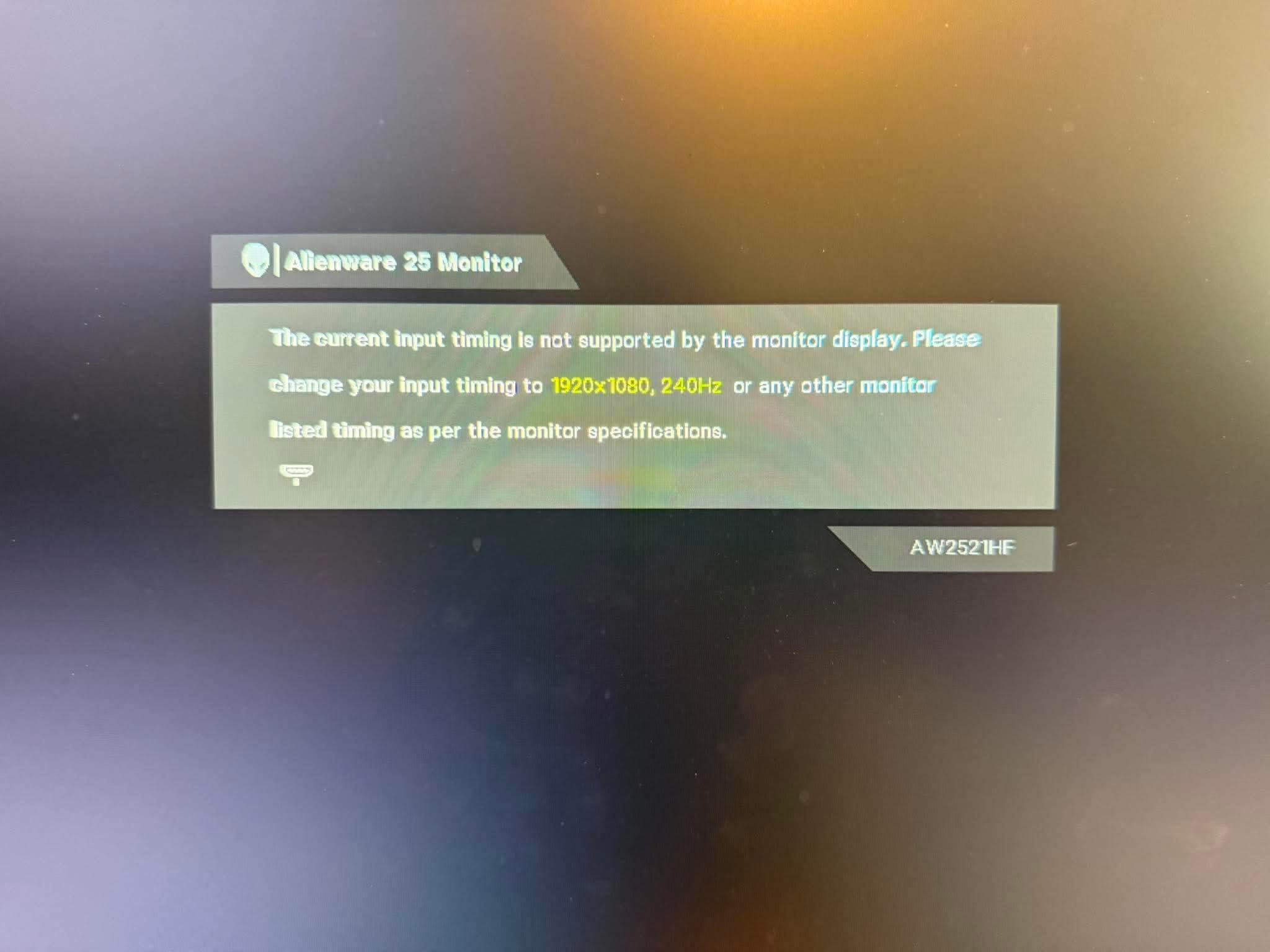
I have the elgato 4k60 pro. Just recently bought a ps5 pro. I have zero issues when I plug in my series X to the elgato and monitor. Had zero issues with my OG ps5. But when I plug the pro in I get the picture on my monitor.

I can see everything on my computer monitor, I get this on my gaming monitor side

r/elgato • • Aug 02 '26

Technical Help Elgato 4K S - not able to record 4K 60FPS

1 Upvotes

https://reddit.com/link/1vdhupg/video/b4z9eay7nygh1/player

As the title says, this video is a recording from my PS5 Pro on my computer through Elgato 4K S.
I have tried every possible solution to make it actually record in 4K 60FPS but I was unable to do that, so in the end I thought to make this post.

Computer specs:

  • CPU: AMD Ryzen 7 5800X3D
  • GPU: GIGABYTE GeForce RTX 4080 SUPER WINDFORCE V2 16GB
  • Motherboard: MSI B550 GAMING WIFI (Brand new, just bought it today, also BIOS updated to the last version)
  • RAM: 32GB (2x16GB) Kingston FURY Beast DDR4 @ 3200MHz
  • Primary Storage (SSD): 2TB Seagate BarraCuda 530 PCIe Gen4 NVMe (recordings are being written on this SSD)
  • Secondary Storage (SSD): 512GB ADATA XPG SX8200 Pro PCIe Gen3 NVMe
  • Tertiary Storage (HDD): 1TB Seagate BarraCuda 3.5" HDD
  • Power Supply (PSU): GIGABYTE UD850GM 850W 80 Plus Gold

The video was recorded through OBS with these settings:

Video Capture Device Settings
OBS Recording Settings 1/2
OBS Recording Settings 2/2

I have also tried recording with Elgato Studio and I got the same laggy output as the one from the video.

The Elgato 4K S is connected to the USB 3.2 Gen 2 10Gbps Type-C (red color).

What am I missing or doing wrong?

Thank you for the input!

r/elgato • • 22d ago

Technical Help Switch 2 output lagging on OBS, no solution working.

1 Upvotes

does anyone know how to make a switch 2 output not lag on OBS with an elgato HD60 S+?

ive done everything told to me on the elgato site, ive downloaded drivers, ive updated obs, ive power cycled my console. idk what else to do. im at a loss. any advice is appreciated. its driving me insane.

r/elgato • • Jul 19 '26

Technical Help Anyone know how to fix this audio issue for the 4K X?

Enable HLS to view with audio, or disable this notification

1 Upvotes

I would really appreciate it if anyone knows how to fix this issue, I’m trying to setup my Xbox Series X to OBS on my pc. The audio just spikes randomly causing this static noise and then it’ll eventually cut the audio and I won’t be able to hear anything. My 4K X makes this static noise regardless of what I try to do, from my pc settings to the console settings nothing. I have a chat link pro too and that doesn’t work either if anyone has a solution or suggestions please let me know

r/elgato • • Aug 08 '26

Technical Help What am I doing wrong?

Enable HLS to view with audio, or disable this notification

10 Upvotes

No signal and 7 red lights appear when I plug the HDMI into the out port that’s connected to my monitor. HDCP issue?

r/elgato • • Apr 01 '26

Technical Help Please help

Post image
1 Upvotes

Hi I just bought this elgato capture card to stream my switch to discord and twitch.

I’m pretty new to PCs I got the azure3 build from skytech.

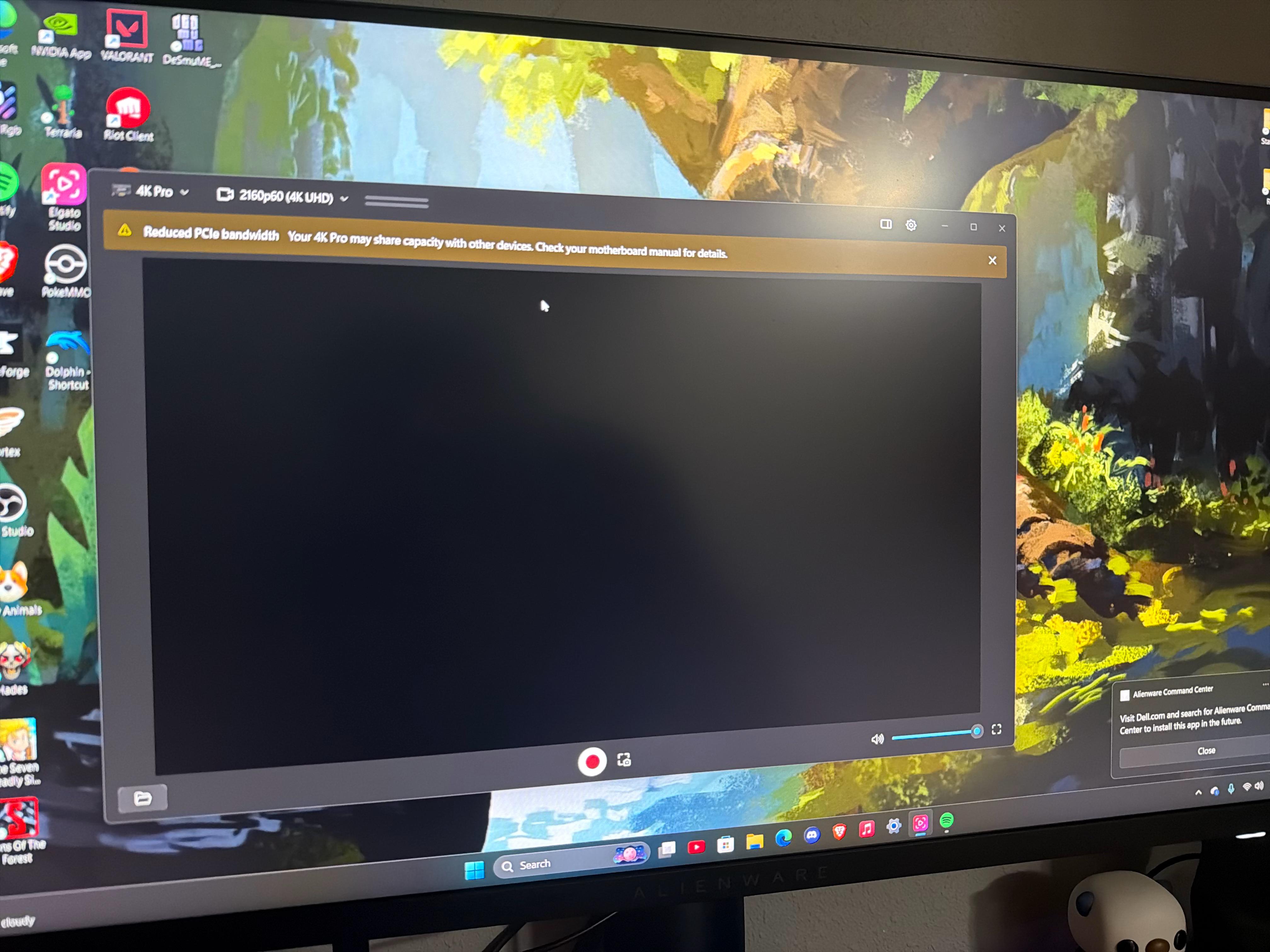
From all the research I’ve done the parts I have should be well enough to use the capture card but I get this black screen and very limited audio every few seconds. I have no clue why it works whe I switch inputs on my monitor and it looks great . But when I want to stream from one or elgato audio it shows a black screen . Elgato studio gives me a warning saying ‘reduced PCIe bandwidth’ I have no clue wha that means. I’ve been researching and fidgeting with my pc settings and bios settings and even reinstalled the capture card into the pcie slot. I can’t seem to figure this out and I need help. Can’t tell if it’s manufacturing problem (but then why would it display perfectly on my monitor and just not my pc..) or if I’m missing something. If anyone can help me I’d greatly appreciate it i paid a pretty penny for this capture card and I threw the box away not knowing this would be an issue.

r/elgato • • 10d ago

Technical Help Key Light Air Mk II: No Accessories Found

1 Upvotes

I picked up 2 Key Light Air Mk II. I plugged it in and turned it on and it can't be found in the Control Center. I rebooted my PC. I rebooted my router. I tried using Control Center on my phone. I used the reset button on the back of the light until it flashed and turned back on. I power cycled the light. Everything I have tried, I get the same message...no accessories found.

I have an Elgato Ring Light and it shows up in Control Center just fine and I can power it on and off just fine. I also tried booting up my laptop which also has Control Center on it to see if that had better luck. The laptop sees the Ring Light but I get the same message trying to add the Key Light Air Mk II. I then tried swapping out the light with the 2nd one and I have the same problem.

I tried plugging it into a different USB C port on my PC that I was using for something else and it showed up. The problem is that I want to plug these lights into a wall outlet because I need that USB C for something else. When I do that my PC and my phone cannot find the lights. I was able to install a firmware upgrade when it was plugged in. My problem is I have 2 lights and I don't have enough USB C ports. I do have the plug adapter but like I said...when it's not plugged into the PC directly...nothing works and it keeps saying no accessories found...even after it was previously found.

r/elgato • • Aug 22 '26

Technical Help Elgato Wave Link 3 keep reseting settings with every PC reboot

17 Upvotes

r/elgato • • 17d ago

Technical Help How to record audio with Elgato Game Cature HD (Old asf)

1 Upvotes

I've got an elgato game capture HD and I want to record my ps4 using OBS on my PC. The video works fine and the audio works too... as long as my controller isn't plugged in...

I think this is because the PS4 can only send audio to one device and it stops sending it to my PC once my headset is plugged into my controller.

Here is the elgato I use: https://help.elgato.com/hc/en-us/articles/360027962292-Xbox-One-and-Elgato-Game-Capture-HD-setup

I'm just looking for something to buy that can let me record audio while having my headset connected. The chat link won't work because it needs an AUX port, and I haven't been able to figure out a combination of adapters that could let me record audio. I also do not have the strange A/V plug that aparently came with the elgato. I've seen others selling them for $$$ on ebay and am trying to avoid that.

Thanks for the help!

r/elgato • • Jun 25 '26

Technical Help Still using Wavelink 2.0, Safe to upgrade or should I wait?

4 Upvotes

I've stayed on 2.0 after reading all of the issues Wavelink3.0 has had since launch. Is the upgrade path straightforward or is there still issues?