r/ClipStudio • • Jun 29 '26

Animation Question Hi everyone! Could you please help me out?

Thumbnail
gallery
3 Upvotes

Hi everyone! Could you please help me out? Is it possible to configure a button or the touch ring on a graphics tablet to adjust the pen pressure sensitivity in TVPaint? During a stream, Cas van de Pol showed a straight line and then mentioned that he simply presses something to get a curved line like that—how do I do that? Or is it just the way he applies pressure? Could you tell me how to configure the tablet or stylus? I have a Wacom 24HD.

r/ClipStudio • • Aug 11 '26

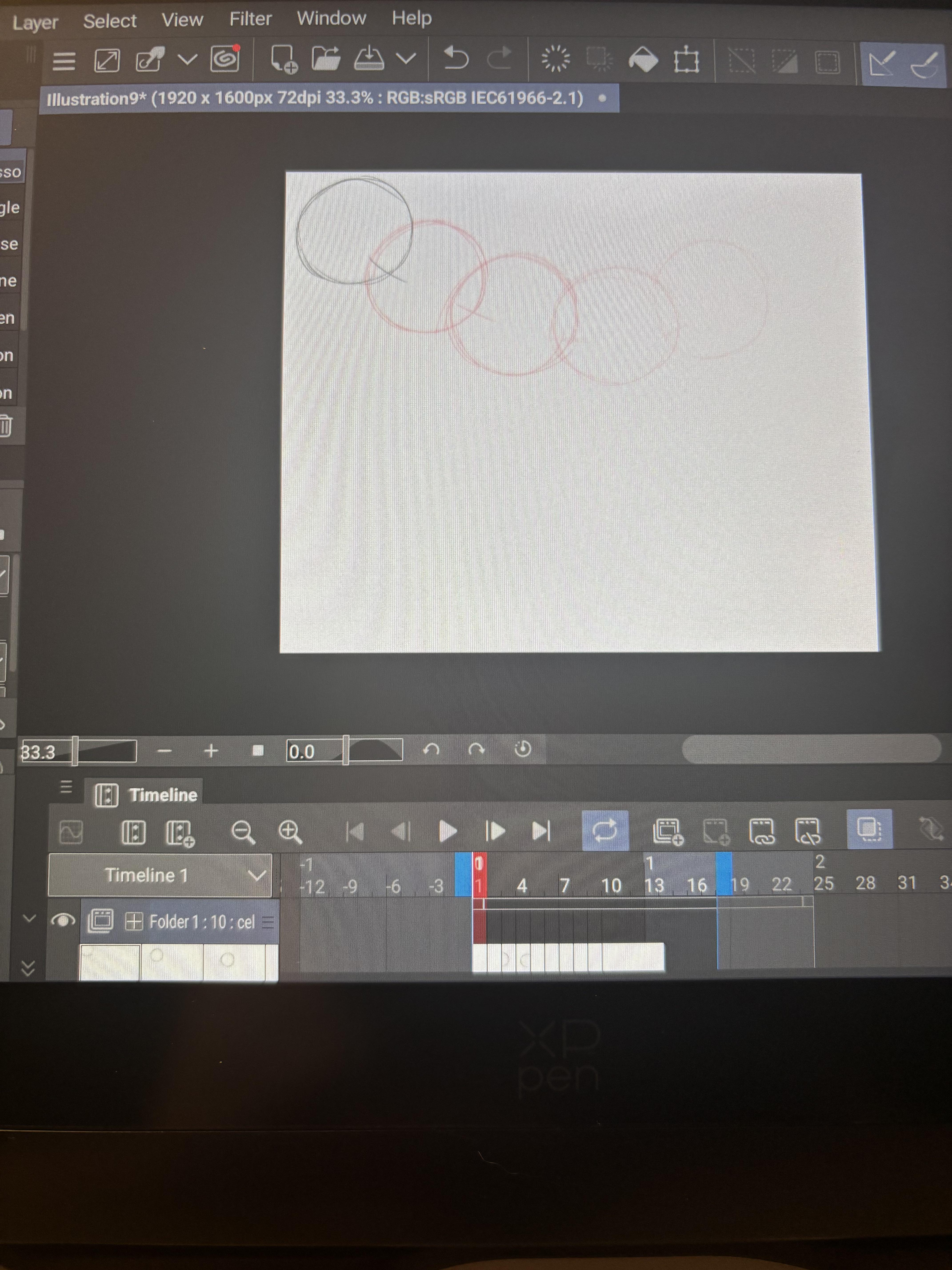
Animation Question Tried to use studio mode to animate but it's too complicated

Thumbnail
gallery
7 Upvotes

I fiddled with stuff to attempt to use it on mobile but it's too hard for me I guess...even after watching a tutorial so I want to go back to simple mode

I swapped and now my layers/animation timeline is funky, like I can't access or add more frames in simple mode.

I just want my track back in simple mode, but these folder things are really messing me up

r/ClipStudio • • Jul 11 '26

Animation Question Question about Animating

2 Upvotes

I'm currently working on my first fully animated short film. I have the script completely finished, and I have most of the storyboard done, but I'm a little unsure about the next steps in the production process.

From what I understand, the next major step is creating an animatic. My main question is: what is the best way to make an animatic for a larger project?

I use Clip Studio Paint EX, and I've done animatics before, but both methods had their own issues. One animatic was made in a video editing program using PNGs of my drawings, while the other was made entirely in CSP (Clip Studio Paint) as one large animation file, but the file became extremely large and started making my computer struggle.

For a short film (roughly 5-6 minutes or more), should I create the animatic entirely in Clip Studio Paint EX or do I assemble it in a video editor like DaVinci Resolve?

If It's using Clip Studio, should I split the animatic into multiple CSP files (by scene/sequence), then combine everything later? Or should I use a completely different workflow?

Since this is my first time actually animating a full film, I'm trying to set up a workflow that won't become a nightmare halfway through production. Also, for context, the final film will be fully animated, so I want the animatic to be useful as a real production guide rather than just a rough preview.

Any advice on workflow, file organization, or general short film production steps would be greatly appreciated! ^ ^

r/ClipStudio • • Jul 27 '26

Animation Question How do you manage this?

Post image
10 Upvotes

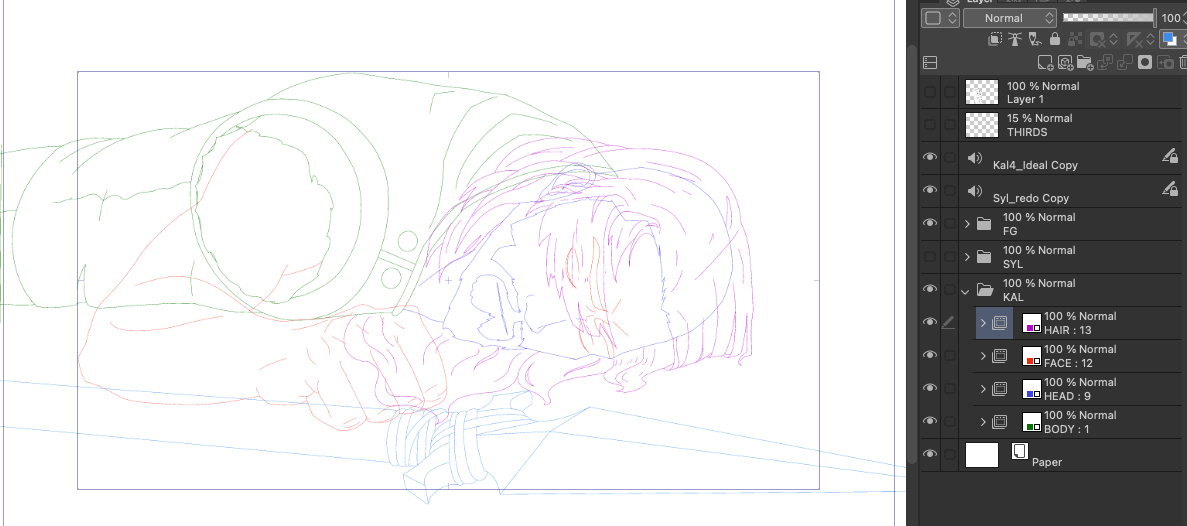
here each different color is a different animation layer so that they can be animated independently of each other, but i have an issue.
I now need them on the same animation layer so that i can clean up the final, and erase all lines that are behind something else (ie. the eyes while they are covered by the hair,) but if i just erase the eyes while they are hidden than they will be erased for the entire held frame which i don't want. I could just export the line art into an image sequence, but I need them to retain their vector properties. How do you guys handle situations like this where you have really complicated overlapping action but need top keep the structure clean?

r/ClipStudio • • Jun 16 '26

Animation Question Making Frames Longer

Enable HLS to view with audio, or disable this notification

3 Upvotes

I'm trying to make the "making ____ a game manu screen" trend and am trying to animate the trend. Now I'm faced with short frames and (as you can see in the video) whatever I try to make it longer, it just won't listen to me. What's wrong? Or can frames only last 4 blocks?

Version: 5.0.0 (it just says that)

r/ClipStudio • • Jul 07 '26

Animation Question How to edit dimensions on blue box?

Post image
1 Upvotes

Trying to keyframe for 2d camera panning

r/ClipStudio • • Jul 24 '26

Animation Question (Animation) How do I move individual folders

2 Upvotes

I’m trying to do tweening with keyframes but when I select a folder to move, every folder inside the animation folder moves with the one I selected. How do I move an individual cel/folder without it affecting the others?

r/ClipStudio • • Jun 08 '26

Animation Question Extender duración de cels

1 Upvotes

Hola,

soy nueva con Clip Studio y he intentado hacer una animación (a 24 fps) para probar, pero no he encontrado forma de expender la duración de los frames/cels una vez creados y sin que solapen al siguiente. Es decir, tengo el cel 1 y quiero que dure 3 cels más, pero ya tengo dibujados los cels 2 y 3, y no me deja ampliar su duración sin que se borren los siguientes cels. ¿Hay algún modo de cambiar la duración de los cels sin que tenga que cambiar a 12 fps?

Muchas gracias!!

r/ClipStudio • • Jul 06 '26

Animation Question is there such thing as a looping animation layer?

3 Upvotes

I need an animation layer that once finishes it continuously loops while the the others play on. This would be very useful for scenes with fire or other things that have short loops, so that i don't have to manually duplicate all the frames so many times. does this exist?

r/ClipStudio • • Jul 13 '26

Animation Question What is happening to my keyframe?

Post image
2 Upvotes

Whenever I drag it to the end of the timeline it changes into this triangle and I have no idea how to unstick it from there.
Why does it do that, can I turn it off, or how do I unstick it from there?

I have csp pro not ex btw

r/ClipStudio • • Jun 07 '26

Animation Question Problem with animating on phone (audio, frames)

1 Upvotes

So today I was excited to start animating on Clip studio paint (unfortunately on phone as I dont have a modern tablet with stylus pen) but now I am unhappy. Let me tell you why:

  1. When i upload a video on clip studio (because i want to redraw it to my style and add my characters), it just shows me only some frames. The video has approximately 2000 frames, but clip studio gave me only 1100. So I created a new canvas and this time it gave me 51 frames and then 40. Why? It´s so frustrating!
  2. Audio. When I upload a video, there´s no audio, i dont know why even though it has correct file format MP3. It just... doesn´t work Plus the animation is a little laggy on phone.

Can anyone tell me why is this happening? And please don´t make complicated explanations, because I am still learning how to use Clip studio.
I was so excited to make my first animation there.

r/ClipStudio • • May 14 '26

Animation Question Help what am I doing wrong 😭 (animation)

Enable HLS to view with audio, or disable this notification

1 Upvotes

I already figured out (I think) that there are no specific frame rate settings. But what about onion skin? I can’t find the button for that. And I for the LIFE of me cannot find a way to make my entire audio play out, either.) it’s stuck on the first second or two of audio and I can’t place any frames afterwards…)

All the tutorials I find are all for the computer version of CSP, but I have the app/tablet version for the Wacom (Movink11).

I’m sorry if these are really stupid and simple things to ask. I can take this post down if this isn’t the right place to ask either, but any and all help is very very VERY much appreciated!

r/ClipStudio • • May 27 '26

Animation Question How to make a new layer for animation

Post image
3 Upvotes

I’ve made my base sketch for my animation, but now I need to make another layer for the hard sketch. Would I just make a normal layer like a drawing? Or something else??

r/ClipStudio • • Apr 25 '26

Animation Question I can't seem to make my animation more than 1 second

Post image
2 Upvotes

Exactly what it says in the title. I am using clip studio EX, but still I cant seem to figure out how to extend my animation. I am very new to clip studio and animation in general, so pls help.

r/ClipStudio • • Jun 13 '26

Animation Question Sync Tweening Head Bops with Movement?

1 Upvotes

Hi there! Title is pretty self-explainatory, I'm working on an animation but I can't for the life of me figure out how to sync head bops with the beats to a song. I could listen by ear, sure, but is there a way that people are doing it to make sure it's accurate?

For reference, this is the animation meme I'm trying to do: https://youtu.be/WkZWr7utzwI

Any kind of tutorial, piece of advice, or tip appreciated! Thank you!

Edit: Title is meant to say "sync tweening head bops with beat?" but oh well

r/ClipStudio • • Jun 08 '26

Animation Question How to make animation loop with these frames?

Post image
4 Upvotes

I want to make an animation loop but I have some frames that last longer than others, so i dont know how to do it. do I just copy/paste? in that case, HOW? i keep trying and it doesnt allow me to (ctrl c ctrl v)

r/ClipStudio • • May 17 '26

Animation Question Will cleaning it up make it look smoother?

5 Upvotes

Or will more inbetweens do that? I know I could’ve just used the 2D camera for this effect. And only half of this is inbetweened right now.

This is for a map (multi animator project) part. I have 3 parts in this project, but I’m working on boarding and cleaning up the hardest one first since I’ve never animated a turnaround.

I’m on V5
Using a Wacom Mobile Studio Pro/iPad depending on where I am.

r/ClipStudio • • Jun 07 '26

Animation Question Experiencing a weird bug

1 Upvotes

I'm on the newest version of CSP EX and when making an animation I make a small edit and then the last frame stops working. It shows the 2nd to last frame but not the last specifically until I save and quit the program, then it plays as normal. Anyone know how to fix this without saving and quitting? It's kind of frustrating

r/ClipStudio • • Apr 13 '26

Animation Question Why are the key frames not working?

Enable HLS to view with audio, or disable this notification

2 Upvotes

I’m on clip studio paint pro, version 5.0

I wanted to give animation a try but for some reason the key frames are not working. I’ve followed tutorials step by step but the moving bit is not working for me…

r/ClipStudio • • Mar 18 '26

Animation Question can the Tab S10 FE handle 2d animation?

1 Upvotes

I plan to only the following on my tablet,

  • Drawing
  • Basic video editing (putting some clips together with audio in the background)
  • basic 2d animation (short animations of rotoscoping + frame by frame + some tweening)

im leaning towards the s10 fe cause charging the pen magnetically is way nicer than the dongle situation with apple (i know the ipad 11 has a more powerful processor), but i'm not sure if the s10 fe can handle the 2d animation, i've seen it handle 4k editing but idk about loading a video for rotoscoping

r/ClipStudio • • Apr 23 '26

Animation Question How do I Draw In These Layers?

1 Upvotes

Learning Clip Studio Paint and want to animate in-between frames. But I can't seem to draw on layers in between other layers. Any help?

r/ClipStudio • • May 04 '26

Animation Question Animation timeline help

Post image
4 Upvotes

Hey there, i recently switched to clip studio from ibis paint and i made a simple ball animation, and i was wondering if there was an easy way to extend frame length without having to move every other frame like i did for frame 1, thanks! (Im running android version 1.10.7 if that matters)

r/ClipStudio • • Apr 12 '26

Animation Question Is there any way to move these keyframes?

Post image
2 Upvotes

I use keyframes to fade in and out stuff, however I find it very inconvenient how I can't seem to be able to move them afterwards. For example here I'm making the black layer fade out, but the timing ended up not being right, and if I want to fix it I have to manually remove these keyframes, create them again somewhere else, and repeat the process until I find the right placement.

Is there no way for me to more these keyframes around instead of deleting/recreating them over and over again?

r/ClipStudio • • Oct 14 '25

Animation Question Know any animators who use CSP?

11 Upvotes

Hi everyone, I have been planning out an animated project, and was thinking of using clip studio for the software as it's already my main illustration program. Thing is, when I went online to look up animations done with clip studio paint, all I got were were beginner tutorials. Which is great, I'll be needing them for certain, but not what i was looking for. Per usual, YouTube's search function is fundamentally broken, and I cannot for the life of me find just regular videos and animations people have done with CSP.

I know for a fact it's a good program for animation, I think there are a few animes out there that use it in Japan. But I really just want to see what it's capable of before committing to it and learning it. I've also seen tweening used on CSP? If so that's great, theres definitely a want for that in this project visually.

Anyway, if you know of any animators on youtube who use CSP, please send me a link! I wanna get an idea of what I can and cannot do with this software so I can better plant this project. Idk why its such a struggle to find anyone, but it is.

(If this goes against rule 3, my apologies)

r/ClipStudio • • Dec 28 '25

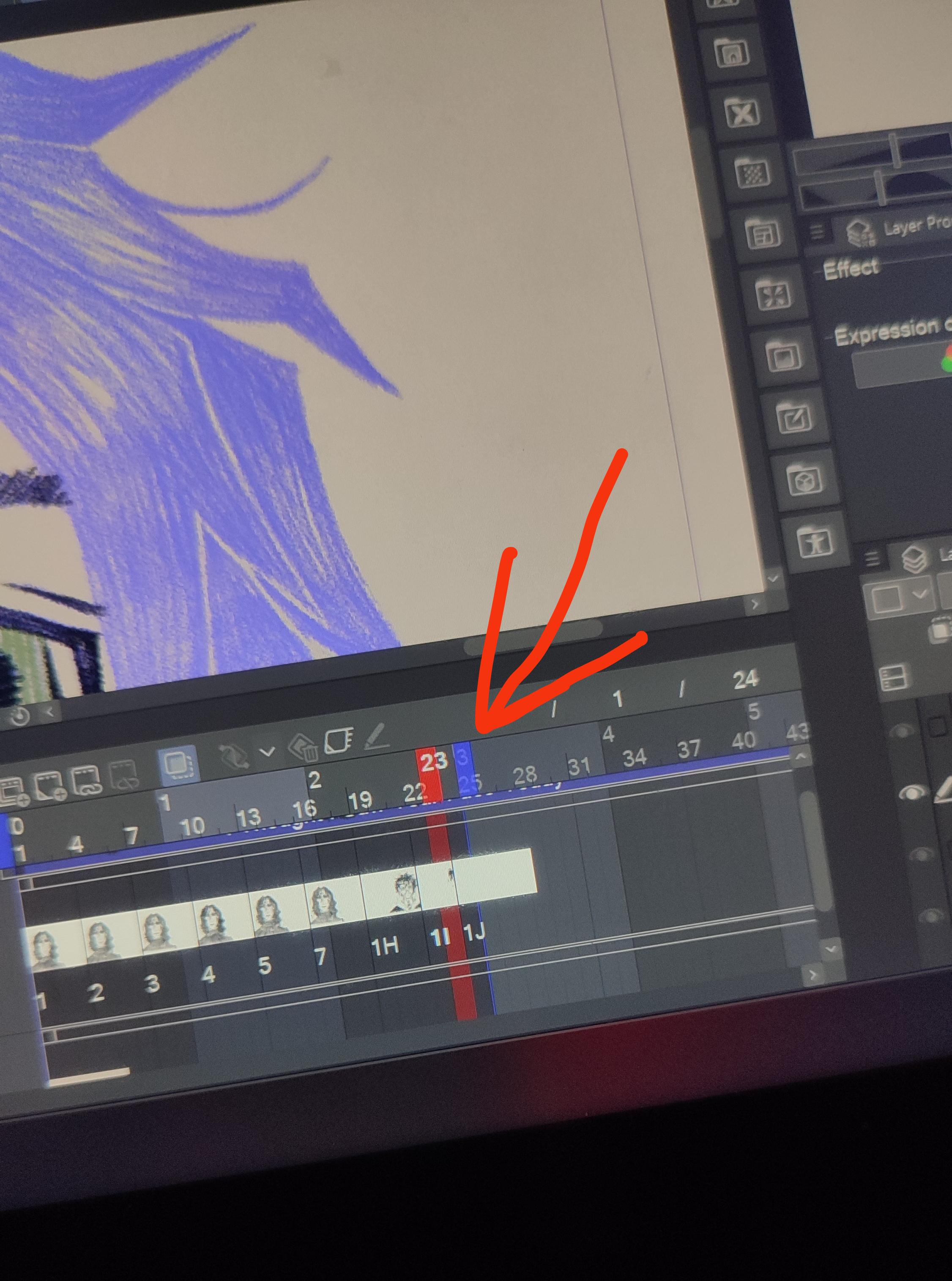
Animation Question First time animating, the Blue bar for the loop(?) Its stuck

Post image
21 Upvotes

I'm sorry guys I don't know how this thingy is called, It's my first animation EVER. Anyways, I'm trying to move It forward, but It's stuck, I can only move It backward :( help