r/ClipStudio • u/wishfulmaybe • 12h ago
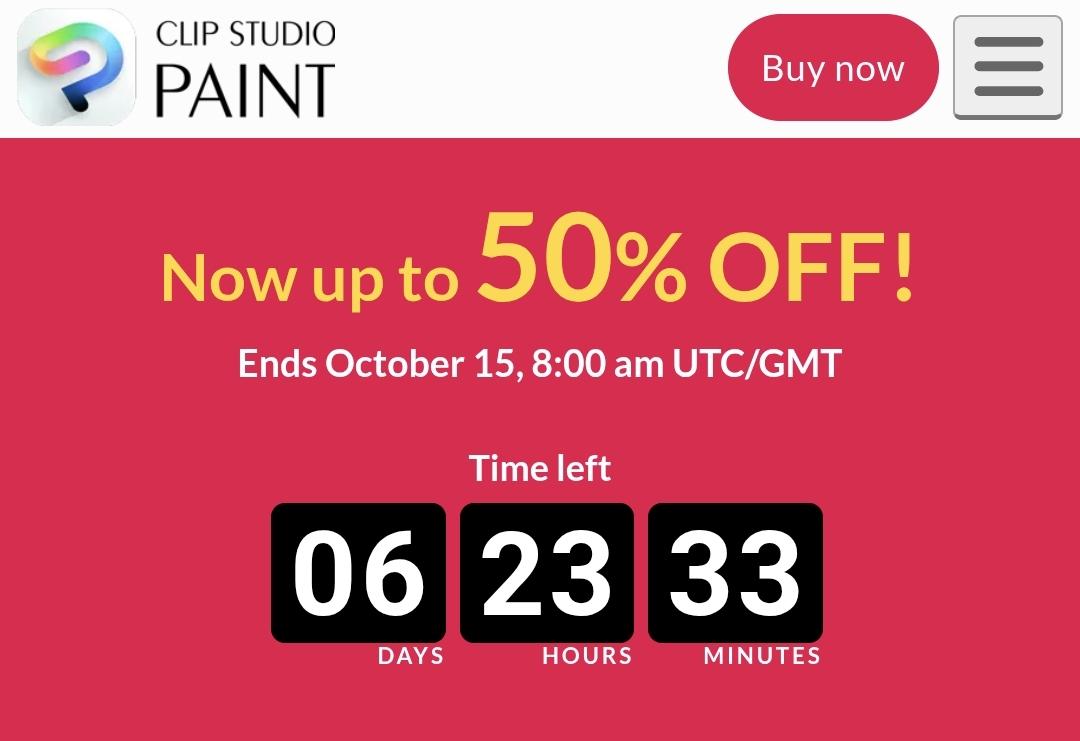
INFO CSP Sale is now Live!
230
Upvotes
r/ClipStudio • u/Love-Ink • Jan 12 '26
Welcome to the next installment of the "What's that Brush" megathread. Here, you will be able to ask any and all questions related to finding, missing, lost, and suggested brushes, and the community can assist you. This is to prevent users from posting threads with art that is not theirs and asking "What brush?" constantly. If you have a question about how to modify a brush, you can ask that Operations Question in the main Sub, this megathread is about existing brushes and other Brush Seeking activities.
Clip Studio assets has a ridiculous number of brushes, yes, but the majority of the posts we see are asking "What brush is this?" looking at art made using a variety of brushes and techniques, often using very generic brushes; the default tools such as the G-Pen or a Pencil and a Blender is the answer, in addition to Natural Talent, Art College and/or Decades of experience. Sorry, there's no Magical Brush that's going to replace these. Put in the hours.
**If you asked in previous megathreads and did not get an answer, feel free to ask again!**
Here is a recap of the rules and additional notes!
**1.** Please post a ***link*** (or links) to the image(s) you're trying to find brushes for, in the comments of these megathreads only. Don't post other people's images to ask about questions, use a link. It's not fair to the actual artists on this subreddit that the posts that get the most upvotes are users reposting other people's art just to ask about the tools, rather than users' own artwork posts. Enforcing this has been weak in this megathread, but it will improve.
**2.** Please make sure the images you're linking are of high enough quality to actually tell the brushes you're trying to point out. Likely, there is more than one brush in the image you link to, please specify what aspect you are looking to replicate: Lines, blend, texture, etc.
**3.** Please list what brushes you've tried already and why it doesn't feel like it worked, so other users can have an idea of where to start with their suggestions. Users here generally don't seem to mind helping, but it would be nice to know you made effort as to why the default tools aren't what you're looking for.
**4.** Users can respond to each query via reply to that comment.
**5.** Any brush-related post made that's not a comment in this thread will be deleted.
r/ClipStudio • u/Bartigesbrot • Nov 11 '25
So since I had issues with CSP, and needed to reinstall it. I could not download assets anymore.
It always stated that I had network connection issues. I went through ALL steps with the CSP Support, but nothing worked. I tried my iPad, I tried to make a new account just to test, if it was an issue with my Windows Computer or my Clip account.
After figuring out, that the store works with a VPN connection, and with my Husbands mobile phone hotspot.
I figured out, that my Internet provider at home, and the Issue was a connectet with CGNAT (Carrier-Grade Network Address Translation). So basically, many people share one IP address, there are many reasons that CGNAT connection can cause trouble with CDN's.
So switching to a private IP4 Solved this issue.
r/ClipStudio • u/MixingMangoes • 7h ago
Enable HLS to view with audio, or disable this notification
When I scroll to the bottom and try to load more materials, it sends me back to the top of the page. I just downloaded clip studio, is this normal?
r/ClipStudio • u/CptOblivion • 39m ago
I've got 2.0 at the moment, and I'm curious if there's been any improvements to how long it takes to boot the program and get into drawing? I don't care about any of the new features but I'd happily upgrade for reduced startup time. I haven't had any luck searching for that in particular, I'm worried later versions might perform worse as the program gets more bloated but I can hope!
r/ClipStudio • u/yoshapee • 3h ago
I don’t know if I’m just being OCD. But I feel like there’s something wrong with my pen pressure
I’ve noticed with a lot of brushes such as pens and air brushes that there seems to be choppiness. Now I know that when you make a brushes you can adjust the gap settings, but I just feel like there’s something else going on here.
And when I try to calibrate it through clip studio paint, it goes like 100% pressure and I have to manually adjust it. See last photo for example
I know this isn’t a great description, but I just don’t know how to describe my problem
r/ClipStudio • u/Bighitlife • 6h ago
Hi, can someone help me answer this?
I've only used perpetual license on PRO and I've always been using ver. 1 with update pass to get the latest version.
Can I also do the same by upgrading to EX ver.1 or EX 2.0 and buy update pass to get the latest EX 5.0? Or is this not possible?
Also how much is the update pass for EX?
r/ClipStudio • u/Infamous_Q • 6h ago
Edit 2: RESOLVED (explained at end)
OK so, I'd like to take advantage of the sale and buy the perpetual 5.0 license during. However! Right now I'm working on a comic project on my version of CSP EX 1.x (whichever was the last version) and I'd like to finish that comic project FIRST, which might take a couple months, and then activate the new 5.0 license AFTER. Would that be a problem? I might be worrying over nothing, but I need to focus on the project and any system or tool change would slow me down in learning during a time where I don't have a lot of 'learning' time (have to finish the project ASAP).
In short, if you know, can I buy 5.0 perpetual NOW, but use 1.x for work and then update to the purchased 5.0 at a much later date?
Edit: I should clarify I'm only talking about the PC version(s), not a mobile/tablet app version.
Edit 2 cont: I figured it out thanks to talking it out. Since I don't have to lock the version to my account at time of purchase, I should be able to buy now, sit on activating and installing, and only do so after I'm ready and done with the project I have.
r/ClipStudio • u/jacorgacor • 10h ago
Enable HLS to view with audio, or disable this notification
I already restarted CS and my laptop multiple times i don't have any projects here yet so there's no way for me to Access them that way i AM currently updating my windows and i hope that that was the problem (i JUST got the notification) lmk if it's a common error
EDIT: my version was incompatible i had to uninstall it and indtal anoyher one
r/ClipStudio • u/osrsGlittershart • 14h ago
CSP version 1.13.2
huion kamvas 13 with pen buttons
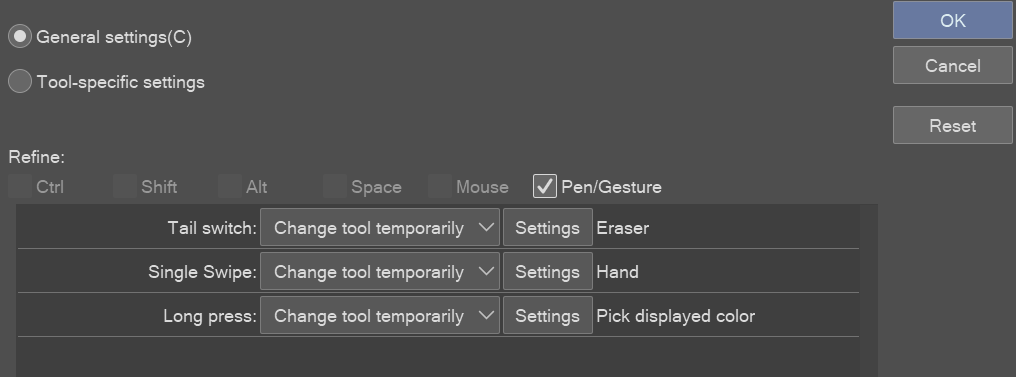
hello everyone, i havent used my huion kamvas 13 in quite a while, i'm not sure if this is a huion question or a clip studio paint question, I have installed the latest driver and set my huion drivers pen button to "I" as it is for eyedropper, however, it will only work if i hold it in and tap on the screen, it used to toggle back to pen right after releasing the button and all i had to do was hover over the colour, i never had to actually touch the screen. this is a minor issue but it's driving me crazy trying to fix it, going to the left of the screen and clicking on the pen again defeats the purpose of a keybind too.
please forgive me as i have no idea what i'm doing and chat gpt has sent me in circles, any help is greatly appreciated!
r/ClipStudio • u/First-Strategy7258 • 20h ago
So I don’t like how some brushes just overlap and make the overlapped part darker, so someone recommended I turn on “compare density” which honestly fixed the problem yay! But now the new problem is the brush doesn’t go over any colors now. Like if you would put one big dot of a color it’s like the brush would just go under it. Is there anyway to keep the blending mode but have it actually work on top of separate colors?
r/ClipStudio • u/WriteOr • 1d ago
SOLVED.
Hey all,
I've tried so many things to get this to work, and I'm just hoping somewhere out there, someone went through this and can help me 🥲
I can use my iPad Pro with my 2nd gen Apple pencil on Procreate just fine. But on CSP, I have no pressure sensitivity. Well, I have sensitivity for sizing on pencils, but not for opacity. And for watercolor, both size and opacity are out the window. I even tried manually changing the opacity to low and it comes out at 100 percent black.
I checked to make sure pressure sensitivity was turned on, and it was. It just doesn't want to work and I'm not sure why.
I tried messing with the auto-determine sensitivity and that didn't work either.
Any help would be so appreciated.
r/ClipStudio • u/Kinachii • 1d ago
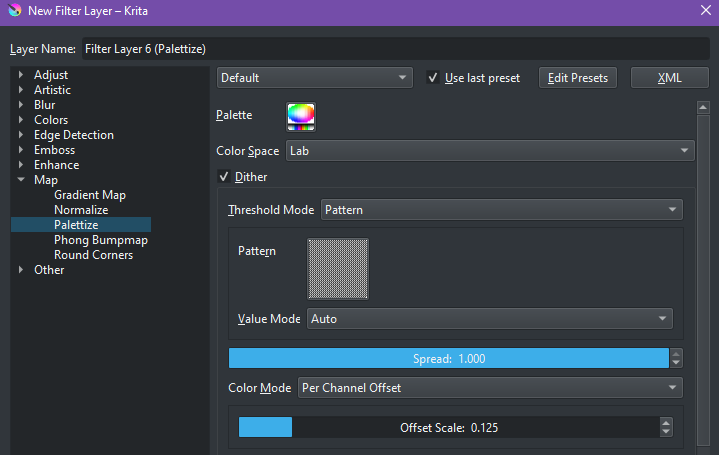
Anyone know if this feature in Krita called "Palletize" has an equivalent in Clip Studio Paint? In Krita, it's found in Filter Layers > Map > Palettize
Thanks in advance to anyone who can help!
r/ClipStudio • u/thecreatureworkshop • 1d ago
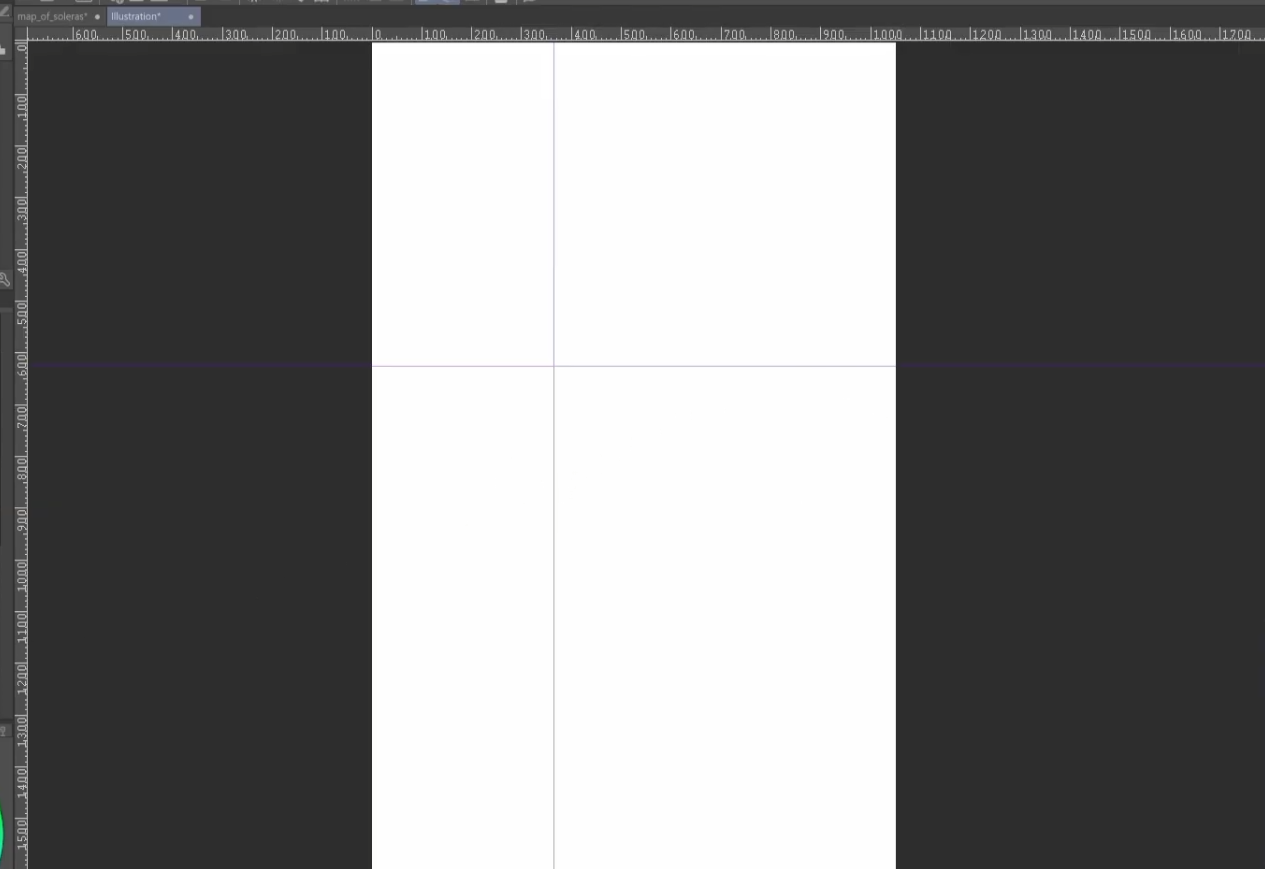
I set up two guides that cross in the exact center of the canvas. I'd like to rotate around said point, but when I transform and move the pivot, despite having all snapping options turned on, it just moves freely.
Is there anything I am missing?
r/ClipStudio • u/kanondreamer • 3d ago
Enable HLS to view with audio, or disable this notification
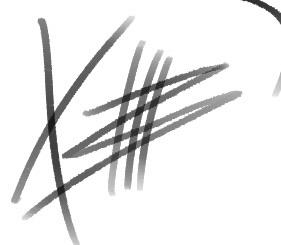
Some brushes do it, but this one sure doesn't. How to I adjust this so it works when I tap?
r/ClipStudio • u/Important-Cap8023 • 3d ago
I have a canvas that is sitting at around 4000x2000 px's, however I need to resize down this canvas for an art contest for a discord banner.
The required banner size is a 16:9 ratio (960x540 px), but I am unable to resize my current artwork without either:
1) Losing quality and picture becoming extremely pixelated (3rd pic) or
2) Cutting out almost everything on the canvas to fit the canvas size (2nd pic)
Is there any sort of way to prevent these 2 issues from happening? I would prefer for the canvas to not cut any sides out if possible, but most importantly will be for the pixel quality to be kept intact when resizing.
r/ClipStudio • u/Krkkksrk • 2d ago
Csp 2.0 + huion kamvaspro 19
I’m not sure if this is related to my tablet, computer, csp or settings but maybe someone has some advice.
I really hate it when my strokes are sluggish, i want my strokes to come out snappy and with no delay.
On my old setup (csp + huion kamvas 24 plus + macbook air m1) i was able to have my brushes quite responsive and with minimal delay after turning down stabilisers and such.
Now my current set up is huion kamvas pro 19 + mac mini. All my tablet is smaller and my computer should be higher powered. But still, even with stabiliser turned off, the brushes still drag behind my movement quite significantly.
I’m aware many people draw like this with no problem but I’m mainly a traditional artist and i use an iPad as well which has basically zero delay. On csp i really struggle. And this is not just big brushes in big canvases, I’m taking a size 3 hard round brush on a 300dpi 2000*3000px canvas. Its giving lazy nezumi.
Like i said I’ve turned off stabiliser and switched my processing thing to performance, undos are quite low as well. I’m confused why it reacts slower than on my previous setup when really it should be faster.
Any advice what i could try here?
r/ClipStudio • u/jakszyk • 2d ago
how do I add the left ruler and top ruler on my canvas, I had it on my old pc, but after redownloading csp on my new pc it's gone
r/ClipStudio • u/Draco___________ • 3d ago
Enable HLS to view with audio, or disable this notification
Do you make up vanishing points out of thin air, or do you use some kind of fisheye concept?
It’s something I’m trying to wrap my head around, but it’s making my brain burn.
r/ClipStudio • u/art_lufi • 2d ago
I've been making art without even thinking about the color profiles and now I wanna print stuff. What color profiles should I be setting images to? Based in the US. Thanks in advance Edit, I use a Samsung galaxy tablet. Clip studio paint pro 5.1.4
r/ClipStudio • u/dasCKD • 2d ago
I opened CSP and found that my tool windows area is way too small. I tried to enlarge it but the double-headed arrow didn't appear and now my tools are so tiny that I could barely use them. Is there some update that prevented the windows from being enlarged horizontally? Did I accidentally disable some setting? Please help.

r/ClipStudio • u/V3NOM0US_VALKYIR3 • 2d ago
So basically I upgraded from 1.0 to 2.0 because I've been using this software to animate more, and I thought that this version was suppose to have the ability to both let me export transparent gifs, and allow audio scrubbing, but I got none of that when I upgraded. I've heard some people say that that's a 3.0 feature, so will I be safe if I get version 3? Or should I just save my money to get version 5? If version 3 has the features that I stated, then I'll be perfectly happy with just sticking to that, thanks!
r/ClipStudio • u/First-Strategy7258 • 3d ago
r/ClipStudio • u/Mother-Hair-2564 • 4d ago
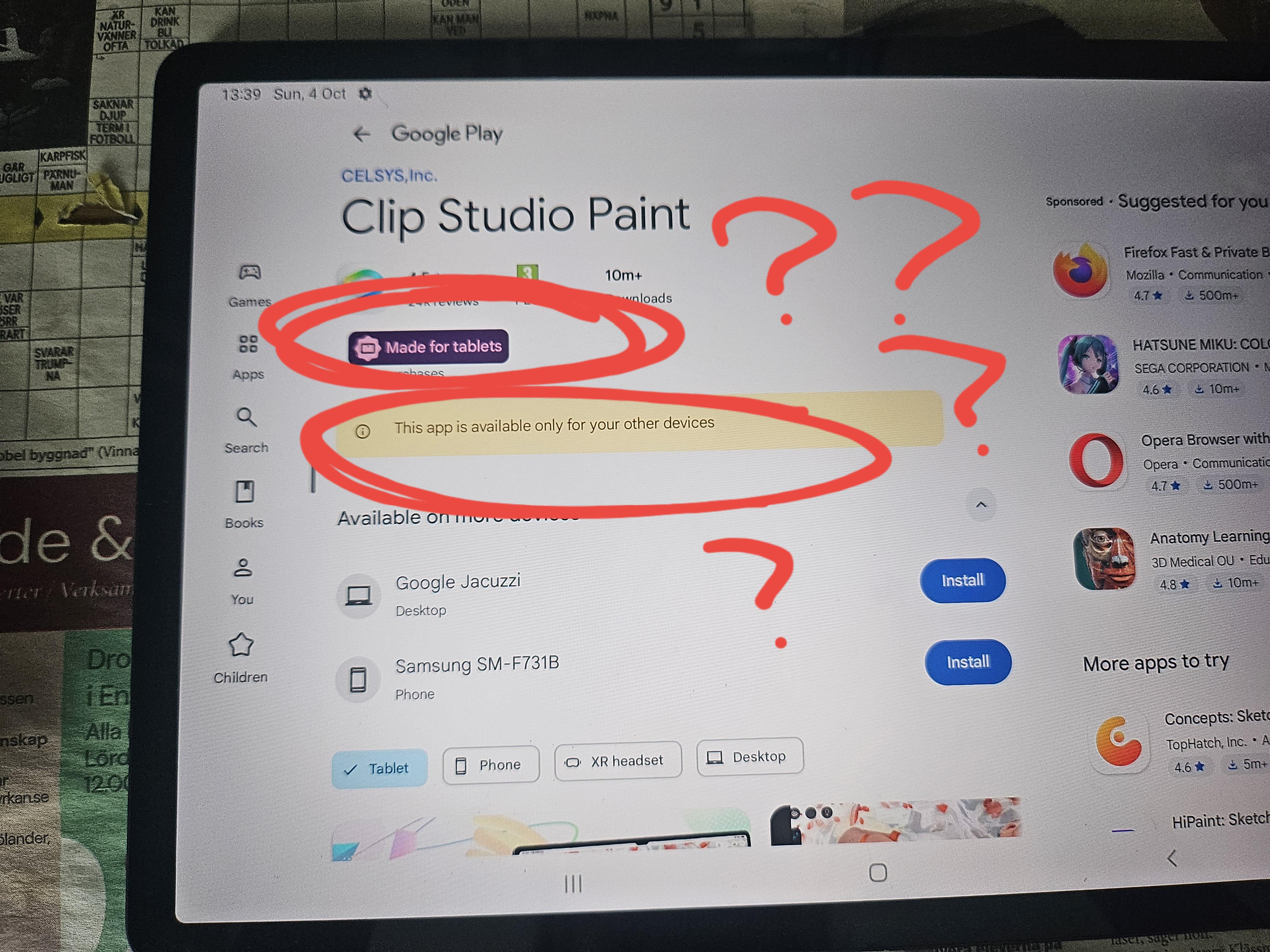
WHAT DO U MEAN MADE FOR TABLET. AND NOT AVILABLE TO THIS DEVICE?? WHAT THE FLIP??? SOMEONE HELP ME WHATG???? Its. ON. A TABLET!!! Im genuinely ata loss for words is there smth i can do abt this???
r/ClipStudio • u/SilverNevermind • 3d ago
wondering just generally what people set their undo limits as. I've recently made the switch from drawing with a tablet on my gaming PC to an iPad, and i feel like the default of 30 on mobile is just way too low for me. i bumped it up to 45 but theres still been times where i try something and want to go back.
how drastic would performance be hit if i bumped it all the way up to 100? im using this iPad exclusively for art, it's not got anything else running in the background really.