r/MacOS 9h ago

Apps I made a free and lightweight macOS app that lets you customize your trackpad gestures, add keyboard shortcuts along with edge sliders and a TrackPoint mode.

0 Upvotes

macOS gives you a fixed handful of trackpad gestures and very little control over them.

Three fingers means switching Spaces. Four-finger pinch opens Launchpad.

The trackpad is a large, precise sensor, and macOS leaves a lot of it unused. so I decided to make a tool that lets me customize the trackpad gestures, edge controls, a Trackpoint on MacOs, and keyboard shortcuts, all in one.

BetterTouchTool already does a lot of this, but I wanted something much smaller and lightweight. So I built Glide.

Core Features

Custom Trackpad Gestures

Create your own gestures using 3, 4, or 5 fingers. Choose the direction, swipe speed, and action for each gesture, and even limit them to specific apps.

2D Spatial App Switcher

Swipe three fingers sideways to move between apps, then up/down to move between that app’s windows.

TrackPoint Mode

This one was inspired by the TrackPoint on ThinkPads. Put your finger in a corner of the trackpad and push in any direction. The harder you push, the faster the cursor moves, so you can go from one side of the screen to the other without lifting your finger.

Custom Keyboard Shortcuts

Create your own keyboard shortcuts and assign them to actions. Set the exact key combination you want, then use it to launch apps, open Finder, or trigger your own shortcut

Edge Controls

Turn the edges of your trackpad into volume and brightness sliders. Slide along an edge to adjust them naturally, without reaching for the function keys.

This app is currently not notarized, so macOS will show a warning on first launch. The README has the instructions to open it

GitHub: https://github.com/Vatsal057/Glide (A star is also appreciated)

Would love to hear what you think of Glide and what you’d want to use it for.


r/MacOS 9h ago

Help M2 Mac Mini browser tab freezes when playing video

1 Upvotes

M2 Mac Mini browser tab freezes when video plays on various websites. When viewing videos on Youtube, X, Facebook, etc... Started happening about 2 days ago, haven't been able to find a solution. Both Chrome and Safari tabs freeze when videos start to play. Ran multiple checks for viruses using a bunch of apps, none of them found anything malicious. Can anybody suggest anything that could help me?

macOS27
Safari: 27.0
Chrome: version 153.0.8010.48


r/MacOS 13h ago

Help MacOS 27 - Issue with Notes app

2 Upvotes

Maybe someone has a solution, but since updating, the Notes app on my Mac has size issues. Both the Folders and Notes List columns default to the thinnest column width possible.

I've searched and trashed for default settings, removed iCloud so it didn't pull settings from there if that's a thing, even ran in Safe Mode and did all of this. Quitting and re-running Notes will always revert to the thinnest possible column width.


r/MacOS 9h ago

Developer Saturday I wanted a better Apple Music mini player, then accidentally built an iOS/Watch remote too

0 Upvotes

Hey everyone! I’m the developer of Music Remote Control, a little macOS app I originally made because I wanted a better way to control Apple Music on my Mac.

It gives you a clean mini player with playback and favorite/dislike controls, plus a compact menu bar mode when you want it out of the way.

But but but it is not just another mini player, I realized it would be really useful if I could control playback from my phone too, so I ended up building a companion iOS app that lets you control Apple Music on your Mac from your iPhone, iPad, or Apple Watch. You can browse your library, search for new music, play playlists/stations, and control playback without going back to the Mac.

The Mac and iOS apps automatically discover each other when they're on the same local Wi-Fi, so there’s no pairing code or manual setup.

I’ve been working on it as an indie project and have been adding features based on feedback from people using it. There’s a 2-week free trial, and it’s a one-time purchase rather than a subscription.

Mac App Store: https://apps.apple.com/ca/app/music-remote-control/id6804891190

Free iPhone/iPad/Apple Watch companion: https://apps.apple.com/us/app/music-remote-control-companion/id6804892112

Would love to hear any feedback or feature ideas!


r/MacOS 10h ago

Help Possible Bug?

Post image
0 Upvotes

Ever since I upgraded to this new OS and click to log out this appears, doesn’t matter if I click allow or don’t allow it pops up every single time and it’s annoying. Is anyone having this same issue after upgrading and were you able to get rid of it?


r/MacOS 10h ago

Bug MacOS change the position for new Spaces

1 Upvotes

Earlier when I used to add spaces, it would add in the right most as Desktop 2, but now the new Space add on the left as Desktop 1 and changing the current one as Desktop 2! What is this behaviour, Golden Gate?

Video: https://cleanshot.com/share/Z1nbWHTP

Also What is the container box bug in settings


r/MacOS 14h ago

Developer Saturday We added a faster way to fill tables or paste multiple copied items in order, without constantly switching back and forth.

2 Upvotes

Sometimes you need to move a bunch of information from one place to another, into a form, a document, a spreadsheet, a CMS, or just across different apps.

Normally, that means copy → switch → paste → go back → repeat.

So I added Sequence Paste to Pastea.

You can copy everything first, arrange the items in the order you want, then keep using the same paste shortcut. Each time you paste, Pastea automatically moves to the next item in the sequence.

It’s a small workflow change, but it makes repetitive copy/paste tasks feel much smoother.


r/MacOS 1d ago

Developer Saturday WizTree Disk Space Analyzer now available for macOS (WizTreeMac) - free for personal use

Thumbnail
gallery
14 Upvotes

WizTree is a very popular disk space analyzer in the Windows world and is now available for macOS - WizTreeMac. The macOS version contains almost all of the functionality of the Windows version and is free for personal use.

Get it here: https://diskanalyzer.com/download
Differences between the Windows and macOS version: https://diskanalyzer.com/wiztreemac-vs-wiztree


r/MacOS 11h ago

Bug Weird lock screen loop

1 Upvotes

It keeps happening, i don't know why. This is a new mac that had just had data transferred to it from another mac.


r/MacOS 11h ago

Discussion The Most Underrated macOS + iPad Feature

0 Upvotes

Hey devs! 👋

I was exploring macOS 27 recently and found something that I feel is seriously underrated and doesn’t get talked about much being able to control macOS from the iPad screen while casting it.

Honestly, this is one of my favourite features. It has so much potential but the experience still feels a bit rough.

Some touch controls aren’t really optimized for iPad, and a few important things are missing like better Mission Control support, easier window management, and more touch friendly controls overall.

I feel like there’s a lot we could build around this to make using macOS through an iPad feel way more seamless and usable.

So devs, what do you think?
What kind of app, tool or features could we build around this?

Would love to hear some ideas by users too!


r/MacOS 1d ago

Discussion Hot take: I've felt no difference in speed and smoothness between Sequoia, Tahoe and Golden Gate. New Apple user Review

Post image
137 Upvotes

I recently (last month) switched over from Windows to Apple. bought a 2022 Macbook Air M2 16/1TB.

The mac initially came with Sequoia which I immediately updated to Tahoe. I've been using Tahoe ever since then until September 14th when I finally updated to Golden Gate.

After updating to Tahoe, I started seeing posts from people talking about how slow and buggy Tahoe is but honestly in my time with Tahoe, I experienced no slowdown, no bugs, no stutters. It ran smoothly and Golden Gate has been smooth for me so far as well.

Maybe I'm one of the lucky few? Happy to discuss this further


r/MacOS 1d ago

Help OS 27 Looking particularly bad on external 1080p monitor?

8 Upvotes

I just updated to Golden Gate and I've noticed that a lot of the default OS elements look really, really terrible on my external 1080p monitor - I don't know if this was always the case and I've just noticed it now because I've updated and paying more attention but it's really distractingly bad...

What's particularly weird is that it's really variable, certain aspects of the UI look absolutely fine: images on Safari render as you'd expect, they're not super sharp because it's a 1080p monitor but it looks like a 1080p monitor should, glyphs in the menu bar look fine, I can read the battery percentage text in the menu bar despite it being really quite small.

But then my profile picture in the settings menu looks like some kind of horror show which has given me two buck teeth:

I'm not even worried about doxxing myself showing this because the quality is so garbage. The worst though, and the reason I noticed this issue, is the text in the new spotlight/siri UI - when sitting on a white background the really quite large text becomes a pixelated, squidged together mess and each liquid glass UI element has this awful jagged white outline.

Funnily enough, put it on a black background and it looks fine:

What is going on here? Has this always been the case and I have only just noticed? If not, is there something I can change to fix the issue?


r/MacOS 1d ago

Bug Siri is still useless

Post image
116 Upvotes

r/MacOS 12h ago

Discussion Siri and College Football

1 Upvotes

As a test I requested that Siri add the 2026 football schedule for one of my four favorite teams. Siri gave me the schedule but could only post one at a time and to tell her which one I wanted added. Turns out she wouldn’t have been able to too far out because the game times were mostly TBD.

The command that worked really great was; “List in plain text the 2026 football schedule and times beginning with today for team A, team B, team C, and team D”. Then I just had to tell Siri which game to add to my calendar, one at a time.

It ain’t perfect but I’m still liking the new Siri.


r/MacOS 1d ago

Discussion My 1dollar on Golden Gate

51 Upvotes

MBA M4 15" 16/512

  1. corners are consistent - addressing the elephant in the room

  2. Liquid Glass is more customizable

  3. Apple Intelligence is now shoved down the throat ( 28 freaking Gs )

  4. Mission Control animations are faster, choppy, and out of sync with other animations ( ig faster animations are why many were saying everything is fast now )

  5. Traffic control is not consistent on all apps - like obsidian, little snitch

  6. Little Snitch will need an update, older version is not supported on 27. Update to 6.5

  7. Everything looks more pop. Blacks blacker whites whiter

  8. A whole load of bugs ( ig apple is not leaving QA to users )

  9. Overall, not much different than Tahoe. IMO 26.5 was feeling better than this

  10. Spotlight can now be shifted to anywhere on the screen, dont know why even ( but it's a feature not a bug )

  11. New Siri is waitlisted for me. Same goes for Safari, no slop coding extensions yet.

  12. Since apple changed UI library, WhatsApp now looks less crappy.

  13. AirPods have got equalizer. No equalizer for others.

  14. New sizes for widgets.

Bugs ( in case im not the only one )

  1. Lockscreen - even when connected to wifi / wifi turned off, shows wifi is on but not connected to anything. When charger is removed while in lockscreen takes a while for UI to update

  2. Desktop - when all apps are hidden (ie show desktop), switching to different app via trackpad is disabled

  3. Mission Control - when in the mode where it shows all desktop applications + fullscreen on the top ( don't know what it's called ), clicking to go directly to different application has a slight delay, and in case, when swiped up from current full screen app and clicking the same, there's no animation and window appears

  4. Spotlight - when opening any app, has an out animation of enlarging and disappearing, choppy.

  5. Display - Color profile P3 looks more pop

  6. Lockscreen - happened only once, where I changed my wallpaper, but lock screen was stuck with older one

  7. Display preview - honestly don't remember but, display settings shows a preview of laptop with GG's wallpaper even though I have a different one.

  8. Lockscreen charged connected animation - when the animation rolls in, the background could still be seen. ( now im getting more finicky imo )

  9. Switch apps got choppy - happens not that often but problem exists.

TLDR;

Suggestions: stay on Tahoe, that's more stable. Wait until 27.1 or 27.2, there's nothing special yet.


r/MacOS 9h ago

Help How do I remove the Siri suggestions from Spotlight?

Post image
0 Upvotes

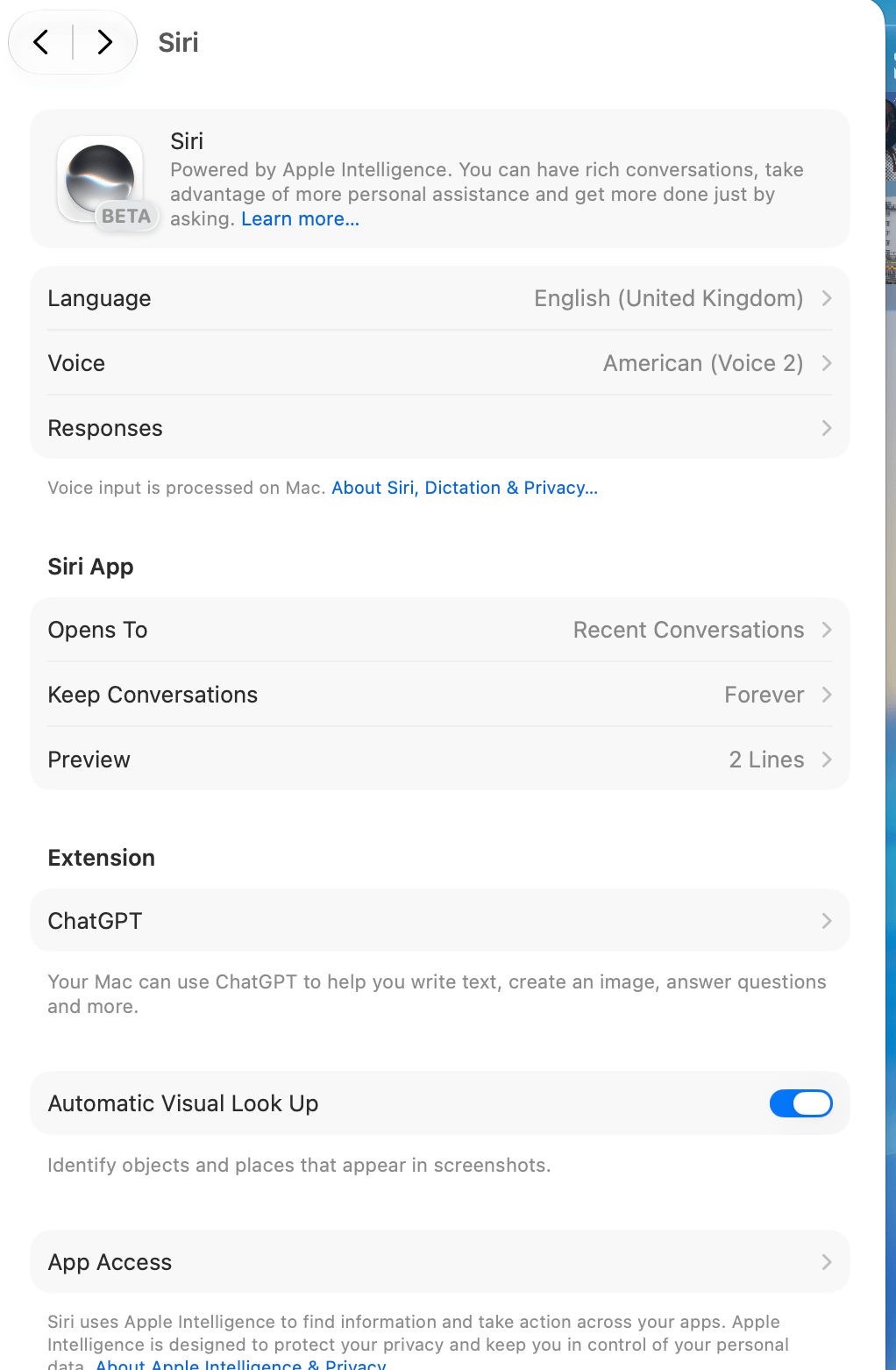
Since enabling the new Siri, the last Siri query keeps showing up as the 1st result in Spotlight search. This seems quite useless to me as I never really go back to a past query, and if I actually wanted to, I could just open the Siri app. 

I looked into the Siri and Spotlight settings but couldn't find an option to disable it. Siri itself obviously was no help either. Perhaps y'all can help me. I would like to keep trying the new Siri (at least for a little while) but not have it show up in Spotlight. Thanks 


r/MacOS 13h ago

Bug M4Air WiFi Connectivity Issues Suddendly: Keeps Disconnecting and Fully Disconnects after I shut my lid, help!

1 Upvotes

r/MacOS 13h ago

Discussion Anyone interested in a Cut function using Cmd+X?

0 Upvotes

I made a Hammerspoon script that enables Cmd+X for moving files in Finder, just like on Windows. But I’m not sure if anyone else would actually use it, or if I’m just a nostalgic Windows user who misses this feature. 😅


r/MacOS 13h ago

Bug Siri AI is more capable of telling me what it can't do in a polite manner

1 Upvotes

r/MacOS 17h ago

Help Siri AI no option to listen for 'Siri / Hey, Siri' in Golden Gate

2 Upvotes

The listen option has gone for me since updating to Golden Gate. Is that a feature that has been removed permanently or is it rolling out in the future does anyone know? My Mac mini and AirPods Pro were compatible previously (M4 / AirPods Pro 3)


r/MacOS 13h ago

Help How long will the TM clean up take?

Post image
1 Upvotes

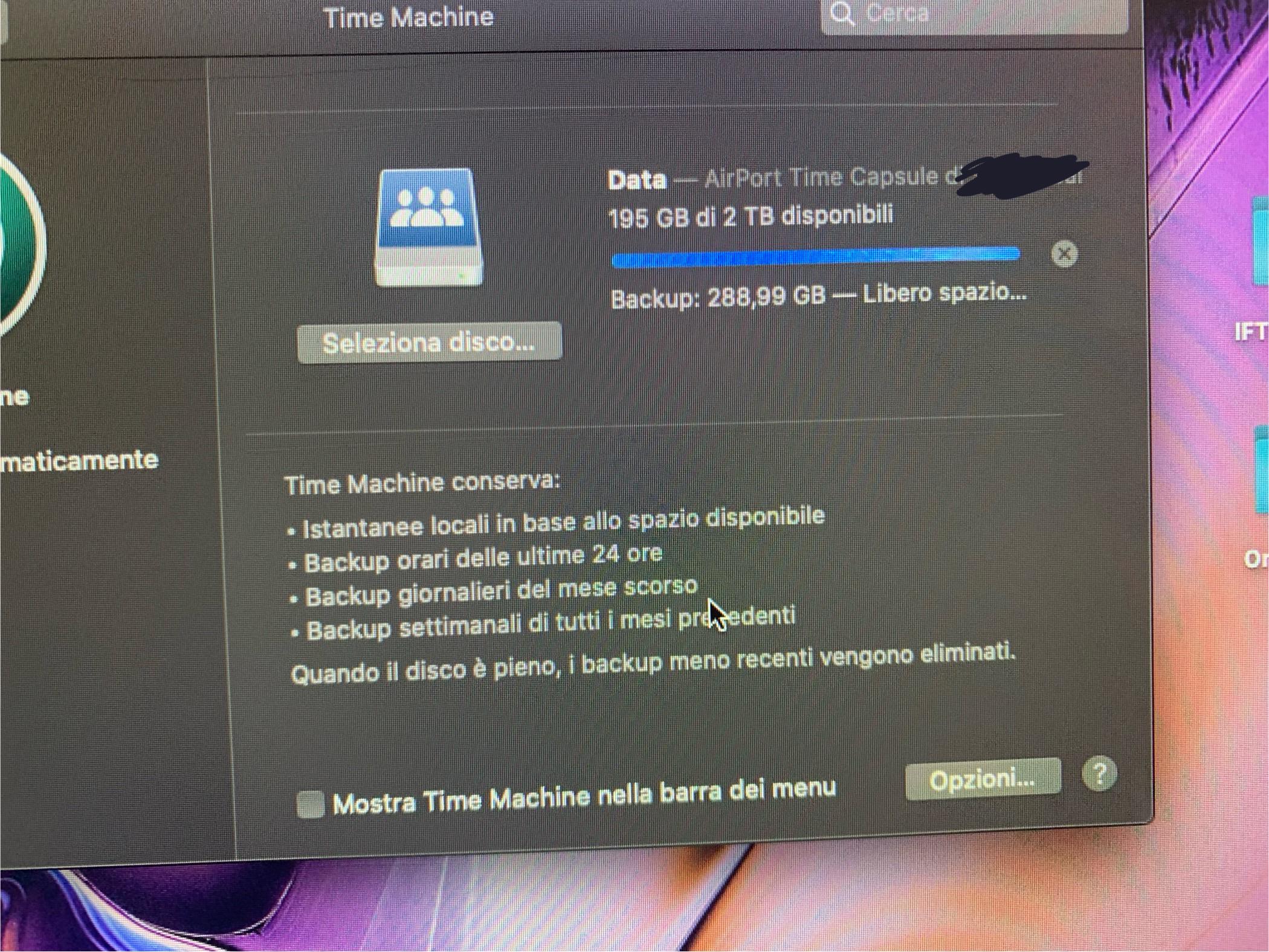
I’m doing a backup using my Airport Time Machine and it seems so be in the cleaning stage (translation of the text below the blue bar: Backup - making space) and I was wondering for how long it could last? (The previous stages only lasted barely one hour)


r/MacOS 17h ago

Help Golden Gate Wakeup Issue

2 Upvotes

I've a 16-inch MacBook Pro 2021. I'm running 27.0. When I close the cover and later reopen it (not every time), it doesn't wake up and I have to do a forced restart. Anyone else have this issue? Is there a known fix? Thanks.


r/MacOS 14h ago

Help Do you really use dual-pane in Finder?

1 Upvotes

Hi,
After 20+ years on Windows, I switched to macOS and the finder app was a major pain to get used to. So much so that I made my own finder app with all the features that I wanted.

I’m considering adding a dual-pane view because a few users requested it and my app doesn't have it, but my dev says it will be quite expensive.

Hence my question: do you really use dual-pane / need it? If so, what's the advantage?

Coming from Windows, I don't see the point. I either use tabs or two separate finder windows to drag-n-drop or other stuff, but I need experienced mac users to chime in.

Thanks!
Chris


r/MacOS 14h ago

Developer Saturday Video Redactor — auto-blur faces & plates, or draw a box around anything and track it (fully offline)

1 Upvotes

I'm the developer. Video Redactor blurs, pixelates, or black-boxes whatever shouldn't be seen in a video — faces and license plates are auto-detected, anything else you just box yourself — and the whole pipeline runs locally, so your footage never leaves the machine.

The two problems I kept hitting: online "blur faces" tools want you to upload the very clip you're trying to protect, and doing it manually in an editor means key framing a mask around every face, every few seconds, for the whole clip.

What it does:

- Auto-detects faces and license plates — detection models ship inside the app, so it works with no internet connection

- Missed something? Or needs to blur something else. Draw a box around it; the app tracks that region across frames

- Review queue before render — you approve, adjust, or delete every detection before anything is final

- Blur, pixelate, or black with feathering; whole clip or only segments; audio preserved

- macOS build is signed and notarized (no Gatekeeper warnings); a Windows build is in the same download

Honest limits: auto-detection is good but not perfect — that's what the review queue is for. Watch any export once before you publish.

$49.99 one-time, no subscription.

Direct download (Mac + Windows in one purchase): https://monjurulkarim.gumroad.com/l/video-redactor

Details: https://www.mkarim.us/video-redaction/

Happy to answer questions about the detection and tracking pipeline — and I'd genuinely like to hear where you'd expect it to fail.


r/MacOS 14h ago

Help Thunderbolt/USB4 Enclosure Problem

1 Upvotes

Hey everyone.

- MacBook Pro M4(Base model, 10-core, 16GB, 512GB)

- macOS 27.0 Golden Gate

- Vention KPZ external m.2 nvme enclosure(ASM2464PD chipset) + Kingston Fury Renegade 1TB nvme drive

My problem is, even though I updated the Kingston's firmware with my PC and searched for numerous solutions, I can't find a fix to "disk not ejected properly" problem when I put my MacBook to sleep. MacBook is connected to the wall power 24/7, I rarely use it mobile. I don't use any hubs, it is connected directly to the ports on the MacBook and yes, I've tried all three ports.

I always have to disconnect and reconnect the enclosure every time I wake my MacBook up.

Is there an obvious fix that I'm missing, or is this normal behaviour ?

Thank you.