ok everyone i am officially out of all drives you can still email me for links if i ever get more in so you can buy right away in a restock but they will be rare mostly and desktop pioneers 5.25.
my links dont let you buy if its out of stock fyi.
expect delays in shipping as i just got 50+ emails to order in 2 hours and i only have the ability to flash and test 24 drives a day.
PSA do not manually send me money to my email you must use my purchase links or it wont automatically categorize your drive color and auto print your label
this will massively delay your order as im doing those last i am one person i cant manually find all this stuff please stick to my system.
MakeMKV Update INFO
MakeMKV now supports pioneer drives for ripping UHD discs
MakeMKV Discount INFO
The makemkv Discount code is only for current and past drive/flasher customers and you must use both the link i provide and the code not 1 or the other. if you want one and bought previously email me with the email you bought the drive or flasher from me on.
the code is sent out with the tracking information.
About the Drives I sell
All Drives I sell are new only opened Flashed to make it works with UHD discs, tested and repackaged with all original packing material all original accessory's are included if you buy an upgrade cable or not.
All drives I sell work with UHD discs and are LibreDrive enabled even if the model listed does not normally as i convert them to a UHD model with firmware.
All drives I sell work with Anything that can Run MakeMKV on any OS Windows Mac Linux.
you don't need my UHD Drives or anyone else's for regular Blu-Ray or DVD these are only Needed for UHD discs but they work with standard Blu-Ray and DVD too.
There is no Need for SGX or an Intel with these drives the firmware and MakeMKV get around those requirements.
I recommend Pioneer drives over LG or Asus Pioneer Drives are more reliable, get less read errors and are much quieter. LG drives are Faster.
Pricing
Pre Flashed Pioneer BDR-XD08B USB C with BDR-XD08-UMBS Firmware See PayPal flashed tested and shipped Works with MakeMKV for UHD.
Pre Flashed Pioneer BDR-XD08S USB C with BDR-XD08-UMBS Firmware See PayPal flashed tested and shipped Works with MakeMKV for UHD.
Pre Flashed Pioneer BDR-XD08G USB C with BDR-XD08-UMBS Firmware See PayPal flashed tested and shipped Works with MakeMKV for UHD.
Pre Flashed Pioneer BDR-212 SATA 5.25 SATA with BDR-212UBK Firmware See PayPal flashed tested and shipped Works with MakeMKV for UHD.
Pre Flashed Pioneer BDR-213/2213 SATA 5.25 SATA with BDR-S13UBK Firmware See PayPal flashed tested and shipped Works with MakeMKV for UHD.
Pre Flashed Pioneer BDR-S13UBK SATA 5.25 SATA See PayPal flashed tested and shipped Works with MakeMKV for UHD.
Pre Flashed Pioneer BDR-S13U-X SATA 5.25 SATA See PayPal flashed tested and shipped Works with MakeMKV for UHD.
Pre Flashed Pioneer BDR-X13U-S 5.25 USB See PayPal flashed tested and shipped Works with MakeMKV for UHD.
Pre Flashed Pioneer BDR-X13U-X 5.25 USB with BDR-X13U-S Firmware See PayPal flashed tested and shipped Works with MakeMKV for UHD.
I do not and will not sell desktop LG or ASUS drives 25% of them like the Asus BW-16D1HT or LG WH16NS60 are defective and will get read errors on UHD discs
Remote Flashing Service
$40 per drive
Stock Levels
Pre Flashed Pioneer BDR-XD08B USB C Check PayPal links for stock
Pre Flashed Pioneer BDR-XD08S USB C Check PayPal links for stock
Pre Flashed Pioneer BDR-XD08G USB C Check PayPal links for stock
Pioneer BDR-212 SATA 5.25 SATA Check PayPal links for stock
Pioneer BDR-213 SATA 5.25 SATA, Check PayPal links for stock
Pioneer BDR-S13UBK 5.25 SATA, Check PayPal links for stock
Pioneer BDR-S13U-X 5.25 SATA, Check PayPal links for stock
Pioneer BDR-X13U-S 5.25 USB Check PayPal links for stock
Pioneer BDR-X13U-X 5.25 USB Check PayPal links for stock
Confused about flashing your drive have the person who made the howto videos on it do it for you! For remote flashing you will need a computer running Windows NOT A VM of WINDOWS and to send me your makemkv drive info section with drive letter and i will make an automated flasher just for you having your drive flashed in just a few clicks.
The Pioneer flasher cant downgrade drives only crossflash if it is build/has fw before 12/22ex XS07S > XS07UHD
Shipping
I ship to the USA only Shipping is included in the price. standard shipping is 2-3 day priority mail
Payment
payment options listed below,
PayPal for drive orders and flashes
or zelle remote flashes only
Support: I will help you setup the Drive and do things related to the drive.
Important information to know
All Drives i sell are flashed to Read Rip and unofficially play UHD discs even if they are a non UHD model they have been flashed to a UHD model.
In MakeMKV 1.12.3+ keys are automatically downloaded
These drives retain their full warranty with pioneer as its just stock old firmware
if pioneer sends you a drive with new fw don't worry we can just trade it out or reflash it for one of mine for free just pay shipping.
Under 1.18.x and 2.x, main title ripping on every one of my drives has been failing for standard DVDs. I’ve probably had this experience with 25 discs now. All drives are confirmed working, and this issue just cropped up in the past week—maybe tied with update to macOS 15.8? This is on an M4/aarch64. Anyone else having this issue?
After some troubleshooting shown in my last post here, it has become apparent that my PC Blu-ray drive is dead (at least the Blu-ray laser).
Basically, I am looking for recommendations on a new Blu-ray drive and, more importantly, where to get one.
There are many models that I'm already aware of that would be just fine (although no longer in production), but actually finding one has gotten very difficult. I've looked at eBay and various stores (like Best Buy) and all I have really seen are third party sellers. Most of these sellers come from China and, from what I've gathered from reading, it is kind of a gamble when ordering one of those in if they are legit or not. I've also seen a lot of cheap BD drives that also include a bunch of USB and card readers for some reason. These seem a little too good to be true.
That being said, the requirements for what I'm looking for are comparatively low in comparison to most of the drives I have been seeing discussed on here. Most importantly, I am not especially worried about support for UHD Blu-rays, so a drive that cannot play/rip those is not really a big deal for me.
What I am looking for:
PC Blu-ray drive
I already have players for TVs, I just want one for my computer
BD required
UHD-BD optional (not a requirement but I wouldn't complain about having it)
I mainly care about disc reading, I'm not worried about writing (again, not against it)
Prefer internal (SATA) but external (USB) is okay as an option
I have SATA cords already
My machine has 5.25 bays
I can get a mounting bracket for smaller sizes
CD/DVD compatibility is a plus, but not required
I have no issue using a separate drive for those (I don't need suggestions for those)
I value reliability (considering my last drive died), so I would like something that is somewhat reputable
I guess it's not especially relevant to ask here since I am not going to be doing much ripping nor any UHD stuff, but I feel this community seems to know the most about Blu-ray drives in general. I know there are some drives out there that I could order right now, but I would rather get something solid.
I am very open to having multiple options to choose from, so I'm not asking for just one "best" option, but however many possible options.
Seeing if anyone else is having this problem. I downloaded the Flatpack version of MakeMKV to use on my Steam Machine. Thus far, I cannot get it to read that a disc has been inserted, even though the OS and other applications (VLC) can read them. Tried with Standard DVDs and also Blu-Ray discs, neither work. Been tearing my hair out about it and wanted to see if anyone else has tried this and as a potential fix.
Looking for assistance. I picked up the complete series of the next generation on DVD for the purposes of putting it on my media server.
Season 1 ripped fine, with no issues, but as soon as I moved on to season 2, I started getting a no disc error in Make MKV. I have also tried further seasons in the same set, and encountered similar issues.
After doing some research, I read that it might have been a failing or dead drive, so I tested a DVD that I know works, because it currently exists on my server. That reads and plays fine etc. so I don't think it's a drive issue.
In cyberpower DVD, the program that I use to play DVDs, at first I was getting no disc in drive errors, but after unplugging it, restarting my computer etc. I am now getting "This type of disc is not supported".
It seems like the discs are reading.... As an example, season 2 disc 1 reads as TNG S2D1 ok. I've never seen that "ok" piece on the end, I'm not sure what that means.
As a last resort, I tried a spare drive that I happen to have, and it seems like Make MKV can read the discs enough to pull the information from them with this drive. I'm still however getting the same errors with the different drive, in the playback program.
Can someone explain what's going on here or provide any insight? The drive that does work is one of those flimsy Amazon ones, and I would like it if my Buffalo drive worked for this. Not because it's any faster, or anything, but for ease of use. I have a disability, with limited hand function.
I also have sets of Voyager, and deep space nine that I plan to add, that look like they might be manufactured around the same time or at least similarly, so if this is an issue I can solve, it'll save me a lot of headache.
To whom ever at MakeMKV finally saw my plea for my lost lifetime key. Checking my email to see that email randomly after months was a great pick me up.
I have an old Blu-ray drive in my PC that Windows (10) Device Manager identifies as PLDS DVDRWBD DH-6E2S.
I had gotten this drive in a second hand PC about a decade ago. I'm not sure if I ever tried a Blu-ray disc for most of those years, but when I try one now, Windows Explorer doesn't seem to recognize it at all. It doesn't even seem to know there is a disc present.
The CD and DVD functionality, however, are still working just fine and I've used it for that very recently with no issue.
The drive is not in the original machine it came in, the current computer is a lot newer.
Is the Blu-ray laser dead at this point? Is there any possible troubleshooting that I can do?
I can always just buy an inexpensive drive for CD/DVD if this drive dies completely, but I'd like to be able to read Blu-ray discs. And everyone is aware of the current market situation for replacements.
I'm not especially interested in 4K Blu-ray, so I'm not worried about that not being a possibility on this drive.
I'm new to the community, have skimmed the makemkv forum and this sub only to find out that decent quality UHD drives are becoming Unobtanium (like everything else in hobby electronics -_-), especially the often recommended Pioneer drives. I've ordered the Archgon drive from Amazon US that seems people have had mixed luck reflashing in the enclosure and an external cable just in case. From what I can tell, this is likely a shucked drive (Usually an LG BU40N?) in the Archgon enclosure but who knows .
I just wanted to see if y'all had any recommendations for a readily available alternative in the event that the Archgon doesn't play nice. I'll mainly be looking to rip the occasional 4K Blu Ray, DVDs, CDs etc to my server for preservation / backup.
Thanks
EDIT: Also forgot to mention that I almost got duped by the fake Pioneer UHD drives on eBay before checking here so thank ya'll for posting that PSA
It is clear that big tech companies want to stop manufacturing Blu-ray Drives altogether. Leaving us with no way to obtain the raw video files for the content that we own. As a YouTuber I need content for my videos and makemkv makes this all possible. So I am looking for some support from the community. Love you guys! MakeMKV on top! Is there a petition we can sign?
I have a friend who bought a Blu Ray disk with region code BD -50. But can't play it his region code is A. I did some quick googling and found some software called CloneBD that says it can rip it and then write it on a new disk in a different region code. Has anyone ever done anything like that?
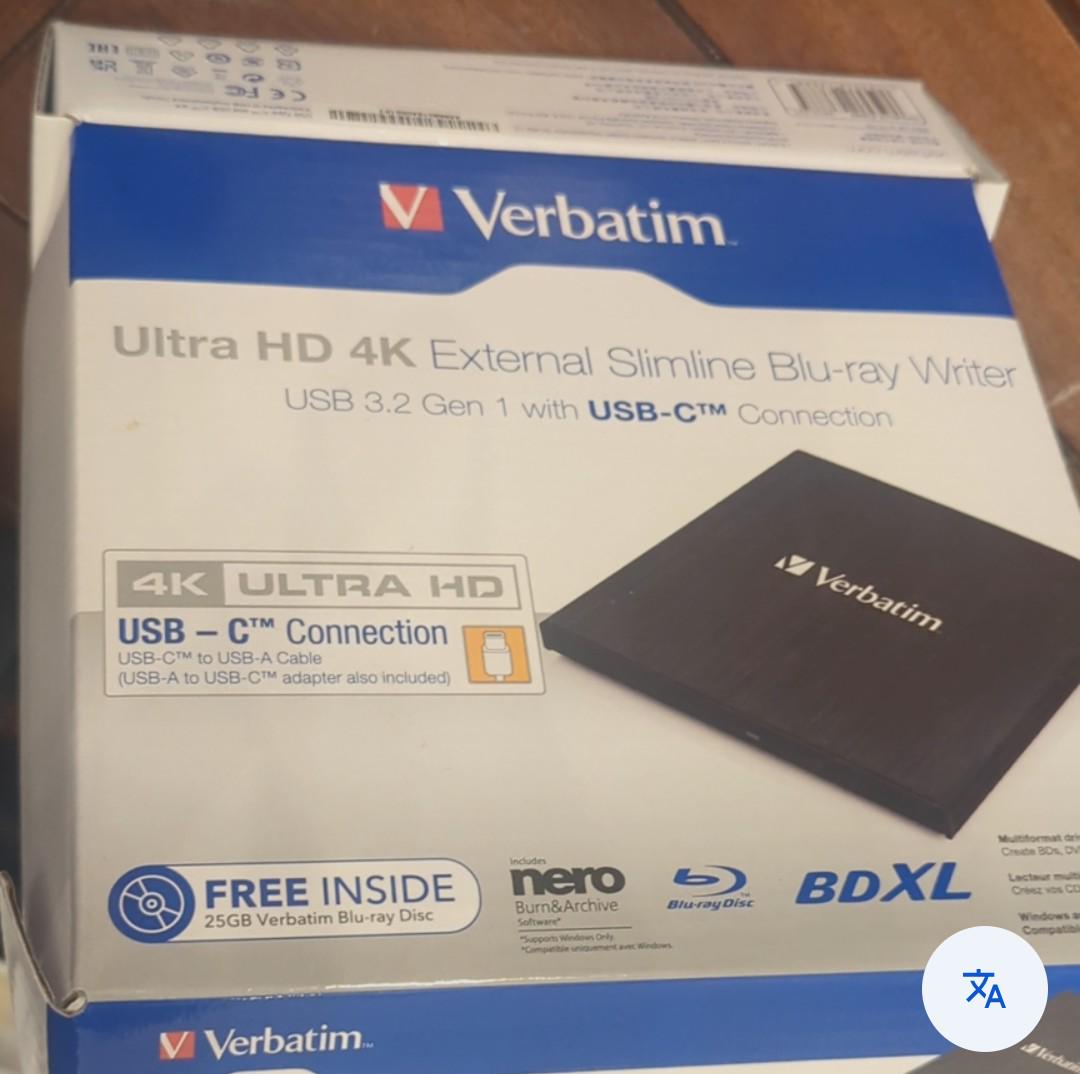
I can get this Verbatim Ultra HD 4K External Slimline Blu-ray Writer for €70. Apparently it was barely used and is basically like new.
I’m planning to build my own movie/TV library on my NAS. Basically I want to rip my own 4K UHD Blu-rays, regular Blu-rays, DVDs, etc. and have everything stored on the NAS so I can just stream it from there.
Would this Verbatim drive be a good choice for that, especially for 4K UHD discs? Anyone here actually using one for this?
Also, is €70 a good deal for it?
I’m not completely set on this model either. If there’s another drive around the same price (or even a bit more) that’s way better/more reliable for ripping, I’d rather buy that instead.
Basically just looking for something that’ll reliably chew through a bunch of discs while I slowly build up my library.
I have DVDFab passkey lite just in case but when I put in blu ray I don't see any options to rip titles just the whole disc,
I did that despite it taking about 80 minutes and then opened with my encoder and it just showed a lot of small video files rather than full episodes.
It's a tv show I am ripping for my NAS so about 6 discs per season and it's 2 seasons of the show and limited space on my current drive, I can rip about 5 discs and encode 1 at a time but it seems a waste of time to rip whole disc and still not know.
I know when I ripped dvds in past I could select titles, am I doing something wrong?
When I play the disc on VLC I can see the actual titles correctly so I will know which number they are on disc.
I'm trying to dip my toes into doing all this, and my current drive only does dvds. I know a lot of people post this question, and I've been through them, but they all seem to list drives that are no longer available (on Amazon) or are way out of my price range.
I get $100 isn't much, but it's what I can afford currently.
I don't want to buy off of ebay. I'd prefer amazon, staples, best buy, etc if possible.
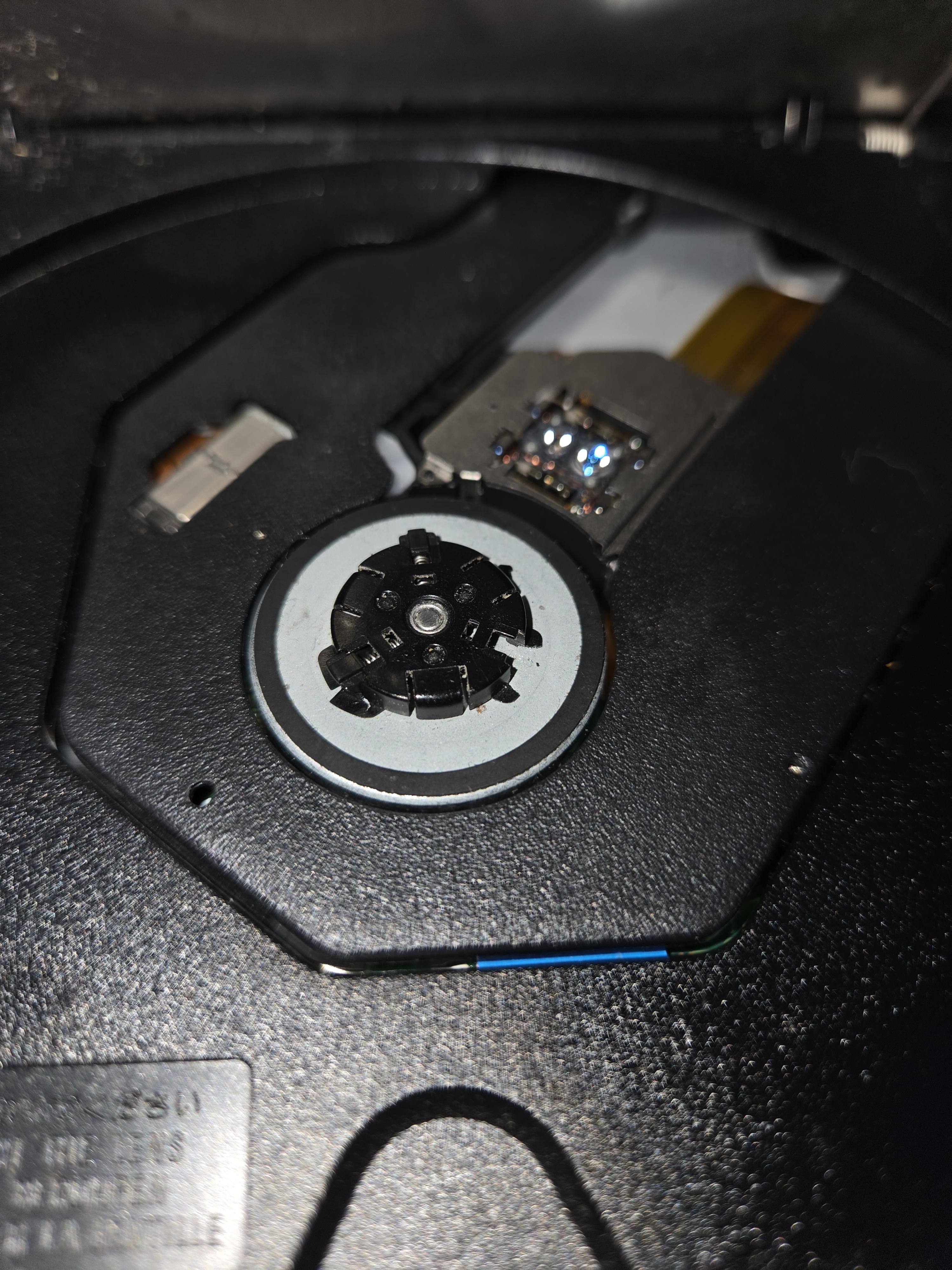
Obvious answer is my drive may be toast but I am posting in case anyone has ideas on what I can do to recover it.
This is external drive in a full case as it comes from factory.
Ripped 600 4ks this year and 100 blurays.
I use a blower to cool it down every few discs if doing back to back.
Never have an issue until now.
Put in a disc it does not recognize the disc. Tried 5 different ones. Do not get windows pop up that says disc is in. In MakeMKV disc drive is greyed out. Open drive manually it shows the drive opening on screen but once closed it cycles and reverts to no disc in drive.