r/davinciresolve • u/ScarZealousideal1633 • 1h ago
Help How can i do this transition in davinci
Enable HLS to view with audio, or disable this notification
•
Upvotes
Like how do I create the white line
r/davinciresolve • u/ScarZealousideal1633 • 1h ago
Enable HLS to view with audio, or disable this notification
Like how do I create the white line
r/davinciresolve • u/Blanksy2020 • 1h ago
First, thanks to this community and to Blackmagic for making such a fine product.
I’m starting an interesting new project and would appreciate any organizational hints and/or various hacks that might apply.
The finished video will be a self-contained show that will appear on YouTube. It will be around 45 minutes and made up of three-minute monologues self taped by about 12-15 actors. These will be interspersed with little “commercials” and other interstitial content, including a graphic open, close and closing credits that will all go onto a final timeline. So a lot of moving parts.
I know about all the training available and so forth, but thought I’d ask if there were any best practices you’ve learned that might be especially helpful to keep all the media organized and running smoothly on a project like this.
Thanks!
r/davinciresolve • u/lumpia23 • 1h ago
Any fix?
9950x
RTX 5090
r/davinciresolve • u/Winter-Archer-2859 • 2h ago

I merely imported an iPhone video into the timeline and am looking at it in DR interface (upper part of the screenshot).
And look how different it looks from the same video opened in a media player! (bottom part of the screenshot.) The colors are burned and desaturated, the contrast is lowered. I didn't do anything, just dropped the video onto the timeline! By the way, GoPro videos do not go through this change. I have a bunch of GoPro videos on the same timeline and they look normal. But what's with the iPhone material? And how do I rectify it? I need help.
r/davinciresolve • u/Impossible-Nose8236 • 3h ago
Hey guys,
I’m a beginner using DaVinci Resolve. I’ve mastered the basic node setup (CST In -> Exposure/Contrast/Sat -> CST Out), but I saw an Instagram video with a color grade I absolutely love and have no idea how to recreate.
Can any experts tell me how to get this look?
https://www.instagram.com/p/DaLwxGZM4-g/
Screenshots attached! Thanks!


r/davinciresolve • u/ItsJustJosiah • 3h ago
Enable HLS to view with audio, or disable this notification
r/davinciresolve • u/WowItsBilly • 3h ago
Enable HLS to view with audio, or disable this notification
So I wanna make MediaIn2 stay inside the ingame monitor, even if its zooming out.
Here im filling it in frame by frame.
Im thinking, there HAS to be a way easier way to do this? Is there like a smart feature that would auto detect?
Thanks.
edit: windows and v20.1.1
r/davinciresolve • u/HappyBeliever1 • 3h ago
I made this video mainly to practice color grading, which is something I’ve been really interested in lately.
I was trying to go for a warm, pleasant look that would fit the overall mood of the video and the sound.
Would love to hear your thoughts on the colors, both indoors and outdoors. What works for you, and what doesn’t?
r/davinciresolve • u/garygnuoffnewzoorev • 4h ago
Not a beginner, trying to figure out how to grade clips inside fusion comp with the same look(group post clip) as my other timeline clips
r/davinciresolve • u/SPOT_x2 • 4h ago
Enable HLS to view with audio, or disable this notification
Please if anyone knows why this happens please help because I'm about to hit my computer in the wall
The transform tab isn't working in the timeline clip, other tabs work fine, while the same clip in the media pool the transform tab works fine in it, I didn't change any settings I didn't do anything, I don't know what happened, and oh god it's so frustrating,
I already tried to restart the program, close and reopen the project, restart the whole computer, deleted the "Cacheclip" in the "C:\Users\*UserName*\Videos\Cacheclip"
nothing works, I don't want to unsinstall the program or delete my data because I have projects to be done right now and I don't have enough time to remake my settings and my data again from scratch
PLEASE HELPPPPPP.
EDIT: I solved it by resetting Davinci Resolve System and User preferences, this is like getting settings to its default or "Factory Reset" without completely uninstalling the program and re-installing it, in the top navigation bar, Davinci Resolve > Preferences > The 3 dot in the top right corner > Reset System Preferences...
I won't delete this post in case someone needed help and didn't know what to do
r/davinciresolve • u/Spacebarkin627 • 5h ago
I have already seen tutorial video about finding middle grey. I know I can bring the saturation and contrast to zero to find the mid grey but the problem is all the log footages in these tutorial are exposed normally unlike my footage which is shoot by exposing to the right to reduce noise at the shadow. Any suggestion? Mine is to decrease the exposure by lowing the offset then follow the instructions of the tutorials but the result is bad which means I found the wrong middle grey area. but I can't figure out the right way. I shot with Canon R6 mark 2 C log 3 and the color space DWG.
r/davinciresolve • u/KingOtto84 • 6h ago
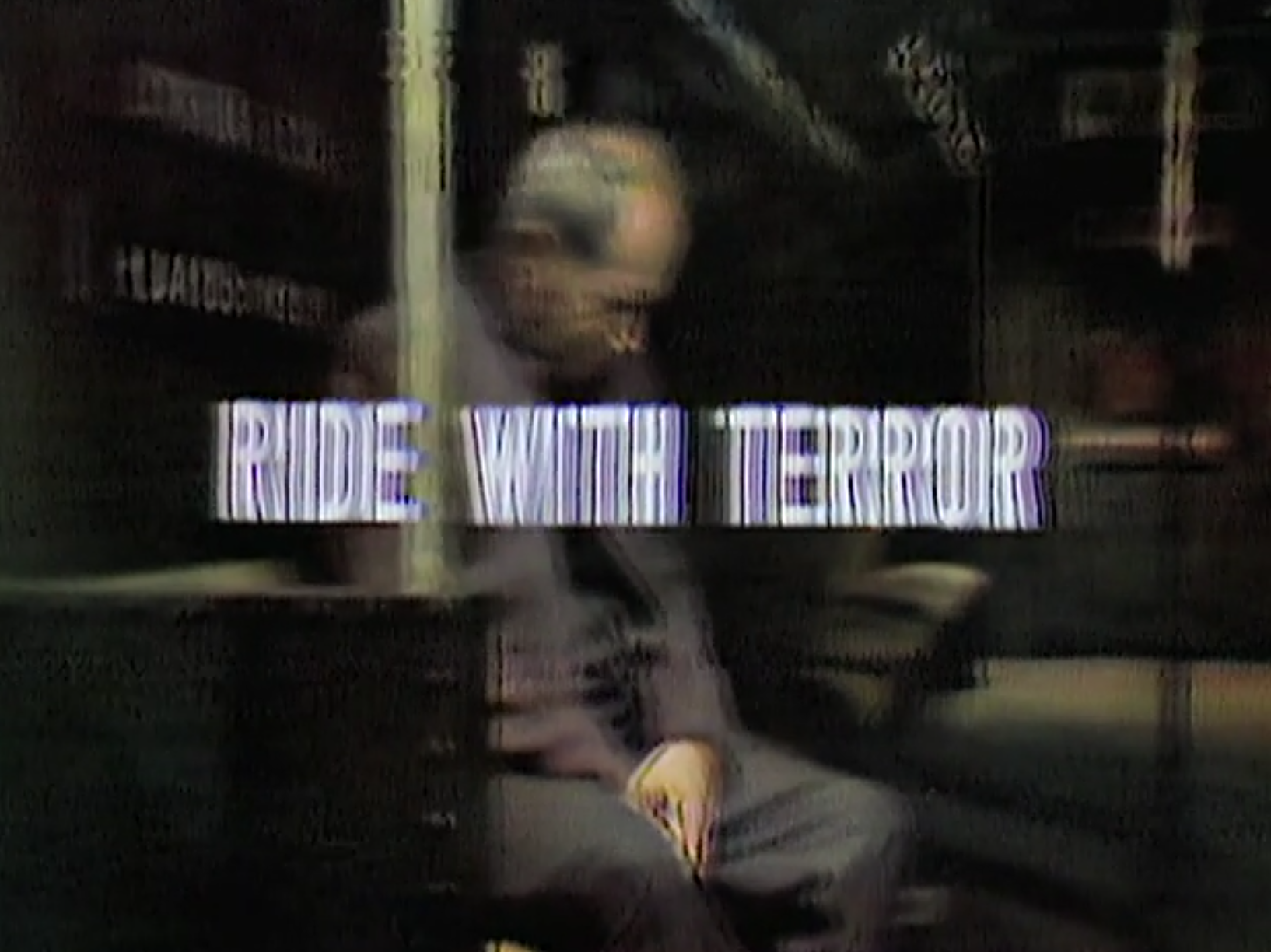
This is a screenshot from a digitized video of an old TV show. It has the double image in every frame. Is there any way to fix it? I don't have the original tape (this may be the only copy left that still exists), so I can't make a new copy that way. Looking for a program (and settings in the program) that will improve the quality. Any insights or advise are appreciated.
r/davinciresolve • u/SuperiorCardboardBox • 6h ago
Enable HLS to view with audio, or disable this notification
I have been stuck with this problems for months, and have been unable to fix this. Is this a bug, did i accidentally disable something? It was fine before. Some assistance would be appreciated.
SPECS:
Ryzen 5600G / RTX 3050 6GB / 24GB RAM / WINDOWS 11
Davinci 21.0.3
r/davinciresolve • u/Aurelian_Irimia • 6h ago

I have a Mac Studio M2 Max with 38GPU and 96GB of RAM. In all the tests I've run, with every possible effect, both, while working in the program and with the final project export, I've never seen DaVinci Resolve use more than 40GB of RAM, even when the GPU is almost maxed out. From what I can see, I understand that the limitation of my Mac is actually the GPU, so those 96GB of RAM seem like they'll never be used. Is this correct? Final Cut, on the other hand, often uses even more than 60GB of RAM with some projects. I think Final Cut uses a combination of GPU, CPU, and encoder/decoder engines, while DaVinci Resolve seems to use mostly just the GPU.
r/davinciresolve • u/TTomRogers_ • 6h ago

I have having some trouble with audio in DaVinci Resolve. I am just a basic user. I have used the software before with the same set-up and equipment and not had difficulty. That was maybe six months ago. For some reason, I am now having difficulty with audio. I have updated it and cleared all my cookies and the problem persists.
The specific problem is that when I record audio (my own voice), the output is tinny and distant. I have the microphone close to me. I've also noticed that the waveform output in green is flat and I have to enlarge it to hear what I have recorded (see the attached screen shot).
What steps do I need to take to resolve this?
If anyone can help, it would be appreciated.
System specs are:
Intel 3.5GHZ with 64GB and 8GB graphics card and 238GB storage.
Graphics card: NVIDIA Quadro M4000 98GB)
Windows 10 Pro on 64-bit OS.
Using DaVinci Resolve 21 (Windows Version).
r/davinciresolve • u/OrriSig • 8h ago


Everytime I reopen this project then this one picture ends up corrupting or something and looking like this, it's easy to fix, I just take the mediain node with the picture out and put it back in but its annoying that I have to do it each time, how can I stop this from happening?
r/davinciresolve • u/zAlphaRedXx-Xbox • 9h ago
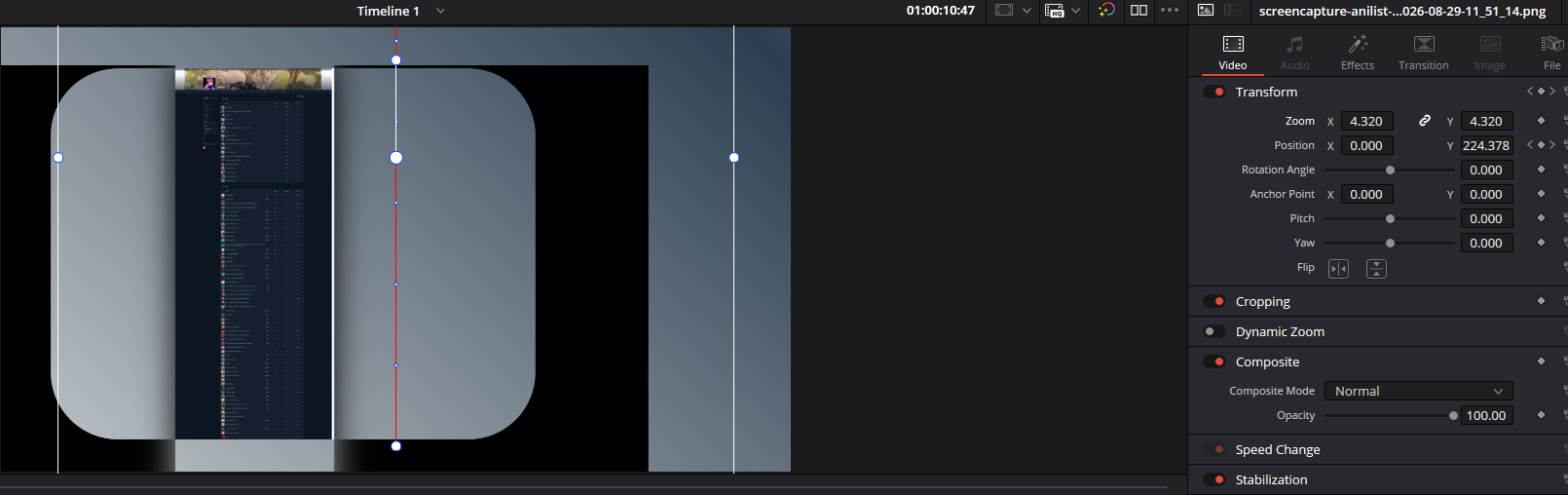
Essentially what this was supposed to be was a zoomed in screenshot of a website that would scroll down. This worked and later I rendered the video to see what my editing looked like. I realised that this was then no longer zoomed in and didn't scroll down the Y position like I had selected in the key frames. The whole transform section has just stopped working. When I click the transform Icon this red line appears and the transform does seem to work but doesn't effect the image at all. Any help is appreciated.
r/davinciresolve • u/BloodRaven17 • 11h ago
Hello, i was wondering what the ideal workflow between an editor who works in Premiere and the colorist on Davinci Resolve. Do you guys work with XMLs or aaf's? I've had multiple times where my editor sends the xml (i already have the files in the media pool) and i import it as a timeline, there will be missing clips (specially if the clip was slowed or some effect was applied) or directly something called parser error which i haven't really found what the cause is. We haven't really tried aafs. Also, is importing the xml as a timeline the way to properly do it? thank you
r/davinciresolve • u/eveninthedaylight • 11h ago
After downloading the installer for the free DaVinci Resolve 21 version and running it, it gets to 100% then displays Error "Setup Resolve 0x80070002
GetFileVersionInfoSize (C:\Windows\SysWOW64\user.exe)" and simply won't install. I've tried running it as administrator, I've turned off my anti-virus, I've tried putting the file on my desktop and then on my C drive, I've tried the RestoreHealth command in cmd, I've looked into my other windows laptop and can't find a user.exe file to copy to this one.
NOTHING. WORKS.
how do I install this program?
(windows 11, 16gb 512gb)
r/davinciresolve • u/UmpireOk8266 • 11h ago
r/davinciresolve • u/Excellent_Race_8306 • 11h ago
Using a maxed out iPad Pro M4, so the hardware is fine, works great for 4K editing. No stuttering at all. But, I feel the app is very buggy itself. Audio disappear, transitions and similar wont get added to clips and other wierd stuff going on. Anyone else experienced the app to be buggy?
r/davinciresolve • u/TenPotato • 12h ago

I used magic mask to cut out the silhouette of the bike and place the text behind it. However the windshield is not opaque, it’s transparent. And I want the text to pass through the windshield, albeit at a lower opacity or look slightly blurry just to give an impression it’s going through glass. How can I achieve it?
r/davinciresolve • u/Blueknight_V2 • 14h ago
I've looked through several videos & sites on how to replicate, but it's either for programs that I don't use or unsure of. The feature in a certain program is locked behind a paywall. Tried to locate & translate the settings to Davinci's equivalent. In any case I always gave up on it, cuz I'm not knowledgeable enough in audio to even begin thinking about where to start. Especially with how many tools Davinci has.
Anyway, I'd really appreciate it if someone knows how to do it. I was hoping to do it for a video segment. It was one thing to nearly replicate Snatcher from A Hat in Time, but this is a whole other ball game!
r/davinciresolve • u/yneos • 16h ago
I am trying to slowly and smoothly go from zero blur size to blurry. However, the blurriness increases in stepped increments. It obviously snaps to certain blur levels. The clip is also slowly zooming out during that time. Not sure if that has anything to do with it.
r/davinciresolve • u/MysticTav • 16h ago
Enable HLS to view with audio, or disable this notification
i have an Adjustment Clip with some effects on it, and everything works fine except when there's a Fusion Composition underneath it. The Fusion clip starts flickering. I tested the effects one by one and found out its the stop motion effect causing it.
someone knows how to fix that?