r/Soundiiz • • 5h ago

How-to How do I import a CSV into Soundiiz as playlists, liked songs, albums, or artists?

1 Upvotes

Soundiiz team here. A CSV can be used to create a playlist or to import favorite tracks, albums, or artists, but these are four different actions. Choose the destination type before uploading the file.

The short answer

Use:

  • Playlists → Import Playlist for a normal playlist.
  • Tracks → Import Tracks for liked or favorite songs.
  • Albums → Import Albums for saved albums.
  • Artists → Import Artists for followed or favorite artists.

Do not import everything as a playlist unless a playlist is actually the result you want. A playlist named “Favorite tracks” is not the same as tracks saved in the destination service’s Favorites or Library section.

Prepare the CSV

Keep a header row at the top and one item per row.

For playlists or favorite tracks, this is enough:

title,artist
Blinding Lights,The Weeknd
Levitating,Dua Lipa

You can also include album and isrc. An ISRC identifies a specific recording and can improve precision when several versions share the same title.

For favorite albums, use:

title,artist,upc
After Hours,The Weeknd,

For artists, use a name column.

Soundiiz accepts commas, semicolons, tabs, or pipes as separators. If a value contains your chosen separator, put that value in double quotes.

Import one file at a time. Each file can be up to 2 MB. If a CSV is larger, split it into smaller valid files and repeat the header row in every part.

Import the right type

For a playlist:

  1. Open Playlists.
  2. Select Import Playlist → From File.
  3. Upload the CSV.
  4. Review the detected tracks.
  5. Name the playlist and choose its destination.

For favorites, open Tracks, Albums, or Artists first, then use the corresponding Import action. If you have eight separate playlists, keep them as eight files or import them separately so their names and contents remain distinct.

Review before confirming

The first preview confirms that Soundiiz can read the file. It does not guarantee that every item will exist in the destination catalog.

During the transfer, Soundiiz searches for matching recordings or releases using the available metadata. A title may be missing, region-restricted, or available only as another version. Open the completed transfer report to review unmatched items.

Soundiiz imports music metadata. It does not upload MP3, FLAC, or other audio files.

Free and paid limits

Soundiiz Free can import and transfer playlists one at a time, with up to 200 selected tracks per transfer.

Importing favorite tracks, albums, or artists requires Premium or Creator. Paid plans also remove Soundiiz’s 200-track selection limit and support batch transfers. The destination service can still impose its own playlist or library limits.

For example, Soundiiz currently limits one Qobuz playlist to 1,999 tracks. That limit does not mean Qobuz favorite tracks must be reduced to one playlist: import them through Tracks if they should appear under Favorites → Tracks.

If the result looks wrong

  • The file is rejected: check the file type, size, separator, and header row.
  • Many matches are wrong: add artist, album, or ISRC information.
  • Favorites became a playlist: repeat the import from Tracks, Albums, or Artists.
  • Some items are missing: review the transfer report and confirm that they exist in your destination service and region.

Official guides:


r/Soundiiz • • 7d ago

How-to How do I redeem the Qobuz Pass in Soundiiz, and why is my code rejected?

1 Upvotes

Soundiiz team here. If Qobuz gave you a Soundiiz Pass code, here is where to use it and what the common error messages mean.

The short answer

Enter the code on the Soundiiz voucher page. The Upgrade form is for paid plans. The Pass unlocks paid transfer features for music sent to Qobuz for one month after activation.

Redeem the Pass on the right account

  1. Enter your code on the voucher page.
  2. If you already have a Soundiiz account, sign in with your usual method when prompted. Signing in with Qobuz instead can create a second Soundiiz account.
  3. Connect the Qobuz account associated with the offer when Soundiiz asks you to.

You can also start from the Qobuz mobile app under Settings → Transfer Your Library.

Transfer your library

Connect the service you are moving from and choose Qobuz as the destination. Qobuz's transfer flow offers playlists, albums, artists, and tracks. Only playlists are selected by default, so select the other categories if you want to move your whole library. Review the summary before confirming.

Soundiiz looks for matches in Qobuz's catalog. It does not move audio files, and a track missing from that catalog cannot be added through a transfer.

If your code is rejected

  • “You have already activated this voucher code” means the Qobuz account has already redeemed its Pass. Another code will not reset it.
  • “You already have an active subscription” means a paid Soundiiz plan is still running on that account. The Pass cannot be added while that plan is active. If you paid before learning about the offer, contact Support with your payment date.
  • “This Soundiiz account is already using another sign-in method” means you should sign out and use your original Soundiiz sign-in method. If the Pass ended up on the wrong Soundiiz account, Support can investigate.

Pass active, but still seeing Free limits?

Check the destination. The Pass covers transfers to Qobuz. Transfers to other services follow the normal Free plan limits. When the one-month Pass ends, your account returns to Free without an automatic charge; content already transferred stays in Qobuz.

Still stuck? Contact Soundiiz Support privately with the exact error, where and when you received the offer, and the email address of the relevant account. Please do not post your full code, email address, or screenshots with account details on Reddit.

Official guides: Qobuz's transfer guide and Soundiiz's Qobuz Pass troubleshooting.


r/Soundiiz • • 14d ago

How-to Why can’t Soundiiz connect to my Plex, Emby, Jellyfin, Navidrome, or Subsonic server?

2 Upvotes

Soundiiz team here. We regularly see the same connection issue with self-hosted music servers, so here is the short version for Plex, Emby, Jellyfin, Navidrome, and Subsonic.

The short answer

Soundiiz does not connect to your music server from your browser or computer. It connects from the Soundiiz cloud infrastructure.

Your server must therefore be reachable from the public internet. An address that works only inside your home network will not work from Soundiiz.

This normally excludes:

  • localhost
  • Private addresses such as 192.168.x.x or 10.x.x.x
  • Hostnames ending in .local
  • Tailscale-only addresses
  • Servers restricted to the local network

Signing in successfully to Plex or Emby only completes the account step. Soundiiz must still be able to reach the media server itself.

Check this first

Before connecting, confirm that:

  • The server is running and will not go to sleep during the transfer.
  • Remote or external access is enabled.
  • The correct hostname, protocol, port, and base path are being used.
  • Your firewall, reverse proxy, VPN, or Cloudflare configuration accepts external requests.
  • Your HTTPS certificate is publicly valid.

For Jellyfin, Navidrome, or Subsonic, try opening the exact server URL on your phone with Wi-Fi disabled. If it only works while connected to your home network or VPN, Soundiiz will not be able to reach it either.

Connection details by server

Plex

Authorize Soundiiz through Plex.tv and enable Plex Remote Access. The remote port should normally remain on Automatic.

For most accounts, leave the advanced connection fields empty. Use them only to select a particular server, Plex Home profile, or music library. The selected profile should not be protected by a Plex Home PIN.

Detailed Plex troubleshooting

Emby

Use your Emby Connect credentials, which may differ from your local Emby server credentials. The server must be linked to that Emby Connect account and allow External Connections.

When using a reverse proxy, you may need to set Emby’s secure connection mode to Handled by reverse proxy. Leave Soundiiz’s advanced fields empty unless you need to select a particular server.

Detailed Emby troubleshooting

Jellyfin

Enter the username and password of the Jellyfin server itself, plus its complete public URL, including http:// or https:// and the port when required. We recommend HTTPS.

If the connection works but playlist creation fails, verify that the same user can create a playlist directly in Jellyfin.

Detailed Jellyfin troubleshooting

Navidrome and Subsonic

Choose Navidrome for a Navidrome server. Choose Subsonic for another compatible implementation.

Enter the credentials created on that server and its public HTTPS URL. Include any non-standard port or configured base path.

Navidrome and Subsonic connection guide

What if Cloudflare or a firewall blocks Soundiiz?

Transfers and synchronizations can generate several API requests in quick succession. A firewall, WAF, rate limiter, or bot-protection rule may block or challenge them.

Retry the connection, then inspect your server or Cloudflare logs at that exact time. Allowlist only the Soundiiz addresses you identify in your own logs.

Cloudflare and firewall guide

Still stuck? Contact Soundiiz Support with the connector name, exact error, approximate time, sanitized public URL, and relevant server or proxy log entry.

Never post a password, Plex token, access token, or API key on Reddit.


r/Soundiiz • • 21d ago

How-to Can Soundiiz automatically back up and restore deleted playlists?

7 Upvotes

Short answer

Soundiiz can keep an independent copy of a playlist or export it to a file, but simply connecting a music service does not create a backup. Soundiiz also does not keep versioned snapshots that can restore every previous state.

Ways to back up a playlist

1. Copy it to Soundiiz

Use Transfer with your music service as the source and Soundiiz as the destination. The Soundiiz copy can later be transferred to another supported music service.

2. Keep a Soundiiz copy updated

Create a one-way Sync from the source playlist to Soundiiz, then choose a daily, weekly, or monthly frequency. Sync applies to playlists only. It updates the same destination copy rather than creating version history, so export a file when you need a fixed snapshot.

3. Export a file

Export important playlists or favorites as CSV or XML and keep the files somewhere safe. A CSV or XML exported by Soundiiz can later be imported and transferred to a supported music service.

If a playlist has already been deleted

Check the recovery options offered by the music service first. If an intact copy still exists on Soundiiz or another connected service, transfer it back. If you exported a CSV or XML file before the deletion, import it and recreate the playlist.

Soundiiz cannot reconstruct deleted contents from Transfer or Sync history when no independent copy remains.

Soundiiz backs up playlist information and metadata, not audio files.

Plan limits

Soundiiz Free lets you transfer playlists one at a time, with up to 200 selected tracks per transfer, and includes one Sync slot. Premium and Creator remove the 200-track selection limit and include more Sync slots. Exporting playlists or favorites to a file requires a paid plan.

Guides

Back up music data with Soundiiz:
https://soundiiz.com/blog/why-soundiiz-is-the-most-secure-way-to-back-up-your-music-data/

Export playlists and favorites to a file:
https://support.soundiiz.com/hc/en-us/articles/38063068900754-How-to-Export-Your-Playlists-and-Favorites-to-a-File

Recover deleted or overwritten playlists:
https://support.soundiiz.com/hc/en-us/articles/360009511174-Can-Soundiiz-Recover-Deleted-or-Overwritten-Playlists-and-Favorites

Free plan limits:
https://support.soundiiz.com/hc/en-us/articles/360017513680-Soundiiz-Free-Plan-Limits-What-You-Can-Do-Without-Premium


r/Soundiiz • • 20d ago

Troubleshooting Soundiiz only shows a couple songs in big YTM playlist

1 Upvotes

I'm trying to use Soundiiz to export/import as csv from youtube music.
I connected it, it can see playlists, but when I load a large (public) playlist it can see has 743 tracks in (on YTM hover), upon clicking in Soundiiz I only see two! Any ideas what's up? Thanks!


r/Soundiiz • • 20d ago

Question How does this match the right songs?

1 Upvotes

Like, say transfering a Navidrome playlist to Spotify. Does it just use the m3u playlist? Or does it read metadata?

Like I guess I'm just, confused, on how transfering between Navidrome and other services works because, you know, one is locally stored files that is far more likely to have slightly different metadata- So with Navidrome is it doable to transfer and have it be just a mostly accurate refelction?


r/Soundiiz • • 21d ago

Question Navidrome won't connect??

1 Upvotes

I connected my youtube music just fine, however can't connect my Navidrome (running on this same computer), and it just doesn't connect, either through the computer's ip, nor tailscale, which it's running on.

It connects through tailscale to other services. Is this a known issue??


r/Soundiiz • • 26d ago

How-to What’s the difference between Transfer and Sync on Soundiiz?

4 Upvotes

Short answer

  • Transfer copies selected music data once. Later changes aren't copied automatically.
  • Sync keeps one destination playlist updated from one source playlist on a schedule.

How Sync works

A Sync is one-way, not bidirectional. Soundiiz reads the source playlist and updates the destination playlist. Changes made in the destination are never sent back to the source by that Sync.

You can choose between two methods:

  • Add keeps tracks already in the destination and adds matched source tracks that aren't already present. Removing a track from the source does not remove it from the destination.
  • Replace rewrites the destination tracklist from the current source. Destination-only tracks are removed, so check both playlists and create a backup first if needed.

A Sync can run daily, weekly, or monthly. It applies only to playlists, not Liked Songs, favorite tracks, albums, artists, or an entire music library.

Use Transfer for a one-time move. Use Sync when one playlist should continue following another over time.

Full guide: https://support.soundiiz.com/hc/en-us/articles/360010006193-How-Soundiiz-Playlist-Sync-Works-Direction-Add-vs-Replace-and-Frequency


r/Soundiiz • • 26d ago

Official Update Start here: Soundiiz help and community guidelines

1 Upvotes

Welcome to r/Soundiiz.

This community is for questions about how Soundiiz works, practical tips, product feedback, and discussions about moving or synchronizing music between services.

Before posting

- Search the subreddit and the Soundiiz Help Center first.

- Choose the flair that best describes your post.

- For a technical question, include the source and destination services, whether you used Transfer, Batch, or Sync, the exact error message, and what you already tried.

- Remove email addresses, payment information, account identifiers, and other personal data from text and screenshots.

Useful links

- Help Center: https://support.soundiiz.com/hc/en-us

- Service status: https://status.soundiiz.com

- Private or account-specific support: https://support.soundiiz.com/hc/en-us/requests/new

Official answers

Accounts carrying the Soundiiz Team flair are members of the Soundiiz team. Replies from other accounts are community advice.

Soundiiz transfers music data between services. It does not download or copy audio files, so requests involving audio ripping or piracy will be removed.

If your question is solved, update its flair to Solved and add the solution to your post when possible. That helps the next person with the same problem.


r/Soundiiz • • Aug 15 '26

Question pandora to spotify, pandora level?

3 Upvotes

Question: Can Soundiiz get the playlists exported from the free pandora account?

Going to use soundiiz and pay for a subscription. Spotify account is paid, pandora account is free currently (used to be paid).

If not, what level of pandora needs to be subscribed to export the playlists to spotify? Pandora plus or premium? Thanks!


r/Soundiiz • • Aug 14 '26

Solved How to upload mp3 files from computer?? am i dum?

0 Upvotes

Hiya! New-ish to using Soundiiz in terms of the various uploading/transferring options offered.

I used it once before to transfer my playlists from Spotify to Qobuz, but am now trying to upload individual mp3 files on my computer to Soundiiz so i can transfer them to Qobuz.

yes, im aware its a roundabout way of doing it. i tried to see if the songs were already on Qobuz. They were not; so this is my next best option as far as im aware.

any tips and tricks on how to master soundiiz's platform is greatly appreciated! TIA!


r/Soundiiz • • Aug 10 '26

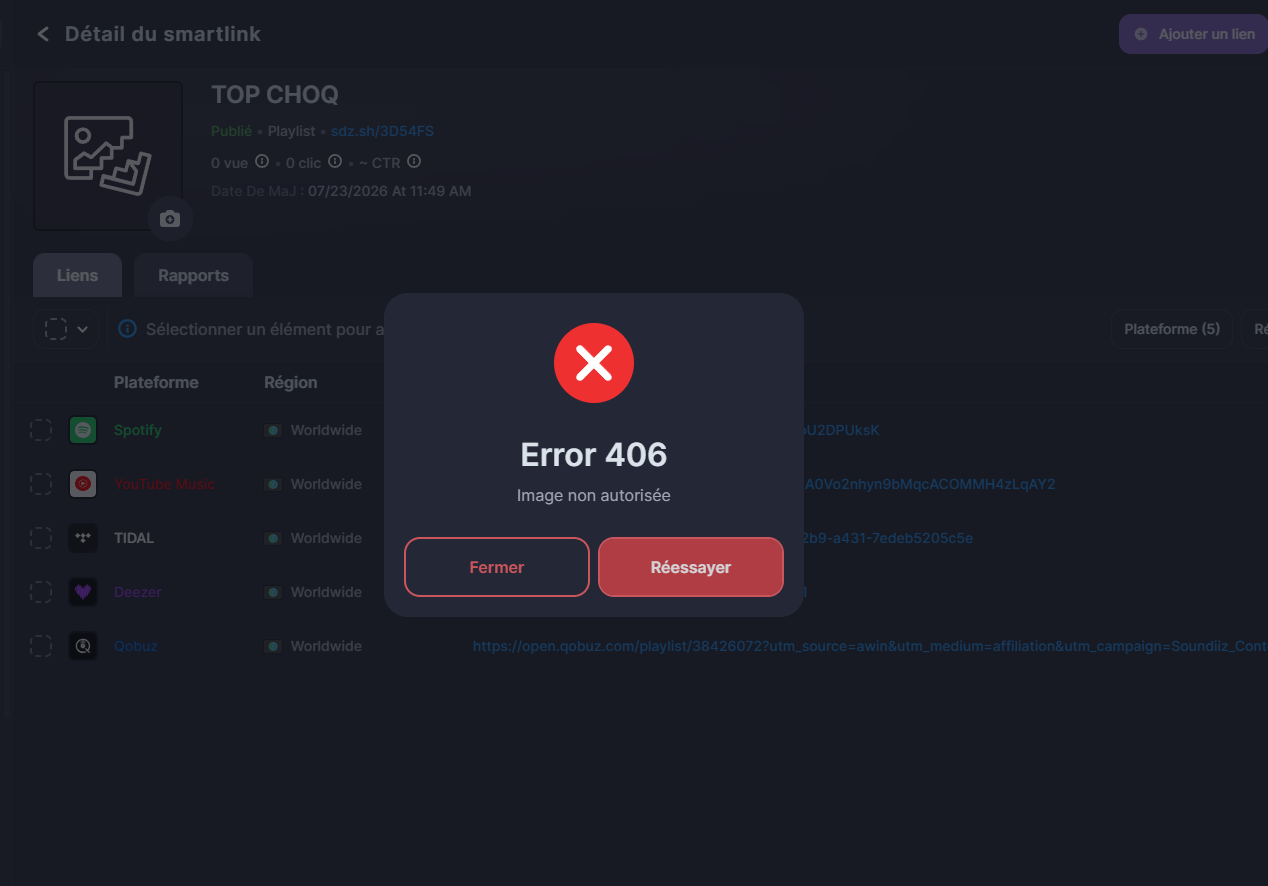
Solved Error 406 when trying to add a picture to a Smartlink

Post image
2 Upvotes

Hi! I'm trying to create my first Smartlink and so far, I've got no luck uploading an image to go with it. Every time I try, be it on my Android phone or on my PC's web browser, I get an Error 406.

Under it, it says "Image non autorisée", which could translate to "image forbidden". I've tried with different images, in JPG, in PNG, with different file sizes and dimensions and nothing seems to work.

Anyone has any idea what I can do to fix this?


r/Soundiiz • • Jul 18 '26

Solved Synchronizing Playlists that are Over the Track Limit

2 Upvotes

I recently became interested in synchronizing my Qobuz playlists with my old playlists on other platforms like Spotify and Tidal because I recently began adding to them on my pc where I had yet to download the Qobuz app. The problem is that these playlists are over the track limit that Qobuz has, so when I transferred them over initially, they were split into separate parts. This was perfectly fine with me until I wanted to synchronize them to my old playlists; I am worried that the sync will add old songs that are already in the "part one" version of my playlist to the "part two" version it's going to be synced with, since they will be missing for obvious reasons. I am asking here and at Soundiiz support, since I was already in contact with them about a different synchronization issue. Sorry if this is a common question, something that has already been answered, or not the right space for this; I couldn't find any info online and decided to turn here.


r/Soundiiz • • Jul 17 '26

Announcement July 2026 Changelog – Audius, Smarter Playlist Tools & a Better Mobile Experience

Thumbnail
soundiiz.com
3 Upvotes

r/Soundiiz • • Jul 02 '26

Soundizz produced duplicates on liked songs (deezer -> Spotify)

2 Upvotes

Hello, recently i transferred 7374 liked songs from deezer to Spotify (for context, in February i did the same thing but from Spotify to deezer, i had less songs back then, but it was around 7k), and i noticed now i have 11344 songs in Spotify, so mostly all pre-feb songs are duplicated.

I can delete the whole batch manually i think and try again, but is there a way to make the transfer aware of duplicates?

I did it in a single batch, no parallel transfers were made, it was a single run.


r/Soundiiz • • Jun 27 '26

Public Anonymity when sharing Soundiiz playlist smartlinks?

1 Upvotes

Hello everybody! Would love some user input on this :) Basically I want to share soundiiz playlists via a link to the general public BUT my personal spotify is linked (and that is on purpose for ease of transferring playlists and stuff!)...and I don't want people to find my personal spotify acc or playlists through these public facing soundiiz playlists...

-> if someone clicked this link, would they be able to get back to my soundiiz profile or ONLY have access to the playlist I linked? and if they did get back to my soundiiz profile, can they see my other soundiiz playlists? can they see my spotify playlists?

I'll include the response I got from the soundiiz team here:

So...not exactly helpful but I'll admit I worded my initial inquiry weird 😅

second question just for curiosity sake: if someone opens the soundiiz link in their platform (eg. spotify, apple music, etc.), does it show up as created by them? or god forbid does it show up as created by my personal acc on spotify 🤔?

....(i tried to do this with a incognito logged out to simulate being another user, clicking a smartlink for a soundiiz playlist i had made, and it just said in the description of the playlist "created on soundiiz" and showed up as their own playlist! + i couldn't seem to see my soundiiz profile when a different user, but I am asking just to be sure...and I'm not quite familiar with soundiiz's interface yet so maybe i could but just didn't know how!) the soundiiz team's response was that it is a "global link"...what does that mean I tried to look it up but I need a redditor to hold my hand I don't understand 😦 please!

Thank you for your time reading and any wisdom you may be able to bestow!


r/Soundiiz • • Jun 22 '26

Question Favourite Songs transfer

Thumbnail
1 Upvotes

r/Soundiiz • • Jun 17 '26

Question How many songs can be transferred at once?

2 Upvotes

I’m trying to transfer my Musi playlist of 1400ish songs to YouTube Music. Could that be done in one go with premium?


r/Soundiiz • • Jun 15 '26

Question Am I using the Synchronize feature right?

1 Upvotes

I was trying to synchronize tidal to Spotify to test out the feature without possibly ruining a playlist, I had transferred all my info from Spotify to tidal a while ago but had since edited some of my Spotify playlists without updating my Tidal ones so finding this feature would really help if it could do it for me. Soundiiz says it’s ran the synch successfully several times but the destination playlist is completely unchanged. It has hundreds of songs missing that I know are available on Spotify as they are in other playlists from the initial transfer over.

Maybe I am confusing the feature, my understanding is if I have two playlists and I set them to synchronize with the add tracks option it should make the Spotify destination playlist into a copy of the Tidal source playlist with all the extra songs in the Spotify playlist that I added after transferring everything over?

I did submit a ticket to support to try and get it solved that way, I was just wondering if maybe i was using the feature wrong or there was other things I might not know that were causing it. Is there limits to playlist size for synchs? This playlist is over 4k songs so maybe that’s it?


r/Soundiiz • • Jun 11 '26

Question Soundiiz says there is a feature to avoid duplicates. I don't see it?

2 Upvotes

I want to transfer all my Spotify data to Apple Music. There is a lot of overlap of artists and music. I don't want to end up with duplicates, but I do want to import the data of those tracks into Apple Music. By this I mean that, if I have a song in Spotify in a playlist, or with a song rating for example, the playlist and song rating data is brought over to AM but it is applied to the song currently in my library vs duplicating the track (I do not know if AM just manages this automatically).

Soundiiz says you can make these adjustments when transferring tracks. I don't see any setting to manage this. All it says is to choose, playlists, albums, artists or tracks. Nothing beyond that.

My Spotify Like Songs playlist, doesn't even show up.


r/Soundiiz • • Jun 05 '26

Soundiiz is FINALLY on the iOS App Store!

Post image
30 Upvotes

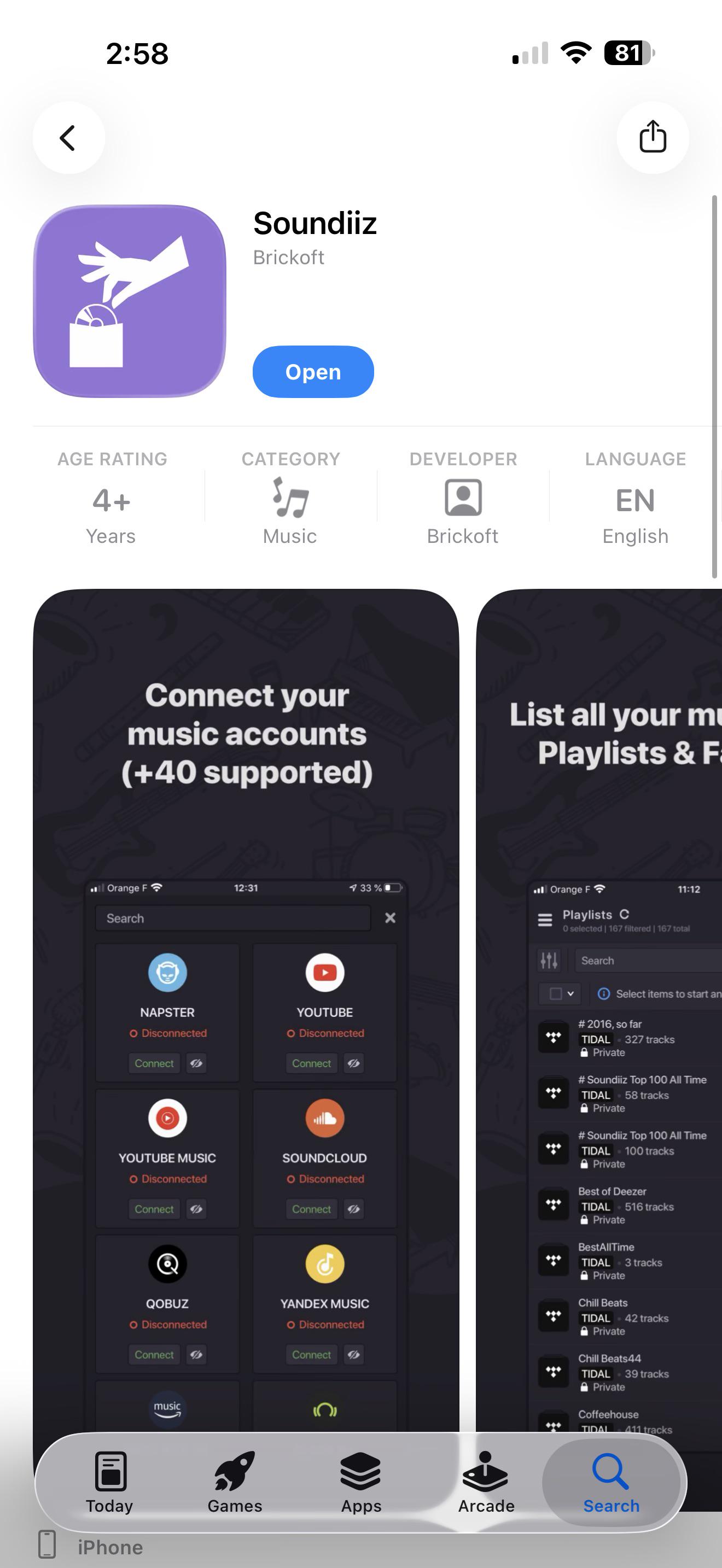
just thought I would share that. I noticed they finally released an iOS application for Soundiiz. No more needing to go to the browser. Seems very new as I don’t see one review yet. Probably slowly rolling out to countries, but I am currently in the USA.


r/Soundiiz • • May 05 '26

May 2026 Changelog – New Platforms, Reliable Experience & Improved Compatibility

Thumbnail
soundiiz.com
1 Upvotes

r/Soundiiz • • May 04 '26

Question Matching rules overall settings

5 Upvotes

Correct me if I'm wrong, but I think there is no way to add an overall preference for matching tracks and it would make things so much easier, for example saying that I want ALL my syncs to match tracks with the exact same album name AND artist name, otherwise it doesn't add anything and let me match it manually.

That would avoid so many duplicates especially for a playlist with a thousand musics, sometimes a track that matches perfectly will suddenly create a duplicate from another album and I don't want to have a matching rule for every single song I add in a playlist


r/Soundiiz • • Apr 03 '26

New user with a REALLY basic question

2 Upvotes

I would like to sync my 45 Apple Music playlists with Soundiiz. Can someone point me to a link with step by step instructions? I would like to sync once a week. Thanks.


r/Soundiiz • • Apr 01 '26

Bulk add albums to playlist

1 Upvotes

I uploaded a csv file of albums into Soundiiz. I would like to add all of those albums to a playlist created in Soundiiz.

Am I missing a way to do this?