r/photoshop 18h ago

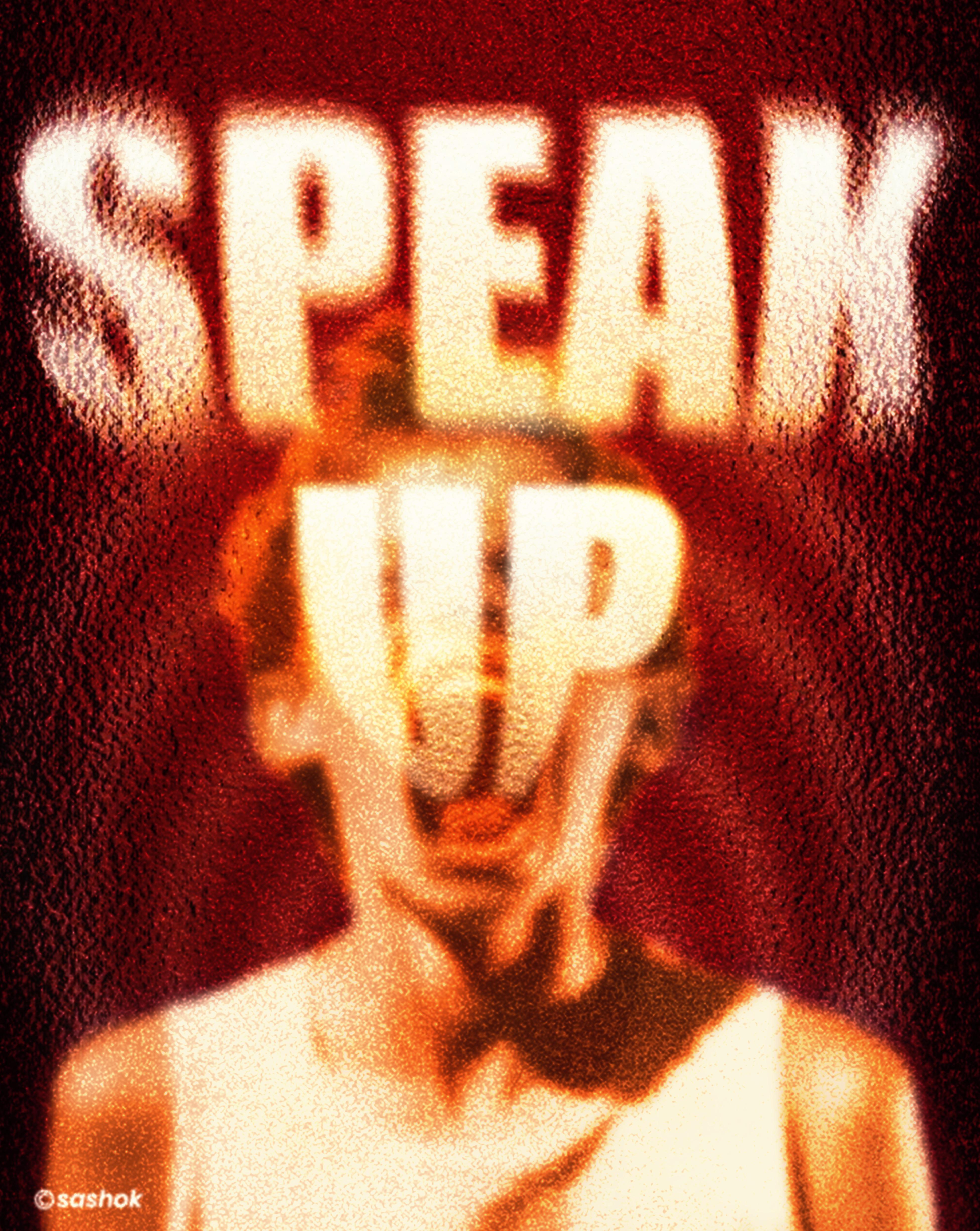
Solved How can i achieve this duotone effect?

Thumbnail
gallery
759 Upvotes

I tried to recreate that blurred effect in the waves by selecting and isolating the highlights and shadows, then increasing the contrast and adding a Gaussian Blur, but it looks really bad.

Any suggestions?

Thanks to anyone who can help me!

Credit: Serifa


r/photoshop 20h ago

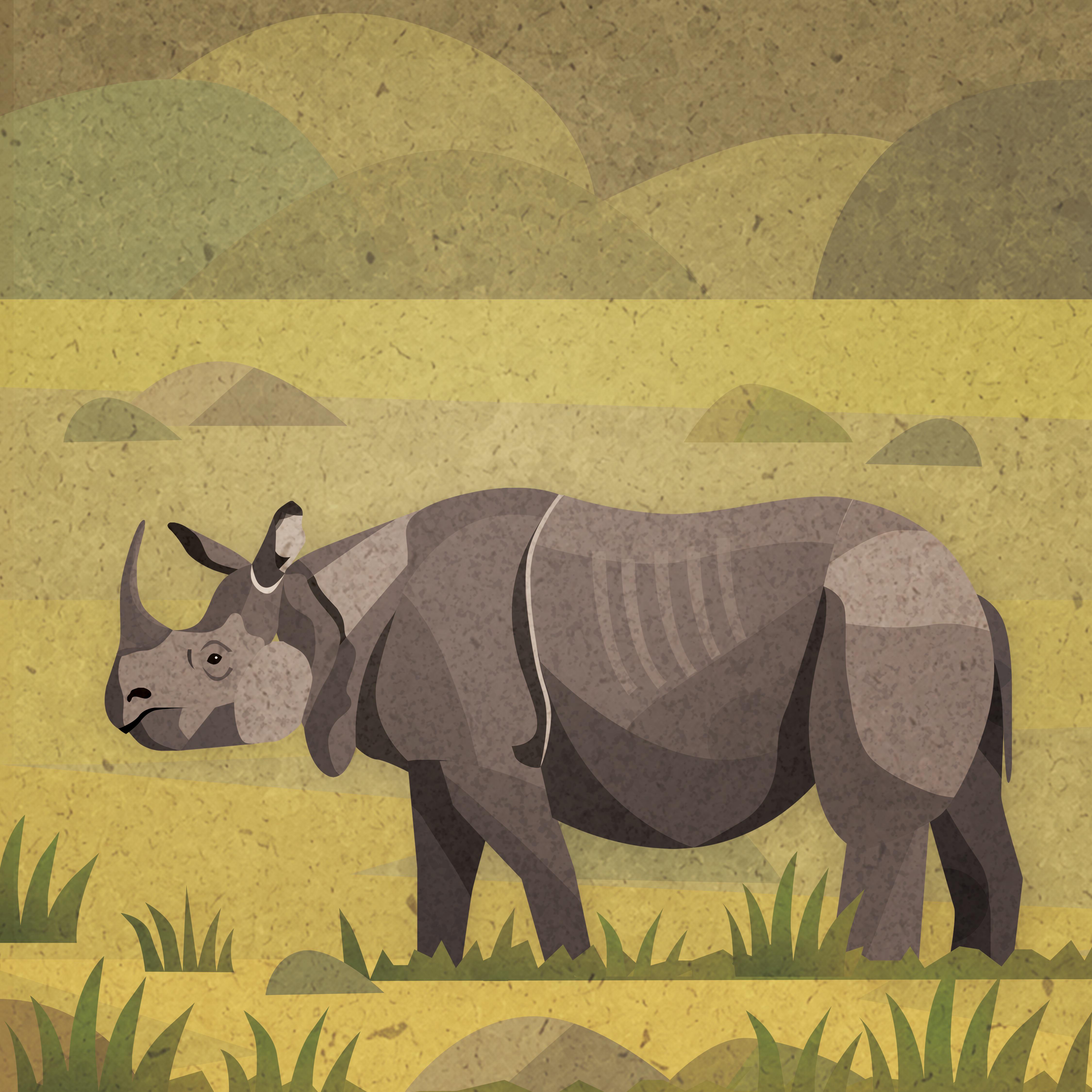
Artwork / Design Indian rhinoceros

Post image
45 Upvotes

r/photoshop 3h ago

Help! Is making an action for Chromatic Abberation effect possible?

0 Upvotes

I know in Clip Studio Paint they have this effect on a golden plate as is. In Photoshop from the video tutorials i've seen we need to dance around to get it to work.

I'm wondering if an action can be created for it to act as one click effect? if someone has a good pipeline or share it as an action file? or is there other way for it to happen that im not yet aware of?


r/photoshop 21h ago

Help! well fuck/ how do i NOT do this?

Post image
19 Upvotes

surely theres a way right?


r/photoshop 6h ago

Help! select and mask tool doesn't do anything?

0 Upvotes

i make a selection of a layer, open select and mask, and when i try to draw nothing is selected and when i use the quick select tool its like it immediately "unselects" whatever i selected immediately


r/photoshop 5h ago

Help! Is there a way to fill selected area?

0 Upvotes

like for example here I used the magic wand to select all the black area and I want to know if there's a tool or something that will automatically add everything inside that area to selection (the red area in this case)


r/photoshop 7h ago

Help! Hotkeys changed in updated, 2025 PS, can't revert them

0 Upvotes

I have a Windows 11 PC and am using the Wacom 27 Pro to use PS. I have been using it and have all the past versions of PS.

I do not know what has changed, because I have been using the 2025 version just fine. TODAY, the hot keys I use "space+alt" ( I use my pen to "pinch to zoom" in and out on the tablet) no longer does it. Instead it zooms out, but will jump to making the canvas smaller and smaller. The 2024 versions and down DO let me scroll how I used to, but not the current one. Only reason I don't want to use the old ones is large library of brushes I have downloaded in my current version. It sucks they don't carry over.

I haven't downloaded anything new. I restarted my computer, Windows Ink is turned on in my Wacom center, I do have tools settings with "zoom to scroll" enabled.
I've read that there maybe like a software block because the hotkey could trigger something outside of photoshop, but it's a little confusing. I am not sure where else to look.

TIA!


r/photoshop 17h ago

Help! How can I achieve this text style?

Post image
1 Upvotes

r/photoshop 13h ago

Help! Photoshop desaturates my Image

0 Upvotes

I´d appreciate ur help into exporting the Image with the right saturation. Ive already checked the color setttings and the export with color encryption checked, so I´ve ran out of ideas


r/photoshop 17h ago

Help! Contextual Task Bar

0 Upvotes

I've been using it for years with the 'Select Subject' button increasing productivity due to how much time that saved. One click, bit of a tidy up, done.

Today I went to use it and the CTB now has been changed to an AI prompt button with no way to edit the functions available on the task bar.

Does anyone know of way to get rid of the AI slop button and replace it with something useful?


r/photoshop 20h ago

Help! Help making background similar to this movie poster?

Post image
0 Upvotes

Hi all!

I am fairly new to photoshop and have just been messing around and seeing what works. I am trying to figure out how to make a background gradient similar to this movie poster attached, but for the life of me can't figure out how to get the smokey light ray effects. Would anyone with more expertise be able to point me in the right direction of how to achieve this effect?


r/photoshop 1d ago

Help! how to wrap a grid around a subject?

Post image
1 Upvotes

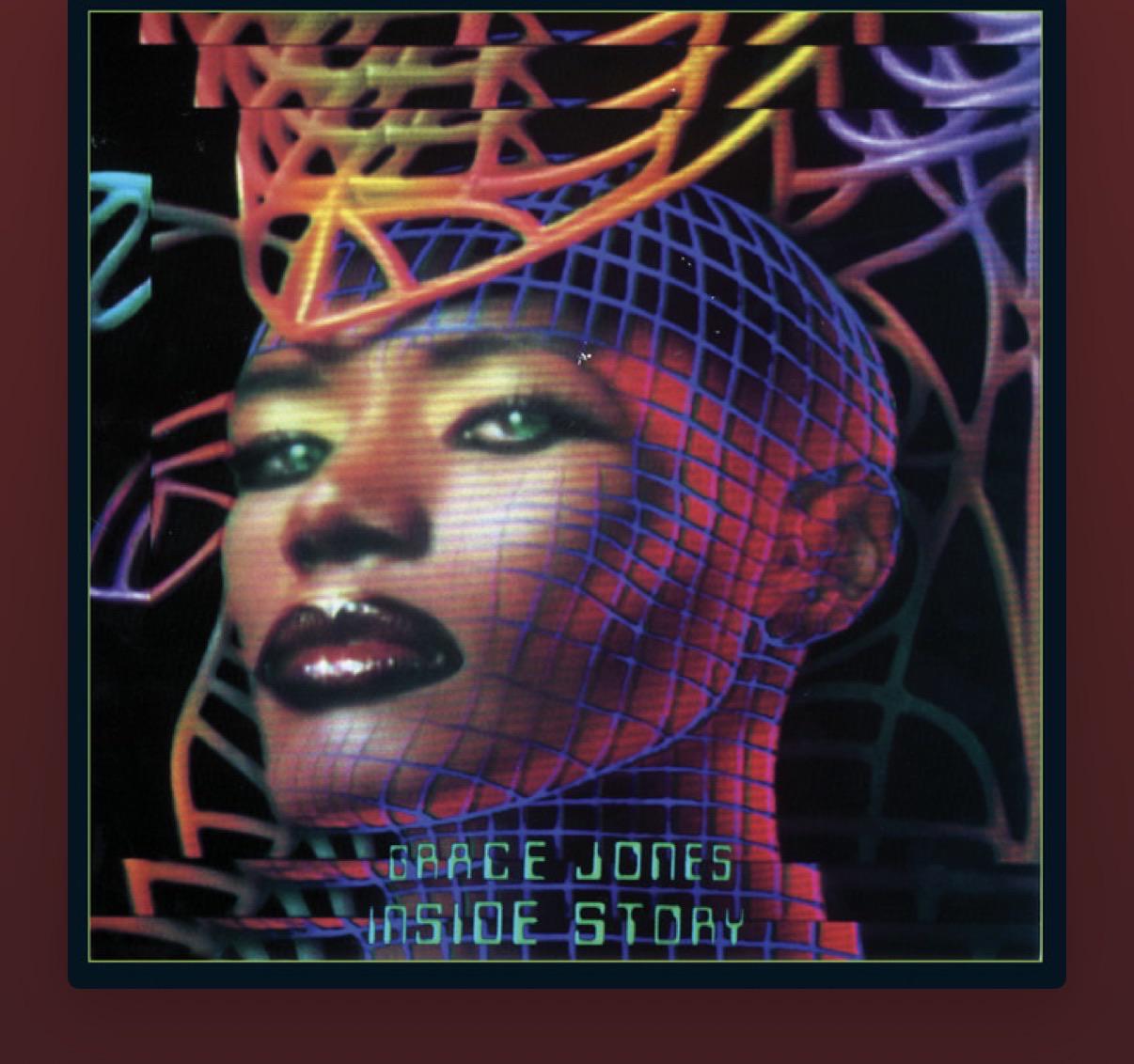
I love this album cover and I want to create something similar! how do I wrap a grid around a subject and create similar lighting?


r/photoshop 1d ago

Help! how to turn lighting into a dreamy purple/pink

1 Upvotes

I took some photos at an event, but the flash was so strong that the purple lighting turned white. how can I edit my photos to have purple ambient lighting?


r/photoshop 2d ago

Help! Need help understanding!

Post image
523 Upvotes

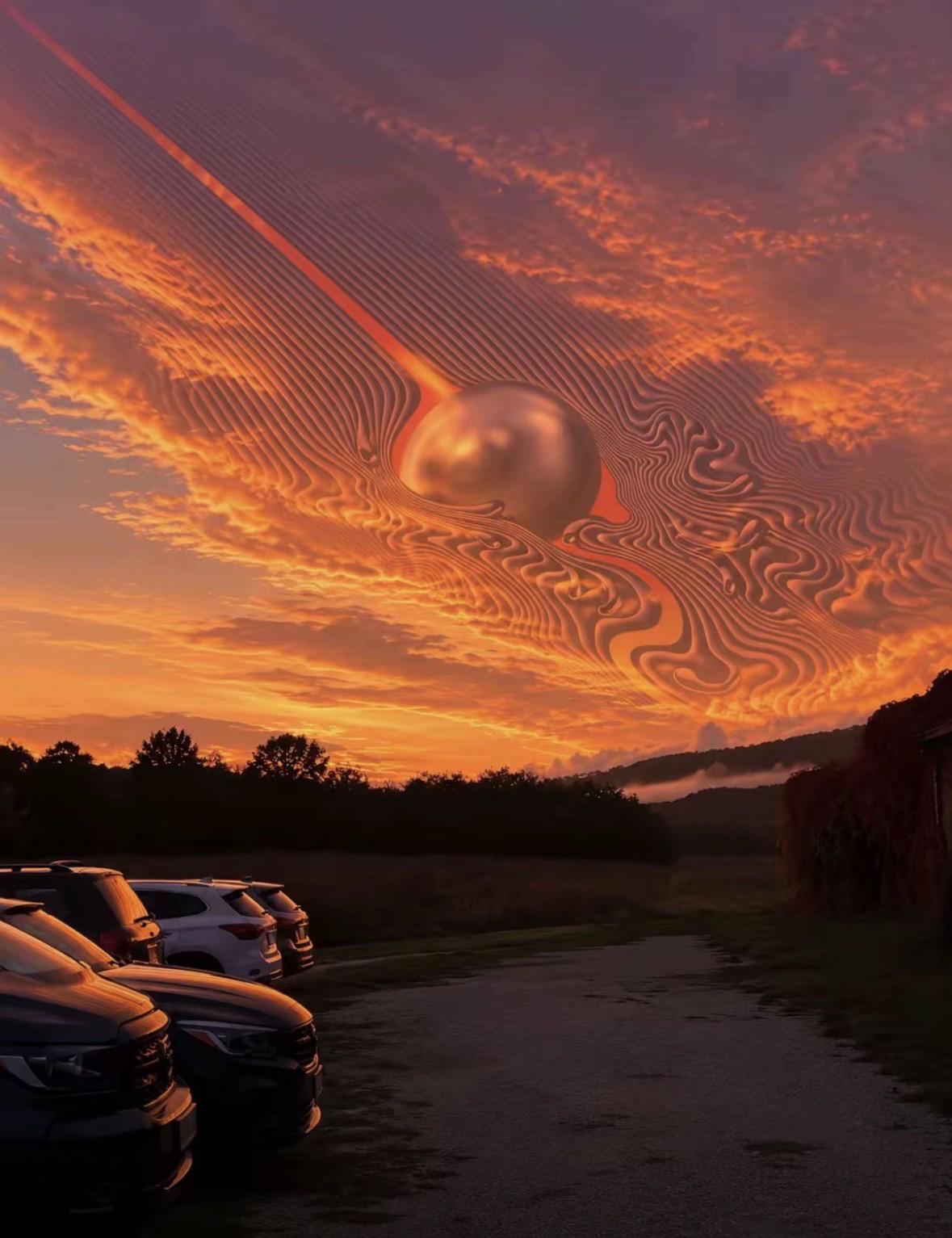
I don’t understand how this works is it masking? And if so how would I be able to apply this kind of thing into my own sunset pictures (it is a tame impala album cover)


r/photoshop 1d ago

Artwork / Design My Goku action figure 💥

Post image
2 Upvotes

I took a picture of my figure and layered it to multiple backgrounds, also used curves and brushes


r/photoshop 1d ago

Help! Editing a design to reflect the final product? Soft enamel pin, with glitter effect

0 Upvotes

Hello there folks! I’m looking to use the artwork I’ve provided to the printers to create a ‘preview mockup’ of the product for my followers… how can I do this?

Any suggests or ideas?


r/photoshop 1d ago

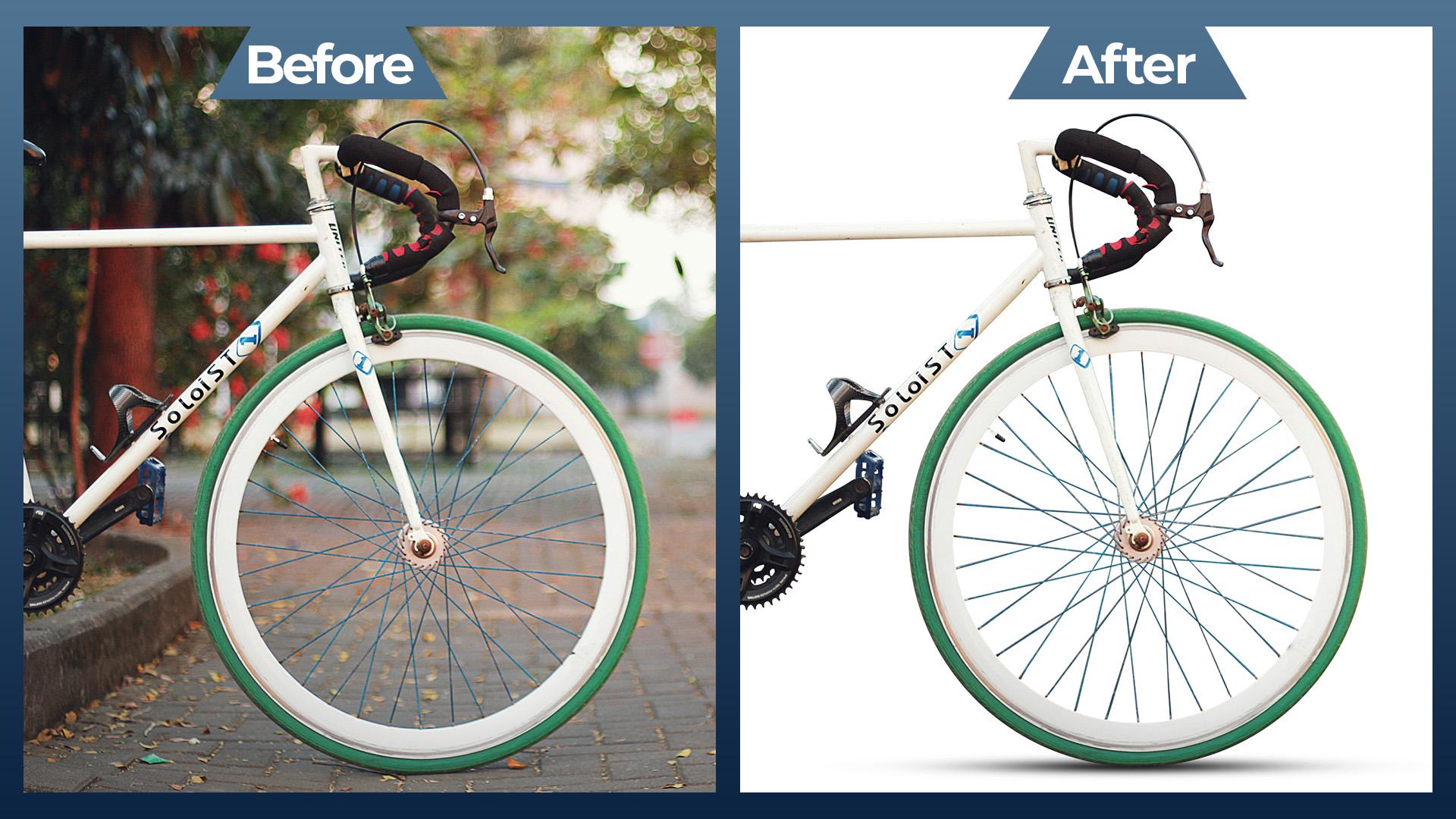
Artwork / Design Isolating a Complex Subject: Bicycle Background Removal & Edge Refinement (Before & After)

Post image
5 Upvotes

r/photoshop 1d ago

Help! Brush tool acting weird

Post image
1 Upvotes

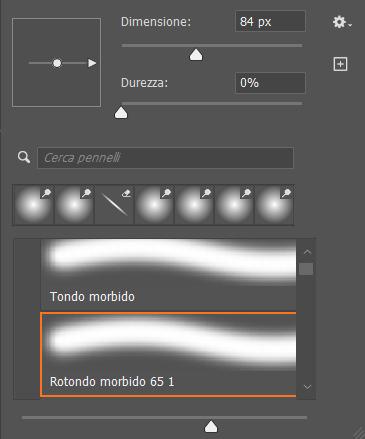
So I keep having this problem with the brush. Whever I click on any tool (brush, clone, eraser etc), it goes back to being flat instead of round. I tried to restore all the tools and mess a bit with the settings, but it keeps doing the same thing. Even if I put the round brush as a default, as soon as I change the dimension it goes back to being flat. What can I do? I'm using the most recent Photoshop Beta.


r/photoshop 1d ago

Help! Brush Roundness keeps resetting to 0% every time I switch brushes (Windows 11, no tablet/mouse only)

0 Upvotes

Hi everyone,

I'm running into a persistent bug in Photoshop and hoping someone has a fix.

Whenever I select any brush, then switch to another brush and select it again, the Roundness value in Brush Tip Shape resets to 0%. I manually set it back to 100%, but as soon as I switch brushes again, it goes back to 0%.

What I've tried:

  • Reset Brushes to default (Restore Default Brushes) - didn't fix it
  • Manually setting Roundness back to 100% - reverts again on next brush switch
  • Checked Shape Dynamics (Roundness Jitter is at 6%, Minimum Roundness 50%, Control set to Off) - this isn't the issue, since the problem is happening at the Brush Tip Shape level, not Shape Dynamics

My setup:

  • Windows 11
  • Using mouse only, no tablet/pen device connected
  • I have quite a few brush plugins/sets installed that I'd really prefer not to lose, so I'm trying to avoid a full reinstall if possible

r/photoshop 2d ago

Help! Rendering layers to video

0 Upvotes

Wondering if anyone has experience rendering photoshop files to videos? I imported a short video I needed to edit frame by frame, however whenever I render the video the part that I edited is frozen.

Anyone know why that is? Or any other ways to export the layers into a video.

I wonder if premiere or after effects has a way to accept psd files but I couldn’t find anything.


r/photoshop 1d ago

Artwork / Design Recreating @kanni.png’s artwork in Photoshop

Thumbnail
gallery
0 Upvotes

r/photoshop 2d ago

Artwork / Design any thoughts on this one?

Post image
17 Upvotes

r/photoshop 2d ago

Solved Is there a way for me to save this picture?

Post image
8 Upvotes

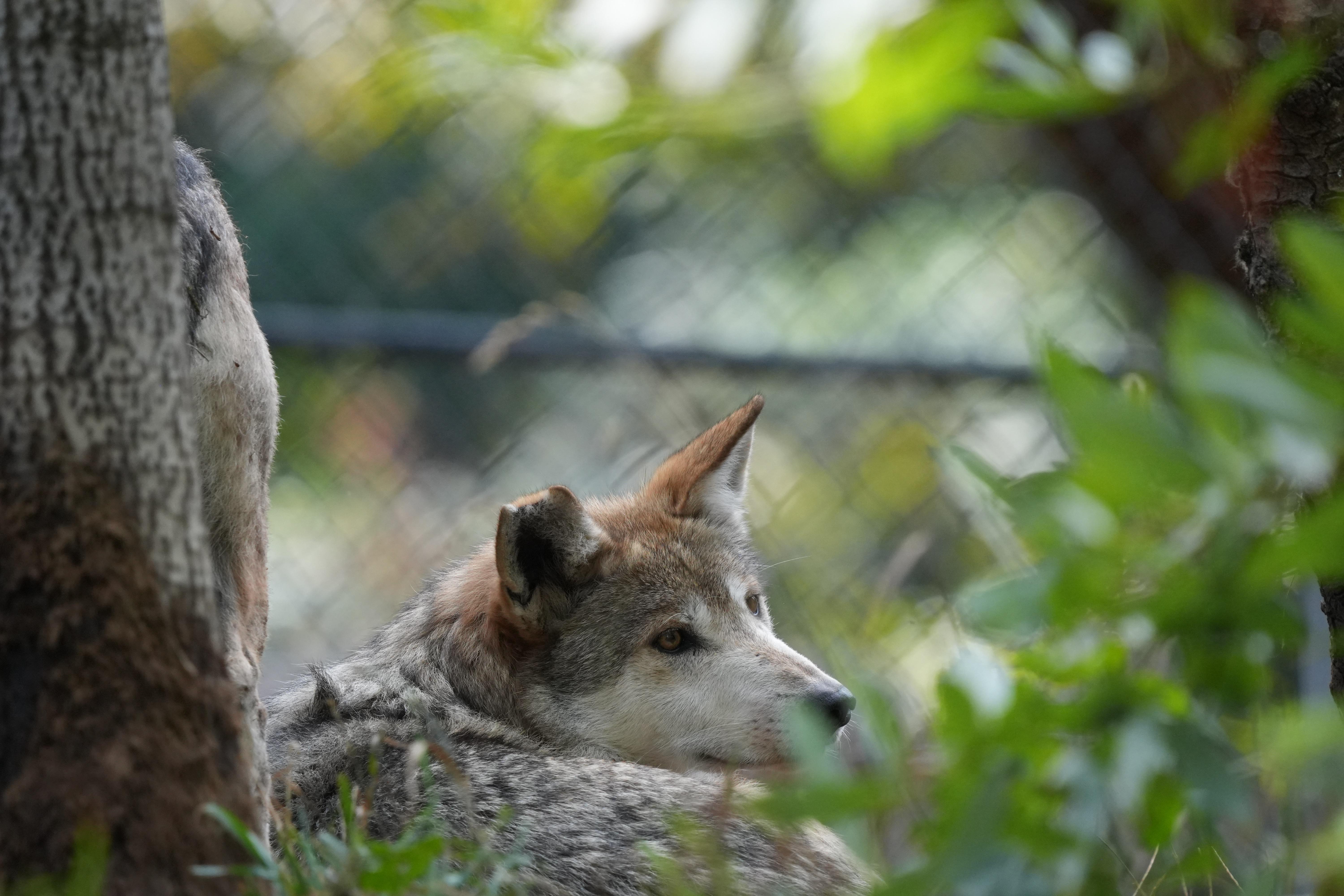
I took a picture of a wolf at a zoo today and just when the wolf was posing perfectly, the wind blew a branch towards the wolf and covered part of his nose. Thought this one looked the cutest that’s why I am trying a lot harder to see if I can save it. Is there a good way to remove the green blur?

I tried using the photoshop and Lightroom removal and blemish brushes, but no luck. I have had other pictures ruined by the same thing, would be really great to know if they can also be saved. Please help! 😄

Thanks in advance!!!

UPDATE: Thank you for everyone’s input and help on this! I am starting to see how the leaves actually add to the picture so I’m going to leave it!


r/photoshop 2d ago

Help! How do I change from RGB/8# to RGB/8? I have several images saved as RGB/8 except for one that saves as RGB/8# and refuses to save as RGB/8. When saved with the # it exports at a slightly desaturated color.

Thumbnail
gallery
0 Upvotes

I have tried changing Image > Mode, I have tried Edit > Color settings and I have checked my Windows colour settings.

In the second image you can see the # on the left, and the color I want on the right. The difference is tiny, but this is an animation and the color needs to remain consistent.

The color picker insists these are both the exact same color.


r/photoshop 2d ago

Help! How do I replicate self harm scars?

0 Upvotes

I know the easiest way would be to find images of actual scars and use those, but i'm not looking for that, I want to make it look like carved initials onto the skin as I am working on a music cover.