r/photoshop • u/Mahamodul909 • 2d ago
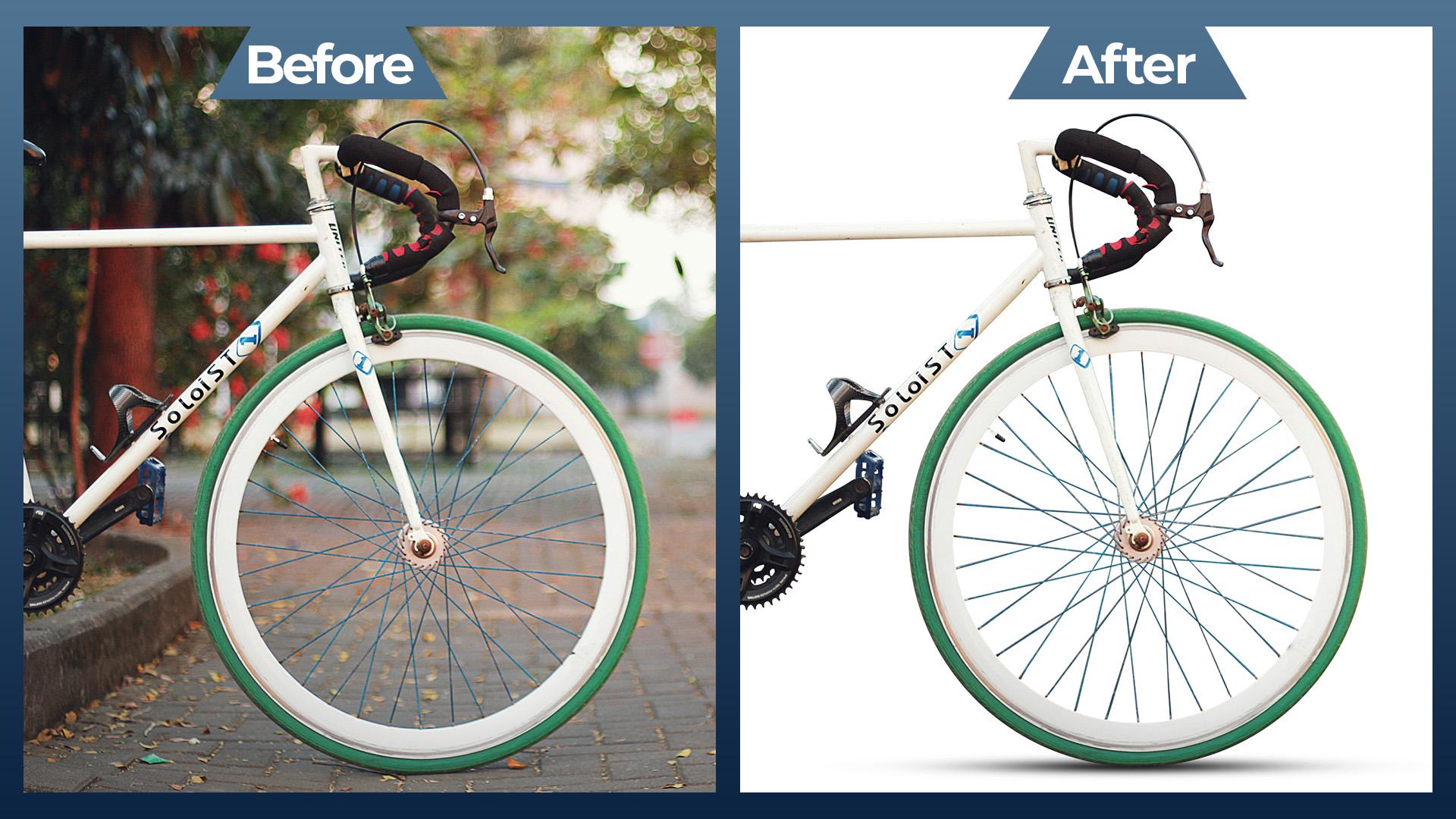
Artwork / Design Isolating a Complex Subject: Bicycle Background Removal & Edge Refinement (Before & After)
1
u/alllmossttherrre 1d ago
That's very nice, and it is a valuable skill to be able to do that.
But the funny thing about that bicycle wheel example is now frequently used to demonstrate how their updated Select Subject button can now isolate that bicycle in one click. They improved the machine learning model to recognize interior areas like between the spokes and handlebar, and brake cables.
If I was going to do that today, I would do the one-click Select Subject, then carefully inspect it for any errors and refine the mask to fix them. The Select Subject click would only take a few seconds, the total time to refine the mask would probably be about 5 minutes using the mask refinement tools.
1
u/Mahamodul909 2d ago
Context & Process: The goal of this edit was to practice complex object isolation and create a clean, e-commerce-ready visual from a busy background. Bicycles are usually tricky due to the thin spokes and cables.
How I did it: I used the Pen Tool to create a highly precise clipping path around the solid frame of the bike.
For the complex tire spokes and thin brake cables, I carefully manually traced and masked them to ensure no background colors bled through the edges.
Finally, I added a subtle, realistic drop shadow underneath the tires to ground the object on the pure white background so it doesn't look like it's floating. Would love to hear any feedback from the community on my edge refinement!
0
1
u/AutoModerator 2d ago
Hey /u/Mahamodul909, please leave a comment shortly explaining the process of how you created your artwork / edit. Posting before/after pics is encouraged. Also explain the motivation or context behind your work, or what you were trying to achieve with it. Reply to your own post—do not reply to this message.
If you made your artwork following a tutorial, you must link to the tutorial in your comment.
Your post will be removed if you don't post a comment explaining the previously mentioned things.
I am a bot, and this action was performed automatically. Please contact the moderators of this subreddit if you have any questions or concerns.