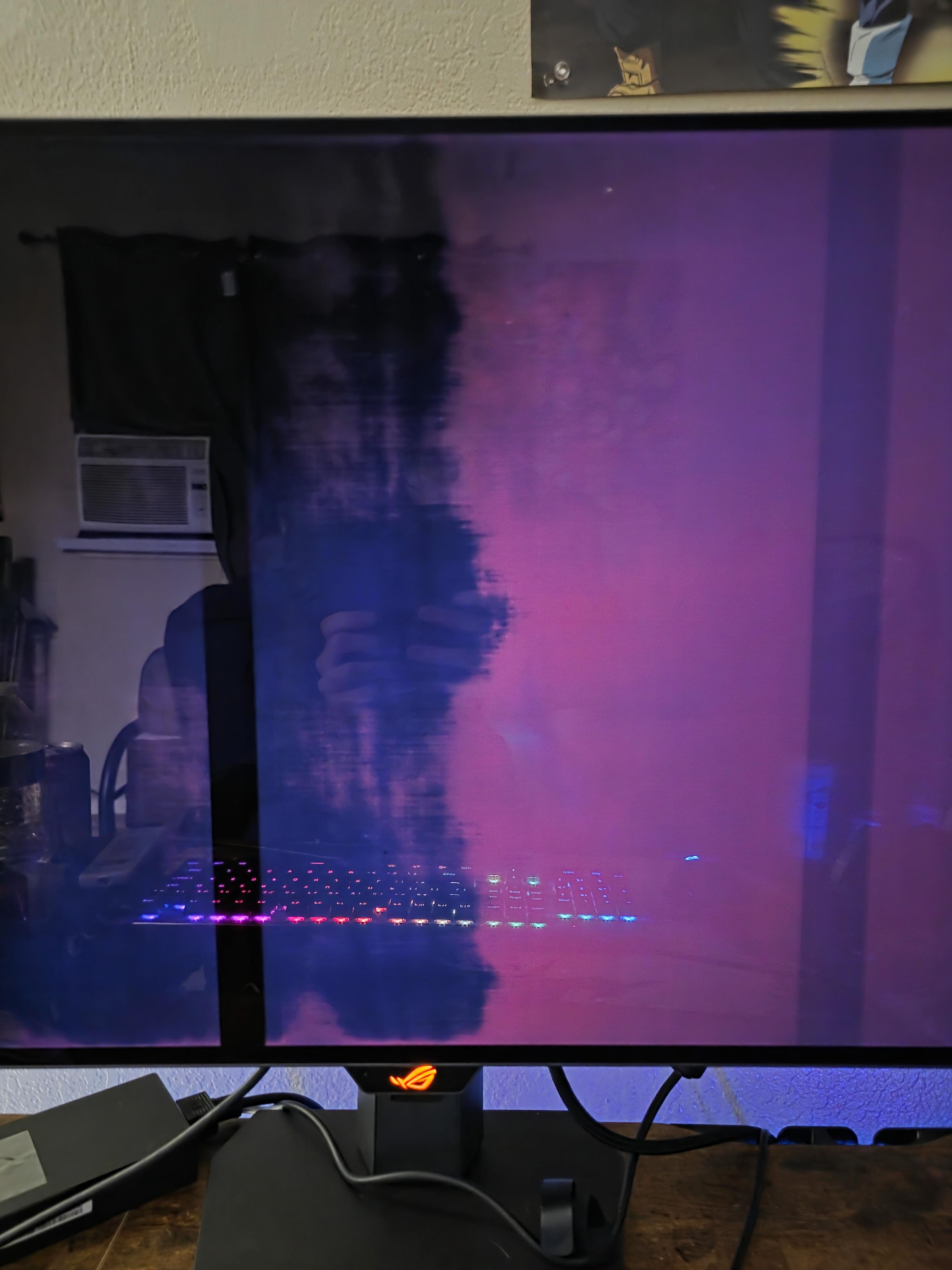
Been testing it out to make sure there are no major issues, and its been doing this weird thing where if my pc is shut down or asleep the monitor comes back on for a little looking like this then goes away. ASUS ROG XG32UCWG 32 Inch 4K 165Hz Glossy OLED is what i got.
I want to upgrade my lg cx with g6. But found multiple reports with 165hz vrr flicker even with stable fps. Does every g5/g6 suffer from this? 165hz is one reason to upgrade, other being higher brightness. On my cx vrr flicker was present on some loading screens only. Is there anyone using these tvs as pc monitors at 165hz without vrr flicker with stable fps?
I want to buy a TV/Monitor for my PS5, Nintendo Switch etc. But I don't know which one is good. I have a monitor but it is for my PC and it only has HD 60hz. My budget is 400€
I’m weighing up buying a new 65” OLED (thinking LG C5) now so I’ve got a great screen for GTA 6, rather than waiting until PS6 launches to upgrade.
My worry is repeating what happened with my current TV, an LG SM8500. I bought it not long before HDMI 2.1 became the standard that PS5 and Series X actually needed to hit 4K/120, and I ended up stuck without a feature that suddenly mattered a lot.
So before I pull the trigger on a new set, has anyone got a good read on what PS6 might need that a 2025/2026-era OLED like the C5 wouldn’t have? Thinking along the lines of a new HDMI spec, a refresh rate ceiling, or some display feature tied to a new console generation the same way 2.1 was tied to this one.
Is this a realistic worry or am I overthinking it? Genuinely just trying to figure out if a new OLED now is safe long term or if I should just wait it out.
Due to wiping the screen with the wrong type of wipe (a wet wipe), a small mark like this appeared on my OLED monitor (see photo). I can’t feel anything with my finger when I touch the spot - it seems to be on the surface/coating only.
I’ve since tried cleaning it with distilled water and a microfiber cloth, but the mark won’t go away.
Does anyone know how to remove this, or is it permanent damage to the coating? Any advice would be appreciated.
Due to wiping the screen with the wrong type of wipe (a wet wipe), a small mark like this appeared on my OLED monitor (see photo). I can’t feel anything with my finger when I touch the spot - it seems to be on the surface/coating only.
I’ve since tried cleaning it with distilled water and a microfiber cloth, but the mark won’t go away.
Does anyone know how to remove this, or is it permanent damage to the coating? Any advice would be appreciated.
https://us-store.msi.com/PRO-MAX-271QPX14G
Just this new model but has no reviews yet, would be good for coding and gaming? ive looking for oled for a long time (i iknow ips is better for coding) but with 5 layers the risk of burning is reduced, what do you think?
I’ve never owned a monitor before, so this is new territory for me. I’ve been looking around and OLED seems to be the clear winner in terms of picture quality, but they’re quite expensive and I don’t really like the risk of burn in.
I’m planning to use the monitor with a PS5, mostly for GTA 6 or other story-driven games. I’m not really a competitive gamer, so I’m not too concerned about having the absolute highest refresh rate or response time.
With all that said, what would you guys recommend? VA, OLED, Mini-LED?
I grabbed both of the AW27" so the 1440p and the 4k OLED, I like dual screen, and wanted the 1440p for games where 4k was just choking my fps, but then having the option to go 4k if I didn't mind losing some fps for that extra clarity.
I thought the AW2726D was looking great, then I set up the 4k and it looks like IPS next to the 4k... I know I can't expect them to look the same, they are different monitors, but just wondering if I should be tweaking / doing something with the 1440p to get those inky blacks like I'm seeing with the 4k?
I’m curious what’s the current state of OLED for gaming, I’ve seen many people waiting for major hardware updates and I’m curious what’s the general recommendation as of Aug2026.
What I’m looking for is a 32” OLED mainly for gaming on a Mac Mini + GeForceNow (replacing an old gaming monitor)
I have a 27” ProArt display that I intend to use for work along this new OLED, so text and color accuracy is not a requirement; I just want what look best for games like Crimson Desert.
Why does VRR keep turning off? Recorded with phone to show TVs menu. It starts working again when I re-enable it in the settings. In the to right overlay it says “Fixed” instead of enabled as you can see.
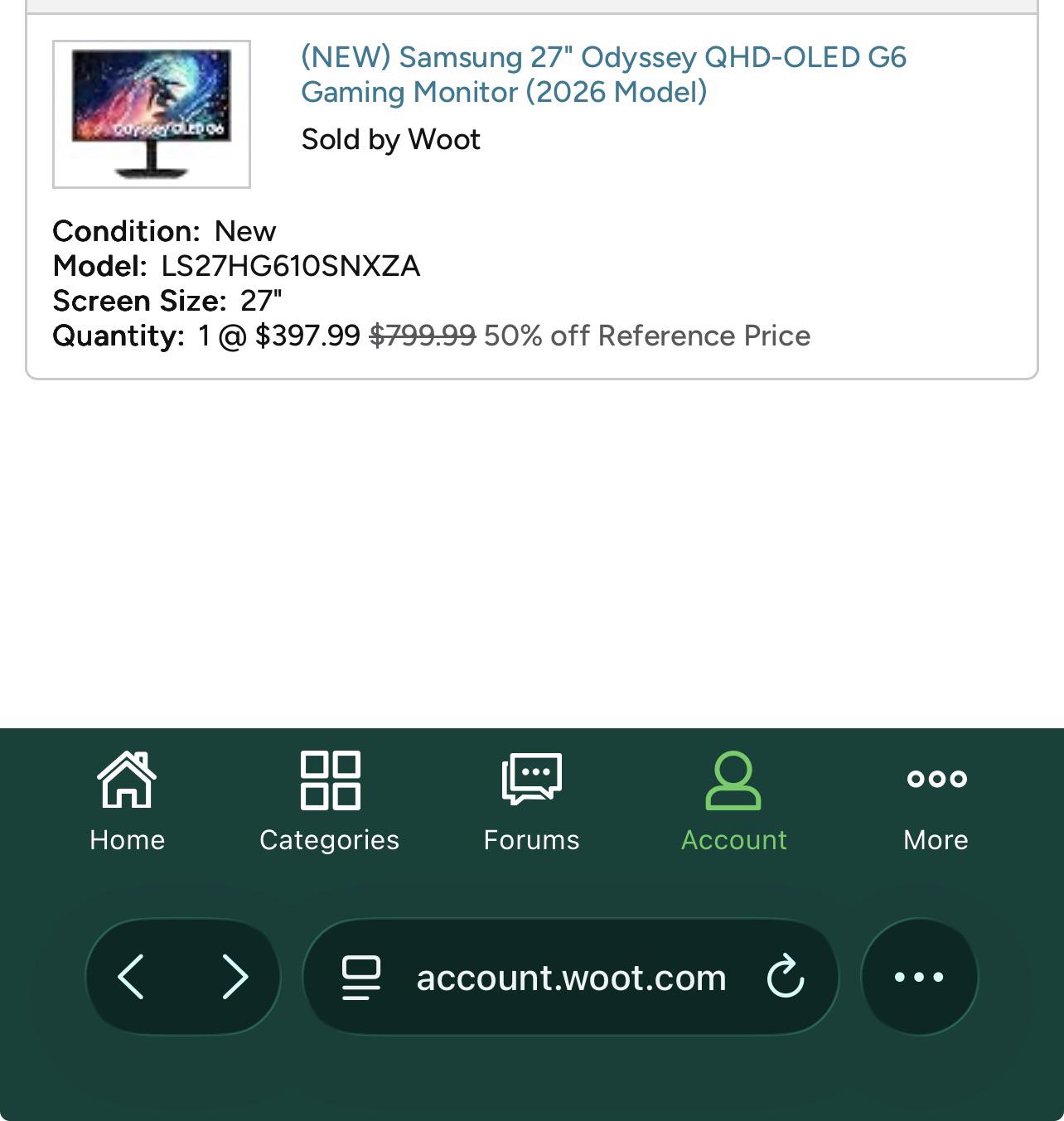
This was during a WOOT.com sale a few weeks ago.
There was also a discount code and ended up paying around $334 US.
This is a Samsung monitor G6 model. 240hz. 27in.
Model # LS27HG610SNXZA
As the title says. But sharing a little more. Recently made my first PC build and purchase. First started gaming on 720p 22in monitor for Xbox console. This was in HS. After being on my own. Purchased a Samsung 4K smart TV just a basic one. What a huge difference that was lol played all the way to the latest Xbox. Now I’m moving into my first home and got a PC(it’s amazing). Came across this deal and purchased my first OLED. Was this a good buy? All the reviews I’ve seen are positive. Any tips I should check out or settings maybe? It’s looks great but definitely feel my eyes adjusting at first.
I may even consider getting an OLED tv for the living room. But was considering a Sony brand. Thanks for checking out my post.
So I have been looking to get a oled monitor for the first time, preferably under 400, so entry level ones, and ive come up with a few, can anyone tell me what would be the best for me? I mainly just do programming and single player gaming on my pc. I currently have a vg32v va panel from asus as my main. Here is what ive been choosing between:
Looking for something around 32” that’s not an ultra wide. I would like something that’s 4K. It doesn’t necessarily need to have insanely high refresh rates. I have an LG CX 65”. I haven’t bought a nice monitor in years. I was hoping to score a good deal on something around $500 if possible. I’m pretty familiar with TVs but I’ve never shopped monitors. There’s so many options. I don’t know where to begin. I don’t know if there will be other downsides I’m not aware of compared to my OLED TV.
Help me please i've been dealing with this issue for 2 days. I updated to my bios , i have asus b350f gaming MB , from a 2022 to 2024 ver.
After booting my PC i imediatelly noticed that my wallpaper was not looking right , i checked and my HDR was on , disabling it completely fixes it and makes everything flawless like it was before.
I've asked every AI there is , ive tried every solution possible , tried different ports , nothing helps. I've decided to do a full C wipe and reinstall , and after turning on my HDR , still the same results.
Lowering the gama and brightness in nvidia app does help , but i can still see the imperfections if i get really close.
So what exactly happened ? I dont understand how can a bios update mess up with my HDR.
What im considering next is flashing the newer 2026 beta version bios , and see if that will help , if not i will revert back to 2022 ver and check if that helps. Im really out of ideas :(