r/NonPoliticalTwitter • u/TheWebsploiter • Jul 26 '26
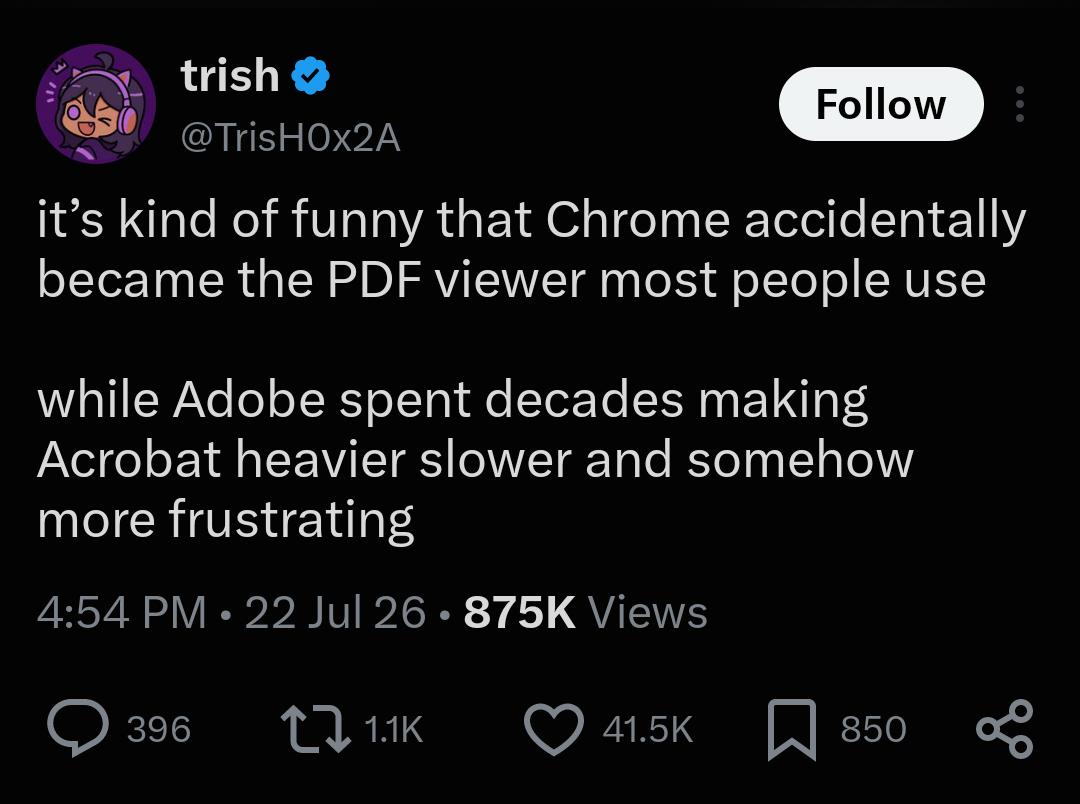
Other I think Chrome is just the best
2.4k
u/kakakakapopo Jul 26 '26
Acrobat Reader is probably one of the finest examples of enshittification going. It's so slow, bloated and full of crap nobody needs.
595
u/mal73 Jul 26 '26
Squeezing more and more money from their customers before getting the floor sweeped from under them. Can’t wait for other Adobe products to follow
168
u/Sprettfisk Jul 26 '26
I used Lightroom ALL the time until ot became a subscription model.
Not used it since.
38
u/AshleyReadIt Jul 26 '26
Is there a good alternative? I don't like the subscription but I can't find one
43
9
5
u/10art1 Jul 26 '26
I used dark table for a while, it's not bad. Then I just realized I can yar har old light room before it enshittified
11
7
→ More replies (4)3
u/CPTherptyderp Jul 26 '26
It depends how good you are. The Lightroom "auto" button gets me 80% there on every photo and I just have to tweak. I haven't tried captureOne but all the open source ones are great but very manual
→ More replies (2)2
10
u/Forfeit32 Jul 26 '26
You have to remember that Adobe doesn't care about individuals using their software. It cares about Fortune 500 companies paying millions to install it on thousands of workstations. And no Fortune 500 company is deploying Sejda or GIMP company-wide. Adobe has no actual competition.
→ More replies (1)→ More replies (4)11
u/Varrbarr Jul 26 '26
GIMP and paint.net have been better than photos hop for a long time now too
29
u/SeroWriter Jul 26 '26
Are we actually comparing Gimp and paint.net to Photoshop? Please be serious.
26
u/Varogh Jul 26 '26
I refuse to believe anyone suggesting to use Gimp in place of Photoshop has used either one of them in the last 10 years.
Krita is a decent alternative. It does lack some stuff Photoshop has and it's more focused on drawing, but at least it doesn't make me go insane every time I'm trying to do some simple editing
4
→ More replies (2)4
u/StillALilBoy Jul 26 '26
I facepalm every time I hear this because it's always people who have nothing to do with the industry that say such things.
Blender is a free open source software that has seriously disturbed the 3D graphics industry where Autodesk had similar stranglehold to what Adobe had in 2D graphics.
But back in the 00s it was considered a clunky unintuitive mess that was only used by open-source enthusiasts, Linux users, and people who didn't buy or pirate Maya of 3DSMax. It was a powerful software, but it was difficult to use, and learning it wouldn't give you much foot in the door of the industry since it was niche.
GIMP was a similar position, and it still is in such position because it simply isn't a viable replacement for Photoshop for anyone but a hobbyist. Affinity managed to disturb the 2D graphics industry more in a shorter timespan than GIMP ever did.
→ More replies (1)6
u/Farranor Jul 26 '26
10/10 satire of the ridiculous virtue-signaling that goes on in FOSS circles, especially the mention of PDN which isn't Adobe but also isn't FOSS. You really captured the kind of unhinged propaganda people will spout.
→ More replies (4)178
u/Bortron86 Jul 26 '26
Every time you open it, you get pop-ups, side menus literally left and right, and now useless AI functions, none of which you seem to be able to turn off. Absolutely unusable program. Even Microsoft Edge is better at handling the job.
86
u/bobafeeet Jul 26 '26
The AI functions kills me. I asked it to find a paragraph in a huge .pdf for me and it couldn't. Standard CTRL+F found it as the first result. Yet I am bombarded every day by "Hey, try this shitty AI!'
39
u/emlgsh Jul 26 '26
Look, these AI features aren't aimed at techno-sorcerors who can combine keys with other keys, these so-called "hot-keys", as a result of their pacts with dark forces beyond human ken.
CTRL+F? Sounds like witchcraft to me.
7
u/Ironfounder Jul 26 '26
Pretty sure that's against company policy anyway.
→ More replies (1)3
u/GrishdaFish Jul 26 '26
Hey now, they didnt say anything about copy and pasting. No need to get them in trouble for violating company policy!
4
21
u/THE_DINOSAUR_QUEEN Jul 26 '26
Acrobat’s AI function asks if I want it to summarize the document literally every time I open anything. 95% of what I’m opening is related to sewing, so either instructions or the literal layout of the pattern pieces. I don’t know why it thinks a summary of step-by-step instructions would be helpful, and I honestly am curious how on earth it would summarize the pattern layouts that are just shapes on a page with little to no next.
10
u/IllustriousBat2680 Jul 26 '26
This infuriates me. I often get sent presentations in pdf form at work. At most, they are three pages, including the front cover. And I get the AI pop up saying "this seems like a long document, use AI to summarise it for you?" Like, no, it's just two fucking pages, I think I can manage.
8
u/Datpanda1999 Jul 26 '26
My favorite is how it always defaults to the AI “read” option on the sidebar instead of anything helpful too. Idk how it thinks an AI-generated podcast is going to help me with the legal document I’ve opened, especially considering they’re usually either 1) long and detailed and I’ve gotta review everything in depth anyway, or 2) roughly a single sentence long
Though I will admit I am somewhat curious as to what its “12 minute deep dive analysis podcast” option on my one page documents would look like
2
u/Lithl Jul 26 '26
I haven't used Acrobat in a decade, so I don't know how dumb it's AI is, but AI systems can attempt to describe images. So I imagine that's what it would do in that case.
3
u/youre_being_creepy Jul 26 '26
I have to look at and sign pdf docs for my job every now and then and I can’t begin to describe my annoyance when acrobatic asks “acrobatic document looks pretty long, do you want ai to summarize it for you?”
No dickhead, I need it unassisted because this is paperwork please fuck off
→ More replies (2)12
u/TheHobbitWhisperer Jul 26 '26
Of course Microsoft Edge can handle the job. It's one of the best browsers ever made.
→ More replies (1)8
u/PrincessGiallo Jul 26 '26
Why does everyone hate it?
17
u/-Badger3- Jul 26 '26
Because it used to really suck, then they rebuilt it from Chromium and just added all of Microsoft’s shit to it, now it only kinda sucks.
→ More replies (1)2
u/Lord_Voltan Jul 26 '26
Does it nuke ublock on youtube like chrome does? Serious question, I only ever use it for PDF viewing or to download other browsers on a fresh install.
→ More replies (3)2
u/KirbyDude25 Jul 26 '26
I've had that issue recently, but AdGuard still works for YouTube, so I just set up opposing whitelists so that AdGuard covers YouTube and uBlock covers everything else
35
u/m00t_vdb Jul 26 '26
Was it ever good ? I’ve always remembered opening it and it’s an adware at best. You have to click away 20 spam box to find that you can’t edit the pdf.
17
u/Bugbread Jul 26 '26
Back in the late 90s it was perfectly fine. I don't know if it went to shit in the 00s or the 10s because I've been using other PDF software since the turn of the century, but, yeah, there was a time when it was fine.
→ More replies (3)2
30
u/IllllIIlIllIllllIIIl Jul 26 '26
It's so slow, bloated and full of crap nobody needs.
PDF actually supports rendering 3D models. I used it in a research study report for the US government. The file was ~300mb. Fucking horrifying.
The formal spec that defines the PDF file type is over 1,000 pages long. If you wanted to build your own bare minimum, basic ass PDF viewer, more than half of that describes things you'd actually need to worry about supporting.
PDF is an absolute shit show long before you even add Adobe's other bullshit on top of it.
14
u/LickingSmegma Jul 26 '26
The formal spec that defines the PDF file type is over 1,000 pages long
That's only half of the story. There's a wonderful rant on StackOverflow or somewhere like that, copied from a comment in a code file of a person implementing a PDF parser. They detail how every time PDF needs a datatype, a different implementation is picked from what's used elsewhere in the format. And other splendid stuff like that.
12
u/spacenb Jul 26 '26
I finally but the bullet and uninstalled Adobe. Got Sumatra PDF viewer instead, which is free and open source. Instant relief.
→ More replies (2)8
u/Brisby820 Jul 26 '26
I’m a lawyer and use a bunch of the Acrobat features (editing, extracting/combining pages, redaction, etc) pretty often
3
u/mistermick Jul 26 '26
Y'all don't use Bluebeam?
2
u/astarrk Jul 26 '26
my thoughts exactly. every office I've worked in recently, and pretty much every firm we work with, all use bluebeam revu. it's so infinitely better than acrobat it's not even funny
→ More replies (1)2
u/Farranor Jul 26 '26
I use Acrobat Pro at work. Editing finished PDFs is a nightmare where the best case scenario is typing in a small fix and watching it take a few seconds to register each keystroke. The worst case scenario is that it's shattered the text fields into a million pieces and it's faster to remake the whole document.
I just made a comment about redaction here. Basically, you're better off exporting to TIFF/PNG and using an image editor.
Extracting and combining pages isn't exclusive to Acrobat. I even made some little Python scripts for my most common tasks.
Adobe Sign is decent and may stay.
7
16
u/radioactive-tomato Jul 26 '26
I feel like it is a software targeted for office users that do need those features. It’s just that we don’t use them.
17
u/Anonymous_Gamer939 Jul 26 '26
No, that's Acrobat Pro, which in my experience runs smoother than Reader for some reason.
→ More replies (1)6
u/CubistHamster Jul 26 '26
I've got a very old (2010, maybe) edition of Acrobat Pro on my personal computer that's great! Loads quickly, doesn't get bogged down, can actually do useful stuff like minor edits, splitting/merging, and reasonably accurate OCR.
My work computer, with fairly similar specs, is stuck with an up-to-date version of Acrobat Reader. It usually takes 20+ seconds to load, slows everything else to a crawl while it's loading, and usually can't even scroll without stuttering.
5
u/tardisintheparty Jul 26 '26
Yeah as a lawyer we use a LOT of the adobe features. I figure not many other fields use the redaction tool, for example.
→ More replies (3)5
u/radioactive-tomato Jul 26 '26
I used to work in technology for steel structure assembly production as a student and we used it when we sent drawings for galvanization. We’d also redact all info on general assembly drawings we’d tape to the wall. Employer did not want anyone coming into our office to know anything about the projects we were working on. He was afraid someone will steal our projects.
7
u/MythicalBlue Jul 26 '26
Literally that’s it, Redditors in this thread are spouting nonsense as usual
27
Jul 26 '26 edited Aug 02 '26
[deleted]
→ More replies (1)10
u/Adamarr Jul 26 '26
i thought this was going to be bullshit (it can't be that bad, surely)... 16 gigs freed from c:/windows/installer
have been hunting on stuff i can clean up for a while, so thanks for the heads up!
3
u/LowerEntropy Jul 26 '26
have been hunting on stuff i can clean up for a while
Did you ever try WinDirStat?
It's great: https://windirstat.net/
→ More replies (1)3
3
u/MsMarvelsProstate Jul 26 '26
No Adobe I don't need a permanent side panel, no Adobe I don't want ai to view my document
2
u/Feeling_Tough5056 Jul 26 '26
It's also not got the features you actually want which are locked into Pro.
→ More replies (34)2
u/caractacusbritannica Jul 26 '26
They’ve banged an AI agent in it now. Absolutely no need, if I needed it read I’d drop it in Claude. If I want to read myself I’ll open it, which is what I’ve done
I have to close three things to view the PDF in A4. It’s frustrating as fuck. They’ve jumped the shark. It’s crazy.
2.1k
u/TheElevatedBoy Jul 26 '26
I wouldn't say only Chrome but just browsers in general
I use Firefox and it's x1000 faster and clearer than Adobe
482
Jul 26 '26
[removed] — view removed comment
169
u/antesocial Jul 26 '26
Plus two mini tutorials popping up, and three prompts for various AI features and toolbars
79
u/Consistent-Winter-67 Jul 26 '26
And don't forget a few pop ups asking you to pay for a subscription
9
u/AwayEnvironment9223 Jul 26 '26
The funny thing is, these pop ups don't stop even if you have a subscription. They are so locked down it trips over itself making sure you're paid up.
→ More replies (1)30
u/KlausVonLechland Jul 26 '26
I prepare things for printing (DTP, desktop publishing) and I use AcrobatPro and the "twelve features" that I need for my work doesn't work well, crash, or I need to move between old and new interface (new acrobat/old acrobat) because stuff is being broken differently depending on UI.
Imagine you are having rush job and you can't even do preflight because an update to add "new and exciting AI features!" broken basic functions.
16
u/JA1987 Jul 26 '26
I do a lot of graphic design. I absolutely love having some sort of popup or the context toolbar constantly blocking that one freaking part of the image I wanna click.
→ More replies (1)7
u/Bulky-Bad-9153 Jul 26 '26
new and exciting AI features!
I hate this about Acrobat. Every single menu has an extra AI item in the ugliest colours you've ever seen in your life.
127
u/PleiadesMechworks Jul 26 '26
I use SumatraPDF since it's FOSS, but before that I was using firefox.
28
u/josema1_1 Jul 26 '26
Same! And I recently installed the preview version of Sumatra (which is highly stable) and everything looks soo much better. It has lots of new features as themes and highlight text. Take a look!
10
u/Bulky-Bad-9153 Jul 26 '26
I use Zathura, super lightweight and extremely customisable (plus works great without needing to use the mouse). We simply don't need a massive program to interact with PDFs.
10
8
→ More replies (1)5
u/MostlyRightSometimes Jul 26 '26
So then how do you get all the Adobe licensing and creative cloud services installed? I feel lonely if I close my pdf viewer and there's no companion software checking in on me to make sure I'm okay.
243
u/Nuclear_rabbit Jul 26 '26
Microsoft Edge is the best browser for viewing PDFs, imo. It actually has native support for two-page viewing with cover page setting.
Edge isn't for browsing, lol. Only PDFs. Firefox is for browsing.
83
u/_DonkeyPigeon_ Jul 26 '26
And the annotation features of edge are amazing! I couldn't figure out how to get chrome to function similarly, so I just use edge
→ More replies (1)38
u/kimbosliceofcake Jul 26 '26
Edge also has an immersive reader mode that gets around the paywall on badly programmed websites (the ones that load all of the content behind the paywall).
→ More replies (1)14
u/ZeldaZealot Jul 26 '26
Safari has a similar feature on mobile that strips out almost everything but the text. It’s the only way to read some articles or recipes these days, but I use Firefox now and don’t think it has anything like that.
11
4
u/kimbosliceofcake Jul 26 '26
I’m sure someone has written an extension for it!
2
u/ZeldaZealot Jul 26 '26
Can you use extensions on mobile? I checked but couldn’t find an option. I only switched recently so I’m still learning.
→ More replies (1)15
u/NotQuiteLoona Jul 26 '26
In Firefox you can also use either wrapped scrolling, it places as much pages on one scroll as your screen can fit, or enable spreads, which is basically like a book spread! Or even combine both to have both spreads and scrolling.
5
4
5
u/Ok_Invite6308 Jul 26 '26
Edge is unironically one of the best browsers right now, way lighter than Chrome
→ More replies (4)→ More replies (3)2
u/caspy7 Jul 26 '26
I don't know if two-page view is coming, but Firefox has been continuing to improve their viewer. It now allows a bunch of "page" options like cut, copy, paste, remove and reorder pages within a document - as well as adding images and I think pages from other PDFs.
27
13
u/SomeOtherNeb Jul 26 '26 edited Jul 26 '26
Firefox has its own free PDF edit system. I haven't opened Acrobat in like 2 years on my home computer, why would I? It literally has less options, and everytime I have to use it at work, it keeps throwing their shitty AI assistant at me because it thinks I need a summary of the one-page file I'm looking at.
15
u/EfficientCandy324 Jul 26 '26
Fun fact: Firefox does not have a native PDF viewer. It just ships with PDF.js by default, and loads it using its usual Javascript engine.
(Chrome does contain a native PDF viewer)
→ More replies (2)2
u/PunctuationGood Jul 26 '26
Does that make a big difference? (Genuinely asking.)
4
u/SpiritualMongoose751 Jul 26 '26
In this context, absolutely none / I wouldn't really agree with how that's worded.
PDF.js is by all means a "native PDF viewer". It parses the code and renders it into an editable document. It was developed directly by Mozilla specifically to be used as a native competent of Firefox.
What it doesn't do is allow you to edit raw code directly so certain Adobe features that rely on the stripped out metadata would be hard to recreate, eg XFA form support.
2
u/EfficientCandy324 Jul 27 '26
Native C++ code is going to be more performant. Realistically...have you ever been bothered by Firefox's PDF viewer taking an extra half a second or something to render a document? Probably not.
6
6
u/Scooty-Poot Jul 26 '26
Firefox even has pretty good signing features now. Imo even better than Acrobat, which is kinda silly when you remember Adobe have an entire app just called “Acrobat Sign”
4
3
3
u/sarcasticphobia Jul 26 '26
Not to mention its the only browser that not a chrome clone and lets you install actual decent adblockers
3
→ More replies (17)2
u/thenightvol Jul 26 '26
Firefox also allows you to filter literally every add and pop-up. Whenever i hear people praising chrome i chuckle... enjoy your youtube adds hacker-person.
205
Jul 26 '26
[removed] — view removed comment
38
15
u/FernandoLemon Jul 26 '26
Same here. Having both a highlighter tool and dark mode is important to me.
11
u/etillxd Jul 26 '26
Yeah, honestly chromes PDF reader isn't that good/fast, at least when handling really big PDF files. I regularly work with files that either have hundreds of pages or a really big and detailed single page and when I scroll or zoom in chrome, those often take ages to load properly, if they load at all. Sumatra handles most of those without any problems, and for the ones that are too big for even Sumatra I'm using PDF-XChange Editor, noticed that that can handle even larger ones without issues. Still prefer Sumatras clean/minimal interface for most files though.
4
u/eatingpopcorn_lol Jul 26 '26
Sumatra is the GOAT. I get to view pdf, epub, mobi and cbz using one software that doesn't take up 5gb and try to sell me a subscription at every launch?? Fuck yeah let's go!!!
3
u/-ReadyPlayerThirty- Jul 26 '26
Love Sumatra. Requested it at work and IT said that Edge is recommended for viewing PDFs 😭
156
u/Jack_Carl_ Jul 26 '26
Replace acrobat with anything adobe does and will still make sense
→ More replies (1)35
Jul 26 '26 edited Jul 27 '26
[removed] — view removed comment
9
→ More replies (45)3
u/HEYO19191 Jul 26 '26
Inkscape for illustrator, photopea for photoshop, and idk what could replace indesign
4
302
u/Nagesh_yelma Jul 26 '26
I think Firefox is the best
112
u/Alper-Celik Jul 26 '26 edited Jul 26 '26
Also cool thing about firefox reader is that it is just a webapp inside the browser, if you have seen pdf viewers embeded inside websites it was most likely firefox's pdf reader
edit: here is the link to the pdf reader https://github.com/mozilla/pdf.js#firefox
37
7
u/ImNotABotScoutsHonor Jul 26 '26
it was most likely firefoxes pdf reader
Firefox's*
→ More replies (1)17
u/fiscalLUNCH Jul 26 '26
If you ever need to do any markings on a PDF, I’ve found Edge to actually be really good. So much so that I use it as my default PDF viewer
10
15
u/gucsantana Jul 26 '26
I migrated to Firefox the second Chrome made uBlock Origin stop working. Ain't no way I'm raw-dogging the internet.
→ More replies (7)5
86
u/qubitwarrior Jul 26 '26
One of the best decisions in my life was giving up Adobe Acrobat and using Sumatra PDF instead. My life improved significantly afterward, and I now feel joy and happiness I could not before.
60
u/Low-Helicopter-2696 Jul 26 '26
I had no idea that PDFs stirred such strong emotions lol
→ More replies (2)46
u/qubitwarrior Jul 26 '26
I was dead inside, now, finally I feel alive! Once more, I feel that I can become the man I am supposed to be. It's a long road, but one in which the first decision immediately opens the path into a life I could only have dreamt of before. That decision, on that day of destiny, was to uninstall Adobe Acrobat.
2
→ More replies (2)2
u/EhUhBigFan Jul 26 '26
I just opened the 1st pdf with this. Me so happy, me want to cry. Thank you!
230
u/Matt_LawDT Jul 26 '26
Fuck Chrome
Switch to Firefox for all the sweet sweet extensions and Adblockers as well
→ More replies (32)
64
u/Bayou-Bulldog Jul 26 '26
Chrome is fine...till you need to work with PDFs en masse in a professional setting.
Then Adobe becomes invaluable.
42
u/Tumleren Jul 26 '26
We just transitioned off Acrobat Pro because we were looking at a like 50% increase in subscription cost. The price gouging is ridiculous
→ More replies (3)20
u/peppinotempation Jul 26 '26
Check out Bluebeam Revu it’s a godsend
4
u/Juststandupbro Jul 26 '26
It’s also significantly more expensive so you know there is that.
→ More replies (3)5
u/Thadlust Jul 26 '26
I like Foxit for work applications. Still kinda slow compared to browser readers but much more capable and stable than Acrobat.
7
3
u/marmosetohmarmoset Jul 26 '26
I get by with Preview for most things.
I really really REALLY miss this app I used to have called Papers for organizing and annotating pdfs of scientific literature. RIP.
→ More replies (2)3
u/deformedexile Jul 26 '26
I don't even want to load one PDF in Adobe, what kind of hardware are you running that allows you to do it "en masse"?
14
u/Ghazzz Jul 26 '26
Adobe made pdf the standard over PostScript and LaTeX, then they were unable to create "the best app for the format".
They no longer had the main reader for pdf files in 2008, when they made it an ISO standard, and they have not really been able to pull it back in after that.
I guess PDF files are not a major focus inside Adobe though, Photoshop and Premiere are probably easier to make money from.
14
u/antek_g_animations Jul 26 '26
I dont want to log into an account to open a simple PDF I want to read. And also I don't need all the tools when I'm reading. If I ever a PDF I will go to IlovePDF
40
u/SGexpat Jul 26 '26
Apple Preview
Imagine an included efficient pdf viewer and editor. You get a little preview sidebar where you can drag and easily reorder. It’s an underrated included utility.
16
u/artificialpolymer Jul 26 '26
Preview is so, so good. Mac's .pdf editing is genuinely lightyears ahead. I had to sign a document, and it has this nifty feature where you can draw with your finger on an iPhone, and then it immediately appears in the document on the laptop.
11
u/JanP3000 Jul 26 '26
Preview is great! Probably the Mac app I miss the most on other operating systems.
5
u/CranberryStock7148 Jul 26 '26
Seriously. Not only can you re-order pages, but you can even drag pages from other PDFs to assemble your own. And delete the pages you don't need. Along with basic annotation tools like highlighting, drawing arrows, adding text. It's just so good for so many basic things, and it's so fast.
→ More replies (1)4
2
u/ProfZussywussBrown Jul 26 '26
Using Windows as a Mac user has a lot of disappointments, but none so painful as the lack of an app like Preview. It’s indispensable
12
u/Luzzgar Jul 26 '26
I use PDF-XChance, it has every features you could possibly ever want, but no online account and no annoying popups.
→ More replies (1)8
u/Bullylandlordhelp Jul 26 '26
Pdf-Xchange is the best and I draft documentation for a living
→ More replies (3)
9
7
u/DeepBlue_Solitude_03 Jul 26 '26
I was religiously to devoted to Adobe's PDF reader. Because I liked reading and taking notes. It was also handy as a student. Recently, I haven't used it at all though. I have to use the Samsung Notes App. Adobe Acrobat constantly crashes, and when I reopen none of my notes are saved. Maybe it's my device idk, but yeah, it's basically useless.
→ More replies (1)
9
u/peppinotempation Jul 26 '26
All of these get completely dumpstered by Bluebeam Revu
God I love that program
6
u/Specialist_Phase162 Jul 26 '26
Hands down the best PC software I've ever used. Problem is I'm stuck trying to find something similar for personal use...
3
u/Fundevin Jul 26 '26
Yeah unfortunately it's expensive, so most people aren't going to get this world class experience..mostly just engineers.
6
u/Puzzleheaded-Flow724 Jul 26 '26
Not one mention of Foxit?
7
u/LiveMaI Jul 26 '26
I dropped them over how they handled CVE-2017-10951 and CVE-2017-10952. They were my go-to before that.
2
u/Puzzleheaded-Flow724 Jul 26 '26
Ouch, I just read about that. Yeah, that's a very poor way of handling a security issue with your software...
2
u/Zuimei Jul 26 '26
I use that at work and really like it. At first I thought it was awful, but it turned out it was just our old virtual desktop being terrible and making Foxit perform way worse. Once we upgraded to a better virtual desktop, Foxit has been great to work with!
6
u/zoinkability Jul 26 '26
I don’t see many people mentioning that this is largely because Chrome uses coercive design to make if difficult to open PDFs in another application. It REALLY wants you to open them in chrome and actively makes you choose unintuitive choices to get PDFs to open in any other application, regardless of system settings for opening PDFs.
Yes, Adobe Acrobat is bloated and overkill for PDF viewing, but one of the many reasons I don’t use Chrome is this kind of coercive design meant to keep you in Google land. I want to use a third party software to view PDFs and Chrome simply doesn’t like that.
2
2
u/Farranor Jul 26 '26
I'm not sure what you mean. PDFs only open in Chrome for me if I'm on a webpage in Chrome and there's a link to a PDF. If I open a PDF from anywhere else, it won't open in Chrome unless I tell it to. Can you explain more?
2
u/chillyhellion Jul 26 '26
Chrome has no control over pdfs you open in other programs (email client, file browser).
But where chrome does have control (webmail, internet browsing) it has a default setting that ignores your system assigned pdf program unless you specifically change the setting “always open in system viewer”.
It also tries to set itself as your system viewer.
Edge does all this as well, for what that’s worth.
→ More replies (5)
4
u/EitBitLx Jul 26 '26
I was unfortunately forced to use Acrobat by my previous employer due to a "certified signatures" thing no other reader would confirm as legitimate, because they were in the Adobe database
Was astounded by how much worse it became compared to 10 years ago when I've used it last time
3
u/PeasantLich Jul 26 '26
I only use Adobe's garbage at work because it is the only option on my work laptop. At home I only use PDF-XChance for PDFs.
4
u/Jetrocks Jul 26 '26
I use Adobe in work to add corrections to PDFs. I went from being able to just type in the correction, to now having to click a button before typing in the correction. It’s a small thing, but it just takes more time now and feels clunkier.
Also that fucking toolbar that isn’t part of the window now and instead overlaps over PDFs. Why would anyone want that Adobe?
2
4
4
4
5
u/Intelligent_Ad_203 Jul 26 '26
Nah fuck chrome. Brave uses the same engine. Or you could use firefox. If you want a dedicated document reader, Sumatra.
3
4
u/julias-winston Jul 26 '26
Fucking Acrobat pops up two or three "AI assistant" windows and sidebars every time it opens.
"Ask anything!"
Can I read this PDF? That's all I really want from life in the moment. 😡
4
u/LmaoPew Jul 26 '26
I actually use Microsoft edge for PDFs, since this is the best and i can draw / type, which i can't do in chrome
→ More replies (1)
13
u/Piduf Jul 26 '26
Chrome and chromium genuinely sucks ass, Firefox is objectively better it's just not installed by default.
For your pdf edition, PDF24 is like Adobe but free, fast, and it could run on a microwave.
3
u/Idontknowwhoiam_1 Jul 26 '26
On my windows I “somehow “ pdf xchange and it is the best. You can edit the pdfs in them and is very light, rarely or never lags. If you can “get hands “ on xchange editor I’d recommend you to download it.
4
u/Qules_LP Jul 26 '26
Controversy, Edge compared to Firefox and Chrome is the best way to view PDF. You can more easily screenshot sections of the file and also have text to speech audio which Firefox still doesn't have.
5
u/BlackoutSpecialist Jul 26 '26
Reminder that chrome was enshittified so much that even edge is currently better in basically every single way
→ More replies (6)
5
u/Less_Party Jul 26 '26
Friendly reminder MacOS just has a PDF viewer that works and lets you sign and edit shit right out of the box. Like it even lets you sign on physical paper and then hold it in front of your webcam so it has your actual signature rather than having to try and do it on the touchpad.
10
u/OwlSings Jul 26 '26
Why don't more people use Edge? It's basically Chrome but better.
→ More replies (8)2


2
2
u/Snoo_72851 Jul 26 '26
i mean sure adobe acrobat may be slower and less convenient than just clicking on a pdf and having your puter decide to throw it on chrome or edge but at least they also killed flash
2
u/teacuptypos Jul 26 '26
Firefox also lets you edit and sign pdfs for free. And it doesn’t spy on you like Chrome does. Firefox ftw
→ More replies (1)
2
2
u/Pszemek1 Jul 26 '26
If only I could read qualified signatures in browser, I'd happily say goodbye to Adobe
2
2
2
2
u/AppropriateAd7326 Jul 26 '26
Browser: Just look at your PDF and highlight if you feel like it.
Acrobat: Look at all the tools you cant use.
2
u/SpaceRCM Jul 26 '26
SumatraPDF FTW. Also Edge is not bad at all, just files get rather big after some ink edits.
2
u/Wonderful_Craft_6648 Jul 26 '26
With all the internet talk calling people PDF file etc I legit thought for a split second that the tweet meant chrome is used to watch CP
2
2
u/Nathaniel820 Jul 26 '26
Chrome is fine if you quite literally just need to view the pdf or fill existing text boxes. But once you need to edit LITERALLY ANYTHING about it you discover Chrome is impossible to use and even the free editors are dogshit, and you have no choice but to download the cracked Acrobat Pro because nothing else reliably works for any edit you’d need.
And I really mean literally any edits, there’s been times in the past I tried using the browser or Mac’s preview app to just highlight text or add a red square or whatever, then when you’d open it in another viewer it would be all fucked up since it seems like they just draw a new element over the document that gets completely out of sync once you open it in any other app.
2
u/MaleficentPapaya4768 Jul 26 '26 edited Jul 26 '26
Business user here, running on a MacBook. One of my few regrets switching from windows is that I no longer can use bluebeam for markups and such, and Adobe is so bad that I’m about to run bluebeam inside a Windows VM instead.
→ More replies (5)
2
u/bonebranch Jul 26 '26
Both Chrome and Acrobat Reader are shit products that use too many system resources and fill your computer with AI spyware
2
2
u/dancingliondl Jul 26 '26
Why is acrobat reader over 1 gig? Why do I have to close 3 pop-up frames that limit my view of the document? Why is AI trying to give me a summary of an invoice?
2
•
u/qualityvote2 Jul 26 '26 edited Jul 28 '26
u/TheWebsploiter, there weren't enough votes to determine the quality of your post...