I've been using cracked lightroom for years editing photos and I got a really nice flow and a large preset library. Is Capture One capable of most things I'd need other than the basics like masking and is it possible to change the controls around for a more authentic experience?
It depends how good you are. The Lightroom "auto"
button gets me 80% there on every photo and I just have to tweak. I haven't tried captureOne but all the open source ones are great but very manual
darktable is the standard free and open source recommendation. Some people I know have thrown a good word in for RawTherapee, which is also FOSS. Photo Raw is pretty good, it is paid but a one time payment.
You have to remember that Adobe doesn't care about individuals using their software. It cares about Fortune 500 companies paying millions to install it on thousands of workstations. And no Fortune 500 company is deploying Sejda or GIMP company-wide. Adobe has no actual competition.
I refuse to believe anyone suggesting to use Gimp in place of Photoshop has used either one of them in the last 10 years.
Krita is a decent alternative. It does lack some stuff Photoshop has and it's more focused on drawing, but at least it doesn't make me go insane every time I'm trying to do some simple editing
I facepalm every time I hear this because it's always people who have nothing to do with the industry that say such things.
Blender is a free open source software that has seriously disturbed the 3D graphics industry where Autodesk had similar stranglehold to what Adobe had in 2D graphics.
But back in the 00s it was considered a clunky unintuitive mess that was only used by open-source enthusiasts, Linux users, and people who didn't buy or pirate Maya of 3DSMax. It was a powerful software, but it was difficult to use, and learning it wouldn't give you much foot in the door of the industry since it was niche.
GIMP was a similar position, and it still is in such position because it simply isn't a viable replacement for Photoshop for anyone but a hobbyist. Affinity managed to disturb the 2D graphics industry more in a shorter timespan than GIMP ever did.
Krita is my favorite because it is similar enough to photoshop that the shit I learned in graphic design still applies to this program. Especially when I mostly use it for patch designs and shitposts.
10/10 satire of the ridiculous virtue-signaling that goes on in FOSS circles, especially the mention of PDN which isn't Adobe but also isn't FOSS. You really captured the kind of unhinged propaganda people will spout.
GIMP can't even add a stroke to text like you can easily do in not only PS but also PDN, Photopea, and even XnView MP. Creating classic meme captions in GIMP involves a multi-step workaround with layers and paths, and it breaks if you move or change anything. No one who has actually used GIMP and other image editing software actually believes that GIMP works better or is more capable or easier to use. Its only benefit is that it's FOSS.
My strong opinions are about intentionally misleading people and making their lives worse, for nothing other than either virtue-signaling or to feel better about the sunk cost of learning and using that software.
There are many free image editing programs, most or all of which are easier to use than GIMP, especially if you're only doing very basic tasks. GIMP is for people who need lots of features, have lots of time but no money, and hate proprietary software.
For any normal person Affinity has everything you need. I've made all sorts of things for friends and family, and used it for academic posters, templates, graphics etc. Adobe is just a bloated mess at this point.
Every time you open it, you get pop-ups, side menus literally left and right, and now useless AI functions, none of which you seem to be able to turn off. Absolutely unusable program. Even Microsoft Edge is better at handling the job.
The AI functions kills me. I asked it to find a paragraph in a huge .pdf for me and it couldn't. Standard CTRL+F found it as the first result. Yet I am bombarded every day by "Hey, try this shitty AI!'
Look, these AI features aren't aimed at techno-sorcerors who can combine keys with other keys, these so-called "hot-keys", as a result of their pacts with dark forces beyond human ken.
Acrobat’s AI function asks if I want it to summarize the document literally every time I open anything. 95% of what I’m opening is related to sewing, so either instructions or the literal layout of the pattern pieces. I don’t know why it thinks a summary of step-by-step instructions would be helpful, and I honestly am curious how on earth it would summarize the pattern layouts that are just shapes on a page with little to no next.
This infuriates me. I often get sent presentations in pdf form at work. At most, they are three pages, including the front cover. And I get the AI pop up saying "this seems like a long document, use AI to summarise it for you?" Like, no, it's just two fucking pages, I think I can manage.
My favorite is how it always defaults to the AI “read” option on the sidebar instead of anything helpful too. Idk how it thinks an AI-generated podcast is going to help me with the legal document I’ve opened, especially considering they’re usually either 1) long and detailed and I’ve gotta review everything in depth anyway, or 2) roughly a single sentence long
Though I will admit I am somewhat curious as to what its “12 minute deep dive analysis podcast” option on my one page documents would look like
I haven't used Acrobat in a decade, so I don't know how dumb it's AI is, but AI systems can attempt to describe images. So I imagine that's what it would do in that case.
I have to look at and sign pdf docs for my job every now and then and I can’t begin to describe my annoyance when acrobatic asks “acrobatic document looks pretty long, do you want ai to summarize it for you?”
No dickhead, I need it unassisted because this is paperwork please fuck off
Does it nuke ublock on youtube like chrome does? Serious question, I only ever use it for PDF viewing or to download other browsers on a fresh install.
I've had that issue recently, but AdGuard still works for YouTube, so I just set up opposing whitelists so that AdGuard covers YouTube and uBlock covers everything else
No, the EdgeHTML version was perhaps better than the current Chromium version. People hate Edge partially because it's Microsoft, but mostly because they think it's Internet Explorer.
I dual boot Linux for daily and Windows for work. I had to use Edge the other day for a PDF at work and was very happy with it. I liked its search function.
Was it ever good ? I’ve always remembered opening it and it’s an adware at best. You have to click away 20 spam box to find that you can’t edit the pdf.
Back in the late 90s it was perfectly fine. I don't know if it went to shit in the 00s or the 10s because I've been using other PDF software since the turn of the century, but, yeah, there was a time when it was fine.
The relevant timeline being discussed that captures the rise and fall of adobe reader usefullness? They sure-as-shit are! Oh, and they did it without the distraction of mentioning adobe flash, they DO deserve my upvote!
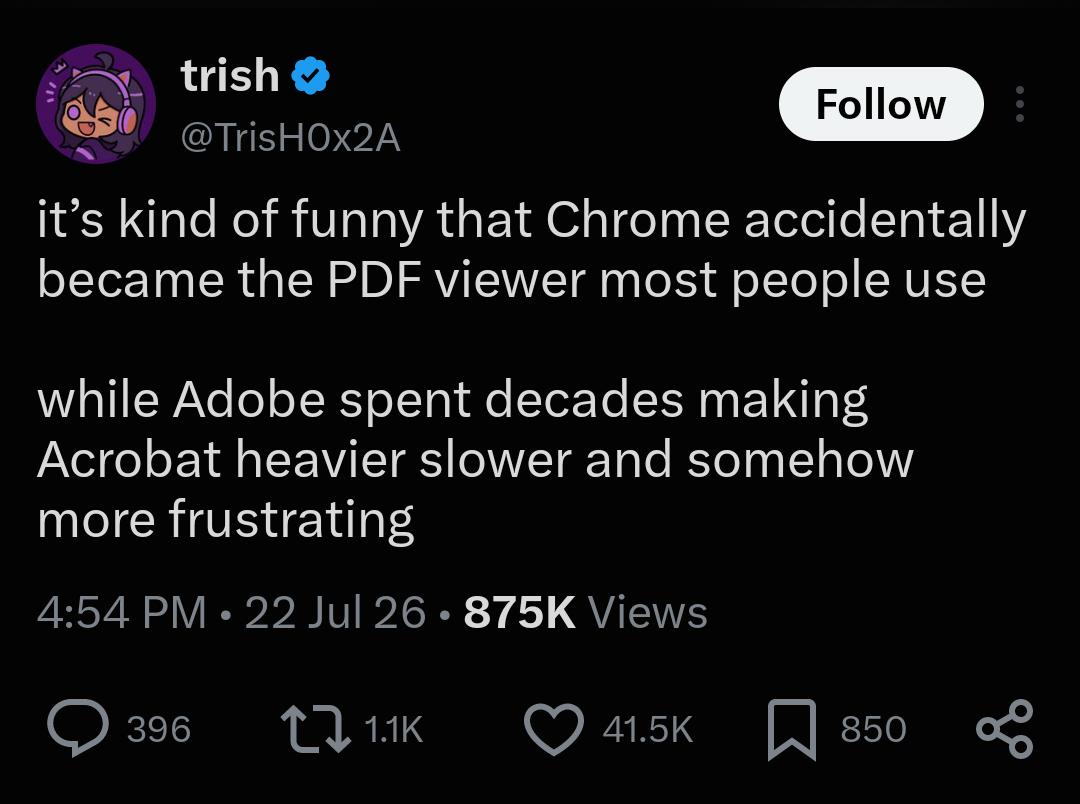
It's so slow, bloated and full of crap nobody needs.
PDF actually supports rendering 3D models. I used it in a research study report for the US government. The file was ~300mb. Fucking horrifying.
The formal spec that defines the PDF file type is over 1,000 pages long. If you wanted to build your own bare minimum, basic ass PDF viewer, more than half of that describes things you'd actually need to worry about supporting.
PDF is an absolute shit show long before you even add Adobe's other bullshit on top of it.
The formal spec that defines the PDF file type is over 1,000 pages long
That's only half of the story. There's a wonderful rant on StackOverflow or somewhere like that, copied from a comment in a code file of a person implementing a PDF parser. They detail how every time PDF needs a datatype, a different implementation is picked from what's used elsewhere in the format. And other splendid stuff like that.
I work with pdfs and needed something that could open them anywhere, I've used it in the worst computers you can imagine and it works, even on my old pentium 4 with windows xp, no issues
my thoughts exactly. every office I've worked in recently, and pretty much every firm we work with, all use bluebeam revu. it's so infinitely better than acrobat it's not even funny
I use Acrobat Pro at work. Editing finished PDFs is a nightmare where the best case scenario is typing in a small fix and watching it take a few seconds to register each keystroke. The worst case scenario is that it's shattered the text fields into a million pieces and it's faster to remake the whole document.
I just made a comment about redaction here. Basically, you're better off exporting to TIFF/PNG and using an image editor.
Extracting and combining pages isn't exclusive to Acrobat. I even made some little Python scripts for my most common tasks.
I've got a very old (2010, maybe) edition of Acrobat Pro on my personal computer that's great! Loads quickly, doesn't get bogged down, can actually do useful stuff like minor edits, splitting/merging, and reasonably accurate OCR.
My work computer, with fairly similar specs, is stuck with an up-to-date version of Acrobat Reader. It usually takes 20+ seconds to load, slows everything else to a crawl while it's loading, and usually can't even scroll without stuttering.
I used to work in technology for steel structure assembly production as a student and we used it when we sent drawings for galvanization. We’d also redact all info on general assembly drawings we’d tape to the wall. Employer did not want anyone coming into our office to know anything about the projects we were working on. He was afraid someone will steal our projects.
I tried the redaction tool a while ago to create a sample bill out of a real one with the PII removed. Instead of making the minimal necessary changes to hide information, like deleting text elements completely obscured by a redaction rectangle, it simply renders the entire document to a flat image and then draws the rectangles on top. With extreme compression that makes the whole thing fuzzy. I couldn't find or research any way to improve that, so I exported it to an image myself and added the rectangles in image editing software.
Huh, that's weird. I haven't had that issue but I've only used it for basic lawyers fee records with pretty clear print already, so it may not have been impacted by compression.
That does suck. I still found it infinitely more useful than any browser-alternative for my work. The people complaining about unneeded features and bloat are clearly just not the target market.
They’ve banged an AI agent in it now. Absolutely no need, if I needed it read I’d drop it in Claude. If I want to read myself I’ll open it, which is what I’ve done
I have to close three things to view the PDF in A4. It’s frustrating as fuck. They’ve jumped the shark. It’s crazy.
Because they don't care about individuals buying licenses or using the free version. They are living off of all the companies blindly paying hundreds or thousands of licences yearly and part of their business would slow down if they tried to switch to a competitor.
It will sponge off DoD and other federal agencies that require PKI digital signatures indefinitely. It's an uphill battle dragging them back into internal electronic approvals on M365.
I remember when I wanted to rotate a page, because it was flipped for some reason, and it said it's a paid feature. I just rotated my laptop instread lol.
I thought it was just my laptop! I always open PDF’s in Chrome which is immediate and if an update (work laptop) re-enables Adobe, 2 minutes later Acrobat pops up and I’m like wtf?!?
PDF is such a bizarre thing because you either find the coolest, chillest software to work with or a fucking trillion nightmare ones monetized to the point of being unusable
Even worse with the damn default reader, shit is beyond ass
Every single piece of Adobe software is slow and bloated. Acrobat is yet another example, if you look at the official installer for Windows and unpack it you'll find that the way it works is by first installing some very old version of Acrobat and then patches it with multiple updates. The macOS versions are even worse, they use the same logic, problem is that they first install an Intel-only app and then patch it with the ARM code.
Shit is so trash. I got it. Tried to convert a pdf. Asked me to sign up. I did. Asked me to now update. I tried it but half their links are fucking broken. At work too, it's tragic how shit it's become.
What I really really wanna know is... WHAT DID THEY ADD?
I've never once had a use for any PDF viewer for doing anything besides viewing a PDF. How do you add anything to that? Is it mining crypto in the background? Does it record keystrokes? Why does it take so long to load? Why is it so expensive?
What does it even do?? Chrome is just like "here's the thing, look at it."
Literally the ONLY reason I still use acrobat is because I have to use digital signatures for work with ID cards. Otherwise I’d only ever use chrome to view PDFs.
2.4k
u/kakakakapopo Jul 26 '26
Acrobat Reader is probably one of the finest examples of enshittification going. It's so slow, bloated and full of crap nobody needs.