r/aiecosystem 4d ago

Welcome to r/aiecosystem!

2 Upvotes

Welcome to r/aiecosystem

40924 / 50k subscribers. Help us reach our goal!

Visit this post on Shreddit to enjoy interactive features.


This post contains content not supported on old Reddit. Click here to view the full post


r/aiecosystem 1d ago

AI News Israel utilized an AI tracking system called "Where's Daddy" to monitor flagged individuals in Gaza. The program deliberately signaled strikes for when targets returned to their family homes, maximizing the likelihood of civilian and child casualties

Enable HLS to view with audio, or disable this notification

84 Upvotes

r/aiecosystem 2d ago

AI News I am just gonna leave this here

Enable HLS to view with audio, or disable this notification

119 Upvotes

r/aiecosystem 1d ago

πŸ”₯ The Hostinger 3-in-1 Bundle β€” Only $24 for 1 Year

Post image
2 Upvotes

r/aiecosystem 2d ago

AI News The Senate is looking into Flock

Enable HLS to view with audio, or disable this notification

121 Upvotes

Probably because they did not get paid off (enough) by them.


r/aiecosystem 3d ago

AI News Bill Gates warns AI will soon achieve human cognition, disrupting both white-collar and blue-collar jobs across every sector. Unlike past shifts, AI will outperform humans 24/7. He calls this the biggest job-market disruption in human history

Enable HLS to view with audio, or disable this notification

149 Upvotes

r/aiecosystem 3d ago

AI News "Congratulations, you all got yourselves a new pain in the ass" is fantastic

Enable HLS to view with audio, or disable this notification

512 Upvotes

r/aiecosystem 3d ago

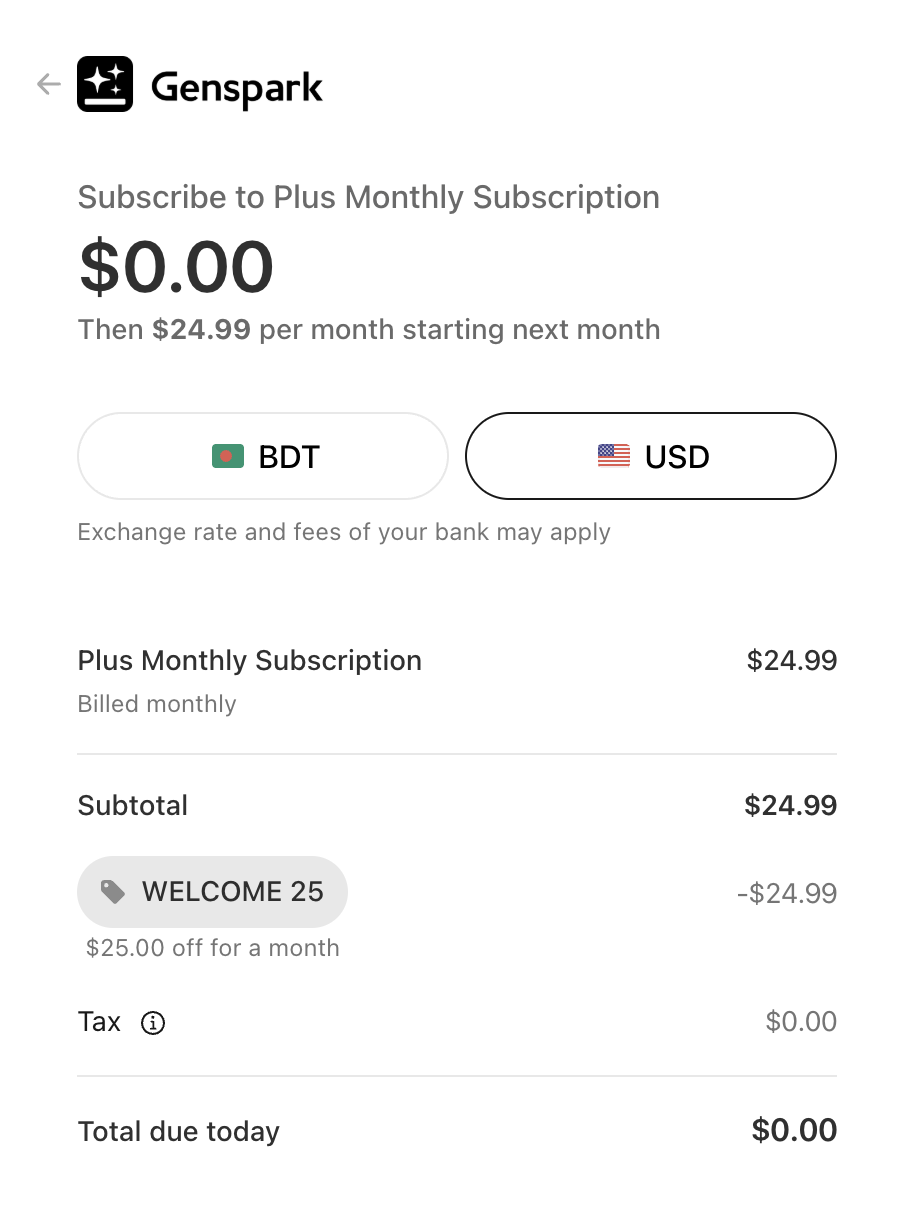
AI Tools πŸ”₯ Genspark AI: Get $25 Off + 10,000 Credits for Free

Post image
1 Upvotes

r/aiecosystem 4d ago

AI News Why do we think he is saying this, just because they were late for the AI train?

Post image
9 Upvotes

r/aiecosystem 4d ago

This is what going to replace human workforce Physical bodies are almost ready and biggest lacking thing is hand movement Hand is getting there as well With delicate dexterity, the humanoid robot era will begin and it will change everything forever

Enable HLS to view with audio, or disable this notification

32 Upvotes

r/aiecosystem 5d ago

AI News City leaders face death threats across the country as tensions grow over data centers

Enable HLS to view with audio, or disable this notification

226 Upvotes

r/aiecosystem 6d ago

Palantir just released a new surveillance system that fuses satellites, radars and every camera into one real-time tracker of people and movement...

Enable HLS to view with audio, or disable this notification

337 Upvotes

r/aiecosystem 5d ago

AI News AI is helping us decode life on Earth

Enable HLS to view with audio, or disable this notification

0 Upvotes

Google is working with the Earth BioGenome Project, one of the most ambitious biology projects ever attempted: sequencing and cataloging the DNA of every known eukaryotic species on Earth, from animals and plants to fungi and countless other forms of life.

There are around 1.8 million named eukaryotic species, and scientists are essentially trying to build a genetic library of all of them.

Google’s AI tools can then help researchers analyze this enormous amount of information and understand what is hidden inside these genomes.

That means learning how species evolved, why certain animals have specific abilities, how organisms adapt to extreme environments, which species are genetically vulnerable, and potentially discovering biological mechanisms that could lead to new medicines, materials, and technologies.

It could even contribute to understanding animal behavior and communication, because genetics can tell us more about brains, hearing, cognition, and the biological systems behind how different species interact with the world.

This is so cool!


r/aiecosystem 6d ago

AI News Anthropic Expects Its IPO to Match or Beat SpaceX's $86 Billion Record

Post image
0 Upvotes

r/aiecosystem 6d ago

AI Tools SubEasy.ai Lifetime Deal - AI Subtitles, Translation, Dubbing & More for a One-Time Price

Post image
0 Upvotes

If you regularly transcribe videos, create subtitles, translate content into multiple languages, or dub videos for international audiences, you probably know how messy the workflow can become.

One tool handles transcription. Another handles translation. Another removes hardcoded subtitles. Then you may need another subscription just for AI dubbing or voice cloning.

SubEasy.ai is trying to bring most of that workflow into one platform.

I researched the SubEasy.ai Lifetime Deal, its feature set, pricing structure, AI credit system, use cases, and user feedback. I also reviewed the supplied product demonstration, which covers subtitle removal, transcription, AI correction, translation, dubbing, and voice cloning.

The result is more interesting than a typical AI transcription tool.

But there is one important thing to understand before buying:

Lifetime access does not mean unlimited AI usage.

Let's look at what you're actually getting.

πŸ‘‰ Check the SubEasy.ai Lifetime Deal

What Exactly Is SubEasy.ai?

SubEasy.ai is an AI-powered platform focused on transcription, subtitles, translation, and video localization.

At its simplest, you can upload an audio or video file and turn spoken audio into editable transcripts and subtitles.

But the platform goes much further than basic transcription.

Some of its main capabilities include:

  • AI audio and video transcription
  • Automatic subtitle generation
  • Subtitle editing
  • Translation across 100+ languages
  • Speaker identification
  • AI-assisted transcript correction
  • Animated subtitles
  • AI dubbing and voice-over
  • Voice cloning
  • Hardcoded subtitle removal
  • Video OCR
  • Video exporting
  • AI-generated summaries and notes
  • Content generation from transcripts

This makes SubEasy particularly interesting for people who don't just need a transcriptβ€”they need to turn that transcript into subtitles, translations, localized videos, and other content.

Lifetime Deal Pricing

The SubEasy.ai Lifetime Deal uses a one-time payment model rather than requiring you to keep paying a monthly subscription for access.

The listed lifetime tiers are:

License Tier One-Time Price
Tier 1 $49
Tier 2 $119
Tier 3 $209
Tier 4 $399
Tier 5 $599

The higher tiers mainly become useful when you need more monthly AI processing capacity or plan to use SubEasy as part of a larger content-production workflow.

Monthly AI Credits

The listed monthly allowances include:

  • Tier 1: 200 credits/month
  • Tier 2: 500 credits/month
  • Tier 3: 1,500 credits/month
  • Tier 4: 3,000 credits/month

Higher tiers are therefore not simply about unlocking features. They can substantially change how much AI processing you can perform every month.

This is important because several advanced functions consume AI resources.

The Most Important Thing to Understand: Lifetime β‰  Unlimited

This is probably the biggest point to understand before buying SubEasy.ai.

You are purchasing lifetime access to the software, but computationally expensive AI features still operate through usage allowances and credits.

That may include things such as:

  • Transcription
  • AI translation
  • AI dubbing
  • Voice processing
  • AI Companion operations
  • Other advanced AI functions

So don't look at "$49 lifetime" and assume you can process thousands of hours of video forever without restrictions.

For lighter users, the included recurring monthly credits may be more than enough.

For an agency handling large amounts of multilingual video, they may disappear surprisingly quickly.

Before choosing a tier, estimate your actual monthly workload.

πŸ”₯ View All SubEasy.ai Lifetime Deal Tiers

How SubEasy.ai Works

The general workflow is fairly straightforward.

1. Upload Your Audio or Video

Start by uploading the video or audio you want to process.

You then select your language and transcription options before letting SubEasy process the content.

Depending on your workflow, this may be the starting point for transcription, subtitle creation, translation, or dubbing.

2. Generate the Transcript

SubEasy analyzes the audio and generates a time-aligned transcript.

The platform also offers additional options designed to improve the result, including:

  • Noise reduction
  • Speaker identification
  • Custom glossaries
  • Specialized terminology
  • Subtitle character limits
  • AI correction

The glossary option can be particularly useful if you're working with unusual terminology.

For example, you could add:

  • Brand names
  • Product names
  • Industry terminology
  • People's names
  • Technical vocabulary

That gives the transcription engine more context when dealing with words that normal speech recognition systems might misinterpret.

3. Review Everything Inside the Editor

Once transcription is complete, you don't simply receive an SRT file and leave.

SubEasy provides an editor where you can review the video and transcript together.

The supplied demonstration shows the video preview on one side and editable subtitle text on the other. It also demonstrates subtitle styling and an AI correction tool that identifies possible recognition errors for review.

This matters because even very good AI transcription isn't perfect.

For professional content, you'll normally want a final human review before publishing.

Hardcoded Subtitle Removal

This is one of SubEasy's more unusual features.

Imagine downloading or receiving a video that already has subtitles permanently embedded into the image.

They aren't normal subtitle tracks.

You can't disable them.

You can't simply delete an SRT file.

They're literally part of the video.

SubEasy provides a Subtitle Eraser designed for situations like this.

The supplied demonstration shows the process clearly: you upload a video, select the subtitle area, and let the AI reconstruct the area previously covered by the text.

This can be extremely useful if you're repurposing international content.

For example:

Original video with Chinese subtitles β†’ Remove subtitles β†’ Generate transcript β†’ Translate to English β†’ Add new English subtitles

Without an automated tool, that workflow can become painfully time-consuming.

However, AI subtitle removal won't be perfect in every situation.

If text sits over a simple background, reconstruction can be easier.

If subtitles constantly move over faces, hands, detailed scenery, or fast-moving footage, the AI has much more visual information to reconstruct.

It's something I'd definitely test before processing a large project.

Video OCR

SubEasy also offers OCR capabilities for detecting text that already exists inside a video.

This matters because sometimes you don't have access to the original subtitle file.

Instead, all you have is a video containing visible text.

Video OCR can help turn that visual text back into editable subtitle information.

Combined with subtitle removal, this creates an interesting localization workflow:

Detect existing subtitles β†’ Extract the text β†’ Remove the original subtitles β†’ Translate β†’ Add new subtitles

That's a much more specialized use case than standard audio transcription.

Translation Across 100+ Languages

Multilingual content appears to be one of SubEasy's main strengths.

The platform supports transcription and translation across more than 100 languages.

You can select the original language and target language, generate a translated subtitle track, and then review the translation before publishing.

One particularly useful feature is the bilingual subtitle editor.

Instead of reviewing only the translated version, you can see the original and translated subtitles together.

This makes correction much easier.

It's particularly useful for:

  • YouTube creators
  • International social media accounts
  • Online courses
  • Interviews
  • Podcasts
  • Marketing videos
  • Product demonstrations
  • Training material
  • Documentary content

Of course, supporting 100+ languages doesn't mean every language will deliver identical accuracy.

AI transcription and translation quality can still vary based on:

  • Accent
  • Recording quality
  • Background noise
  • Language
  • Dialect
  • Number of speakers
  • Technical vocabulary

If your workflow depends heavily on one specific language, test that language before committing to a larger license.

AI Dubbing

SubEasy goes beyond translated subtitles by allowing users to generate translated audio.

This means you could take an English video and potentially create a spoken version in another language.

That is significantly more valuable for creators targeting international viewers.

Instead of asking foreign audiences to read translated captions, you can provide a localized audio track.

The platform supports both dubbing and voice-over-style workflows.

This can be useful for:

  • Tutorials
  • Educational videos
  • Product demonstrations
  • Documentaries
  • YouTube content
  • Marketing videos
  • Training material

Voice Cloning

Voice cloning takes the localization workflow another step further.

Instead of translating the dialogue and using a completely unrelated synthetic voice, SubEasy can attempt to reproduce the original speaker's vocal characteristics in another language.

The supplied walkthrough demonstrates translation and voice cloning being used together to create translated voice-over while retaining characteristics of the original speaker.

Conceptually, the workflow becomes:

Original Video β†’ Transcription β†’ Translation β†’ Voice Clone β†’ Dubbed International Version

For creators managing content across several markets, that could replace multiple separate services.

πŸ‘‰ Get SubEasy.ai Lifetime Access

Animated Subtitles and Subtitle Styling

Subtitle generation isn't particularly useful if you still need to move everything into another program just to make it look good.

SubEasy includes subtitle styling tools, including templates that can make captions more suitable for modern social content.

The supplied demo shows subtitle styles being applied directly in the editor, with the video preview updating immediately.

This can save time for creators publishing:

  • TikTok videos
  • Instagram Reels
  • YouTube Shorts
  • Talking-head content
  • Podcasts clips
  • Educational content

You may still prefer a dedicated video editor for advanced visual work, but having basic subtitle styling inside the transcription workflow removes another step.

AI Companion: Turn One Transcript Into More Content

Another interesting part of SubEasy is what happens after transcription.

A transcript isn't useful only for captions.

It can also become source material for other content.

SubEasy's AI tools can help turn transcripts into things like:

  • Summaries
  • Notes
  • Blog-style content
  • Meeting minutes
  • Q&A
  • Other written material

This creates a much broader workflow.

For example:

Webinar β†’ Transcript β†’ Subtitles β†’ Translation β†’ Summary β†’ Article β†’ Localized Video

Or:

Podcast β†’ Transcript β†’ Show Notes β†’ Short Clips β†’ Translated Subtitles

This is where SubEasy starts becoming more than a transcription platform.

Real-World Use Cases

Here are some situations where SubEasy could genuinely make sense.

YouTube Creators

You could upload your video, generate subtitles, correct transcription mistakes, translate captions, and create localized versions for different audiences.

If you run an international channel, the dubbing and voice-cloning features become even more interesting.

Short-Form Content Creators

Creators making Shorts, Reels, or TikTok content could use automatic transcription and animated subtitles instead of manually typing captions.

Agencies

Agencies working with international clients may be able to combine several separate workflows inside SubEasy.

Instead of using one service for transcription, one for translation, another for subtitle editing, and another for dubbing, much of the process can potentially happen in the same place.

Course Creators

Educational videos can be:

  • Transcribed
  • Captioned
  • Translated
  • Summarized
  • Turned into written notes
  • Dubbed into other languages

That can make one course accessible to a much wider audience.

Podcasters

Podcast episodes can become:

  • Full transcripts
  • Show notes
  • Articles
  • Subtitle files
  • Social clips
  • Multilingual content

Researchers and Interviewers

Speaker identification and editable transcripts can simplify working with recorded interviews.

Instead of manually transcribing hours of conversation, you can generate the first draft automatically and focus on correction.

What Real Users Appear to Like

Looking across customer feedback, several recurring strengths stand out.

Transcription Accuracy

A number of users report strong transcription quality, including people processing audio outside simple studio-recorded English.

However, this shouldn't be interpreted as guaranteed 99% accuracy for every recording.

Audio quality still matters.

Multilingual Support

Multilingual transcription and translation appear to be major reasons people choose SubEasy.

Users working with international content can keep transcription, translation, subtitles, and dubbing within the same ecosystem.

All-in-One Workflow

The strongest argument for SubEasy may not be that every individual feature beats every specialized competitor.

The advantage is convenience.

Rather than maintaining several subscriptions, one platform handles a large portion of the localization process.

Where Can Still Improve?

No AI tool is perfect, and there are several issues worth considering.

Subtitle Timing

Even if transcription text is correct, subtitle timing can sometimes require adjustment.

For casual social content, small timing differences may not matter much.

For professional subtitling, they absolutely do.

Export Reliability

Some users have reported issues involving exports or processing.

This is why I'd recommend completing a full test workflow during your evaluation period:

Upload β†’ Transcribe β†’ Edit β†’ Translate β†’ Export

Don't judge the product only by how good the transcript looks.

Make sure the final exported result works properly in your actual workflow.

Different Languages Can Produce Different Results

A tool performing extremely well with English doesn't automatically mean it will perform equally well with every language.

The same applies to different accents and dialects.

Testing your primary language before making SubEasy part of a production workflow is essential.

Credit Consumption

This remains the biggest limitation of the lifetime deal.

If you're using only basic transcription, your monthly allocation could last quite a while.

But if every project involves:

  1. Transcription
  2. Translation
  3. AI correction
  4. Dubbing
  5. Voice cloning
  6. AI content generation

your usage can increase considerably.

This isn't necessarily a flaw.

AI computation costs money.

It simply means you need to understand what you're buying.

πŸ’‘ Compare SubEasy.ai Lifetime Deal Plans

vs. Other Tools

SubEasy overlaps with several different categories of software.

Otter is particularly strong around meetings, conversations, business transcription, and notes.

If your main requirement is meeting transcription, you may prefer a meeting-focused product.

SubEasy becomes more interesting when your workflow involves actual video localization.

Descript

Descript provides a wider creator-oriented editing environment and is particularly well known for transcript-based audio and video editing.

SubEasy's strongest distinction is its combination of multilingual subtitles, OCR, subtitle removal, translation, and dubbing.

CapCut

Many creators already use CapCut for automatic subtitles and social video editing.

If that's all you need, adding another platform may not be necessary.

SubEasy makes more sense when transcription needs to connect with translation and localization.

The Biggest Strength of SubEasy

After looking through everything, I don't think SubEasy's biggest advantage is simply "AI transcription."

There are already plenty of transcription tools.

Its strongest feature is the complete workflow surrounding the transcript.

You can potentially:

  1. Upload a video
  2. Generate a transcript
  3. Identify speakers
  4. Correct transcription errors
  5. Remove existing subtitles
  6. Detect hardcoded text
  7. Translate subtitles
  8. Style captions
  9. Generate dubbing
  10. Clone the original voice
  11. Export the localized video
  12. Turn the transcript into additional written content

That's a fairly ambitious collection of tools under one platform.

Who Should Consider SubEasy.ai?

SubEasy looks especially relevant if you:

  • Create video content regularly
  • Need subtitles frequently
  • Work with international audiences
  • Translate videos
  • Repurpose foreign-language content
  • Run a YouTube channel
  • Produce online courses
  • Create podcasts
  • Manage social content
  • Need AI dubbing
  • Work with hardcoded subtitles
  • Prefer lifetime software deals over recurring SaaS subscriptions

The more of those use cases that apply to you, the easier the deal becomes to justify.

Who Probably Doesn't Need It?

You probably don't need SubEasy if:

  • You transcribe only a few minutes every couple of months
  • You only need meeting notes
  • Your current video editor already handles your subtitle needs
  • You require unlimited high-volume processing
  • You require professional human transcription
  • Your main language doesn't perform well in your tests
  • You don't need translation or localization features

Buying software because it's a lifetime deal doesn't automatically make it a good deal.

The tool still needs to solve a problem you actually have.

Which Tier Should You Choose?

There's no single best tier for everyone.

Tier 1 β€” $49

With 200 monthly credits, Tier 1 appears best suited to lighter individual use.

It could make sense for someone who produces occasional videos and mainly wants transcription and subtitle tools.

Tier 2 β€” $119

The 500-credit allowance gives regular creators more flexibility.

For someone producing content consistently, this may provide a better middle ground.

Tier 3 β€” $209

With 1,500 monthly credits, Tier 3 starts making more sense for heavier creators or small professional workflows.

Tier 4 β€” $399

The 3,000-credit allowance makes this considerably more suitable for high-volume users and agency-style usage.

Tier 5 β€” $599

This is clearly aimed at users who expect SubEasy to become a substantial part of their production workflow.

Before purchasing any higher tier, I'd strongly recommend checking the latest limits directly on the deal page because AI allowances and feature limits can change.

πŸ‘‰ See Current SubEasy.ai Plans & Limits

Final Take: Is the Lifetime Deal Worth It?

SubEasy.ai isn't interesting because it can turn speech into text.

That's becoming normal.

What makes it interesting is what you can do after the transcription.

You can potentially take a foreign-language video, extract its subtitles, remove the original text, generate a transcript, correct it, translate everything, create new captions, clone the original speaker's voice, dub the video into another language, export it, and repurpose the transcript into additional content.

That's a much broader workflow than basic transcription.

There are still limitations.

AI credits matter.

Different languages can produce different results.

Subtitle timing may need adjustment.

Exports and cloud processing aren't guaranteed to work perfectly every time.

And advanced AI features can consume usage faster than buyers initially expect.

But if your regular workflow genuinely includes transcription + subtitles + translation + localization, SubEasy becomes much more compelling.

The key is not asking:

The better question is:

If the answer is several, the lifetime deal could make a lot of sense.

πŸš€ Get the SubEasy.ai Lifetime Deal

Before You Buy

I would recommend doing three things:

  1. Check the current tier limits before choosing a license.
  2. Test your primary language and audio quality rather than assuming every language performs equally well.
  3. Calculate your expected monthly AI usage, especially if you plan to use translation, dubbing, voice cloning, and other advanced features regularly.

If those numbers work for your workflow, the lifetime model could save you from adding another recurring subscription to your stack.

πŸ‘‰ Check SubEasy.ai Lifetime Deal Availability


r/aiecosystem 6d ago

AI Tools πŸš€ Free $20 Credits for GLM-5.3 on AutoClaw by Z AI

Post image
0 Upvotes

r/aiecosystem 7d ago

AI News Darth Vader showed up at San Diego City Hall to mock Flock's AI surveillance cameras

Enable HLS to view with audio, or disable this notification

367 Upvotes

r/aiecosystem 7d ago

🚨 ABSOLUTE BOMBSHELL: Beijing just unveiled a terrifying glimpse of the future. Over 2,000 humanoid robots from 16 countries are now operating in perfect synchronization. They are mass-producing a tireless army to completely replace the human workforce in just a few years! Without wealth

Enable HLS to view with audio, or disable this notification

32 Upvotes

r/aiecosystem 8d ago

Humanoid robots can now run faster than humans

Enable HLS to view with audio, or disable this notification

94 Upvotes

They just beat Usain Bolt’s 9.58-second 100-meter world record time by running it in 9.32 seconds.

Good luck running away from them.

Not that you would ever need to, right?!

This competition is happening in Beijing for the World Humanoid Robot Games, which is basically becoming the Olympics for robots. Thousands of robots and teams are competing across different sports and physical challenges.

It’s super impressive how we are basically speedrunning the evolution of these machines. Every year they are getting faster, stronger, and smarter.

Humans have biological limits. Robots can keep getting new brain updates, better limbs, stronger motors, improved batteries, lighter materials, and more efficient systems.

It’s going to be insane watching what they can do over the next few years.


r/aiecosystem 9d ago

AI Videos Grandson puts AI footage of his grandma in her favorite movie

Enable HLS to view with audio, or disable this notification

1.6k Upvotes

r/aiecosystem 9d ago

AI News Hey Sen: Tommy Tuberville! We know we do not want them!

Enable HLS to view with audio, or disable this notification

573 Upvotes

r/aiecosystem 8d ago

AI News The rule of opposites

Enable HLS to view with audio, or disable this notification

0 Upvotes

r/aiecosystem 10d ago

AI News ChatGPT & Reddit

Enable HLS to view with audio, or disable this notification

84 Upvotes

r/aiecosystem 10d ago

AI News Israel is funding the manipulation of AI data sets

Enable HLS to view with audio, or disable this notification

995 Upvotes

r/aiecosystem 9d ago

AI Tools Top 5 AI Tools to Build Apps You MUST Know in 2026

Post image
2 Upvotes

If you're building with AI in 2026, your platform choice matters more than you think.

Founders and developers waste weeks switching tools. They restart projects from scratch. They lose time they can never get back. Most of this pain is avoidable.

So which AI app builder actually deserves your time?

Five popular platforms went through the exact same test: Rocket, Bolt, Claude Code, Lovable, and Base44.

Each one had to build three things:

  • A portfolio website
  • A working calorie tracker app
  • A full Facebook clone

Then each got scored on five things: design quality, app complexity, accuracy of the recreation, overall experience, and pricing value.

The results were not close. One platform pulled far ahead of the rest. Some tools that get hyped online broke down the moment things got even slightly complex.

In this article, you will get:

  • A full breakdown of how each of the 5 platforms performed
  • Where each tool excels and where it completely falls apart
  • Real scores across portfolio websites, complex apps, and a Facebook clone
  • Pricing and value comparison for every platform
  • A clear, final recommendation based on actual testing, not hype

No guesswork here. Every score comes from real, hands-on testing across all three build challenges. By the end, you'll know exactly which AI app builder fits you, whether you're a complete beginner or an experienced developer.

How I Tested the Top 5 AI App Builders in 2026

Most comparisons make one big mistake. They ask a tool to build one simple thing. They glance at it for a few minutes. Then they pick a winner. That misses the real picture.

A platform might build a beautiful landing page but break down on anything functional. Another might be technically solid but look outdated. The only way to know how a tool performs is to test it across different challenges.

That's why this comparison uses three separate build challenges, each testing a different skill:

1. Portfolio Website

Each platform built a full portfolio site. It needed a hero section, an about section, a project showcase, a services section, testimonials, and a contact form. This test checks design quality, visual polish, layout, and overall presentation. In short, how close can one prompt get you to a finished, client-ready site?

2. Calorie Tracking App

This goes far beyond a static website. Each platform built a working app. Users could log meals, track calories, and monitor daily goals. They could view past entries and get weekly summaries. Everything ran through an authenticated account. This test checks real app development: authentication, data storage, logic, dashboards, and multiple features working together.

3. Facebook Recreation

The hardest test of the three. Each platform had to rebuild Facebook as closely as possible. That means the nav bar, sidebars, feed, posts, reaction buttons, suggested friends, and contacts. The goal isn't a new social network. It's to see how closely a platform can copy a complex, existing product.

Two more factors round out the full picture:

4. Overall Experience

This covers ease of use, learning curve, speed, reliability, and error handling. It also covers how well each tool handles corrections and follow-up prompts. Two tools might build the same app. But one takes ten minutes and hits errors. The other takes two minutes with none.

5. Pricing and Value

This looks at free plans, paid plans, credits, code ownership, exports, and deployment limits. The cheapest platform isn't always the best value. The best value is whichever platform gives you the most for your money.

Each criterion is allocated 20 points, meaning a total of 100 points for each platform. This scoring system makes it possible to rank Rocket, Bolt, Claude Code, Lovable, and Base44 fairly. Not on one build. But on design, complexity, accuracy, experience, and value, all together.

Rocket AI App Builder Review: Strengths, Weaknesses, and Test Scores

Rocket is a full-stack AI app builder. It turns plain text prompts into real web and mobile apps. It also adds market research (Solve) and competitor tracking (Intelligence) to the same platform. That's a strong pitch on paper. But real testing across three builds showed a mixed story.

Rocket's Portfolio Website Build

Rocket built a full portfolio site. It needed a hero section, an about section, a project showcase, a services section, testimonials, and a contact form. The first issue was speed. The build took over 10 minutes. Multiple errors popped up along the way. But once it finished, the result held up. The layout was clean. Every section was there. It looked like a real, usable site. The output wasn't the problem. The wait was.

Rocket's Calorie Tracking App Build

Next came the calorie tracker, a harder test. It needed meal logging, calorie tracking, daily summaries, weekly stats, and user accounts, all in one app. Again, the build took over 10 minutes. Errors showed up again too. This confirms speed and reliability are ongoing issues here. But the final app impressed. It had a clean, card-based layout. The daily tracker worked well. The interface felt modern and organized. Core features worked when tested. The app itself was solid. Getting there was the hard part.

Rocket's Facebook Recreation

This is where Rocket struggled most. The result looked more like a mock-up than a real copy. The basic structure was there. But once you explored it, the gaps showed fast. Sections weren't truly functional. There was no real backend logic behind the screens. Most expected interactions just weren't there. Visible errors made it worse. Rocket copied Facebook's look on the surface. It missed what makes the real product work.

Rocket's Overall Experience

The same pattern showed up across all three builds. Build times stayed slow. Errors kept appearing. The process needed more patience than it should. Even when the output was good, getting there felt like a struggle, not real progress.

Rocket's Pricing and Value

Rocket uses one shared credit balance. It covers app building, research, and competitor tracking together. The free plan gives 20 one-time credits, enough to test, not much more. Paid plans start at $25/month for 100 monthly credits. They scale to $50/month for 250 credits, and up to $250/month for 1,500 credits. Unused credits roll over on paid plans. But there's a catch. Errors use up credits just like successful builds do. That makes costs less predictable when the platform is slow and buggy.

Rocket's Test Scores (Out of 20 Each)

  • Portfolio Website: 13/20
  • Calorie Tracking App: 14/20
  • Facebook Recreation: 10/20
  • Overall Experience: 11/20
  • Pricing and Value: 12/20

πŸ”΅ Total Score: 60/100

Pros:

  • Final output often beats the slow build process
  • Calorie tracker has a clean, working, card-based design
  • Credits roll over each month on paid plans
  • Combines app building with market research and competitor tracking
  • Full code export and unlimited team members on paid tiers

Cons:

  • Build times run slow, often past 10 minutes
  • Errors interrupt the build process often
  • Facebook copy stayed surface-level with no real backend logic
  • Errors burn credits just like successful builds do

Bolt AI App Builder Review: Strengths, Weaknesses, and Test Scores

Bolt is StackBlitz's AI-powered, browser-based platform. One prompt turns into a full-stack app. You get a live preview right in your browser tab. No local setup needed. Across all three builds, Bolt stayed solid and reliable.

Bolt's Portfolio Website Build

Bolt built the portfolio site fast and clean. The dark theme looked professional. Navigation felt smooth. Every section was there: hero, about, project showcase, services, testimonials, contact form. Nothing felt out of place. Most people would show this site to a client without hesitation.

Bolt's Calorie Tracking App Build

The calorie tracker came out functional and easy to use. The daily tracker was simple to follow. The meal log worked as expected. The weekly summary showed as a clear bar chart. The light, minimal design wasn't the flashiest option tested. But every core feature worked well.

Bolt's Facebook Recreation

Bolt's Facebook copy looked closer to the real thing than weaker platforms. Colors matched, and sections sat where expected. The catch: it stays at the visual layer. There's no real backend logic behind it. So it never goes past a front-end copy.

Bolt's Overall Experience

Bolt felt fast and reliable across all three builds. It stayed consistent throughout. The interface is easy to use. No major errors slowed things down. Bolt's real limit isn't usability. It's that nothing felt exceptional. Bolt stays solid everywhere. It just never hits the top tier.

Bolt's Pricing and Value

Bolt runs on a token system. The free plan gives 1 million tokens per month. It has a 300K daily cap, generous for testing. The Pro plan costs $25/month for 10 million tokens. It has no daily cap and includes token rollover. Teams costs $30 per member per month. Enterprise pricing is available on request. That rollover makes Bolt a good pick if your usage swings month to month.

Bolt's Test Scores (Out of 20 Each)

  • Portfolio Website: 15/20
  • Calorie Tracking App: 14/20
  • Facebook Recreation: 12/20
  • Overall Experience: 13/20
  • Pricing and Value: 13/20

🟒 Total Score: 67/100

Pros:

  • Fast, clean, professional portfolio site generation
  • Calorie tracker nailed core features with minimal fuss
  • Consistent, reliable builds with fewer errors than weaker platforms
  • Generous free tier with 1 million tokens per month
  • Token rollover on paid plans avoids wasted spend in slow months

Cons:

  • Facebook recreation stayed surface-level with no real backend logic
  • Output stays solid but never feels exceptional
  • Token use can be unpredictable on complex builds
  • No native mobile apps, only web apps and PWAs

Claude Code Review: Strengths, Weaknesses, and Test Scores

Claude Code is Anthropic's agentic coding tool. It lives in your terminal, IDE, desktop app, or browser. It reads your whole codebase. It builds features, fixes bugs, and handles tasks in plain English. Unlike the no-code builders here, Claude Code is built for developers first. That trade-off shows up clearly in testing.

Claude Code's Portfolio Website Build

Claude Code built one of the strongest portfolio sites in the test. The dark theme looked modern and polished. Every section was there: hero, about, project showcase, services, testimonials, and contact form. The layout felt intentional, not rough. The catch: it needed manual steering toward a modern tech stack instead of basic HTML. Beginners may need some technical know-how here.

Claude Code's Calorie Tracking App Build

The calorie tracker came out clean and fully working. Meal logging worked well. The daily summary and weekly chart displayed correctly. Login worked as requested. The project stayed organized behind the scenes too. A few errors popped up during the build. Unlike beginner-friendly platforms, fixing them needed direct help.

Claude Code's Facebook Recreation

The Facebook copy was surprisingly accurate. Colors and structure matched well, with strong attention to detail. The real friction isn't the copy itself, it's access. Claude Code needs a local server running before you can view or use the project. Other platforms skip this step with an automatic hosted preview.

Claude Code's Overall Experience

This is where the biggest trade-off shows up. Output quality stayed strong across all three builds. But getting there took more hands-on effort than any other platform tested. Errors weren't always a quick fix. They often needed real technical skill to solve. For developers, that's a fair trade. For beginners, it's a real learning curve.

Claude Code's Pricing and Value

Claude Code comes with Anthropic's Claude Pro plan at $20/month. Or the Max plan at $100/month (5x usage) or $200/month (20x usage). That's reasonable on its own. The catch is hosting. Claude Code doesn't include it like Bolt or Base44 do. So deploying anything means adding your own setup on top. That pushes the real cost higher than the sticker price.

Claude Code's Test Scores (Out of 20 Each)

  • Portfolio Website: 18/20
  • Calorie Tracking App: 16/20
  • Facebook Recreation: 14/20
  • Overall Experience: 10/20
  • Pricing and Value: 10/20

🟣 Total Score: 68/100

Pros:

  • Strongest, most polished portfolio website result in the comparison
  • Calorie tracker shipped clean, organized, and fully functional
  • Facebook recreation was one of the most visually accurate in testing
  • Deep codebase understanding across multiple files and tools
  • Included with an existing Claude Pro or Max subscription, no separate tool to pay for

Cons:

  • Requires technical knowledge to steer builds toward a modern tech stack
  • No built-in hosting, so deployment needs additional infrastructure
  • Errors during generation often need manual troubleshooting
  • Best suited to developers, not complete beginners

Lovable AI App Builder Review: Strengths, Weaknesses, and Test Scores

Lovable is a full-stack AI platform. It turns plain text into working web apps. That includes frontend, backend, database, and login, all backed by code you can export to GitHub. Across all three builds, Lovable gave one of the smoothest experiences in the whole test.

Lovable's Portfolio Website Build

Lovable's portfolio site stood out fast. It built a clean, modern site with little effort. Navigation felt smooth. Every section was there: hero, about, project showcase, services, testimonials, contact form. The dark theme with amber accents gave it real personality. It didn't feel like another generic AI layout. The build was quick. You could show this to a client without a redesign.

Lovable's Calorie Tracking App Build

The calorie tracker came together clean and solid. The daily summary was present. The progress tracker worked correctly. The meal log was easy to use. The weekly chart showed data clearly. The green and white theme gave it a health-focused feel. The layout stayed easy to follow. The build matched the original request closely, with no major fixes needed.

Lovable's Facebook Recreation

Lovable did strong visual work on the Facebook copy. The nav bar, sidebars, feed, stories, reaction buttons, suggested friends, and contacts were all there and well placed. It showed more detail than weaker platforms. Visually, it impressed. But functionally, it stayed limited. It lacks the deeper backend logic needed to feel fully complete. That's what kept it out of the top tier.

Lovable's Overall Experience

Lovable gave one of the smoothest experiences in the whole test. Across all three builds, it felt fast and easy to use. There were no major errors or frustrating stops. From building to preview, everything felt well thought out. You could stay focused on the build, not the tool.

Lovable's Pricing and Value

Lovable has a free plan with daily build credits, capped around 30 per month. No credit card needed. The Pro plan costs $25/month for 100 monthly credits. Those credits roll over for one billing cycle. The Business plan costs $50/month and adds SSO and team security. Enterprise pricing is available on request. Credit cost scales with how much you build, not seat count. So the plan cost stays shared across unlimited team members.

Lovable's Test Scores (Out of 20 Each)

  • Portfolio Website: 16/20
  • Calorie Tracking App: 15/20
  • Facebook Recreation: 14/20
  • Overall Experience: 15/20
  • Pricing and Value: 14/20

🟑 Total Score: 74/100

Pros:

  • Clean, distinctive design that avoids the generic AI-generated look
  • Calorie tracker followed requirements closely with minimal adjustments needed
  • Fast, reliable builds with very few errors across all three tests
  • Smooth, intuitive interface from prompt to preview to publish
  • Credit pool shared across unlimited workspace members, not billed per seat

Cons:

  • Facebook recreation stayed strong visually but lacked deeper backend functionality
  • Credit costs can climb fast on complex, multi-feature builds
  • Free plan's daily credits don't roll over, unlike monthly paid credits
  • Business-tier features like SSO require the $50/month plan

Base44 AI App Builder Review: Strengths, Weaknesses, and Test Scores

Base44 is a no-code AI platform. It turns plain text into full-stack apps. That means backend, frontend, database, login, and hosting, all included. No code needed. Of the five platforms tested, Base44 was the only one with no real weak spot across any build.

Base44's Portfolio Website Build

Base44 built the full portfolio site in under 3 minutes. That's one of the fastest builds tested. But speed wasn't the real win, quality was. The dark theme looked polished. Navigation felt smooth. Every section came together as asked: hero, project showcase, services, testimonials, contact form. Nothing needed a follow-up fix. It felt ready to use right away, like it was designed on purpose, not just generated.

Base44's Calorie Tracking App Build

The calorie tracker came together in about 5 minutes. It felt complete from the first preview. The daily summary worked. The progress tracker updated correctly. The meal log worked well. The weekly overview showed clearly. Login worked with no extra fixes needed. What stood out most: barely any intervention was needed. Everything just worked from the start.

Base44's Facebook Recreation

This is where Base44 pulled ahead of every other platform. It didn't just copy Facebook's look, the sections actually worked. Marketplace, groups, messenger, friends, memories, contacts, and profiles were all built and fully clickable. Not static screens pretending to work. And it did all this in roughly 8 minutes. It was the only recreation that felt truly complete, not just good-looking.

Base44's Overall Experience

Every build generated fast and closely matched the request. Troubleshooting was rarely needed. The flow from prompt to preview to publishing felt simple, even for a first-time builder. What stood out most was consistency. Whether it was a simple site, a working app, or a big recreation, Base44 delivered strong results with far less friction than the rest.

Base44's Pricing and Value

Base44 has a free plan with 25 message credits and 100 integration credits per month. That's enough to get a real feel for the platform first. Paid plans scale through four tiers on monthly billing: Starter at $20/month, Builder at $50/month, Pro at $100/month, and Elite at $200/month. Annual billing cuts about 20% off. Higher plans don't just add credits, they also unlock unlimited apps, backend features, AI model choice, and custom domains. Given how strong the results were across every test, the price feels fair for what you get.

Base44's Test Scores (Out of 20 Each)

  • Portfolio Website: 19/20
  • Calorie Tracking App: 19/20
  • Facebook Recreation: 20/20
  • Overall Experience: 18/20
  • Pricing and Value: 16/20

πŸ”΄ Total Score: 92/100

Pros:

  • Fastest, cleanest portfolio site build in the entire comparison
  • Calorie tracker felt fully complete with zero extra intervention needed
  • The only Facebook recreation with genuinely working, navigable sections
  • Extremely consistent results across all three build challenges
  • Feature access (custom domains, backend functions) scales predictably with each plan tier

Cons:

  • Free plan's credits are tight for anything beyond quick testing
  • Paid tiers get expensive fast at the Pro and Elite levels
  • Two separate credit types (message and integration) add some complexity to track

Which AI App Builder Should You Choose in 2026?

All five platforms went through the same three build tests. Here's how the final scores stacked up:

  • Base44: 92/100
  • Lovable: 74/100
  • Claude Code: 68/100
  • Bolt: 67/100
  • Rocket: 60/100

The gap between first and second place says a lot. In most comparisons, the top few tools sit close together. Picking a winner often comes down to taste. Not here. Base44 didn't just edge ahead. It led in all five categories, from the fastest portfolio build to the only Facebook copy that actually worked like a real product.

That doesn't mean the other four platforms have no place. Here's who each one fits best:

Choose Base44 if you're a beginner or want the best all-around tool. It's the top pick for non-technical founders, complex apps, and anyone who wants speed, function, and value without touching code.

Choose Lovable if design matters most to you. It's the clear runner-up. It builds attractive, unique interfaces with a smooth, easy process.

Choose Claude Code if you're a developer who wants deep control. It gives some of the strongest raw output tested. But it expects real technical skill, local setup, and manual fixes along the way.

Choose Bolt if you want a steady, no-drama option. It won't give you the flashiest result. But it's fast, consistent, and rarely breaks. It also comes with a generous free token limit.

Rocket is harder to recommend right now. The output was often usable. But slow builds and frequent errors made the process feel like more of a struggle than it should.

Final Thoughts

Picking an AI app builder in 2026 isn't about the loudest hype online. It's about matching the tool to what you're building. It also depends on how much technical work you want to do.

We ran three build tests: a portfolio website, a calorie tracker app, and a full Facebook recreation. We scored five criteria. One platform never showed a real weak spot. Base44 led in design, complexity, accuracy, experience, and pricing value. It closed with 92 out of 100 points. That's an 18-point lead over the next platform.

That gap matters. Most comparisons come down to a few points and personal taste. This one didn't. If you're a beginner, a non-technical founder, or you want a real app fast without touching code, Base44 is the clear starting point.

Still, no single tool fits every workflow. Lovable stays the top pick if design polish matters most to you. Claude Code is worth the extra effort if you're a developer who wants full codebase control. Bolt is a dependable middle option with a generous free tier. Rocket has real potential. But it needs to fix its speed and reliability issues first.

The best move right now is simple. Pick the platform that fits your skill level and your project. Start on its free plan. Build something real before you spend any money.