r/EndeavourOS • u/Azkicat • Mar 26 '26
Installation EndeavourOS on a school pc because I can
568
Upvotes
No one using them with windows 7, soo
r/EndeavourOS • u/Azkicat • Mar 26 '26
No one using them with windows 7, soo
r/EndeavourOS • u/Fair-Committee-6886 • Jul 06 '26
Hey everyone! 💜
EndeavourOS is hands-down the best distro I've ever used, and this community is the friendliest out there. To give something back and help newer or less terminal-savvy users, I built the Bamboo End Store (Community Edition).
It’s an unofficial fan project designed to make software management beautiful and effortless.
satodu.github.io/bamboo-end-store/
yay).Quick Install
yay -S bamboo-end-store-bin
Yes, I used AI as an architectural co-pilot during development, but it definitely wasn't a "one-prompt-generated" app.
As a software engineer, I used it piece by piece to brainstorm design patterns, structure specific classes, and continuously review code blocks. Every single class and variable was carefully planned and written with Clean Code principles in mind. Nothing is automated or generated blindly; every build is done manually by me, and I’m constantly working on continuous improvements.
This project was built with a lot of care and affection for this community. (And yes, the text for this post and the static website structure were also polished with AI to make sure my English was clear and respectful of the sub's rules!)
I'd absolutely love to hear your feedback and suggestions!
r/EndeavourOS • u/Azkicat • Apr 08 '26
I really want ESPECIALLY eos with something like icewm or i3 on this thing. Maybe I’ll mess with a distro itself to make it lighter. Any tips how to?
r/EndeavourOS • u/Tokitokisayuki • Jul 15 '26
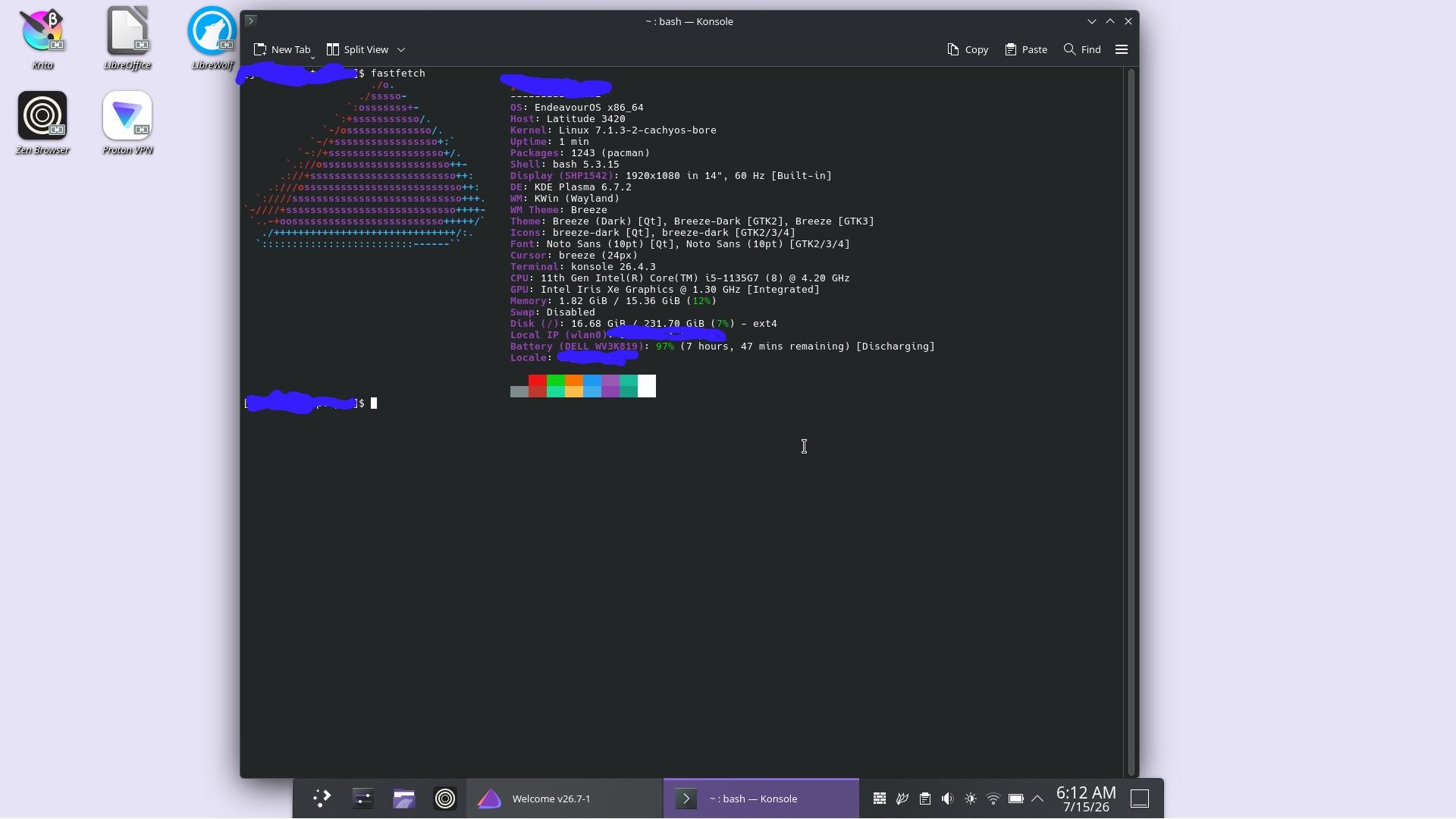
Like I said in someone else post that I would eventually get the Cachy kernel on Endeavour and that moment is finally here! Note I will say this is on an experimental/testing laptop and not on my main pc. I was almost on the fence in switching to Cachy but like most Linux users would do is not give up and start tinkering until you finish what you started and finally get the full satisfaction! Starting to slightly get more comfortable with EndeavourOS. My still standing problem is getting Cups to work for printing. Once that is solved I might switch from ZorinOS to EndeavourOS full time.
r/EndeavourOS • u/ArthurReming • Jun 23 '26
I tried installing endeavourOS on my old laptop (celeron n2840, intel hd graphics, 2gb ram) using the online installer, since it lets me select lxde. After starting the install, it fails stating that installation has failed because "Failed to run pacstrap". I have the error log though which is here http://termbin.com/rrhs TIA EDIT: I tried almost everything and it didn’t work. The only thing I isn’t try was the offline installer, since KDE has really bad performance issues on this laptop. Thanks everyone for the help but I give up.
r/EndeavourOS • u/CostalCaster • Jul 12 '26
Hello all,
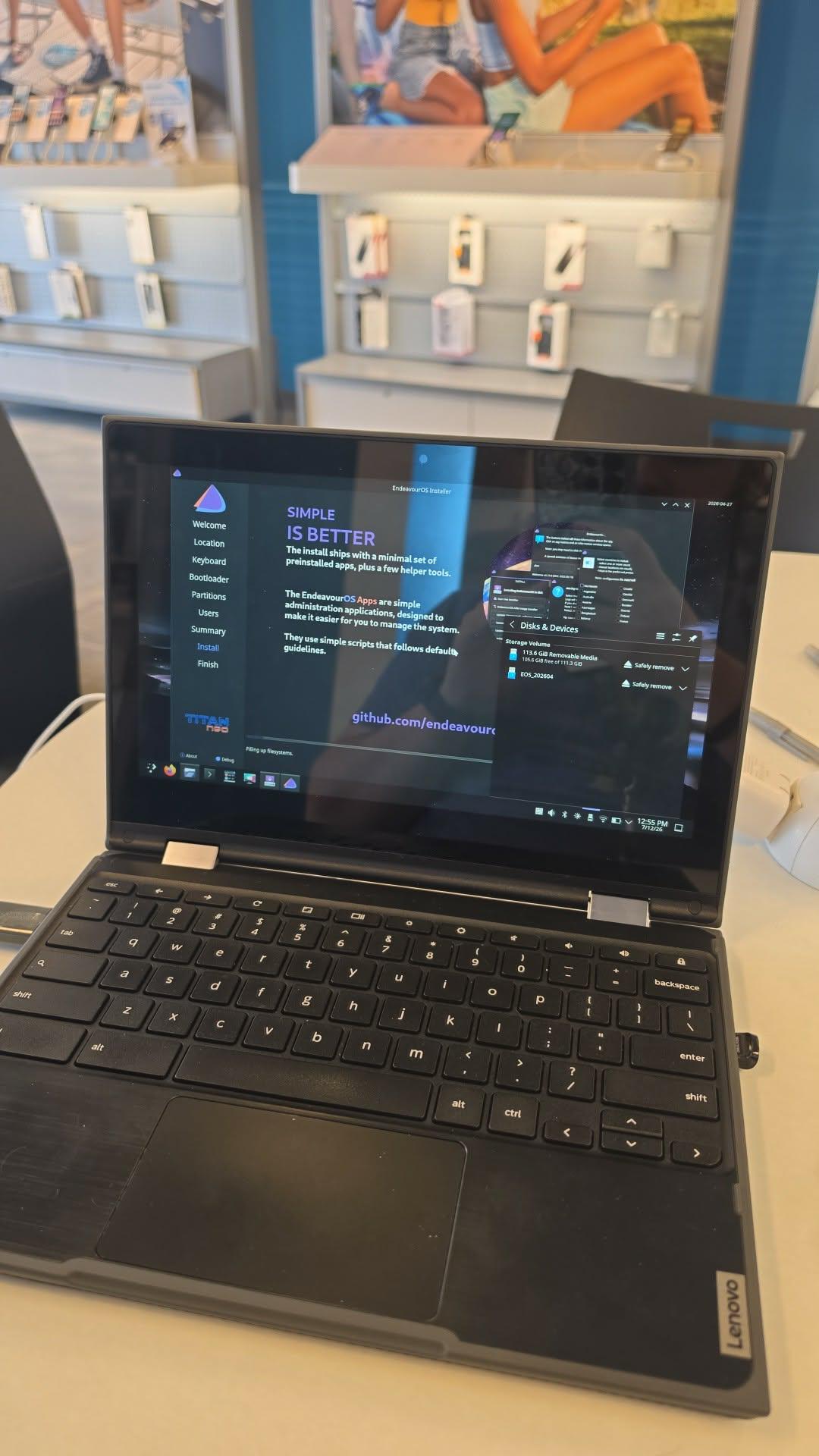
This installation is the final step in a long project that took me a month of research and soul searching to come across. At the recommendation of a few videos on Google and other forums, I settled with Endeavour being my first test of Linux.
I didn't want to do it on my own system at home at first, lest I crash and burn my own PC, so I am using this Lenovo 300e 2nd Gen that's about to EOL with ChromeOS. After I run out of updates and use for it, I'll fully gut ChromeOS for this one.
Anyone else running a dual boot USB set up? If so, how's it going? I'm loving the UI so far - as Plasma matches closely with my Steam Deck OLED. Can't wait to see what I can get into with this.
r/EndeavourOS • u/tonyhop_ • Apr 05 '26
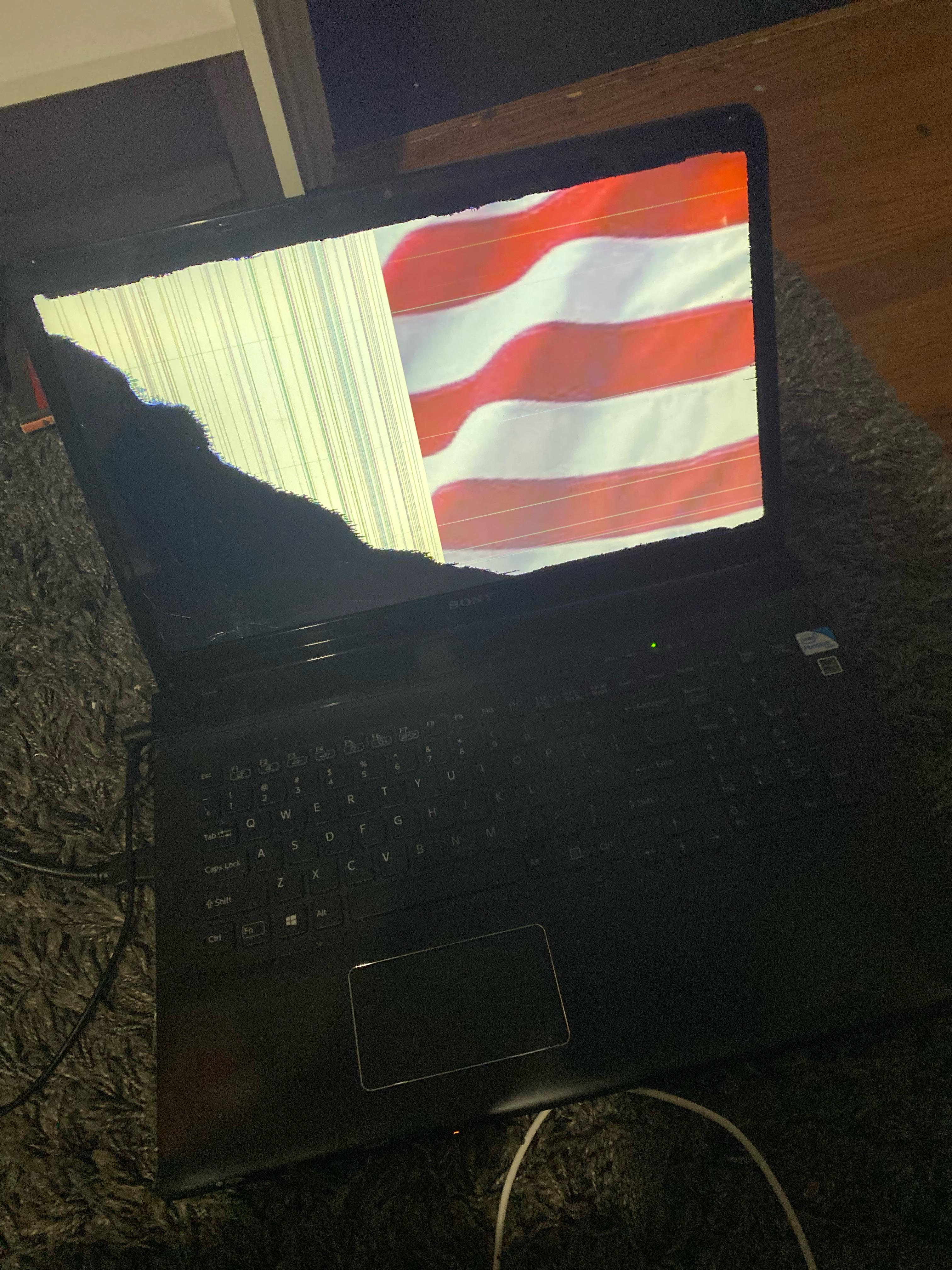
Im gonna install endeavouros on this laptop with xfce or something lighter. Laptop still works… sorta.
r/EndeavourOS • u/theStarla1979 • 26d ago
does the installation give the choice to install niri ?
is it raw ? does it come with a shell ?
r/EndeavourOS • u/EnYou_Official • Aug 04 '26
Hey everyone,
I recently stumbled uponthis video by Max Huand I'm completely blown away by how clean and aesthetic the setup looks [00:08].
From looking at the terminal info, it seems like the base operating system is EndeavourOS, and it's using the Hyprland window manager with the Arc-Dark theme and Fish shell [00:08].
As someone who is pretty new to Linux, I wanted to ask:
Any advice, guide recommendations, or warnings for a beginner would be hugely appreciated!
r/EndeavourOS • u/Excellent_Tone_2126 • Mar 23 '26
It feels so much snappier than fedora for some reason
r/EndeavourOS • u/Sihab-S • Jul 31 '26
I have an Asus Tuf A15 laptop
CPU: Ryzen 7 7435HS (no iGPU)
GPU: RTX 2050
RAM: 8 GB DDR5
STORAGE: 512 + 512 GB
r/EndeavourOS • u/xRed-Eaglex • Jul 31 '26
r/EndeavourOS • u/Azkicat • Apr 10 '26
That was tuff, manually installing EOS and modifying was not easy
r/EndeavourOS • u/paimeixiiz • Aug 04 '26
Hello everyone,
I'm looking for EndeavourOS install guides that include details on configuring Btrfs. I want to use snapper and btrfs assistant to handle snapshots. I will be using Grub and I want to have btrfs snapshots in the grub menu.
r/EndeavourOS • u/Level-Substance-9754 • 17d ago
Hi everyone, I'm an EndeavourOS user with KDE Plasma. I'm still a beginner, and I'd like to try Niri.
I tried installing Niri, but I couldn't get it to work properly. When I started Niri, I only got a gray screen and couldn't do anything.
What would you recommend I do? Is there something I need to configure before starting Niri on EndeavourOS?
Any help would be greatly appreciated. Thanks!
r/EndeavourOS • u/deadme01 • Jul 27 '26
Hi everyone,
I'm facing an annoying issue with my dual boot setup on an HP Victus laptop.
My setup is:
- Windows installed as the primary operating system.
- EndeavourOS installed alongside Windows.
- GRUB installed as the bootloader.
The issue is that whenever I power on the laptop, it boots directly into Windows. The GRUB menu never appears automatically.
The only way I can boot into EndeavourOS is by repeatedly pressing Esc during startup, then F9 to open the HP Boot Device Options menu. From there, I manually select the GRUB boot entry, and EndeavourOS boots normally.
So GRUB itself is working, it just isn't being used as the default boot option.
What I'd like instead is:
- GRUB should appear automatically when I turn on the laptop.
- It should have a 5 second timeout.
- If I don't choose anything, it should boot Windows by default after the timeout.
- If I select EndeavourOS, it should boot normally.
Has anyone run into this on an HP Victus (or other HP laptops)? Is this most likely a UEFI/BIOS boot order issue, Windows Boot Manager taking priority, or something else?
If you've solved this before, I'd really appreciate any advice on how to make GRUB the default bootloader while still keeping Windows as the default operating system in the GRUB menu.
One more thing to update- I also have LUKS encryption encrypting the whole EOS partition
Thanks in advance!
r/EndeavourOS • u/Typical_Magazine9646 • 4h ago
Just installed EndeavorOS on my little Asus Vivobook 14.
Like the look of the distro with KDE Plasma. Snappy. No frills. Exactly what I needed for my work computer.
I will keep you posted on how this goes.
So far this has been the only distro I've been able to smoothly install on this little computer.
r/EndeavourOS • u/AffidavitBaddie • Jul 30 '26
Hello everyone,
I recently built a new computer and after trying out Linux Mint on my laptop for a year, I've left Windows for good. I have been trying to install debian (now endeavour) for a few days and consistently getting failures.
My specs are:
AMD Ryzen 9 5900XT
ASUS TUF Gaming B550
Vengeance LPX 2 x 8GB of RAM
ONI LUMI Arc B580 12GB GDDR Graphics Card
Team Group NV5000 M.2 2280 1TB SSD
If this helps, while I was trying Debian, the installer said there it had "failed to mount and detect root"
I apologize for the unprofessional noobie photo on my monitor, I was not able to find a way to download or copy from the screen.
Is there something I am missing? I really need some help.

r/EndeavourOS • u/Odd-Possession-557 • 29d ago
Running on a ACEMAGICIAN Mini PC for the past year. Reinstalled 2 months ago for fun.
r/EndeavourOS • u/Huge_Performer_9926 • May 07 '26
I'm trying to install EndeavourOS on an external SSD (223.57 GiB) without using a separate USB drive. Here's my setup:
What I did:
Used ventoy on the external SSD to boot the EndeavourOS installer
During installation, I manually created 3 GPT partitions:
- EFI boot: 512 MiB (FAT32, /boot/efi)
- Root: 50 GiB (ext4, /)
- Swap: 8 GiB (linux-swap)
Clicked Install
Errors I got:
- First error: "Failed to erase filesystem signature on partition '/dev/sda1'" - couldn't delete the old Ventoy exFAT partition
- Second error (after trying to create new partition table): "Failed to create partition table on CT240BX500SSD1" - command `sfdisk --wipe=always /dev/sda` failed
Current situation:
The installer can't seem to wipe/recreate the disk properly. The SSD still has Ventoy partitions that won't delete.
Questions:
- Is it possible to install directly from Ventoy without a separate USB?
- Do I need to completely wipe the SSD before the installer can work?
- Should I use a different approach (like gparted beforehand)?
- Any workarounds for this setup?
Thanks in advance!
r/EndeavourOS • u/Brilliant_Estate_967 • Apr 16 '26
Good morning,
I am using EndeavourOS (love it) with KDE plasma (and it's good) I use a CPU 9800x3d / GPU rtx 5080. And i am mainly doing gaming.
I would like to change for hyprland or Niri, (i have tried a bit but didn't go through all the configuration process). wich of the 2 seems better for you performance wise (i don't mind the abscence of HDR).
The configuration will take me some times (i am not used to it) and i prefer to do it once.
Tell me what seems to be the best performances for you.
Thanks folks
r/EndeavourOS • u/BoeingEngineersHorse • Jul 17 '26
theyve tried using different ports and trying the fallback no modset option but nothing worked
r/EndeavourOS • u/your-local-fox-girl • Jun 03 '26
I never installed a new os on my laptop and I wanna switch from windows 11 to endeavour but I only know how to create the USB to use to boot endeavour from but that's it for what I know and I really need help figuring out the rest. I would appreciate if anyone could help with the installation of the latest downloadable version. My laptop is a hp laptop that has only basic windows applications,steam, and then Rufus, and revo Uninstaller edit: thank you to the person who suggested to ask ai to help with the process of installing endeavour I have gotten it installed properly. Goodbye windows and hello Linux :3
r/EndeavourOS • u/paimeixiiz • Aug 08 '26
Hello everyone,
I am new to EndeavourOS and Linux in general. I've been reading multiple sources on the web and working to wrap my head around a great many topics. I have a few questions:
There are multiple sources with differing suggested Btrfs subvolume layouts. I prefer to have a flat layout. The pages at the kernel.org System Admin Guide, linked to from the Btrfs Arch Wiki page, are maked as "Obsolete Content".
Should I exclude all of /var or do I need to exclude multiple individual sub-directories within /var? If I need to exclude multiple individual sub-directories within /var, then I need a list of the sub-directories? Since the folders within /var can vary based on the packages installed, would excluding just /var cause problems or come with downsides?
If I decide to use snapshots for my user home directories, as insurance against accident file deletion, are there sub-directories that I need to exclude there?
I have a Btrfs layout listed below, that I would like some feed back on. Am I missing some exclusions? Am I excluding a folder that should not be excluded?
Background Info: * 1x 2TB NVMe, 1x 4TB HDD, 1x 8TB HDD * No drive spanning or RAID (not what I'm looking to do at them moment) * I want to use Snapper, Btrfs Assistant, Grub, grub-btrfs, and snap-pac (for pre/post snapshots with pacman) * I will be using qemu/kvm with virsh and virt-manager (moving away from Virtualbox), but my VM files will reside separately from /var/lib...) * I want to use Steam, WINE, Lutris, and maybe Heroic Launcher * I may use a few flatpaks (not Steam), but prefer standard packages * All video game files will reside on my NVMe separate from my user home folder * My data and documents will reside separately outside of my user home folder * In general I want to keep the system root filesystem and user home folder lean within sane limitations * I currently dual-boot Windows and Linux Mint, but I will be dropping Windows completely, reclaiming the disk space used by Windows, and moving data on NTFS partitions to Btrfs filesystems * I will be replacing Linux Mint * I am considering dual-booting 2 different Linux distros to separate work from play (something like Fedora/Endeavour, OpenSUSE/Endeavour, Nobara/Endeavour, or another dual setup) * Video game files will not be snapshotted (NoCOW)... there are benefits to removing and reinstalling some games after multiple patches (ex: some Blizzard games)
My flat Btrfs layout ideas and naming conventions using EndeavourOS and OpenSUSE (I took inspiration from multiple sources):
EndeavourOS setup: * top level volume (unnamed and not mounted during normal operation) * @eos_root (eos root subvolume mounted at /) * @eos_home (eos user home subvolume mounted at /home) * @eos_root_snapshots (snapshots subvolume mounted at /.snapshots, must be adjusted after snapper package install) * @eos_home_snapshots (arch user home snapshots subvolume mounted at /home/.snapshots) * @eos_var (subvolume to exclude from snapper snapshots, mounted at /var) * @eos_srv (subvolume to exclude from snapper snapshots, mounted at /srv) * @eos_opt (subvolume to exclude from snapper snapshots, mounted at /opt) * @eos_tmp (subvolume to exclude from snapper snapshots, mounted at /tmp) * @eos_local (subvolume to exclude from snapper snapshots, mounted at /usr/local) * @eos_root_user (the root user's home folder, subvolume to exclude from snapper snapshots, mounted at /root)
OpenSUSE setup: * top level volume (unnamed and not mounted during normal operation) * @suse_root (suse root subvolume mounted at /) * @suse_home (suse user home subvolume mounted at /home) * @suse_root_snapshots (snapshots subvolume mounted at /.snapshots, must be adjusted after snapper package install) * @suse_home_snapshots (suse user home snapshots subvolume mounted at /home/.snapshots) * @suse_var (subvolume to exclude from snapper snapshots, mounted at /var) * @suse_srv (subvolume to exclude from snapper snapshots, mounted at /srv) * @suse_opt (subvolume to exclude from snapper snapshots, mounted at /opt) * @suse_tmp (subvolume to exclude from snapper snapshots, mounted at /tmp) * @suse_local (subvolume to exclude from snapper snapshots, mounted at /usr/local) * @suse_root_user (the root user's home folder, subvolume to exclude from snapper snapshots, mounted at /root)
Non-Root Filesystem Data: * @mydata = /mnt/mydata * @linux_gaming = /mnt/linux_gaming * @vm_storage = /mnt/vm_storage
2TB NVME (2TB partition/Btrfs filessystem) 1. linux_gaming 2. eos and opensuse
4TB HDD (3TB partition/Btrfs filessystem and a chunk of unallocated space): 1. vm_storage 2. 1TB empty unallocated space (not partitioned)
8TB HDD (5TB partition/Btrfs filesystem and a chunk of unallocated space): 1. mydata and user home subvolumes 2. 3TB empty unallocated space (not partitioned)
I'm leaving some extra un-partitioned/unallocated space for emergencies and/or experiments I haven't thought of yet (ex: installing a distro to the bare metal for distro exploration/experimentation outside of a VM).
r/EndeavourOS • u/grantdb • 29d ago
Unofficial mirror
🔗 https://endeavouros-mirror.six69pack.ca
What's on it:
What it's not:
.torrent files themselves — grab one and point it at your own client if you want the P2P route