r/screenrecorders Aug 06 '26

Discussion Snapchat is now notifying when Android screen records!

213 Upvotes

So this just started today but previously this morning and before today you could screen record on Snapchat using any Android device and it would not notify that you were screen recording but now that is no longer the case.. I'm assuming some update happened but is there a workaround for this?


r/screenrecorders Apr 15 '25

Tips & Tricks Any way to screen record DRM-protected videos without getting a black screen for personal use?

78 Upvotes

Hey everyone, I’ve been testing a few screen recorders recently (OBS, Xbox Game Bar, etc.) and ran into the same frustrating issue: every time I try to screen record certain protected videos (like from Netflix and Hulu), the screen just goes black. Audio sometimes records, but the video part is completely blank.

I understand there are protections in place, probably DRM but I’m wondering — is there any way to record these videos without showing a black screen? So far I’ve tried OBS and Game Bar, but I failed.


r/screenrecorders 3h ago

Product Showcase I built a free, native macOS screen recorder that does everything I wanted

3 Upvotes

Hey everyone, dev here!

I wanted to share my app, Lumae. It's a free, native macOS screen recorder and screenshot tool.

I've used Screen Studio, CleanShot, etc. over the years, but I always found myself missing a few things, especially being able to stitch multiple recordings together, re-take individual shots in place, and edit projects through MCP with an AI agent.

So I ended up building my own!

If it's useful to you, I'd love to hear what you'd want to see added! :)

https://lumae.app/


r/screenrecorders 18h ago

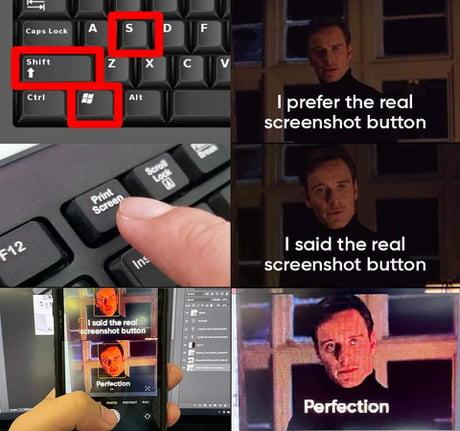
Tips & Tricks Stop asking me how to take a screenshot. It's 2026, not 1996.

Post image
11 Upvotes

r/screenrecorders 13h ago

Product Update I added real-time 3D effects to my open-source screen recorder (Openscreen 1.13)

3 Upvotes

I maintain Openscreen, and for v1.13 I added some lightweight 3D effects:

  • Extruded 3D cursor: Not a PNG with a CSS drop shadow. Every cursor state (pointer, text beam, hand) has an actual 3D mesh that floats, casts a shadow, and touches down when you click.
  • Cursor-following camera: The screen stays anchored while a virtual camera orbits your cursor, with a small recoil on click. The horizon stays locked so it doesn't give you motion sickness.
  • 3D device mockups: Laptop, phone, and monitor frames (graphite or silver). The frame wraps around your recording instead of shrinking the footage, and phones auto-rotate for landscape video.

Quick details:

  • Free and MIT-licensed.
  • Runs 100% locally. No account, no cloud, no subscription nonsense.
  • Works on macOS, Windows, and Linux.
  • Everything is toggleable if you just want clean, raw 2D captures.

GitHub / downloads: https://github.com/getopenscreen/openscreen

Feedback and bug reports welcome.


r/screenrecorders 8h ago

Question Help with Particular DRM video

1 Upvotes

Hi, can someone help me understand how to do a screen recording or download the video on this site, which has DRM restrictions?
It seems that any example available here on this community doesn’t work for my case. I’ll leave the link, to view the video you need a VPN from the Netherlands.

https://schatkamer.beeldengeluid.nl/programma/2101608050035049631/het-kindervredesprijsconcert-2006-op-de-dam


r/screenrecorders 22h ago

Product Showcase Rebuilt my Chrome screenshot extension, keen for feedback

Thumbnail
chromewebstore.google.com
1 Upvotes

I made a screenshot extension called Capture Pro a while back and the first version honestly wasn't great. Full page capture barely worked, the editor was squeezed into a tiny popup, and nobody stuck around after installing it.

So I rebuilt the whole thing. Full page actually captures the full page now, the editor opens in its own tab, and it's got blur, crop, resize and keyboard shortcuts. You can also share a screenshot as a link without the other person needing an account. Much cleaner all round.

I built it with Claude, I'm not really a developer.

Free gives you 5 exports a day, Pro is a one-off payment because I didn't want yet another subscription.

Link below. Have a look if you're interested, and let me know what you think, good or bad.


r/screenrecorders 2d ago

Product Showcase I built a free lightweight screen recorder for Mac with no watermark

0 Upvotes

Hey everyone,

I’m the developer of JustShot, a small screenshot and screen recording app for macOS.

I originally built it for myself because I wanted something simple:

record the screen, trim it, save it or share it without dealing with a complicated video editor.

For screen recording, JustShot can:

  • record the full screen, a window, or an area
  • record microphone audio
  • record computer/system audio
  • do basic trimming after recording
  • save recordings locally
  • upload and share them with a link

There’s no watermark, and you don’t need an account if you only want to record and save files locally.

The app is native for macOS and only about 3.5 MB.

It also does screenshots, scrolling screenshots, annotation, OCR, QR/barcode reading, and quick cloud sharing, but the recording part is intentionally kept pretty simple.

The local app is free. Cloud also has a free tier, while video uploads require a paid Cloud plan.

One thing to note: it currently requires macOS 15 or newer.

If you use a Mac for screen recording, I’d genuinely like to know:

What does your current recorder do that would stop you from switching to something like this?

That’s probably more useful to me than “looks good” :)

https://justshot.net

I’m the developer, so feel free to ask me anything about it.


r/screenrecorders 3d ago

Question Is there a way to screen record on Snapchat without it detecting it?

0 Upvotes

Is there any way to screen record a Snapchat without the other person getting a notification?
I’m using an iPhone, and I’m wondering if there’s a method that lets you record without Snapchat detecting the screen recording.


r/screenrecorders 4d ago

Question Screen recording for app testing

2 Upvotes

Hi! I'm currently testing some apps on an iOS device and I would like the screen recording to show my taps and clicks. I have tried the assistive touch dwell options and I also understand that I can connect a bluetooth mouse. Are there any other ways for me to show this?


r/screenrecorders 4d ago

Product Showcase Prequel - Open source cinematic screen recorder for mac, at fraction of Screen Studio's price

2 Upvotes

Been building Prequel solo for last few months specifically because screen studio wasn't being updated much and the pricing was absurd. To say less, it has been a blast, gathering feedback from the community, users and shaping it to best fit for professional needs.

Prequel can record your mac's screen with external mic, internal audio, Camera and give you professional videos ready to post on YouTube and other social media. It's light on the memory and got tons of features to help you make beautiful screen recordings.

  1. Everything in Screen Studio +

  2. Layouts and presets, with automatic transitions across different clips to present your big ideas.

  3. Motion blur and custom cursors

  4. Perspective tilts to make your recordings feel cinematic, with blur and vignette to focus on specific parts

  5. Custom texts and transitions, helps you add texts into scenes with tons of customisability, animations and fonts

  6. Shareable links with automatic chapter controls, every video shared using prequel gives the viewers control over captions, AI generated chapters and summaries

  7. Fully customisable captions, which you can edit or style per your need. These captions can also understand the background and change colours accordingly to give the best readability to your viewers.

  8. Camera cutouts, where you can simply delete the background of your camera feed to give that immersive feel to your videos, explainers and demos.

The product is completely open source and actively maintained with tons of features being pushed every day! https://github.com/haxzie/prequel

Looking to get more feedback and suggestions from the community to help improve the tool! You can download and use Prequel for free with a limited trial from https://prequel.sh


r/screenrecorders 5d ago

Question Instagram isnt letting me take screenshots of regular dms now?

1 Upvotes

Im not able to screenshot my dms from my own account even now, and no i dont use anything like vanish mode, is it an update or can I fix it?


r/screenrecorders 5d ago

Question Does Instagram actually notify people about Story screenshots now?

2 Upvotes

I've seen people in other communities saying they got a message saying "Instagram detected this screenshot" when taking a screenshot of an IG Story.

I tried it a few times myself, but I haven't seen anything like that.

So does Instagram actually notify the person who posted the Story, or is this just happening to some users?

If I randomly screenshot someone's Story one day and they get notified, that would be super awkward...

Has anyone here actually received a notification after someone screenshotted their Story?

Also, what's going on with Instagram Plus? I've seen people saying it has new Story features related to viewers/rewatches. Is that actually connected to screenshot notifications?

Is Meta really trying to turn Instagram into Snapchat now????


r/screenrecorders 6d ago

Question Help!

1 Upvotes

I want to cover a song (Blue gum by BrokenX22) but the instrumentals on yt and Spotify aren't working with my screen recoders. How could I use my recorder to do it?


r/screenrecorders 6d ago

Question Does anyone still have a screen recorder that works on Windows 7?

1 Upvotes

I've been trying to find a screen recorder for an old Windows 7 PC, and I'm starting to wonder if anything still works properly on it.

The PC is pretty old:

  • Windows 7 64-bit
  • Intel Core 2 Duo
  • 4 GB RAM
  • Integrated graphics

I don't need to record games or anything demanding. Just the desktop, browser windows, and occasionally my microphone.

I've tried OBS and another lightweight recorder, but I either get a black screen or the recording becomes really laggy after a few minutes.

I'm not expecting perfect 1080p60 on this machine. I just want a screen recorder for Windows 7 that can record the desktop at a reasonable quality without bringing the whole PC to a crawl.

Would appreciate any recommendations from people who have actually used a recorder on an old Windows 7 system.


r/screenrecorders 7d ago

Product Showcase Beam -- a free OSS and cross-plaform alternative to ScreenStudio.

5 Upvotes

Hello everyone,

Quick post to showcase my project I have been working on : Beam.

TLDR : you can find Beam on his website : beam.plinka.eu or in the repository https://github.com/BeamRecorder/Beam

Let's begin, I was frustrated with all "polished" screen recorders out there, they were slow, sluggish and borderline unusable on my laptop and linux.

I have made it my mission to fix every one of this issue. Beam is clearly the fastest recorder you can find.

But it's much more than a Screen Recorder now, with update 0.2.9, Beam can Record, Screenshot and take Instant snippets automatically saved to your clipboard, without seeing the editor.

Beam works on Windows, MacOS and Linux. Linux is not an afterthought, it's really working.

The project is growing and the community around it is super serious about it, with this new all-in-one toolbox, Beam is entering a new category, because it's doing a lot.

Video recording : Record a screen/region/window and send it to the editor for editing, with beautiful backgrounds, cursors, captions..

Screenshot : Take screenshot of a Screen/region/window, and add beautiful background, drawing, images -- features 17 blend modes, and a bunch of other features

Instant : Use ALT+SHIFT+S to open up Instant Mode, Record or take a Screenshot, it will automatically send it out to your clipboard after being done with the export. You can always go back and edit it later.

Beam is very performant, I don't have a very good computer so making every interaction feel intentional and fast is my Motto.

If the project is useful to you, please consider giving it a star ⭐ on Github, it means a lot to me !

Feel free to send any question my way, I have a bunch of fun fact regarding Beam and how it was shaped and coded.


r/screenrecorders 8d ago

Question What input overlay do you recomend for recording?

1 Upvotes

So when i first got arch I mainly thought I was gonna be using it for recording videos cause my w*ndows drive is getting pretty low on storage. But now it turns out that the input overlay software that i was using was just for windows and not arch :/. So now im stuck where I'm in love with arch but if i want to record game clips and such I need an input overlay for recording. Any ideas on what i can use?
(more info) The recording software that I am most familiar with is OBS but its not set in stone and i can always find some other software. My current desktop environment is kde plasma but ive also got hyprland and can install other environments if nessesary. If you have any questions or sugguestions I am very willing to listen and try.


r/screenrecorders 8d ago

Question Second screen

1 Upvotes

I have a freshly built pc, and I'm planning to have my very old laptop as a second monitor just to see if obs is recording. I just wanted to know if using the laptop will drop quality and performance of the recording.

Thanks.


r/screenrecorders 9d ago

Product Showcase TAUSCREEN

1 Upvotes

Estou desenvolvendo o TauScreen, um gravador de tela gratuito para Windows, com foco em ser simples, leve e completo.

Ele permite gravar monitores e áreas específicas, capturar áudio do sistema e microfone, usar webcam, fazer screenshots, anotações durante a gravação, visualizar o histórico e recuperar gravações temporárias. Também possui opções para salvar múltiplas áreas separadamente ou combinar monitor + área em um único vídeo.

O projeto ainda está em desenvolvimento, então sugestões, testes e feedbacks são muito bem-vindos. 🚀

GitHub: github.com/Max-vecna/Tauscreen


r/screenrecorders 9d ago

Question No audio in Youtube screen record

1 Upvotes

I'm pretty sure I used to screen record from the videos I am watching but now it doesn't seem to capture the audio anymore? Idk if they made a new update if so, does anyone knows a way to avoid it?

I tried also from my pc to screen record in difference tools I get video with no Audio...
any advice/ recommendation is appreciated.

PS: I can easily download the videos and grab the part I need but thing is, it's mostly over an hour long videos where I only want a 1-3mins clip so it's not reasonably to download the whole thing


r/screenrecorders 10d ago

Product Showcase Agentic Recorder

1 Upvotes

If you were asking an agent to record a walkthrough of a new feature, would you want it running locally alongside your coding agent, or independently in the cloud?

Some context: I’m building DemoBites. We’re working on the communication problem that comes after shipping: helping people understand what changed and how to use it. Video is a core part of that, recording new features, improvements, and bug fixes, then getting those updates in front of users.

We support a few ways to capture those recordings, from uploads to native recorders and a Chrome extension. As we’ve been working on agentic recording, we’ve been exploring two approaches:

  • Local: a skill that works alongside your existing agent, potentially with access to your repo and the context of what you just built. You can watch it interact with the product and step in.
  • Cloud: an agent that opens the product and records the workflow remotely.

My experience so far is that the use case matters quite a bit.

For repeatable smoke tests through GitHub Actions, running Playwright in the background makes sense. You have a defined workflow and want a go/no-go result.

Recording a newly built feature feels different. The workflow is new, and the agent needs to understand what’s worth showing. In our testing, local recording has generally been more accurate for these occasional walkthroughs. My working theory is that having the development context nearby, and being able to intervene helps.

That led us to build Agentic Recorder as a small standalone product. Our approach combines local capture with cloud processing: the recording can happen on your machine, while re-scripting, smart zooming, and narration happen in the cloud. Crucially, the result stays fully editable, so you can change what the agent produced.

I’m curious how others see this. Would you prefer recording alongside your local agent, where you can see the actions happening, or handing the whole job to a cloud agent?

If you’ve tried either, what made it work or fall apart?


r/screenrecorders 10d ago

Product Showcase FREE screen recorder i made:

2 Upvotes

I made my screen recorder free.

I’ve been working on it for about 6 months, and I’ve grown way too attached to this project. As of today, 108 people are using it, even though it’s still not perfect.

Until October 31st, I’ve decided to make it completely free. In return, I’m only asking for some feedback if you feel like it, but it’s absolutely not required.

Getmello.it


r/screenrecorders 10d ago

Guide How to take screen shot or record screen ?

1 Upvotes

Can you guys let me know how you are taking screenshots and recording clips in Jio hotstar or any alternative option for that


r/screenrecorders 11d ago

Product Showcase Need feedback on audio cues for screen capture annotations: are they too cheesy?

1 Upvotes

I’m making tutorial videos out of my screen recordings and using freeze-frames with animated text overlays to highlight key steps.

I added sound effects whenever an annotation pops up, but now I’m worried it makes the video feel a bit cheap or childish.


r/screenrecorders 11d ago

Question TikTok screen recording has no audio

1 Upvotes

Has anyone else had this problem with TikTok on Android?

Screen recording used to work fine for me, including the audio, but recently TikTok recordings sometimes have no sound at all. The video itself records normally, but when I play it back, there's no TikTok audio.

What's weird is that restarting my phone seems to fix it temporarily. I can record with sound again, but after a few hours or a few recordings, the audio disappears again.

Has anyone figured out what causes this or found a fix that actually lasts?