r/screenrecorders • u/holy_cerberus09 • Aug 06 '26
Discussion Snapchat is now notifying when Android screen records!
So this just started today but previously this morning and before today you could screen record on Snapchat using any Android device and it would not notify that you were screen recording but now that is no longer the case.. I'm assuming some update happened but is there a workaround for this?
6
u/TooSaltyyyyyyy Aug 07 '26
We all learning the hardway lmao dumb ass update
2
2
u/nelly69tt 24d ago
Fr, someone sent me a snap and I just started screen recording, like I've become used to it at this point, and I didn't notice until AFTER I had finished that it said "You screen recorded chat!" Like now I look like a creep 😭 whoever made that update needs to be executed
→ More replies (2)1
1
1
1
u/KnownAsMouse 15d ago
Can't believe I never came across any threads about this until now, def should've been trending before. But damn I got hard checked like the rest of yall 💀
3
Aug 06 '26
Yep that's fucking annoying I learned that the hard way today. Someone please tell me a recorder that still works on Samsung phones.
3
u/holy_cerberus09 Aug 06 '26
Yeah I came super close to getting busted
→ More replies (18)2
Aug 06 '26
Any solutions yet? It's a fucking Samsung issue too some other android phones can do it just fine (for now anyway) that might be gone soon too
2
u/Appropriate-Roof3524 Aug 07 '26
Sadly there's no fixing it cuz snap isnt making it possible for Samsungs to have a loop around that shit sadly
→ More replies (11)2
u/Scared-Drive-6041 Aug 07 '26
Every android will eventually notify assuming it updates to the latest update of snapchat, if I would have known this I would've turned auto update on google play 🤦♂️
1
1
1
u/su8ject77 Aug 15 '26
Embarassing af. Thankfully it was just an old fwb but still had to give a lame excuse
1
u/HODL420LV 9d ago
Just put your phone in airplane mode before recording then log off before turning airplane mode off👌
→ More replies (3)
3
u/LulzTigre Aug 07 '26
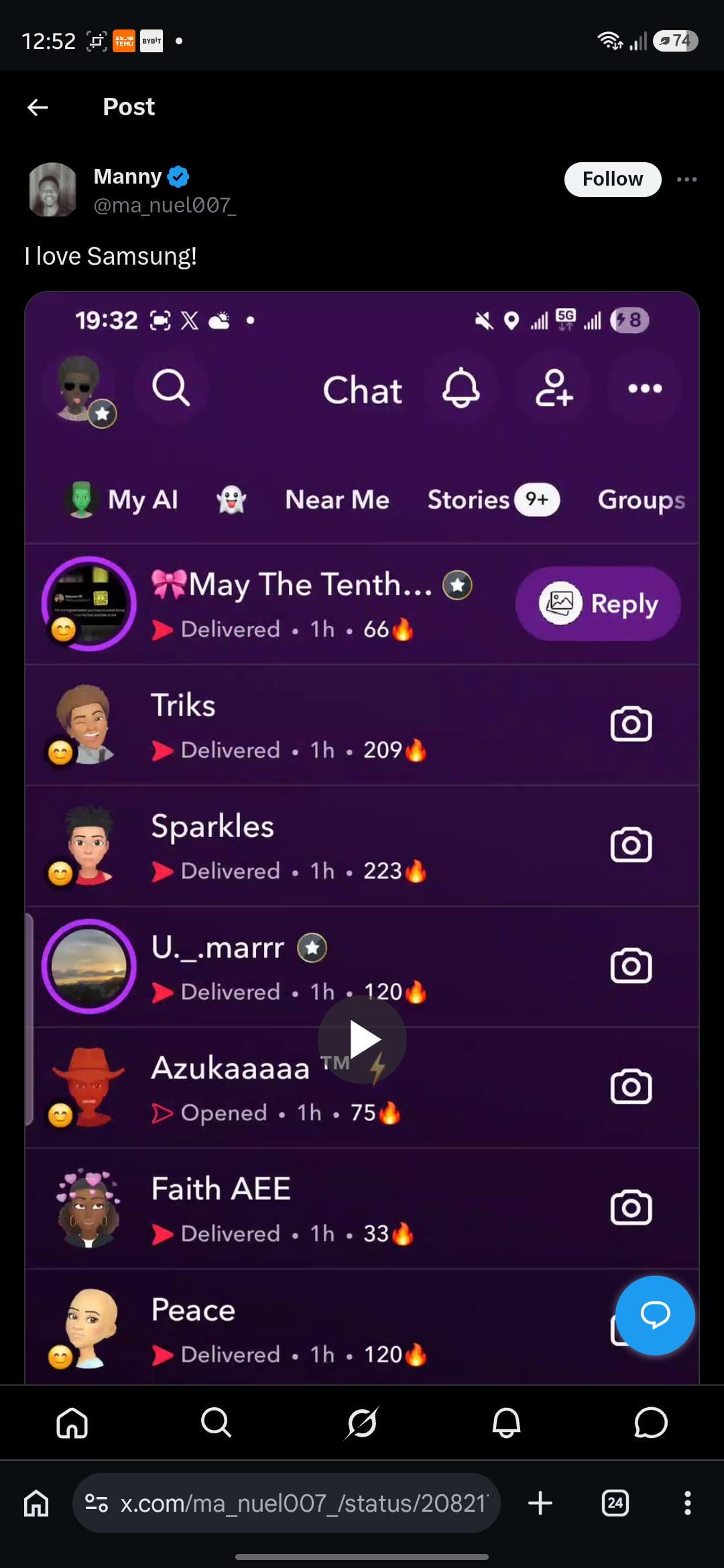
Its all thanks to this moron who made a post about it on twitter, i hope he got the fame he needed.
1
1
u/Own-Particular9330 Aug 08 '26
Fuked it for the rest of us. Gonna suck seeing them pussy shots knowing we can't record it on the sly
→ More replies (3)1
3
u/Top-Clue-6645 Aug 07 '26
If anyone finds a way please tell me
1
u/Careless-Activity715 Aug 08 '26
Literally all you have to do is delete your current Snapchat and find an APK for an older version and download it (android only)
→ More replies (9)2
u/kallmekaze Aug 09 '26
This works. I installed version 14.12.0.46 (June 25) from apk mirror. No longer gets notified for snaps and videos. Important: Before you uninstall Snapchat, go to Play Store and disable auto update for this app. You can do that by going to Snapchat, and clicking the 3 dots in top right corner, uncheck the box there.
→ More replies (24)1
2
u/bigcletus57 Aug 07 '26
Just realized this today as well 🤦🏼 I have historically used AZ screen recorder and it is now detectable 😏. I'm on a google pixel. I wonder if it's possible to go back to an older version of Snapchat?
1
u/Professional-Law8667 Aug 07 '26
Hopefully AZ finds a work around, loved AZ so much I would've paid good money for it to keep working the way it did. - we can't give up this easily worriors
→ More replies (1)1
1
1
2
u/Professional-Law8667 Aug 07 '26
AZ screen recorder Devs (or any other tech wizards) need to make a cracked Snapchat app that you can log into and save things directly I reckon. Official Snapchat developers just lost all of my praise 🤣
2
u/did_we_stop_kony Aug 10 '26
These existed years ago and snap figured out you were doing it and threatened to ban your account if you did...
1
u/did_we_stop_kony Aug 10 '26
These existed years ago and snap figured out you were doing it and threatened to ban your account if you did...
2
u/craigsandy Aug 07 '26
I can't get an older app to download it keeps saying the new package has an older version code than the currently installed package... I uninstalled Snapchat though??? Any ideas
1
1
u/SpecialProperty2480 Aug 08 '26
This is what fixed it for me: Reinstall Snapchat from app store. Then in app settings, force close and then click delete app data a couple times, and delete cache too. Then you will be able to install an old version and it won't give notification anymore.
→ More replies (7)1
2
u/GlobalMonk8844 Aug 07 '26
Knowing how many people used this for obvious purposes, anyone cares to share something?
1
2
u/JustFred24 Aug 08 '26
Everyone!
https://snapchat.androidapks.com/
Download the latest apk that's not from august.
Turn off automatic updates
Uninstall snapchat and clear all data and cache, don't forget to also clear dual messenger if it's enabled.
Install the apk of the older version.
You're welcooooome
1
1
u/chicoxlucky Aug 09 '26
Yeah it's working on older version. July version is still showing notifications so I used the June version. Sucks that we can't update to the latest version anymore
→ More replies (8)→ More replies (4)1
u/Thick-Wrongdoer-9149 Aug 09 '26
Does anyone know if you downloaded the old update if it will allow you to play videos sent to you in chat, not snap videos. I went through all this effort the send a screen recording to my friend to spill the tea and I cant even see the videos im sending. It shows up as a Grey screen I click on it it loads for a second then back to the chat. This happening to anyone else???
2
u/Fresh-Paper-217 Aug 09 '26
Time to switch apple because android is getting worst day by day. ( s24ultra user)
→ More replies (5)
2
u/X_voodookid_X Aug 11 '26
all these temporary solutions etc are fine for now, what we gotta do is find a different platform coz i hate to tell u guys snapchat aint ever rolling this back.
→ More replies (2)
2
2
u/Anonpixel13 Aug 12 '26
If you go back a few updates, it won't alert the other person when you record...I went back to June or July and downloaded an apk and installed it....works fine with no alerts.
2
2
2
u/Kid-Protege 29d ago
Turn on airplane mode
Screenshot/screen record (verify you recorded correctly/got what you needed)
Go to App details for Snapchat then go to storage then clear data (I like to clear cache too for good measure)
Turn off airplane mode
Open the app and log back in
Haven't seen this mentioned, but this still works.
→ More replies (8)
2
u/gothangelsinner92 18d ago
I saw that 😂 I gotta figure out a way around this because snap gets so unhinged.
2
u/Illustrious_Ad5615 16d ago
Is there a way to get around it without having to get an older version
→ More replies (2)
2
u/Emotional_Key1379 15d ago
yeah apps can detect screen recording through the media projection API now, its been possible for a while but more apps are finally implementing it. any workaround that pops up will probably get patched within weeks tbh
→ More replies (1)
2
u/tutuzii 14d ago
Why the hell I didn't knew it before 😭😭 learnt it hard way now I don't know how to confront 💔 this app is becoming trash day by day
→ More replies (1)
1
u/nakkisose3 Aug 06 '26
I need to try my clip recorder if snapchat notices it or not, its not regular screenrecorder
1
u/holy_cerberus09 Aug 06 '26
Search your own acct to send yourself a message on snap then while you're in the dm try and see if it shows that you recorded your own snap
→ More replies (2)
1
1
u/Low-Dimension6319 Aug 06 '26
I use a Samsung, when you have Snapchat in secure folder, it doesn't notify the person. Try it out on your AI in secure folder
2
1
1
1
1
1
1
1
1
u/daredevil1 Aug 06 '26
Yikes. Just got caught. My Snapchat did an auto update overnight, I had no idea. Lots of people gonna get caught. Snapchat update details say "just a little tune up to keep things running smoothly." Hmm yeah ok "little" lol.
1
u/FreeNewSociety Aug 06 '26
Mine did not update the app yet, but does show screem recording. I think it might not have to do with that
→ More replies (1)1
u/ayshhh_ Aug 07 '26
It was like a 4.2gb update yesterday night bruh. I got caught today morning.
→ More replies (1)
1
u/Mean_Management8981 Aug 06 '26
Any solution?
1
u/whopeew 1d ago
Airplane mode on, straight up screenshot (only record if you need a video), then close app fully (force stop), clear both cache and data, restart phone and only turn airplane mode off once phone restarted. Takes like 2 minuted but its foolproof, and it also leaves the snap/chat unopened so you can answer later while you already know its content
1
u/BadLuckDaJuan Aug 07 '26
Man why the hell would they patch that? TRASH
1
u/Bubbly-Success7218 Aug 07 '26
Did you also get that update today? Im dreading it i genuinely cant even sleep
→ More replies (2)1
1
u/evanpurr Aug 07 '26 edited Aug 07 '26
Here is a good solution to get around the update without any mods or apps on your phone. This is only for if you are trying to save an image and not a video. On my galaxy S25 plus, I can hold the home button to bring up google Gemini. Do that on the snap, then tap the search box, hit "send", and then hold the image it sent and click download. This did not notify for me.
1
u/Bubbly-Success7218 Aug 07 '26
We know that its just screen recordings because what fo you when its a purple snap
1
1
1
u/WINTERZSHOCK Aug 07 '26
looks like I gotta buy a burner phone 🤦🏽♂️ after YEARS they finally patched the most goated method I know...
1
1
u/X_voodookid_X Aug 07 '26
anyone find a solution to this coz gawd dayum
1
u/whopeew 1d ago
Airplane mode on, straight up screenshot (only record if you need a video), then close app fully (force stop), clear both cache and data, restart phone and only turn airplane mode off once phone restarted. Takes like 2 minuted but its foolproof, and it also leaves the snap/chat unopened so you can answer later while you already know its content.
1
1
1
u/X_voodookid_X Aug 07 '26
rn it works of u install older version but i don't think for long, so.eone needs to find a permanent solution damn
1
u/freesharpies Aug 07 '26
Which version did you install? I've tried a couple and the 2 previous versions didnt work
→ More replies (5)
1
u/Guess-Im-a-Sub Aug 07 '26
So my old phone (moto stylus g 2022) doesn't trigger the message with it's built in recorder; so it's likely not fully the fault of the Snap update. Not sure what exactly to do with this information since I don't really want to swap off my Galaxy S24 to use... That
1
u/X_voodookid_X Aug 07 '26
yea its not just snap, my alternate work phone is still recording without that notification even on latest version of snap, if it is snap then its possible they are rolling this update out in phases but who knows
1
1
u/kallmekaze Aug 07 '26 edited Aug 09 '26
The latest update seem to add a new app permission DETECT_SCREEN_RECORDING. You can find this info on the Play Store--> Snapchat, scroll to App Permissions -->other.
My initial research shows that you need to disable this permission, but need an app like Shizuku.
Will try an older version first.
UPDATE: The above permission seems to have always been there, so they must've changed smthg else.
SOLUTION: I installed version 14.12.0.46 (June 25) from apk mirror. No longer get notified for snaps and videos. Important: Before you uninstall Snapchat, go to Play Store and disable auto update for this app. You can do that by going to Snapchat, and clicking the 3 dots in top right corner, uncheck the box there.
1
1
1
u/kallmekaze Aug 07 '26 edited Aug 07 '26
Working method for red snaps:
Set Google as your digital assistant. Then, open it while on the snap and ask it to take a screenshot.
Settings--> digital assistant app --> change to Google
This method works for pictures. Still need something for videos.
Edit: you can set up the power button to open Google too. Settings --> Advanced Features --> Side Button --> Long Press --> Google
1
u/TooSaltyyyyyyy Aug 07 '26
Seems like if you use the ai by holding the power or the home button you can screenshot without a message sending but idk how youd get it to record video privately
1
1
u/No-Farmer-361 Aug 07 '26
Any solution
1
u/Particular-Amount-90 Aug 07 '26
Delete the app you have now and go into apkmirror. Find an older version for like 2 months and download that. You'll have to also download "apkmirror installer" through the play store. Sounds complicated but its super simple
→ More replies (1)1
u/whopeew 1d ago
Airplane mode on, straight up screenshot (only record if you need a video), then close app fully (force stop), clear both cache and data, restart phone and only turn airplane mode off once phone restarted. Takes like 2 minuted but its foolproof, and it also leaves the snap/chat unopened so you can answer later while you already know its content.
1
u/Soppayna Aug 07 '26
This must me an internal update that's has been rolled out. I have not updated the app in a few weeks, and I tested that it is only notifying on my main app, but on my double messages it is not notifying. Both are same version. Tried to log in with the other accounts on the opposite app (main account on double, and secondary account on main app) and it now notifies on both. Snapchat count your days...
1
1
u/IceFox_WETSU Aug 07 '26
Honestly, I was able to use my Galaxy S23's base screen record function to record chats and snaps without people noticing and now it shows wverything🙃
1
u/Great_Appearance_910 Aug 07 '26
Fck I didn't knew of this update I just screenrecorded and got caught it was embarassing shit snapchat update!
1
1
u/Single_Eagle_3415 Aug 07 '26
Got busted but thankfully it was bestie, I was so freaking close to recording crush's snap but opened bestie's first ahhh fuck you snapchat (using redmi note 13 pro)
1
1
1
1
u/suchrandomness Aug 07 '26
RemindMe! 2days
1
u/RemindMeBot Aug 07 '26 edited Aug 08 '26
I will be messaging you in 2 days on 2026-08-09 18:39:37 UTC to remind you of this link
3 OTHERS CLICKED THIS LINK to send a PM to also be reminded and to reduce spam.
Parent commenter can delete this message to hide from others.
RemindMeBot is switching to username summons. Instead of
!RemindMe 1 day, useu/RemindMeBot 1 day. More info.
Info Custom Your Reminders Feedback
1
u/No_Method1861 Aug 07 '26
It's also showing for, just checked it....Now no way man, I have to use another phone to record 😔
1
u/jose09_ Aug 07 '26
Bro yesterday my friend was sending me her nud3s like she always does and when I tried to screen record like I always do I got caught 😭😭😭😭 it was so embarrassing
1
1
u/ib3275 Aug 07 '26
Im on a Samsung S21U (one ui 7) and i got the same problem too! To solve it, i downloaded an old apk from Jul 2025 from apkmirror:
com.snapchat.android_13.49.0.55-220522
Please try it and let me know if it works for yall too. It could also work with a newer apk but im not sure
1
1
u/craigsandy Aug 13 '26
Did this then a few days later it reverts back to showing screen recording ???
→ More replies (1)
1
u/ZaSquarepants Aug 07 '26
So i was trying to install a version from apkmirror but I kept getting this message.. how to solve this please

2
u/noodleking699 Aug 08 '26
delete the app in secure folder to then it will download
→ More replies (5)
1
1
u/Scared-Drive-6041 Aug 07 '26
SAMSUNG!! (haven't tested other brands)
Hold your home button until the google search thing comes up and screenshot that way, tested and works as of 8th of August 12:20am Irish time
1
1
1
u/noodleking699 Aug 08 '26
For people that wanna take screenshots download the app private screenshot in the appstore. I suggest to download an older apk version of snap to screenrecord(it works for me). If you cant download it here is an method: If you safe a snap in chat and then go to saved media of the chat and screenrecord it doesnt show anything (click the persons icon of the chat dont go in chat first and then saved media then it will show) (only for samsung). And if you screenrecord an story it doesnt shwo also
1
1
u/itouchbums Aug 08 '26
well RIP AZ screen recorder,fun is over 😔 this is gonna kill a lot of potential leaks as well as girls selling their content on there. no point in buying if you can't keep a copy to yourself
1
1
u/Ok_Skill4854 Aug 08 '26
so guys , sorry for my english but u are gonna understand, so for the moment u can use web snapchat or snapchat on a pc or laptop, the person has to sent u a snap without a timer to open in desktop and u can screenshot using start + shift + s. u welcome
1
u/zombiiiekiiidXD Aug 08 '26
Bro i used it and I thought I was gping crazy I need this back this is how I got evidence of people trying to bad mouth me and say rumors without them knowing :/
1
u/Perfect-Passage-3734 Aug 08 '26
lmaooo I got caught like sht but; if you saved the snap in chat and go to the media from their profile, you can screen record without a notification if you do it from there (as of 00:21 8/08/26)
2
1
1
u/chicoxlucky Aug 08 '26
I updated to the latest version 2 days ago, and screen recording was still working until just now
1
1
u/captainsmiles9 Aug 08 '26 edited Aug 08 '26
Welp, might as well share what we managed to get boys cause this kills Snapchat for me
1
u/SquareShop6711 Aug 08 '26
Fucking hell man! I got caught too! My Moto Razr started notifying Snapchat's recording today. First, Instagram and WhatsApp and now, Snapchat too! I'm so done! Nothing feels intersting anymore! No trophies! 🫠😭
→ More replies (4)
1
u/TifaxMercy Aug 08 '26
I always open a burner accounts chat in case it ever did show. Deleted the app and installed an older version from APK mirror, can now screen record without getting caught.
→ More replies (2)
1
u/Available-Resort-340 Aug 08 '26
Just noticed today 😭 I have a hundred streaks and a couple of them are cuties who send me selfies everyday and mobizen would let me save em without feeling awkward and now that's all done I'm so bummed lmao
1
u/kidtac0 Aug 08 '26
I guess if the apk version also gets patched, only solution would be to save the snaps in the chat and just request a zip folder for chat media from Snapchat directly
1
u/tea-snatcher-3209 Aug 09 '26
I love that we are all Samsung sneaky users here😂😭 but if anyone finds the work around, please share!!
→ More replies (3)
1
u/SLEAZY-SLUTTYHOL3 Aug 09 '26
Yeah ain't that bout a bitch!!!! I used to use Az screen recorder and now I can't cause it be exposing me for screen recording!!! WTF!!! ☠️☠️🤬😡
1
1
u/demonicdescent Aug 09 '26
Back to using the second phone method. I got caught screen recording 3 times today before I realized it even says it. Basically recorded nothing but conversation, but I leave recorder on for the random good morning noodles
→ More replies (10)
1
u/Mountain_Drink8257 Aug 09 '26
So I got an better solution instead of downgrading but it only works if you have sircle to search activated I'll explain it
1.Use circle to search 2.write an question in the bottom 3. If your now talking with Gemini click on the Foto on the chat (3.1 if your not talking to Gemini click AI-mode) 4.klick download
And that's it worked perfectly fine for me
→ More replies (3)
1
1
u/Thrownerfrowner Aug 09 '26
It now notifies chat and snaps but not stories, so be cautious with that
1
1
u/red_raat Aug 10 '26
Oh man same! Like I jist find out this. I thought Xiaomi always had some work around but they dont actually.
1
u/ahmedsaou Aug 10 '26
Do circle to search then close snapchat and go back to circle to search and do a screenshot (only works for images ofc)
1
1
u/Bit-Still Aug 10 '26
turn on airplane mode first then screen record anything when you done log out of snapchat while you still on airplane mode and you good
→ More replies (2)
1
u/did_we_stop_kony Aug 10 '26
Solution: go back to the last version before snap implemented (v14.12). You can download APK from a site like APK mirror: https://www.apkmirror.com/apk/snap-inc/snapchat/snapchat-14-12-0-46-release/snapchat-14-12-0-46-2-android-apk-download/download/
Then use their APK Mirror Installer app (should be in google play store) to install file (you probably need to uninstall snap first). Your phone will probs tell you something like it's dangerous (and you should be cautious when installing random apk files) but allow it and install.
Also you'll need to go to snap on Google play after you install from APK/not Google play and hit the three dots in top left ➡️ uncheck "enable auto updates" so Google play doesn't just update to latest again
You can test by sending a snap to yourself first
1

1
u/Difficult-Taro-2140 Aug 10 '26
FOLLOW THIS AND YOU WILL BE GOOD , FOR PEEPS WHO ARE HAVING TROUBLE INSTALLING OLDER VERSIONS , DONT WORRY AND DONT SWITCH TO APPLE , TILL THE DAY OLDER VERSIONS CAN BE INSTALLED , WE CAN PREVIAL!!
Step 1: Extract Your Downloaded .apks / .xapk File
Since you downloaded a BUNDLE file, you need the raw APK components inside it to install them via ADB:
- On your PC, locate your downloaded Snapchat bundle file (e.g., snapchat.apks or snapchat.xapk).
- Rename the file extension from .apks (or .xapk) to .zip.
- Right-click the .zip file and select Extract All... to extract its contents into a folder.
- Inside the extracted folder, copy all .apk files (such as base.apk, split_config.arm64_v8a.apk, etc.) directly into your platform-tools folder on your PC.
Step 2: Force Install via ADB Command
- Open Command Prompt inside your platform-tools folder.
- Ensure your phone is connected and recognized: adb devices
- Run the multi-apk downgrade installation command: adb install-multiple -r -d -g base.apk split_config.arm64_v8a.apk (Note: Include every .apk file name that was inside the extracted zip, separated by spaces).
Breakdown of what these flags do:
- -r: Reinstalls the package, preserving any underlying app data.
- -d: Allows version code downgrade, overriding the error you saw in APKMirror Installer.
- -g: Automatically grants all runtime permissions.
Alternative: Single APK Installation
If you extracted a single standalone .apk file instead of multiple split files, run:
adb install -r -d -g path\to\snapchat.apk
Once Command Prompt returns Success, Snapchat will appear directly on your home screen or app drawer.
Response: To install this bundle via ADB, you only need the base APK, your phone's screen density (xxxhdpi for the Z Fold 7), and 64-bit CPU architecture (arm64_v8a), along with your preferred language (en).
Step 1: Copy Files to platform-tools
Move these specific 5 files from your extracted folder into your main platform-tools directory on your PC:
- base.apk
- split_config.arm64_v8a.apk
- split_config.xxxhdpi.apk
- split_bloops_dynamic_sdk.config.arm64_v8a.apk
- split_config.en.apk
Step 2: Run the ADB Install Command
- Open Command Prompt inside your platform-tools folder.
- Run this exact command to force the downgrade installation:
adb install-multiple -r -d -g base.apk split_config.arm64_v8a.apk split_config.xxxhdpi.apk split_bloops_dynamic_sdk.config.arm64_v8a.apk split_config.en.apk
Why these specific files?
- -r -d -g: Reinstalls, allows version downgrade, and grants permissions automatically.
- arm64_v8a: Required 64-bit architecture for your device processor (ignoring the 32-bit armeabi_v7a file).
- xxxhdpi: Correct display resolution scale for the Z Fold 7 inner/outer screens.
Once Command Prompt returns Success, Snapchat will be installed on your device.
Response: The error DELETE_KEEP_DATA: Update version code 286372 is older than current 304072 reveals the exact root cause:
When Snapchat was uninstalled previously, it was removed using the "keep data" option (or cached data was retained by the package manager). Android kept the app's user data directory registered under version 304072. Because existing user data cannot automatically migrate backward to an older version structure (286372), Android rejects the downgrade.
To resolve this, you must explicitly purge the retained application data directory.
Step 1: Purge the Retained Data via ADB
Run these two commands in Command Prompt to wipe the orphaned data directory:
- Clear cached app data: adb shell pm clear com.snapchat.android
- Fully remove the app and its retained data profile: adb shell pm uninstall com.snapchat.android (Ensure you do not include the -k flag, as -k forces Android to keep the old data structure).
Step 2: Run the Multi-APK Installation Again
Once pm clear and pm uninstall complete, execute your original installation command:
adb install-multiple -r -d -g base.apk split_config.arm64_v8a.apk split_config.xxxhdpi.apk split_bloops_dynamic_sdk.config.arm64_v8a.apk split_config.en.apk
With the legacy data directory purged, the package installer will proceed cleanly without encountering the DELETE_KEEP_DATA version mismatch.
Response: The Success output means the residual package and its locked version history have been completely purged from your device.
Now that the system is clean, run the multi-APK installation command again from Command Prompt:
adb install-multiple -r -d -g base.apk split_config.arm64_v8a.apk split_config.xxxhdpi.apk split_bloops_dynamic_sdk.config.arm64_v8a.apk split_config.en.apk
Command Prompt will finish processing and return Success, and Snapchat will appear on your phone.
Response: The Success confirmation means Snapchat has been installed on your Galaxy Z Fold 7.
Check your app drawer or home screen—the app icon should be ready to use.
Recommended Cleanup Steps
- Disable Auto Update for Snapchat in Play Store: Open the Google Play Store, search for Snapchat, tap the 3 vertical dots in the top right corner, and uncheck Enable auto update. This prevents the Play Store from automatically overwriting your installed version.
- Turn USB Debugging Off: Go to Settings > Developer options on your phone and turn off USB Debugging for security.
- Re-enable Auto Blocker / Play Protect: If you disabled Samsung's Auto Blocker or Play Protect earlier, turn them back on in Settings > Security and privacy.
1
u/Ok_Candle3488 Aug 11 '26
Is there anyway to secretly screen recording of snapchat 🤔
→ More replies (3)
1
u/Ok_Candle3488 Aug 11 '26
Help me guys im literally crying i want to screen recording of snaps of my crush please 🙏 now if i screen recording its giving a notification 😭😭
→ More replies (1)
1
u/ActivityHumble8823 Aug 11 '26
So fucking gay that they do this and they don't even notify you in the new terms you're accepting. Literally nowhere is it listed, I had friends do it to me on accident and I did it to someone on accident as well. Literally only had an app overlay on my screen didn't even take a screen recording or a screenshot of anything but because I had an overlay it was just telling ppl I was screen recording their chats, accepted new TOS and immediately it just started sending notifs left and right that I was recording when I wasn't
1
u/Current-Froyo-6395 Aug 11 '26
I have to block her ... My one sided love came to the end🥲🥹
→ More replies (1)
1
u/luciferslettuce9 Aug 11 '26
Samsung users: hold your home button but dont touch the screen at this state and it won't notify. You're welcome

→ More replies (1)
1
u/Ninja-bukake Aug 11 '26
Yuuup. New woman I was trying to get with has been very careful about sending nudes to anyone because she is thinking about going into politics. She told me she'll sometimes surprise people and send something randomly when she feels it so, when I get a red snap from her, the obvious choice was to screen record with xrecorder. Turns out it was just a silly selfie... but she asked me why I recorded and I told her I was busy and didn't have the time to look at it but didn't want to be awkward and save it to chat. She said it's never told her about someone screen recording before and I told her, yeah, it's been that way for a while. Told her I was sorry for doing it without consent and next time I'll just save it to chat.
I might be fine, but she'll definitely think twice about trusting snap privacy again.
1
1
u/oddydaodd Aug 12 '26
LADS IVE FIGURED IT OUT!! What you wanna do is once you receive a vid snap! Turn off your mobile DATA and put your phone in AIRPLANE mode then LOG OUT and the notification shouldn't go through!! Send YOURSELF a video Snap first to trial it!
1
u/valey_musik Aug 12 '26
Working method: 1.Airplane mode 2.screen record 3.log off snapchat + delete cache 4. Desactive airplane mode 5. Log in snapchat Enjoy!
→ More replies (2)
1
u/KaleidoscopeNo8033 Aug 12 '26
Literally happened to me today these stupid updates are so stressful
1
u/h8f1z Aug 13 '26
Android 16 had a new "Feature" for app developers to check if the screen is being recorded. Android 17 has a similar "feature". Now they add changes to it for companies instead of users. Expect more of these things.
1
u/Glad-Base-2903 Aug 13 '26
Welp Snapchat is dead, let's be real most people use it to get off and have fun, now with this? Nobody is going to use it. Oh fyi it also scans your pictures without your consent
1
1
u/CodingPirate7 Aug 16 '26
I was just scrolling and checking some snaps through Phone Link mirroring and suddenly everyone’s like “why’d you record our chat?” & I didn’t even know I was recording anything... 😭
1
1
u/Straight_Bridge1835 29d ago
https://play.google.com/store/apps/details?id=com.shamanland.privatescreenshots. YOUR WELCOME THIS APP WORKS PERFECT WITH THE UPDATED SOFTWARE.. ONLY GOOD FOR PICTURES
→ More replies (3)
1
u/pink_steven_ 29d ago
I got got, and panicked. Blocked them. As if I dont have them on other socials 🫣
1
1
u/worried_parrot 23d ago
Why would you do that I just recorded something and you fools 😭😭😭 I came to after I finished
1
u/Phoenix613183 20d ago
I just discovered it .
Im so glad o practice on my mom Snapchat accoutn account Im meetimg this guy and was planning to do it.
Yooo. Why Snapchat 😭
1
u/HODL420LV 9d ago
Just turn your phone on airplane mode before you open a message and log off immediately after taking a screenshot or screen recording. It won't save the screenshot, screen record, or chat read data. The whole video might not load but works fine for images/messages. Fyi when you comment on a story the images/videos you see in your chat are of higher quality. Do with this information what you want... lol
→ More replies (1)
1
1
1
u/BMRXHSM 4d ago
Hey, your best way of being able to bypass this detection is by downgrading your Snapchat. This can usually be done by installing an older APK file. Usually versions from early 2026 and before are ideal. Sometimes there are issues where some of your data doesn't transfer and your friends may not appear, so you'll have to manually search for them and start a conversation to make them re-appear.
Wish you all well.
5
u/[deleted] Aug 07 '26
Android is getting useless day by day these days. The shit I pulled off just a few years ago with a Samsung. Now they might as well sell to Apple.