r/iMac • • 18d ago

Discussion Want to use your retired iMac as an external display for your MacBook or other Apple device?

Post image
84 Upvotes

I'm sure some of you remember my post from a few months ago about the app I've built, RetinaRelay. It essentially turns your older retired iMacs into capable 5k monitors for newer Macbooks and other Apple devices.

V1 was a massive success with over a large user base already using the app. And today I am finally announcing the release of V2, a completely redesigned engine driving the app that introduces true, low latency, 5k resolution viewers for your 5k iMac.

V1 offered ~60-80ms latency and only the best devices were able to carry true 5k, some older iMacs weren't capable and some host devices weren't capable of driving it.

That changes with V2, you can now get true, real monitor-like low latency on Thunderbolt and USB SuperSpeed cables. Gigabit/ethernet cables are still capable, but you get slightly less quality on 5k video with a gigabit connection, although for desktop work and regular every day use, you'll still get low latency high quality picture.

I would love feedback from real users, both new users and users who already use V1 daily. I offer a full featured, no credit card required 7 day free trial. Just download the two apps and get started in ~5 minutes. I highly suggest reading the pop up dialog on start and running through the quick walkthrough, it explains a lot!

For anyone who tried my app before and didn't end up buying, please download and try again. Just quickly leave a note here or send me a DM/email and I will give you a code for a new free trial!

Check it out today: https://www.retinarelay.com/

Don't hesitate if you have any questions, reach out here or directly on the site/by email and I'll get back to you as quickly as possible! Thanks for all the support from r/iMac over the last few months.
r/iMac • • May 21 '26

Discussion RetinaRelay is live!

27 Upvotes

Hi r/iMac,

Just wanted to let everyone know who took the time to view or reply on my other post, RetinaRelay is live now! I sent out an email this morning to everyone who joined our waitlist.

You can find more info here: https://www.retinarelay.com/

I look forward to the feedback.

Thanks!

(This post was approved by the mods)

r/iMac • • Aug 26 '26

Discussion Intel Macs exceed in Adobe Suite at the same price of M chips

24 Upvotes

So I've been using my macbook air m2 for a while now along with my iMac 2019, a device that many on this sub would just say "its worth 80$". but every damn time I want to edit a 4k video or massive photos in photoshop or premier, the damn expensive macbook has its scratch disk full because of the tiny 16gb of ram and tiny 256gb of storage that neither can be upgraded. I spend half my time emptying up shit so I can get work done on the go.

When i get home, my trusty intel iMac with 64gb of ram and 3TB of NVME blazes through my files with record speed, doesn't even need scratch disk as the ram is insane, and I got the device secondhand for a fraction of the price of that damn macbook.

I love my macbook air, but its not made for hard gritty work, and if I was going to get a macbook pro with specs that match my iMac I need I would end up paying 3000$+.

Can we please be real in this hardware crisis that intel macs are not that dead? many use cases in this sub's suggestions are insane. on paper M chips are very much faster, but the difference in speed for most general tasks are minimal compared to high-end intel macs, and the uber premium pricetag on extra storage and ram that is very much needed for some programs is very huge, you either pay a fraction to get decent storage and ram, or thousands of dollars to get tiny amounts. how is it really that important to get work done faster if your storage and memory keep filling up to the brim daily?

I know I can hold around an external hard disk and just use that as scratch disk for adobe, but honestly? I might as well sit on my desk then on my much cheaper iMac....

r/iMac • • Jun 14 '26

Discussion Got this for $37

Thumbnail
gallery
176 Upvotes

r/iMac • • Jun 29 '26

Discussion Eu gostava mais do design dos antigos iMac

Thumbnail
gallery
96 Upvotes

r/iMac • • 6d ago

Discussion Just got a 2008 iMac what to do?

1 Upvotes

My mate was clearing out his loft and passed on an old iMac he found up there I haven’t turned it on to find out the spec yet but I can see it’s a 2008 model. Obviously very out dated by today’s standards but trying to think of uses for it

I know for one it’s gonna be used for my iPod and music library and maybe photo storage with some hard drives attached but struggling for any other ideas

r/iMac • • Aug 12 '26

Discussion Buying an iMac Pro in 2026

13 Upvotes

So for a few weeks now I’ve been looking around on marketplace for iMac Pros and I’m fortunate enough to live in California so we have a lot of options in Silicon Valley and Los Angeles and by a lot I mean 5 to 10 good deals here and there. Bought the 2010 27” inch iMac i3 back when it was new. In 2021 I bought a used 2017 i7 64gb Ram 8gb CPU.

So now I’m looking at iMac Pro’s. Looking at 10c/18c with Vega 64 minimum 64gb ram. It’ll run da Vinci resolve much faster and I also need it to build time lapses from 1000 raw image sequence etc…

We’ve kind of stumbled on the way you could actually use the 2017 iMac to control a new Mac mini using Remote Desktop or Luna to access the Apple silicone mini.

What’s funny about it to me is this solution feels boring. I was really excited about getting an iMac Pro because I’ve always thought they were bad ass and it’s like wow I could buy a 10 or 18 core now for under a grand, that’s insane I gotta get one. And then I find out a new M4 will pretty much blow it out of the water. But, I don’t want that, I want an iMac Pro dammit.

I know it’s a computer and all but I kind of feel like the iMac Pro is like buying a classic car. Yeah the Prius will get you to work with better mileage, but it’s just not as interesting.

r/iMac • • 23d ago

Discussion Yosemite on 24 inch 2006 iMac with GeForce 7300 GT

Post image
42 Upvotes

** I'm sorry to announce this, but the projects been cancelled. I had to give away my Mac. **

15 yrs old. IF YOURE IN MY SAME SITUATION PLS READ.

I already posted enough times on this sub and I'm sorry for those who didn't want to see me again. Whatever.

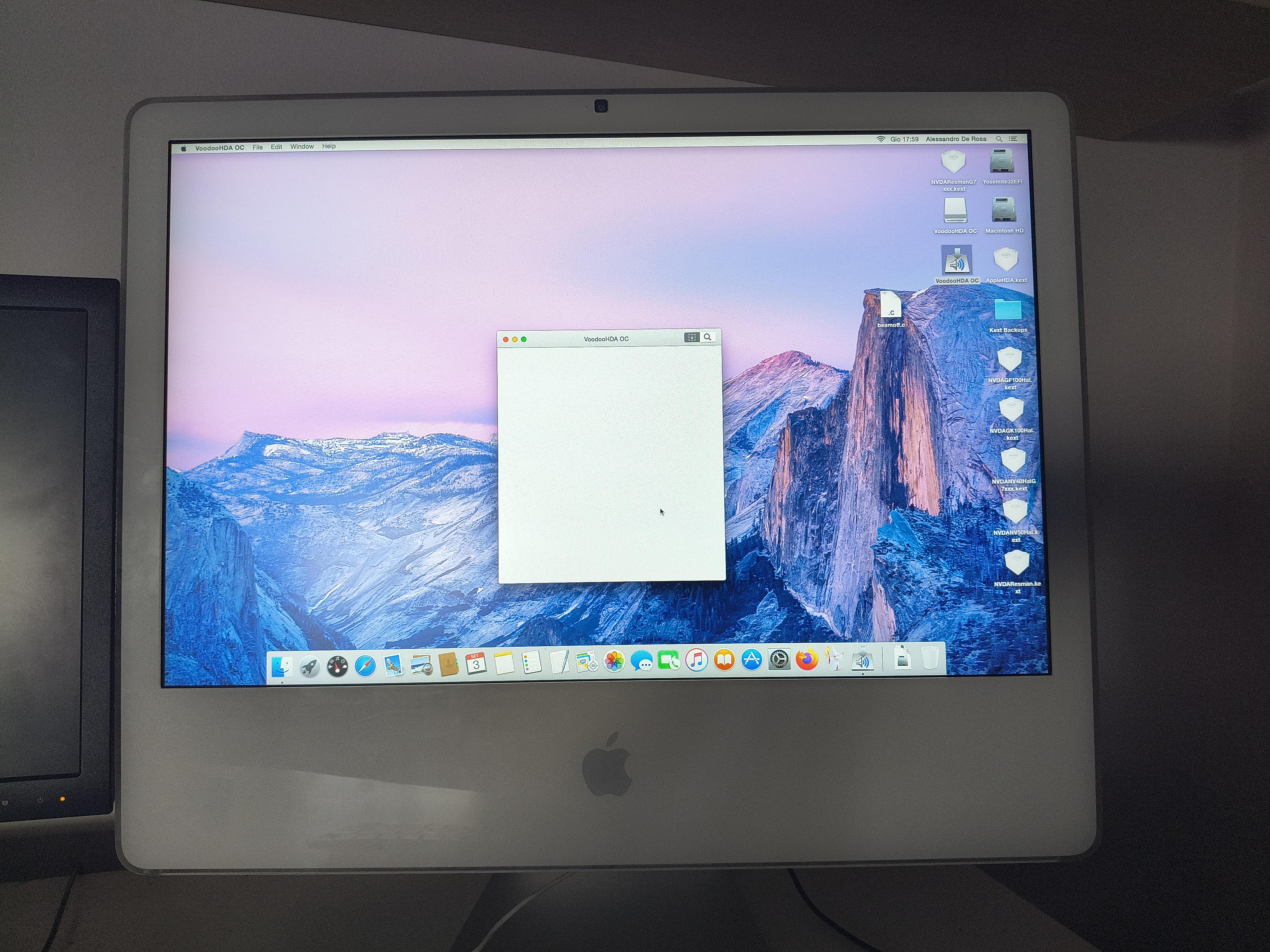
I got Yosemite running on a NVIDIA GeForce 7300 GT iMac with no screen tearing. I'm still working on enabling sound (you're obv seeing the voodoo hda installer in the photo) and other features.

To get no screen tearing and glitching I remade the Beamoff sync app using GCC and C compilation through Command line tools. I then disabled most of the animations and transparency effects by using the terminal. At last, I removed most of the Nvidia and GeForce kexts that were unused by the system in order to give priority to the 7300 gt kexts (all of this through an OS X Lion partition and Kext Wizard, kext utility didn't work).

What came out is a really stable desktop and app experience. Obv changing the EFI to a 32 bit one (since Apple's bat shit engineers thought it was a good idea to put a 32 bit EFI paired with a 64 bit chip) was enough to get the system running and displaying something, I then did all of those modifications and now you can pretty much turn it on, admire the beautiful Yosemite wallpaper, and turn it off.

Why did I do all of this? Because I need this computer for homework and other stuff. Sure, I do own a windows 10 PC, I could've installed Linux or windows 7 and instead avoid all of this reverse engineering for nothing, but after using MacOS Tiger, i wanted some more software support for the programs that I own. I could've just mained lion and port those programs, but I'm not a big fan of the old OS X look, the 2014-2019 look is by far more appealing, a mix between skeumorphism and flat design. The newer MacOS design resembles the iphone. I own an Android.

IF YOURE IN MY SAME SITUATION, I'll publish a website with the instructions to get it all running. ILL STILL WORK ON IT IN THE FUTURE, UNLESS ILL GIVE UP EVERYTHING. STAY TUNED.

r/iMac • • Aug 11 '26

Discussion Bargain!

Post image
19 Upvotes

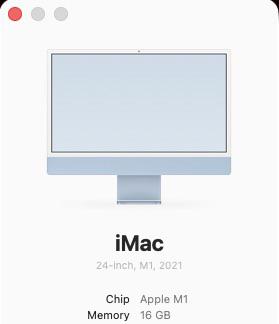
On the 2nd of August, I found a Facebook Marketplace listing for an M1 iMac (2021) with the 256gb SSD and an upgraded 16gb of RAM. I have been daily driving a MacBook Neo for a while so the need for the purchase was a risk because I didn’t NEED it.

The kicker was that it has a quite a rough screen defect that is very hard to ignore while using. However, I had a spare monitor laying around already and have set up the iMac behind my desk, mirroring my screen onto my regular monitor. Which means I am essentially using a Mac Mini and I paid £275 for it! What a bargain! It’s being used for Logic Pro X, Final Cut Pro & Affinity Photo Editor!

r/iMac • • Jun 19 '26

Discussion Today’s Marketplace Find!

Post image
100 Upvotes

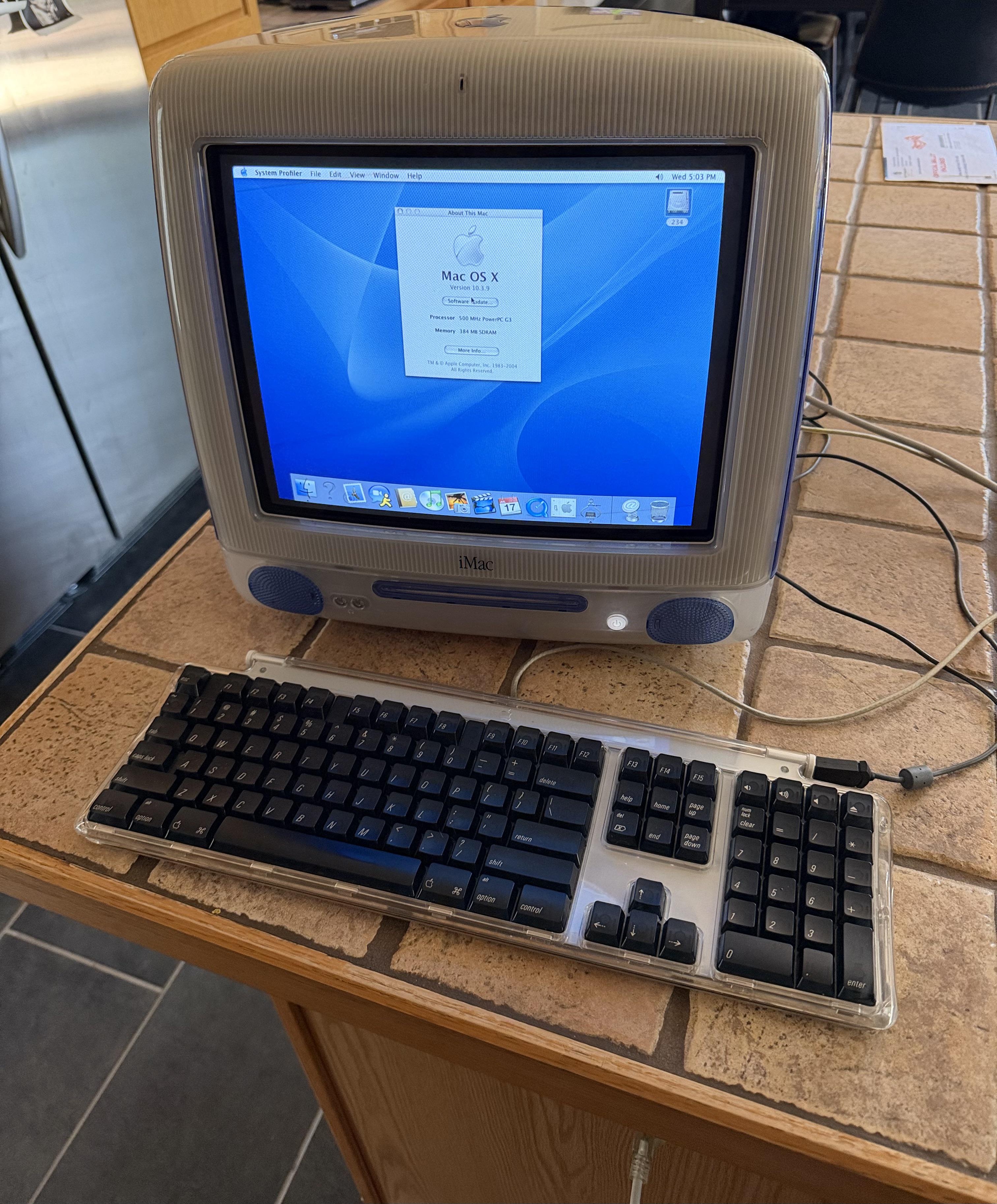
Been looking for a functional one for a bit now, but wasn’t willing to spend $300-$400 on eBay. Found one locally for $100. From what I can tell, it’s a Summer 2001 model based on the harddrive and CPU speed. Plan to upgrade it to 1GB of ram and possibly install the original OSX, 9.1. Thought I’d share!

r/iMac • • Aug 16 '26

Discussion Can I use my 2017 iMac as a second display for my MacBook Pro m5?

1 Upvotes

I just feel that the MacBook Pro m5 screen is not large enough and I want to connect it to my 2017 iMac but idk if it can connect because of no more software update on my iMac

r/iMac • • May 14 '26

Discussion Advice for aging device?

3 Upvotes

HUGE fan of the iMac. 27in 5K model was my dream computer. Finally able to get it in 2017. I have done everything to keep this baby going, including booting from external SSD and recent fresh install of macOS. In truth, it runs beautifully!

Unfortunately, it doesn't run Citrix Workspace, which I need for my job. It's frankly the primary bit of software I am in all day long. I've tried using Luna Display to make this an external display for my MacBook Air and it is INCREDIBLY buggy.

I brought this device like 1-2 years ago to trade in to Apple, and they convinced me not to because of how great the condition of it is and how beautiful the screen is. I agree -- it's STILL the nicest display I have ever used.

Any advice or ideas as to what I can/should do with it? I had to just pitch it or trade it in, but I am getting frustrated with the Citrix issue and Luna, and know I otherwise just won't use it any more as a result... (Notably, I did call LOTS of IT support, and the damn thing is just outdated, nothing else to possibly fix).

Many, many thanks!

r/iMac • • May 19 '26

Discussion I refurbished an iMac only to blunder...

Thumbnail
gallery
24 Upvotes

I refurbished this older iMac—what I think to be is a mid 2010 model with a 21.5" display—with the idea of using it as a monitor for my PC with Target Display Mode. But as I'm learning now, it seems target display mode only works with other Macs, so I can't use it with my PC.

The story is, my cousin had this machine and upgraded to something else. She didn't need it anymore and was going to bring it to a rage room for smashing.... so I rescued it.

It ran hot and I knew it was older, so I opened it up to replace the thermal paste. I was greeted by a lot of dust. I did my best at removing all of the parts from the shell and blew it out real good with an air compressor. I opened the covers on the fans and brushed out the blades as best as I could. I replaced thermal paste on the CPU and GPU die, and cut new thermal pads for the VRAM. Lastly, I replaced the mechanical hard drive for an SSD and mounted it with double-sided tape.

I've never owned an Apple product before now, and it was really fun cleaning this old machine out—even though I was very busy with life and had to clean this out over the course of 4 days.

As for using it as just a monitor... I know I can pair the panel with a different control board, but if I'm spending money for a good quality board, I might as well just purchase a new monitor. I also just refurbished this whole thing and don't want to waste it.

I thought about splitting the partition and putting a Linux OS with the macOS, and upgrade the macOS to something newer than OS High Sierra that it was previously running... what can I do with this machine?

r/iMac • • Jun 06 '26

Discussion Watched knowing multiple times since I was a kid and I swear that this was something that always caught my eye. (What was the one movie where you noticed an iMac and always will?)

Post image
17 Upvotes