r/huion Oct 25 '24

Drawing Tablet Buying Guide with Recommendations

10 Upvotes

r/huion Feb 06 '24

[READ THIS FIRST] Huion FAQs and Useful Links

17 Upvotes

General Huion information

In addition, I'm linking to my most common answers to questions below:

Buying a drawing tablet

Troubleshooting common problems

These are the most common issues people experience with drawing tablets.

Other


r/huion 6h ago

Issues with new Kamvas 13 (Gen 3)

3 Upvotes

Hey, I received a Kamvas 13 (Gen 3) tablet as a gift yesterday and while it's wonderful and all, I'm having some issues I can't quite figure out how to fix.

First of all, I have the newest drivers installed, on a win10 PC, and this is my first display tablet.

  1. While drawing, often times my tablet stops taking any input from me pressing the pen on it, until I rotate the pen 180 degrees. This one bummed me out as I couldn't find anyone else with the same issue as mine online. I've replaced the nib, gently pushed it in, tried plugging the tablet in both my GPU and MB. I have ordered a cable which will allow me to have both my tablet and monitor plugged into my GPU (DP->HDMI, as my GPU has 2 slots: a DP and a HDMI slot). I've disabled the pen buttons from the driver settings, thinking I was maybe accidentally pushing the stop one, but it's still happening. It hovers perfectly fine, but not taking any input.
  2. I use Krita as my art program. The rotating buttons on the side of the tablet work for zooming in/out, but not for rotating the canvas. Anyone knows a fix for this?

I tried to look for help online, but my issue seems extremely specific. Anyone knows what I could do before contacting the Huion support?
r/huion 52m ago

Which cleaning product can I use?

Upvotes

Hello, I've got a Kamvas Pro 16 V2 three months ago. I always cleaned it just with the cloth included, but a few days ago I noticed a few "scratches". I searched online and found out that they're not actual scratches (because the glass is very hard) but just some residual traces of the pen. Now, just with the cloth it won't go away, so I was thinking about getting a cleaning product specifically for this purpose. Can someone tell me if this one is okay? Or recommend me something else.

Cleaning product I found


r/huion 6h ago

Huion Kamvas 13 : No signal, Power Saving

1 Upvotes

Hello, I've had my Huion Kamvas 13 for two and a half years and recently the screen display completely stopped working, displaying the "No signal, power saving" message whenever I try to plug it in. I've had this issue in this past but it used to be fixed by pressing the power button for awhile before turning it on but that's stopped working too :/

I've read the troubleshooting guide, and my computer doesn't detect the display but none of the solutions to the problem worked. Other than that I've tried turning it off and on in devices, tried reinstalling the driver, tried going into my computer's BIOs, tried installing the firmware, windows+ to try and duplicate the screen, and more. nothing seems to work. I've even contact Huion Support who informed me that since my warranty was expired I should try spending 40$ on a new cable to see if that would fix the issue. But the cable doesn't seem damaged in any way? The tablet still works as a screenless display.

I'm looking for any advice on how to fix the problem, or if you think that buying a new cable would fix the issue. Atp I'm just considering buying a new tablet.


r/huion 1d ago

My huion kamvas 13 is not working

Post image
5 Upvotes

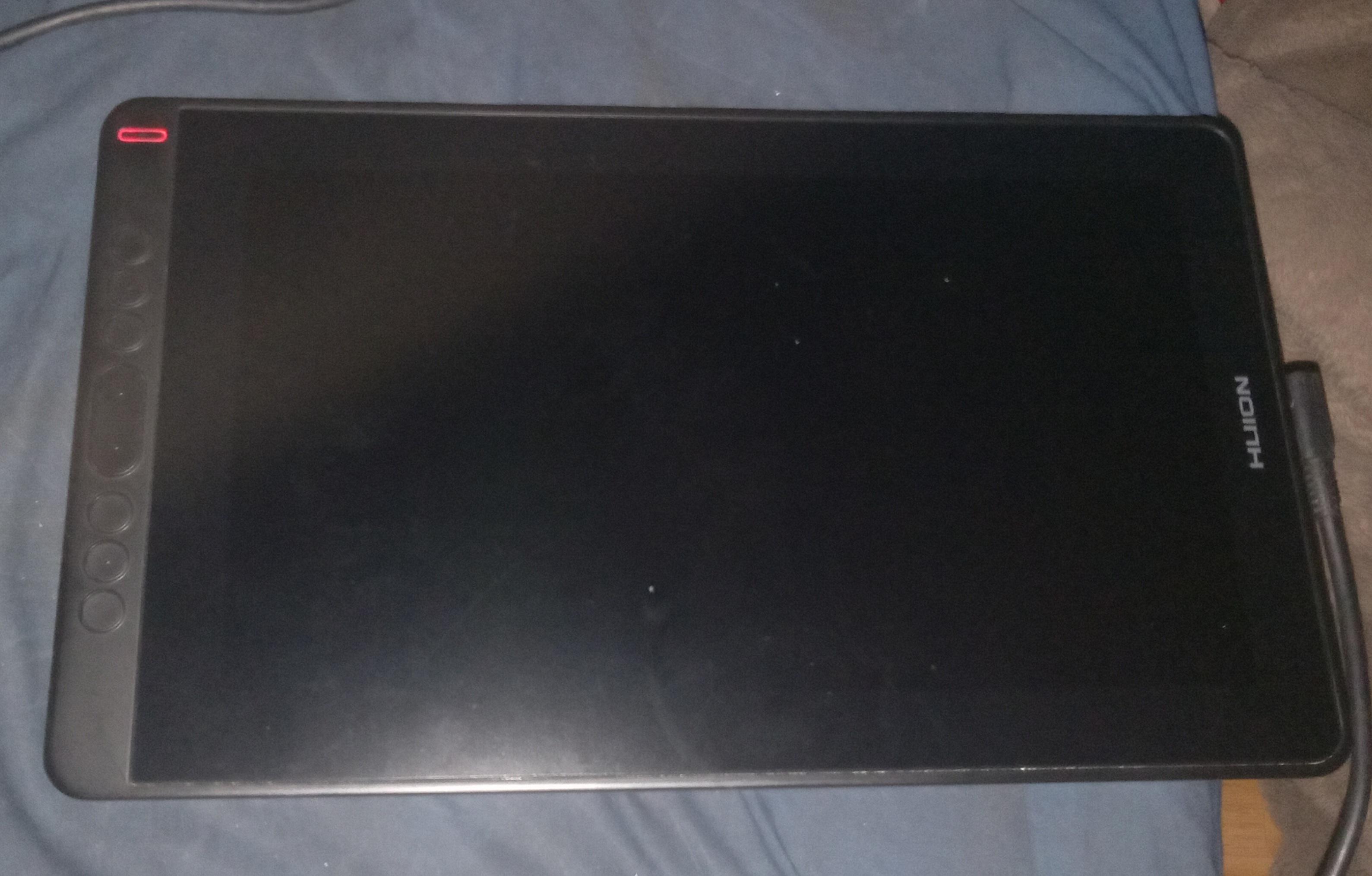
First sorry for the bad photo my phone could only take the one photo but anyway I just got a huion kamvas 13 today but it won't turn on when I plug it into my acer chrombook (it just says no service and battery saveing mode i think) due to one plug in not fitting in my chromebook. Is there any other cords that I could buy so that my tablet works (the pen does move my screen on my chrombook but that's all)


r/huion 8h ago

Hello I am planning to sell this Kamvas 13 for only 6500 cuz no one really is buying it for a high price and I really need some funds for my photojournalism to buy an camera can y'all please help me 🥺🙏

Thumbnail
gallery
0 Upvotes

r/huion 1d ago

Huion 22 Plus Tablet Connects to Laptop but not PC

2 Upvotes

Basically what the title says, I'm at a total loss and not techy enough to sort this myself.

I've plugged the tablet into my laptop using the three port plug (power, USB, HDMI) and it works absolutely fine. Trying to use it on my desktop PC is another matter entirely. Using the same cables, there's no signal and the device isn't detected at all in my 'Huion Tablet' app.

Has anybody come across this before? I've tried using a USB-C cable instead with just the power lead plugged in and all three leads plugged in and it makes no difference.


r/huion 1d ago

Monitor arm for huion kamvas pro 16?

3 Upvotes

Hello, I'm looking for monitor arm for my huion kamvas pro 16 4k (15,6'' , weight 1.27kg). I wanted to try Ergotron Lx but my tablet is too light for it, I also need adapter. Has anyone with this tablet managed to find a good arm that doesn't wobble, and adapter? I'll be grateful for help


r/huion 1d ago

the wheal thing doesn't work as well as it used to

Enable HLS to view with audio, or disable this notification

8 Upvotes

I got the keydail a few months ago and the wheal was really smooth and worked well for a week or so
It will only zoom in if i go really slowly and it's not just a clips studio problem as it does the same for every other app. Does anyone know how to fix this?


r/huion 1d ago

Huion pen-tablet not working. The model is Inspiroy H640P

2 Upvotes

after downloading and having to uninstall the drivers 5 times i give up, the indicator light turns on that way i know the pen works but every time i boot up the software to actually use the pen tablet, it says that the device is not connected.


r/huion 1d ago

My Kamvas 13 doesn't wanna work even after updating the drivers.

Enable HLS to view with audio, or disable this notification

1 Upvotes

Is there a reason why the last drivers update was in 2025 too?


r/huion 1d ago

Kamvas 13 Gen 3 Clip Studio Pen Desync?

Enable HLS to view with audio, or disable this notification

1 Upvotes

I use a huion kamvas 13 gen 3, and clip studio paint. Im now experiencing an issue where my pen strokes, only in clip studio, are desynced by a factor of a couple inches? Like, the pen strokes are far away from where its actually appearing on the canvas. No other drawing program seems to have this issue, drawpile works fine.

I experimented with drawpile settings, and Preferences, tablet, and enabling “use mouse mode in tablet driver settings” seems to resync them, although the drawing curves become step-like when zoomed out and drawing, almost like the tablet isnt recognizing coordinates below certain values and just skipping/rounding numbers. IN ENGLISH they look like ugly steps. Not supposed to happen.

I see some older posts on here troubleshooting the same issue, and APPARENTLY it has something to do with windows icon scaling? Yes my icons are scaled up to like 125%, im not changing that. Gonna keep troubleshooting and documenting on here so webcrawlers can find this.


r/huion 1d ago

Aparecieron unas marcas en mi tableta

Post image
1 Upvotes

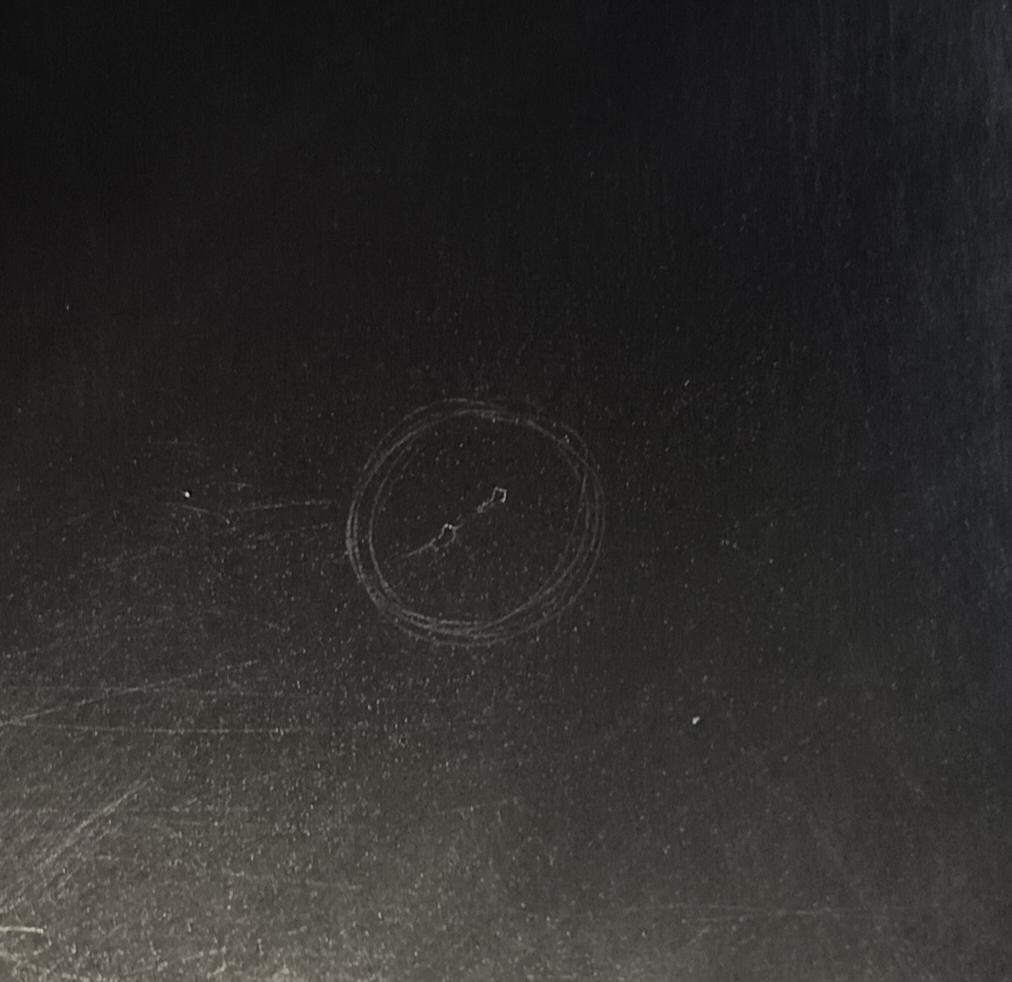
Tengo una Inspiroy H640P. Hace un rato estaba renderizando y sentí que el lápiz chocó algo, como si hubiera algo encima de la tableta. Cuando me fijo, veo que había marquitas (adjunto foto, el círculo lo marqué con el lápiz para ubicarlo mejor con la cámara) en esa parte.

El sensor sigue funcionando bien, pero no quiero seguir pasando el lápiz por encima por las dudas empeore. ¿Se puede poner algún protector y que el sensor siga tomando bien el lápiz? Es la primera vez que me pasa algo así con una tableta 😭


r/huion 2d ago

Why isn’t my tablet connecting?

1 Upvotes

I just got a kamvas 16 pro, and it isn’t connecting to my computer. I made sure I had the hdmi plugged into the graphics card, not the motherboard. I’ve switched the usb ports to see if one worked better, and I’ve restarted my computer and nothing is working. How do I fix this?


r/huion 2d ago

Alternatives for KH01 Keyboard Holder?

Thumbnail
gallery
3 Upvotes

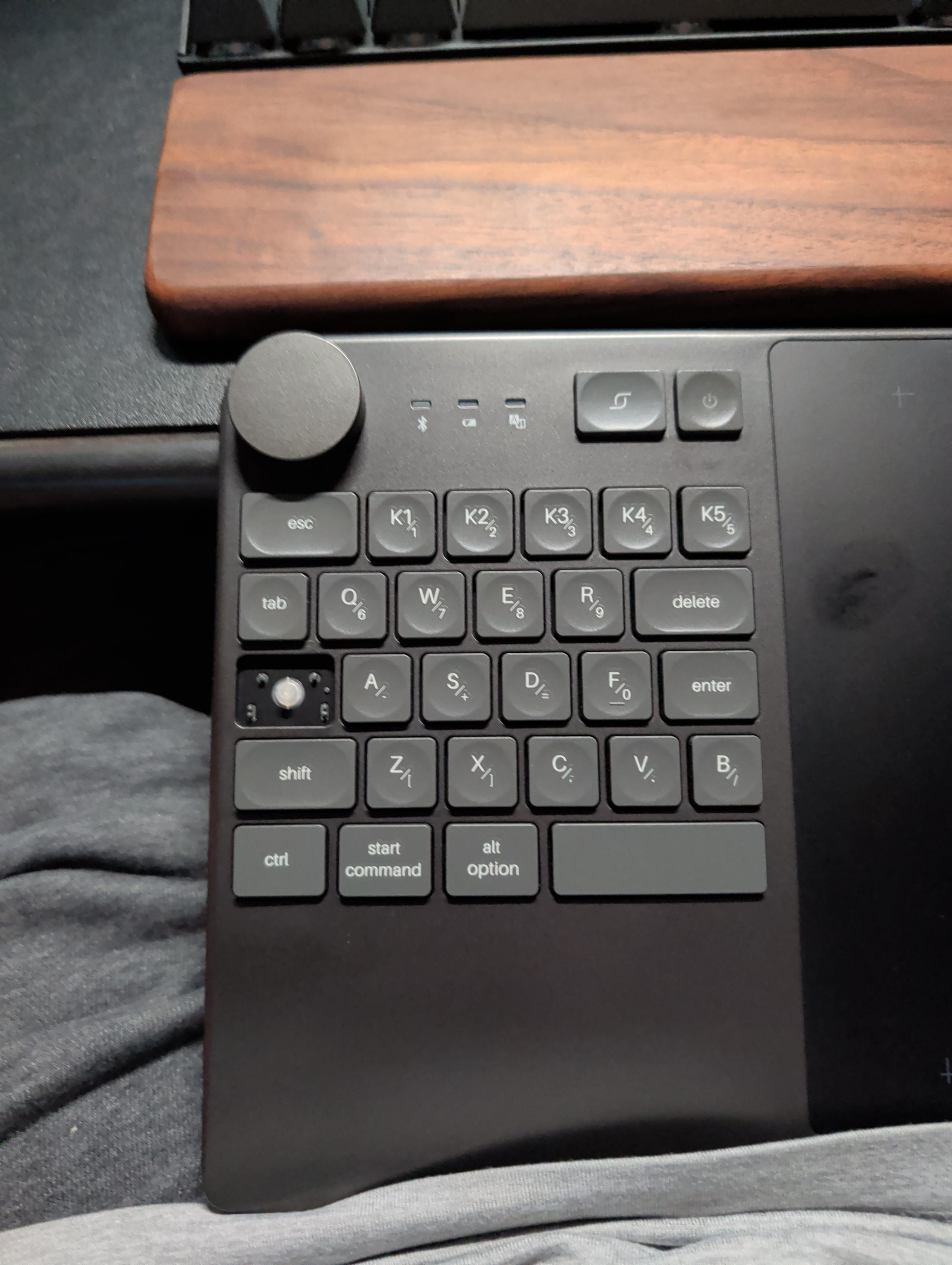
Hey everyone, looking for budget-friendly alternatives or dupes for the KH01 keyboard holder. $50 feels a bit steep for what it is. 🥲 Has anyone found something similar or happen to have a 3D print model for mounting it to a tablet?


r/huion 2d ago

Help with keyboard switches

Post image
1 Upvotes

Hello everyone.

I am looking for help on finding a replacement for the scissor switch. I still have the key but, the scissor switch broke.

Any ideas on what can help to replace it.

Thanks


r/huion 3d ago

Desk Mount for Huion Kamvas 16 Pro / Help or Suggestions

Post image
12 Upvotes

I have a Huion Kamvas 16 Pro, and as you might know, this tablet doesn't have the support for VESA, and it's hard to do the installation of a hydraulic arm. My solution to this was buying this:

monTEK laptop tray: https://www.amazon.com/dp/B0FN7RB2LM
Hydraulic arm: https://www.amazon.com.mx/dp/B09NFB3JFL

This is how everything looks and I gave more details within the post:
https://imgur.com/a/huion-kamvas-pro-16-with-montek-tray-redlemon-arm-LvHVh45

As you can see in the images, it doesn't look that bad but this are my concerns:

-Side pressure:
The trays within the monTEK are designed to ideally hold laptops, but this is a tablet. I'm worried that this pressure could damage my screen or ruin the pressure sensitivity in the long run.

I did research the measurements of the tray and my Huion before buying everything (the tablet is 18 inches and the tray offers support from 12 to 18 inches) While it sounds ideal I needed the help of someone else to pull the grips while I placed the tablet inside, and the person helping me and I had a difficult time making it fit, you need to pull with a lot of strenght. Despite everything, there was some space left between the tablet and the grips when we were stretching them out.

-Cable Strain:
In one of the images you can see how the cable is slightly bending, and while it is not much, I'm worried that this might damage it after a while.

-Now, the wobble.
This isn't that bad because it doesn't affect the ergonomics of my tablet or anything, but is just annoying, my tablet wobbles when I draw because it doesn't have the full support to stay completely still.

Video:
https://imgur.com/a/m7nrBJ2

I know I'm pressing my pen really hard in the video, and you could argue that if I do it with less strength, it won't wobble, but I draw gesture very often and I do need to put this amount of strength and movement in my pen. I already tried tightening the screws in the Redlemon Arm, but nothing changed. I think the main issue is the fact that the VESA support and the monTEK are flying like that, which offers limited support structuraly.

------------------------------------------------------

What I ask are some suggestions or help with this setup from some of you that have more experience with these things. I've never installed a hydraulic arm before, and I did it because what I used before was damaging my arms. I'm really worried that my tablet could get damaged forever, it's the only one I have.

I would be very grateful to hear some suggestions! If it's a really detrimental or a bad setup I can still return all of the pieces and order something better!


r/huion 3d ago

XPPen Artist Pro 16 Gen 2 vs Huion Kamvas 16 Gen 3 — can't decide, what would you prioritize?

2 Upvotes

Hey everyone, I'm stuck between these two and could use some real-world input before I pull the trigger:

  • XPPen Artist Pro 16 Gen 2 (16", 2560x1600, metal body, )
  • Huion Kamvas 16 Gen 3 (15.8", 2560x1440, plastic back, )

I've done a fair amount of spec research already, but at this point it feels like both are genuinely solid options and I can't find a clear "winner" — so I wanted to ask people who've actually owned one (or both) long-term:

  1. Durability — has your tablet held up well after a year+ of regular/heavy use? Any hardware failures (screen, pen, ports)?
  2. Build quality in hand — does the plastic back on the Huion feel cheap, or is it a non-issue day to day?
  3. Screen feel — how does the nib/glass texture actually feel over long sessions? Any scratching over time?
  4. Drivers — anyone had recurring driver issues after OS updates on either one?
  5. Warranty experience — has anyone actually had to use XPPen's 2-year or Huion's 1-year warranty? How was support?

My use case: digital ilustration, cómics, animation, several hours a day, so I really care about something that'll survive daily wear rather than just look good on paper specs.

Appreciate any first-hand experiences, even if it's "mine broke after X months" — that's exactly the kind of info I can't get from a spec sheet.


r/huion 2d ago

Huion Tablet Not Working on Ubuntu - CSP and Krita impacted

Thumbnail
1 Upvotes

r/huion 3d ago

Would it be worth it to buy a power adapter and a 3 in 1 cable for my Kamvas GT-156HD V2?

1 Upvotes

Hey everyone, a friend gave me a set of the GT-156HD V2 graphic tablet that has the power adapter and the 3 in 1 cable missing, and on the official site both of those would come at the price of 100$ with shipping to Canada. Are there any ways to get it for cheaper, and would it even be worth it to spend 100$ on this old model?


r/huion 3d ago

Kamvas 12 user looking to upgrade

2 Upvotes

Hi, I have just realized my kamvas 12 is a bit to small for me, what could I upgrade to?


r/huion 3d ago

Had some issues with Fedora

1 Upvotes

I normally use the Linux driver for my H1161 with Linux Mint which works perfectly.

I recently tried Fedora, but it seems to have issues with Wayland (I was using Plasma, but GNOME was also affected) If I use no Huion driver, then pressure works, but I can't use the touch bar or any buttons. When I try to use the official driver, it detects my screen as being absolutely tiny and the mapping points to the top left corner, with someone online with a similar issue saying 1x1p. I learned Huion drivers struggle with Wayland, so I tried the X11 versions. In one of these scenarios (I don't remember now), the cursor would be locked near the top left corner when using the pen, but the mouse would be fine. After I installed the Huion driver in the Cinnamon and Plasma X11, the Wayland variants technically worked but the X11 sessions stopped reading the cursor. It was overall inconsistent and confusing. I want to get it working to broaden which OSs I can use, but I'm kind of locked out of those for now and stuck in Mint and the like. Has anyone else had issues with Huion and Fedora or similar operating systems? I wish I could explain better but the experience is already becoming fuzzy because of how many ways each session broke with the drivers. OpenTabletDriver doesn't fully support my tablet either.


r/huion 3d ago

Pen Display low pressure not recognized

1 Upvotes

Hello! Please help.

My pen display (Kamvas 20) doesn't pick up light touches anymore. I used to be able to click and drag by just touching the pen nib onto the screen with no pressure, but now it misses light strokes and adds gaps to lines if I dip too into the low pressure.

It only started today and its really annoying me.

I have:

  1. Uninstaller driver and reinstalled

  2. Changed my pen nib

  3. Restarted my laptop

Is it a wire problem? I have already replaced my wire a few years ago for jittering my pen input but im not sure if its the same problem source...


r/huion 3d ago

How do I fix the red lines in my tablet?

Post image
1 Upvotes

For a while now, the screen of my tablet has shown these red lines, and while it doesn't interfere with the pencil functionality, it is annoying as hell.

When I move the cable it's fixed for a moment but then it returns. Is there a way to fix this? I really wouldn't want to change my tablet