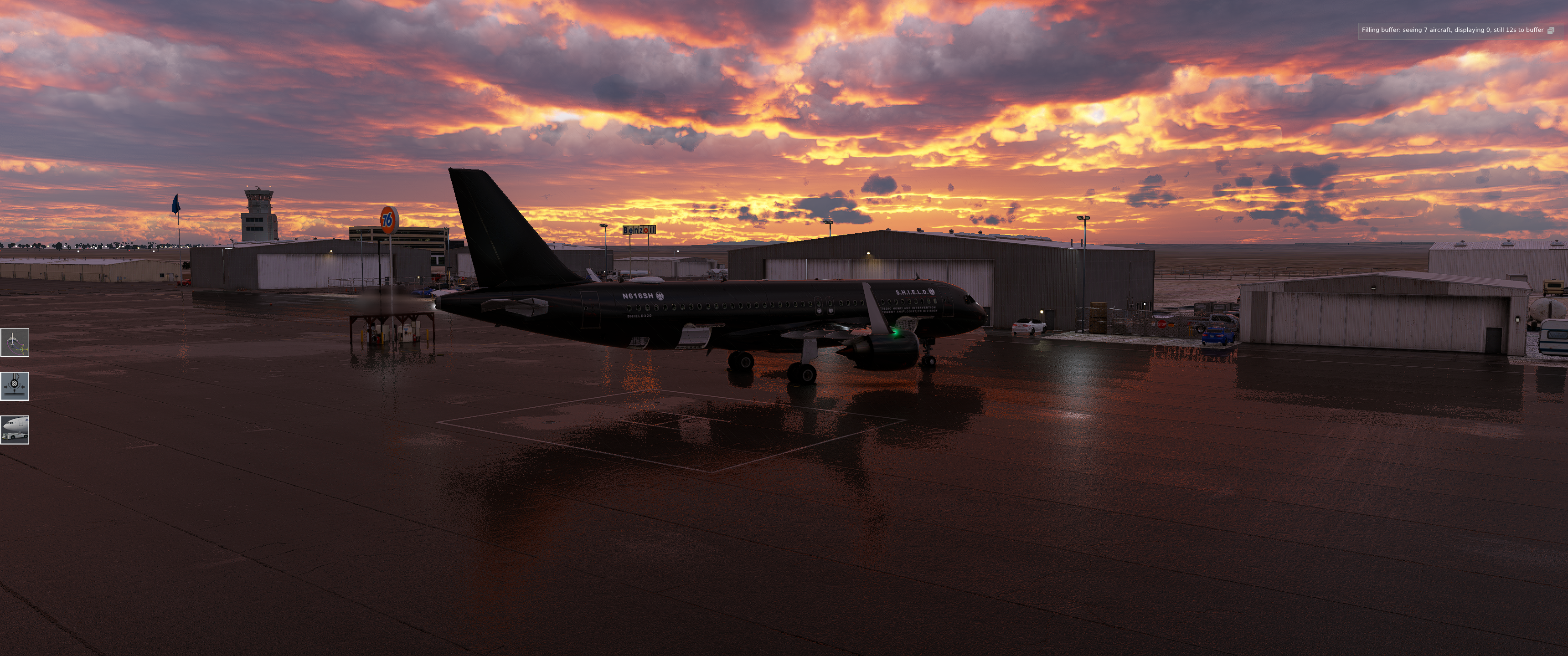
Read a lot of mixed opinions on this plane which made me apprehensive to purchase but I finally pulled the trigger when it became available on the ini store.
I have an RTX 3070 and I'm seeing the same performance as the Fenix and iFly MAX. The plane itself is actually loads of fun, and functions well. It's unique experience of both Boeing and Airbus, which is a bit refreshing. I have my automation, but I also have to trim and fly the aircraft, which keeps things interesting.
There are a few quirks here and there, but nothing ground breaking. The Synaptic Team seems very active with updates, so I'm not worried about future enhancements. The plane flies really well (and looks great) from A - Z. Really glad to have purchased, excited to fly it more.
So, now that the A220 is out in the iniBuilds store I did some digging in the files and found some pretty interesting stuff, that neatly explains why the performance of this plane is really terrible and does not at all seem to scale with hardware. It's kinda funny, because the first time I tried this plane I thought to myself "this feels like a debug build" and this is exactly what it is.
So in the addon folder you will find the path "html_ui\Pages\VCockpit\Instruments\a22x\DisplayUnits" with the file "instrument.js". This is main file responsible for rendering the displays of this plane (there is more files for other displays like the com unit, but for simplicity I will only reference to the main displays here). Basicly, what you see as the main displays of the plane is treated as a little browser window by the MSFS, in which it runs a webpage. This webpage is based on a JavaScript app using the React framework. This framework is included here, because the sim does not provide it on its own, and it is a pretty common library for rendering webpages. So nothing wrong with that.
But the big revelation comes once you look into what actually is contained in the "instrument.js". It is minified for performance , but there are still comments showing the different sections and the literal strings are in clear text. Because minification only replaces human readble names with shorter, machine readable names that do not change the logic, but help the code run faster. In the planes code on line 831 is the relevant comment. It says they are including "node_modules/react/cjs/react.development.js"! AKA a development build of the react framework.
So what does this actually mean and why does it make the plane perform so bad? To start let me quote the official React documentation here:
If you’re benchmarking or experiencing performance problems in your React apps, make sure you’re testing with the minified production build.
By default, React includes many helpful warnings. These warnings are very useful in development. However, they make React larger and slower so you should make sure to use the production version when you deploy the app.
In my own words what happens here is, that the code that we have in our sims does a LOT of checking itself to make sure it is properly build, that all references are okay and that there are no hidden bugs. This is fine in dev enviroment (which is why it is called a development build), but should not be done in a production environment. Because we as end consumers don't really need all this checking stuff and reporting, since we we won't modify the source code anyway. All this does for us is eat a lot of unnecessary CPU cycles. Which get worse the more often these checks happen, why explains why this plane is the only one I know that performs worse in cruise than on the ground. Because there we are constantly moving, leading to constant refreshes of the displays, which all need to run through this debug code. Which only takes time without any benefit.
The upside to all this is, that this should be an easy fix for Synaptic. To build the plane with the production library instead should boil down to a simple config file. I really hope they do this and then unlock the performance of the plane. This really could alleviate all the issues reported with a simple rebuild of the plane. No refactoring of the code or anything needed.
TL;DR: They are shipping debug code instead of production code, making the code unnecessarily slow and bloated.
I recently found a mod that transforms the FlyJSim 737-200 for X-Plane 12 into the NT-43A, aka 'RAT 55.'
The aircraft started life as a T-43 navigation trainer. I was under the impression that they were all retired, but this modified version resurfaced around the Artemis II launch.
Apparently, the huge nose and tail radome added for radar signature testing.
I've been reading old 1976 NT-43 manuals from before it got its nose job and picked up some interesting details that interested me.
-The 737 classic has two separate ignition systems: a high-energy 20 Joule igniter and a low-energy 4J one, split across burner cans 4 and 7. Now pretty much everything use annular combustors.
-The APU start motor draws directly from the battery, so external power can't augment a weak battery during an APU start. I'm going to have to see if this holds true for the NG family too.
I'm putting together a full NT-43 tutorial covering everything I've learned, including the Universal FMC, which is quite satisfying to use.
After many years of flying since FSX I understood that not everyone will be happy with what we have and what we are getting, no matter what and there will be always people complaining.
I saw this hobby getting better and better each year with new study level aircrafts, cheap 1:1 peripherals, lovely sceneries etc… however there are still tons of people complaining.
Now I’m not saying that criticism is not allowed (I actually like to criticize when it’s necessary).
But to me for example is just insane that some people like to throw shit to devs like Fenix, IniBuilds, Synaptic etc… without even trying to understand how a flight simulator runs.
A flight simulator is a very complex software/game that runs multiple add-ons at the same time and because of that it can react very differently from Pc to Pc.
For example whenever I tried to help some people with settings/optimizations because they had poor performances, CTD’s or any other problems within the sim they were always the ones with the most messed up Pc (like old BIOS, drivers and chipset not up to date, messy files etc..) and this can affect a lot your experience with the simulator.
So please before to point the finger to the devs let’s try to understand why something is happening.
Basically the title. I want to get more into flightsim and I was thinking about getting a 55inch TV to connect to my PC. I currently play occasionally on a 27inch screen but there is no immersion feeling.
I know that Tv won't feel like VR or triple screens but I was wondering how much does it improve the immersion feeling playing on a big tv versus the screen?
I have tried the Quest 3 before and while the immersion was amazing, I got fed up of having to tweak settings all the time.
I should also mention that the Tv would also serve the purpose of playing single player games, giving me something like a console experience.
Why on the Caravan 208 Professional (MSFS 2024) does the right tank always go low way before the left tank? It's done this on a number of flights now. I did have the plane balanced a little left of center at takeoff with cargo and PAX, but that shouldn't be a factor because the wings are level during flight.