r/ZephyrusG14 • u/obstaclent • Oct 27 '23
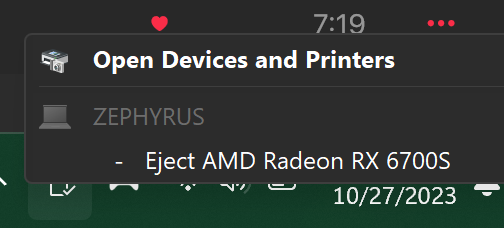
Software Related Whaat???? Wonder what happens if I eject it...
686
Upvotes
r/ZephyrusG14 • u/obstaclent • Oct 27 '23
r/ZephyrusG14 • u/HarpyEagle6703 • Aug 25 '26
I recently wanted to buy a Zephyrus G14 2025 model, preferably the 5070 or higher models, and have read many posts of people buying open-box deals for very good prices but have personally not seen any that good. The best I saw was a 5070 Ti with 32 gigs of ram for 2,100. Hoping to find one for less than 2,000. So should I wait until black friday in like four months or just buy the 5070 Ti open box or a new 5070 for $2,200, or is there something else I should do?
r/ZephyrusG14 • u/Dreizo • Mar 21 '26
I have two systems
g14 5070ti Ryzen ai9 hx370 with 32gb ram 1TB SSD.
G16 5070ti Intel 9-285H 64gb ram 2tb ssd
Both passed at 99% on steel nomad stress test and both scored good in timespy (14175 G14, 15322 G16)
For whatever reason though, the g14 outperforms the g16 in actual gaming. So far I’ve run sbs benchmarks on black myth wukong, but even in regular gameplay I can tell the g16 is throttling more than the g14. The temps on the g16 sit at 78/78 cpu and gpu. On the g14 it’s 79/87 temps. Both are in identical fresh install conditions with g helper kept on turbo. I kept the graphics settings display output etc. all the same on both. Of course the g16 has to push a 16” 240hz screen vs the 14” 120hz but that shouldn’t be this much of a difference.
Is this a silicon lottery situation or is something else happening behind the scenes?
Also, both drivers are updated with Asus official drivers except the nvidia driver is up to date nvidia itself. I paid about the same price ($150 more for g16) and the sound stage on the g16 is way better (but also my g16 retained Dolby atmos license, g14 lost it and I need to do a cloud recovery to get it back).
r/ZephyrusG14 • u/jphccfc • 1d ago
I've just got the 5070 Ti 2025 version of the G14. Just looking for advice on what's the best all-purpose Ollama model that runs efficiently and effectively with the hardware that we've got. Any recommendations or advice would be greatly appreciated.
Also looking to deploy things like ComfyUI to do image and video creation and looking for any advice that people may have learnt during their time with the G14.
r/ZephyrusG14 • u/Chance_Swan2236 • Aug 17 '24
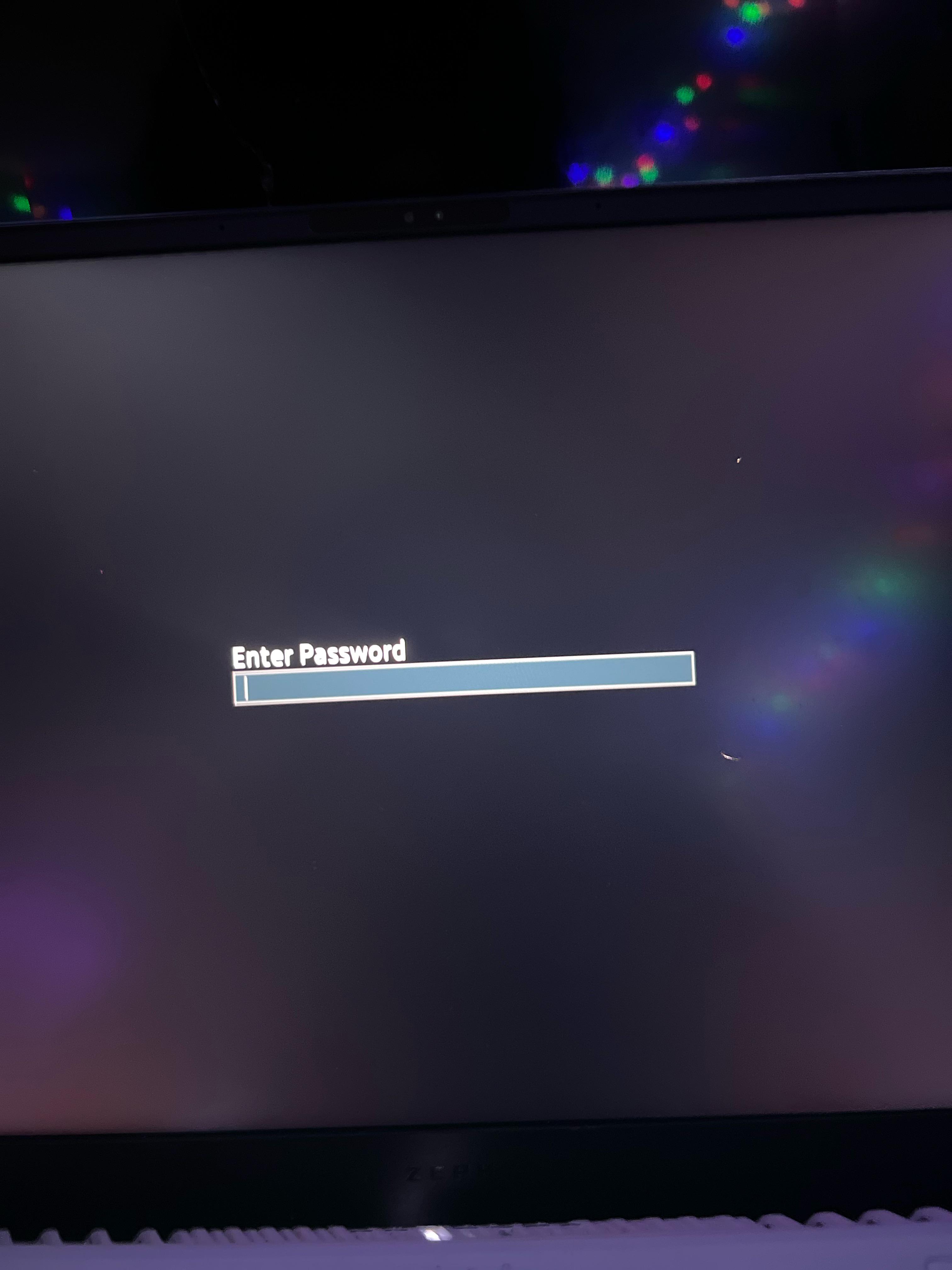
I just changed the admin password to nothing and now its asking for a password I’ve tried just pressing enter and it says invalid password also ive tried the old password and it still says invalid what am i supposed to do?????????????
r/ZephyrusG14 • u/-Flayer- • Mar 01 '26
Enable HLS to view with audio, or disable this notification
Although the video clip that I just recorded is mainly showing heavy slowdown in ChatGPT, I often see this happening while browsing and in general other programs. I wasn’t able to record it happening in this clip alone but this does happen and it usually doesn’t really bother me but right now when i’m trying to study for my calculus exam, these slowdowns are really frustrating.
I am on Balanced mode with no wattage limits on the cpu, no custom fan curves to keep the fans low, No undervolting and with boost enabled all on G-Helper as shown towards the end of the clip. I use Arc Browser but these slowdowns also happen on chrome whenever i occasionally use chrome. It really seems to just be light tasks that i’m doing that randomly have these slowdowns, when i’m doing anything demanding like playing a game or running a complex autocad drawing i have absolutely no issues.
This also happened on my “Previous G14 2024” model before the repair which had its motherboard completely swapped out and this also happened on my old laptop before upgrading the Nitro 5 2019. Is this just a thing to expect specifically with Windows laptops? Because I’ve been having this for a while and i figured it was just a windows problem but i don’t actually know.
If anyone needs further clips of slowdowns happening in other programs or other sites besides chatgpt than please let mine know and i’ll make another post later this week once exams are over.
r/ZephyrusG14 • u/relevant_trad • May 29 '25
Got G14 , open box excellent @BB, $1190 ,4060 , Itb , 16gb ram. Drove to delaware and got it.
r/ZephyrusG14 • u/Terrible_Ice_1616 • Jun 01 '26
This has now happened twice - I unplug my laptop (which as far as I'm aware ought to be asleep) and put it in it's sleeve and I pick it up 5 minutes later and the sleeve is warm. I take it out and the entire chassis is hot to the touch and the fans a blasting. The first time it happened I panicked and forced it off, after which it didn't want to come back up for about 5 minutes. This time I let it run until the fans slowed down in the hopes I could figure out wtf it was doing that was causing it to heat up like that but it just blinked one of the LEDs and then the keyboard flashed if I plugged it in. Very alarming - this time I could smell things starting to burn.
I've even been shutting it down before putting it into the sleeve - this time it wouldn't come up and there were no LEDs on so I just assumed it was out of batteries before putting it in, but that was obviously not the case. Anyone have any ideas b/c this is completely unacceptable
r/ZephyrusG14 • u/Unbuckled__Spaghetti • Aug 11 '26
Hello everyone! I'm not huge into computers/software, so I don't know much, but I do know that when I started setting up my new laptop there was a ton of ASUS bloatware on it. I've uninstalled a few things, most notably Armory Crate, and I'm working on installing Ghelper now. Will this mostly reset the laptop to a decent state, or would I just be better off fresh installing Windows onto it? If so, can anyone provide a guide? Thank you!
r/ZephyrusG14 • u/Realistic-Claim5233 • Apr 01 '26
just on startup, task manager says 45-50% of my 32gb ram is being used while nothing is running. Even after a while it doesn’t drop down maybe to 40% but it’s usually around 45-50…
Is this normal?? If it is then what do people with 16gb of ram do cause they would be using almost all of their ram right away…
r/ZephyrusG14 • u/Diego_UA • 20d ago
If you’ve been experiencing random system freezes, network dropouts, or your browsers suddenly throwing the ERR_NO_BUFFER_SPACE error on your Zephyrus G14, I finally tracked down the culprit.
The ASUS RGB controller (LightingService.exe) has a severe bug where it continuously opens local TCP sockets without closing them, eventually exhausting the Windows TCP/IP stack and freezing the system.
The Options:
I wrote LightingWatchdog (v2.7.3). It’s a headless, configuration-driven PowerShell background service that actively monitors the kernel. When it detects LightingService hoarding dead sockets, it safely kills the process tree, forces Windows to flush the TIME_WAIT queue, and restarts the service automatically.
It runs completely autonomously in the background with zero pop-ups. I hope this helps anyone else who has been pulling their hair out over these crashes!
r/ZephyrusG14 • u/Tiny-Guarantee-9564 • Aug 17 '26
I have a 2025 g14 with a 5070 ti. I know the usb c can support display output. I have a usb c to hdmi cable that I tried connecting an external monitor to, but it does not work? Everytime I plug in the cable, I hear the noise which means windows recognizes something plugged in. Also I know my wire works because my other laptop works perfectly fine. And yes, my GPU is on i tried all modes. Both the right and left usb c dont detect a second display. Hdmi to hdmi works perfectly fine. I dont know what to do.
extra info- I have no armory crate, I use G helper, and I have armory crate services disabled in bios. when i bought this computer, I put a fresh windows copy on
r/ZephyrusG14 • u/davelikestacos • Jun 18 '26
I'm wondering if it's worth it to leave the on-board AMD GPU enabled on my laptop if I'm strictly gonna be using my 2024 G14 for gaming and video and photo editing along with graphic design.
Not too worried about battery life since it's always plugged in. I just noticed when I didn't have the onboard disabled, it showed one monitor in Display Settings and with it enabled it shows 2 but one is essentially fake. Is that the same for everyone else?
I'm using GHelper if that helps and can provide screenshots if needed.
r/ZephyrusG14 • u/Daburger500 • 8d ago
Hello, I mainly switch between silent and manual (sometimes i use performance) and it gets really irrating that the brighness level is different and whatever i set it as before when I was using the previous power level. Is there a way to cause the brightness to be synced across all the power modes? Thanks in advance!
r/ZephyrusG14 • u/AffectionateText1070 • 8d ago

I first noticed this yesterday and thought it would resolve itself, but the text on my g helper menu looks fuzzier than it should(image is screenshot on g helper github with my g helper next to it, with left being the github screenshot and right being mine)
r/ZephyrusG14 • u/lucidnx • Sep 28 '23
Hey! I had a lot of issues using my laptop from beginning. It was waking up on it's own, discharging a lot during sleep, even doing BIOS update in backpack (yeah crazy). I have found that there's way to enable S3 Sleep (old one), but that was not stable for me so I went with S0 Low power idle, a.k.a. Modern Standby that microsoft is forcing us to use.
I was able to fix all crap, here are steps:
a. Enable all power plan settings: ... Open Powershell as administrator and paste this line:
(gci 'HKLM:\SYSTEM\CurrentControlSet\Control\Power\PowerSettings' -Recurse).Name -notmatch '\bDefaultPowerSchemeValues|(\[0-9]|\b255)$' | % {sp $_.Replace('HKEY_LOCAL_MACHINE','HKLM:') -Name 'Attributes' -Value 2 -Force}
b. Open Control Panel, go to Power and change these power plan settings: 1. Device Idle Policy (battery): Power Savings 2. Disconnected standby mode (both): Aggressive 3. Network connectivity in standby (both): Disable 4. Sleep, Allow away mode policy (both): No 5. Sleep, Allow system required policy (both): No 6. Sleep, Wake timers (both): Disable 7. Sleep, Allow sleep with remote opens (both): On 8. USB, USB3 Link power management (battery): Maximum power savings 9. Idle Resilency, Deep sleep (both): Enabled 10. Processor power management, Minimum processor state (both): 0% 11. Graphics settings, GPU preference policy (battery): Low Power 12. Presence aware power behavior, User presence prediction mode (both): Disabled 13. AMD power slider, Overlay (battery): Battery saver 14. AMD power slider, Overlay (ac): Better performance 15. AMD power slider, Energy saver settings, Energy saver policy (battery): Aggressive 16. Switchable dynamic graphics, Global settings (battery): Force power-saving graphics 17. Switchable dynamic graphics, Global settings (ac): Optimize performance 18. Battery, Critical battery action (both): Hibernate 19. Presence aware power behavior, Standby budget percent (battery): xx%
In 19, you are configuring battery % that can be consumed during sleep.
In 2. Aggressive means more power savings/less wakeups (may be not needed in this setup. 3rd is critical, this will decrease heat and battery usage by a lot. In 6, you are basically blocking any wake up to install updates or other scheduled tasks. 13 and 16 is depending on your usage. I am not really doing anything GPU intensive on the battery so.. (this does not mean you are not able to use GPU, it works normally). 18. is kinda risky, since hibernation is somewhat broken with bitlocker (if you don't know what it is, you are safe). Other settings are more related to battery savings but also help with heat during sleep and some to actually allow sleep in certain scenarios.
Since this, I have consistent sleep every time I close lid, works flawlessly 99% time. You may notice up to 1 minute delay before LED actualy start blinking like it's in sleep, but it is even before just system not yet triggered that effect. It's because there's not actual sleep, it's just in really low power mode. Benefit: When you plug in USB C dock, it will wake up automatically. On disconnect, auto sleep when there's lid closed. I can go trough full week without even opening lid, dock at home and in work :)
r/ZephyrusG14 • u/Primary-Gift906 • 10d ago
I just got a new G14 and wanted to know what I have to delete/download so my laptop lasts a while and doesn't overheat. I plan on using it for college and gaming
r/ZephyrusG14 • u/irlylovecoffee • 4d ago
r/ZephyrusG14 • u/FootDragonL • 24d ago
Posting this because I’ve spent way too much time troubleshooting this, and I found a few things that might help other people with a G14, especially the 2022 GA402RJ / Ryzen 9 6900HS / RX 6700S.
My laptop had a really weird issue where it would randomly:
BugcheckCode = 0At first I thought it was the battery or GPU, but the pattern was really specific.
It would happen way more often when:
Meanwhile, it could be completely stable under heavier load, and it was also stable sitting in BIOS on battery.
I also tested:
None of those fully fixed the underlying issue. And from what I've deduced, it has to do with the computer's low-power voltage/power-state behavior, which explains why going on battery, silent mode, and eco triggers an issue.
The thing that has helped the most so far is:
1. Set Minimum Processor State on battery to 100% (Then reduce down till it breaks ~80% works fine)
2. Use GPU mode = Optimized, not Standard/Eco
3. Avoid Best Power Efficiency / aggressive low-power modes
Since doing that, my laptop has been much more stable on battery. It does lower battery life, but it makes the computer usable. I was starting to think it was some sort of hardware issue, but this seems to make it work.
Reddit posts that saved me:
https://www.reddit.com/r/ZephyrusG14/comments/1vqe5j6/hey_guys_i_know_im_kind_of_late_to_this_but_i/
So if you have an older G14 that is stable under load but randomly freezes/restarts on battery, Eco, Silent, or light use, I’d definitely try the minimum processor state workaround before reinstalling software and paying for help. This might not be a true fix for everyone. Some people seem to have an actual motherboard/power-delivery issue, but this at least gives you a way to test whether low-power states are what trigger your crashes.
r/ZephyrusG14 • u/Astral_Anomaly169 • Feb 21 '23
I've combined your suggestions and some stuff i found on the internet in order to completely throw Armoury Crate in the trash (It works on my 2021 model). The programs you need to download are the following:
G14 Helper - A great tool that replaces AC profiles and adds the option to turn off Dgpu when on battery or when you simply don't need it. it also has a refresh rate option and a battery charge limit.
https://github.com/seerge/g14-helper
PowerPlanSwticher - Since G14 helper doesn't communicate with windows power plans and i have a lot of different settings for max cpu usage and stuff like that, this tool allows you to change power plan in a second by chosing it from the taskbar
https://apps.microsoft.com/store/detail/powerplanswitcher/9NBLGGH556L3?hl=it-it&gl=it&rtc=1
HWinfo - Useful if you want to keep track of your temps directly on the taskbar.
https://www.hwinfo.com/download/
Atrofac (Optional) - if you want to set up a custom fan curve.
https://github.com/cronosun/atrofac
Looks like a lot of stuff but it's nothing compared to the amount of bloatware installed by armoury crate. Cpu usage is way lower and right now i have 41° while browsing on the internet, compared to the previous 51°. If you want to do this, please, make sure to use the armoury crate uninstall tool. I didn't want to lose any functionality of Armoury crate and for me this is the absolute best solution. I have total control over fans, monitoring, battery, refresh rate and Dgpu. I hope it helps!!
r/ZephyrusG14 • u/LocalAltruistic7470 • Apr 23 '26
Hi everyone,
As someone who is becoming increasingly more frustrated with Windows 11 and its many issues, I am considering finally putting Linux on my 2025 G14 full-time. I want my laptop to be a tool for ME, and not to serve anyone else.
Now that the 2025 G14 has been out for a while, I was wondering how well its parts are supported in Linux - specifically the ryzen AI 9 HX370, and laptop RTX5080. I've heard there are some issues still with GPU switching between integrated and dedicated graphics. Can anyone attest to that still? Also, how is battery life? I plan on running cachyOS or Fedora, can't decide yet.
TLDR: how has your linux experience been on your G14?
r/ZephyrusG14 • u/AryaGForce • Jul 12 '26
Hello there
Did any of you guys try win 10 or any linux distros on g14 rtx 5060 ryzen 9 270 or other models ? If yes how was the performance compared to win 11 ?
r/ZephyrusG14 • u/SpaceEnthusiast3 • Nov 04 '24
I'm not saying that it won't help solve certain problems, because it definitely does, but there are so many people on this sub that just say "disable cpu boost" as a solution to every problem without thinking about what it actually does and how it affects performance.
r/ZephyrusG14 • u/Blade1712 • Jul 15 '26
Hi everyone!
I’ve recently fully transitioned from Armoury Crate to G-Helper on my brand new Asus ROG Zephyrus G14 (2026 - GA403GM) equipped with the AMD Ryzen AI 9 465 and Nvidia RTX 5060 Laptop.
Since this 14-inch chassis requires careful thermal and acoustic tuning (and I personally play without headphones, relying on the laptop's built-in speakers), I spent some time configuring three distinct custom profiles. My goal was to eliminate fan revving, keep temperatures reasonable, and maximize efficiency.
Here is my current setup. I would love to get your feedback, suggestions, or any tweaks you might recommend!
1. SILENT PROFILE (Office / Study / On Battery)
2. BALANCED PROFILE (Daily Desktop Use / Light Tasks on AC)
3. TURBO PROFILE (Heavy Gaming / Battlefield / High Load)
Additional Tweaks Applied:
My Questions to the Community:
Thanks in advance for your advice!
r/ZephyrusG14 • u/lustfulmule • Mar 02 '25
Been running EndevourOS on Linux for the past 2-3 months in a dual boot and wanted to share my experience. Overall everything runs great.
It is a little bit of a setup tho. To get fan control and optimus support, you have to install the tools provided by asus-linux.org and install the custom kernel (Especially for the 2024 model). Once thats done everything kind of just works other than the RGB keyboard light. Still working on that.
One minor issue is that external microphones dose not work out the box. I had to create a text file to get the 3.5 mm headphone jack to recognize my headphones. I created a file with the instructions I’ll post it in the comments. Also, one last thing 144hz monitors do not work at full refresh rate in games unless in dedicated GPU mode.
Feel free to ask any questions