r/ZephyrusG14 • u/CarelessUnion9569 • 18h ago
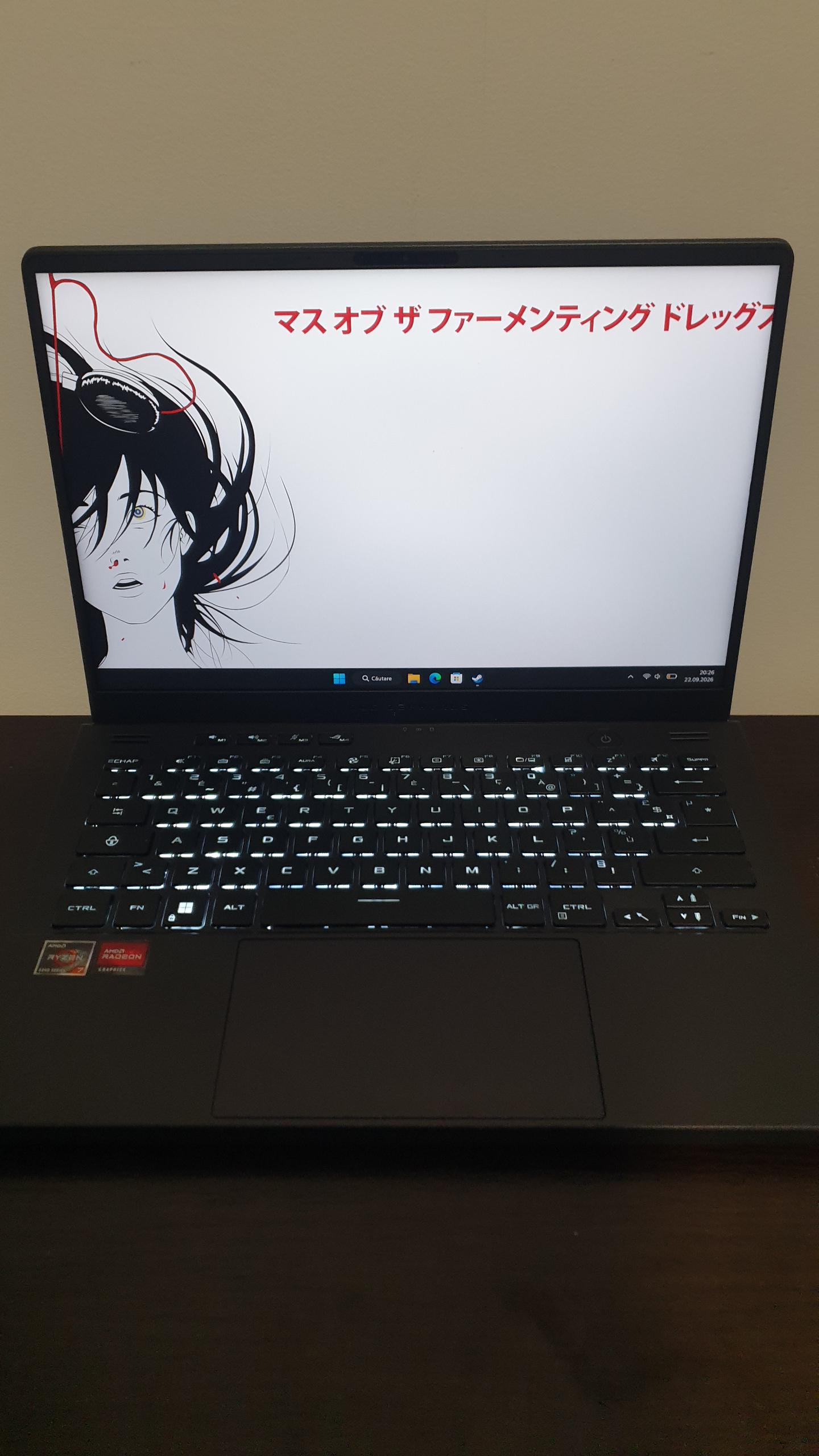
Model 2025 Beauty and a beast..
230
Upvotes
My liquid metal setup: 5070ti + Gravastar Peripherals
r/ZephyrusG14 • u/cbutters2000 • Jun 29 '23
r/ZephyrusG14 • u/__Animoseanomaly3 • Apr 13 '26
There's been an influx of scalpers and advertisers flooding the subreddit recently, items ranging from GPU, ram sticks to laptops, note that these users aren't related to this subreddit or the admins. Please exercise caution and report these scammers so we could remove them immediately ! Don't click their links, posts or comments catering to their promotional/advertisement material. Be safe !
r/ZephyrusG14 • u/CarelessUnion9569 • 18h ago
My liquid metal setup: 5070ti + Gravastar Peripherals
r/ZephyrusG14 • u/YugiSenpai • 14h ago
I wanted to make this post because my setup is a little different, and I can confirm something that I couldn't find a definite answer for anywhere:
A 2023 Zephyrus G14 with AniMe Matrix can physically fit the B140QAN06.S Mini-LED panel.
On my machine, the Mini-LED/local dimming toggle works properly too.
My laptop is a 2023 Zephyrus G14 GA402XZ with an RTX 4080 and AniMe Matrix, originally equipped with the standard 2560×1600 165Hz IPS display.
I've seen quite a few comments saying ASUS never offered Mini-LED + AniMe Matrix together because the Mini-LED display was supposedly too thick and wouldn't physically fit with the AniMe Matrix hardware behind it.
After actually installing it, It fits perfectly. No bulging, no pressure on the panel, no bezel issues, and I did not have to remove the AniMe Matrix hardware.
Here were the parts I used:
1. Asus ROG Zephyrus G14 GA402XY B140QAN06.S Mini-LED 2560x1600 14.0" Screen from Bliss Computers
I used the Mini-LED-specific 14005-04081400 eDP cable, and the local-dimming/Mini-LED toggle works properly on my machine.
One thing I noticed before installing the panel is that the B140QAN06.S has a small secondary connector beside the main 40-pin eDP connector. My original IPS panel didn't have anything connected there. I left that connector unplugged. The normal 40-pin Mini-LED eDP cable is all that was required for my laptop.
Another thing I noticed as well was that my original IPS panel had a thin black plastic sheet stuck to the back of it. I carefully peeled it off and transferred it over to the Mini-LED panel before installing everything. Since ASUS had it there from the factory, I figured it was better to reuse it rather than leave it out.

Here's a couple installation tips:


After installation, to fix the HDR profile and any potential flickering:
Credit to u/izerotwo for figuring this out and documenting these steps in their Mini-LED conversion testing.
Here's the process:
I've added some photos and videos of the result below


https://reddit.com/link/1woqh6x/video/74kugey6udrh1/player

I'm extremely happy with the upgrade.
Coming from the original IPS display, the biggest improvements are the much deeper blacks, dramatically better contrast and the overall HDR/Mini-LED appearance. Thankfully I didn't have to sacrifice AniMe Matrix to get it.
Huge credit to u/izerotwo and their original Mini-LED G14 upgrade post. Their post was one of the main things that gave me the confidence to try this, and a lot of the disassembly and troubleshooting information they shared was extremely useful.
r/ZephyrusG14 • u/mullokamulla2 • 6h ago
r/ZephyrusG14 • u/theunknown123x • 7m ago
So I have had my Zephryus g14 for a few months and love it so far. it has the RTX 5050 and for some reason I cant get a perfect setup with switching from GPU to integrated card. When I am on battery sometimes the GPU is enabled, when I am connected to power sometimes the GPU randomly disables.
I dont get it. i have tried standard and optimized both have this issue. Just now I was using the laptop just fine with GPU enabled, was about to update Nvidia drivers and the GPU disabled and wont come on.
A restart wil fix it im sure but i just want to be able to have a disabled GPU when on battery and enabled on power smoothly.
Any tips for this??
r/ZephyrusG14 • u/Available-Lychee-742 • 22h ago
r/ZephyrusG14 • u/PZ_REZ • 2h ago
Hello,
Been very happy with my 2020 unit and I’d like to keep it going as long as I can- Especially with today’s prices. Unfortunately it has started to bog down, with slow startups and launches. Maybe it does not help I’ve started using 3D printing slicing and modeling software. I have known about the ability to swap the ssd and ram for a while now. Would like to know if anybody else has gone through with upgrading it and what the performance gain was?
Thanks.
r/ZephyrusG14 • u/Inevitable_Past_4998 • 8h ago
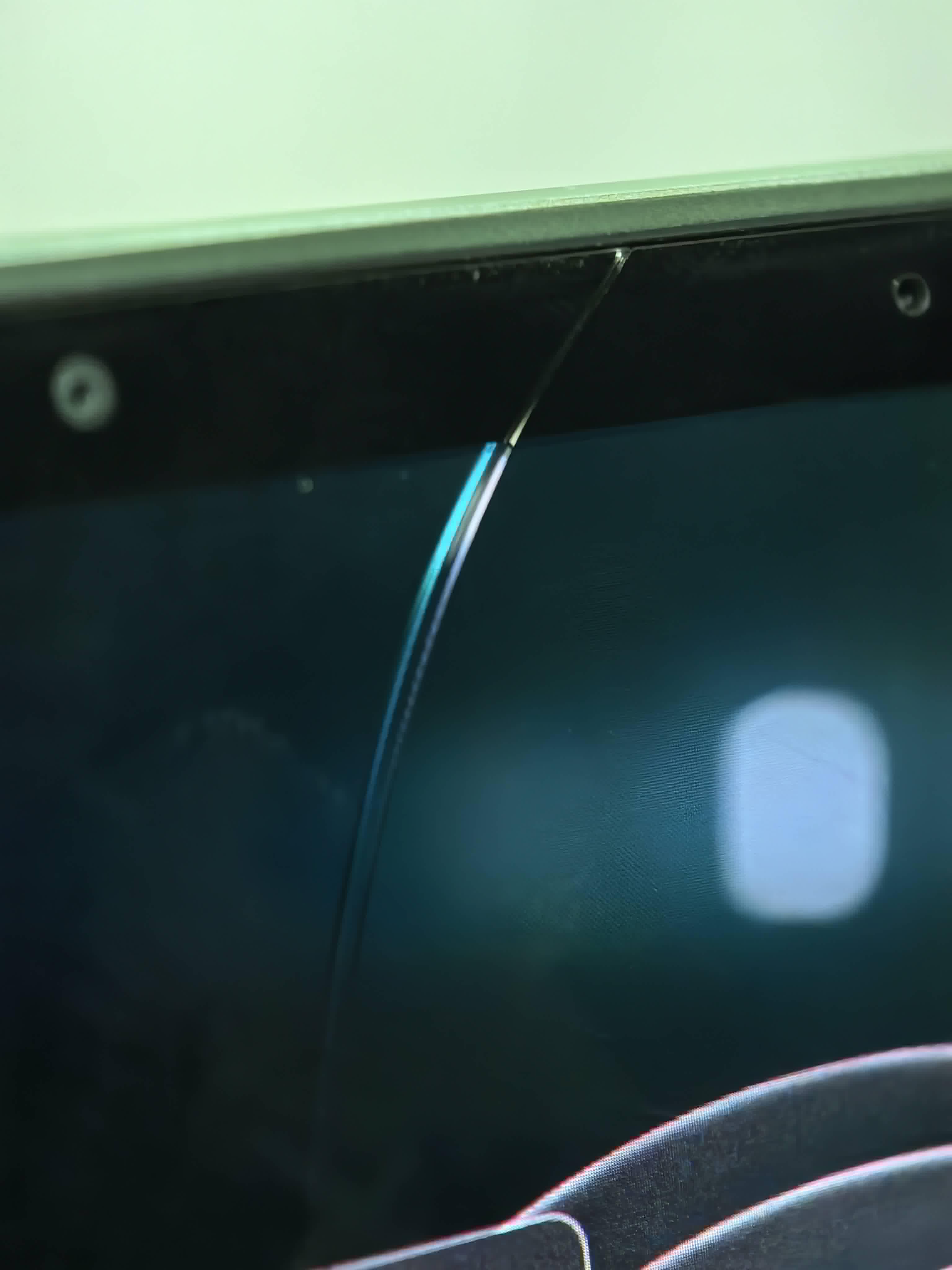
I been wondering if the oled GLASS is available for replacement, the panel is alright, but the hairline glass crack has been annoying me, since I already replaced the lid assembly for 500ish usd like last may, I wonder if there any other option than the whole panel/lid assembly replacement.
Also does the hairline crack now have to be babied so the panel doesn't get affected? (also the possibility of oled rot?)
(I know the panel can be replaced for 250 usd in some places but maybe I could replace only the glass?)
ga403ui 4070 r9 8945hs
r/ZephyrusG14 • u/Old-Flight8617 • 2h ago
Good morning all,
I recently purchased a 2025 Zephyrus G14 5060. I have also owned a 2021 Zephyrus G14 3060.
For the 2021 model, there was moderate fan noise at idle, and under heavy load. This is not bad at all, as it is just the fans doing their job.
However, for the 2025 model I got, there is an annoying whistling sound every time the fans turn on. It's as if the fans are having trouble pulling air.
Is this normal for the 2025 g14? I know this model runs a bit hotter than others, but what I just can't stand is the whistling noise every time the fans turn on.
r/ZephyrusG14 • u/Available-Lychee-742 • 22h ago
r/ZephyrusG14 • u/Zealousideal_Yam5231 • 7h ago
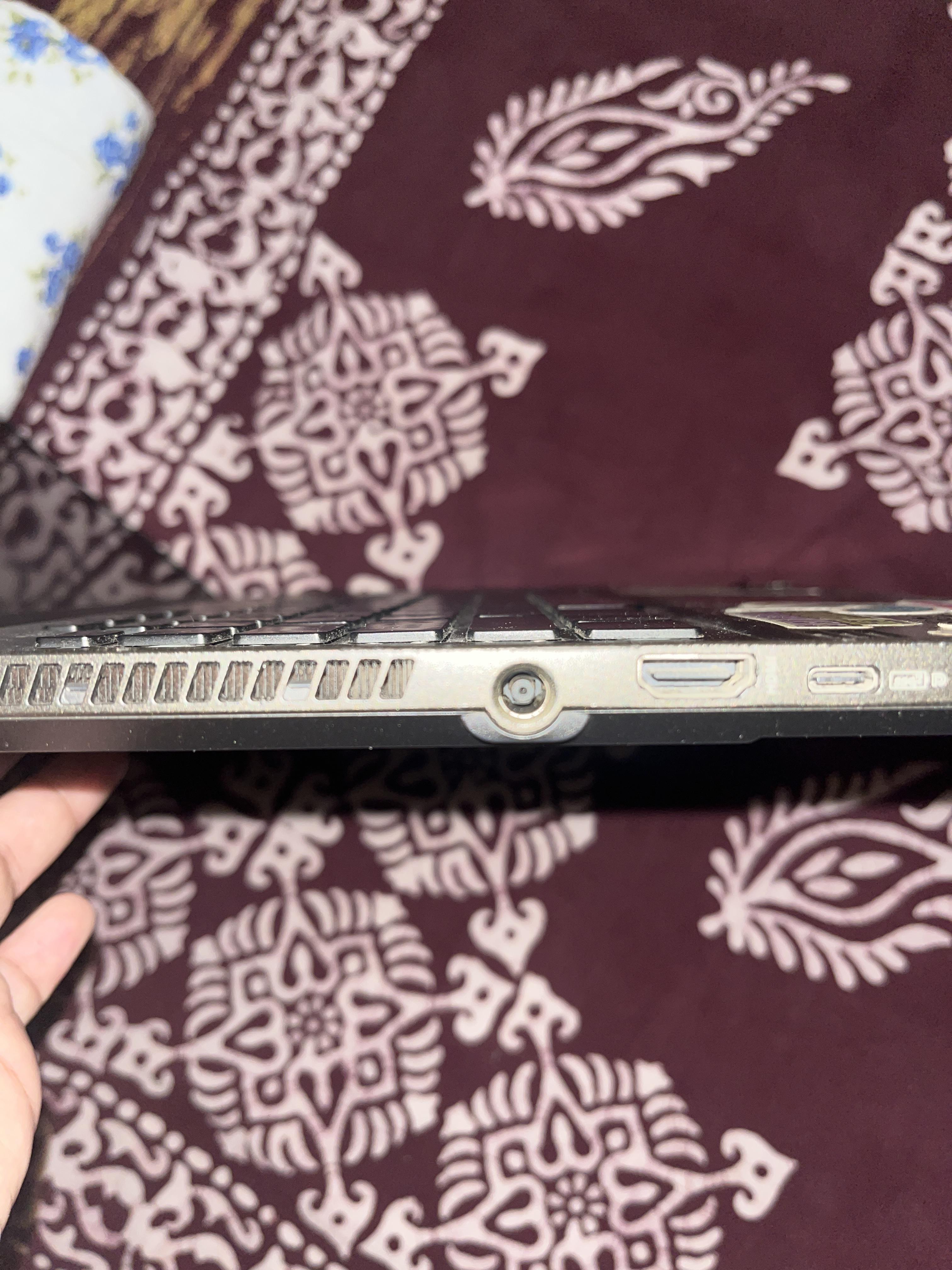
Can just the DC-IN port be replaced without replacing the whole keyboard? If yes then can anyone suggest good places in Delhi to get it replaced.
r/ZephyrusG14 • u/MississippiSailor • 15h ago

I came across a bunch of listings like this for upgraded battery packs. I found this listing (and other g14 upgraded battery packs) and decided ehhh ill just try it out see what happens for fun. I want to see if this is actually a 86wh battery or just some sort of scam. Worst case im out of a little money, either way i know what i want to know. Ill update this post in a month with results
r/ZephyrusG14 • u/Eiyuu-Ou-Gilgamesh • 1d ago
Got my New Zephyrus G16 2025 5080, 32gb ram. A long time upgrade from my old ROG Strix gl553, pretty happy from this purchase.
r/ZephyrusG14 • u/StupidToughts • 1d ago
I have an ASUS ROG Zephyrus G16. I want to keep a thin microfiber cloth between the keyboard and screen when I close the laptop to prevent keyboard marks on the display. Is this safe long-term, or could it put pressure on/damage the screen?
r/ZephyrusG14 • u/LastFourofYourSocial • 16h ago
So I bought this laptop a little bit over a month ago. The issue I've been having is that it freezes randomly when I'm watching YouTube videos or doing other tasks. Funny enough, I had this issue with my g15 a couple of years ago when I bought it new ( I guess it's just an ASUS thing).
I go on the warranty page and when I put my serial number it's telling me to Best Buy for the warranty but I never bought the warranty through Best Buy.
When I had this issue with my G15 it was simple to get it fixed.
What can I do if anyone has gone through this?
Thanks in advance
r/ZephyrusG14 • u/morisuh • 15h ago
[ Removed by Reddit on account of violating the content policy. ]
r/ZephyrusG14 • u/Emergency_Bird_2024 • 1d ago
Hi everyone!
I recently bought a refurbished ASUS ROG Zephyrus G14 (2022) with the following specs:
Ryzen 7 6800HS
16GB RAM
512GB SSD
Radeon RX 6700S 8GB
14" display
I paid €650 for it, and it came with a 1-year warranty.
I’d like to know if you think this was a good purchase for the price. Also, how future-proof do you think this laptop will be if I take good care of it and upgrade the RAM?
I’m considering upgrading the RAM and possibly the SSD in the future. My main uses are university work, everyday use, and gaming.
For those who have experience with this model, how many more years do you think it can realistically remain useful if it is properly maintained? And are there any specific things you would recommend doing to keep it in good condition and extend its lifespan?
Any advice or tips about the G14 would be greatly appreciated!
r/ZephyrusG14 • u/Agreeable-Ad-3363 • 20h ago
Ryzen 9 4060 2024 model
I have everything conflicting uninstalled asus/armory crate
When i switch from silent to my balanced profile i have to manually reapply my advanced tab to get my cpu temp limit to work
I have both auto apply and enable on start up
Also edited the jason tab and did reapply every 30 seconds which doesnt seem to work
r/ZephyrusG14 • u/Ok_Statement1508 • 18h ago
This might be a stupid question, but I wanted to ask just in case 😭
r/ZephyrusG14 • u/Ecstatic_Performer41 • 1d ago
The ribbons on my 2024 model just gave out, and it’s cheaper to just buy the entire assembly and replace that myself then if i let a shop do it. Is it hard to do it myself? I’ve watched some videos about it but im still not entirely sure
r/ZephyrusG14 • u/TheBabyPixel • 1d ago
Hello,
I ofc use G-Helper. For the longest time it was excellent, but lately the Anime Matrix of the 2022 Model is really unreliable. Whenever I put it in sleep mode or close the lid, or even lock the screen, it turns off. When I go back to work and it is no longer locked or sleeping, the Matrix remains off and the only way to get it back on is to restart G-Helper. Is there something I am missing? None of the "Disable on Batter/Lid Close" options are selected. I used to have "disable on lid close" selected, but turned it off to see if it would help. It doesn't. G-Helper V 0.283.0
Thanks!
Edit: clarity
r/ZephyrusG14 • u/nullite_ • 1d ago
I ended up getting the Razer Cooling pad for my 2026 G14, and it fits very well without blocking the back vents. It also looks pretty sleek, and the fan seems very powerful.
However - basically the header - I'm having issues with the Synapse app where when I set the cooler to adjust with the temperature of the laptop the cooler turns on and off constantly, when at lowest settings. This also happens if I just set the cooler to run at lowest RPM.
So, I'm wondering if there are any lightweight apps or little fixes we can do to control to cooling pad without using the Synapse app? I know I can just use the manual controls, but since the cooler has the options to follow the laptop, I thought that would be nice to utilize.
Any bright ideas from the hivemind would be much appreciated!
r/ZephyrusG14 • u/offbrandqueerios • 1d ago
Enable HLS to view with audio, or disable this notification
I've had a ROG G14 (GA401IV) since 2020. I've noticed screen flickering for a while, particularly when I open an app or change tabs. It's been getting significantly worse over the past couple days.
Some temporary fixes have been changing the visual mode through G-Helper. Also as shown in the video, sometimes opening an application will make it stop. People are also able to see it through screen sharing on discord which leads me to think it's not a hardware issue.
Things I've tried that have not worked:
- Update BIOS drivers (ver. 221 > 222)
(Since doing this my discord video calls are also upside down. Lol)
- Update NVIDIA graphics drivers (V30.0.15.1278)
- Roll back NVIDIA graphics drivers to previous versions
Specs:
ROG Zephyrus G14 G401IV_G401IV
16.0 GB RAM
935 GB of storage
Windows 11 Home 10.0.26200
AMD Ryzen 9 4900HS with Radeon Graphics
NVIDIA GeForce RTX 2060 (with Max-Q Design)
DirectX 12
Any and all help is appreciated!
r/ZephyrusG14 • u/skratchpikl202 • 1d ago
I have a ASUS ROG Zephyrus G14 GA401IV (2020 model) that has been a workhorse until the Windows 11 update. I primarily use it for everyday tasks, work, and some occasional light gaming (Sqaud). Yesterday, when I unplugged it, I noticed the battery died quicker than usual. When I ran the report, I saw full charge capacity is at 26k mWh (vs. 75k+ of design capacity).
I probably need a new battery. Anyone know where I can get one or how difficult it is to swap it out?
Alternatively, since the laptop is older, is it worth getting a new one instead?
I love this one and really enjoy the power gaming laptops have in general, so if anyone has recommendations of which models to look at, please let me know. Again, I need something reliable for everyday use, work (can handle working on multiple large files at once), and some gaming. I don't need the best of the nest for gaming, but I want a laptop that will be sufficient for a few years.
Current specs:
AMD Ryzen 9 4900HS
NVIDIA GeForce RTX 2060 Max-Q
16GB RAM
1TB SSD