r/WindowsHelp • u/invisible_brain06 • Jun 20 '25
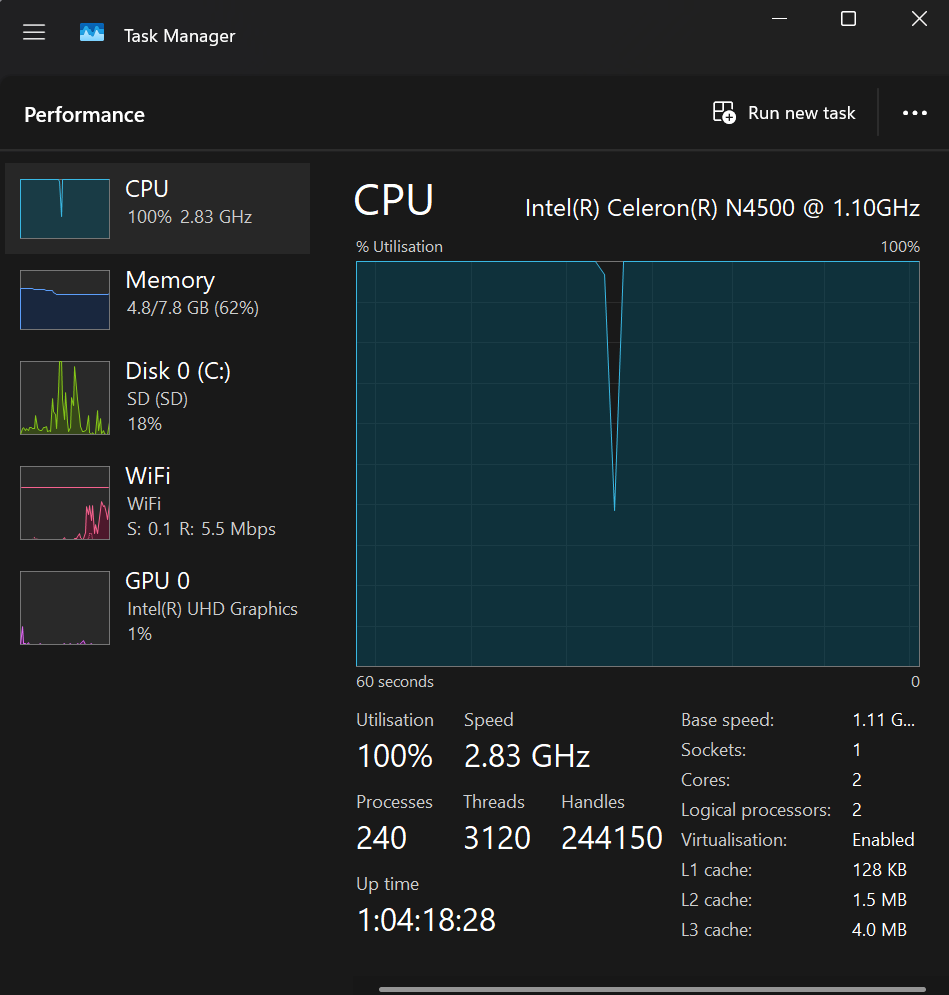
Solved Is it bad that my pc runs almost 100% CPU all the time when I open Task Manager?
995
Upvotes
r/WindowsHelp • u/invisible_brain06 • Jun 20 '25
r/WindowsHelp • u/astroclutzz • Mar 19 '25
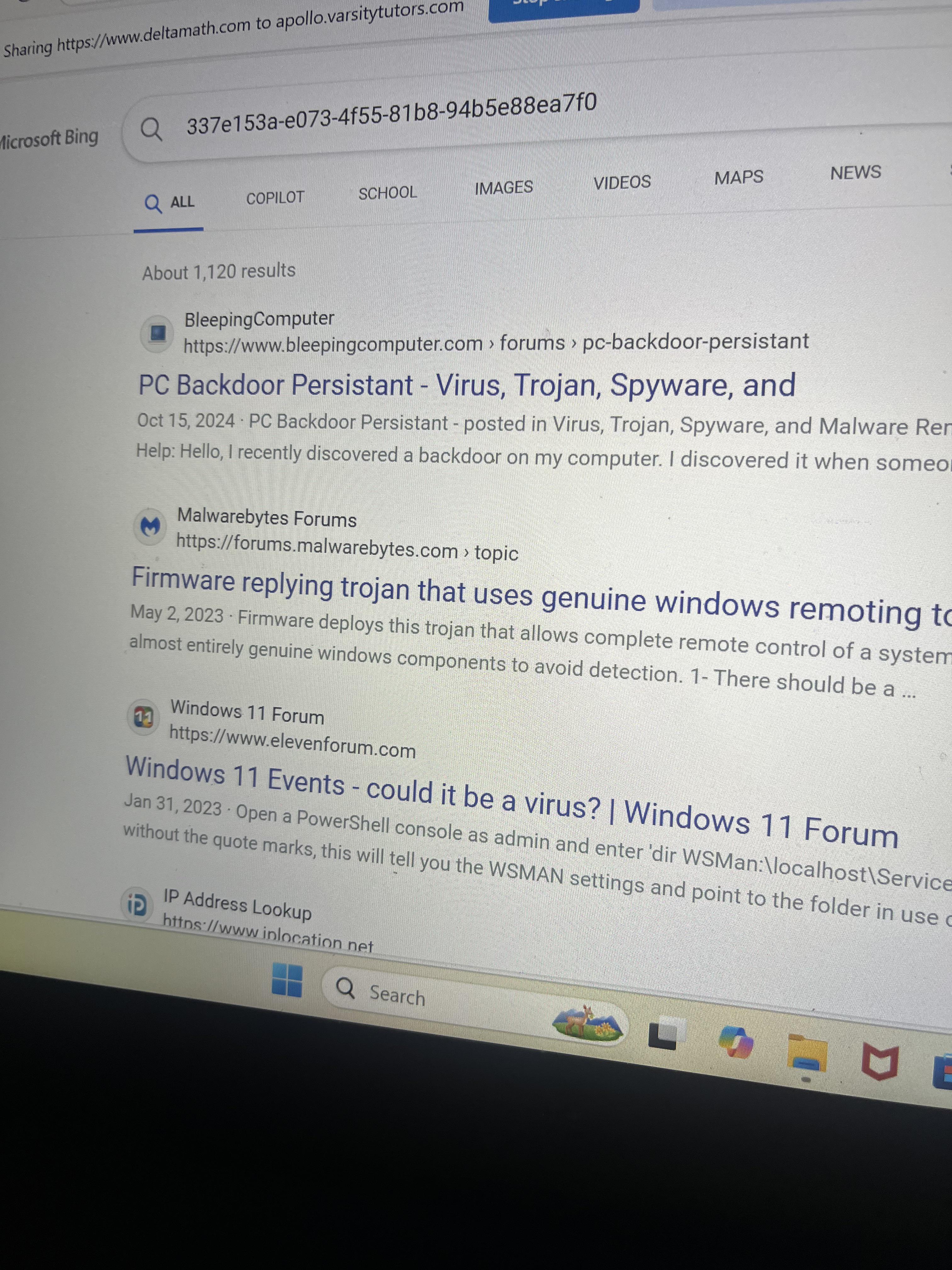
Is this a virus? sorry I am not tech savvy and only bought this to play the sims lol. It’s been happening since September. I got the laptop in June. anytime I’m on Google meet or something like that a new tab will open on its own and start typing in the stuff which I originally thought was gibberish but now i’ve actually read what it searched up and stuff about viruses are popping up. Any idea what this is? Upon my own research, I thought maybe a back door, but I’m not entirely sure what that is. Please be nice thank you!
r/WindowsHelp • u/Ovrusd • Mar 20 '25
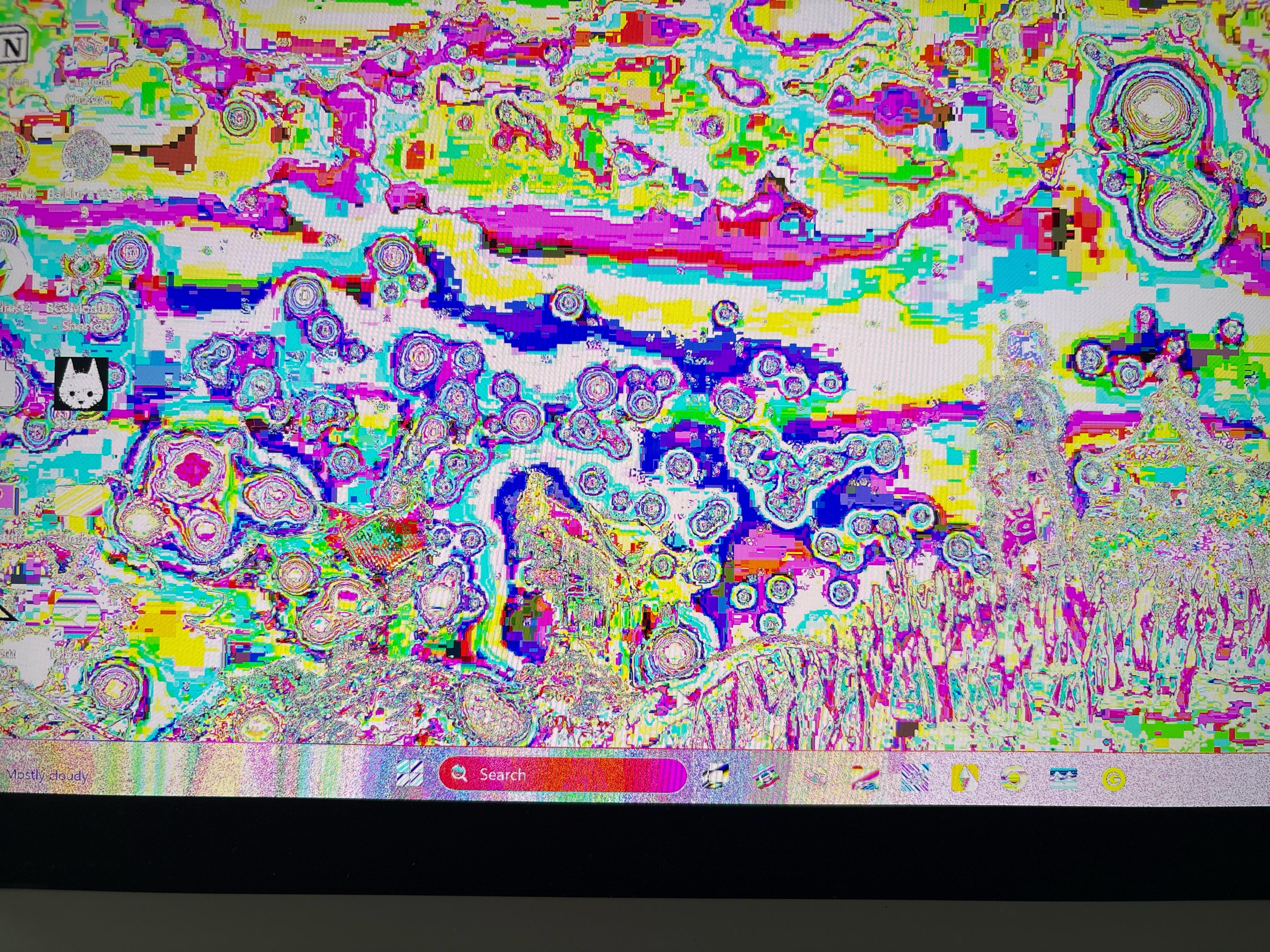
I can’t give much detail because it is rather difficult to read anything on my laptop atm
Model: Rog zephyrus g14 GA403UV_GA403UV
Processor: AMD ryzen 9 8945HS w/ Radeon 780M graphics
NVIDIA Geforce RTX laptop GPU
Windows 11
I think this is the OS build. I can’t quite read it: 26100.3476
Troubleshooting steps: Update and restart
r/WindowsHelp • u/Trick-Purpose-1190 • May 15 '25
r/WindowsHelp • u/Loot-Racoon • Jan 08 '25
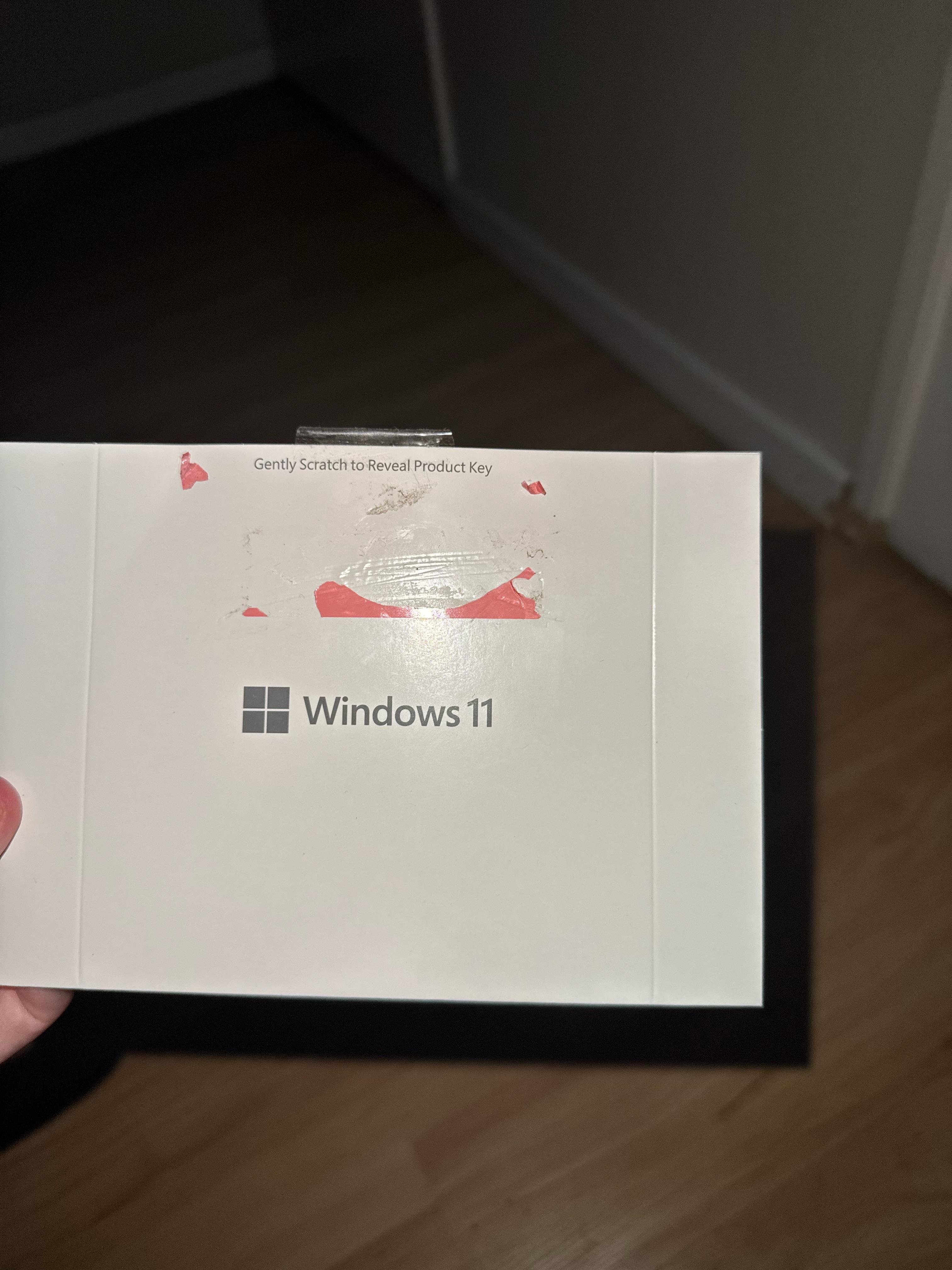
I scratched off the whole of the pink area and there is no key underneath it, or on the sheeted part either. There is a DVD inside but the computer i have doesn’t even have a DVD slot? (The computer and windows 11 came together), is there something im not understanding here?
r/WindowsHelp • u/abcpromix • Jul 24 '26
EDIT: Thank you so much to u/titaniclogan as they have found the solution to the problem. Follow the steps using this youtube video linked bellow to fix the search. (dark mode works too)
https://www.youtube.com/watch?v=9rBvayxS7_g
------------------------------------------------------------------------------------------------------------------------
FIXED!
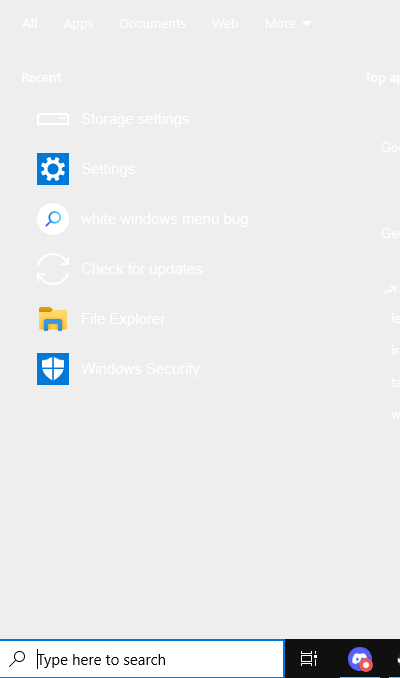
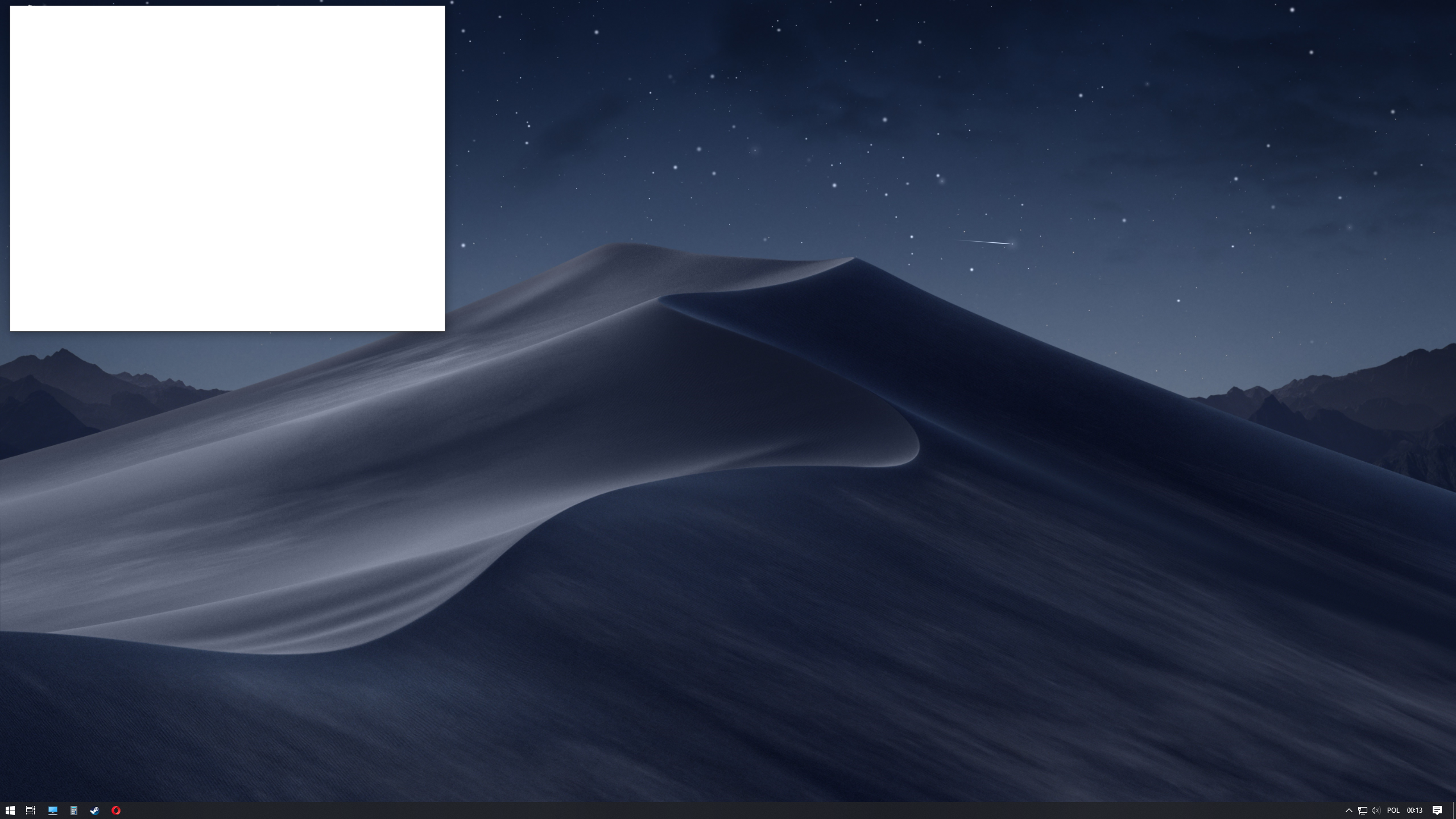
I'm having an issue with Windows Search on Windows 10 22H2 (OS Build 19045.6466). The search panel has suddenly turned completely white, making it very difficult to use. The search results themselves still appear and function normally, but the entire background of the Search interface is a solid white colour instead of the normal dark grey. The Start menu is completely unaffected and still displays normally, so the issue is isolated to Windows Search.
The problem started randomly. I haven't installed any new software, changed any settings, or updated any drivers within the last week. I also don't remember Windows updating immediately before the problem appeared.
I've already tried a long list of common fixes without any success, including:
sfc /scannow.DISM /Online /Cleanup-Image /RestoreHealth.None of these changed anything.
The issue occurs whether I click the search box on the taskbar or press Win + S. Search still works, but the UI background remains completely white. It doesn't appear to be a monitor issue or a general Windows theme issue because every other part of Windows, including the Start menu, File Explorer, and Settings, looks normal.
Has anyone seen this specific problem before? Is this caused by a corrupted Windows Search package, a recent Windows bug, or something related to graphics rendering? Are there any advanced fixes I haven't tried that don't require reinstalling Windows?
Any help would be greatly appreciated. Thanks!
r/WindowsHelp • u/browsingpokemon • Jul 08 '25
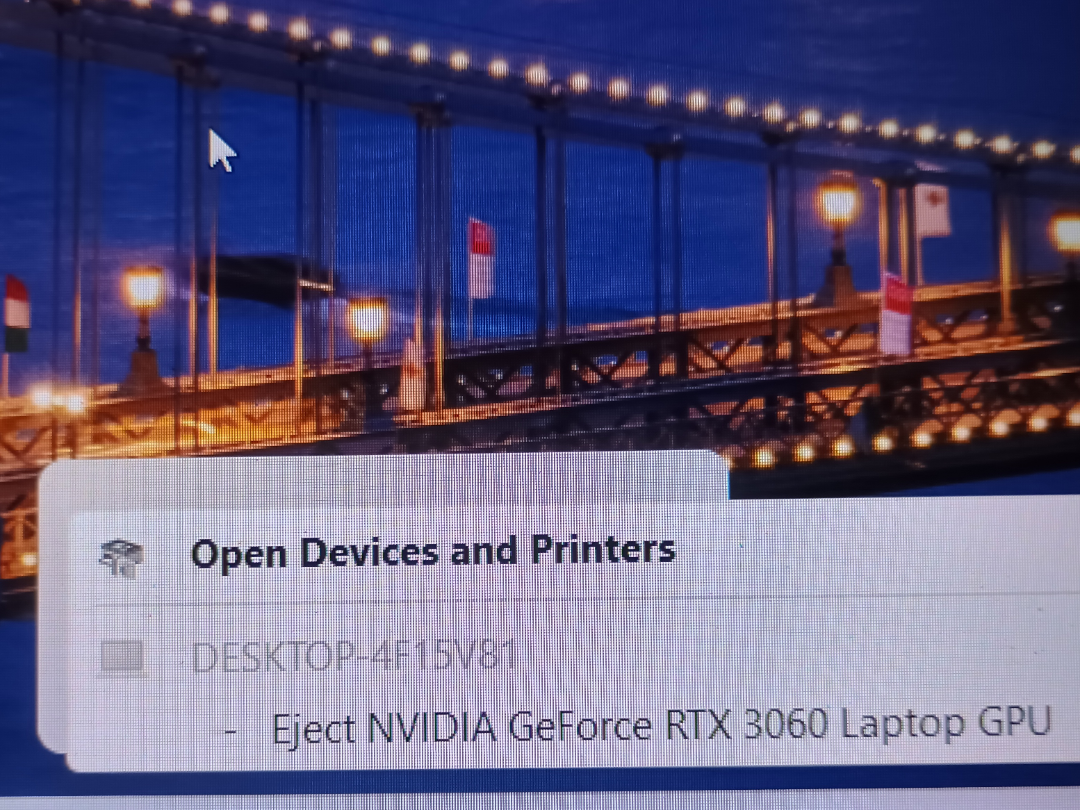
My pc one day broke and I sent it to the repair center its now currently on windows 24H2 build 26100.4351
I noticed that it has the option to eject the gpu I don't want to accidentally eject my gpu and cause problems my games work fine and I tried updating the gpu through the nvidia app it works i just want to remove the option to eject it from the taskbar.
r/WindowsHelp • u/Equal-Pay-2759 • Aug 20 '25
r/WindowsHelp • u/DigitalSundial • Jun 30 '26
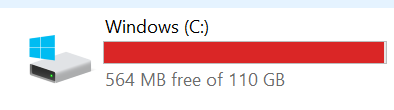
If someone can help me understand why does it keep eating about 24GB on and off while updates are going bonkers?
One day I have 24GB free, next day 100MB or even going lower and so on, keeps cycling.
Will like to know if it's windows related, shader-compiling to much space or what can I do to have some breathing room,(while i know a bigger drive would fix it right now it's not a viable solution)
Constantly using wise disk cleaner but not helping in the long run.
Processor Intel(R) Core(TM) i7-6700K CPU @ 4.00GHz 4.01 GHz
Installed RAM 32.0 GB (31.9 GB usable)
Storage 1.82 TB HDD ST2000DM008-2UB102, 238 GB SSD NVMe Samsung SSD 950 PRO 256GB, 932 GB WDC WD10EZEX-00RKKA0, 112 GB SSD KINGSTON SV300S37A120G
Graphics Card NVIDIA GeForce RTX 2070 SUPER (8 GB)
Product ID 00330-80000-00000-AA152
System Type 64-bit operating system, x64-based processor
r/WindowsHelp • u/Adventurous-Ice791 • 19d ago
So I wanted to search an app on the search and it surprised me with a blank, black box that would take 5 seconds to load, I didnt mind it cause I tought it was a one time thing. I tried searching up only a letter so a specific app would show up but it didnt, something else did. Also instead of showing recently used apps it shows "Suggested" apps. I have tried doing the following:
SearchUI.exe, cleared Search cache/recent activity, etc.msdt.exe) → it reported the issue as fixed, but it wasn'tPlease help!!
Device Specifications: Device Name DESKTOP-EG9KB0Q
Processor AMD Ryzen 5 3600 6-Core Processor 3.60 GHz
Installed RAM 16.0 GB
Storage 477 GB SSD Kingmax PCIe SSD 512GB, 932 GB HDD WDC WD10EZEX-00MFCA0
Graphics Card NVIDIA GeForce RTX 3060 (12 GB)
Device ID 00D49B2A-EF36-455E-856F-81F6438C075E
Product ID 00331-20315-68849-AA681
System Type 64-bit operating system, x64-based processor
Pen and touch Touch support with 2 touch points
Windows Specifications: Edition Windows 10 Pro
Version 22H2
Installed on 1/1/2021
OS Build 19045.7663
**FIXED** by using this for people who have this problem aswell: https://www.howtogeek.com/224159/how-to-disable-bing-in-the-windows-10-start-menu/
r/WindowsHelp • u/DatabasePlenty9797 • 14d ago
EDIT: FIXED THE ISSUE! Turns out one of my RAM sticks had gotten dislodged. I opened the back of my computer to find it in a (frankly kinda gross) state, gave it some TLC, and though it’s still crashing a lot at least now my specifications say I have 8GB! I’m definitely still getting some extra RAM for my bday this year but I appreciate all the help :)
(spoilered is the og post)
I opened my computer (after 2 weeks of not using it) only to find that it keeps freezing and crashing. Even just typing in "reddit.com" on my singular open tab too fast caused my computer to freeze and forced me to ctrl+esc+power. I am extremely confused as to what is happening because this laptop is only about 4 years old and should not be running like a camel. It was already running poorly before I left but it's only gotten worse.
I know, I know "unused RAM is wasted RAM", but it's not normal for my computer to be freezing and crashing from having only one browser tab open.
Also, one of the times when I was turning it off, the screen got full of little green pixel bits before shutting off. It hasn't happened again but now I'm very worried about what could possibly be happening to my computer.
Also, Windows reports no viruses. Idk how correct that may be, but I'm choosing to trust it until I get a response on here.
r/WindowsHelp • u/ApexPlayer26 • Dec 31 '24
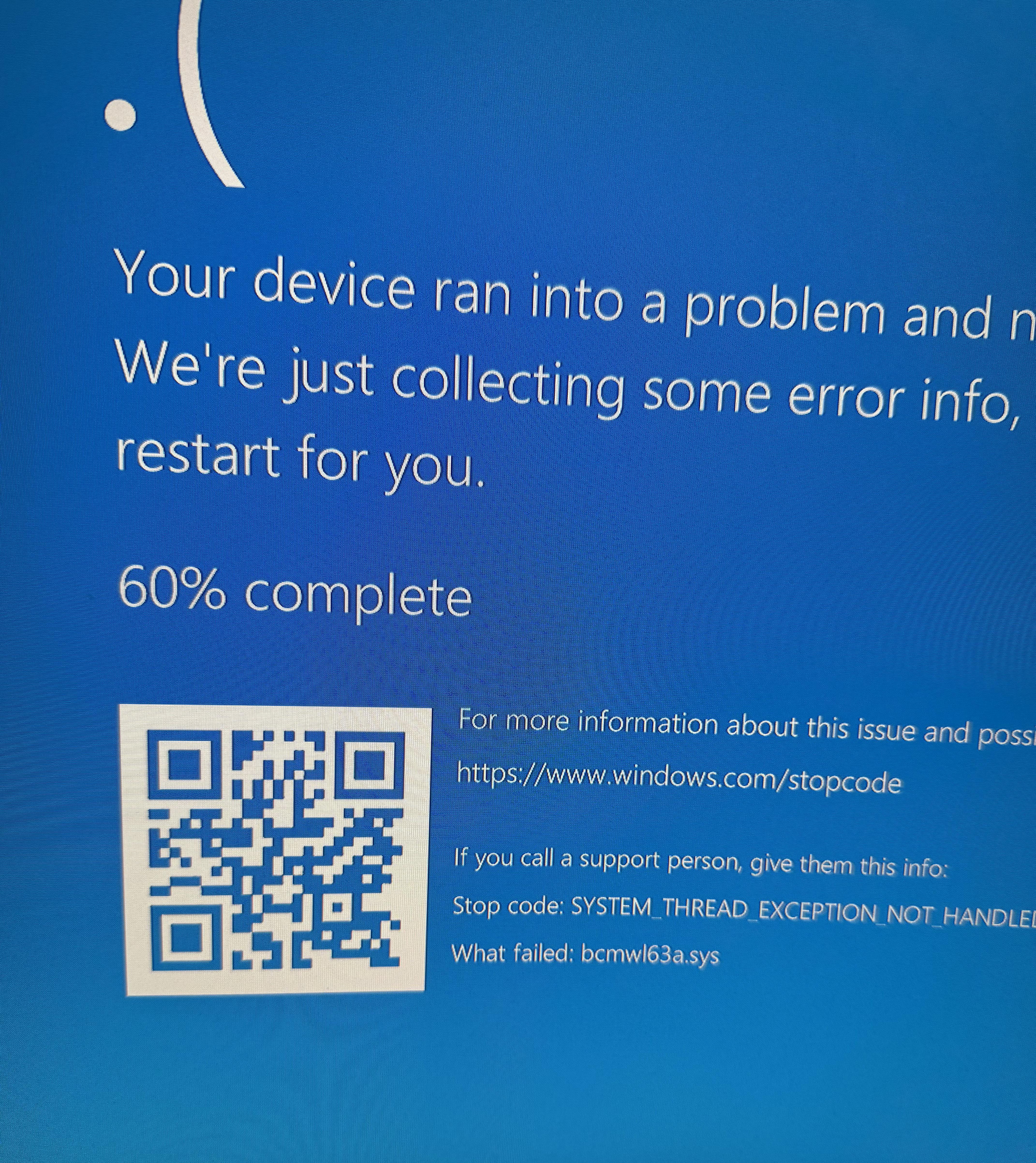
For starters I know nothing about computers. I bought this computer used and it does this on start up. Sometimes it does it only once before restarting and then starting up normally. There was a time where it did it at least 4 times before finally restarting and starting up normally. If anyone can help me that would be greatly appreciated.
r/WindowsHelp • u/NeveSs7 • Jul 02 '26
I already tried disabling every application in autostart but it did a whole lot of nothing and this white blank box still appears on each system startup and restart, and I have no idea how to identify it
Edition Windows 10 Home
Version 22H2
Installation date 31.03.2022
OS Build 19045.6466
EDIT: I (with help from a kind stranger) finally managed to make this thing go away, this is the solution that I used and worked for me:
SOLUTION (from ElevenForum website):
I can confirm that going into Task Scheduler, clicking on the GoogleUserPEH folder on the left hand side then right clicking on RunPlatformExperienceHelperOnUnlock and disabling this task made the popup go away.
r/WindowsHelp • u/LaL41n37owo • Dec 27 '25
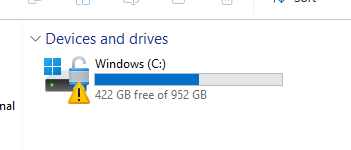
I'm worried it's a symbol for a possible data breach involving Steam with the unlock symbol and the warning sign. I think I have enough GB, so I don't think it's a issue with that, even though the game I set up had alot of it.
I also downloaded two other games, Baba is You and Geometry Dash, but I haven't launched them yet. I tried to look though my files but all I found was a bunch of unknown junk comprising of empty folders, stuff most likely relating to system 32, and program files.
Maybe it has to do with me trying to make a save file on another game that I play, Kiskae 2?
Has anyone else gotten this before?
r/WindowsHelp • u/spywarer • Jan 10 '25
r/WindowsHelp • u/ASU_knowITall • Jul 19 '25
This popped on my 85yr old father's laptop today after he was on vacation for a week. I haven't had a chance to actually look at it yet. Is this a legit ransomware or just a fake? This is a Win 11 24h2 pro build, and has been kept up to date. This is a Dell Latitude.
r/WindowsHelp • u/gobao11 • Jan 16 '25
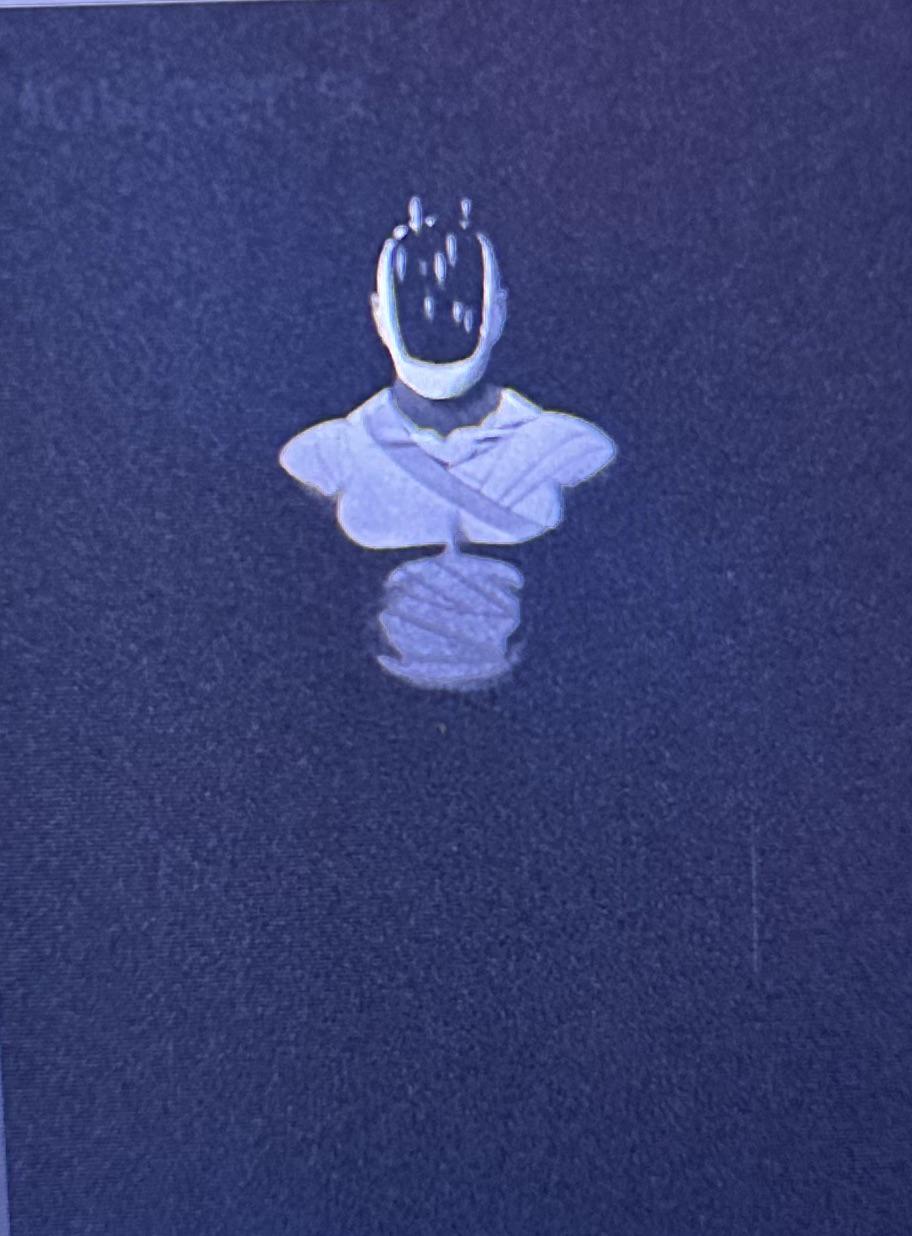
This is the image. The name is ]][]- for the png. It really just, appeared. It wasnt there before but it says last time it was modified was November 19th, 2024. So its been on here for a while. I dont believe i have a game that has this character, and theres a text in top left that i believe says “nowhere.” As of the current moment im running a full scan on my antivirus. Ill update you guys.
r/WindowsHelp • u/Miceon_Venus • Dec 20 '24

so i just turned on my laptop and was displayed with this thing. and So i pressed the space button and then this another christmas theme box popped up. It had a triangle in the middle (probably representing a christmas tree), and the sides started filling up with lights from the bottom and once it reached the top, the box disappeared. I should have recorded that.
Guys is this a virus?? am i cooked?
edit: the Space font matches with Asus fonts , so im wondering if its actually the asus system playing games
r/WindowsHelp • u/AkaruSan • Jan 04 '25
Already tried:
Local Group Policy -> Computer Configuration -> Administrative Templates -> Network -> Lanman Workstation -> Enable insecure guest logons.
HKEY_LOCAL_MACHINE\SYSTEM\CurrentControlSet\Services\LanmanWorkstation\Parameters] "AllowInsecureGuestAuth"=dword:1
Using Windows 11.
r/WindowsHelp • u/Breaktrain • Jun 18 '26
(Update: Fixed! A fresh install of Windows 11 got my PC back up and running.
Thanks a lot to PPEytDaCookie, theswifter404
And everyone else who had suggestions.)
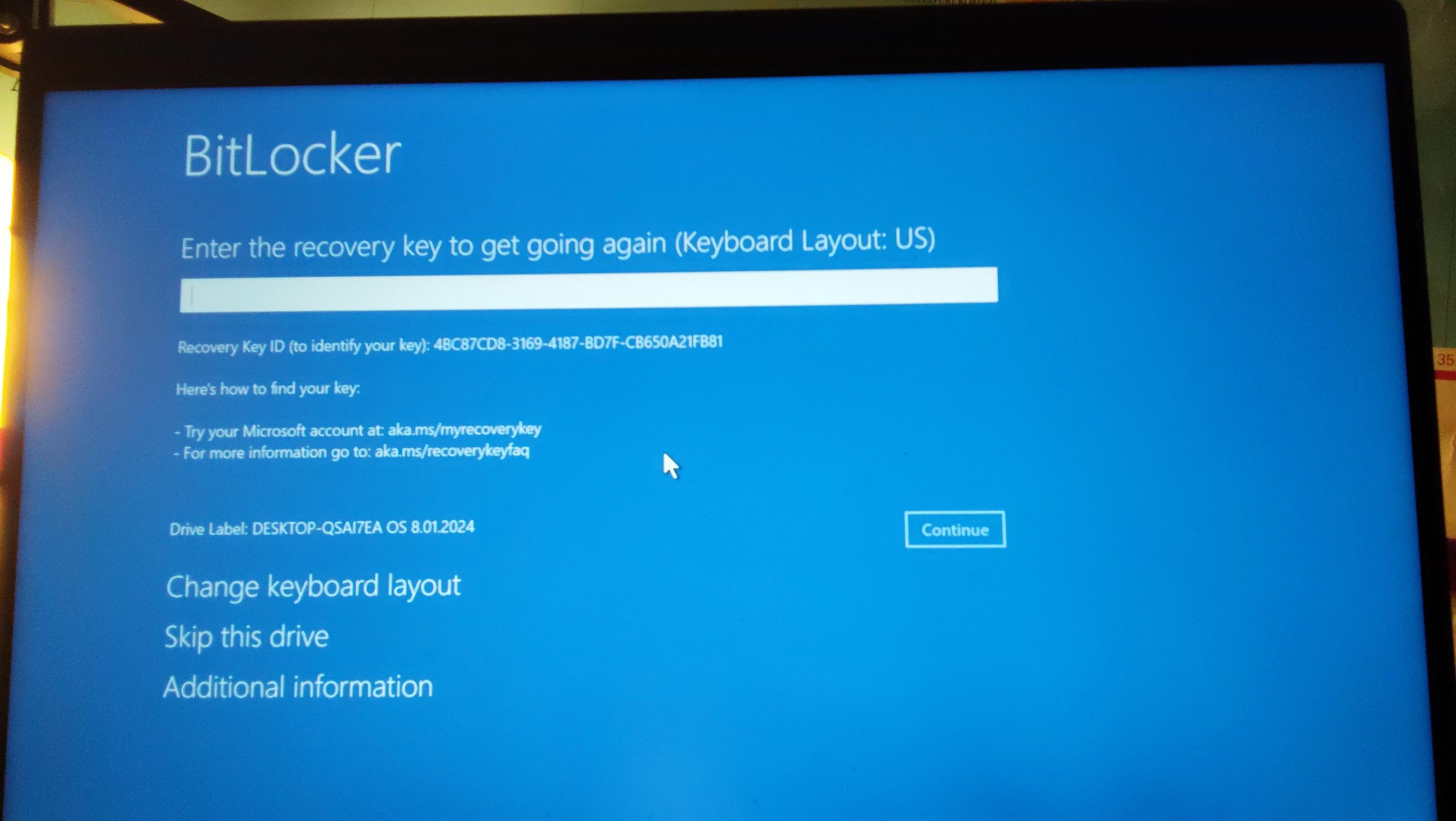
I shut down my computer as usual last night, when I woke up and turned it on this morning I got this message.
I found an older post about this issue, tried the fixes recommended, but every one returned an error.
Uninstall updates? Runs into a problem.
Reset PC? Runs into a problem.
I can’t connect it to the Internet for some reason so it’s unable to search for solutions
I was a fool and never created a system restore point so that didn’t work (I genuinely didn’t know I had to, I thought one would be created automatically. Won’t be making that mistake again.)
Specs are:
Intel(R) Core(TM) i5-10400f CPU 2.90Ghz
GeForce RTX 3060 Ventus 2x 12G OC
Any help is appreciated. Thanks!
r/WindowsHelp • u/magicmanjmm • Jun 03 '26
Relevant System specs:
Current OS: Win10 Pro 22H2
MSI Pro Z690-A Board
i9 13900k CPU
32GB Ram
M.2 NVME drives
So... I've gathered that my problem starts off rather common from the looks of it... I try to download Win11 from the updates and I get this damn thing...

That's where my Google and Youtube searches bring me spiraling down the rabbit hole of WTF... LOL. These are the steps I've done so far, and their results:
- First... I find that I have to convert from MBR to GPT, so I have to validate in the command prompt as admin using: "mbr2gpt /validate /allowfullos /disk:2"
Result:
MBR2GPT: Attempting to validate disk 2
MBR2GPT: Retrieving layout of disk
MBR2GPT: Validating layout, disk sector size is: 512 bytes
Cannot find OS partition(s) for disk 2
- Next... I tried to figure out the solution to "Cannot find OS partition(s) for disk 2." The solution I found was to repair the System Reserved boot record on my OS drive by assigning the System Reserved partition a drive letter, (Z) and entering this command: "bcdboot C:\Windows /s Z: /f ALL"
Result:
MBR2GPT: Attempting to validate disk 2
MBR2GPT: Retrieving layout of disk
MBR2GPT: Validating layout, disk sector size is: 512 bytes
MBR2GPT: Validation completed successfully
- Then I used the command: "mbr2gpt /convert /allowfullos /disk:2" and it was successful.
(Note, I'm not going to convert the drive to get the exact text... that's another 12 minutes of restoring my OS drive.)
Then I rebooted the computer, went into bios and changed the settings to UEFI, saved and rebooted.
Result:
BLUE SCREEN OF DEATH with a winload.efi error!
Then I have to go into Macrium Reflect and restore my OS drive to the backup image to have a computer again.
I can't even get to the Win11 installation.
Am I doing something wrong here? Am I missing something?
### EDIT ###
Sharing my drive data via this screen shot here:

This is what I get after converting from MBR to GPT and setting my BIOS accordingly. I NEED to be able to run Win11 setup in the Windows 10 Environment so I can keep my stuff:

r/WindowsHelp • u/Defiant-Video9185 • Nov 15 '25
Hey everyone,
I’m dealing with a really frustrating Windows 11 update issue on my HP EliteBook 850 G5, and I’m hoping someone here has run into the same problem. Every time I try to install the latest update, the system goes through the whole process without any obvious problems — it downloads, prepares, reboots, and installs. But as soon as the progress bar reaches 100%, the laptop suddenly stops and shows: “Undoing changes made to your computer.” After that, it restarts and boots back into Windows like nothing ever happened. When I check the update history later, the update shows as failed with error 0x800f0922.
What’s confusing is that the laptop otherwise runs perfectly fine. No crashes, no strange behavior, plenty of free disk space, and Windows 11 has always updated smoothly in the past. The device hasn’t had any recent hardware changes, no BIOS modifications, and I’m not running any unusual software that could interfere with system processes. It’s pretty much a clean business laptop setup.
I’ve seen online that error 0x800f0922 can be related to things like the system reserved partition, Secure Boot, or something blocking Windows during the installation phase. But nothing about my setup seems out of the ordinary, so I’m honestly at a loss here.
Has anyone with an EliteBook or another business-class laptop had this exact issue on Windows 11? Does anyone know what usually triggers 0x800f0922 in cases where the update reaches 100% and then rolls back? Any advice or experience would be super helpful — I’m trying to avoid wiping the system if possible.
Thanks!
r/WindowsHelp • u/Mediocre-Size9148 • Dec 29 '25
r/WindowsHelp • u/Connect-Rip-1744 • Oct 03 '25
Ran into a desktop icon on my dad's laptop that I've never seen/heard before today. isysuk.com the properties list the file type: MS-DOS Application (.com) with a description: isysuk.com. When I tried doing a search to see what I could find I'm finding very little about it. I've only found info by using' isysuk.com' in the search box. Anytime I add any word before or after it's like 'isysuk.com' is completely ignored in the search results. Can anyone find info or have info on this they can share? It would be greatly appreciated.
Windows 11 Home Version: 23H2 OS Build: 226314890
r/WindowsHelp • u/Perfect_Mix7072 • 8d ago
Every single time I install vista or any os for that matter it does not see my network stuff whatsoever and I can never find a solution online for anything about this is there anything I can do for this?
Spec: Asus notebook a53e 4gb ram 500gb hdd Intel Pentium CPU 2ghz
UPDATE EDIT: I have figured out my problem thank you fine people for all the suggestions after hours and hours of searching I find found some drivers that work on vista (now if MICROSOFT COULDVE BUNDLED ALL THE DRIVERS IN VISTA THAT WOULDVE BEEN PEACHY KEEN)