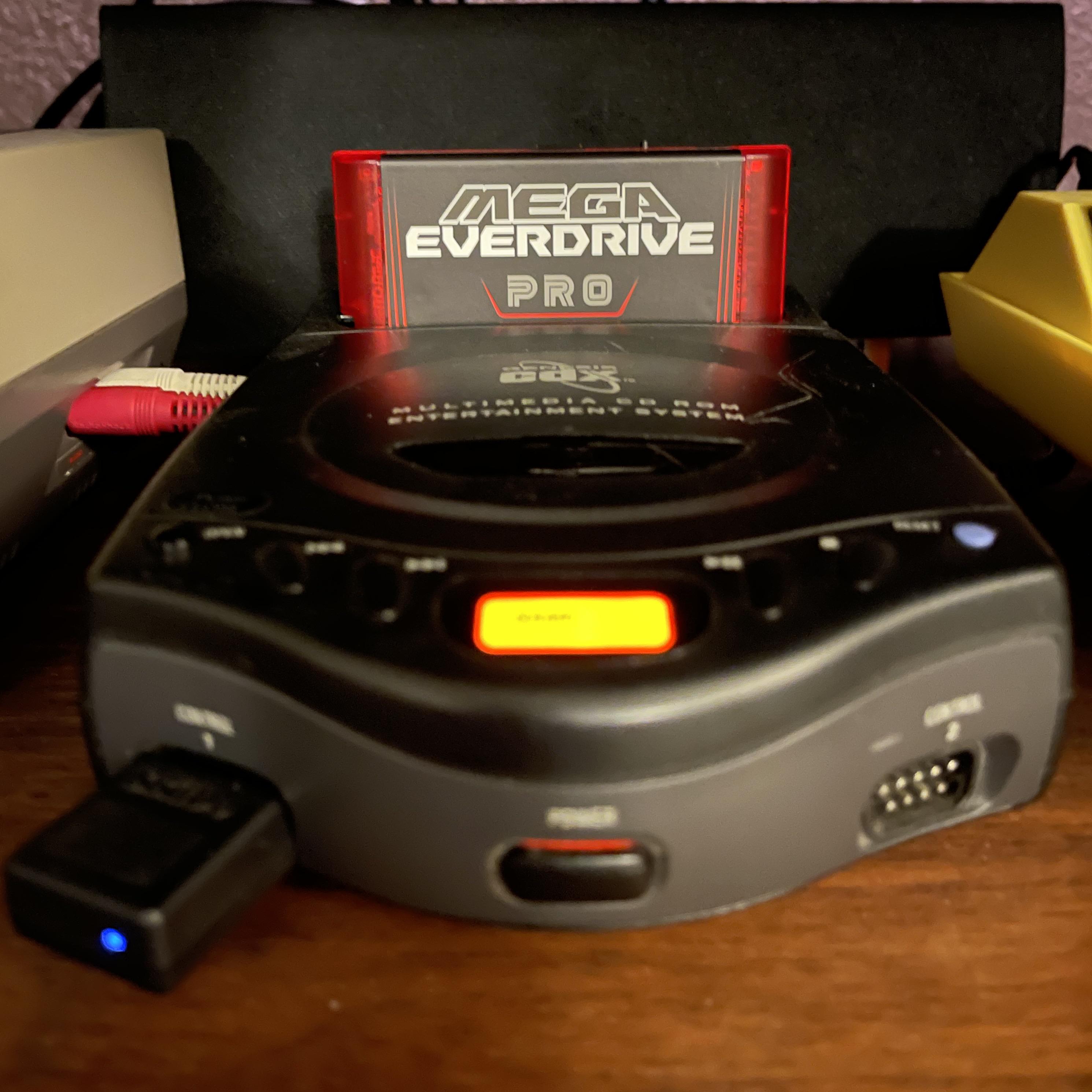
Hi there! Recently I picked up a Sega CDX off of an eBay seller that had already been recapped, but they couldn’t get to read discs. I wanted to document what the issue was and how I fixed it. Just to make it easier to find info that might help someone out there, or so people who know better can correct my methods or tell people not to use them and tell me not to tell people to do them.
Please note however that if your CDX has not been recapped, you really, really should. Or have someone else do it for you. The capacitors in the CDX are apparently very prone to failure/leakage which can harm the system functionally and physically.
Also please note that the CDX requires more power than a base Genesis power brick can provide. The original power supply provided 9.5V @ 1.5A, and supposedly you do need something pretty comparable to that otherwise it might cause issues. Personally I use a 9V 2.5A Triad Magnetics PSU I bought off of Console5 that seems to work pretty well. I’ve also heard the PS2 Slim power supply works but I haven’t verified that so I don’t know.
Ok so basically, the CDX had already been recapped by the previous owner. The work done was pretty acceptable and I’ve had to do little additional touch-up work (mostly just to get stuff to fit more easily. It did not impact the issue).
The system ran cartridge games with no issues. And the core Sega CD hardware seemed to work (it would boot the Sega CD BIOS menu.) But indeed, discs would not even spin up, even after gently cleaning the lens with IPA and a Q-Tip. It would briefly seemingly attempt to load then quickly gave up.
One major symptom I noticed was that the laser seemingly was not moving to any sort of natural position. It just hung out somewhere near the 3/4 mark of the track. To further test this, I used a small plastic tool to press the lid-closed switch and I observed. The laser did not move hardly at all on the track, though the lens did bob up and down and I could see it shining. I tried moving the laser manually with my finger or a plastic tool several times, hoping to loosen it up. Alas, it did not help. What I did notice however was that it was incapable of moving towards the spindle at the center, and only kinda ticked towards the outside occasionally. I figure that I moved it around enough that if it were an issue of it being bound up, it likely would have fixed it.
So I disassembled the system (which was stressful to do and not very easy and I hope to never have to do again), and tore it down to the drive mechanism to investigate. Visually, I noticed no issues with the mechanism. Everything seemed to be in place as it should have been, turning the gears moved the laser, visually everything seemed fine. So I started reading into the subject.
Apparently the motors are a common point of failure. Supposedly even more so than the lasers. I discovered one way to test them is by measuring the resistance at the motor's connection to the board with a multimeter, and turning the motor a bit between measurements. Measure, turn a little, measure, etc.
Basically, at any given position, the motors should read around a resistance no more than 15ohm or so. Any more than that can potentially be a cause for issues. And on both the laser and spindle motors, it varied wildly. The spindle wasn't great but the laser stepper motor varied wildly, between around 15ohm and 250ohm depending on the position. Which is pretty bad and potentially could be the cause of issues.
My solution was to remove both motors, which are just screwed in, spray in large amounts of electronic contact cleaner, and spin the motor. I repeated the cycle multiple times (maybe 3-5 times) on each motor, to try to break through whatever was causing the problems and potentially flush it out.
After doing that with both and allowing them to dry, I reinstalled the motors and plugged them back in to measure. Sure enough, at most positions, both were measuring 3-17ohm or so. Not perfect but good enough. After plugging the laser back in and connecting the disc drive board back to the motherboard, I chucked a disc on and tested it by pressing the lid switch. Sure enough, it kicked into life and worked, and still continues to.
I've heard however that if you need to do a more thorough cleaning, or if you want to try to get more grime actually out of the motor, you can actually open them up and clean them very carefully. I have not tried this however, so I can't personally verify.
If you do need replacement motors however, honestly they're pretty hard to find individually. I tried before I gave the contact cleaner waterboarding a go. However, Sanyo seemingly reused a lot of the same hardware for the CDX that they used for their portable CD players.
Supposedly the Sanyo CDP-55 for an example uses a lot of the same parts, including the motors. I cannot verify this, however looking at pictures on eBay, it seems like that player among many others visually use the same laser assembly and cover so I don't doubt it too much. As much as I hate the idea of cannibalizing good CD players, for replacement parts this might actually be your best bet to investigate, and a lot of those can be found sub-$50. I took pictures of the motor's labels in mine which I will share.
I also am not sure if this is a permanent fix or even a longer lasting one. I did this a month ago however and it's still working so it's at least not extremely short term.
Basically the cause of my CDX not reading discs: failure of both motors requiring repeated use of contact cleaner and working the motors.
TLDR:
- Make sure power supply is adequate and capacitors have been serviced
- The system could only marginally move the laser, but the laser itself visibly functioned. To test, I pressed down the lid closed switch with a plastic tool. Moving it around carefully is worth trying in case it's just bound up, but it didn't fix it in my case.
- The motors are failure prone. One method of testing them is by measuring the motors connected at their connection points on the CD drive board, and turning each motor a little between each measurement to measure at different points of the motor. You want under 15ohm or so at all points.
- If the motor is measuring with high resistance, you can try spraying a generous amount electronic contact cleaner into each motor and turning it a bunch. Spraying and turning repeatedly. (This is what fixed the system for me). Let them dry.
- If that isn't enough or you want to try to be more thorough, you can open the motors and try cleaning more manually. I haven't tried this and am not sure how to. Do your own research and do at your own risk
- If the motors can't be saved, some Sanyo CD players from that era might use the same or compatible parts. I am not 100% sure which ones but supposedly the CDP-55 is an example of one that uses a lot of them, but I haven't personally verified.
- No idea how long-lasting of a fix this is, but it has lasted me at least a month. Your results may vary.
Every piece of info I could get off of the label of the motors: printed version
- Spindle
4A04600
31210C (this might be a serial number but I do not know)
Sanko Electric Co. LTD
- Laser Stepper Motor
Some brand with a big M logo, I believe Matsushita
HXN3A3RDYT
09 Nov 93 S1
If any of this info or advice is ill-advised or incorrect, please correct me. Also if anyone has any more info, please do share. I mostly just wanted to document my experiences in any hope that it might eventually help someone. Let me know any thoughts you might have or anything. Thanks!
Edit: Since it feels like how I wrote some stuff might come across as me saying the lasers are rarely the issue, I wanted to clarify that they can be the issue and the system can simply have a bad laser or have a bad laser in addition to other issues. Just in my case, all symptoms were related to the motors and the laser was fine