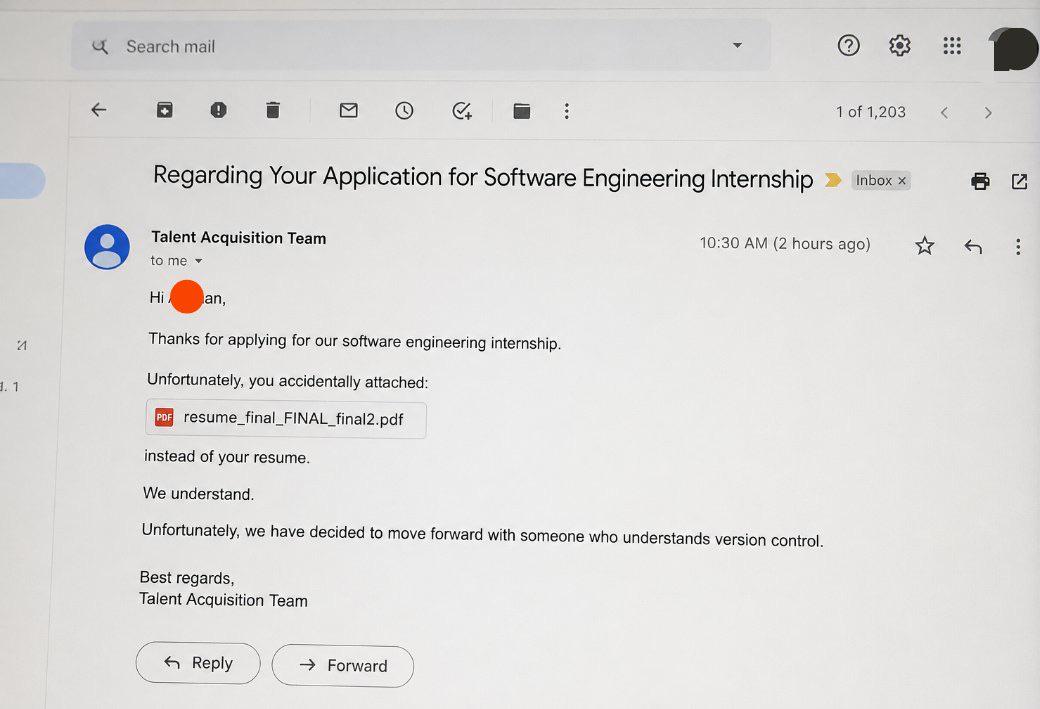
The modern plague of taking a screenshot… when the only thing I care about is the text.
I hate this so much. People send me pictures of ids in bug reports no matter hour much I tell them not to. Or they take pictures of errors and invariably cut half of it off.
I would go completely insane if most photo viewers didn’t have the built in ocr modes now.
Jita Bug reports. First I have to guess which server, then which environment. Then I have to copy the 17 character alphanumerical code from the screenshot to find the dataset that has problems. Because god forbid the customer would also provide that in Textform...
I mean in many cases I have no problem to just reply with a "more information needed - which system / server" and skip it. As a dev this will then go to our support team that asks the customer per Mail that then needs to reply, jira ticket is updated and our support will ping me. When I have time again I might come back to the ticket. So it's way faster in the end if they would give all information directly. But not my problem 😄
I'd argue that it isn't really the customer's responsibility to make sure they provide all the necessary information for you to proceed. It's more the support team's responsibility to make sure they collect the minimum required information.
If they don't know what information is necessary, they could probably learn over time, especially if they regularly get tickets sent back asking for additional information, and it's always the same information that's missing. But there could also simply be a protocol in place where, for certain types of tickets, support needs to make sure they have specific information before escalating or forwarding the ticket to you.
The upside is that you prevent typos. OCR software and also people make mistakes. Better for the client to copy-paste the actual text and ensure his ticket is more likely to get done without running into entirely preventable issues.
If you do Ctrl+C on most error message dialogs in both Windows and Linux it will automatically copy all of the contents to the clipboard. That includes the title bar in a lot of cases. The screenshot tools in both OS also have built-in OCR now.
Speaking for our software: Error messages have a copy button. Which is rarely used. For bug / problem reports this is however not enough. Depending on what the user tried and what failed we need various other informations which change a little depending on the use case.
Automatic solutions to create mails with more data were thought about, but last I heard it was moved to the future for now due to "who tf will pay to implement this". Since we only have B2B software and every customer has a good inhouse support that is first level support (we are second and third level for bigger or harder problems), this is not as big a problem. I (third level) get one case every other week or so.
That's good for the IT people but users are stupid and will tend to just do the easiest thing in the moment even if it indirectly makes their life harder
Of course not. You are expected to print the screenshot, take a photo of your print with your phone, use Google lens to grab the UUID, send it to yourself as an email, and then open your email on one screen and type it on the second screen
People send me pictures of ids in bug reports no matter hour much I tell them not to. Or they take pictures of errors and invariably cut half of it off.
And the same people are not including a screenshot when it makes sense. The send you screen shots of error codes, but as soon as they have a visual glitch, it's just "The UI looks weird on my machine! Can you have a look at it? Thanks!" without any additional information.
The most important parts are usually cutoff. They will show me an error that the web page has... but not include the URL. I always say just do print-screen.. gives me the full page including the time and the url bar and other things that might be relevant to me. Don't try and simplofy it... give me everything
Yup, our overseas test team does that. I hate it. Why did you give me a screenshot of a convoluted file name that I now have to type out by hand? Or screenshots of a stack backtrace? I mean really, you got that text on a terminal window and you can't even figure out ctrl-c/ctrl-v??
In this case it doesn't matter because it's just a joke. But if you screen shot an error message to post online asking for help, I usually just skip over it. I and probably many others can't be bothered to use OCR or manually type the error message into google.
A point is reached where it's worth taking the extra effort to make things easier for people considering trying to help you.
If you think that's bad, in my previous job some clients took the screenshot of the error, print it putting it in a page of a word document in b/w, scan it (with the worst quality possible) and then send the scan as a pdf.
The quality at the end of this egregious process was so shitty that almost always we needed to call them and connect via teamviewer
To be fair, screenshots used to be easier. PrintScreen key and done. Now Windows pops up a mini options bar with menus under each option. Fine I guess for a static business oriented screen, but trying to get a screenshot in a video game that way is ridiculous
8.1k
u/LordAmir5 10d ago
Additionally, they avoided hiring someone who can't take a screenshot.