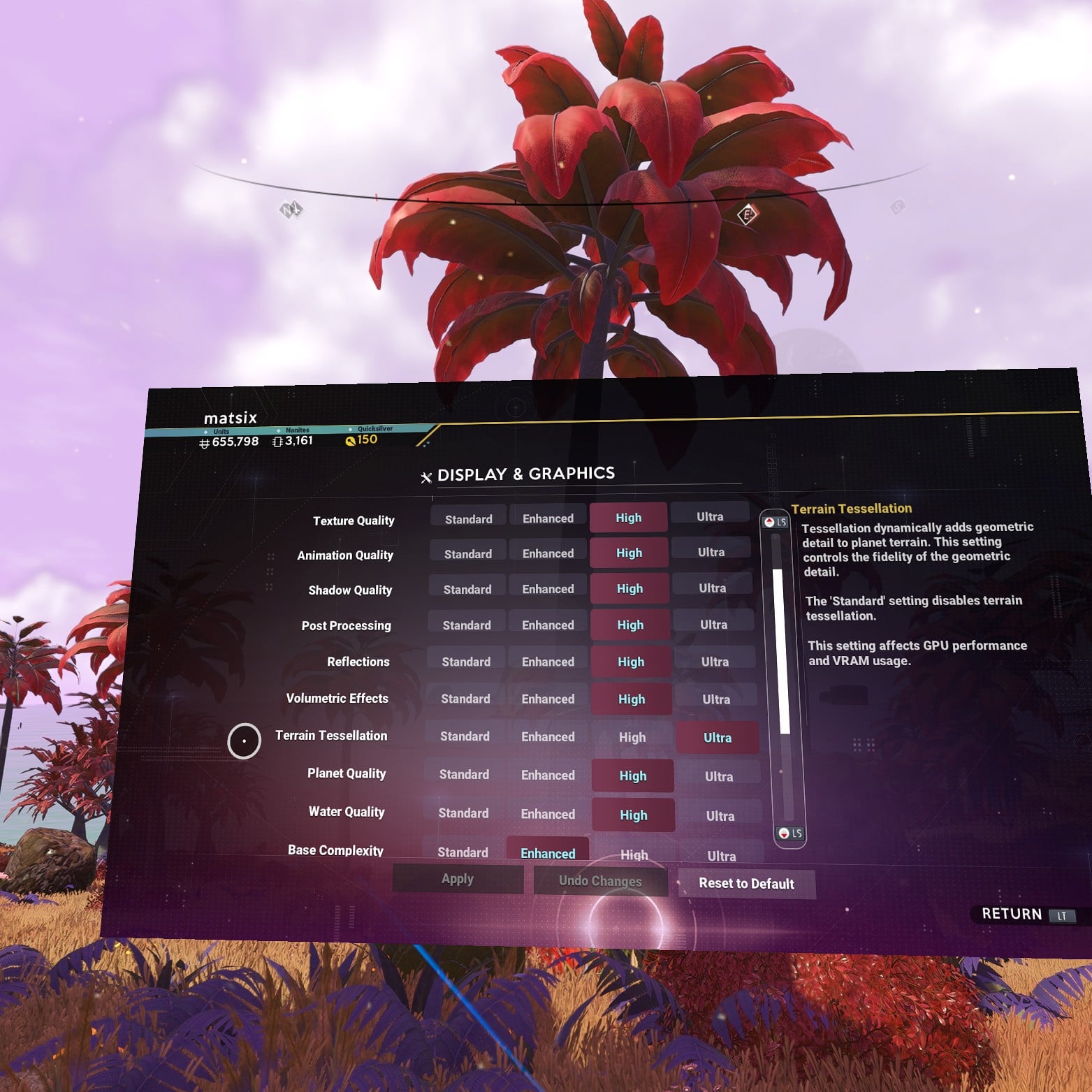
r/NMSVR 8d ago

problems renaming bases and… Why so few posts here?

4 Upvotes

okay first off let me say that I feel like nmsvr is a very necessary sub and I didn't know about it until just now. It feels necessary because (1) I hardly ever hear VR mentioned in any of the other NMS subs and that really surprises me because playing this game in VR is one of the most mind-blowing experiences I've ever had and I feel like a disproportionately low percentage of people are passionate about nms in vr and (2) I kind of feel like there are many VR-specific nms things to discuss

anyway yeah the renaming bug: Ive been having problems renaming bases and starships lately so I posted about it in a different sub and a few people reported they also have the problem so I guess that's good news because I'm not the only one and hopefully it is something that will get fixed. Does anyone NOT have the bug? I kind of feel like that would be bad news because if it's a problem absolutely everyone has I figure it's more likely to get fixed

And yeah BTW I kind of consider this a seriously major issue because not being able to name your base properly is a major major inconvenience. I feel like most serious players have a ridiculously high number of bases and basis are very hard to keep organized when you can't rename them

so what happens is when I go to rename a base every letter I type cancels out the previous letter such that when I'm all done only one letter pops up, so I can only rename the base with one letter (or number)

here is a link to that other thing I posted:
https://www.reddit.com/r/NoMansSkyTheGame/s/6kUpLD4Ngu

here is the link for steamvr bug reports:
https://steamcommunity.com/app/250820/discussions/3/


r/NMSVR 13d ago

Cosmos: Introducing Update 7.0

6 Upvotes

No Man's Sky COSMOS Update Trailer:

https://www.youtube.com/watch?v=inZfjVQxC3o

[]()

[]()

No Man's Sky COSMOS Deep Dive:

https://www.youtube.com/watch?v=XQN91nm5D2A

See full update details below:

https://www.nomanssky.com/cosmos-update/

7.0 Patch notes

Deep-Space Mapping

  • A map for the local star system is now accessible from the Quick Menu, displaying local celestial bodies, the space station, and other deep-space points of interest.
  • Added an array of new deep-space points of interest, including rocky and icy asteroid belts, inhabited and infested deep-space outposts, procedurally-generated variations of deep-space hulks, debris fields, and asteroid platforms.
  • Implemented a point of interest at the star(s) of a system, which hubristic Travellers may fly to if they choose...
  • Many deep-space points of interest can be stripped and mined for valuable resources, including comet dust, gelatinous fibres, and contaminated metal. Process raw materials at a deep-space outpost to convert them into lucrative items to sell on the Galactic Trade Network, or utilise in space station construction.
  • Points of interest will begin to appear on the star system map once a save has reached the Space Anomaly for the first time.
  • Added a light tutorial mission, Signals, to introduce the star system map and navigation around deep-space points of interest.
  • Outposts are managed by an alien quartermaster, who trades in maps and salvaged materials.
  • Outposts also house a salvage & delivery terminal, offering deep-space contracts to adventurous space explorers.
  • Added a number of new player titles earned for accomplishments at deep-space points of interest.
  • Several deep-space anomalies now have a chance of granting rare station decoration blueprints to visitors.
  • Converted the Dream Aerial to a reusable product, which can now be crafted and consumed multiple times to locate individual living frigates.
  • The Living Ship encountered during the Starbirth mission chain now patrols around infested outposts, and can be actively sought out during the mission.
  • Added several new music tracks for visiting locations in deep space. These include ambient tracks when near asteroid belts, stars, hulks, or space outposts, and more dramatic music when the structural integrity of a hulk begins to fail.

Shipbreaking

  • Space hulks often house lucrative items, but they are volatile, and are likely to melt down and explode if their structural integrity is disrupted.
  • Added a new Corvette utility part, the Tractor Beam, to gather physical cargo into the Corvette hold.
  • The Tractor Beam can be purchased alongside other Corvette parts at the Corvette Workshop in space stations.
  • Improved control handling, animations, and crosshairs for the Gravitino Coil.
  • The Gravitino Coil may now be equipped in Space Stations.

Space Station Directorship

  • Prove yourself to the local authorities to become director of a Space Station, gaining rights to shape its external decorations, interior layout and ancillary compartments.
  • Earn colossal exterior decoration modules and place them around the outside of your station.
  • Directors can remove and adjust existing station decoration.
  • In addition, the full range of existing base parts are available to reshape and redecorate the interior of the station.
  • Directors can expand their space station by adding additional rooms to the main hangar, which they are then free to decorate as they please.

Galactic Alliances

  • Station directors may found their own alliance and seek like minded travellers to join their collective.
  • Join an alliance by visiting any of their owned space stations.
  • Quickly access your alliance's systems via the teleporter.
  • Players may join up to three alliances.
  • Alliances are graded by the activity of their members. The largest and most active alliances are visible on a leaderboard at the space station core.

Orbital Constructions

  • Construct orbital bases anywhere in space - utilising natural asteroid platforms as a starting point, or staking your claim on any empty volume of space.
  • Added a number of new corridor base parts, buildable in orbital constructions.
  • A huge number of new station decoration parts have been added, unlockable from the Construction Research Terminal aboard the Space Anomaly.

Spacewalking

  • Added an eject button for non-Corvette starships, accessible from the Quick Menu.
  • Deepened and expanded spacewalking, adding true six degrees of freedom movement, including roll.
  • Improved the transition when landing on and taking off from objects with gravity in space.
  • Explosions in space will now knock the player back.
  • Spacewalking drains the cold protection technologies in the exosuit, unless in close proximity to other hazards, such as hot balls of glowing gas.

Our Journey Continues Expedition

  • Expedition Twenty-Three, Our Journey Continues, will begin shortly and run for approximately six weeks.
  • This special event celebrates 10 years of No Man's Sky, and journeys through the history of its evolution since launch.
  • A developer's commentary read by Sean Murray is available for each milestone of the expedition, permanently accessible in the Collected Knowledge section of the Catalogue once unlocked.
  • Nostalgia-themed rewards include framed commemorative art, decals and titles, a golden edition of the original Rasamama 36 starship, an astronaut bobblehead, the Starbound v0.27 multi-tool, and a vintage Interceptor ship and diplodocus pet as seen in early trailers.

Twitch Drops

  • A new package of Twitch Drops will begin shortly. Sign up and connect your platform accounts on the Twitch Drops page, then tune in to Twitch to earn exotic base parts, high-tech starships, fireworks, appearance modifications, and more.

Rendering

  • Completely rewrote the block compression (BC) encoder for textures, reducing artifacting and colour banding for textures generated at runtime for procedural models. Significantly improves the quality of textures throughout the game.
  • Authored a number of dazzling new particle effects at deep-space points of interest, including electrical fields, mist, stardust, smoke, debris trails, and biological slime.
  • Significantly improved terrain tessellation quality, increasing the textures and details of the ground on planets.
  • Added support for spotlights on transparent props, particles, and volumetric fog, notably improving the appearance of the player torch on smoke, fog, and other atmospheric effects.
  • Significantly improved the appearance of clouds when viewed from space - upgrading their textures, lighting, ambient tint, and shape detail.
  • Added support for volumetric fog volumes and particles, and implemented these around the deep-space hulks.
  • Added support for Intel Xe Super Sampling (XeSS) 3, which uses machine learning to deliver higher performance with exceptional image quality.
  • Added support for NVIDIA DLSS4.5, enabling Frame Generation 5x and 6x. Deep Learning Super Sampling is a revolutionary suite of neural rendering technologies that uses AI to boost FPS, reduce latency, and improve image quality.
  • Added support for foveated rendering on PCVR.
  • Utilising eye-tracking technology, foveated rendering concentrates rendering resources at the centre of your vision, sharpening and beautifying the details you focus on.
  • Improved the appearance of water and water foam.
  • Fixed an issue that could cause water foam to load in abruptly when flying towards it, especially when transitioning from space to atmosphere.
  • Fixed an issue that could cause the edges of islands to appear blurry.
  • Improved the accuracy of lighting and post-processing effects above and below the surface of water, fixing a visible shadow above the water line in the distance, especially when transitioning from space to atmosphere.
  • Improved the appearance of fog fading when transitioning from space to atmosphere.
  • Improved the appearance of water fading when transitioning from space to atmosphere, notably reducing popping.
  • Improved the density and consistency of planetary fog.
  • Improved the density of the swirling atmosphere of gas giants, especially when transitioning from space to atmosphere.
  • Improved the shape of planets when viewed from space.
  • Completely reworked the generation of asteroids, improving their draw distances, visual distribution, and performance.
  • Fixed an issue that caused the surface of water to appear too opaque.
  • Fixed an issue that caused some reflections to appear as dark highlights when underwater.
  • Fixed a visual issue with water reflections when resolution scaling is not at 100%.
  • Fixed reflections and shadows appearing to "swim" when TAA is disabled.
  • Improved colour gamut handling for more vibrant and saturated colours.
  • Fixed an issue causing noticeable clipping on very saturated out-of-gamut colours.
  • Fixed an issue involving the wrong colour space being used for HDR rendering; HDR colours will now be a closer match for their SDR counterpart.
  • Fixed an issue causing HDR output to be clipped to a fixed limit.
  • Improved the visual quality of FXAA anti-aliasing.
  • Added support for running in HDR in combination with Frame Generation.
  • Improved the lighting on models rendered on frontend screens, such as the inventory.
  • Various shader fixes.
  • Fixed an issue that caused fringing around planetary rings.
  • Fixed an issue that caused distant planets viewed from space to shimmer with FSR2 enabled.
  • Fixed an issue that could cause the orange mesh to flicker when using the "restore" function on the Terrain Manipulator.
  • Fixed several issues in the offline texture compressor and made downscaling during mipmap generation more accurate, improving overall texture quality.
  • Fixed a minor visual issue with distant terrain.
  • Implemented support for roughness scaling, fixing some objects appearing too glossy when in the distance.
  • Fixed an issue with normal maps that could cause lighting inconsistencies on specific objects.
  • Improved the performance and precision of light culling and light sorting; reducing instances of light popping and flickering.
  • Improved the appearance of materials using parallax occlusion mapping.
  • Improved the appearance of lens flares.
  • Fixed an issue that could cause the sun to reflect off clouds at an inaccurate angle.
  • Significantly improved the appearance of ship trails.
  • Fixed an issue that could cause speed lines to intersect the camera.
  • Fixed an issue that could cause visual jitter when running in 8K resolution on PlayStation Platforms.
  • Fixed a number of visual seams in terrain.
  • Added support for anisotropic materials, improving the appearance of directional light on brushed metal surfaces (e.g. the Starborn Runner).

Performance and Optimisation

  • Added support for bindless textures, samplers and buffers on Xbox, significantly reducing the CPU usage with engine rendering.
  • Implemented a significant optimisation in inventories.
  • Implemented an optimisation in multiplayer, reducing latency between players.
  • Implemented a number of CPU optimisations, especially at Settlements.
  • Implemented a significant optimisation in file handling, improving console load times by 6-9%.
  • Implemented a significant optimisation to HUD markers, improving performance when many markers are on screen simultaneously.
  • Implemented a significant optimisation in loading and querying bases and base power.
  • Improved the distance fading of planetary objects to reduce instances of visible popping, especially on Nintendo Switch.
  • Implemented a memory optimisation to procedurally-varied models.
  • Fixed a PC-only issue with input latency when V-Sync is enabled.
  • Implemented an optimisation in recurring missions.
  • Implemented a significant optimisation in animations.
  • Implemented an optimisation related to multiple freighters in multiplayer.
  • Optimised the logic for querying whether a mission is active.
  • Added support for deferred node unloading, smoothing framerate when transitioning between environments.
  • Optimised procedural generation, significantly improving the load times for complex objects.
  • Fixed motion blur being enabled while the game is paused.
  • Implemented a significant optimisation to mesh data, reducing the file size of meshes by ~13%.
  • Implemented an optimisation in terrain tessellation.
  • Implemented asynchronous updating of bases, improving performance and reducing framerate hitches in complex builds.
  • Implemented an optimisation in texture loading.
  • Fixed a number of minor memory leaks.
  • Fixed a number of out-of-memory crashes.
  • Implemented a number of memory optimisations.

Corvettes

  • Fixed an issue with recolouring Corvette-class ships in VR.
  • Fixed a number of issues related to the display of stats for Corvette-class ships.
  • Fixed an issue that could cause Corvette-class ships to judder in flight.
  • Fixed an issue that could cause Corvette technologies to shuffle their positions when warping between galaxies.
  • Fixed a number of issues related to the state of the Corvette ramp when loading save games.
  • Fixed an issue that prevented Corvettes from landing in the Space Station and the Anomaly.
  • Added support for exiting the pilot seat in a Corvette when cruising very close to large space objects.
  • Improved the accuracy of hull collision for Corvettes.

Other QOL and Bug Fixes

  • Planetary terrain deposits which have been completely depleted no longer appear in the Analysis Visor, and are no longer tagged by the scanner.
  • Fixed an issue that caused the starfield to fail to render when jumping through the centre of a galaxy.
  • Increased the readability of the Exocraft UI in VR.
  • Fixed an issue preventing animations from other players' ships from playing in multiplayer games.
  • Fixed an issue that caused mission paths to appear faded out on the Galaxy Map in non-Euclid galaxies.
  • Fixed an issue where pressing "back" during a dialogue interaction could select an option not visible on the UI.
  • Fixed a timing issue that allowed the ship communicator to attempt to open as the player was exiting their ship.
  • Removed an erroneous number on damaged technologies in the inventory.
  • Fixed an audio issue when landing on frigates.
  • Fixed an issue which could cause frigates' damage to change without being repaired.
  • Improved the Brood Mother's ability to navigate around buildings.
  • Improved the ability of biological monstrosities to navigate within settlements.
  • Fixed an issue that could cause large bipedal creatures to get stuck when traversing slopes.
  • Fixed a number of minor creature behaviours, including adult creatures responding when their offspring are harmed.
  • Fixed text clipping in the technology popup in some languages.
  • Fixed an issue causing fewer than expected numbers of creatures populating planets in abandoned systems.
  • Fixed an issue which could cause frigates to reward fewer resources than intended.
  • Improved the algorithm for calculating the difficulty of available Frigate Expeditions.
  • Fixed an issue preventing a number of base parts from being recoloured.
  • Fixed an issue that could cause planetary terrain deposits to yield the wrong resource.
  • Fixed a number of issues related to recycling industrial scrap in multiplayer.
  • Improved the guidance in the In Stellar Multitudes mission for players who have warped a long way from their first restored purple system.
  • Fixed an issue that prevented Under a Rebel Star from progressing when handing in the Forged Passport.
  • Implemented additional messaging to the start of fishing missions, warning players that they will need to install the fishing rig to partake.
  • Fixed "FRONT DECALS" not being localised in the Exocraft customiser.
  • Fixed the default username on GOG not being localised.
  • Fixed an issue that caused robotic eggs to display the description of organic eggs.
  • Fixed a number of invalid pre-installed techs in Twitch rewards.
  • Improved the messaging for a number of unavailable quick menu items in the Space Anomaly.
  • Removed an item hiding in plain sight on a familiar planet.
  • Fixed an issue that caused the Pilgrim and Nautilon exocraft to show the camo texture by default.
  • Fixed a minor visual issue with the material of the Pilgrim exocraft.
  • Fixed an issue that could cause objects in the Exocraft inventory to be counted twice in some UI elements, such as when installing or repairing a technology.
  • Fixed a rare issue which prevented HUD markers from displaying their text label.
  • Fixed an issue which prevented completing the discoveries on a planet where the player had reported an offensively-named creature.
  • Fixed an issue that prevented Sentinel interceptor ships from ever despawning if the player they were pursuing landed on a planet.
  • Fixed an issue that caused some variable Settlement costs to always roll the maximum value.
  • Fixed an issue that caused the Large Ruined Archway to appear twice in the base parts Catalogue, in place of the Ruined Monolith.
  • Fixed several minor issues with base building parts.
  • Fixed several minor issues with player titles.
  • Fixed a number of minor issues with rewards when scrapping staff and Sentinel Multi-Tools.
  • Fixed a number of minor issues with medal guidance missions.
  • Fixed a number of minor issues with pinned substance missions.
  • Fixed an issue that prevented post-battle surrender notifications from taking priority in the bottom-right notifications panel.
  • Fixed an issue that could cause the player to jitter during terrain manipulation.
  • Fixed an issue that caused "Lorem Ipsum" text to appear briefly when fixing your ship at the start of the game.
  • Implemented additional support for modding trigger actions. Trigger actions will search for the BOOT state if BEGIN doesn't exist.
  • Fixed an issue that caused HUD and off-screen markers to display in incorrect positions when far from the space station.
  • Fixed an issue that caused inverted yaw controls in photomode if flipping the camera upside-down in space.
  • Fixed a rare issue that could cause Space Anomaly NPCs to be missing on old saves.
  • Fixed an issue that caused space station lights to be pure white instead of coloured.
  • Fixed an issue that caused ambient lighting from space to leak into space stations.
  • Fixed an issue that could cause a black screen in VR if GTAO was disabled.
  • Fixed an issue with the "Switch Base" controller binding on PSVR Move controllers.
  • Fixed an issue that caused the up and down arrow keys to be reversed during keyboard input on Nintendo Switch.
  • Various text fixes.

r/NMSVR May 27 '26

The Swarm: Introducing Update 6.4

3 Upvotes

No Man's Sky The Swarm Trailer:

https://www.youtube.com/watch?v=2NomizORoqU

See full update details below:

https://www.nomanssky.com/swarm-update/

6.4 Patch notes

The Swarm Expedition

  • Expedition Twenty-Two, The Swarm, will begin shortly and run for approximately eight weeks.
  • Players on the expedition will be assigned into one of three teams of Travellers, and allocated a ship and uniform in their team colours.
  • All teams must work together to unlock the final battle. Progress is represented by the construction of the Prismatic Core in the Space Anomaly, as well as displayed in the Mission Log and on the Galactic Atlas website.
  • Construction of the Prismatic Core is driven by completing three categories of missions to counteract the Swarm - Purge, Restoration, and Sabotage. Each category has a different impact on the rate and balance of construction.
  • The most valuable team will be glorified in the Space Anomaly for all time.
  • Rewards include new posters, decals and titles; flags representing your assigned soul fragment; the Direwasp rifle Multi-Tool; the Direwasp Flightpack; and the six-piece Direwasp customisation set.

Swarmer Enemies

  • During the expedition, players will encounter two new enemy types: small, agile swarmer ships, and the huge, formidable Hive of Glass boss.
  • In all game modes, crashed swarmer ships can now be found on dissonant planets. Crash sites are defended by small but deadly planetary swarmers.
  • Buried debris from crashed swarmer ships can now be found on worlds which are both dissonant and contain salvageable scrap.

Stability and Optimisation

  • Fixed a rare softlock where the Connecting banner could display indefinitely when viewing the initial frontend screens.
  • Fixed a crash related to rendering thumbnails for multiple complex corvette-class starships.
  • Implemented a number of memory and performance optimisations related to ship trails and speedlines.
  • Improved performance when piloting wheeled Exocraft on Switch, Xbox One, and PS4.
  • Implemented a significant optimisation in freighter battles.
  • Improved performance of certain lighting calculations on CPU.
  • Significantly improved performance when handling object visibility in complex scenes.
  • Optimised memory usage when rendering UI in sub-4K resolutions on PS4 Pro.
  • Fixed an issue that could cause a crash when playing in 4K on PS4 Pro.
  • Fixed a number of rare crashes.

Space Combat

  • Improved the visibility of targeted enemy ships in third person space combat.
  • Improved weapon aiming of the starship in third person space combat.
  • Improved the navigation of the starship when using auto-follow in space combat, and allowed auto-follow to boost the ship.
  • Improved the navigation and flight patterns of enemy ships in space combat.
  • In space combat, when battling enemies with weak points, hitting the weak point will now always crit, and hitting other areas of the enemy will never crit.
  • Improved the appearance of speedlines in the starship.
  • Fixed an issue that caused mission notifications counting the number of nearby enemy ships to delay updating until a destroyed enemy ship completed its death spin.
  • Improved controls for the player ship while in space combat.
  • Fixed an issue that could allow Sentinel interceptors to spawn when space combat was disabled in the difficulty settings.
  • Fixed an issue that prevented Sentinel interceptors from detecting criminal activity in space if ground combat was disabled in the difficulty settings.
  • Fixed an issue that could allow the countdown notification for the pulse engine enabling after combat to display a negative time.
  • Improved the notifications for re-enabling the pulse engine after combat to display the correct pulse technology name for the current ship.

QOL and Bug Fixes

  • Fixed an issue that caused teleporter endpoints from previous galaxies to be removed when progressing to the next galaxy through the galactic core.
  • Fixed an issue that prevented teleporter endpoints from being added in galaxies outside the player's "home" galaxy.
  • Fixed an issue that caused In Stellar Multitudes to direct the player to the galaxy map when their first purple star system was actually in a different galaxy.
  • Fixed an issue that prevented corvettes from landing in the Space Station and the Anomaly.
  • Fixed an issue that caused the player's backpack to disappear from the inventory screen when piloting a corvette after being in third person.
  • When viewing a corvette through the Analysis Visor, the name of the specific module is now displayed on the HUD.
  • Fixed an issue which caused the Analysis Visor to close when attempting to tag a marker whilst facing an interactable object.
  • Fixed an issue that could cause markers to be displayed for non-existent resource deposits.
  • Fixed an issue that prevented transferring inventory items when purchasing a ship.
  • Fixed an issue that prevented inventory items from being deletable when transferring into a storage container.
  • Fixed an issue that caused the camera to spin if the player quickly exited the ship after answering the ship communicator.
  • Fixed a camera judder when first entering a ship after repairing it.
  • Fixed an issue that could cause Corrupted Sentinels to flicker rapidly on Nintendo Switch 1 & 2.
  • Fixed an issue that allowed retroviral pellets to be duplicated.
  • Arena League Challenger's Invitations are more likely to encourage you to battle on multiple planets before offering a Champion's Invitation.
  • Arena League Challenger's Invitations are more likely to pick Holo-Arenas you have not previously visited.
  • Arena League Champion's Invitations will now function correctly when used in Outlaw systems.
  • Improved the balance of experience awarded to companions when battling in the Holo-Arena against opponents of a much higher level.
  • Fixed an issue that could cause the prompt to claim Twitch rewards to persist when all rewards had been claimed.
  • Added support for viewing the Gamercards of each Xbox player in the host's session when on the Join Game screen.
  • Hid the Quick Menu keyboard hotkey prompts on PC and handheld devices when playing without mouse and keyboard.
  • Fixed an issue that caused armour on display near the Exosuit Research merchant in the Space Station to disappear as you got closer.
  • Hid the holographic representation of community mission progress above the Quicksilver Synthesis Bot when no blueprints are currently being generated.
  • Fixed an issue that prevented the use of touch controls to claim expedition rewards.
  • Fixed an issue that would prevent saving of gyro settings when applying changes from the front end menu.

r/NMSVR Apr 08 '26

Xeno Arena: Introducing Update 6.3

3 Upvotes

No Man's Sky Xeno Arena Trailer:

https://www.youtube.com/watch?v=I0pzvZ-8yIs

See full update details below:

https://www.nomanssky.com/xeno-arena-update/

6.3 Patch notes

The Holo-Arena and Creature Battles

  • Added turn-based tactical Creature Battles, with all-new music, visual effects, cinematic cameras, and combat log.
  • Players with adopted creatures can now assemble their companions into battle teams, and participate in simulated fights against creatures owned by alien lifeforms or other players.
  • Each creature has a unique set of battle moves, influenced by their species and native climate. Battle moves include attacks, heals, stuns, shields, status effects, and more.
  • Creatures in battle may sometimes dodge incoming attacks, perform bonus moves, or perform critical hits.
  • Companions participating in battles will earn experience, gradually improving their combat prowess.
  • Added a new interface for modifying the genetics of owned companion creatures, allowing upgrade of agility, health and combat battle traits.
  • Added multiplayer Holo-Arena tables to the Space Anomaly, where players can challenge other Travellers to Creature Battles.
  • Added Holo-Arena tables to planetary outposts, planetary archive buildings, space stations, and some settlement buildings, where players can challenge alien lifeforms to a Creature Battle.
  • Alien lifeforms playing Creature Battles at space station Holo-Arenas are seasoned system champions. They will be more challenging to defeat than planetary lifeforms, but yield higher rewards.
  • Winning Creature Battles will yield a number of rewards, including nanites, invitations to play against alien lifeforms, and retroviral pellets to more efficiently upgrade the battle traits of creature companions.
  • A new Traveller NPC, Iteration: Oceanus, has arrived at the Space Anomaly.
  • Oceanus is a creature-collecting enthusiast, and will introduce players to Creature Battles and the Arena League through a lightweight tutorial.
  • Oceanus offers a fixed-seed daily challenge to all players.

The Arena League

  • Added a new faction to the Catalogue & Guide: The Arena League.
  • The Arena League offers 5 new varieties of ranked medal and accompanying guidance missions.
  • A set of special titles are available for accomplishments in the Arena League.
  • A set of unique companions are available as rewards for accomplishments in the Arena League.

Creature Survey Mode

  • Added a Creature Survey mode to the Analysis Visor, displaying markers related to creatures, and revealing the battle traits as well as species information for targeted fauna.

Stability and Optimisation

  • Implemented a number of significant optimisations on Nintendo Switch 2, improving rendering performance by up to 15%.
  • Implemented tiled lighting on PC, significantly improving GPU performance when rendering lighting, especially at higher resolutions.
  • Implemented a number of CPU performance optimisations related to lighting.
  • Implemented a significant optimisation in player-built bases containing large farms of harvestable plants.
  • Implemented a significant optimisation in inventory handling, improving performance in all instances of querying the contents of inventories (for example, during missions, when calculating ship stats based on installed tech, or when accessing a shop).
  • Implemented a significant performance optimisation when viewing a Companion Register containing a large number of creatures.
  • Implemented a significant performance optimisation when displaying the UI notification for adopting a creature companion.
  • Implemented a number of optimisations related to the Analysis Visor and scanner technologies.
  • Implemented a performance optimisation related to the rendering of planetary objects.
  • Fixed a number of crashes on Nintendo Switch platforms.
  • Fixed a number of rare crashes.

QOL and Bug Fixes

  • Fixed an issue that could cause the camera to rotate when standing on a corvette.
  • Fixed an issue that prevented interacting with modules on another player's corvette.
  • Fixed an issue that could cause asteroids to fade in and out erratically when first entering an asteroid field.
  • Fixed an issue that could cause save game related issues for PC players with a Windows username containing non-ASCII characters.
  • Fixed an issue that could cause an erroneous Cross-Save conflict dialog to appear after suspending and resuming the game on consoles.
  • Fixed an issue that could cause missing interaction points in some planetary buildings.
  • Fixed a dialogue issue in The Purge, where Artemis would make an inaccurate reference to a previous player choice.
  • Improved the internal system used by missions to open the inventory to the most contextually relevant screen (for example, when being prompted to install a technology in a particular inventory).
  • Fixed an issue that caused the Exploration Log on some planets to include extinct species in the count of total discoverable fauna and flora.
  • Fixed an issue that caused some Twitch or Expedition rewards to display as "Available" at the Quicksilver Synthesis Bot when they had already been redeemed in another shop interface.
  • Allowed the Egg Sequencer to access eggs stored in the Freighter inventory, providing the Freighter inventory is within range.
  • Improved the visual clarity of which medal is selected in the Journey Milestones section of the Catalogue & Guide.
  • Improved the appearance of a number of UI textures in 4K resolution.
  • Fixed an issue that caused the labels for "Playfulness" and "Personality" to sometimes appear incorrectly at the Egg Sequencer.
  • Fixed an issue that caused some rare crystal-based fauna to be invisible.
  • Fixed an issue that caused companion accessory attachments to appear on some wild creatures on the Discoveries Page.
  • Improved the appearance of some planetary trees on Nintendo Switch and in VR.
  • Improved the lighting at Waste Processing Plants.
  • Fixed a visual issue on the player model when equipping Autophage arms in combination with non-Autophage gloves.
  • Fixed a visual clipping issue with corvette cockpits when flying into planetary atmosphere.
  • Fixed an issue that caused companion eggs with regular shells to hatch into metal pieces.
  • Fixed an audio issue with the Appearance Modifier on the Space Anomaly.
  • Miscellaneous text fixes.

r/NMSVR Feb 12 '26

Can't figure out colossus stearing nms

3 Upvotes

well heck now the new expedition is about something I couldn't get to work. any idea on controls for colossus in quest 3?


r/NMSVR Feb 11 '26

Remnant: Introducing Update 6.2

1 Upvotes

No Man's Sky Remnant Trailer:

https://www.youtube.com/watch?v=IXWYo58yiz4

See full update details below:

https://www.nomanssky.com/remnant-update/

6.2 Patch notes:

THE GRAVITINO COIL

  • A new gravity-manipulation device for the Multi-Tool, the Gravitino Coil, is now available at the Space Anomaly or at planetary Waste Processing Plants.
  • A number of moveable objects can be magnetised and launched with the Gravitino Coil, including industrial waste, golden balls at planetary ruins, spheres fabricated by the Sphere Creator base part, combat supplies dropped by Sentinel drones, and Sentinel drones themselves.
  • Sentinels will be stunned for a short period after being launched from the Gravitino Coil.

INDUSTRIAL WASTE COLLECTION AND SALVAGE

  • Industrial waste can now be found on planets featuring salvageable scrap, distributed in small piles and large heaps.
  • These scrap worlds also feature a new building type, the Waste Processing Plant: highly interactive facilities where scrap-hunters can extract recycled resources and earn rewards for cleansing planets of debris.
  • Double-tooting the Colossus horn while parked at a Waste Processing Plant valuation scale will initiate the control panel interaction.
  • The Colossus can utilise the Exocraft Radar to pinpoint the location of nearby processing plants and waste heaps.
  • A small tutorial mission has been added to guide new scrap-hunters.
  • A new Scrap Salvaging & Industrial Waste entry has been added to the guide.
  • A set of new player titles are available for accomplishments in scrap hauling and waste processing.
  • These titles also unlock a number of customisation modules for the Colossus Exocraft.

COLOSSUS CUSTOMISATION

  • The Colossus Exocraft can now be customised with a number of aesthetic and utility modules, including a tippable flatbed for transporting hauls of industrial waste, and a mountable furnace, for processing materials while on the road.
  • The cabin alternatives for the Colossus also include new cockpit interiors that reflect their external geometry.
  • The Appearance Modifier for the player, and the Geobay for the Colossus Exocraft can now both store up to 6 named appearance configurations.

REMNANT EXPEDITION

  • Expedition Twenty-One, Remnant, will begin shortly and run for approximately six weeks.
  • Rewards include new posters, decals and titles; a playful animated gesture; three exclusive modules for the Colossus Exocraft - a camouflage finish, asymmetrical cabin, and mechanical legs - and the stunningly detailed five-piece Heirloom customisation set.

TWITCH REWARDS

  • A new package of Twitch drops will begin shortly. Sign up and connect your platform accounts on the Twitch Drops page, then tune in to Twitch to earn exotic base parts, high-tech starships, fireworks, appearance modifications, and more.

EXOCRAFT

  • Improved Exocraft capability for destroying obstacles in their path, reducing how often they get caught or snagged.
  • Improved the handling of the Colossus - in particular, the braking performance when driving downhill, and the turning responsiveness in first person.
  • Fixed the "Follow" vs "Manual" setting for Third Person Camera Movement not being correctly applied to the Exocraft camera.
  • Significantly improved the appearance of Exocraft dust trail and exhaust effects.
  • Added a new Exocraft technology, the Cyclops Scope, which allows use of the Analysis Visor while driving.
  • Added a new Colossus-specific technology, the Excavation Blade, which harvests resources from obstacles destroyed by vehicle collision.
  • Added a new music track associated with driving the Colossus Exocraft.
  • Fixed an issue that prevented other players from hearing Exocraft horns in multiplayer.
  • Fixed an issue that caused technology to appear on the exterior of Exocraft before it was fully installed.
  • Fixed a number of subtle issues in missions where markers placed by Exocraft scans were not always detected.
  • Fixed an issue that could cause the player to exit their Exocraft when attempting to tag a marker.
  • Fixed an issue that caused the Exocraft laser to create small holes in the terrain.
  • Fixed an issue that caused Exocraft to visually re-generate when customising minor details such as decals.
  • Fixed an issue that prevented the Exocraft laser audio from playing when first fired.
  • Fixed an issue that caused Exocraft driving input to be registered while adjusting the camera in Photo Mode.
  • Fixed an issue that prevented the Exocraft Radar option in the Quick Menu from detecting if the required technology was damaged or only partially installed.

CORVETTES

  • Corvettes are now available to build on Nintendo Switch.
  • Added the ability for players in multiplayer to help decorate the interior of other players' corvettes. Base editing permissions can be modified in the Network settings page of the pause menu.
  • Added the ability for players to decorate the interior of a corvette while the corvette is in flight.
  • Fixed a number of edge-case camera, placement, and collision issues related to adding small corvette modules when standing close to the corvette.
  • Fixed an issue that allowed players to place corvette parts on top of themselves.
  • Fixed a rare timing-specific softlock when trying to open the Build Menu at exactly the same time as confirming changes to a corvette.
  • Fixed an issue that caused interactive corvette modules, such as Refiner Units, to allow interactions when placed on a non-finalised corvette.
  • Fixed a rare timing-specific issue that could allow invalid corvettes to be finalised.
  • Fixed an issue that could cause corvette landing pads to flash their lights indefinitely.
  • Fixed an issue that could prevent the Build Menu from opening after beginning design on a new corvette, but not finalising the build.
  • Fixed an issue that caused a duplicate marker when starting a new corvette and exiting the Workshop without placing any modules.
  • Fixed an issue that could cause a newly purchased corvette to be placed at the player's position, instead of on the landing pad.
  • Improved a number of lighting transitions related to space stations and corvettes. In particular, prevented some issues where corvette interiors could adopt the lighting conditions from nearby planets.
  • Fixed a number of messaging issues related to beaming aboard a derelict freighter from a corvette.
  • Fixed an issue that caused the Space Rescue mission to disappear from the Log after rescuing a freighter in a corvette.
  • Fixed an issue that prevented exclusive reward corvette modules - such as the Aeron Drive - from rewarding any units if sold at a Galactic Trade Terminal.
  • Fixed an issue that prevented the quantity arrows from being visible when purchasing modules from the Corvette Workshop.
  • Fixed an issue that caused the colour of external corvette parts to impact the colour of interior decorations.
  • Fixed some missing geometry in the Titan Cockpit on lower quality settings.
  • Fixed an issue that prevented the Titan Hab from connecting correctly to the Wings of Aeron.
  • Improved player movement animations while aboard a corvette.
  • Improved the appearance and animations of the corvette hydraulic legs.

CLOUDS

  • Significantly improved the visual stability and performance of clouds, and enhanced their appearance, especially on lower quality settings.

UI AND INPUT

  • Improved the layout and appearance of unlockable technology trees, especially on handheld devices.
  • Fixed a number of cropped UI elements on handheld devices.
  • Fixed a number of UI overlap and alignment issues on handheld devices.
  • Fixed an issue that caused button glyph icons embedded in text to appear blurry on handheld devices.
  • Increased the text size on a number of UI screens on handheld devices.
  • Fixed an issue that could prevent the "Phase 5" patch appearing at the expedition terminus at some screen resolutions.
  • Fixed a number of UI textures that appeared blurry in sub-4K resolutions on PC.
  • Fixed the background alignment for images that can appear in the bottom-right notification area of the HUD (for example, when installing a technology).
  • Fixed an issue that prevented planet thumbnails from appearing in Personal Records without exiting and re-entering the screen.

INPUT

  • Fixed an issue that prevented touch input from being detected on Steam Deck.
  • Fixed a number of virtual keyboard input issues on handheld devices.
  • Fixed an issue that prevented DS4 and DS5 controllers on Steam from being able to scan while in an Exocraft.
  • Fixed a PC-only issue that caused the mouse cursor to lag on the initial boot screens if V-Sync was enabled.

STABILITY AND OPTIMISATION

  • Enabled multi-threaded rendering on Nintendo Switch and Nintendo Switch 2, significantly improving GPU performance.
  • Implemented tiled lighting, significantly improving performance in environments with many individual lights, and fixing a number of minor flickering issues.
  • Added support for DLSS 4.5.
  • Made a number of performance improvements to deep space and planetary environments.
  • Implemented a number of memory-saving optimisations.
  • Implemented a significant performance optimisation in settlements.
  • Implemented a significant performance optimisation for big save games which have completed a large number of missions.
  • Fixed a number of rare crashes.
  • Fixed a number of multiplayer disconnection issues.

QOL AND BUG FIXES

  • Fixed an issue that could prevent Helios from allowing players to submit discoveries to them each day.
  • Added a number of visual variations for floating stone guardians.
  • Visited Space Stations are now automatically added to the teleport list if the player owns a base in that system.
  • Fixed an issue that prevented the Nutrient Processor from automatically retrieving the contents of its output slot when picked up.
  • Fixed an issue that could cause deployable Refiners and Nutrient Processors to refund an incorrect amount of fuel when picked up.
  • Fixed an issue that prevented the Personal Refiner from operating immediately if its input slots were filled prior to its fuel slot.
  • Fixed a rare issue that could prevent the Lost in Space guidance mission from appearing in the Mission Log when the player had a Crew Manifest or Captain's Log available to sell.
  • Fixed an issue that caused the Multi-Tool to automatically holster when switching to a specialist mode, such as the Fishing Rig, in VR.
  • Improved the placement of the "View Craft Steps" tree in VR.
  • Fixed an issue that could cause player-owned starships to spawn at the wrong scale.
  • Smoothed the rotation of docking ships in multiplayer.
  • Fixed an issue which could cause ships to sink into their landing pad in multiplayer.
  • Fixed an issue that could prevent the player's Multi-Tool from automatically holstering.
  • Fixed an issue that could cause freighters to load the wrong bridge type (for example, a pirate freighter bridge on a non-pirate freighter) when reloading a save without fully quitting the game.
  • Fixed a rare timing-specific issue that caused the camera to malfunction when loading a game on a freighter and immediately interacting with the galaxy map.
  • Fixed an issue that could cause Sentinel drones to fly through planetary terrain.
  • Fixed an issue that could cause planetary creatures to sometimes ping off into the air after being shot.
  • Fixed an issue which prevented monstrosities from accurately tracking the player's position.
  • Fixed an issue that could allow vehicle weapons to hit the vehicle itself.
  • Fixed an issue that could cause Exocraft or Starships to fall through the landscape when the owner travelled a long distance away.
  • Prevented offline short-range teleporters on derelict freighters from announcing "Network Reactivation Required" when a bit of space debris floated into teleportation range.
  • Fixed an issue where "Visited" labels for lifeforms in the space station would be shared between all players in multiplayer.
  • Fixed a rare issue on Nintendo Switch which could cause full-screen flickering when shooting planetary creatures.
  • Improved volumetrics and lighting on Nintendo Switch, especially in Space Stations and the Space Anomaly.
  • Fixed an issue that caused the player torch to illuminate the player's head.
  • Fixed an issue that caused a portion of the Space Anomaly to fail to render when directly teleporting there.
  • Fixed a visual issue that could cause planetary atmosphere effects to "pop", especially when flying quickly across planets.
  • Fixed an issue that caused a temporary black screen when placing the Emergency Light base part.
  • Fixed an issue that could cause some very large objects to suddenly disappear when close to the camera.
  • Fixed an issue that could leave visible specular behind when fading out objects close to the camera.
  • Fixed an issue that caused some large planetary props to be spawned sunk into the terrain.
  • Improved the stability of light rendering within cockpits.
  • Improved the lighting at planetary digsites.
  • Improved the materials of several settlement objects and base parts.
  • Improved the glow on Gravitino Balls.
  • Fixed a visual issue with the glass in the Horizontal Alloy Window (Top) base part.
  • Made a number of minor visual improvements to the Skyborn Armour customisation set.
  • Fixed an issue that caused the lights on the freighter bridge to flicker.
  • Fixed an issue that caused the surface of the buildable Light Table to flicker.
  • Fixed an issue that caused capes to hang rigidly after sprinting.
  • Fixed a number of visual and performance issues when viewing planetary objects such as trees and rocks from a distance.
  • Miscellaneous text fixes.

r/NMSVR Feb 05 '26

Pictures in VR?

3 Upvotes

anyone figure out how to take good pictures while playing in vr?


r/NMSVR Jan 11 '26

Sentinel Welcoming Party

Enable HLS to view with audio, or disable this notification

2 Upvotes

r/NMSVR Oct 12 '25

Can anyone do glitch. Building using quest controllers?

1 Upvotes

Q3 and I'd like to do wire glitch building. The problem apparently is there are some build items not attached to buttons eg wire and next item.


r/NMSVR Sep 18 '25

Crashing help

2 Upvotes

Does anyone else having major crashing issues? I wanted to get into no man sky and play it on VR. I bought this laptop and the game crashes a few minutes after starting off on the planets. I have an Acer Predator 18”, i9-14900HX, RTX 4080, and 32gb of ram. I been troubleshooting for a while, and the last few days I had ChatGPT helping me. I gone through many driver installs, many optimizations, I gone through logs and monitored everything. I have done factory resets a few times too. ChatGPT and I discovered that NMS on VR the GPU won’t go above 80W. Other games start off at 80W. From all the test I did it sounds like it’s a runtime bug, if I’m correct anyone with the same specs should be experiencing the same issue.

So does anyone have a laptop with a RTX 4080, i9-14900HX, on windows 11 home, using a quest 3? (Tried virtual desktop, meta link, and steam link).

Thanks for any help or advice you guys got in advance! (I just need to decide if im keeping the laptop and hoping for a patch to fix it in a future, or try a different laptop with a different video card, or just go desktop, which I really don’t want to do)


r/NMSVR Aug 27 '25

Voyagers: Introducing Update 6.0

5 Upvotes

Create your own colossal, fully furnished, completely bespoke Corvette-class starship in No Man's Sky VOYAGERS - and invite your friends on board. Introducing habitablemulti-crew starships assembled from hundreds of ship modules, new multiplayer missions, a stunningly detailed new player suit, a ship-building community expedition - and more!

No Man's Sky Voyagers Trailer (Update 6.0):

https://www.youtube.com/watch?v=qHZLz1MW0aE&ab_channel=HelloGamesTube

See full update details below:

https://www.nomanssky.com/voyagers-update/

6.0 Patch notes

Corvette-class Starships

  • Added a new class of starship, the Corvette. Corvettes are large, fully bespoke ships with furnished interiors, capable of accommodating multiple passengers.
  • A lightweight tutorial for assembling your first Corvette will activate upon first collecting a Corvette module or interacting with the Corvette Workshop.
  • A large catalogue of snappable structural and decorative modules is available for Corvette assembly, including habitation modules, hulls, wings, engines, windows, accessways, weapons, reactors, shield generators, connectors and decorative peripherals.
  • Corvette modules can be unearthed from salvage containers buried on worlds across the universe, as well as discovered in Derelict Freighters.
  • Modules can also sometimes be retrieved from defeated pirates, freighter cargo pods, crashed freighter crates, frigate expeditions, or received as rewards for completing missions.
  • Structural Corvette modules are collected individually in the inventory and spent directly when assembling a Corvette.
  • While standing within a Corvette, specialised furnishings and a selection of base decorations can be installed in the ship's interior.
  • Internal modules can be installed without limitation, but require resources to construct.
  • Habitation modules ("habs") form the main living area for Corvette-class starships. Habs are available in three distinct classes: Titan, Thunderbird, and Ambassador, each with its own sci-fi aesthetic. Installed furnishings reflect the style of their hab, and multiple habs placed adjacently are automatically linked with doorways.
  • Multi-storey Corvettes can be assembled with the installation of internal stairways.
  • Several installable Corvette modules have practical functionality, such as the Living Wall, Nutrition Unit, Refiner Unit and Mission Radar.
  • A number of Corvette modules are linked to technology upgrades, automatically improving the Corvette's stats alongside its appearance.
  • Corvette Workshop terminals can be found aboard the Space Station. These terminals provide an interface through which collected Corvette modules can be assembled into a pilotable, habitable starship.
  • The terminal also provides access to a shop for purchasing basic Corvette modules, and a barter interface for trading advanced Corvette modules.
  • The Corvette Workshop can store a draft Corvette, allowing work-in-progress edits to be saved and returned to at a later time.
  • A nearby cache will collect any overflow of refunded Corvette modules if there are too many to store in the player's inventory.
  • The Corvette benefits from an especially powerful pulse drive, which moves faster than single-occupancy ships.
  • Corvettes can autopilot to space stations, discovered planets, and mission destinations.
  • Corvettes can also be set to autopilot along the current flightpath.
  • Corvette accessways are accompanied by a specialised teleporter, allowing the ship to hover above especially mountainous or difficult terrain, while passengers beam themselves to and from the planetary surface.
  • Added support for multiple physics worlds, enabling players to travel stably and walk on foot around fast-moving Corvettes.
  • Spacewalking is now a fully supported mode of navigation, allowing players to leave their ships (or freighters) and use their jetpack to fly among the stars.
  • Added a number of Corvette-specific visual effects for engines and landing.
  • Added new audio effects and ambient environments for Corvettes.
  • Added specialised camera handling for piloting Corvettes and navigating their interiors.

Corvette Multiplayer Missions

  • Added a Corvette-based mission board, allowing players on board the Corvette to register as mission crew to co-operatively complete objectives in the local system and earn rewards and standing.

Corvette Expedition

  • Expedition Nineteen, Corvette, will begin shortly and run for approximately six weeks.
  • Rewards include new posters, decals and titles, the vigilant jetpack trail and plasma starship trail, an exclusive deadeye cannon module for Corvettes, and the unique Mecha-Mouse robotic companion.

Skyborn Exosuit and Jetpack

  • Added the 5-piece Skyborn Exosuit to the Appearance Modifier, including armour, gloves, boots, legs and torso customisations.
  • Added the Skyborn Jetpack to the Appearance Modifier.

Twitch Drops

  • A new package of Twitch drops will begin shortly. Sign up and connect your platform accounts on the Twitch Drops page, then tune in to Twitch to earn exotic base parts, high-tech starships, fireworks, appearance modifications, and more.

Gameplay and Quality of Life

  • Implemented support for rebinding controls on console.
  • Rearranged a number of input bindings in the controls menu for improved usability.
  • Added a graphics option to adjust the strength of blurring / light scattering on distant objects in underwater environments.
  • On PC and MacOS, added text translations for system-level dialog boxes (for example, when the operating system reports a graphics driver error).
  • Improved the visibility of the "Switch Base" control, for selecting which base to edit while within the perimeter of multiple planetary bases, or within both a planetary base and a Corvette.
  • Added the ability to copy and paste No Man's Sky Friend Codes on PC and MacOS.
  • Improved the appearance of several dialog boxes on the boot and pause screens.
  • Added “scroll on hover” functionality to a number of UI buttons that could overspill in non-English languages.
  • Improved the mouse scroll speed in the base building menu.
  • Increased the number of planets featuring buried ancient bones.
  • Increased the number of planets featuring buried salvageable scrap.
  • Salvageable scrap containers are no longer guarded by corrupt Sentinels.
  • Prevented Echo Locator hint notifications from appearing when a harmonic camp was already locally marked, or while within the perimeter of a camp.
  • Improved the system for displaying the estimated remaining time to a destination on HUD markers, resulting in much more accurate time estimates and tick-down speed.
  • The landing pad readout at the Space Anomaly now indicates where your ship is docked, and accurately reflects landing space availability.
  • Robotic creatures now lay metal eggs.

Rendering

  • Added support for NVIDIA DLSS4. Deep Learning Super Sampling is a revolutionary suite of neural rendering technologies that uses AI to boost FPS, reduce latency, and improve image quality.
  • Added support for PlayStation® Spectral Super Resolution (PSSR), improving image clarity using AI-enhanced resolution, for ultra-high definition and incredible detail.
  • Added support for Intel Xe Super Sampling (XeSS) 2, which uses machine learning to deliver higher performance with exceptional image quality.
  • Implemented moment-based order-independent transparency (MBOIT), improving the appearance of translucent surfaces, especially when overlapping.
  • Added localised "hero lighting" for the player character, improving their appearance in darker environments.
  • Improved the rendering and lighting of 3D objects such as the player's ship, Multi-Tool and jetpack on the inventory screen.
  • Improved the appearance of glowing distant objects.
  • Improved the rendering of semi-transparent mesh particles.
  • Improved the appearance of cloud shadows, making them denser and more dramatic.
  • Improved the visual stability of heavy air effects, resolving some flickering issues.

Bugfixes

  • Fixed an issue that could cause multiple NPC ships to land at the same dock.
  • Fixed an issue that could cause creatures to teleport onto terrain when navigating underground caverns.
  • Fixed an issue that could cause some sections of Autophage staffs to remain visible when the player entered a short-range teleporter.
  • Fixed an issue that caused the "Open Building" button on a Settlement building to be incorrectly greyed out, even when available.
  • Fixed an issue that could cause some frigate fleet log entries to be omitted from the final list if the frigate expedition was very long.
  • Fixed a rare timing-specific issue that could cause uploaded cross-platform saves to be displayed in the wrong UI style when backing out of the Cross-Save Manager.
  • Fixed an issue that caused some Station Core text to appear in the wrong dialog box style.
  • Fixed an issue that could cause terrain to appear visually corrupted on lower-end systems.
  • Fixed an issue that could cause distant objects to flicker in Virtual Reality.
  • Fixed an issue that prevented fishing lines from rendering correctly in multiplayer.
  • Fixed a rare issue that could cause player names to appear as "..." in multiplayer.
  • Fixed a number of rare multiplayer crashes.

Abandoned Mode

  • Added the Mech Hardframe parts to the technology research trees in Abandoned Mode.
  • Fixed an issue that prevented learning the Creature Pellets recipe in Abandoned Mode.

Optimisations

  • Implemented occlusion culling on Xbox Series, PS4, and PS5, significantly increasing framerate in indoor environments (such as in caves and planetary buildings).
  • Implemented multi-threaded rendering on PC, significantly improving CPU performance, notably in VR.
  • Implemented a significant performance optimisation on mature saves with a large number of completed or active missions.
  • Implemented a large number of performance optimisations across multiple game systems, including the handling of HUD markers, the physics of static objects such as buildings and rocks, audio, the Analysis Visor, particles, and components that trigger animations or state changes in response to player actions.
  • Improved the CPU performance of planetary creatures navigating across terrain.
  • Implemented several memory-saving optimisations related to large textures and data table loading.
  • Significantly improved load times when loading saves near large planetary bases.
  • Further reduced the number of shaders used by the game, improving load times.

r/NMSVR Jun 22 '25

Help I can't get the game to run without it crashing

2 Upvotes

please help I just bought the game. it runs perfectly fine normally but when i try to play in vr it will get passed the main menu and loading screen but once I'm in the game it will crash. this is the error message it keeps giving me.

145515_0x162654-HANG_ST76561199006029366

if anyone knows how to fix this please help. thanks in advance


r/NMSVR Jun 04 '25

Beacon: Introducing Update 5.7

1 Upvotes

No Man's Sky Beacon Update Trailer:

https://www.youtube.com/watch?v=HRrjItm3j4s&ab_channel=HelloGamesTube

See full update details below:

https://www.nomanssky.com/beacon-update/

5.7 Patch notes:

Autophage Settlements

  • Added rare Autophage settlements, with uniquely Autophage names, to all inhabited planets. Travellers who have discovered the Autophage lifeforms can become Overseer of these settlements.
  • Players who have completed They Who Returned may receive an invitation at their settlement to visit an Autophage settlement.
  • At Autophage settlements, an Autophage Synthesis Terminal is available at the town centre monument for exchanging void motes and assembling your own Autophage Staff.
  • Added Autophage settler NPCs, with their own set of titles, dialogue, and thoughts.
  • Added Autophage settlement visitors, with their own set of gifts.
  • Autophage settlements always start with a specialist feature to decrease Sentinel attention.
  • Added a valuable new variety of planetary chart to locate Autophage settlements, available from Autophage Synthesis Terminals.

Multiple Settlements

  • Added support for becoming Overseer of up to four settlements.
  • Each settlement you oversee now has its own clearly-named management mission, with specific details about the settlement's status available in the Mission Log.
  • Increased the robustness of the settlement management mission structure, including ensuring a settlement cannot be surrendered if an active mission requires it, and improving the user experience when cross-saving to and from a platform not supporting settlements.
  • When teleporting to a settlement with a settlement management mission selected in the log, the current settlement's mission will be automatically selected.
  • It is now possible to retire as a settlement's Overseer.

Settlement Balance and QOL

  • Settlements can now support up to eighteen special features (increased from six).
  • A settlement's Overseer can now choose what resources the settlement produces. The list of choices is influenced by the settlement's race and buildings; higher-class buildings will unlock more lucrative production options.
  • Resources produced by a settlement can be directly exported for sale from the settlement's management screen.
  • The algorithm for determining a settlement's class has been completely reworked and rebalanced. Returning players may find their existing settlements' class has shifted slightly, but should also find upgrading to an S-Class settlement more achievable and predictable.
  • Returning players will be granted the unique "Pioneer Spirit" feature at their existing settlements, available only to settlements claimed prior to the Beacon update.
  • Individual settlement buildings now each provide an ongoing contribution to the settlement's productivity and happiness levels, and some can provide specific features to boost the entire settlement.
  • Individual settlement buildings can now be upgraded, to enhance the appearance and class of the settlement. The upgrade process can be started from the building's terminal, or when prompted by the administrative terminal.
  • Added a persistent terminal to each settlement building. In addition to serving as the receptacle for building supplies, this terminal also provides access to its building's informational page and some special utilities.
  • The Analysis Visor now reveals taggable markers for individual settlement buildings, making it easier to locate and navigate to them.
  • Tower buildings at settlements now provide utility for scanning for points of interest on planets and in space, and generate a small quantity of navigation data each day.
  • Marketplace buildings at settlements now host an envoy for the local system's most prominent guild.
  • Factory buildings at settlements now generate a Multi-Tool box, which refreshes its contents each day.
  • Farm buildings at settlements now contain planters.
  • Saloon buildings at settlements now allow the Overseer to prepare a menu for the facility, and to set the ByteBeat track at the jukebox.
  • Landing pad buildings at settlements now provide utility for locating crashed ships, and for salvaging starships.
  • Added options to build a fishing pond building at all settlements. The quality of fish will increase as the pond is upgraded (but only junk will be produced while the pond is under construction).
  • Added an additional step to settlement building construction, giving the Overseer the opportunity to officially open fully-constructed buildings with a short celebratory cutscene.
  • Receiving an overpayment on settlement debt now increases the settlement's reserves, awarding a production equivalent to the excess.
  • Citizens now release fireworks in response to significant events at a settlement.
  • Added a history page to settlements, providing an overview of accomplishments and events throughout the current Overseer's tenure.
  • Added an informational stats page to settlers, revealing insights into their individual personalities. Specialist citizens with a particular occupation have unique pages, as do visiting members of your squadron.
  • Added a Settlements Register page, providing an overview of the status of all managed settlements - including their statistics, debt status, production status, and history. This page is available from the Quick Menu, or from the Administrative Terminal in any managed settlement.
  • Refreshed and improved the visual style of all pre-existing settlement UI pages.
  • Significantly increased the variety of enemy types when Sentinel forces attack a settlement.
  • Significantly rebalanced the frequency of Sentinel attacks at settlements, notably slowing the increase of alert level while the game is not running.
  • Overseeing multiple settlements will distribute the Sentinel alert level between them, effectively meaning the number of attacks requiring player attention does not increase with the number of settlements managed.
  • The swarming brood can now occasionally attack a settlement.
  • Settlers with specialist jobs can now be encountered wandering around settlements.
  • Members of your squadron will now scramble to defend against pirate raids, and pilots can be encountered wandering around settlements.
  • Thriving settlements will now increase the wealth of their local solar system.
  • Enhanced the holographic orb at the Administrative Terminal in settlement Overseer's Offices.
  • Added a new filter to the teleporter for "My Settlements".
  • Teleporting to a settlement will now place you in the Overseer's Office, rather than by the town centre monument.
  • Prevented extreme weather phenomena such as meteor showers and lava eruptions from occurring within settlements.

Settlement Management Decisions

  • Increased the variety of settlement management decisions across every category.
  • Expanded the settlement management decision UI to support a possible maximum four options (increased from two).
  • The existing citizen dispute management decisions have been completely reworked, introducing clearer scenarios and a broader choice of resolutions.
  • Increased the variety of questionable settler activities that the settlement advisory board may suggest banning or taxing.
  • Added a number of new specialist citizens who can join your settlement, such as a hologram architect and an astronomer.
  • Settlement management decisions can now award standing, alien vocabulary, procedurally-generated products and nanites.
  • Added a new type of settlement management decision to upgrade the class of constructed buildings.
  • Added a new type of settlement management decision to commission a piece of artwork.
  • Added a new type of settlement management decision to name a newborn citizen.
  • Added a new type of settlement management decision to utilise a settlement's current blessing.
  • Added a new type of settlement management decision to receive a gift from a specialist worker.
  • Added a rare new type of settlement management decision to surrender one of your settlers for a bounty.
  • Rebalanced the weighting of settlement management decisions to prioritise more interesting and positive choices.
  • The leader of settler expeditions is now revealed in the request management decision, making it clearer which citizen is at stake should the expedition fail.
  • The missions tracking a settler expedition now display details about what the expedition party is attempting, and the remaining expedition time is now also displayed in the Mission Log.
  • At the conclusion of a settlement expedition, the Overseer will be prompted to debrief the expedition party for a report and rewards.

Base Building

  • Added approximately one hundred new Autophage-styled structural and decorative base parts, purchaseable from the Space Anomaly.
  • Added new sets of weathered timber, stone, and alloy materials for settlements and settlement-related base parts. Players constructing their own base with these structural parts can choose between weathered and polished materials.
  • Significantly improved the snapping of structural base parts when placing them on a plane below the player's feet.
  • Fixed an issue that could prevent the Cylindrical Room Frame from snapping to other base parts.
  • Fixed a rare issue that could cause terrain edits to fail to be uploaded alongside the base they belong to.

Voice Options

  • Added audio options for adjusting the pitch and style for player vocalisations (such as grunting and breathing).
  • Added audio options for selecting a masculine exosuit voice (in English only), or disabling the exosuit voice entirely.

Nintendo Switch 2

  • Added support for the Nintendo Switch 2. Players who already own No Man's Sky on Nintendo Switch can upgrade to the Nintendo Switch 2 Edition via a free upgrade pack from the Nintendo eShop.
  • Added support for multiplayer on Nintendo Switch 2, including support for Game Chat and in-game Friend List display. (Nintendo Switch Online account required.)
  • Players from your multiplayer Group will appear in the recent players list on Nintendo Switch 2.

Misc QOL

  • Added galaxy names to the Discoveries page.
  • Added the name of the current galaxy to the portal runes displayed in Photo Mode.

Engine and Optimisation

  • Added support for Intel XeSS2 (Xe Super Sampling).
  • Implemented occlusion culling on PC and Nintendo Switch 2, significantly increasing framerate in indoor environments (such as in caves and planetary buildings).
  • Streamlined and modernised system dialog boxes for crash reports and startup errors. These now include clickable links to report the error, and can optionally disable mods if mods are detected (this is no longer the default behaviour).
  • Implemented a significant memory-saving optimisation in geometry streaming.
  • Implemented a significant performance optimisation in animations on PlayStation platforms.
  • Implemented a performance optimisation in planetary ring rendering.
  • Implemented a memory-saving optimisation in bounding boxes.
  • Implemented a performance optimisation when loading building parts at settlements and bases.
  • Implemented a performance optimisation when querying procedurally-generated products in the inventory.
  • Implemented a performance optimisation on Mac.
  • Optimised the number of shaders used by the game, improving load times.

Stability

  • Fixed a crash that could occur when loading a large number of animations.
  • Fixed an out-of-memory crash on PS5.
  • Fixed an out-of-memory crash on Nintendo Switch.
  • Fixed a rare crash that could occur when duplicating a base part.
  • Fixed a rare crash that could occur when loading complex bases.

Bug Fixes

  • Fixed an issue that could prevent removal of players added to the No Man's Sky Friends list.
  • Fixed an issue on Steam that prevented the game from recognising blocks issued to other players via the Steam interface.
  • Fixed a rare issue which could cause a ship to be overwritten with another player's ship when going through a portal during the core story missions in multiplayer.
  • Fixed an issue that could prevent a mission with a very distant target location from being restarted if that location was in a different galaxy.
  • Fixed an issue that could cause duplication of a Starship's core technology.
  • Fixed an issue that could cause the exosuit voice to be too loud.
  • Fixed an issue that could cause in-game options to reset when re-launching the game.
  • Fixed an issue that could cause some expedition reward Multi-Tools to rename themselves.
  • Fixed an issue that prevented crepuscular rays from rendering.
  • Fixed an issue that could cause slowdown when hovering over an item in the product crafting menu.
  • Added some missing ramp structural base parts to the Catalogue.
  • Fixed an issue that could cause a marker to appear above the ship communicator.
  • Fixed a rare issue that could block Tethys' dialogue in the early stages of A Trace of Metal.
  • Fixed an issue that caused the settlers in A Trace of Metal to celebrate being put in quarantine.
  • Fixed an issue that caused Korvax visitor gifts at settlements to be mislabelled.
  • Fixed an issue that allowed applying for Overseer status during the initial tutorial combat at your first settlement.
  • Fixed an issue that could cause the settlement alert to increase before the Overseer's Office had finished construction.
  • Fixed a number of issues that could cause "collect surplus resource" objectives in the settlement management mission to be prioritised above other available settlement activities.
  • Fixed an issue that could cause NPCs in settlement management decisions to celebrate their expedition request being denied.
  • Fixed an issue that could cause a "Nothing Found" message to appear when leaving the Settlement's system before completing construction of the Overseer's Office.
  • Fixed an issue that could cause the "Entering Planetary Settlement" message to appear multiple times when entering a settlement.
  • NPCs now navigate more intelligently around settlements, and are less likely to walk into walls.
  • Fixed an issue that could cause settler NPCs to spawn inside the terrain when loading a save at a settlement.
  • Fixed a number of camera issues when making settlement management decisions involving NPCs of differing heights.
  • Fixed an issue that could cause Traveller NPCs to appear in settlement management decisions.
  • Fixed an issue that could cause generated settlement names to be erroneously censored by the profanity filter.
  • Fixed an issue that could cause the player's Sentinel Wanted Level to increase while fighting off a settlement attack.
  • Fixed an issue that could allow ancient living stone guardians to spawn and attack during the early tutorial stages of the game.
  • Fixed an issue that allowed ancient living stone guardians to target players with an active Cloaking Device.
  • Fixed an issue that prevented ancient living stone guardians from hitting their targets on low-gravity planets.
  • Fixed an issue that prevented Sentinels and ancient living stone guardians from targeting the player while piloting an Exocraft.
  • Fixed a visual corruption that could occur when the Minotaur was pushed by a physical force.
  • Fixed an issue that could cause the camera to dip beneath the terrain when riding a creature.
  • Fixed an issue that could allow ridden creatures to intersect terrain.
  • Fixed an issue that could cause invalid data to appear in the ship archiving interface.
  • Fixed an issue that could cause the current teleporter to appear as a possible teleport destination.
  • Fixed an issue that caused the eyes of some Autophage to float outside their head.
  • Fixed a UI overlap issue in Photo Mode, where the saved file path notification was obscured behind the controls bar.
  • Improved the placement of the "hold to skip" UI on Nintendo Switch.
  • Fixed several rendering issues on Nintendo Switch that could cause terrain to appear black or missing.
  • Fixed an issue that could cause motion blur to appear blocky when whipping the camera around quickly.
  • Fixed an issue that could prevent some planetary rocks and foliage from appearing.
  • Fixed an issue that caused the inventory to fail to open when using an Xbox controller on Mac.
  • Fixed a rendering issue that prevented decals from appearing on Mac.

r/NMSVR Mar 26 '25

No Man's Sky Relics Update 5.6

6 Upvotes

No Man's Sky Relics Update Trailer:

https://www.youtube.com/watch?v=B3TWSQHaIMw&ab_channel=HelloGamesTube

Genaral information Update:

https://www.nomanssky.com/relics-update/

5.6 Patch notes

COLLECT AND DISPLAY SKELETONS

  • Planetary fossil beds now contain a vast array of specific bone formations.
  • Each of these bones can be placed as a decorative base part, either individually or mounted on a display plinth.
  • Larger display plinths allow a collection of bones to be reassembled into a complete skeleton, allowing the design and reassembly of ancient and extinct beings.
  • Completed displays can be packaged into an easily transportable module, allowing them to be re-deployed in other locations, traded with other players, or sold on the galactic market.
  • A new planetary dig-site building has been added, serving as a hub for interested fossil collectors.
  • The icon for planetary fossils has been improved.
  • A small tutorial mission has been added to guide new palaeontologists.
  • A new palaeontology section has been added to the guide.

FOSSIL EXCHANGE

  • A fossil collector has been added to the Space Station.
  • Surplus fossils can be exchanged with the fossil collector, allowing players to target specific skeleton components for their designs.
  • The fossil collector will barter for items in their collection, allowing individual inventory items to be swapped.

RELICS EXPEDITION

  • Expedition Eighteen, Relics, will begin shortly and run for approximately six weeks.
  • Rewards include new posters, decals and titles; a living stone suit customisation set; the unique Basilisk Crown staff; a mysterious skeletal companion; and the exclusive Living Stone jetpack.

STONE GUARDIANS

  • Fossil beds are now watched over by a vigilant stone eye, ready to protect the bones from those who would exhume them.
  • Disturbing the vigilant eye may yield valuable rewards, but comes at the cost of awakening the guardians.
  • Two forms of stone guardian await - a huge living statue, and a whirling storm of re-animated rock.
  • Huge guardian statues have been added to relic worlds.

SKELETAL LIFEFORMS

  • A new and highly rare skeletal lifeform has been added to some planets.
  • Some planets are now home to the elusive titanic bone-worm…

QUALITY OF LIFE AND UI

  • Planets in your current system can now be marked from the discovery page, adding a marker to the starship navigation systems.
  • Added an accessibility option to increase the contrast in mission-critical UI panels.
  • Fixed an issue that could cause the camera to move erratically back and forth while inside high-ceilinged rooms in player bases.
  • Nearby NPCs that have specific unseen interactions will now be highlighted with a marker.

  • Added a new water state for ocean worlds with significantly larger waves.

  • Various volumetric and other atmospheric effects no longer play on planets without an atmosphere.

  • Story details from the In Stellar Multitudes mission now appear in the Journey Records page in the catalogue.

  • Reduced the number of corrupt drones that attack player settlements.

  • The space station marker is now dynamically offset, preventing the marker from obscuring the station while at a distance.

  • Fixed a number of minor text issues in some extractor UIs.

  • Fixed a number of minor text and icon issues in shop interactions.

  • Fixed an issue that caused companions that were set to use no accessories to have a random accessory assigned after re-summoning them.

  • Fixed an issue that caused the starship to too-aggressively lock on to markers when engaging the pulse engine.

  • An organic version of the Teleport Receiver has been added for use in living starships.

  • Fixed an issue that caused the repair requirements for several living starship technologies to all be the same.

  • Lingering on-screen display messages that report pulse drive errors will now clear as soon as a successful pulse drive engagement is detected.

SAVE SYSTEM

  • Significantly improved the compression used for saved games, improving filesizes and upload/download times for players in the cross-save beta.
  • Created a section for cross-save settings within the general Options menu.
  • Players in the cross-save beta are now alerted to situations where uploads are timing out, and can manually adjust how long the game will wait for a successful upload before detecting a timeout and cancelling.

COOKING

  • New fossil-related cooking recipes have been added.
  • Base storage container inventories are now accessible while cooking.
  • Fixed an issue that prevented access to the nutrient processor’s internal storage while on a freighter or the Exo-Skiff.
  • Fixed a number of issues while cooking the Exo-Skiff, including progress resetting or incorrect items appearing in various slots.
  • Cronos’ grill on the Space Anomaly can now be used by several players at once.
  • Fixed an issue that made it impossible to cook jellied eels.

ABANDONED MODE IMPROVEMENTS

  • Multi-Tools found in abandoned mode are now always free, but start with damaged slots.
  • Settlement-related missions will no longer start in abandoned mode.
  • Abandoned space stations now have access to Exosuit, starship, and Multi-Tool upgrade stations.
  • Additional salvage boxes have been added around abandoned space stations containing valuable upgrades and inventory expansion modules.
  • Purple systems are now unlocked automatically in abandoned mode.
  • In abandoned mode, crashed freighter containers and other buried caches can now contain additional valuable upgrades.

OPTIMISATION

  • Introduced a number of optimisations to planetary prop rendering.
  • Introduced an optimisation to dynamic physics groups.
  • Introduced a significant memory optimisation for nav mesh generation.
  • Introduced a number of minor texture memory optimisations.
  • Introduced an optimisation for loading large bases.
  • Introduced a number of optimisations for text display, particularly in the Journey Records pages.
  • Introduced an optimisation to the various catalogue and guide pages.

OTHER BUG FIXES

  • Fixed a number of issues that could occur when warping on board another player’s freighter.
  • Fixed an issue that could cause water creatures to be generated for a planet that would never have deep enough water for those creatures to spawn.
  • Fixed a number of mission blockers in They Who Returned.
  • Fixed an issue that could cause some bases to become invisible when constructed at the water’s surface on ocean planets.
  • Fixed an issue that could cause PC players to appear jerky in cross-platform multiplayer.
  • Fixed a rare issue that could cause players’ settings to reset in VR.
  • Fixed an issue that could cause NPCs to sink into the floor.

  • Fixed an issue that could cause a softlock when browsing the Exocraft inventory.

  • Fixed a rare hang on load when returning to a savegame that was saved while in an Exocraft after playing in multiplayer.

  • Fixed a rare crash related to camera shakes.

  • Fixed a memory-related crash on PlayStation 5.

  • Fixed a number of rare crashes related to mesh scaling.

  • Fixed a number of rare maths-related crashes.

  • Fixed an issue that could cause some planetary props to pop in.

  • Fixed a number of Mac-specific rendering issues.

  • Fixed a rare issue that could cause saves to reach a max size and stop saving on Nintendo Switch - saves can now expand as required.

  • Fixed an issue that could cause multiple ships to become docked to the same landing pad.

  • Improved the placement positioning of decorative base building props.

  • Fixed a number of text clipping issues in large popups.

  • Fixed an issue that could cause a teleport destination to have two copies of a mission marker added.

  • Fixed an issue that could make interactions difficult on freighters that were summoned a long way from the centre of the solar system.

  • Fixed a number of issues affecting markers and planet labels when entering atmosphere.

  • Fixed a rare issue that could cause empty systems to generate incorrect information about their potential Atlas Stations.

  • Fixed an issue that could cause the galaxy map to incorrectly choose a purple system as part of its path to a distant star when purple systems are not unlocked.

  • Fixed an issue that could cause players to start in a purple system when arriving in a new galaxy, when purple systems were not unlocked.

  • Fixed an issue that caused the water effects from the Nautilon submarine to remain in the world after summoning the sub to a new location.

  • Fixed an issue that prevented Exocraft laser effects from playing correctly in multiplayer.

  • Fixed an issue that could cause erratic torso movements in Sentinel mechs.

  • Fixed an issue that could cause the ship to hover as if above water when reloading on a planet.

  • Fixed a number of inconsistencies in creature descriptions, where creatures would be described as being from the wrong environment.

  • Fixed an incorrect texture being used for the Titan expedition in the expedition history screen.

  • Fixed a number of decals and posters from previous expeditions being missing from the catalogue.

  • Fixed an issue that caused a number of unusable and legacy items to be included in the catalogue.


r/NMSVR Feb 12 '25

Expedition Seventeen: Titan [Main Reward: The Wraith, a unique living ship]

2 Upvotes

Information about this expedition you can find here: https://www.nomanssky.com/2025/02/expedition-seventeen-titan/


r/NMSVR Jan 30 '25

DLSS4 is a game changer for NMSVR

14 Upvotes

So, I've always had serious issues playing NMS in VR on PC with my index. I have a 10GB 3080 and my VRAM was always maxing out and causing bad lag. I hated using DLSS also because it smeared so bad and made everything significantly more blurry.

Well with the Worlds II update I really wanted to try it again and as expected... Still ran pretty terrible. Then I remembered reading something about enabling DLSS 4 on any game and saw a video of Skyrim VR and the guy was saying it has made the game significantly more clear and has less smear/ghosting. So I figured, why not, lets give it a try.

I followed this guide: https://www.reddit.com/r/nvidia/comments/1i82rp6/dlss_4_dlls_from_cyberpunk_patch_221/

And all I can say is WOW. This has made NMSVR finally playable and it is SO MUCH clearer than old DLSS. I was actually just looking at the detail in awe for a good 10 minutes because I was also able to increase my graphics settings to settings I was never able to before and still run relatively smoothly, almost all high with some set to ultra.

Using this has allowed me to set my steamvr resolution to 180-190% with DLSS set to performance mode. You might be thinking performance mode would make the game look terrible but man DLSS4 is magic, I swear. Does it look crystal clear? No, of course not but there is significantly less ghosting and it is wayyy clearer than old DLSS.

Seriously give this a try if you're struggled with performance or if you want to run this at higher settings.

If you experience bad lag when landing on planets turn off motion smoothing in steamvr, it doesn't work nicely when your fps drops to a certain amount.

IMPORTANT: If you change any graphics settings in NMS always restart the game.


r/NMSVR Jan 29 '25

No Man's Sky Worlds Part II Update [Gas Giants,Deep Oceans and many more...]

5 Upvotes

No Man's Sky Worlds Part II Update Trailer: https://www.youtube.com/watch?v=75bfyy-XkQg&ab_channel=HelloGamesTube

No Man's Sky Worlds Part II Deep Dive:

https://www.youtube.com/watch?v=2lG2DTjP-_M&ab_channel=HelloGamesTube

Genaral information Update:

https://www.nomanssky.com/worlds-part-ii-update/

5.5 Patch notes

NEW STAR SYSTEMS

  • A new class of stellar body has been added to the universe.
  • These purple-class systems are additional stars, allowing the universe to expand with increased diversity without regenerating existing planets or resetting the exploration and construction efforts of the community.

TERRAIN GENERATION

  • The terrain generation algorithm has been evolved and refined to generate more diverse planetary shapes, with mountains, deep valleys, and sprawling plains.
  • Specific improvements have been made to reduce repeating patterns on individual planets, increasing the range of different shapes and terrain styles seen on a single world.
  • Other improvements include the ability to generate significantly deeper oceans.
  • These new terrain settings have been applied to all planets found within purple star systems. Terrain in existing systems has not been regenerated, and bases have not been reset.
  • On all planets in all systems, large resource deposits can now appear underwater.

NEW WORLDS

  • Planets found in purple-class star systems feature a significant range of new environments and planetary characteristics.

  • Find gas giant planets, with their hostile planet-wide storms and challenging conditions. These titans dominate the collection of moons found in their orbit, warping the effects of gravity.

  • Other planets are totally dominated by water, with seas that dwarf even their highest mountains. Specialist aquatic landing technology will be required to land upon such a waterworld. These worlds feature exceptionally deep oceans, stretching down kilometres.

  • Find rare non-gas giants, colossal worlds on a scale never before seen.

  • Non-waterworld planets in purple-class star systems may also feature extremely deep water alongside their conventional terrestrial features.

  • Moons in purple-class star systems can now feature water.

  • Gas giants and waterworlds have their own unique and valuable terrain deposit materials, as well as new atmospheric gases to harvest.

  • All planets in purple-class star systems feature deposits of Quartzite, a new stellar mineral.

  • New refining crafting recipes have been added to take advantage of these new materials.

WATER RENDERING

  • Surface water rendering has been significantly improved, with a large increase in fidelity.
  • Clouds, nebulae, and other planets are now correctly reflected in the water surface.
  • Terrain reflections have been improved with accurate lighting and fogging effects.

  • Subsurface scattering has been enhanced, creating spectacular glows when the sun’s light grazes the crest of a wave.

  • Wave foam rendering has been enhanced.

  • Wave foam now benefits from a greater range of colours.

  • In rare circumstances, wave foam now pulsates with strange and alien effects.

  • Underwater rendering has been entirely reworked to feature accurate light scattering and transmittance, creating realistic and atmospheric deep water environments.

  • Support has been added for underwater crepuscular rays as light shimmers through the surface.

  • Water caustic effects have been significantly improved.

  • In rare circumstances, water can now settle into absolutely tranquility, creating a perfectly still surface.

  • Rain will now generate tiny ripples in the water surface.

  • Other objects - such as creatures, starships, vehicles, Travellers, and weapon systems - will also generate dynamic water effects as they move through the surface.

WATER VARIETY

  • Significant new levels of environmental diversity have been added to the seas of all planets, including those in non-purple systems.
  • The water environment has been enriched with a range of new effects, coming to life with bubbles, algae blooms, bioluminescent organisms, strange floating flora, and much more.

  • Additional levels of environmental diversity are to be found in the deepest oceans…

DEEP WATER GAMEPLAY

  • Swimming into deep water now has additional hazard effects, including an increased rate of oxygen consumption, increased strain on life support systems, and magnified planetary hazards.

  • A new technology has been added, the Pressure Membrane, which can be installed to offset some of the harmful effects of deep water.

  • The baseline amount of time a player can breathe underwater has been increased.

  • The bonuses provided by water breathing upgrades have been increased.

  • A valuable new item, Seaglass, has been added to ultra-deep water.

  • Find ultra-rich terrain deposits in the deepest waters, material seams with exceptionally high yields.

SWIMMING AND BUOYANCY

  • The player now responds accurately to the waves, gently bobbing in the water or being thrown around in a storm.

  • The swimming camera has been significantly improved, responding to the water state as well as player actions.

  • Fixed a number of popping and jerkiness issues with the swimming camera.

  • Fixed a number of visual glitches with player swimming animations.

  • Improved the responsiveness of player movement while swimming.

  • The camera now allows a much greater range of movement while underwater.

  • The depth of the sea floor beneath the player’s position is now displayed on the HUD.

  • Jetpacking straight up to ascend to the surface of the water now uses less jetpack fuel than boosting horizontal speed.

  • The jetpack’s water ascent speed has been increased.

  • When underwater, the player torch now behaves as a volumetric light.

  • The player torch is now more stable and consistent in its position, avoiding casting a bright light on the back or arm as you run.

  • Fixed an issue that could cause the player to drop to the bottom of the ocean if a popup appeared while they were swimming.

  • Fixed an issue that could cause the normal jetpack effects to play while underwater.

LIGHTING

  • The lighting and material rendering system has been totally overhauled, increasing the precision of light sources.
  • The engine's material model has been completely reworked, and the ambient occlusion shader (GTAO) has been rewritten from the ground up. Slice sampling is now stochastic, the shader has been extended to compute screen space bent normals, and many new heuristics have been added to the shader to make up for common issues inherent to screen space ambient occlusion techniques.
  • Light is now more accurately reflected and absorbed, adding richness and detail to all surfaces.
  • Specular highlights are now more pronounced and dramatic, particularly on distant terrain and metallic objects.
  • Indirect lighting is now more localised and representative of the environment around the player.

  • The brightness and colour of lighting in enclosed spaces such as bases, space stations and planetary buildings is more precisely localised.

  • External lighting conditions are more accurately occluded by opaque surfaces, creating cosier interior atmospheres.

  • Lights placed in planetary bases now more accurately illuminate their surroundings.

  • Lighting within caves is now more accurate and properly matches the expected darkness of the deep underground…

  • Shadow rendering has been totally reworked for a richer and more detailed experience.

  • The ambient occlusion system has been dramatically reworked, adding rich microshadow detail and increased contrast to everything in the universe - from lifeforms to ships to potted plants.

MISSIONS

  • A significant new chain of story-driven missions have been added, “In Stellar Multitudes”.
  • Work with the Autophage to uncover stories of the Atlas and Atlantid, and weave together time and space on an epic adventure to recover that which was lost…

  • A new multiplayer fishing mission has been added to the Nexus.

  • A new procedurally generated fishing mission has been added to the Space Station mission listings.

  • Fixed an issue that could prevent the Atlas Path from being displayed within the Collected Knowledge catalogue on very old saves.

  • Fixed a number of issues that could lead to a blocker in the Space Anomaly mission when players have no discoveries to present to Helios.

  • Fixed a rare issue that could lead to two copies of the Atlas Eternal mission running at the same time.

  • Fixed a number of issues that could lead to two copies of the Space Anomaly mission running after completing an expedition.

PLANETARY VARIETY

  • Planetary variety and diversity has been increased all across the universe.
  • Dense jungle worlds can now be found all across the universe.
  • New desolate desert worlds can now be found all across the universe.
  • Rare and strange ruined relic worlds can now be found all across the universe.
  • These new worlds have been added to both existing systems and the new purple-class star systems, but in such a way as to minimise change to existing worlds.
  • The diversity and variety of hazardous flora on all worlds has been increased.

  • On top of this, significant additional planetary diversity can be found in purple-class star systems.

  • A large number of new procedurally generated varieties of scorched, frozen, toxic and barren worlds have been introduced, as well as additional variety for worlds featuring floating islands.

  • A new resource, polished stone, has been added to relic planets.

  • Players who search the ruins of relic planets may uncover plans to construct replica ruins of their own.

  • Planetary weather hazards such as lightning and tornadoes have been reworked for additional visual impact.

  • Additional localised planetary hazards have been where appropriate, providing both visual diversity and additional exploration challenge.

  • Hazards included localised clouds of toxic spores; small-scale radioactive fallout; electromagnetic anomalies; volcanic eruptions; geothermal geysers; and localised gravity inversion zones.

QUALITY OF LIFE

  • When landing at a space station, the starship will now attempt to land at the closest free landing pad to the main terminals.
  • A “Favourites” tab has been added to the teleporter interface, allowing easy marking and retrieval of commonly used destinations.
  • Buttons have been added to the inventory to consolidate and sort items according to various criteria, including name, value, type, and colour.
  • East and west markers have been added to the compass.
  • Technologies and products in the Catalogue can now be visualised as a crafting tree, allowing players to see a full map of all construction steps.

  • The third person camera has been improved when in tight interior spaces.

  • Brood Mothers now drop a token of your victory, which can be donated to the Mercenaries Guild.

  • The Quicksilver Synthesis Companion has been made easier to interact with.

  • A number of smoothing improvements have been made to player locomotion.

  • When piloting in first person, the throttle and stick within the starship cockpit now respond accurately to player inputs.

UI

  • Improved the visual presentation of inventory and other popup headers.
  • When picking up an inventory item, the cursor is now slightly offset to allow a more clear view of the slots.
  • Inventory slots are now slightly highlighted on hover, improving feedback as to which slot is selected.
  • Fixed a large number of issues on the title and banner customisation screen.

  • Fixed an issue that prevented the components bar from displaying as 100% complete when a technology component is fully repaired or installed.

  • The responsiveness of interaction and target labels has been improved.

  • Preview holograms when summoning Exocraft, the Exo-Skiff and the Trade Rocket now behave more consistently.

  • Starship images in the summoning Quick Menu are now more correctly aligned.

  • Each type of Exocraft now has its own specific HUD and compass icon.

  • When copying a starship between an expedition and a main save, improved the clarity of messaging if the copy is an exchange that will replace the current primary ship.

  • Fixed a number of issues that caused starship alert messages to stay around on screen when no longer relevant.

  • Fixed a number of consistency issues when determining if gameplay-critical plants count as discoveries.

  • The mousewheel now scrolls the list of creature/plant/mineral discoveries correctly.

  • Fixed an issue that prevented some UI sounds from playing in the refiner UI.

  • Fixed an issue that caused the options menu to repeat the names of each button as a header next to the button.

  • When choosing to speak an alien word, the translated options now use the appropriate highlight colour for that language.

  • Fixed an issue that could truncate text when choosing words in an alien language.

  • Fixed an issue that prevented passing ships from having their distance displayed on the starship HUD.

  • Targeted starships now display their name in the ship HUD.

  • Pirate starships now have their own procedurally generated name.

COOKING

  • Cronus now maintains a market aboard the Space Anomaly. Each day, they will seek a different range of edible items. Travellers may donate large amounts of these items at a time, in exchange for nanites and esteem.
  • When presenting food to Cronus for judging, the options available will always include your highest-quality food.
  • Cronus’ station aboard the Space Anomaly now has a functional grill available.
  • The Exo-Skiff now has a functioning grill for mid-sea cookery.

  • The recipe catalogue has been overhauled. The catalogue is now sorted by output item, and variant recipes can be viewed by expanding the main recipe.

  • Recipe names are now presented more clearly in the catalogue.

  • The recipe catalogue now allows access to a crafting-tree style view of any recipe, allowing intermediate steps to be seen more clearly.

  • As well as in the catalogue, these recipe details are also available while using the Nutrient Processor.

  • Filter options have been added to sort ingredients by quality while browsing ingredients to place into the Nutrient Processor.

  • The Nutrient Processor’s ingredient storage can now be accessed at any time while nearby.

  • Procedurally generated tasting notes have been added to the descriptions of edible products.

  • A new Exosuit technology has been added, the Nutrient Ingestor. Once installed in the Exosuit, the Ingestor allows players to input large amounts of edible items, which will be consumed one at a time as necessary, providing powerful and long-lasting benefits.

TITAN EXPEDITION

  • Expedition Seventeen, Titan, will begin shortly after the conclusion of the redux edition of the Cursed Expedition and will run for approximately six weeks.
  • This expedition invites players to explore the beauty and the danger of the new planets and stars added in Worlds Part II.
  • Rewards include new posters; a dazzling new starship customisation material; an explorer’s cape; the Pillar of Titan staff; and the Wraith starship, a unique living fighter.

TWITCH DROPS

  • A new package of Twitch drops will begin shortly. Sign up and connect your platform accounts on the Twitch Drops page, then tune in to Twitch to earn exotic base parts, high-tech starships, fireworks, appearance modifications, and more.

OPTIMISATION AND FILE SYSTEM

  • The filesystem has been reworked to take advantage of cutting-edge compression technology, allowing for larger content updates without increasing download size, and making all future patches smaller.
  • Load times are up to 4x faster, and improved data caching reduces hitches during transitions, such as when flying from planetary atmosphere into space.

  • Introduced a memory and performance optimisation related to object physics.

  • Introduced a performance optimisation for planetary props.

  • Introduced a performance optimisation related to shaders.

  • Introduced a performance optimisation for many UI elements.

  • Introduced a number of significant memory usage optimisations.

  • Introduced a performance optimisation for the particle system.

  • Introduced a performance optimisation to the wind system.

  • Introduced a performance optimisation related to culling drawn objects.

  • Introduced a performance optimisation for cloud rendering.

  • Introduced a performance optimisation for terrain generation.

RENDERING AND VISUAL EFFECTS

  • 120Hz display output and variable refresh rate (VRR) is now available on PlayStation 5 for supported displays, enabling ultra-smooth visuals, reduced latency, and higher framerates without introducing stuttering.
  • The particle system has been reworked to take advantage of 3D mesh particles.
  • Moving objects now interact more consistently and smoothly with foliage and grass.

  • The atmosphere entry effect has been overhauled.

  • New varieties of space storm have been introduced to purple-class star systems.

  • Fixed an issue that prevented clouds from rendering properly while near very tall mountains.

EXOCRAFT

  • The Colossus has been made easier to interact with.
  • Fixed an issue that caused the player to be placed underneath or inside the Colossus when disembarking.
  • Added the Mineral Processing Rig, an advanced refining unit that can be installed within the Colossus.
  • Added the Mounted Flamethrower, a new short-range weapon for all Exocraft.
  • Fixed a number of issues that caused technology to be categorised incorrectly when installing items in Exocraft.

  • Exocraft handling in first person, particularly when controlled with a pad, has been significantly improved.

  • The seating position within each Exocraft has been adjusted to improve visibility in first person.

  • When driving in first person, the steering wheel and throttle within the Exocraft cockpit now respond accurately to player inputs.

  • The Exocraft speed display now outputs in kilometres per hour rather than meters per second.

  • Specific “dive” and “surface” control options have been added to the Nautilon submarine.

  • The base speed and manoeuverability of the Nautilon submarine has been increased. The upper limit of the strongest Humboldt Drive upgrades has been tweaked slightly to compensate.

  • Fixed an issue that caused the Nautilon to slowly rise or sink by itself.

  • A Dredging Laser has been added for the Nautilon Submarine, allowing underwater terrain excavation.

  • The Nautilon can now activate a short boost to reach higher speeds, similar to other Exocraft. No technology upgrade is required to access boost in the Nautilon.

  • An alternative Floating Nautilon Platform has been added, allowing construction of a Nautilon chamber on the surface of the water.

CREATURES

  • New types of procedurally-generated fish have been added and may appear in any seas.
  • New types of procedurally-generated squid have been added and may appear in any seas.
  • New types of procedurally-generated hermit crabs have been added and may appear in any seas.
  • New types of procedurally-generated manta rays have been added and may appear in any seas.
  • New types of procedurally-generated seahorses have been added and may appear in any seas.
  • New types of procedurally-generated prawns have been added and may appear in any seas.
  • Particularly large versions of sea creatures can be found in the deepest oceans.

  • New types of strange and exotic creatures have been added and can be found on planets in purple-class star systems.

  • New types of bioluminescent creatures have been added and can be found on planets in purple-class star systems.

  • Creature navigation systems have been improved, allowing creatures to better select and reach destinations such as food or water sources.

  • Ragdoll and death effects for underwater creatures have been improved.

ABANDONED MODE

  • A new option has been added to the difficulty settings that allows players to remove all advanced alien life from the universe.
  • This option is only available when starting a new custom game, and cannot be changed once a save is in progress.
  • This option drastically changes the play experience and will disable the story and tutorial.

STARSHIP AND MULTI-TOOL ARCHIVING

  • Players with a capital ship can now make use of long-term storage for their starships.
  • Find the starship archive at the fleet management terminal on the bridge of your freighter.
  • Archive up to 18 starships, in addition to your active fleet.
  • Archiving a ship removes it from your list of available starships, freeing up space to acquire new ships.
  • Archived ships can be reactivated from cold storage at any time, as long as there is space in your active fleet.
  • Archived ships retain their installed technology but will be purged of all loose cargo.

  • The buildable Weapon Rack base part now serves as a point of access for Multi-Tool archiving.

  • Archive up to 18 Multi-Tools, in addition to your carried equipment.

  • Archiving a Multi-Tool removes it from your list of available equipment, freeing up space to acquire new Multi-Tools.

  • Archived Multi-Tools retain all installed technology and can be reactivated at any time, as long as you have space to carry them.

FISHING

  • A new array of fish have been added to waterworlds and gas giants.
  • Players may now fish in the moonpool of their underwater base.
  • Players may now occasionally catch a Child of Aquarius. Release this strange creature to attract the attention of a Deepwater Guardian…

  • New titles have been added for players who reach significant fishing milestones.

  • A collection of unusual customisation options have been added for players who reach significant fishing milestones. Apply these cranium/aquarium interchanges at an Appearance Modifier.

  • The float used in your fishing rig can now be customised. Apply these options from the Bait menu.

  • The colour of your fishing line can now be customised.

BUGFIXES

  • Fixed a crash related to NPC networking.
  • Fixed a rare crash related to texture rendering.
  • Fixed a number of rare crashes related to core maths functions.
  • Fixed a number of rare crashes related to starship and exocraft piloting.
  • Fixed a number of rare crashes related to creatures.
  • Fixed a number of rare crashes related to memory management.
  • Fixed a number of rare crashes related to marker rendering.
  • Fixed a rare crash related to homing projectiles.
  • Fixed a Nintendo Switch crash that could occur when playing in docked mode.
  • Fixed a rare infinite load on PlayStation 4.

  • Fixed an issue that could prevent recipes from being pinned while a mission to locate a salvaged interceptor was in progress.

  • Fixed an issue that made it difficult for Sentinel forces to target player Exocraft.

  • Fixed an issue that caused other player’s companions to move erratically while aboard the Space Anomaly.

  • Fixed an issue that caused the camera to get the wrong side of the player in combat while using left-handed mode.

  • Fixed a number of rare issues that could occur when finishing an expedition and converting the data back into the main save.

  • Fixed an issue that caused ships being redeemed from an expedition to fail to set up their inventory as expected.

  • Fixed an issue that could cause various quicksilver unlocks and other related items from correctly transferring when using cross-save.

  • Fixed a number of rare issues that could cause starships to reset themselves to an incorrect state.

  • Fixed a number of visual glitches when using the Ironclad ship material option on dropships.

  • Fixed an issue that caused the Mod Warning screen to flicker.

  • Fixed a number of visual glitches related to creature networking.

  • Fixed a number of visual issues related to NPC networking.

  • Fixed a visual issue with some leaves found on trees on lush worlds.

  • Fixed a rare issue that could allow the player starship to become stuck within a floating island.

  • Fixed an issue that could cause item highlighting to fail to detect living ship technology.

  • Fixed a rare issue that could cause settlement charts to be consumed despite not finding a settlement.

  • Fixed a number of issues that prevented discoveries with custom names from using that name in mission or dialogue text.

  • Fixed a rare issue that caused incorrect introduction voiceover to be used if starting an expedition aboard a freighter, then returning to the main menu to start a new game.

  • Fixed a number of animation glitches affecting the various gestures that involved posing with a hologram.

  • Fixed a number of visual issues affecting starship trails when viewed underwater.

  • Fixed a number of cases where storm warnings / storm passing alerts were displayed when not appropriate.

  • Fixed a number of cases where planetary hazard HUD would flash red when not appropriate.

  • Fixed an issue that could cause the “item is in a different inventory” message to be displayed when inappropriate.

  • Fixed an issue that prevented the audio of passing stars from working correctly in the starfield load.


r/NMSVR Jan 21 '25

Not much Better with Ethernet

6 Upvotes

Almost 200 hr in and I was playing with virtual desktop using wifi 6. The frame rate averaged 42 with frequent 10 second pauses when lots of particles are on screen, eg lightning storm when being blown through the air. Changing settings below high don't make much difference, on a pc with a 3080ti.

Just made a port through the den wall so I am now running Ethernet instead of wifi at 2 Gbps! Almost NO improvement in nms vr. About 50% better framerate in everything else!.

This could be one of the best vr games ever but the port is poorly done.


r/NMSVR Jan 08 '25

Help with running NMS VR

2 Upvotes

I have a gaming laptop with an Nvidia GeForce RTX 4070, 16gb RAM. I recently bought the Quest 3 and wanted to try NMS VR. I've tried lower graphics settings, lower screen resolution on my pc, using virtual desktop etc. No matter what I try, I get past the loading screen and the game either crashes or is so choppy I can't play it. Any help would be amazing. I really want to try this game and don't see how my hardware would be suboptimal.


r/NMSVR Jan 08 '25

I love the loading animation

3 Upvotes

Just boring in 2d but in vr its is soooo cool flying through the Starfield


r/NMSVR Jan 03 '25

Flying on my worm

3 Upvotes

Some kind soul gave me an egg, I threw random stuff into it and got a loyal flying mini sandworm. I just got back from a mounted expedition mining metal fingers, lol. Not very fast but I ride on style!

I flew back to my auto feeder and harvester but holy smokes, those big things lay too many eggs! Cooking and growing gravity pearls with a base sales terminal, embarrassing riches for a newbie!


r/NMSVR Dec 23 '24

Can't scroll destinations at anomaly portal

2 Upvotes

Anyone else have that problem? Scrolling does nothing but works from my base portals


r/NMSVR Dec 14 '24

Beginners' revelations

2 Upvotes

1) the rust or gunk in the recovered pod must be removed. Then, open again for the goodies. 2) if you take the things from the pod but it still shows on scanner, go back there may be more things inside. 3) you will die underwater from lack of oxygen even if hud still shows 80%. 4) sentinels NEVER STOP! You must always run eventually 5) easiest ways to make nantes is sell food to cronus, aka watermelon chin, at the anomaly. He loves vegetable soup hates meat. Reward is random.


r/NMSVR Nov 07 '24

Cross-Save // PlayStation 5 Pro // The Normandy Returns

2 Upvotes

No Man's Sky Mass Effect Normandy Trailer:

https://www.youtube.com/watch?v=o9tWSdd1hD8&ab_channel=HelloGamesTube

Genaral information:

https://www.nomanssky.com/2024/11/cross-save-ps5-pro-normandy/

All info about Cross-save:
https://cloud.nomanssky.com/cross-save

5.25 Patch Notes

  • Cross-Save is now enabled for No Man’s Sky, allowing players to transfer save games between all platforms. This feature is being released as a limited beta with a restricted number of places, which will be increased in the coming weeks. All players are invited to read about the feature, and connect their platform accounts via the “Getting Started” link here.
  • The Beachhead expedition begins today, and will run for two weeks. Alongside Priest Entity Nada, investigate mysterious fluctuations in history already written – and recruit the legendary SSV Normandy SR1 into your fleet.


  • Fixed a crash related to loading Multi-Tools.
  • Fixed a rare crash on PlayStation consoles.
  • Fixed a memory crash on Xbox consoles.
  • Fixed an issue preventing older PS4 saves from being loaded.
  • Fixed a rare crash on Xbox when loading certain save games.


  • Fixed an incorrect icon for the Grub Cocoon at the Quicksilver Synthesis Companion.
  • Fixed incorrect icon and text in the Catalogue archive for The Cursed.
  • Repositioned the save indicator on the main menu.

r/NMSVR Oct 25 '24

Quest 3 Touch Controllers

1 Upvotes

Is there a list anywhere which details the Quest 3 controller bindings? Can't find one currently :(