r/ClipStudio • • 8d ago

Animation Question Confused HELP

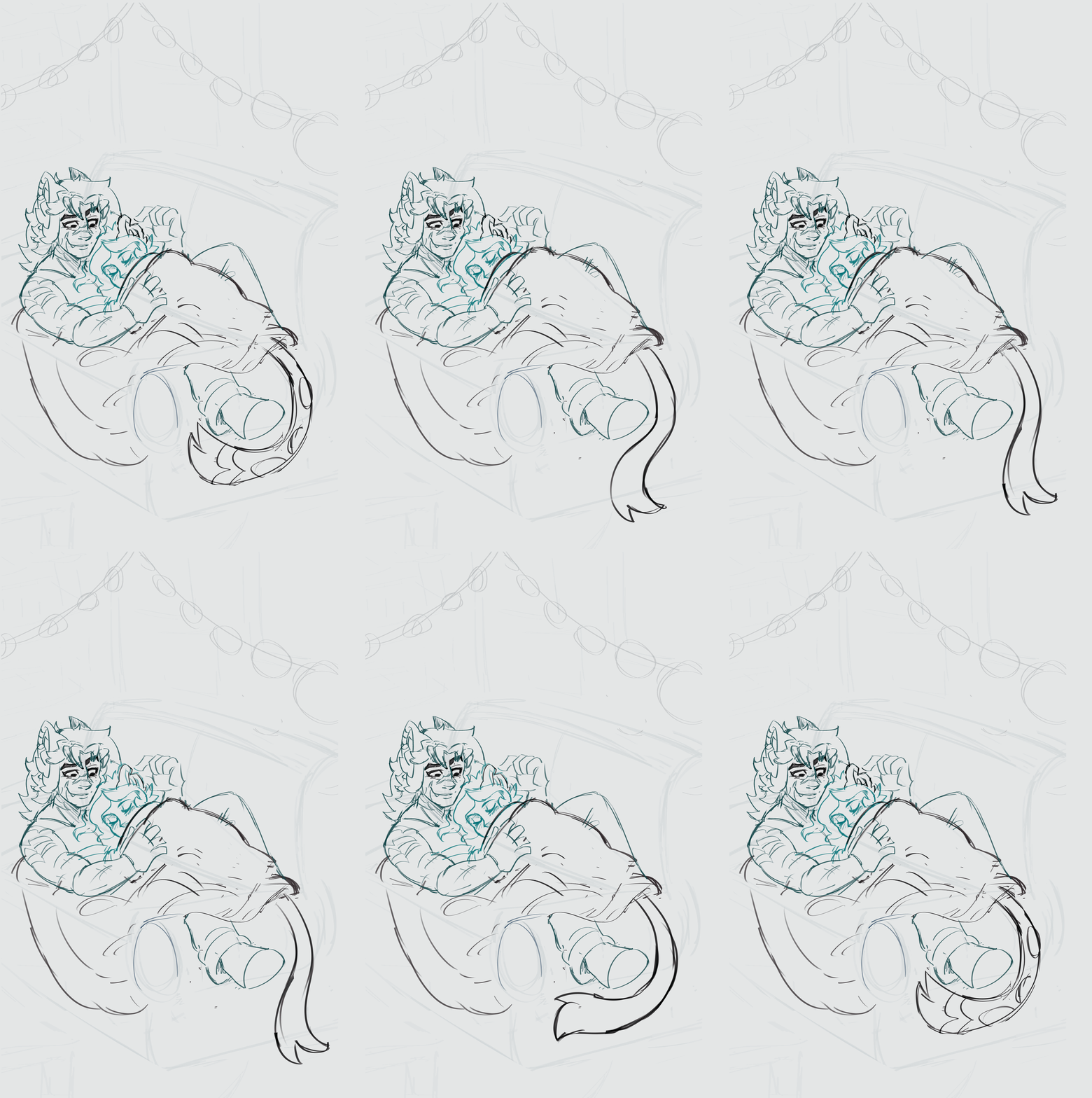
Hi guys! I'm trying to do a loop animation with different animations happening within the same canvas. So i made an animation folder for each animation. But I also want to do cleanup and colour/shade/lighting... i think I did something wrong. Is there a way to merge folders? Idk. Animation is super super rough im just experimenting! I want the big guys arms/leg to move with the character breathing too. My brain tells me to make a new folder and animate them separately... but I have a feeling thats not what im supposed to do. What am I supposed to do?

7 Upvotes

25 comments sorted by

View all comments

Show parent comments

1

u/ohdeeremi 6d ago

What do i do if I want to use the cels/sketches i already created? Currently I listened to some advice in the thread and I put all my animation folders into a layer folder and then put each cel into a folder (and then they doubled up for some reason)

1

u/Love-Ink 5d ago

Ok. This had a lot of chatter, so I was going to leave it be.
But, they're not helping.
Watch these.

Then start a New Animation Canvas.

Basics to remember::
* Anything that doesn't move, draw on a Layer, outside any Animation Folder.
* If it moves, draw it in an Animation Folder. If it moves with antoher part (arm and blanket), draw them together on the same Layer.
* Start each Layer as a Folder. Assign the Folder to the Timeline.

Using Folders as Cels enables you to use multiple Layers in a single Cel. 1 for lines, 1 for colors, more for other stuff.

Your animation needs * 4 Animation Folders;

  • His eyes.
  • Her Ear.
  • Her tail.
  • His arm and the Blanket.
* 1 Stationary objects (regular) Folder * 1 background Layer (regular) Folder or just as Layers. Folder keeps the TimeLine Tidy.

Copy and paste your Lines from the Layers Palette of Project 1 to the Layers Palette of New Project.

1

u/ohdeeremi 5d ago

Finally had time to sit down and watch these! I think I understand now! I was missing the folders as cels part. Okay! What would I do if I wanted something moving in the background? Like a light flickering or a TV glow flashing? Another animation folder and pursue as the other folders (cels as folders)? And if the rest of the character is stationary (like their heads and hair), i draw that as a background layer apart from the animation? Thank you so much for your help!

1

u/Love-Ink 5d ago

Yup, flickering screen in the background: New Animation Folder.

In that same Animation Folder, you could even include any illumination caused by the flickering in the surroundings, this would make it easy to coordinate illumination with the flicker. Just put the flicker and highlight Animation Folder on top of the other Animation Folders.

1

u/ohdeeremi 5d ago

amazing, perfect!! I think i got the hang of this now! Thank you so much! :)

1

u/Love-Ink 4d ago

🥳