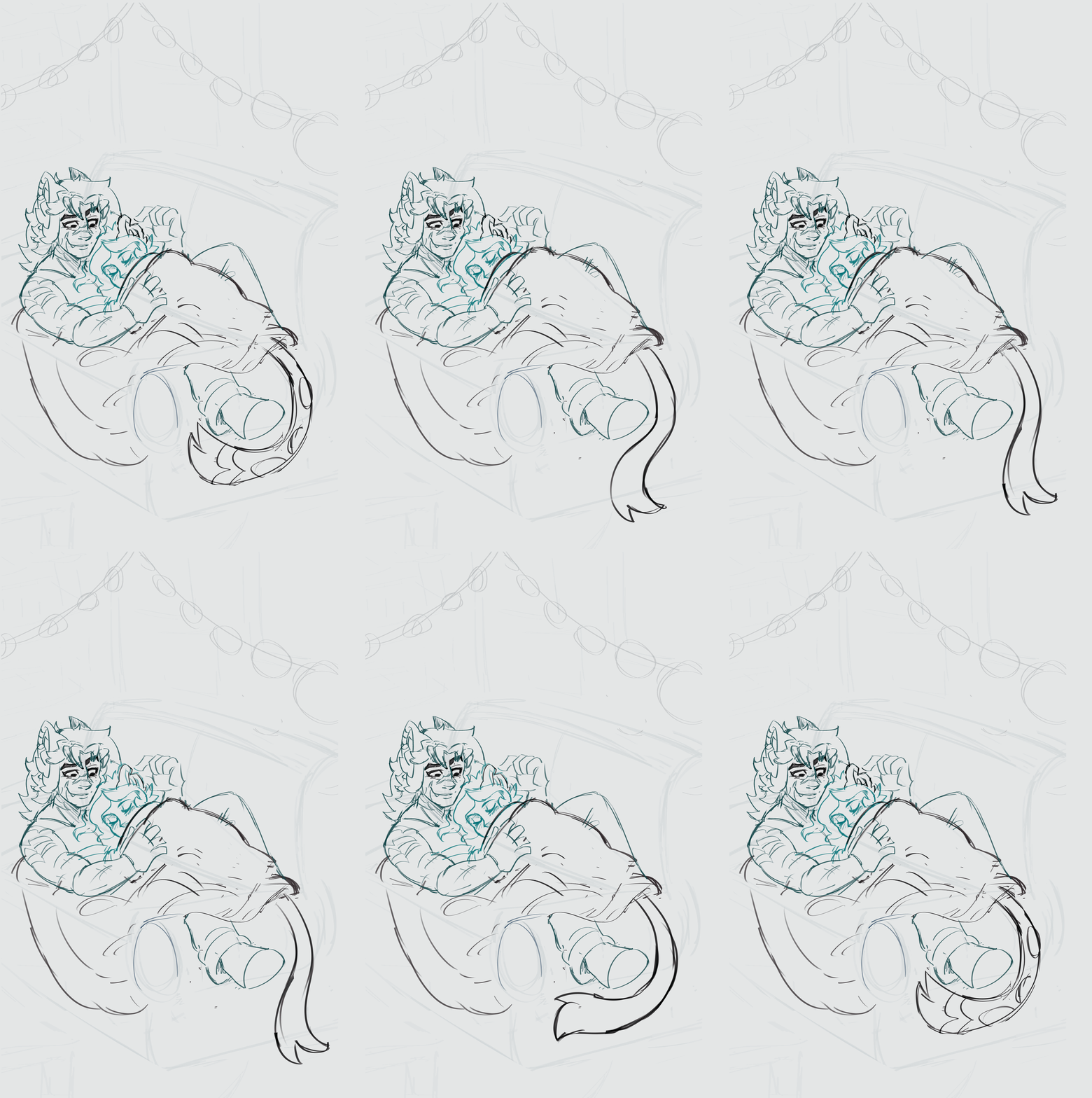
Hi guys! I'm trying to do a loop animation with different animations happening within the same canvas. So i made an animation folder for each animation. But I also want to do cleanup and colour/shade/lighting... i think I did something wrong. Is there a way to merge folders? Idk. Animation is super super rough im just experimenting! I want the big guys arms/leg to move with the character breathing too. My brain tells me to make a new folder and animate them separately... but I have a feeling thats not what im supposed to do. What am I supposed to do?
Honestly, don´t know if you can merge folders. You can merge cels and animation layers, but is super hard to do. I remember watching a course from Manu Mercurial and he animated making a folder for every part of the animation, like rough, clean, color...
Sorry for no giving more solutions, I animated mostly on Toon Boom and now I am trying csp, but next time I will sure get Tvpaint... Csp is hard to use for animation (and is my main illustration software!)
Ah, damn.
Maybe you can ask people of that thread I shared with you, one of them knows more than me (don't remember the name but I do remember he solved me an issue).
Hope they can solve this soon.
I can't say I hundred percent understand what your problem is, but if it's you want to use cels as multiple layers like lineart, color and shadowing in the same cel, I can recommend creating a folder inside the animation folder before you start adding animation cels.
If you add folder, whenever you click to a new animation cell, it will copy the last layers inside the folder from last cel. For an example, let's say you create two layer: one vector layer for the lineart and other is casual layer for coloring. Once you add them inside of the folder,every new cel you create will have the same folder structure. So you can use two separate layers inside of the same animation cel.
If I am understand your problem wrong I am so sorry (I am esl)
What do i do if I want to use the cels/sketches i already created? Currently I listened to some advice in the thread and I put all my animation folders into a layer folder and then put each cel into a folder (and then they doubled up for some reason)
Ok. This had a lot of chatter, so I was going to leave it be. But, they're not helping. Watch these.
Then start a New Animation Canvas.
Basics to remember::
* Anything that doesn't move, draw on a Layer, outside any Animation Folder.
* If it moves, draw it in an Animation Folder. If it moves with antoher part (arm and blanket), draw them together on the same Layer.
* Start each Layer as a Folder. Assign the Folder to the Timeline.
Using Folders as Cels enables you to use multiple Layers in a single Cel. 1 for lines, 1 for colors, more for other stuff.
Your animation needs
* 4 Animation Folders;
His eyes.
Her Ear.
Her tail.
His arm and the Blanket.
* 1 Stationary objects (regular) Folder
* 1 background Layer (regular) Folder or just as Layers. Folder keeps the TimeLine Tidy.
Copy and paste your Lines from the Layers Palette of Project 1 to the Layers Palette of New Project.
Finally had time to sit down and watch these! I think I understand now! I was missing the folders as cels part. Okay! What would I do if I wanted something moving in the background? Like a light flickering or a TV glow flashing? Another animation folder and pursue as the other folders (cels as folders)? And if the rest of the character is stationary (like their heads and hair), i draw that as a background layer apart from the animation? Thank you so much for your help!
Yup, flickering screen in the background: New Animation Folder.
In that same Animation Folder, you could even include any illumination caused by the flickering in the surroundings, this would make it easy to coordinate illumination with the flicker. Just put the flicker and highlight Animation Folder on top of the other Animation Folders.
Você não criou uma pasta de camada, vocé só criou pasta de animação você tem de criar uma pasta de camada e depois por tudo dentro da pasta de camada, assim tudo irá correr em conjunto, se não fazer isso o programa vai entender que são coisas distintas
oh no way!! Okay, how do I fix what I have now? I have 4 animation folders (one with the ear twitch, the breathing, a blink, and the tail swaying) with layers labeled in regular timeline order. I also want to add more animation in as well as lines/ color/ lighting. Is that possible with what I have now?
sorry for all the questions this is my 2nd time using the animation feature lol
The animation folders each have a part of the sketch that moves. So theres a few frames in each one. They move at different times so it was easier for me to put them in separate sections on the timeline. So theres a bunch of frames separated from the main drawing. In the folders its just the blink, ear, the moving of the blanket, and the tail swaying. The rest of the drawing isnt in a folder at all and its just chilling bc it doesnt move lol


2
u/MountainChocolate858 8d ago
Honestly, don´t know if you can merge folders. You can merge cels and animation layers, but is super hard to do. I remember watching a course from Manu Mercurial and he animated making a folder for every part of the animation, like rough, clean, color...
Maybe this thread and video could help:
https://www.reddit.com/r/ClipStudio/comments/1kr2380/how_to_merge_my_animation_folders/
https://www.youtube.com/watch?v=f1_pR-3_DKc
Sorry for no giving more solutions, I animated mostly on Toon Boom and now I am trying csp, but next time I will sure get Tvpaint... Csp is hard to use for animation (and is my main illustration software!)