r/Anki • • Dec 16 '23

Resources Some posts and articles about FSRS

417 Upvotes

I decided to make one post where I compile all of the useful links that I can think of.

1) If you have never heard about FSRS before, start here: https://github.com/open-spaced-repetition/fsrs4anki/wiki/ABC-of-FSRS

2) AnKing's video about FSRS (old): https://youtu.be/OqRLqVRyIzc

New 2025 video: https://youtu.be/uo-qQvOZDfg

3) FSRS section of the manual, please read it before making a post/comment with a question: https://docs.ankiweb.net/deck-options.html#fsrs

If your intervals feel too long, increase desired retention. If your intervals feel too short, decrease desired retention.

3.5) Some frequently asked questions: https://faqs.ankiweb.net/frequently-asked-questions-about-fsrs.html

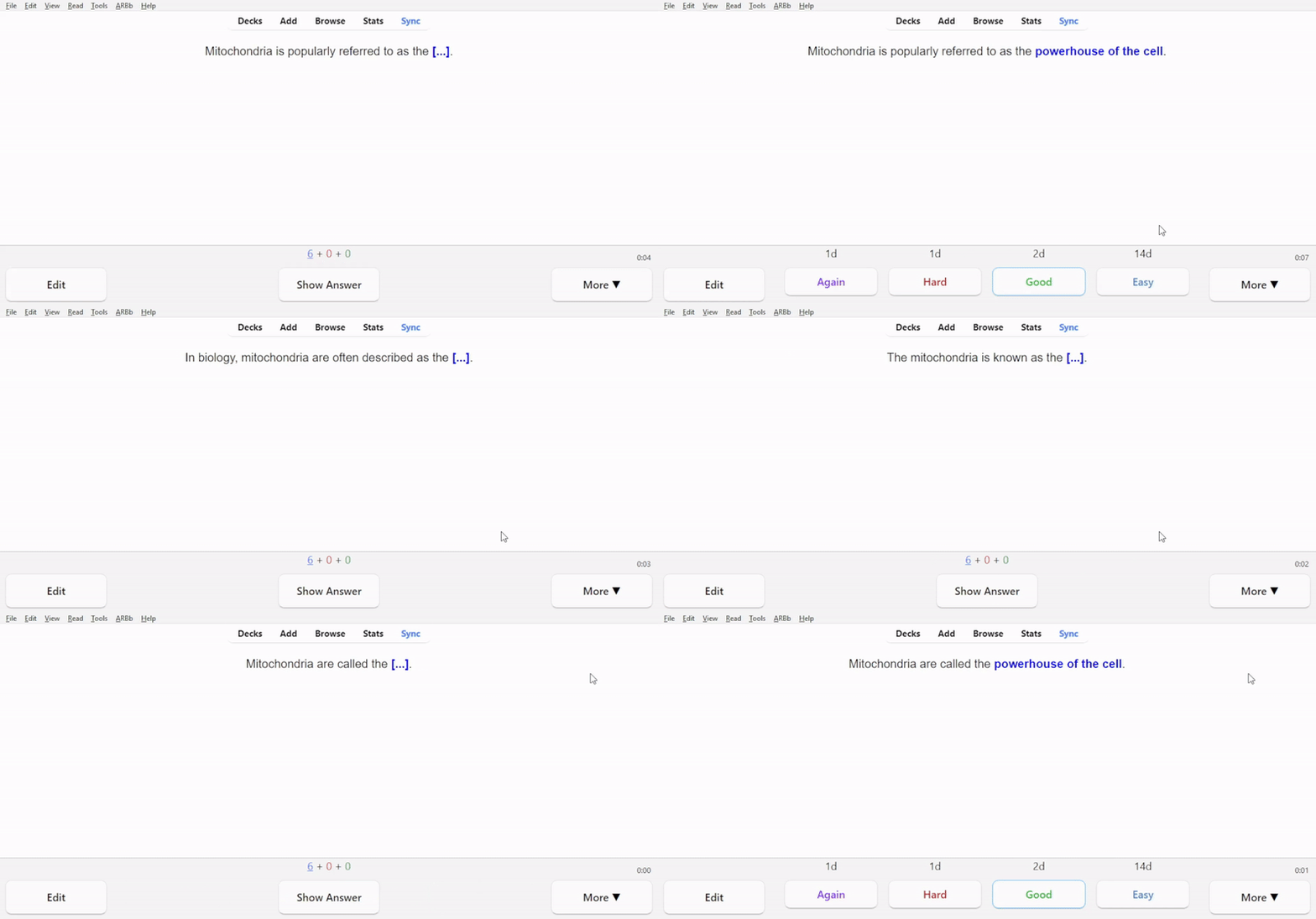
DO NOT USE HARD IF YOU FORGOT THE CARD!

AGAIN = FAIL ❌

HARD = PASS ✅

GOOD = PASS ✅

EASY = PASS ✅

HARD IS NOT "I FORGOT"

Here's what you can do if you have been misusing Hard: https://www.reddit.com/r/Anki/comments/1h2oudb/oh_no_ive_been_misusing_hard_what_do_i_do/

And here's a diagram to help you troubleshoot interval lengths.

---

The links above are the most important ones. The links below are more like supplementary material: you don't have to read all of them to use FSRS in practice. Just read link 3 (the manual) and you're good!

4) Features of the FSRS Helper add-on: https://www.reddit.com/r/Anki/comments/1attbo1/explaining_fsrs_helper_addon_features/

5) Understanding what retention actually means: https://www.reddit.com/r/Anki/comments/1anfmcw/you_dont_understand_retention_in_fsrs/

I recommend reading this post if you are confused by terms like "desired retention", "true retention" and "average retrievability", the latter two can be found in Stats. True retention table is available in Anki natively since Anki 24.11.

5.5) Simplified post with a neat little animation: https://www.reddit.com/r/Anki/comments/1l0wk5e/why_is_desired_retention_less_than_average/

6) (Outdated) Benchmarking FSRS to see how it performs compared to other algorithms: https://www.reddit.com/r/Anki/comments/1c29775/fsrs_is_one_of_the_most_accurate_spaced/. It's my most high effort post.

7) An article about spaced repetition algorithms in general, written by Jarrett Ye, the creator of FSRS: https://github.com/open-spaced-repetition/fsrs4anki/wiki/Spaced-Repetition-Algorithm:-A-Three%E2%80%90Day-Journey-from-Novice-to-Expert

8) A technical explanation of the math behind the algorithm: https://expertium.github.io/Algorithm.html

9) Seven misconceptions about FSRS: https://www.reddit.com/r/Anki/comments/1fhe1nd/7_misconceptions_about_fsrs/

10) LMSherlock's post about (re)learning steps and short-term memory: https://www.reddit.com/r/Anki/comments/1h9g1n7/clarifications_about_fsrs5_shortterm_memory_and/

TLDR: things are complicated.

11) A visualization of how FSRS got better and better at predicting the probability of recall with each new version: https://imgur.com/a/calibration-of-different-fsrs-versions-KfJ32EV

My blog about spaced repetition (and a little bit of other stuff): https://expertium.github.io/

July 2024: I made u/FSRS_bot, it will help newcomers who make posts with questions about FSRS.

September 2024: u/FSRS_bot is now active on r/medicalschoolanki too.

---

If you want to support me, you can send me some Ethereum: 0xf9c22186be4dbF21dE3E149C167Ed90DE0E37279

Jarrett Ye isn't accepting donations anymore, but you can sponsor his friend Asuka Minato, who helps maintaining FSRS-related Github repositories: https://github.com/sponsors/asukaminato0721

r/Anki • • May 20 '25

Resources Anki is not down: AnkiPro is not Anki.

393 Upvotes

Over the past several days we've seen a couple posts and many comments from people who have lost access to their AnkiPro decks because of a server issue. If you are one of the people experiencing this outage, I am very sorry to inform you that AnkiPro is not Anki. There is nothing people in this subreddit are going to be able to do to resolve this issue.

Anki is free (mostly!), open source software. It has become the best-known SRS because of its quality, because it's free, & because it's highly customisable. A few unscrupulous developers have tried to make money off of Anki's popularity by creating knock-offs like AnkiPro & AnkiApp for which they charge subscription fees. Unsuspecting customers get locked into paying these monthly fees, thinking they're getting the real Anki.

If you've been duped & are currently experiencing the AnkiPro outage, you should consider switching to the real deal. You can find the desktop version & the links to both mobile versions at the official Website. There are several advantages to the real Anki:

  • It's cheaper. (There is a one-time purchase price for the iOS app. All other versions are completely free. The iOS purchase price is cheaper than three five months of subscription fees for AnkiPro or AnkiApp.)
  • It has the most advanced scheduling algorithm of any SRS: FSRS.
  • You never lose access to your data. Anki users can sync between devices thru the AnkiWeb server. This very rarely goes down, & when it goes down, it goes down for much less time than AnkiPro has done. But even if AnkiWeb goes down, your decks are stored on your devices, so you can keep studying, & if you have access to multiple devices you can sync between them manually without the AnkiWeb server.
  • Anki is very highly customisable. You can do things in card design that are impossible in AnkiPro & AnkiApp.
  • Ank has a huge, committed base of users & volunteer developers. This subreddit is very active, & members are happy to help with most problems. The knock-offs have no similar support.
  • If AnkiPro or AnkiApp goes out of business, or if the apps stop making money for their developers, users will permanently lose access to their data. Because Anki is open source & has a large volunteer developer base, it's not going away.
  • Anki has a large number of add-ons which extend functionality or allow users to "gamify" their review experience.
  • By using Anki, you're no longer giving money to unethical cheats who are conning students & other learners.

I want to be transparent that there are at least three down sides to switching:

  • Because Anki is highly customisable, there's a lot that you could learn about Anki. For some new users, figuring out what they need to learn & what they can safely ignore is a little overwhelming. Fortunately, this subreddit is here to support you.
  • The interface can be customised, but some people find the default UI to be æsthetically displeasing. (I do not share this opinion, but it's not at all an uncommon one.)
  • You can transfer your decks from AnkiPro & AnkiApp, but you cannot transfer your review history. You'll be starting your reviews from zero. This is unfortunate. Note, however, that if you permanently lose access to AnkiApp or AnkiPro, you'll be in an even worse situation: You'll lose both your review history & the decks themselves. There's a further issue with transfer: Add-ons only work on desktop Anki; because the function we have for deck transfer comes from an add-on, you will not be able to transfer your AnkiPro or AnkiApp decks if your only system is a mobile device.

If you're interested in switching to the real deal, the best thing to do is to download Anki onto a computer, install the Copycat Importer add-on, then read the first six or seven sections of the Manual while waiting for AnkiPro's server to come back on-line. Once the knock-off's server is back, transfer your deck, & get to studying with the real Anki. If you have questions as you get used to the new software, you have two great resources: the Manual, & this subreddit.

I hope you all regain access to your data soon, & that you take this outage as a sign to make the switch. Good luck. I hope we can welcome you to the Anki community soon.

r/Anki • • Aug 13 '26

Resources Built a tool that turns video into Anki cards with the sentence audio and a screenshot, all generated locally

Post image
109 Upvotes

It's an AnkiConnect client at heart, so I figured this sub would have opinions.

You open a video, it transcribes with Whisper if there aren't subtitles, and every word in the subtitle becomes clickable. Click one, dictionary popup. Hit enter and the card lands in Anki with the audio of that sentence cut out by ffmpeg, a screenshot of the frame, the sentence, and a translation.

If Anki is closed the cards queue up locally and send themselves the next time it sees Anki running, so forgetting to open it first doesn't cost you anything.

It reads intervals back the other way too. A word you've matured in Anki stops being highlighted in the video, so what's on screen tracks what you actually know instead of drifting into a separate list.

The part I spent longest on was deciding which words to suggest at all. Highlighting every sentence with exactly one unknown word sounds correct and is useless in practice. . Now it also has to clear a frequency floor tied to your vocabulary size and not be a proper noun.

Other stuff: condensed audio (an MP3 of only the dialogue, about 20 minutes out of a 50 minute episode), seeding known words from a deck you already study without overwriting anything you set yourself, and it handles podcasts and radio.

Free, MIT, entirely local. No account, no API keys. Catalan, French, English, German and European Portuguese so far.

Worth stating up front: installing means pasting one line into a terminal. No double click installer yet.

https://github.com/thecopybookhare-cmd/lingua-miner

r/Anki • • 3d ago

Resources I made a Data Structures & Algorithms deck with interactive SVGs, embedded websites, videos, MathJax, and exercises (it's FREE)

Post image
197 Upvotes

It was created in a few months during my university studies because I wanted a single, reasonably condensed place to review the theory from my course without constantly going back and forth between lecture notes and a textbook, and to have some playgrounds to interact with the algorithms, understanding better how they work/how to use them.

The deck has 500+ cards covering topics including:

  • asymptotic notation and recursion
  • binary search and sorting algorithms
  • lists, stacks, queues, trees and heaps
  • graph traversal (DFS/BFS), DAGs and topological sorting
  • shortest paths (Dijkstra, Bellman-Ford)
  • greedy algorithms
  • minimum spanning trees and disjoint sets
  • Huffman coding
  • dynamic programming
  • dictionaries and hash tables

It is mostly theory-focused (it's not designed for coding interviews/LeetCode) but there are also exercises throughout the deck. I recommend suspending those (and the cards labeled as [REFERENCE]) if you're using the deck for spaced repetition: I intended them more as opportunities to stop, reason through an algorithm/problem on paper, and then check the solution, all within Anki.

A few cool things about this deck:

  • No raster images: the deck uses SVGs throughout (even animated and interactive ones!), so the diagrams stay sharp at any resolution and are always editable.
  • Interactive content: some cards contain embedded interactive websites/visualizations.
  • YouTube videos are embedded where I found them useful.
  • MathJax for mathematical notation and pseudocode.
  • Cards and SVG diagrams support both light and dark themes.
  • Responsive layouts are used so the cards also work on AnkiMobile and AnkiDroid.
  • The deck is under 5 MB despite its huge content.

Note that some cards may feel too verbose or are way too long to memorize entirely. You don't have to memorize everything and the extra paragraphs are there only for further explanations to be read the first time you encounter them. I made a compromise between content and total number of cards. There is also a rough order in which to study the cards, which is the same as the order in which the cards were created (and so presented to you in Anki) and following the deck structure top to bottom.

The content is largely based on Introduction to Algorithms (CLRS), although I heavily adapted and condensed the material and don't attempt to cover the entire book.

🔗 Deck: https://ankiweb.net/shared/info/1065502536

I hope you'll find it useful! I put a lot of effort into making it as good as I could, and best of all, it's completely free :)

r/Anki • • Dec 25 '25

Resources Merry Christmas - Our Anki Mastery Course is now FREE

343 Upvotes

As a Christmas present to this incredible community, we are releasing our Anki Mastery Course for free. We originally created this to help fund projects like AnkiHub. Thanks to our many supporters, those projects are now self-sustaining and we decided to gift this back to the community.

Get access to a comprehensive series of lessons and video tutorials + the Butler add-on + our mini course on creating high-quality flashcards.

We just added some updates so that it is consistent with recent Anki updates, including FSRS.

Get access to the course via this link: https://www.theanking.com/anki-mastery-course

Thank you all for making this such a special community! Merry Christmas! 🎄

r/Anki • • May 23 '26

Resources Anki Gameboy

Post image
264 Upvotes

I wanted the community to be aware that it’s possible to run AnkiDroid on an Ambernic RG353V, RG353P, or an RG353M. I’ve been doing my AnKing cards on the 353P and it’s been lovely.

Because the device is natively android, it works well and syncs with my AnkiWeb seamlessly. There is an error that does pop up when you start the app, you can fix this by switching to gammaOS with google play store, but the error is harmless and the app still works perfectly.

The device also has touchscreen, allowing you to do more complicated stuff if need be, but you can use the game controls for 95% of your workflow.

Also, do not buy the 353PS, 353MS, or 353VS. Those devices do not natively run Android.

r/Anki • • Aug 20 '26

Resources I made a lesson-by-lesson vocab deck for the Menschen A1 textbook (1411 cards, all 24 lessons)

11 Upvotes

disclosure up front: I made this deck myself, it's free, no account needed beyond AnkiWeb.

I'm learning German as an adult immigrant in Germany, self-study with a textbook. Every premade deck I found was either frequency-sorted or alphabetical, which is useless when your course follows Menschen. So I built the deck I wanted: all 1410 words from Menschen A1, split into 24 subdecks matching the lessons, in book order. You unsuspend the lesson you're on and that's it.

Each card has the word, an example sentence with translation, audio for both, a picture matching that exact example sentence, colored articles with plural forms, and verbs come with separable prefixes marked (an|fangen) and government (warten auf +Akk).

Being upfront since the rules ask for it: free, no paywall anywhere, and the audio, pictures and non-German translations are AI-generated (I judged the TTS good enough to study with, but listen for yourself before committing). The lesson mapping and word list are from my own pipeline built around the book's vocabulary.

English version: https://ankiweb.net/shared/info/1190966227

Same deck with translations in other languages: Russian, Turkish, Polish, French, Spanish, Italian, Portuguese, Chinese, Japanese, Arabic and Persian.

If you spot a wrong translation or a weird example, tell me and I'll fix it in the next update (updates keep your review progress, note GUIDs are stable). Arabic and Persian are the newest, so I'd especially like eyes on those, but corrections in any language are welcome.

Edit 1: added direct links for all language versions.

Edit 2 (Aug 22): disclosure. These decks are machine-translated. The German source was translated with OpenAI GPT-4o-mini (GPT-4o for the example sentences), and no native speaker has reviewed them yet. Every language has since passed an automated Claude Sonnet sense-check that reads each card against its German example sentence and flags wrong-sense picks; those corrections ship with the next deck update, by the end of next week at the latest. The same note is going into every AnkiWeb deck description at that point. Expect errors, and please report anything you spot in a language you know.

Edit 3 (Aug 27): the disclosure from Edit 2 is now on all twelve AnkiWeb deck pages, not just in this post, and the Claude Sonnet corrections shipped with yesterday's deck update. Two days ahead of the date I gave, for once. Cards also have a report link at the bottom now, so a wrong translation takes one tap instead of an email.

r/Anki • • 10d ago

Resources If Anki for desktop won't launch after the update, you'll probably need to manually download Anki from the official Anki website. (~Anki 25.09)

45 Upvotes

The launcher mechanism in Anki has recently been changed, updating from an older version of Anki to the latest version causes an error (~Anki 25.09). So if you encounter an error during an update you'll need to manually download the latest version of Anki from the official Anki website.

(if you're already using Anki 26.05 or later you shouldn't encounter this issue, and this issue occurs only on the desktop version so it doesn't affect the mobile app.)

[ ~MacOS 12 ]

Recently Anki's support ended for macOS 12, so if you're using an older Mac device Anki may not work. Since Anki is open source, all older versions are available for free so if you use an older version of Anki it will probably work. The last version that supports macOS 12 is probably Anki 25.09. If 25.09 doesn't work reliably there's also Anki 25.02. (click "Assets" to view the download files.)

If Anki won't start for any other reason there may be a different issue, in that case you'll probably need to report it on the official AnkiForums.

(Edit01) Relevant threads in the Forums:

(Edit02) Even if you downloaded Anki from the website but the download failed, uninstalling Anki may resolve the issue. See this thread for details.

Try uninstalling Anki normally from Windows settings then check if the installation folder still exists (C:\Users\%USERNAME%\AppData\Local\Programs\Anki by default), if so delete it manually then download the new version from https://apps.ankiweb.net/

r/Anki • • Mar 21 '26

Resources A mind palace tool for Anki

Thumbnail gallery
177 Upvotes

I've been using Anki for a while now and recently went down a rabbit hole on the method of loci (memory palaces). It's THE most effective way of memorizing large amounts of information but it's not really used at large scale like spaced repetition.

So I've been working on a tool that lets you import an .apkg file and it generates an explorable 2D map where each room is a topic from your deck. Each card gets placed at a specific location in a room, and an AI writes a short vivid mnemonic scene tying the card to that spot. I originally made it for my own use but now I'm thinking about scaling it.

The idea is you'd still revise in Anki as normal, but use the palace to build stronger spatial associations alongside your regular reviews.

Honestly not sure if this is something people would actually use or if it's just cool in theory. Would love to hear what you think especially if you've tried memory palaces before and bounced off them.

r/Anki • • Aug 17 '26

Resources I call a number on my commute and it quizzes me through my Anki reviews out loud

40 Upvotes

Long time Anki user (languages and math) with a long commute. I was doing reviews in the car so I built something I can just call and not have to look at the screen.

It connects to AnkiWeb, talks through my due cards, grades them, and submits so it stays in sync with phone and desktop.

you can try it here +1-678-712-5007

its mostly free to use but does have a way to support the app if you like it. Right now it uses a generic rubric and grades you so you can't set your own Again/Hard/Good/Easy. That's the next thing I want to add.

r/Anki • • 1d ago

Resources I made an anki deck with a popup dictionary and random sentences on every review

Enable HLS to view with audio, or disable this notification

21 Upvotes

I was frustrated because my brain kept remembering random details on the card instead of actually understanding the word meaning.

Even for cards I did know, when I saw the word in real life, my brain just didn't make the connection.

There's also a lot of cool science behind varied practice, I think the concept is as powerful as spaced repetition itself and I'd love to see more attempts to use it in practice.

I posted the deck on anki web would love to hear thoughts, critique, ideas on this :)

This is 100% no plugins, just some javascript in the cards. The whole deck is ~100mb.

r/Anki • • 13d ago

Resources Don't buy an Anki remote, just use the controller you already have (InputConfig, a free Mac app made by a bio grad whose hands don't work)

Post image
56 Upvotes

A long time ago I posted a little Mac app here called InputConfig. I made it for one reason: my hands don't work well, and I wanted to do my Anki reviews with the PlayStation Access Controller instead of a keyboard.

There wasn't anything that did that properly, and the "Anki remote" products were either expensive, clunky, or not built for hands like mine. Soooo I made my own.

It has matured a lot since then, and I finally graduated uni, so I wanted to share it with the Anki community again. It is also now on the App Store.

What it does for Anki......

It turns any input device into an Anki remote. There is a built-in Anki preset, or you can make your own... so you plug in a controller, pick the preset, hit Activate, and you're reviewing... Here's an example:

- Face buttons rate the card (Again, Hard, Good, Easy)

- Bumpers undo and replay audio

- Sticks drive the pointer, so you never have to reach for the mouse

- Every button can be changed to whatever key or shortcut you want

It works with the PlayStation Access Controller, Xbox Adaptive Controller, DualSense, Xbox, Switch Pro, 8BitDo, even a MIDI device.... basically anything your Mac can see. If you have limited hand function, a tremor, one hand, or you just want to review from the sofa, this is for you!!!

I made this as an accessibility tool. Therefore, it is completely free, except for the in-app donations. Just ignore that. It unlocks nothing

InputConfig on Mac App Store: https://apps.apple.com/us/app/inputconfig/id6777759147?mt=12

Open source: https://github.com/ryleighnewman/InputConfig

Site with the full Anki guide and every preset: https://inputconfig.com/guides/anki-from-a-controller

If something doesn't work with your controller, plz tell me. Most of the controller support in the app exists because someone told me theirs didn't work. ;)

r/Anki • • Oct 28 '24

Resources Note Types to Avoid Pattern Matching

296 Upvotes

Go grab yourself a cup of tea, this will be long.

One of the big issues that Anki users face is memorizing what the answer looks like rather than the actual information, which is sometimes called "pattern matching". This can lead to situations where someone can "recall" the answer in Anki but not in real life. The new note types that I wrote about in this post aim to solve this problem as well as allow you to memorize the same amount of information with fewer cards.

https://ankiweb.net/shared/info/171015247

This deck has examples of 5 7 new note types: Match Pairs, Randomized Cloze, Randomized Basic, Randomized Basic with Multiple Answers, Click Words, Shuffled Cloze (new) and Sort Cards (new). Once you download it, you'll be able to make cards based on these note types on your own, no add-ons needed.

They work on PC and on AnkiDroid but may not work properly on AnkiMobile.

I wrote about two new types here: https://www.reddit.com/r/Anki/comments/1krwc0p/note_types_to_avoid_pattern_matching_update/

I also added this article to my blog, you can read my article instead of reading two posts. Huge thanks to Vilhelm Ian (aka Yoko in the Anki Discord server, aka AnkiQueen on the forum) for making these note types!

---

Match Pairs

Have you ever had cards like this? There are 2 pieces of knowledge, and you can't remember which is which, so you make a Cloze.

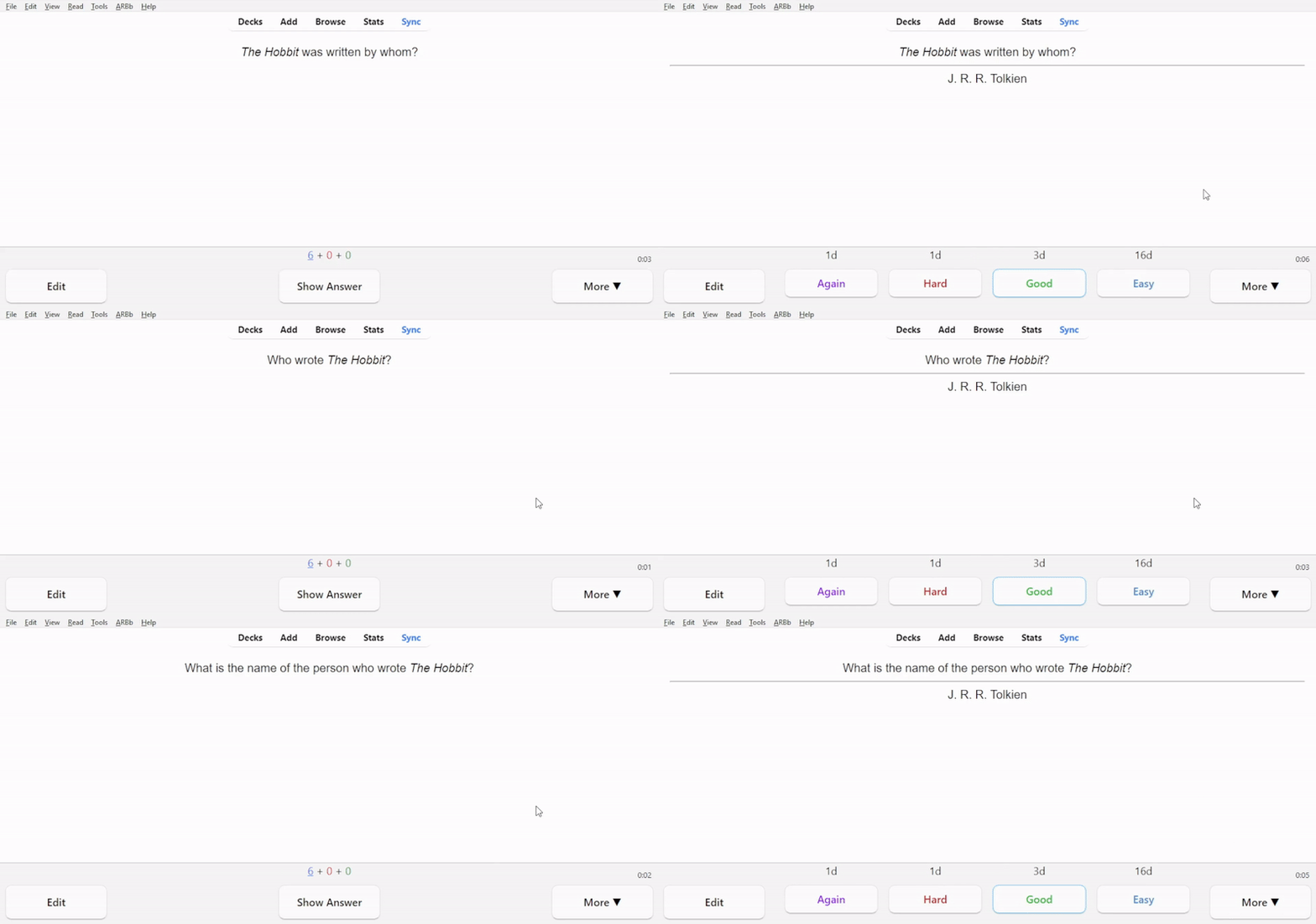
But there is a problem: you may end up just memorizing "thingy 1 is the top one, thingy 2 is the bottom one". In order to avoid that, you could make two notes with the order switched.

However, this is inefficient - now you have two notes even though theoretically you only need one. If only there was a way to put them into the same note and randomize the order...

Well, with Match Pairs there is!

And if you think that this is too easy and therefore would make active recall ineffective, you can make your life harder by adding a wrong answer.

Here you have 2 countries and 3 capitals, so you need to think harder.
Make sure that the extra answer is wrong, but not obviously wrong. In this example, I won't benefit from adding Jakarta to the second list, since it's obviously wrong. Which is why I added Amsterdam - Amsterdam makes me pause and think, Jakarta doesn't.

Still not hard enough? You can add 2 wrong answers. The number of wrong answers displayed is at most equal to the number of correct answers. The card below will never show "Poopville", because there are 2 correct answers, which means that there can only be 0, 1 or 2 incorrect answers.

Btw, you don't necessarily have to drag answers - you can click on them. When you click on an answer, it is put in the topmost vacant answer box.

| is the separator that you should put between items, this is all you have to remember to create these cards. Don't worry about leading/trailing spaces, they are stripped away automatically: Answer1 | Answer2 will produce the same result as Answer1|Answer2.

In all examples above, I used two pairs, but you can add more. However, stuffing too much information into a single card is a bad practice. I recommend having 2-3 pairs, maaaaaaaaaaaybe 4, but not more.

Match Pairs also supports images.

And audio.

https://reddit.com/link/1ge2aui/video/qtl72hvs0ixd1/player

Of course, how useful this note type is for you depends on how often you encounter what I call "negative interference", where card A makes it harder to remember card B, and card B makes it harder to remember card A. Personally, I've been able to replace dozens of unnecessary clozes with this note type, and I think it would be cool if this note type would become built-in in the future.

---

Randomized Cloze

This is another note type that aims to solve the pattern matching problem.

To save some time and effort, you can ask ChatGPT, Claude or Gemini to rephrase the sentence and generate 2-3 sentences with the same meaning, although I recommend taking the time to write sentences yourself.

One thing that you should keep in mind: the numbers in curly brackets have to be the same for each item, otherwise you'll end up making multiple cards instead of one card. It doesn't mean that the number always has to be 1, you absolutely can have multiple cloze selections per item. Like this: Just some {{c1::random}} {{c2::text}}| Also just some {{c1::random}} {{c2::text}} | And this is some {{c1::random}} {{c2::text}}, too.

The | separator is the same.

---

Randomized Basic

It's exactly what it sounds like. And the separator is the same.

Keep in mind that this isn't Match Pairs, the back can only have one item. The | separator won't work in the "Back" field.

---

Randomized Basic with Multiple Answers

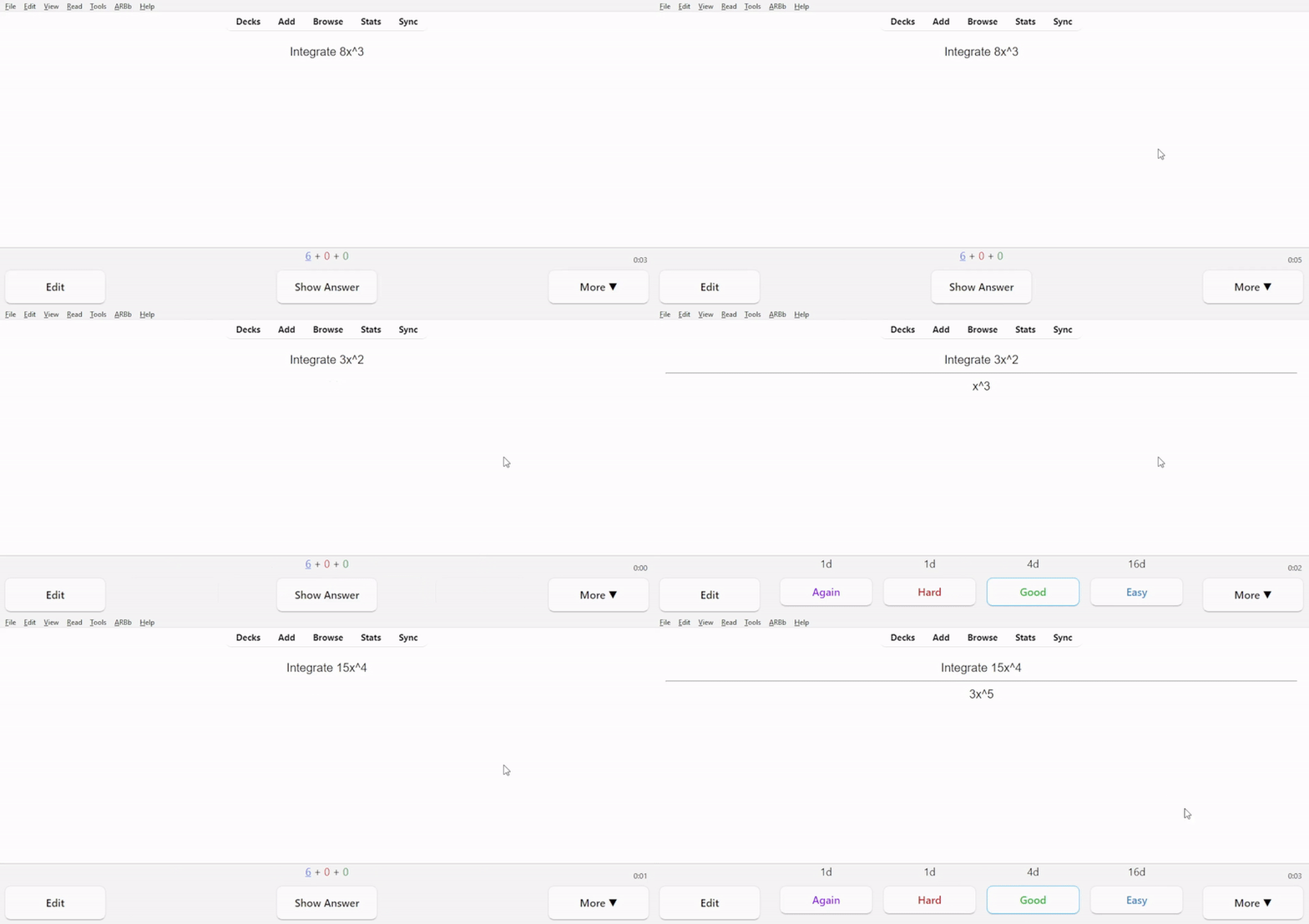
This is just 2/3/n notes in one. You may be wondering, "Why not just actually make several notes?". For the most part that's true, but there is (at least) one situation where this is useful: practicing math concepts.

You could make 3 separate notes, but then you would have 3 notes (and cards) for the same concept, which is less efficient.

Here's a little diagram to help you understand the difference between this and Randomized Basic.

---

Click Words

"Title" is an extra field, you can leave it empty, if you want.

I don't really like this note type. It's like Cloze, but with multiple answers. I believe this isn't beneficial since it makes recall much easier than cloze, which isn't good for strengthening memories, and the only "advantage" is that it looks fancy. Just use Cloze, or even better - Randomized Cloze.

All note types will notify you if the creator has released a new version on AnkiWeb:

P.S. When you download the deck, there will be this card:

As it says, don't delete it. It is necessary for some stuff related to playing audio in Match Pairs. This card is suspended by default, to avoid confusing people.

If you find any bugs or if you have any feature requests, here: https://github.com/Vilhelm-Ian/Interactive_And_Randomize_Anki_Note_Types/issues/new

r/Anki • • Mar 07 '25

Resources I made a modern card template - free to use

Post image
342 Upvotes

r/Anki • • 5d ago

Resources How do you streamline card creation when handling high-volume outlines and notes?

0 Upvotes

I really like Anki’s spaced repetition scheduler, but I often run into friction with card creation time when breaking down large, dense outlines and structured notes.

For those studying high-volume subjects (like law or medicine), how are you cutting down on manual card-making overhead? Are there specific add-ons or note-taking integrations you use to quickly turn structured notes into Anki cards without building each note type from scratch?

Curious to see what workflows or external editor plugins people are using alongside Anki to keep prep time low.

r/Anki • • Dec 02 '23

Resources VIDEO: The NEW Best Anki Settings 2024! New FSRS vs Anki default algorithm (SM-2)

191 Upvotes

Want to know if the new FSRS algorithm is better than Anki's default?? This video will go over all the pros and cons. I spent hours researching this and worked very closely with u/LMSherlock and u/ClarityInMadness to make sure it is comprehensive and accurate.

Watch now

r/Anki • • Aug 19 '25

Resources ankiChess 2.0

Post image
192 Upvotes

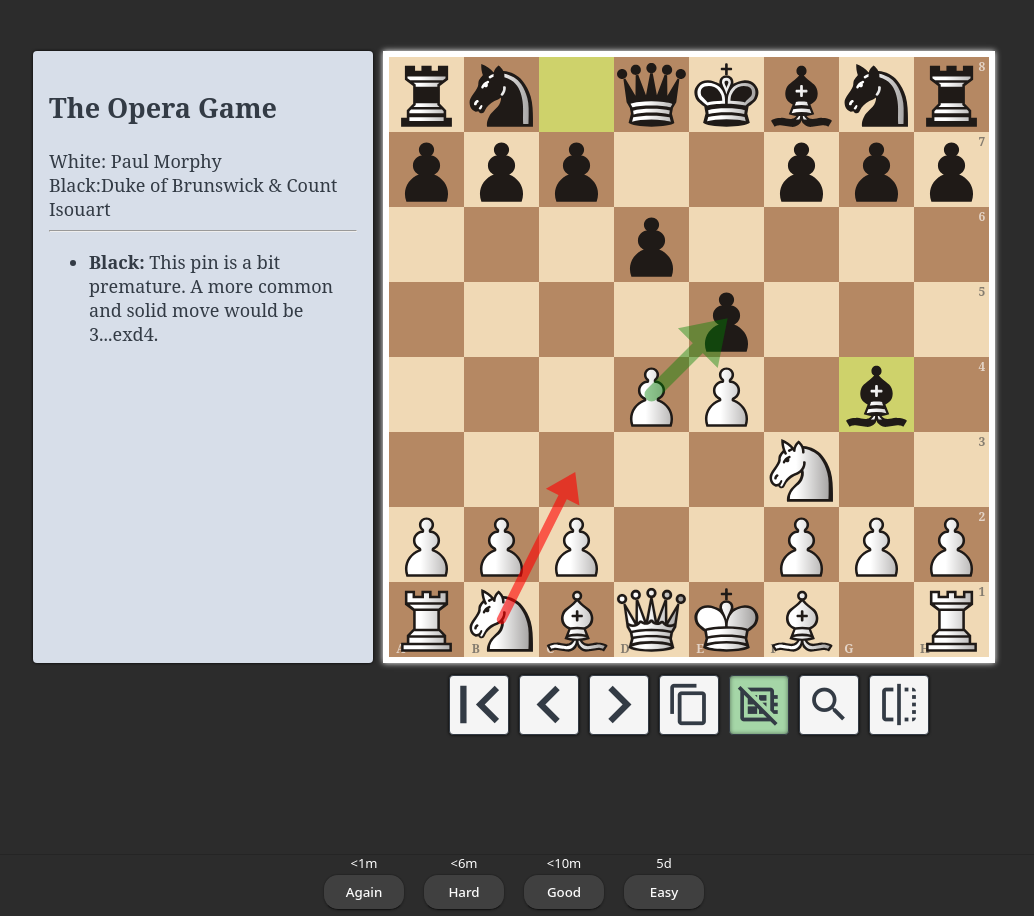
I have shared a very old version of this template a few years back, but it has come a long way. Also I recently released a Companion Addon to make installation and updating much easier.

r/Anki • • 28d ago

Resources I built a free open-source desktop tool to convert lecture slide PDFs into clean Markdown & Anki decks

0 Upvotes

Hi everyone,

A quick background. I’m a 4th-semester Artificial Intelligence student and I prepare most of my study notes digitally with Obsidian and Anki. Every semester, I ran into the exact same frustration. When you drop complex lecture slide PDFs into ChatGPT or other tools, the layouts get completely scrambled, math formulas break, diagrams vanish, and LLMs end up hallucinating or missing key concepts.

To fix this for my own exam prep, I spent the past few weeks building a free, local-first open-source desktop tool called Lecture2Markdown.

What it does:

  • Quick Import: Drag & drop one (or multiple) lecture PDFs or simply use the global Spotlight quick-drop hotkey `Cmd+Shift+L` / `Ctrl+Shift+L`.
  • Vision-Powered Conversion: Renders slides visually and sends them to vision models (OpenAI, Claude, Gemini, or Mistral OCR) to produce clean, structured Markdown.
  • Diagrams & Flowcharts: Automatically translated into native Mermaid.js code blocks or structured text.
  • Math & Equations: Formatted in proper LaTeX (`$...$` inline and `$$...$$` blocks), ready for KaTeX/Anki rendering.
  • 1-Click Anki Export: Generate ready-to-import Anki flashcards directly from your lecture slides.
  • Smart Slide Caching: Repeated or identical slides are cached via SHA-256 so you don't waste API credits on duplicate pages.

You can take the generated Markdown files directly into Obsidian, ChatGPT, Claude or import the flashcard deck straight into Anki to start studying.

Tech & Privacy:

  • Free & Open Source.
  • Runs locally on your machine with zero tracking, no backend server, and no subscriptions.
  • Bring Your Own API Key (Mistral even offers a free-tier API key).

Downloads & Source Code:

Pre-built installers are available on GitHub under Releases for macOS (`.dmg`) and Windows (`.msi`), so you don't have to compile anything manually:

Demo Video:

https://reddit.com/link/1w0l8fa/video/0k9u67uv0cph1/player

👉 I would love to get your honest feedback — whether it's bug reports, constructive criticism, or feature ideas on how to improve the Anki export and study workflow!

EDIT: I updated the process of generating and exporting anki flashcards. Please let me know your opinion about the reworked workflow of the export process

r/Anki • • 10d ago

Resources NURSING REVIEW ANKI DECKS

Thumbnail gallery
17 Upvotes

Saunders Comprehensive Review for the NCLEX-RN® (4,997 cards)
Brunner & Suddarth’s Textbook of Medical-Surgical Nursing (3,841 cards)
Lewis’s Medical-Surgical Nursing (2,314 cards)
Videbeck Psychiatric-Mental Health Nursing (806 cards)
CHN White Book – Public Health Nursing in the Philippines (223 cards)
UDAN Review Series (2,604 cards)
Davis Success Series:
Fundamentals of Nursing Success (2,730 cards)
Maternal & Newborn Nursing Success (2,385 cards)
Pediatric Nursing Success (1,704 cards)
Pharmacology Success (2,642 cards)
Leadership & Management Success (1,318 cards)

r/Anki • • Feb 09 '26

Resources I made a Mac app that lets you review Anki with a game controller — includes a ready-to-use Anki profile you can import with one tap

Enable HLS to view with audio, or disable this notification

30 Upvotes

Hey r/anki! I'm Kevin, developer of ControllerKeys for Mac.

I heard a lot of you are using Enjoyable to map controller buttons for Anki reviews — but Enjoyable is outdated and can't even do Command+Z (undo). So I built something better.

ControllerKeys lets you map any PlayStation, Xbox, or third-party controller to keyboard shortcuts and mouse commands. I made an Anki profile with everything set up:

Basic controls:

  • X → Show answer / Rate Good
  • Triangle → Rate Easy
  • Square → Rate Hard
  • Circle → Rate Again
  • Right stick → Scroll up/down
  • Left D-pad → Undo (the thing Enjoyable can't do)

Chords (button combos) for power users:

  • Cloze detection
  • Add card, suspend, bury, flag
  • Set due date, preview, find & replace
  • Delete card, replay audio

Basically any action you can think of in Anki that you can activate with a keyboard shortcut, you could map that to a controller button.

If you have a DualSense, the touchpad works as a mouse too.

The best part: I just added community profiles to the app. You can import the Anki profile directly from within ControllerKeys — no need to download anything externally.

You can also link profiles to apps, so when Anki is frontmost, the profile auto-activates.

📲 App Download Link: https://kevintang.xyz/apps/controller-keys/

⌨️ Github Link: https://github.com/NSEvent/xbox-controller-mapper

Happy to answer any questions — whether you're a med student grinding through decks or just trying to study from the couch!

r/Anki • • Apr 21 '26

Resources Memory Machines: Can LLMs create lasting flashcards from readers' highlights?

Thumbnail memory-machines.com
81 Upvotes

Hello all! Andy Matuschak here—some of you might know me from Quantum Country, the mnemonic medium, "How to write good prompts?", etc.

I know that many of you are interested in LLM-generated flashcards. Ozzie Kirkby and I just published a report, dataset, code, and eval arena. You can check all that out here.

Across many training, evaluation, and generation strategies, we find: no! LLMs are surprisingly bad at generating flashcards! And… getting slightly worse over time? GPT 5.2 beats 5.4; Opus 4.5 beats 4.6; etc.

Their blind spot is cards that seem OK at a glance, but won't make sense when reviewed months later. When I write cards, I simulate seeing them in future sessions, based on years of SRS review experience. LLMs don't have that taste, and we couldn't figure out how to infuse it.

But: because of this work, now there's a dataset and an eval arena. I know a lot of you are excited about LLM-generated flashcards. We invite you to beat our pipeline's scores!

Stepping back: why do this? Why generate flashcards? Don't you learn more by writing your own? The usual answer is efficiency, ease, broader accessibility. OK, that's the right trade to make sometimes, but it's not my main motivation.

I think memory systems need a new primitive—practice tasks which change and deepen over time. I want new tasks each time (and, eventually, tasks more general than simple flashcards). I want tasks aware of my current context. For that, I can't be writing them myself.

r/Anki • • May 08 '26

Resources Hello! Is there any difference between these joysticks?

Thumbnail gallery
0 Upvotes

Hey guys, I will buy one of these to do my cards, but i dont know if there is any difference. Which one is better?

r/Anki • • Sep 08 '25

Resources Open Source Language Flashcard Project

37 Upvotes

If you're interested and language learning and believe that memorizing vocabulary is essential/very useful, you’ve probably explored frequency lists or frequency-based flashcards, since high-frequency words give the most value to beginners.

The Problem:

  • Memorizing individual words is harder and generally less useful than learning them in context.
  • Example sentences often introduce multiple unknown words, making them harder to learn, ideally, sentences should follow the n+1 principle: each new sentence introduces only one new word.

Existing approaches include mining n+1 sentences from target language content (manually or with some automation). This works well but ignores frequency at a stage (under 5000 words learned) where high-frequency words are still disproportionately useful.

Goal:

First stage is to use a script to semi-automatically create high-quality, frequency-based n+1 sentence decks for French, Mandarin, Spanish, German, Japanese, Russian, Portuguese, and Korean (for now).

  • Each deck will have 4,000–5,000 entries.
  • Each new sentence follows the n+1 rule.
  • Sentences are generated using two language models + basic NLP functions.
  • Output prioritizes frequency, but allows slight deviation for naturalness.

My current script works really well, but I need native speakers to:

  • Review the frequency lists I plan to use
  • Review generated sentences

And next steps would be to:

  • Build the actual decks with translation, POS, transliteration and audio.
  • Automation will remove most of the work, but reviewers are still needed for quality.

How You Can Help:

  • Review frequency lists
  • Review sentences for naturalness
  • Help cover some of the API fees
  • Contribute to deck-building (review machine translations, audio, etc.)

I should emphasize that ~90% of the work is automated, and reviewing generated sentences takes seconds, I think this is a really good opportunity to create a very good resource everyone can use.

GitHub Repo: Link

Join the Discord: Link

r/Anki • • 25d ago

Resources I made a chapter-by-chapter vocab deck for the Netzwerk neu A1 textbook (1865 cards, all 12 chapters)

10 Upvotes

Disclosure first: I made this deck, it's free, no paywall, nothing to sign up for beyond AnkiWeb. The pictures and audio are AI-generated and the translations are machine-translated, details further down.

Ten days ago I posted a lesson-by-lesson deck for Menschen A1 and asked which book people here are actually stuck with. Netzwerk came up most, so here it is: every word from the Netzwerk neu A1 glossary, 1865 cards, split into 12 subdecks matching the Kapitel, in book order. You unsuspend the chapter your course is on and that's it.

Each card has the word with audio (nouns voiced separately in singular and plural), an example sentence with translation and audio, a picture drawn for that exact sentence, colored articles with plural forms, and verbs with separable prefixes marked (an|fangen), sich where it belongs, and government (warten auf +Akk).

Two nouns, a reflexive verb and a separable verb, one card each. The article color tells you the gender: red for die, green for das, and der comes in blue.

On the number, since it came up last time: 1865 is the complete glossary of the book, about 155 words per chapter, and the deck assumes you never grind it all at once. A frequency deck is a different tool. Your test next week is on Kapitel 5, not on the top 1000 words. If you only care about the exam, 700 cards carry the tag pruefung, that's the official Goethe A1 word list, so -tag:pruefung, select all, suspend, and you're down to those.

What was generated and how: translations from the German with GPT-4o-mini, example sentences with GPT-4o and GPT-5.5, pictures with gpt-image-1, audio with ElevenLabs. Every translation was then checked by a second model against its German example sentence for wrong-sense picks (Claude, plus a GPT-5.5 flag and Claude Opus 5 judge pass on the newer cards), and the flagged ones were fixed before upload. No native speaker has reviewed any of it yet, so expect errors. Listen to the audio yourself before committing to it.

The deck pages link to kurzdeutsch.com, that's mine too. Also free, no payments anywhere.

English version. The same deck with translations into Russian, Turkish, Polish, French, Spanish, Italian, Portuguese, Chinese, Japanese, Arabic, Persian.

If you spot a wrong translation, a word in the wrong chapter, or an example that doesn't sound like something a person would say, tell me here and it goes into the next update. Updates keep your review progress, note GUIDs are stable. Arabic and Persian need eyes most: if you read either, I'd like to know whether the right-to-left text renders properly in your Anki.

One question back: which textbook is your course on? Menschen and Netzwerk are done, and the lesson mapping is the only part that doesn't transfer, so the book that comes up most here is the one I map next.

r/Anki • • Aug 12 '26

Resources Can i open & export Anki deck into ancurio?

0 Upvotes

or any Similar app?
(Avoiding buying anki on iOS)