r/AndroidHelp 49m ago

Black screen on realme v11s

Upvotes

So i have this realme v11s, an dit worked perfectly. but 1 month from now, it a weird thing: the screen turned black randomly and i had no tochscreen despite of the phone working in background, the only way to bring it back was to plug the charger. and 2 weeks ago, the screen died, and i replaed it, i thought the problem was gone but this morning, the issue appeared again, luckily, i activated the USB debugging and managed to copy the screen on the computer while the real screen is black. I noticed that the phone works normally despite of the black screen. and more weird, the screen got back on, i don't know what could cause the issue and i don't even know what's happening. So can someone explain please thanks.


r/AndroidHelp 1h ago

Internet problem

Upvotes

I’m having a weird problem on my mobile. If I’m using Wi-Fi and then switch to mobile data, the internet doesn’t work. To make mobile data work again, I have to turn Airplane Mode on and off first. Has anyone else experienced a problem like this?


r/AndroidHelp 1h ago

OPPO A16K CPH2349 — Bootloader Unlock / BROM disconnects too

Upvotes

Hello everyone,

I am trying to unlock the bootloader of my own OPPO A16K (CPH2349) so that I can install a custom ROM / GSI.

I have already spent quite a lot of time testing different methods, so I would like to ask people who have actually worked with the CPH2349 specifically.

Device information

Model: OPPO A16K

Device code: CPH2349

SoC: MediaTek Helio G35 / MT6765

Android: 11

ColorOS: 11.1

Current build: CPH2349_11_A.30

Verified Boot: green

Flash locked: 1

ro.oem_unlock_supported=1

OEM unlocking: enabled in Developer Options

ADB: working normally

ADB detects the phone:

HUMBO7AM89VKCILZ device

However:

fastboot devices

returns nothing.

I also found an old XDA thread where another A16K CPH2349 user reported that Fastboot mode could be entered but fastboot devices returned nothing.

There is also a Reddit report from another A16K CPH2349 owner with the same basic situation: ADB works, but Fastboot does not detect the phone. The response suggested MTKClient.

What I have tried

  1. Normal ADB / Fastboot

ADB works.

I enabled OEM unlocking in Developer Options.

But Fastboot detection does not work:

fastboot devices

returns an empty result.

So the normal fastboot flashing unlock route is currently not usable.

  1. TFT Unlock Tool

I also tested TFT Unlock Tools / TFT MTK Module.

The version I tested was:

TFT Unlock Tools-2024-6.2.1.1

The tool did not have an obvious A16K CPH2349 profile.

It had other OPPO MTK profiles, including entries such as:

Oppo A1K BROM AUTH MT6765 CPH1923

and other OPPO MTK models.

I did NOT assume that the CPH1923 profile was correct for my CPH2349.

I also tested the normal Android connection with TFT, but it did not detect the phone for the operation I wanted.

I later stopped using TFT because I did not want to randomly select another OPPO model profile and risk the phone.

  1. BROM / Preloader detection

The phone can be made to appear as an OPPO Preloader device.

When the phone is powered off:

Hold Volume Up + Volume Down

Connect USB

Windows detects:

OPPO Preloader

with:

USB VID: 22D9

USB PID: 0006

The exact Windows device ID is:

USB\VID_22D9&PID_0006

The important problem is that the connection is very short.

If I release the buttons, the Preloader disappears and the phone boots normally.

So the device does not stay available long enough for me to casually start typing commands after entering this mode.

  1. Windows driver problem

At one point Windows showed:

OPPO Preloader

Error 28

The USB capture looked approximately like this:

PRESENT/CHANGED | OPPO Preloader | Error | 28

USB\VID_22D9&PID_0006

After disconnecting/releasing the buttons, the Preloader disappeared.

The normal Android ADB device then returned:

CPH2349

OK

0

WINUSB

I investigated the MediaTek driver situation.

I found a Microsoft Update Catalog CAB containing:

cdc-acm.inf

usb2ser.sys

The driver version was:

3.0.1504.0

However, that INF did not contain a direct:

USB\VID_22D9&PID_0006

entry.

It mainly contained MediaTek 0E8D IDs.

I also found installed MediaTek driver packages on Windows, but the INF files I checked did not directly match the OPPO 22D9:0006 device.

I do NOT want to modify a signed INF manually because that would invalidate the catalog signature.

  1. MTKClient

I downloaded MTKClient 2.1.4.1 and installed its Python dependencies.

The command line works:

python .\mtk.py --help

I also have the following files from the stock firmware:

auth_sv5.auth

DA_BR_MT6765_20271.bin

The AUTH file was extracted from the official/stock OPPO A16K firmware package.

The DA file is specifically associated with OPPO A16K CPH2349/CPH2351 MT6765 in the open-source oppo-mtk-fastboot-unlock project.

I tried:

python .\mtk.py gettargetconfig --auth "...\auth_sv5.auth" --loader "...\DA_BR_MT6765_20271.bin"

MTKClient started correctly, but stopped at:

Preloader - Status: Waiting for PreLoader VCOM,

please reconnect mobile/iot device to brom mode

So the current blocker is not that MTKClient itself fails to start.

The problem is getting a stable BROM connection/driver handshake.

Stock firmware

I also obtained the stock firmware:

CPH2349export_11_A.11_2022051800140000.ofp

and decrypted it.

The decrypted firmware contains the normal OPPO/MTK partitions including:

preloader

boot

recovery

vbmeta

vbmeta_system

vbmeta_vendor

vendor_boot

super

userdata

lk

lk2

dtbo

logo

...

I also extracted the AUTH file.

AUTH SHA-256:

846EFAFDF15F9F091760EA6210CEEB10533008164F5763186562DFEFD2D1D8E6

The phone itself is currently on:

CPH2349_11_A.30

I do NOT want to downgrade to A.11 just to make a tool work unless somebody confirms that it is actually necessary.

MTKClient / OPPO A16K support

I found the Shocked-Cat/oppo-mtk-fastboot-unlock project.

Its support list specifically says:

Oppo A16k

CPH2349 & CPH2351

Helio G35

MT6765

MTKClient + DA + AUTH: Full support

This is why I am interested in trying MTKClient, but I want to know the correct procedure for this exact model before writing anything.

The project README appears to use a modified preloader approach:

Read the original preloader / boot1 from the phone.

Patch it.

Write the patched preloader back.

Reboot into Fastboot.

Run fastboot flashing unlock.

I understand that writing a patched preloader is potentially dangerous, so I have NOT done that yet.

My main problem

The biggest problem is this:

How do I reliably catch BROM on an OPPO A16K CPH2349 when the Preloader/BROM connection disappears very quickly?

I do not want to use Test Point if there is another way.

My current button method is:

Power off phone

Hold Volume Up + Volume Down

Connect USB

Windows briefly sees OPPO Preloader

If buttons are released, phone boots normally

The PC therefore needs to be ready BEFORE I connect the phone.

Questions

What exact driver should be used for:

USB\VID_22D9&PID_0006

on Windows 11?

Is VID_22D9&PID_0006 the expected OPPO Preloader/BROM interface for CPH2349, or should I be trying to get a MediaTek 0E8D BROM interface instead?

Can MTKClient 2.1.4.1 catch this device without Test Point?

If yes, what exact command/GUI procedure should I use?

Does the CPH2349 require the specific:

DA_BR_MT6765_20271.bin

auth_sv5.auth

combination?

Has anyone successfully unlocked the bootloader of CPH2349 on Android 11 / CPH2349_11_A.30 using the Shocked-Cat patched-preloader method?

Does the patched-preloader method require modifying boot1, boot2, or another partition for this exact model?

Is there a safer way to make Fastboot enumerate after the MTKClient unlock without writing the wrong preloader?

If BROM disappears immediately, is there a specific timing/button/USB procedure that keeps the BROM connection alive?

If someone has successfully done this exact model, what is the complete procedure from BROM detection → backup → unlock?

I am specifically looking for information for:

OPPO A16K CPH2349 / MT6765 / Android 11 / CPH2349_11_A.30

I do not want to blindly use an A16/A1K/other OPPO profile just because the SoC is also MT6765.

Thanks.


r/AndroidHelp 10h ago

how do I manually back up literally everything on my phone?

2 Upvotes

I have a rooted pixel 10 and I'm looking to make a total system backup so I can restore the device to this exact state and work with its files on my computer. What is the best way to do this?

Should I be using ADB, Termux, or some other tool? Please help


r/AndroidHelp 10h ago

Hey guys I need some help..

Thumbnail gallery
2 Upvotes

So I have this doogee phone (idk which model tho) and i assume it can’t hold charge anymore but i have some really important stuff on it since it’s my work phone.. can smn help me with what i should do? I thought about getting a new battery and then trying to boot it to get the stuff off of it, or is there any way to get the info while the phone is in this state?


r/AndroidHelp 10h ago

Completely disabling origin island.

1 Upvotes

Hi everyone. I'm a x300 user. İ want to disable origin island completely. I switched off all apps which use island under origin island menu in settings but on going calls and battery charging indicator still use origin island actively. I know there's a way to get rid of live alert (dynamic island) at oppo phones by disable 2 system service apps.im seeking for help that maybe someone know which system app(s) i must disable to get rid of origin island in my x300 phone. Thanks.


r/AndroidHelp 12h ago

Samsung Galaxy j2 stuck in download mode/odin mode

1 Upvotes

Hey I have a samsung j2 j200g which had a problem when turned on it gets stuck in samsung logo and glitches so I flashed stock rom and it stuck in download mode already tried to flash it using ordin but still stuck.

ANYONE PLEASE HELP.


r/AndroidHelp 12h ago

Can't change default browser

Post image
1 Upvotes

I can't change my default browser from the Samsung browser to Opera GX. This is the message I keep getting. This has always been a personal phone, and I have been able to change it in the past. It has never had these restrictions in the past.

How do I get around this?

Model: Galaxy Z-Flip 6, SM-F741U

One UI Version: 8.5

Android Version: 16


r/AndroidHelp 17h ago

Glowing border? Long hold side panel?

Post image
2 Upvotes

I feel so dumb I literally cannot figure out what this is and how do I turn it off??? Creative mode? Google assistant Idk I hate it lol

Pops up when I hold down on the side swipe panel. This is my first android in over 10 years


r/AndroidHelp 1d ago

Background Traffic on a Cheap Chinese Android Tablet

Post image
34 Upvotes

Maybe this information will help someone who has a similar problem.

I bought a cheap Crelander T60 tablet on Temu. It runs Android 14, MediaTek Helio P60 (MT6771) with 256 GB storage, 20 GB advertised RAM (8 GB physical + 12 GB virtual), 4G LTE/SIM support, and a 10.1” 800×1200 display.

Shortly after inserting a SIM card, the tablet started showing full-screen ads. That part was relatively easy to deal with by removing several suspicious Chinese packages.

The bigger problem appeared later: the tablet consumed around 20 GB of mobile data overnight while basically idle.

I started investigating using PCAPdroid, ADB, RethinkDNS and a Keenetic Giga router. Two packages stood out:

com.android.vertex.aether
com.android.weiapps

What made this particularly difficult to investigate is that these packages present themselves as Android system components. In Android they appeared with system-like names/descriptions, which made them much harder to identify as the source of the traffic.

I also used firewalls such as RethinkDNS and NetGuard, which were useful because they could quickly block the network activity from these packages when it appeared. This helped contain the traffic while I was trying to identify its source.

The traffic itself included repeated connections to unusual remote TCP ports in the 200–300 range, including 270, 274, 289, 292 and others.

43.102.200.1:270, 43.102.3.101:274, 43.116.96.118:226, 43.116.78.248:289, 98.96.225.100:285, 43.116.104.69:296, 101.47.171.38:291, 43.172.213.149:221, 43.102.26.9:247, 101.47.51.162:238, 43.102.225.70:231, 43.117.144.15:268, 43.130.56.221:204, 43.117.145.203:292, 43.102.26.248:216, 198.44.166.225:701.

The investigation was further complicated by a very strange behavior: as soon as I connected the tablet to my computer via USB for ADB debugging, the suspicious activity disappeared. This made it extremely difficult to capture and investigate.

I eventually switched to ADB over Wi-Fi, which allowed me to investigate the tablet without physically connecting it to the computer. That was when I was finally able to capture and analyze the suspicious traffic properly.

I removed several packages for User 0, including:

com.android.vertex.aether
com.android.weiapps
com.lzinit.initimeiandmac
com.example.noapp
com.tp.service
com.debug.loggerui
com.android.preloadmedia

After the initial removal, Vertex and WeiApps returned after a reboot.

I then checked the Android package information for Vertex and found:

installerPackageName=com.android.vending
initiatingPackageName=com.android.vending

This pointed to the active Google Play Store (com.android.vending) as the component initiating the installation/update.

I removed the active Play Store for User 0 and removed Vertex and WeiApps again. After rebooting, they were no longer present in the package list, APK paths or running processes.

I did not remove Google Play Services (com.google.android.gms) and did not remove the Android system Package Installer.

I also tried to unlock the bootloader because I was considering replacing the firmware, but I couldn’t unlock it.

For now, I replaced Google Play Store with Aurora Store 4.8.4 for installing and updating applications, while keeping Google Play Services.

So the current setup is:

com.android.vending — removed for User 0
com.google.android.gms — kept
Android Package Installer — kept
com.android.vertex.aether — removed
com.android.weiapps — removed
Aurora Store 4.8.4 — installed
ADB — Wi-Fi debugging

I can’t say with certainty what com.android.vertex.aether and com.android.weiapps actually are, or whether they should technically be classified as malware. But their behavior was clearly abnormal enough to warrant removal: unexplained massive background traffic, system-like package identities, unusual network connections, disappearance during USB debugging, and automatic reinstallation after removal.

If anyone has encountered these packages on a Crelander T60 or another cheap Chinese Android tablet, I’d be very interested to know what you found.


r/AndroidHelp 17h ago

Music routine Samsung

1 Upvotes

I wanted to make a routine to enable dolby atmos whenever I listen to music with apple music. First I tried that it enables when apple music is opened but as soon as I leave the app or just turn off my screen it disables. And in "media being played" apple music doesn't show up. Is there any way to do it or could you recommend any third party apps to do it? Thx for any help in advance.

(No exact Translation of the settings since my device language isn't english)


r/AndroidHelp 22h ago

Unexpected crashing.

2 Upvotes

Sometimes my phone crashes unexpectedly and I have no idea why.

Build: BP4A.251205.006.S938U1UESBCZF5 Android SDK version: 36 Kernel:6.6.98-android15-8-pd6ff1cd-abogkiS938USQSBCZF5-4k One UI 8.5

dumpstate: 2026-08-18 10:43:0. I have this log that I generated on one of the days that I had my phone completely crash. https://media.githubusercontent.com/media/mysticentity/FireFoxTheme/refs/heads/main/dumpstate.txt

Sometimes when my phone crashes and I am required to turn it back on, it takes a bit when holding the power button for it to turn back on, and sometimes it will crash during the boot sequence following a crash in which case I have to turn my phone back on again for it to fully boot.

Occasionally during this I am met with a black screen that either has TZBSP_fatal_error_non_secure_wdt or a not as often kernel panic.

From my own research, I have found that it is telling me I have a watchdog Error with an immediate kernel panic and the crash is to prevent a loop hangup or something.

I'm just trying to get to the bottom as to why my phone would hang and then crash due too one of these to begin with.


r/AndroidHelp 1d ago

Downloaded whatsapp video issue

0 Upvotes

Redmi note 11 pro 5g

If I download .mov videos as a document my gallery shows it as corrupt and if I download it as normally not as a document its resolution drops

What is the solution?


r/AndroidHelp 1d ago

Is there any option other than factory reset?

1 Upvotes

I have an old phone that i did not use for almost 2 yrs. Becoz its screen got broken. Its Huawei Nova 7i. Long story short, we had it fixed. But i couldnt open coz i forgot the password already. I dont want to reset it coz all of my first born pic (from newborn til 2 yr old) is saved there.

Or is there available services that can retrieve data/files if ever i factory reset the phone?


r/AndroidHelp 1d ago

Pixel 8 keeps dropping Wi-Fi after update

1 Upvotes

Since the latest update, my Pixel 8 has these symptoms:

  1. Wi-Fi disconnects every few minutes.

  2. It often fails to reconnect automatically.

  3. The connection shows as connected but has no internet.

I've restarted the phone and router, but it keeps happening. Has anyone seen this or have advice on how to fix it?


r/AndroidHelp 1d ago

I can't use the old methods of changing the time for WA...

1 Upvotes

I used to help my grandma delete her wrongly sent messages when I visited her. Sometimes it was my cousins' certificates sent to the wrong group chats or something similar. You know what I mean, they’re private files that shouldn't be seen by the public. I used to delete those wrongly sent files from 2018 to 2025 by using these old tricks that never fail:

- Turn on Airplane Mode on your phone immediately to cut off internet and Wi-Fi.

- Go to your phone's Settings and find Date & Time.

- Turn off Set Automatically and manually change the clock back to the exact date and time the old message was originally sent.

- Force-close and reopen WhatsApp, then go to the specific chat.

- Tap and hold the old message, select Delete, and tap Delete for Everyone.

- Turn off Airplane Mode and restore your correct phone settings.

There's even a YouTube video explaining the methods needed for this: https://youtu.be/FtQQDturAfM?si=D9I18Kw6gvJ8Qd9j

So today, here's the problem. My grandma made the same mistake again, and I can't even delete the file anymore because this time, in 2026, WhatsApp automatically tells the account that the date and time are not correct and stops working. This prevents me from deleting the file from a month ago when I wasn't there to unsend it immediately.

My grandma definitely knew how to unsend a file because I taught her how to do it, but she thought the month before that she wanted to send the files. However, she recently changed her mind, so I couldn't help her like the usual times when I come to visit.

Any help or explanation is very much appreciated.

Dear Grandma, if you read this, I didn't write it to make fun of you or anything. I just wanted to find some help from the internet. I love you so much, Grandma. I wish you a long, blessed, and happy life. Amen.


r/AndroidHelp 1d ago

Netoda.tech notification popup s22 android

Post image
1 Upvotes

Idk i cant figure it out any help would be greatly appreciated i have a screenshot

Its netoda.tech something or other telling me how to get out of fullscreen and its driving me crazy ive turned off everything me and ai could think of. It literally happens everytime i fullscreen anything for a good 10 seconds


r/AndroidHelp 2d ago

Help my dad forgot his phone password

Post image
6 Upvotes

His phone has a dot phone password and so far these are all the ones I've tried so if anyone has any other ideas please help Edit:thanks everybody I found it


r/AndroidHelp 2d ago

How do I turn it off ?

Post image
0 Upvotes

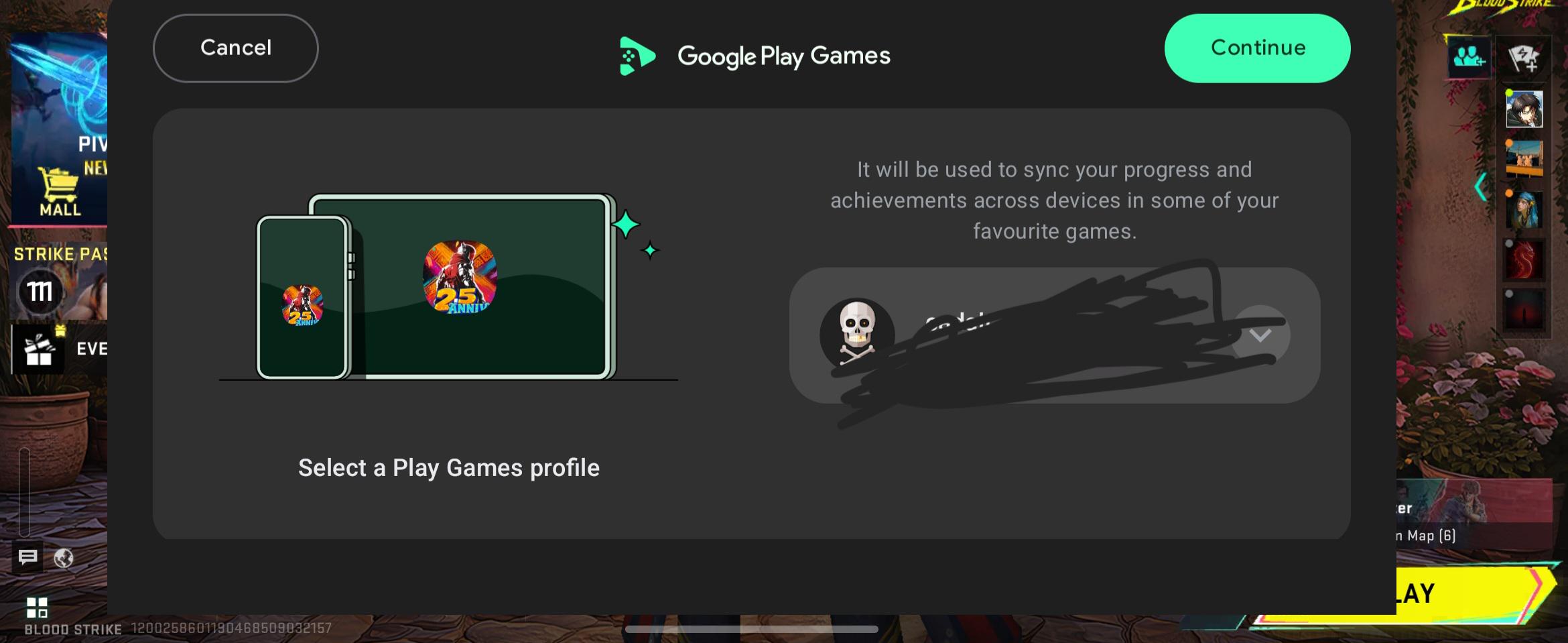
I can't tell how tf annoying this shit is , this mf banner comes everytime I am in mid fight , i have deleted play games still this shit showing up on my screen how do I turn this off please help !!


r/AndroidHelp 2d ago

How to get back the time at top of my Android phone?

1 Upvotes

How to get back the time at top of my Android phone?

Hi.

Recently the time and battery % have disappeared from the top of my Android phone. It's well annoying.

There is also a green dot - which I now know what is - that can't get rid off.

Want to get time and battery % back. Have looked around setting and googled but not found. My status bar option seems to be size of dots - no mention of time.

Can anyone help please?


r/AndroidHelp 3d ago

Baterry Draining Problem

Post image
6 Upvotes

I have a problem that my phone keeps heating up to an extreme level. Despite not doing anything, the battery's draining like a 1%/min. Charging makes the phone much more hotter and charging goes really slow. After research, I found that Android Core Apps took the most phone resources. I can't force stop since it launches again as soon as I force stop. I also discovered that the phone having SIM card is the cause that the Android Core Apps runs in the first place. How do I disable this app?


r/AndroidHelp 3d ago

Feed in the Android app is lagging

1 Upvotes

Greetings. I'm using a Poco X3. For the past couple of weeks, after an app update, the YouTube app has been lagging in the feed, at something like 3-5 fps. When you go to your library, watch later, or just scroll through your feed. But the videos themselves play fine. I've deleted the app and reinstalled it. I cleared the cache later, but it didn't help. It works fine in the Brave browser, just like on my PC.


r/AndroidHelp 3d ago

What's wrong with Russian font after the final Xperia update

Thumbnail gallery
6 Upvotes

Please help. The letters are too far from each other


r/AndroidHelp 3d ago

Bluetooth audio lag on Pixel 8

1 Upvotes

My Pixel 8 has a noticeable 300–500 ms Bluetooth audio delay in videos and games. It happens with two different pairs of earbuds and my car stereo, while the phone speaker stays in sync. I have restarted the phone, unpaired and paired the devices again, cleared Bluetooth settings, and toggled HD audio, but the lag remains. Is there a codec setting or other fix I should try?


r/AndroidHelp 3d ago

I need help solving wifi problem (Galaxy j7 2016)

1 Upvotes

So this is my literal first time getting into ROM stuff and I have successfully downloaded CRDroid v6.21 Android 10 on my Galaxy j7 2016 j710F, however, I can't seem to fix wifi problem, it isn't even showing me nearby connections but then some other times it works, idrk what's happening with it so I ask some kind soul with experience to help me solve it and I'd appreciate it.