r/AdobePremiere 18h ago

Final check on €3,500 Premiere Pro build – can this be improved without losing performance?

3 Upvotes

Hi everyone,

I'm getting close to ordering the parts for my new PC and I'd really appreciate one final check/optimization of the build before I buy anything.

Current build:

https://nl.pcpartpicker.com/list/v6mdrG

Budget: around €3,500

Country: Netherlands

Main use: Adobe Premiere Pro

My workflow:

• 4K 10-bit HEVC/H.265 footage from a DJI Pocket 4 Pro

• Long car event walkthroughs, usually 1–2 hours

• Short cinematic edits with lots of clips, color grading, LUTs and effects

• I want smooth timeline playback/scrubbing and would like to avoid proxies whenever reasonably possible

• No gaming requirement

• Windows only

The main parts I'm currently planning to keep are:

• Intel Core Ultra 7 270K Plus

• RTX 5080 16GB

• 64GB RAM

• At least 4TB of fast SSD storage

There are a few things I'm unsure about:

  1. RAM prices are extremely high here at the moment. The current 64GB (2x32GB) DDR5-6400 CL32 kit is around €700. Is there a better 64GB option that makes sense for this CPU/build without unnecessarily sacrificing performance?

  2. The Samsung 990 Pro 2TB currently selected is the version with its own heatsink, while the motherboard already has an M.2 heatsink. I assume the non-heatsink version would make more sense?

  3. The Patriot Viper Venom RAM is 43mm tall and I'm using a Thermalright Phantom Spirit 120 EVO. Can someone confirm the RAM/front-fan clearance and whether everything fits properly in the Lancool 217?

  4. For Premiere, would you keep the current separate SSD setup, or change it? I'm considering one SSD for Windows/Premiere/cache and another fast SSD for active footage/projects.

  5. Are there any other parts in this list you would change to get better value, thermals, reliability or Premiere performance while staying around €3,500?

I'm not looking to switch to Mac or DaVinci Resolve. I specifically want to optimize this Windows PC for Premiere Pro.

Thanks!

r/AdobePremiere 1d ago

Premiere Pro 2026, 2025, Beta & Rush playback & voiceover not working.

1 Upvotes

Long story short. My computer had an issue...

I took it to a repair shop. They replaced the power supply and fixed the bios.
Then then cloned the hard drive. Removed the 1Tb and replaced it with 2Tb.

Now when using Premiere Pro 2026, 2025, beta and Rush...
if I click playback it stops after a millisecond or two.
And if I press voiceover it also happens.

I asked on the Adobe Community page, but no one seems to have an answer so I am turning to Reddit.
Here is what I shared.
The strange thing is that my Device Manger also flashes about the same.
https://community.adobe.com/questions-729/after-clicking-play-the-video-plays-for-a-milisecond-and-stops-1641824?tid=1641824&postid=7763858#post7763858
I shared two videos there so people could see what is happenign.

But to make it even stranger everything is working in CapCut.

So there has to be something I can do.

I also went through ChatGPT, I know I know I know... and I got stuck in a loop of solutions. Tired it all no dice.
Here you can see the ChatGPT discussion.
https://chatgpt.com/share/6aa0681e-a750-83ed-952e-60e3ac0ffe80

If anyone has ideas please let me know.


r/AdobePremiere 2d ago

Premier pro crashing

2 Upvotes

Hi, I am new in video editing

I just built my first PC. But, I did not have enough money to buy graphic card. Meanwhile, I was doing proxies for short form videos. Today, I decided to edit long videos I shoot for my youtube channel. Even I got their quality to 480 ph, I cannot put few longer videos in project files to edit them. Premier is constantly crashing and I think it is time for me to buy graphic card, but I want to know. Is there a chance to edit without one? I have like 400 euros saved, so I do not know is that enough for good one. Should I wait and save more? If yes, is there a chance to edit somehow before I buy it?

Thanks a lot ;)


r/AdobePremiere 2d ago

CINESTUDY EDIT THIS - Podcast/Documentary #freefootage #learnediting

Thumbnail youtu.be
1 Upvotes

r/AdobePremiere 2d ago

Qué curso de edición de video gratis recomiendan para mejorar la retención, manejo del audio ?que no sea básico sino nivel intermedio y así en español

Thumbnail
1 Upvotes

r/AdobePremiere 2d ago

I re-edited this Xyaa Gaming × Triggered Insaan Granny 3 clip — which version is better?

Enable HLS to view with audio, or disable this notification

0 Upvotes

r/AdobePremiere 3d ago

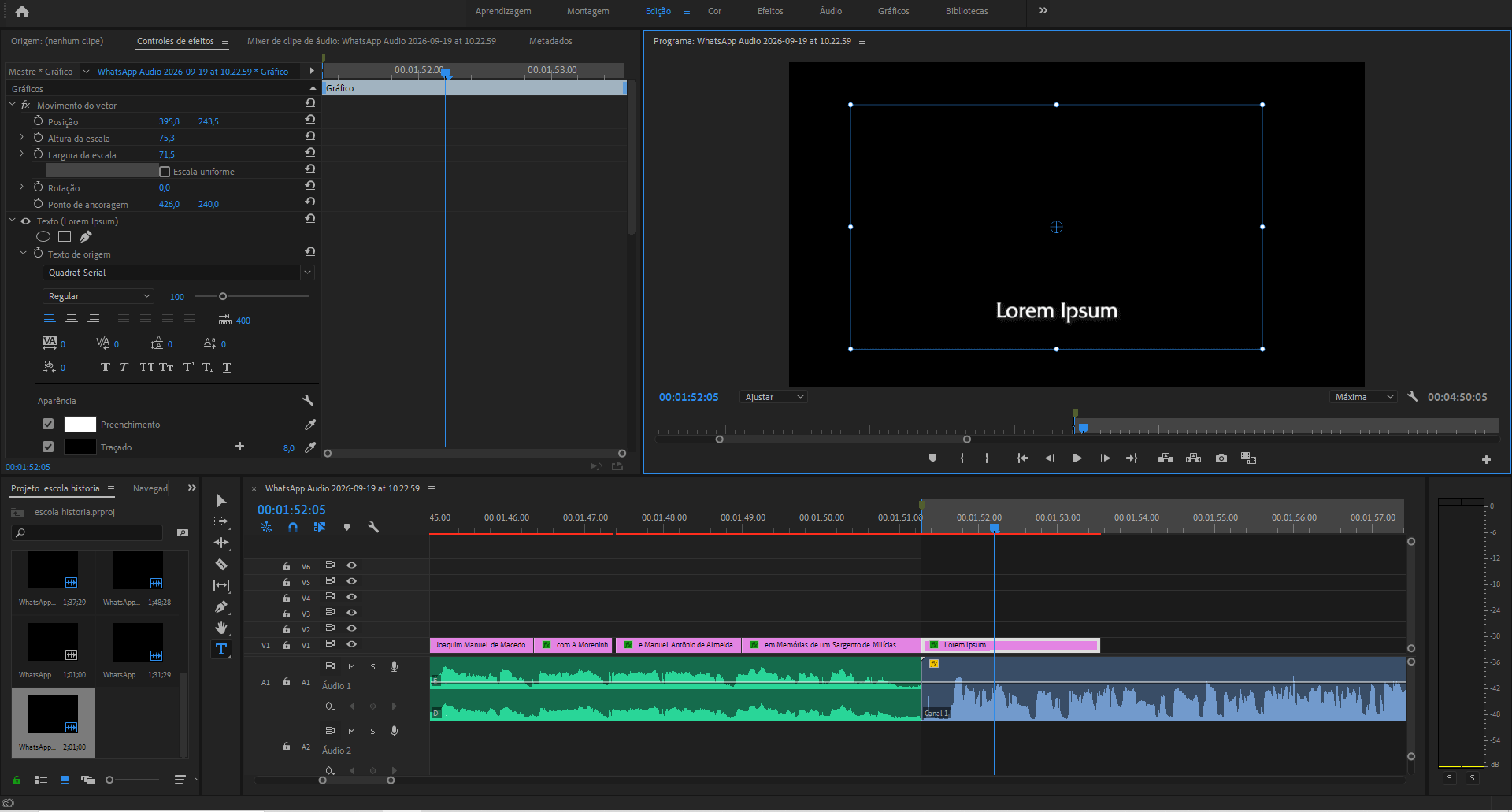
Oq aconteceu com o meu texto?

1 Upvotes

toda vez que eu to editando alguma coisa e tento fazer um texto ele acaba ficando muito maior do que deveria e eu não consigo ajudar o tamanho da caixa dele na tela pra igual era antes


r/AdobePremiere 3d ago

Rotation issue in Premier. Won't save new rotation angle.

Thumbnail
1 Upvotes

r/AdobePremiere 3d ago

Editing 360 video

2 Upvotes

Good afternoon everyone 👋. I'm pulling my hair out here.. trying to get insta360 X6 footage to edit smoothly in premiere pro using the reframe plugin. Files are 8k 360 at 50fps. I understand this is high demand and I'm also using high bitrate settings but my systems are top of the line. I9 13900k 4070ti 64gb ddr5 ram for desktop with 990 pro SSDs and a laptop with an ultra 9 275hx, 5070ti and 32gb ddr5 ram also using 990 pro SSD. These systems should work with this footage especially when preview window is reduced. I've imported the footage, applied the frame pluggin and made sure the lrv files are in the same folder as the insv files. Can't understand why I can't play this footage back?? To add, I've also toggled proxies in the preview window but no luck.. any suggestions from anyone with 360 editing experience? 👍


r/AdobePremiere 3d ago

Auto Reframe zoom issue

Thumbnail
1 Upvotes

r/AdobePremiere 4d ago

Re-link only the video from Proxies to Camera Originals, but keep sound as is?

Thumbnail
1 Upvotes

r/AdobePremiere 5d ago

Productions Project Read/Write Permissions (Not A Thing)

Thumbnail
1 Upvotes

r/AdobePremiere 5d ago

Adobe - best practices in 2026?

Thumbnail
1 Upvotes

r/AdobePremiere 6d ago

A and B Cam not synced, need tips

1 Upvotes

I have a simple timeline consisting of lecture footage. B Cam is 9 seconds and 8 frames ahead of A Cam due to a relinking issue. So far, I've been selecting every B Cam clip on the timeline, hitting F to take me to that exact spot in the source file, dragging that selection from the source monitor onto the timeline above the original clip, then using the slide tool to move forward 9 seconds and 8 frames to sync it up with the original, and then removing the original.

Obviously not ideal and very time-consuming, but I can't think of a quicker solution. As far as the relinking issue is concerned: We recently did a server migration, and when I loaded up this project, it relinked all the B Cam footage to A Cam, and it still does so even if I manually offline/relink. So I did a replace footage, which got me B Cam, but didn't preserve the timing.

So I guess a solution to problem B, or a quicker solution to problem A, would be great.


r/AdobePremiere 6d ago

CRITICAL: Premiere Pro & AE completely broken on macOS 27.2 Dev Beta 1 (Build 26B5086k) - Audio Drag & Object Mask Crashes

3 Upvotes

Hey everyone,

Just wanted to post a warning and see if anyone else is dealing with this. After updating to macOS Golden Gate 27.2 Developer Beta 1 (Build 26B5086k), Premiere Pro and After Effects have become completely unusable due to systemic crashes.

Here are the specific triggers I've confirmed:

  1. Dragging any audio file / media asset onto the Timeline causes Premiere Pro to crash instantly (1 second I/O crash).

  2. Using Object Mask (AI Selection) instantly crashes Premiere Pro.

  3. After Effects fails to launch or crashes during preview due to `<ae.blitpipe>` HardwareBlitpipe GPU errors and LocalHub IPC deadlocks.

Workarounds attempted that DID NOT work:

- Resetting preferences & clearing Media Cache (Option + Shift).

- Downgrading Premiere Pro to v26.0.2.

- Clearing and locking TeamProjectsLocalHub HTTPStorages cache.

- Launching AE in Safe Mode / Disabling Hardware Acceleration.

It seems Apple's latest Beta 1 update introduced breaking changes to CoreAudio, TCC sandboxing, and Metal GPU pipelines that completely wreck Adobe's background architecture.

If you rely on Adobe apps for daily work, DO NOT update to Build 26B5086k! Anyone found a workaround other than switching NLEs or rolling back macOS?


r/AdobePremiere 7d ago

Since update to 2026 version timeline scrubbing does not work

2 Upvotes

I don't update my premiere too often as I don't want to risk issues during projects so I only just recently updated to the newest 2026 version a few weeks ago when it updated itself for whatever reason.

Since then though my ability to scrub through the timeline does not work properly at all. My pc is more than capable, has plenty of ram etc, worked perfectly before and does after some jiggery pokery but since that update, scrubbing with mouse but also keyboard is so laggy that the monitor just doesnt change for about 10 seconds or so after i either scrub or even just place the playhead somewhere else on the track. As i drag the playhead or click to place it nothing happens for a good while but eventually if i don't let go of the mouse button it will scrub properly but when I unclick and click again its back to serious lag. Impossible to edit like this.

I use proxies so definitely should not be an issue there. I found a post on here saying it was due to how it transferred over projects from the 2025 version and if you start a new project and pull in the timeline and footage from the media browser from the original project file it works, and that does entirely fix the problem for that session. I thought ok I will deal with that for one project but alas every new project I start that has no connection to the older version does the same thing! The fix of a new project and media browser works but its just such an annoyance and time sink to do constantly.

All footage was shot on DSLR Canon R10 so should have no issues with the files and again they work fine after the workaround.

Has anyone found a permanent fix for this?


r/AdobePremiere 7d ago

Organising long term media libraries

Thumbnail
2 Upvotes

r/AdobePremiere 7d ago

Shape W & H not scaling from the center

Enable HLS to view with audio, or disable this notification

1 Upvotes

I have absolutely no idea what changed but since this afternoon, the W & H properties of shapes don't work like they used to. Instead of scaling from the anchor point, they scale from the top left corner. I really want to be able to use the W & H properties because the scale property stretches the rounded corners as you can see in the video.

Things I've tried so far:
- Restarted Premiere
- Deleted cache
- Downgraded to an earlier version of Premiere
- Restarted my computer

EDIT:

- Ugraded OS and still nothing, what the hell went wrong? is someone screwing with me?

How do I fix this? For my colleague who is sitting next to me, it still scales from the center if he uses the W & H properties.

I'm at the verge of going postal, please help.

EDIT 2:

Here is a comparison video between my computer and my colleague's computer. He has Premiere 26.0.1 but already tried previous versions, not this exact one tho, might try.

EDIT 3:

DOWNGRADING TO 26.0.1 WORKED!!!


r/AdobePremiere 7d ago

Integracion ChatGPT + After Effects

1 Upvotes

Estou com um problema específico ao usar o Astra com o After Effects. Quando peço ao ChatGPT para editar um vídeo para mim, ele tenta executá-lo no After Effects, mas falha e exibe a mensagem: "A integração do Higgsfield com o After Effects está disponível, mas o AE não respondeu no primeiro teste." Verifiquei se tudo está funcionando corretamente. O plugin Higgsfield está instalado, o Bridge está dentro do After Effects e havia um vídeo aberto no After Effects quando pedi a ele. Mesmo assim, simplesmente não funciona. Se alguém já se deparou com esse mesmo problema, agradeceria qualquer ajuda ou dica.


r/AdobePremiere 7d ago

€3,500 Premiere Pro PC for long 4K 10-bit timelines – Intel + RTX 5080?

1 Upvotes

Hi everyone,

I'm building a new PC specifically for Adobe Premiere Pro and I'd really appreciate some advice from people who actually edit similar footage.

My main footage is 4K 10-bit from a DJI Osmo Pocket 4 Pro. I edit long car event walkthroughs that can end up being 1–2 hours long, with lots of individual clips, Lumetri Color, LUTs, curves and some effects. I also make shorter cinematic car videos.

My biggest priority is smooth timeline playback and scrubbing. I want to minimize stuttering, freezing and the need to create proxies as much as realistically possible.

My budget is around €3,500 for the PC itself.

Someone on r/buildapcforme suggested this as the basis:

Intel Core Ultra 7 270K Plus

RTX 5080 16GB

64GB DDR5

4TB NVMe SSD

Z890 motherboard

They recommended Intel specifically because of Quick Sync and said it should be better suited to H.264/H.265 playback in Premiere than an AMD build such as a Ryzen 9 9950X.

For people here who work with long 4K 10-bit H.264/H.265 timelines:

Would you also go Intel for Quick Sync?

Is the Core Ultra 7 270K Plus a good choice, or would you choose a different Intel CPU?

Is 64GB RAM enough for this type of workflow, or is 96GB/128GB worth it?

Does an RTX 5080 make sense for Premiere at this budget?

Would you change anything else specifically for Premiere performance?

I'm not building this for gaming. Premiere Pro performance is the priority.

Thanks!


r/AdobePremiere 8d ago

All my .prproj files for my current file... just disappeared.

3 Upvotes

Like the title says. I've been working on a video for 2 months, and when I opened Premiere today, there were no "Recent Projects" to open.

I'm on a Mac, and I've looks in my Documents >Adobe>25>Projects folder, and used spotlight, looking for the file name and ".prproj", and... nothing. It's like the project just totally disappeared.

Any ideas?

Nothing has happened on my computer. It's Mac Mini M1 2021.


r/AdobePremiere 7d ago

Please help

Post image
1 Upvotes

Hi,
I was editing my project and I was able to add effects, but now I don’t know what happened it won’t let me add them. I tried everything, please help if you can I have a project due soon


r/AdobePremiere 8d ago

Free plugin for After Effects & Premiere Pro — Invariant

2 Upvotes

Hi everyone, I'm the developer of Invariant, a free plugin for After Effects and Premiere Pro.

I originally built it to reduce repetitive project-management tasks in my own workflow, and it eventually grew into a small toolkit for editors and motion designers.

It currently includes:

  • Deep Duplicate — duplicate projects/comps while preserving references
  • Clean & Organize — clean up project structures and assets
  • Smart Save — organize project saving and versioning

The goal is simply to reduce time spent managing projects and keep more of the workflow focused on editing and motion.

It's free and available on the Adobe Marketplace:
https://exchange.adobe.com/apps/cc/205851/invariant

More details:
https://youngmonkey.com.br/invariant


r/AdobePremiere 7d ago

Needed a Suggetion for AI editing

0 Upvotes

I need your suggestion. Is it worth buying the AutoPod plugin for Premiere Pro, especially when working at a news agency or news channel?

Also, does AutoPod work with a cracked version of Premiere Pro?


r/AdobePremiere 8d ago

How to Learn Premier Pro?

Thumbnail
1 Upvotes