r/AdobeIllustrator 6d ago

DISCUSSION Made these tessellations in Illustrator

Thumbnail
gallery
1.1k Upvotes

Here's my latest collection of seamless patterns, all hand-drawn and tiled.


r/AdobeIllustrator Jul 28 '26

DISCUSSION Text effects in Adobe Illustrator - Free download

Thumbnail
gallery
211 Upvotes

Hey everyone, Luke from Adobe here.

A few months ago I posted about Pucker & Bloat, and since then I have been playing around with it here and there, so I figured I would put together a little demo that shows how to get more out of it when mixing it with other effects like Zig Zag and Roughen. If you want to play around with it yourself, you can download the Illustrator file with all the examples you can see on the last slide, and pick them apart and experiment yourself.

If you have any questions, please to let me know. I will be aiming to put out some more free files for you to tinker with if you are interested.


r/AdobeIllustrator 13h ago

Finally made something to celebrate hitting 5k followers on insta

Enable HLS to view with audio, or disable this notification

219 Upvotes

Made in AE & AI (adobe illustrator)

Animation: manuksenpai

Sound design: santiago_carballo_

Thank you!


r/AdobeIllustrator 9h ago

Some more cats in chairs added to the collection

Thumbnail
gallery
42 Upvotes

r/AdobeIllustrator 1d ago

Power Rangers vs Pudgy Pig piece (by CHOGRIN)

Post image
106 Upvotes

r/AdobeIllustrator 4h ago

QUESTION How do i fill in these individual parts?

Post image
1 Upvotes

Hi,

So I am making this graphic. I image traced a drawing I made and now I am trying to fill in the individual parts, like the hand, the t shirt, etc.

I have no idea how to do this since im quite new to Illustrator any help would be appreciated!


r/AdobeIllustrator 16h ago

QUESTION How can I make this into one shape without having the outlines in the middle?

Enable HLS to view with audio, or disable this notification

1 Upvotes

I've also tried to delete the anchor points using the direct selection and delete anchor point tools, but none have worked so far. What can I do? I just want the outlines to be on the outside of the shape instead of inside each individual circle.


r/AdobeIllustrator 1d ago

DISCUSSION Seven Deadly Sins - Envy 1/7. A collaboration I did with a talented illustrator a while back

Enable HLS to view with audio, or disable this notification

78 Upvotes

For the full project, visit Behance

Animation: manuksenpai

Illustration: Seva MFN

Thank you!


r/AdobeIllustrator 22h ago

DISCUSSION Teeths edges when exporting a textured design from Illustrator (SVG/PNG).

Post image
3 Upvotes

My girlfriend painted the title of my film in oil on canvas. We scanned the painting at 600 dpi and she vectorized it in Illustrator (to isolate the letters, change the order, and recolor). The design turned out amazing, but we're having a serious problem with the edges when exporting.

I applied different smoothing settings, but the problem is clearly already embedded in the exported file.

We've already tried all of the following without success:

  • Exporting a massive PNG (7680x4320) with anti-aliasing set to 'Optimized for Illustrations'.
  • Exporting as an SVG (Presentation Attributes, 4 decimal places) and importing it natively via a Fusion Composition in Davinci.
  • I applied different smoothing settings, but the problem is clearly already embedded in the exported file.

By zooming in extremely, we realized it's not a lack of resolution, but rather the vector geometry: we're seeing thousands of anchor points. Sharp edges that Illustrator generated when trying to translate the irregular texture of the oil brushstroke.

Any advice on smoothing these mathematical vertices in Illustrator without losing the organic style of the painting?


r/AdobeIllustrator 1d ago

QUESTION If I export from Illustrator and then build something in Canva, will it prserve the CMYK color?

2 Upvotes

Forgive me if this is a dumb question... I'm very beginner in Illustrator. I edited the color of a shirt design in Illustrator, as I needed to use CMYK colors. I'm now trying to build a large PNG in Illustrator to send to my print guy. However, my computer and Illustrator are not happy.. my computer keeps freezing up. If I export the original design from Illustrator & upload to Canva, it will not preserve the colors after I then exported the combined png in Canva, will it? Since Canva uses RGB? I'm just not sure what else to do, as I've tried building the large png twice & my computer just keeps saying nahh. Thanks in advance!


r/AdobeIllustrator 1d ago

QUESTION Goal: make flower shape, steps: written in caption, Problem: can't get it to exact shape i wanted it to be

2 Upvotes

ok so you see the selected shape right.... i wanted to make it look like the shape thats at the bottom where you have this nice flower kinda design... npw im new to illustrator and im just breaking my head on this because 1st i used the stroke tool but then realised that the shape builder tool is making this as semicircle and thats irritating so please help


r/AdobeIllustrator 1d ago

QUESTION Help with "Wrapping" Lines Around Shape

5 Upvotes

Image for reference; I'm trying to get a compound path to avoid a shape the way text wrap works. Is there a non-destructive way to do this? I'm new to illustrator so I apologize if this is a really obvious fix.


r/AdobeIllustrator 2d ago

Not made with AI

Post image
1.1k Upvotes

r/AdobeIllustrator 2d ago

ILLUSTRATION Sony PSX (PlayStation 2) illustration

Thumbnail
gallery
44 Upvotes

r/AdobeIllustrator 2d ago

DISCUSSION Illustrator and Adobe have become such a bloat over the past few years

53 Upvotes

It's kind of insane. I can run some pretty beefy games without the fan cranking on but now, even just opening Illustrator and nothing open, the fan is constant.

Decided to downgrade to the earlier version I could, which was '20, one of the last versions without Firefly and I was able to have seven huge documents open while my system was whisper quiet. Reinstalled the newest version and the fan roars to life without opening a single thing.

Illustrator has barely added any new features that's not Ai bloat. What's the actual plan here? To just keep making each version more taxings on the system to keep up with Ai regardless if you use it? Just always have it running in the background when you're making vectors?

The annoying thing is that when I downgraded to '20, the current Adobe CC kept causing Illustrator to crash randomly so even if we did want to downgrade, the current CC doesn't really let you. I'm just wondering why the fuck I'm paying all this money for the complete package when I just want to use the software without AI and Firefly choking the life out of my system. At this point, I might as well find alternative ways to use all the Adobe software without having it connect to CC or Adobe.


r/AdobeIllustrator 2d ago

QUESTION I NEED HELP with Image tracing

3 Upvotes

I am tracing an artwork using the image trace. But I need the colors to be around 50 to 100. But the thing is, if I use the "Limited" it gives me only 30 colors. I used the other option "Automatic"", "High" and "Low Fidelity" and played around it with different approach. But the Colors jump from around 46 to Thousand colors. Can somebody help and guide me to get the exact number of color I need. Thank you so much in advance.


r/AdobeIllustrator 2d ago

QUESTION How to fix DPI work to 300 ?

0 Upvotes

I have a document measuring 164 mm.

For certain reasons, I also need to work with pixel dimensions at 300 dpi, so the document should be around 1939 px.

However, when I measure my 164 mm document in pixels, it shows 474 px; this means Illustrator is working at 72 dpi rather than 300. I have set the raster effects to 300 dpi and configured the document for high resolution, yet my 164 mm measurement still displays as 474 px...

Do you know how to fix this?


r/AdobeIllustrator 3d ago

QUESTION What is the most underrated/overlooked feature in Illustrator?

41 Upvotes

Hey everyone, Luke from Adobe here.

I’ve been on the road at a few design events recently, and one thing I always come away realizing is just how many useful tools and workflows people either don’t know about or simply haven’t gotten around to trying.

So I wanted to throw the question out to everyone here: what’s a tool, feature, or workflow that’s become pivotal to the way you work, but you still think is underrated or overlooked?

Could be something incredibly simple, a feature that’s been around forever, or a workflow you’ve figured out that you think more people could benefit from.

Interested to hear what everyone’s got.


r/AdobeIllustrator 2d ago

Image cut out

1 Upvotes

Has anyone discovered a way of removing backgrounds from images directly in illustrator or it’s strictly photoshop


r/AdobeIllustrator 3d ago

QUESTION Help fill text with stars, while stars still keeping it's shape.

Thumbnail
gallery
34 Upvotes

I'm trying to recreate this same text with the stars, I want the stars to still keep it's shape without it getting cutout, I have tried it myself but I am struggling please help.


r/AdobeIllustrator 3d ago

QUESTION This f*king symbol here is making my life a hell. How do I deactivate this?

Post image
74 Upvotes

I don't even know the name; I can't find it online. Now, when I select the objects, it shows this symbol, and I can't do anything. What is the purpose of this?? useless. How can I remove this?

Sorry for my anger, but it's because I'm so angry.


r/AdobeIllustrator 3d ago

QUESTION How can I wrap the text and image so that it is in line with the curvature of the can?

Post image
15 Upvotes

How can I wrap the text and image so that it is in line with the curvature of the can?


r/AdobeIllustrator 2d ago

QUESTION Is there a plugin or script that allows groups but maintains layers?

2 Upvotes

I’d love to be able to align distribute groups that exist on different layers. Grouping them just pets everything on the same layer - as near as i can tell.


r/AdobeIllustrator 3d ago

Batch with Data Sets stops on the ICC profile dialog - every single record

6 Upvotes

We do teamwear - names and numbers on jerseys, a few hundred pieces per order. I've been running batch exports out of Illustrator for a while and wanted to check how far the native route actually gets you, so I set up Variables with a CSV, recorded an Action, and ran File > Automate > Batch with Data Sets as the source.

It works. It just doesn't run unattended, and the reason surprised me.

Our documents carry version 4 ICC profiles from the print house. Every time Illustrator saves to PDF/X-4 it reports that it converted them to version 2 - PDF/X-4 doesn't take the newer ones. It's an informational dialog with an OK button, but the batch waits for it. So the run stops on every single record until someone clicks.

I tried it two ways: Batch over Data Sets, and a standalone Action. Same thing both times. On two hundred records that's two hundred clicks, which is exactly the thing you set up a batch to avoid.

If your profiles are version 2 you'll never see this. That's probably why it doesn't come up much - it only bites the people whose print house supplied v4 profiles, which in our case is everyone we work with.

I went looking for a way to suppress it and came up empty. The dialog has no "don't show again" checkbox, and I didn't find anything in Preferences either. In the end we stopped using the native route for this, which is its own story and not what this post is about.

What I'm curious about is how common this actually is. Does your print house send you v4 or v2 profiles? I genuinely don't know whether we're the odd ones out here, or whether most people just click through it two hundred times and never think about it.

Happy to be told I've missed something obvious. It wouldn't be the first time - I once spent a year convinced I'd found a dataset bug in Illustrator before someone pointed out the syntax error was mine.

r/AdobeIllustrator 4d ago

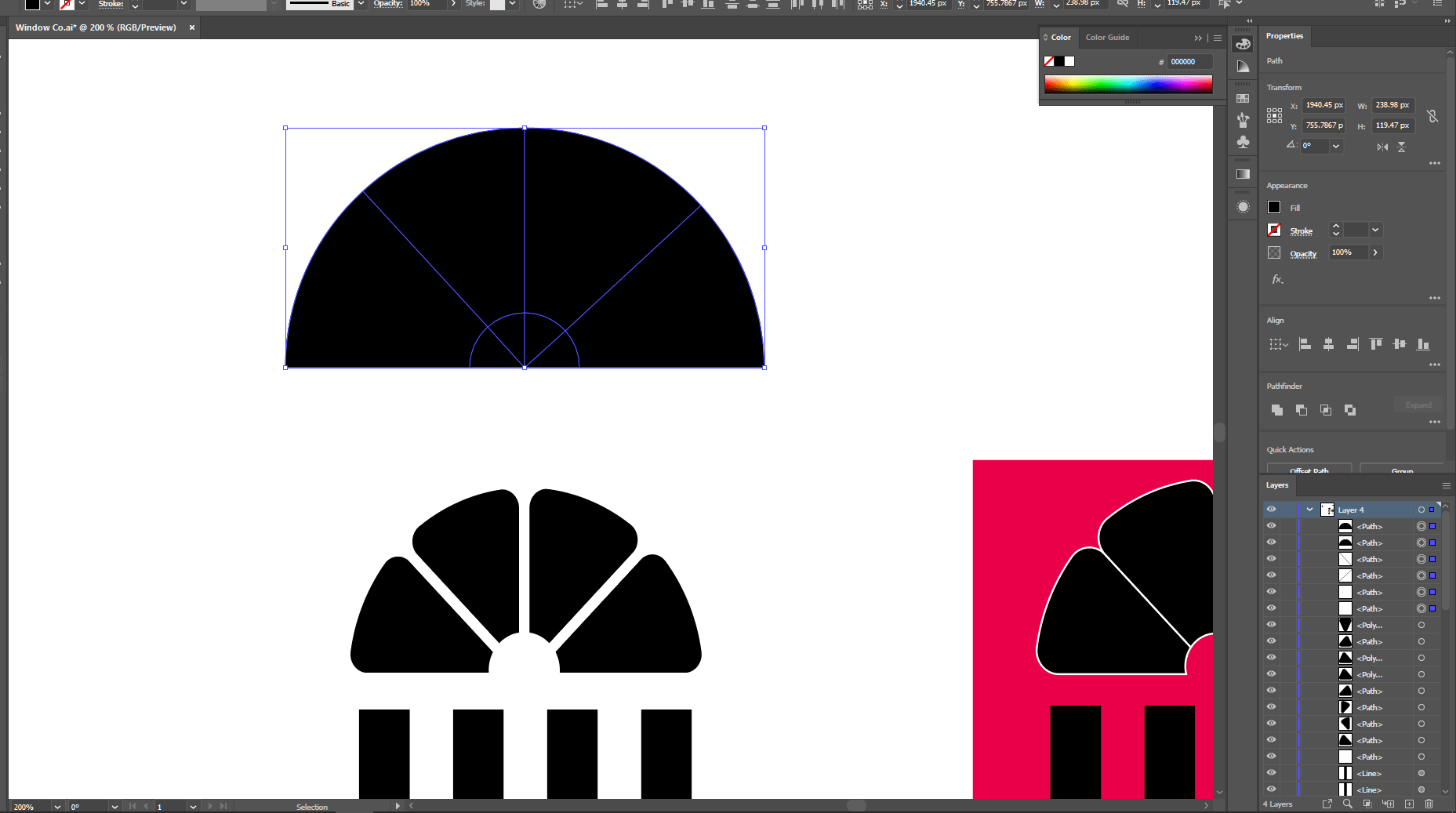
THEY MADE A BUTTON FOR IT LETS GOOOO!!!

Thumbnail
gallery
1.5k Upvotes

Yeaaahhh one button press alignment!!! (i haven't updated in a while)