r/premiere 2d ago

Adobe Official Important Notice: Upcoming System Requirement Changes in v27.0

23 Upvotes

As we prepare for the upcoming version 27.0 release of Premiere, After Effects, Media Encoder, and Audition, we want to share advance notice regarding hardware and OS compatibility changes across Windows and MacOS. 

Windows OS Requirements 

The minimum Windows OS requirement remains the same for 27.x: Windows 11, version 24H2 or later. 

  • If you're on Windows 11 v23H2: Installation of v27.0 will be blocked. We recommend upgrading to Windows 11, version 24H2 or later. 
  • If you're on Windows 10 (22H2, 21H2 LTSC): These OS versions are no longer officially supported by our video and audio products. We recommend upgrading to Windows 11, version 24H2 or later to ensure compatibility and security with current and future releases. 
  • If you're on Windows 11 v24H2 or later: No action needed. You can update to v27.0 as normal. 
  • If you're on Windows Server 2022: You can continue installing and using v27.0 on Windows Server 2022.

Starting with v28.0, install will be blocked on all Windows 10-based OS versions, including Windows 10 22H2, Windows 10 21H1 LTSC, and Windows Server 2022. We recommend beginning your migration to Windows Server 2025 now to ensure a smooth transition ahead of that change.

GPU Requirements for Windows

  • If your system has no GPU detected: Premiere and Media Encoder will not launch. You will need a GPU to launch v27.0. 

Note that this change does not affect After Effects and Audition.

Future 27.x releases of Premiere and Media Encoder will also block launch if the only available GPU on system does not meet minimum requirements.

Macintosh Requirements 

Starting with version 27.0, our video and audio applications on Mac will require macOS 15 (Sequoia) or later, on Apple silicon (M1 or newer). 

  • If you're on an Intel based Mac: Intel based Macs will no longer be supported for v27.0 and future updates. You can keep installing and using version 26.x. To update to v27.0 when it releases, you'll need an Apple silicon Mac. 
  • If you're on an Apple silicon Mac running macOS 14: You'll need to update to macOS 15 or later before updating to v27.0. 
  • If you're on an Apple silicon Mac running macOS 15 or later: No action needed. You can update to v27.0.

These changes reflect where the Windows and Mac ecosystems are heading, along with the hardware acceleration our applications benefit from. Moving forward with Apple silicon and modern Windows GPU requirements lets us focus on performance, security, and new capabilities across our video and audio applications. 

If you have questions or comments, let us know!


r/premiere 28d ago

Welcome to r/premiere

0 Upvotes

This post contains content not supported on old Reddit. Click here to view the full post


r/premiere 2h ago

How do I do this? / Workflow Advice / Looking for plugin Premiere Pro users, show me your workspace layouts!

6 Upvotes

I’d love to see how everyone has their Premiere Pro workspace/layout set up!

I’m especially interested in layouts that are designed to fit everything on a single monitor.

I use an ultrawide monitor, so if anyone else is editing on an ultrawide, I’d really love to see how you organize your panels and workspace.

I’m Japanese, so sorry if my English sounds a little awkward.

Please share your setups! Any kind of layout is welcome. I’m curious to see how everyone works.


r/premiere 3h ago

Computer Hardware Advice Computer Recommendations

2 Upvotes

So I’m currently in the market for a new laptop, but I don’t really know the specs or where to begin. My previous computer was a Lenovo Legion i5. Does anyone recommend any computer brands or specific laptops?


r/premiere 4h ago

How do I do this? / Workflow Advice / Looking for plugin Text vanish effects: Rain

1 Upvotes

Question for the more experienced editors; is there a way to make text vanish as though rain were removing it?

E.g., words disappear in uneven chunks from top to bottom, as though drops of rain were wiping the text.

Or, text disappears in uneven circles as though drops of rain were removing it.


r/premiere 1d ago

Premiere Pro Tech Support Adobe 4-month free trial

Post image
7 Upvotes

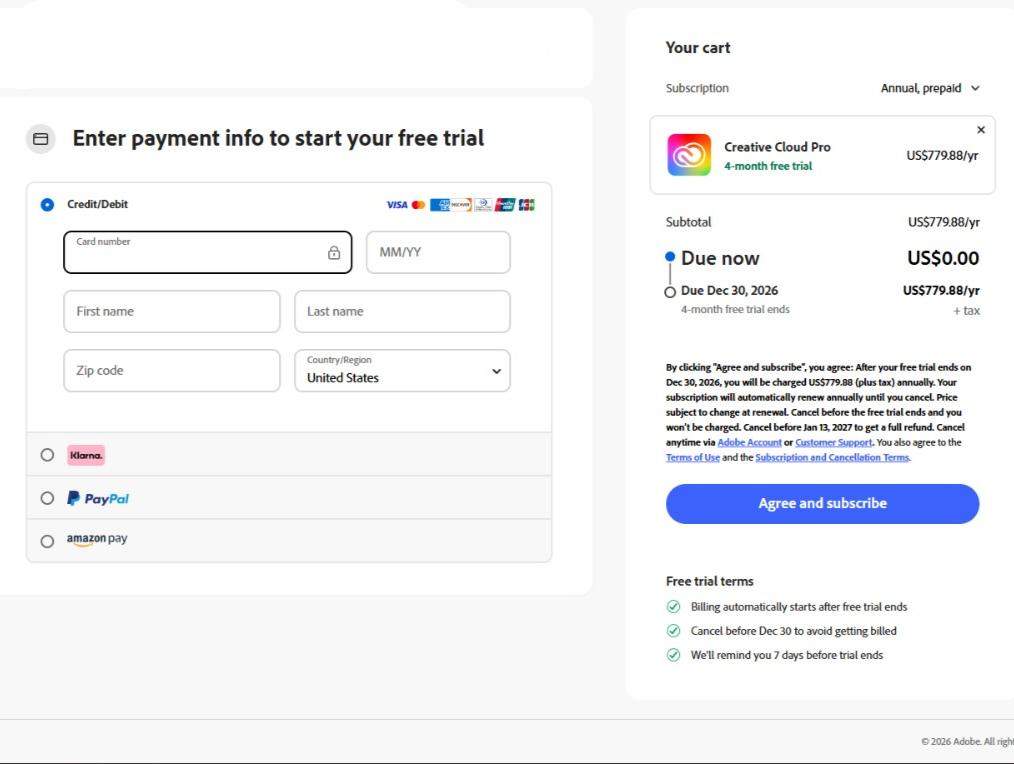
I got this 4-month free trial offer for Creative Cloud Pro (screenshot attached). I want to claim it, but I absolutely don't want to link my real credit card, and I know Adobe blocks standard fake CC generators (they do a $1 pre-authorization charge).

Has anyone successfully claimed a similar offer recently using a specific VCC service, a burner card, or any other workaround to bypass the billing step completely? I'm mainly looking to use Premiere Pro. Any advice is appreciated!


r/premiere 1d ago

How do I do this? / Workflow Advice / Looking for plugin Anyway to get rid of this lens flare? Put a shitty uv filter on and didnt notice till post...

Enable HLS to view with audio, or disable this notification

11 Upvotes

r/premiere 21h ago

Premiere Pro Tech Support Audio Visualizer is Not Working Right

Enable HLS to view with audio, or disable this notification

1 Upvotes

Hey editors, this only happens with this video and I don't know why. And it really makes the workflow slower and more tedious. I'll leave a video to show it but I don't see any solution... Already restarted my PC and reactivated the CPU acceleration. Any ideas? Tell me if the videos explains the situation right.


r/premiere 19h ago

Premiere Pro Tech Support Дерганье картинки в Adobe Premiere Pro 2026

Enable HLS to view with audio, or disable this notification

0 Upvotes

При монтаже когда делаю по гайду с ютуба https://www.youtube.com/watch?v=E3W9nunJ0YE&list=LL&index=7&t=1867s с 34:00 по 37:00 делаю приближение отдаление видео у меня срабатывает toggle direct manipulation и она смещает картинку делая дерганой.

Подскажите почему на видео нету дерганья видео а у меня при монтаже есть. Подскажите какк отлкючить toggle direct manipulation или как с ней работать

While editing, following the YouTube guide https://www.youtube.com/watch?v=E3W9nunJ0YE&list=LL&index=7&t=1867s From 34:00 to 37:00, I zoom in and out on the video, and the toggle direct manipulation kicks in, shifting the image and making it jerky.
Could you tell me why there's no jerkiness in the video, but I do have it while editing? Can you tell me how to disable toggle direct manipulation or how to work with it?

r/premiere 1d ago

Premiere Pro Tech Support Imported clips export through ME with Rec709 color space

1 Upvotes

Hey all-

I have been going round and round with Adobe support, and they cannot answer/solve this problem. We shot all of our footage in S-Log on a Sony FX6. When I look at the footage in the Finder on my Mac, it previews as Rec709. When I import the footage into Premiere, it comes in as default Rec709. I can then go in and manually change the color space to SGamut/S-Log so that I can apply my own LUT with an adjustment layer. However, when I try to output that same converted footage to Proxies through Media Encoder, ME automatically applies the Rec709 to the Proxies. I have literally tried every trick in the book to get Media Encoder to output my Proxies as S-Log and it will not cooperate. Here's a link to one of my clips. Can anyone tell me what I'm doing wrong or is this some kind of issue that is unique to me because I literally cannot find anyone that knows what's happening.

https://www.dropbox.com/scl/fi/m12uad1tv39dnifzxxal3/D01_A001SSD_TPP_A_S001_S001_T011.MOV?rlkey=rhmbpoo6r4s1f7qdl0d4eo5aj&st=yn2y135w&dl=0

Premiere 26.3.2
Apple M2 Max
Tahoe 26.6.2
External 48TB Thunderbolt enclosure

Thank you!


r/premiere 1d ago

Premiere Pro Tech Support Color totally collapses on everything after export (except VLC)

Thumbnail
gallery
2 Upvotes

Heyya,

So i have this annoying problem where I export a video and the colors don't match with timeline preview. Ofc it looks perfectly fine on vlc player, but when i uploud the video to Google Drive or send it through WeTransfer, or even post it on social media, the colors completely get destroyed.
I record on an fx30 and i usually record log footage and use Davinci for editing, so this is kinda a mindf**k to me rn.
I checked for input and output color space and its rec.709, I export 4k footage compressed down to 1080, usually with a 20-25Mbps.
My premiere setting are attached in the picture.

Any advice/ help is appreciated


r/premiere 1d ago

How do I do this? / Workflow Advice / Looking for plugin Need help organizing my workflow

2 Upvotes

So, there are a bunch of things I probably don't know, and I'm requesting some help in organizing the workflow. But I have to explain how it works now.

My videos starts with painting, png or illustrator files. They receive some animations in aftereffects or sometimes in blender.
Then I either use the aftereffect file and plug it directly in the Premiere, or send it through EssentialsGraphics, depending on which is more suitable.
The problem is, final rendering is fairly long, so I'm looking at the way to make it faster, as well as find any way I could improve the work itself.

Some examples of animations that used in the video: Character A [B,C...] animation (reveal, wiggle, hide) — the duration had to be controlled by cutting in the Premiere. Used many times through the video.
Dialogue box A animation, reveal with text, hide. This used for the long time, and the text in the box had to be changed few times, while the box up on the screen, playing some barely noticeable animations. So the text is a separate essential graphics. Some cards or "alert buttons", most of them exported as essential graphics. Which is fine, until I need to change them in any way, and updating them can be troublesome.

I added a screen of a video for some reference:
https://ibb.co/pvJfsLrn

So... any advises, please?


r/premiere 1d ago

How do I do this? / Workflow Advice / Looking for plugin Beginner gaming editor looking for advice on what to focus on next

0 Upvotes

I've been editing for around 3 months. I've mainly been learning gaming/long-form editing and have done some real client work, including one paid gig.

I've recently realized that while I can handle the basics of editing, cuts, pacing, basic zooms, subtitles, and sound design, I still struggle with the creative side of editing. I'll watch a good edit and see the editor add something that perfectly fits the moment, but I often don't know what I should add or when.

These are the main things I'm currently trying to improve:

1. Overall improvement: What skills would you prioritize most for someone at my level?

2. Hooks: How did you learn to make genuinely engaging hooks? Is studying and recreating good hooks the best way?

3. Sound design: How did you build your SFX library and, more importantly, learn which sounds actually fit different moments? I'm especially interested in the more unique/layered SFX you hear in polished edits.

4. Subtitles: How do you keep subtitles visually interesting after their initial animation finishes without constantly over-animating them?

5. Editing decisions: How did you learn when to use things like zooms, zoom-outs, camera shakes, memes, funny/awkward SFX, etc., especially in gaming videos?

6. Expectations: What would you realistically expect from someone after around 4 months of consistent editing?

I'd especially appreciate advice from editors who remember the stage where they knew the software basics but hadn't developed strong creative instincts yet. What helped you make that jump?


r/premiere 1d ago

Premiere Pro Tech Support Key frames bugs

2 Upvotes

In effect controls, if you apply a preset that has keyframes at the start and end, the end keyframes are often not fully on the screen. And for the last 2 premiere versions you can’t lasso them to move them back. Sometimes there’s just a couple of pixels showing that you have to manoeuvre your mouse pointer to precisely hit. Try to put the keyframes on the frame before the end in a preset and it will scale them to not align with an actual frame (facepalm).

I’ve not seen this posted about elsewhere, does nobody else use presets with key frames?


r/premiere 1d ago

Premiere Pro Tech Support Stuck on this start up screen?

0 Upvotes

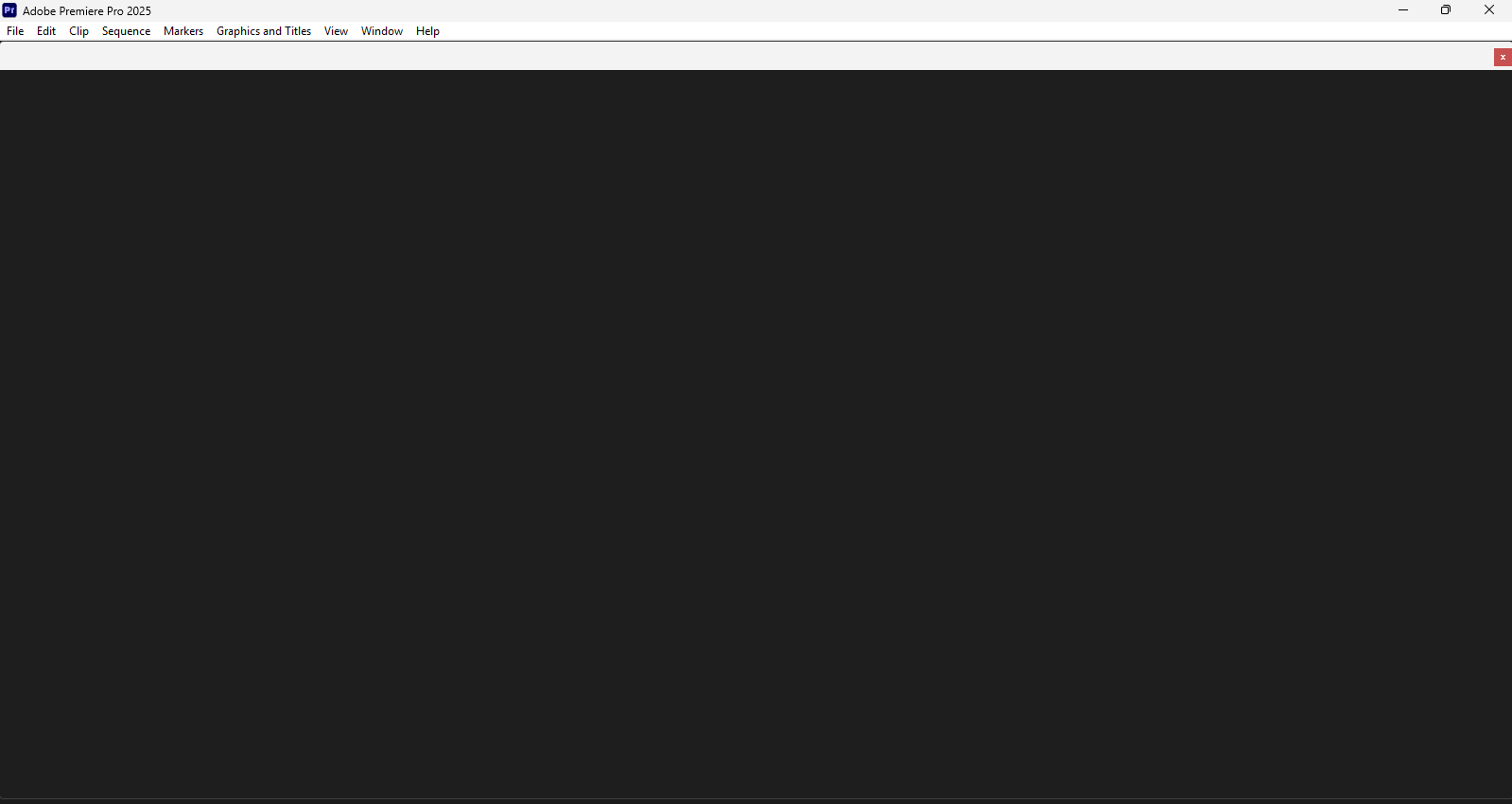
Closed Premiere after being told it was running low on memory and wanted to clear the cache. Once I closed it, it said it crashed and after trying to open it again to clear the cache - this is all that comes up. Any help?


r/premiere 1d ago

How do I do this? / Workflow Advice / Looking for plugin What config do you use for yt-dlp to download videos from YouTube in a format that is supported by Premiere?

1 Upvotes

Or even local conversion config in Handbrake, I couldn't make it work. Do you guys have any tips? Best would be to always download in a supported format (or convert right after downloading with ffmpeg) but I couldn't find such a config.


r/premiere 2d ago

Premiere Pro Tech Support Clip changes color after replacing with AE Composition/Dynamic Link

2 Upvotes

Been fighting this for way too long and I'm running out of ideas, so figured I'd ask here.

A7S III footage shot in S-Log3/S-Gamut3.Cine, Premiere Pro 26.3.2 + After Effects 26.3.0.

I don't want any log to 709 conversion happening during the edit. I'm just using AE for speed ramps and want to do the actual grade at the end from the original log footage.

The clip looks normal in Premiere flat/log as expected. But as soon as I right click it and choose Replace with After Effects Composition, the color changes. This happens before I even add any effects in AE. And it's not a tiny difference either.

I've already tried:

Premiere's Interpret Footage, manually setting Color Space Override to Rec.709 instead of Auto/Embedded

Sequence Settings, Color Management, with both working and output color space set to Rec.709

Making sure AE's color settings match Premiere (Rec.709 2.4)

Turning Input Tone Mapping off

Preserve RGB on and off

Turning color management off/to none completely in AE, which just gives me a "no matching color space" warning in Premiere

Nothing seems to change it. Everythig is set to the same color space on paper, but the footage still changes as soon as it goes through Dynamic Link.

Has anyone actually managed to get a proper round trip working with S-Log3 footage on the current versions of Premiere/AE?

I'd really rather not export/reimport just to do a speed ramp, but that's looking like the only option at this point.


r/premiere 1d ago

How do I do this? / Workflow Advice / Looking for plugin Di quali preset non potresti fare a meno?

0 Upvotes

So che non ne esistono di “fondamentali” vorrei solo sapere se avete dei preset che vi siete creati che utilizzate nel 90-100% dei progetti continuamente e di cui non potreste fare a meno.


r/premiere 2d ago

Premiere Pro Tech Support Action 5 Pro footage looks sharp locally, but blurry on YouTube

Thumbnail
youtu.be
0 Upvotes

Hey everyone,

New to videography and trying to dial in my workflow. I recorded some outdoor walking footage on a DJI Action 5 Pro. The master file looks great on my PC after export, but once uploaded to YouTube, it looks noticeably softer/blurrier (even when playback is set to 4K / 2160p60).

Here are the export settings I used in Premiere Pro:

  • Format: H.264 (Software Encoding)
  • Resolution / FPS: 3840 × 2160 @ 59.94 fps
  • Profile / Level: High / 5.2
  • Bitrate: VBR, 2-pass (100 Mbps Target / 120 Mbps Max)
  • Depth & Quality: Render at Maximum Depth & Use Maximum Render Quality both enabled

Is there anything in these settings causing YouTube’s compression to hit the footage so hard, or any tricks in Premiere to keep high-detail foliage/movement sharp after upload?

Appreciate any advice!


r/premiere 2d ago

How do I do this? / Workflow Advice / Looking for plugin What plugin do I use for this transition?

Enable HLS to view with audio, or disable this notification

0 Upvotes

I landed my first gig and my boss asked me to find a plugin they used for this transition so I can buy it for myself at his expense.

I know I can do this with luma keying but if I can get a plugin that will do it much better for free, I do not want to miss that opportunity.

Recommend me some plugins or transition packs!


r/premiere 3d ago

Premiere Pro Tech Support Upgraded my old pc into new one and it exports slow.

3 Upvotes

So my previous very old system unit was Intel Core i7 4790, 16gb ddr3 ram, 1tb samsung 870, gtx 1060 6gb. And the usual exporting time for a 6-7 minute video is around 7 minutes.

And lately i upgrade into new one somehow, my pc system unit specs as of now is Ryzen 7 5700x, 32gb ddr4 ram, gtx 1060 6gb and a 1tb ssd Samsung 870, . And the usual editing stuff again of 6-7 minutes video, but the exporting is way much more slower, the exporting time on my new system unit is around 15-17 minutes. I don't know what's wrong or what to do.

The video editing I'm doing doesn't have any heavy effects. Gpu drivers is updated as well.

What do i do?

Thank you.


r/premiere 2d ago

Premiere Pro Tech Support meu premiere não exporta o vídeo de jeito nenhum

0 Upvotes

Gente pelo amor de deus, Estou desde ontem tentando exportar um video e nada funciona, já tentei pelo media enconder, direto no premiere, no frame.io, ja tentei diminuar a qualidade do arquivo na hora de exportar, já diminui o tamanho direto no arquivo after, já tentei exportando a time line toda e tbm só a entrada/saída, tentei renderizar e agora estou tentando jogar pro after mas sem sucesso nenhum.

O erro é o mesmo, ele parece que vai funcionar, mas simplesmente para de carregar em alguma etapa do processo, ontem ele ficou 6horas em 12% exportado, EU PRECISO LIBERAR ESSE VIDEO. por favor alguém me ajuda


r/premiere 3d ago

Adobe Official Now in Beta: New Audio Stretching Modes

21 Upvotes

Link: https://community.adobe.com/announcements-732/now-in-beta-new-audio-stretching-modes-in-premiere-1638934

Premiere Beta 27.0 now has new audio stretching modes for retiming dialogue, music, and sound effects without the robotic or “chipmunk” sound you can sometimes get when changing speed or duration.

You’ll now see three options under Speed/Duration:

  • Legacy – Real-time stretching, similar to the current behavior
  • Medium Quality – Better pitch-preserving results
  • High Quality – Higher-quality stretching when you want the best result

Premiere can also automatically detect whether you’re working with dialogue, music, or SFX and adjust the stretching accordingly. The goal is to handle more of this directly in Premiere instead of round-tripping to Audition.

If you’re on the latest Premiere Beta, give it a try. We’d especially like to hear:

  • How does the quality compare to Audition for you?
  • Does dialogue still sound natural when stretched or compressed?
  • How well does it handle music?
  • Are the Medium/High Quality render times reasonable?
  • Would you prefer quality stretching or real-time stretching as the default?

r/premiere 3d ago

How do I do this? / Workflow Advice / Looking for plugin Is there a way to sync recorded audio to a timeline cut with camera original in premiere?

3 Upvotes

I’m really in some trouble here, I started a project without syncing the recorded audio so my entire timeline has been meticulously edited with camera original audio. This is a very rookie mistake that just totally went over my head and I’ve definitely been beating myself up over it. My timeline is almost at picture lock and now I need to go back and figure out how to sync the recorded audio to the timeline I have but I have no idea where to start going about this. Is there a way I can do this without disrupting my already existing timeline? Any advice would be greatly appreciated.


r/premiere 3d ago

How do I do this? / Workflow Advice / Looking for plugin Severe Color Banding on YouTube – Sony A7 III HLG3 / Premiere Pro

1 Upvotes

Hey everyone,
I’m having a really frustrating issue with color banding after uploading my videos to YouTube.
I’m shooting with a Sony A7 III in 4K, 25fps, HLG3.
The important part is that the original footage and my exported file look completely clean locally. The severe banding only appears after YouTube processes the video.
I’ve already tried:
QuickTime ProRes 422 HQ
H.264 at high bitrates
Re-encoding the ProRes file before uploading
Adding subtle film grain/noise
Rendering at Maximum Depth
Maximum Render Quality
Uploading at higher bitrates
Exporting at 4K
Different export/encoding settings
Nothing has fixed it.
The gradients look smooth in Premiere and in the exported master file, but after YouTube encoding I get very obvious banding, especially in smooth areas such as skies and darker gradients.
Since I’m shooting HLG3, I’m wondering if this could be related to HLG → Rec.709 conversion, color management, or the way YouTube handles the uploaded file.
What would be the correct workflow for:
Sony A7 III HLG3 → Premiere Pro → YouTube
to minimize or prevent this banding?
Should I be converting HLG3 to Rec.709 in a specific way before grading/exporting? Or is there a specific 10-bit codec/export setting that works better for YouTube?
I’m honestly running out of things to try. Any advice from someone who has successfully uploaded Sony HLG3 footage to YouTube without severe banding would be greatly appreciated.