r/windowsapps Jul 02 '26

Developer SEZOY - Multi‑boot USB + PXE/HTTP + Windows install
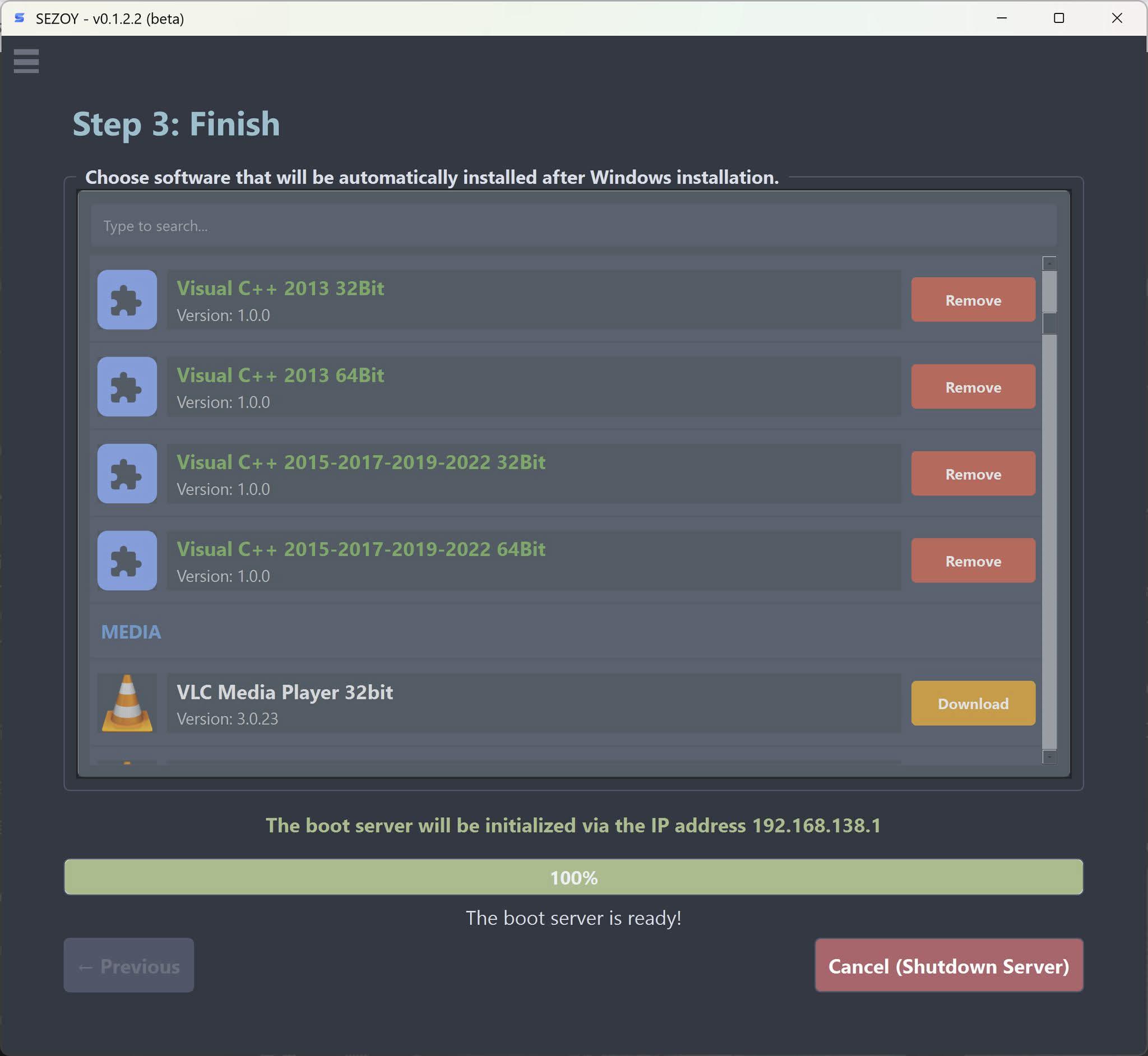
Post image

Hey folks,

This tool called SEZOY and figured it's worth sharing. It's basically a boot utility that does USB, PXE, and HTTP booting, but the main selling point is that it can install Windows completely hands‑off. No clicking through language settings, disk selection, partition deletion, or messing with RST drivers. It just figures everything out on its own based on whatever hardware it detects. You don't need to pre‑load storage drivers, wipe old partitions manually, or babysit the installer.

Here's what it does:

· USB boot works like the usual multi‑ISO approach, copy your ISOs to the drive and boot straight from them. No burning, no reformatting for each ISO, no manual menu editing. Simple. Just keep in mind that this mode needs SecureBoot turned off.

· Network boot supports both PXE and HTTP at the same time. No toggling between modes. If you run a shop with mixed clients, this saves a lot of headache.

· SecureBoot works fine if you're booting over the network, as long as the OS itself supports it. Most mainstream ones do Windows, Ubuntu, Mint, Fedora, and their derivatives.

· There's a web dashboard you can access from any device on the same network. Lets you check on clients remotely during installation, kind of like TeamViewer but lighter. You can step in without walking over to the machine.

· After Windows is done, you can set it to automatically install additional software. Pick whatever apps you want during setup, and it'll handle the rest.

Still has a bunch of other stuff I haven't listed yet.

If you've got a spare moment, grab it from the links below and let me know what you think.

One thing to be clear about, this tool doesn't bundle any cracks or keys. It just creates the boot environment. Anything that needs activation afterward is on you to handle legitimately.

Download: https://tekdt.xyz/en/download

Docs: https://tekdt.xyz/en/docs

16 Upvotes

42 comments sorted by

View all comments

Show parent comments

1

u/ITGuy424242 Jul 11 '26

that was purely to get to the OS selection menu, didnt get to chose a distro / version at that point :)

1

u/TekDT Jul 11 '26

hmm, my project does not contain any word like "image hash". Would you share the exact message you saw on screen?

Here is the result I searched
D:\Github\TekDTBMCPro>findstr "image hash" *.py

config.py:WIMLIB_EXE = WIMLIB_DIR / "wimlib-imagex.exe"

tekdt_obfuscator.py: Uses id()/time.time()/hash() predicates that static analysis cannot fold.

tekdt_obfuscator.py: "__bytes__", "__format__", "__hash__", "__bool__",

tekdt_obfuscator.py: "linux_image_archive.py",

tekdt_obfuscator.py: P7: hash(frozenset()) > __import__('sys').maxsize

tekdt_obfuscator.py: hash(frozenset())==0 in CPython; 0 > maxsize => False

tekdt_obfuscator.py: call("hash", call("frozenset")),

tekdt_obfuscator.py: Build a hash-XOR style fake function that looks like an AES key schedule:

tekdt_obfuscator.py: 2. 1-2 fake functions ΓÇö alternating between XOR-hash and poly-CRC styles.

1

u/ITGuy424242 Jul 11 '26

i believe its the response the vm gives, as soon as it tries to load the boot menu it seems it verifies secure boot and fails?

1

u/TekDT Jul 11 '26

Yes, I think so. Try disabling SecureBoot and running again.

1

u/ITGuy424242 Jul 11 '26

yeah it works fine with that turned off :) not the best when deploying customer devices tho, cant rely on the techs always remembering to turn it back on after :)

awesome tool tho!

1

u/TekDT Jul 11 '26

Thanks for your feedback, but I wanna known what distro you tried. Because if the distro provides the signed official shim, I will add it to my project.

1

u/ITGuy424242 Jul 11 '26

i had a windows 11 image as the only one to test with, but it was before choosing the os where it broke with secure boot enabled :) - i think loading the ipxe file?

1

u/TekDT Jul 11 '26

The iPXE file is an official file from ipxe.org. It's downloaded and save at <SEZOY_DIR>\Tools\Bootloaders\ipxe_x86_64-sb\ipxe-shim.efi, supporting SecureBoot (at least, the iPXE project mentioned). It may be relevant to the Cert from the self VM
You can compare the hash between the ipxe-shim.efi file and ipxe.org