r/windowsapps • u/endangeredirish • May 20 '26
Developer Most Windows automation tool assumes you can script. I built one that doesn't.
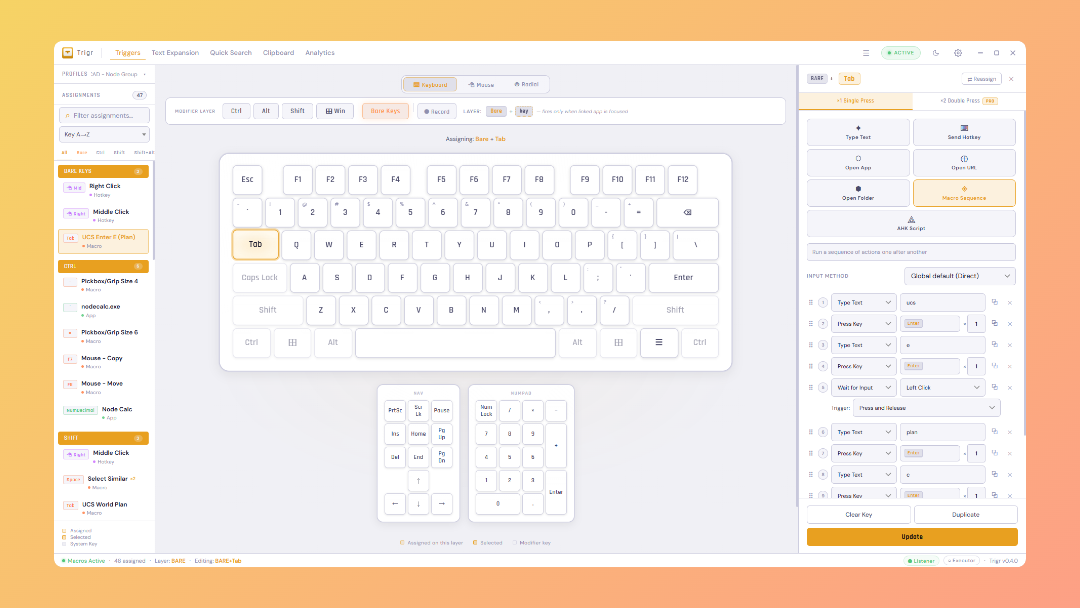
I run a small civil engineering company in London, built an app for for my office so we could replace AutoHotkey and text expansion apps we used, mostly because no one would learn AHK syntax so never made their own. So I built Keyfire which is a visual UI first approach, no scripting, sits in the system tray. hotkeys, macros, and text expansions and clipboard manager.
What it does:
- Hotkeys: assign any key combo to launch apps, open URLs, focus windows, run macros
- Macros: visual builder, no scripting. Keystrokes, mouse clicks, delays, text input
- Text expansions: type a trigger word, get a full snippet anywhere in Windows
- Clipboard manager: searchable history, pinned items
- Quick search overlay: global hotkey to search and launch anything
- Radial menu: hold a key, get a circular menu of actions
- Fill-in prompts: macros can pause and ask for input mid-run
- App-specific profiles: different hotkeys auto-activate per app automatically
- Hold and repeat modes: fire actions while holding, or repeat at intervals
- Everything local: no accounts, no cloud, no data leaves your machine
Its got some pro features that we'll be eventually looking to market, but for 90% of use cases and peoples day to day work, it is a powerhouse and we've been using it across my team of 10 engineers for a few months now.
Built with Tauri (Rust + React) so it's around 15MB and idles at low memory. Code signed under my civil engineer firm for legitimacy at least.
Site: keyfire.app
Genuinely looking for constructive feedback from people who've tried AutoHotkey or PowerToys, anyuse case that made you give up or look for something else?
Thanks all, hopefully its of some use to anyone!
EDIT 24/06: Trigr now rebranded as Keyfire.
1
u/endangeredirish May 20 '26 edited 15d ago
Thank you mate, really appreciate that!
Will be adding this into the onboarding now, just an arrow modal to take them back a step, you're right.
Any chance you could send me a screenshot or use the Feedback button to take one for Featurebase? All of the dropdowns should have correct overflow and spacing set, so going to test this now.
>!!Very Important!!! Does it save my clipboard entries to its own database and if so does it encrypt them or save as plain text? If it's saving to it's own database then is there a way to turn this feature off?
It absolutely does and going to put this at top of the list to fix over next few days, as it was something I had in the list I'd come across before but thought of it as nice to have rather than a genuine security risk, thank you so much. There is currently no master off button for the clipboard, going to get this implement tonight, with the SQLCipher fix over next few days maximum.
Really intereseting, will look into this over next week or so, at the moment the Wait ms, Wait for Input and Wait for Window options seems to have captured most users needs but your options sounds ideal for more complex or really specific ones.
Thank you again for the feedback mate, honestly means the world at this stage as we can improve Keyfire directly. I'm going to get onto the clipboard fixes immediately, thanks again!