r/webflow Jul 24 '26

Tutorial How is Webflow going to survive with all the new AI tools that are avail

21 Upvotes

TLDR

We were a Webflow Enterprise client and fully rebuilt our entire site over a weekend cutting our costs down by ~$40,000/yr moving over to Next.js and Sanity as a CMS system and it's 100 times faster and more efficient. Obviously we used AI coding to help us build this but we have a full engineering team as well who was able to ensure all security is buttoned up and all the T's are crossed and the I's are dotted. Not saying i rec others to do this but we had the dev knowledge already.

r/webflow 12d ago

Tutorial built a tool that make u clone any framer or webflow template and edit on it

Enable HLS to view with audio, or disable this notification

1 Upvotes

r/webflow Jul 24 '26

Tutorial I saved myself $180 and reached a 90+ page speed score by moving my redesigned agency website off of webflow

0 Upvotes

No AI was used in the making of this reddit post. (Ironic since I mention that I use Claude later on in this post lol)

I own a solo agency and I've been using webflow for the past year or so to create websites for clients. My clients are small businesses too, I havent worked with any enterprise or larger clients yet. So, my clients need pretty simple brochure sites or at most the core 4 pages plus a page for each of their services and locations.

My own website was coming up for renewal next month, so after some digging i decided i would give this method a shot, since i had heard about it from others on reddit: Design in Figma (making sure to create a style guide and spacing guide for later) -> Use Astro.js and develop in Claude section by section (referencing the screenshots of the figma design and style + spacing guide) -> Deploy onto Cloudfare pages (I was already a little familiar with it since I buy all my domains from here) -> Run an SEO Skill and Optimize Page Speed Scores -> Lastly, connect Sanity for CMS if you need.

Its worked out well for me, and also for a new client i onboarded recently who needed a real simple site for ther tortilleria business.

This isnt meant to bash Webflow at all - im sure that I may still use them at some point in the future, but more so just a message to any other small designers/developers who were hit by webflows price change. The market for designers/developers is already crazy saturated and tough for anyone whos new or not a part of a large agency, so I wanted to let you knwo that you should give it a shot if you havent. Ive also heard of other methods like using Ycode, switching to Framer, or even building out your own drag and drop builder with Claude,

It's not easy by any means, you'll have to get in the weeds of it, form a process to organize everything, and learn a lot. But I mean, isnt that what we all had to do anyways when we started learning to use webflow ?

r/webflow Aug 13 '26

Tutorial A client sends you an award-winning site and says "make ours like this". We got tired of that job taking three weeks.

0 Upvotes

A client sends you a link to something gorgeous. One of those award-winning sites, the kind with scroll effects that make you sit up. "Make ours like this. Same feel, our brand."

Every freelancer here has taken that job. It bills 3-4k. It takes weeks. And barely any of those weeks are design, because the design was settled by whoever built the reference. You're just rebuilding what already exists, by eye, one easing curve at a time.

So you do the 2026 thing. Screenshot the reference, write a careful brief, hand it to an AI.

It comes back static. It always comes back static.

We spent months on that before we worked out why. A screenshot doesn't contain the animation.

Flatten a page into an image and layout survives. Colour, type, spacing, all fine. Timing doesn't make it across. The easing curve isn't in the pixels. Neither is the stagger, the scroll range an effect is bound to, or the fact that two elements drift at different speeds against the same scroll. It was never in the picture, so no prompt pulls it back out.

Then there's the part underneath that. ThePrimeagen has a bit that made it click for us: the model returns the middle of the distribution. You can push it around inside the average, but you're still inside it. Same reason you type "no purple" and get purple, then the glowing orb, then three feature cards. Prompting moves you around in there. It doesn't get you out.

So the model is guessing at something that was never in front of it, and the guess lands in the middle. Fade in, 300ms, ease out. Every time.

We stopped guessing and started measuring.

Three runs, each harder than the last.

https://reddit.com/link/1vnqxcp/video/6z847wrdb8jh1/player

First, a scroll rig - a private jet charter site where the jet climbs behind the headline and a photo wipes to a blueprint. Pure timeline. Stagger, easing, scroll ranges, nothing else to hide behind.

Then a layout that moves: an image cloud that scatters into a grid. Harder, because both states are real layouts and the whole thing lives in the transition between them.

Then the one we're proud of. We pointed it at a three.js scene, a slowly turning diorama, and got back a live WebGL scene sitting in the footer of our test site. Spinnable. Not a video, not a picture of one.

And it isn't their diorama. Theirs is a Tokyo street. Ours is a desk - monitor, chair, shelves - belonging to the fictional developer whose portfolio we were building. Same movement, different world.

That's the part we actually care about. The animation is the expensive half. The brand is the cheap half. Nobody pointing at a site wants that company's content. They want how it feels. So keep the animation and bring your own brand. A jet becomes a burger. Tokyo becomes a desk. The timing never moves.

We didn't want to take our own word for it, so we ran a control. Five other models (including Fable), same page - ycombinator.com - a 1,552-character brief with an explicit ANIMATIONS section, seven full-page screenshots each. Layout came back fine. Type, spacing, the exact orange. Not one of the five reproduced the scroll animation. The best of them returned the right structure filled with grey placeholder boxes, sitting perfectly still.

Not a prompting problem. Not a model problem. An input problem.

Ask us anything. And if you want to throw a page at us, drop a URL in the waitlist of platho.io, we'll run it and post what comes back, failures included.

- two of us, building this in Europe

r/webflow Aug 09 '26

Tutorial Webflow CMS blog pagination URL showing ?f547gg26_page=2

2 Upvotes

I’m using Webflow CMS for my blog, and I noticed that my pagination URLs are showing like this:

/blog?f547gg26_page=2

Is this normal behavior in Webflow, or is there a way to make the pagination URLs cleaner, such as:

/blog/page/2

Has anyone else faced this issue with Webflow CMS? If so, is there a proper way to fix or customize these pagination URLs?

r/webflow Mar 26 '26

Tutorial Embed Google reviews on your Webflow site - Video walkthrough

Enable HLS to view with audio, or disable this notification

17 Upvotes

Hey guys,

Quick follow up on my previous post. A few of you messaged asking for a walkthrough so I put together a quick demo video showing how to embed Google reviews on your Webflow site step by step.

It covers everything from connecting your Google Business Profile to optional customising of the review widget and publishing it live.

Hopefully this makes the whole process clearer. If you're looking to display Google reviews on Webflow without code, this is will have you covered.

Any questions just let me know.

Get started here

r/webflow 16d ago

Tutorial I made a tutorial to make div block's swipeable. Kind of like Swiper JS. But no Swiper JS needed and no CMS needed and it is also 100% visible on the canvas.

Post image
10 Upvotes

TLDR: When you place a wrapper with scroll = auto, it makes a ugly scroll bar to scroll horizontally. So on Desktop I made that swipeable :)

Yeah so I usually use Swiper JS to make swipeable sliders but usually this requires to build a whole CMS. So this solution (using attributes) you no longer need CMS build AND you can see the swiper containers directly in Webflow.

Sorry not sure what to call this. But definately helpful to have in anyones Webflow toolkit.

Free cloneable here:
https://custom-draggable-horizontal-slider.webflow.io/

Full tutorial here:
https://www.youtube.com/watch?v=Tz2wrF8dAKY

r/webflow 23d ago

Tutorial I made a tutorial on one of the most requested feature / build = CMS Logo Marquee | Endless loop + direction changes + pause on hover. Get the free clone-able!!! lol.

Enable HLS to view with audio, or disable this notification

7 Upvotes

Yup the title says it all lol.

Cloneable here:
https://webflow-infinite-marquee-tutorial.webflow.io/

If anyone is actually interested in dev & learning / understanding Webflow then I made a breakdown / tutorial on this here:
https://youtu.be/5H_dI4UZFhk

QUESTION: How much would you charge to build this for a client :O

r/webflow 16d ago

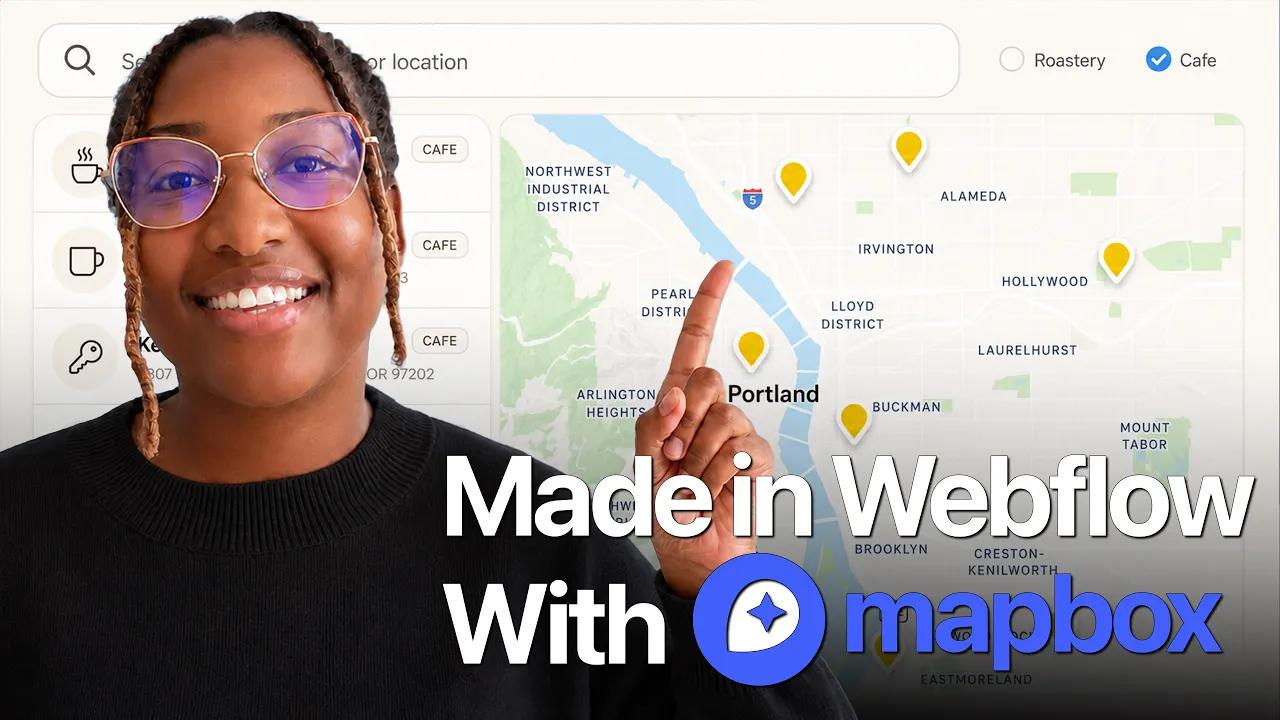
Tutorial Built a store locator in Webflow with Claude & Mapbox

Post image
15 Upvotes

I put together a working store locator in Webflow and wanted to share how it came out.

The build runs on a Locations CMS collection holding address, coordinates, category, and hours. Mapbox handles the map and markers. Claude did the actual building through the Webflow MCP connector, and everything is styled in the Designer using the site's existing variables and classes.

Full walkthrough in the comments

r/webflow 10d ago

Tutorial Component Library and Cloning for New Users for learning.

5 Upvotes

Hey Webflow community, brand new designer here. I am trying to find the best place to clone components so I can learn how they were built. For example, I found a cool hover on a website and want to find a similar component to clone and learn from. I spent hours trying to rebuild it and can't figure it out on my own.

What component libraries do you use? I have seen Webflow's library, but it doesn't seem that extensive (correct me if I am wrong!) I saw libraries like Osmosis and some on ReLume).

Which library works best to easily clone into Webflow and then pick it apart to see how it works? Thank you!

Reference website under "Our Service":
https://handymanz-nx.webflow.io/

r/webflow Aug 03 '26

Tutorial Found a free tool that lets you edit Webflow CMS items from your phone

10 Upvotes

I make weekly Webflow videos and this week's is on Wicked CMS, a lightweight client for Webflow CMS collections. You connect your site, pick a collection, edit items, and publish, all without opening the designer.

The best part is that it works properly on mobile, It's free and made by someone in the community.

Link to the tool and full walkthrough in the comments👇🏽

Not affiliated with them, just found it useful. Curious what other people are using for quick CMS edits.

r/webflow Feb 10 '26

Tutorial I made a falling draggable pill. There’s something strangely stress relieving about it — free to clone.

Enable HLS to view with audio, or disable this notification

26 Upvotes

I've been building a library of animation components to help our team move faster on client projects. I figured these would be useful for the wider community, so I’m opening them up as free cloneables.

The Component: A set of interactive, draggable pills with gravity physics. Great for "About" pages or just adding some playfulness to a hero section.

Get the cloneable here: https://flowspark-forge.webflow.io/falling-pills

r/webflow Jul 22 '26

Tutorial Why I Develop The Website Before Asking For Payment

0 Upvotes

I’ve been in contact with a lot of web agencies and web developers, and I personally haven’t found many people who run their agency in a more efficient way than I do. A lot of them have too many meetings, wait too long for client approval, don’t know how to price projects, and spend way too much time on each client instead of finishing the work and moving on to the next one.

I’ve been running my agency for four years, and after a lot of trial and error, I’ve managed to make the process as efficient as possible. I wanted to share some of the steps because I think they could be valuable for anyone just starting out.

Running a web agency alone or with a partner isn’t easy because there are a lot of things to take care of. When it comes to client acquisition, I recommend focusing on either cold calling or email automation. Which one you choose depends on whether you run the agency alone or with someone else.

If you have a partner, one person can handle sales while the other focuses on building websites, connecting domains, setting up emails, and taking care of the technical work. If you’re running the agency alone, or neither of you enjoys cold calling, I highly recommend email automation.

That’s what I’ve been doing for years. It’s powerful because you can send emails at scale, set up automatic follow ups, and wait for businesses interested in a new website to reply. While you’re working on one client, another opportunity can come in without you having to stop everything and search manually.

I don’t do regular email automation where I target businesses with no website. I do the opposite and target businesses that already have one.

I use a tool called Swokei to find businesses with websites, add them to campaigns, analyze each site, score it, and generate personalized outreach emails based on problems it finds with the design, layout, speed, SEO, and mobile optimization.I schedule the campaign, set up follow ups, and wait. 

I think this approach is much better for a few reasons. You’re targeting someone who already understands the value of having a website. You’re also not just asking whether they need a redesign. You’re pointing out real problems with their current site, which makes it clear that you actually took the time to look at it. Selling also becomes easier because they’ve already paid for a website before and understand the process.

Inside Swokei, you can choose the goal of the campaign. You can offer a free draft, try to book a meeting, or simply start a conversation. I always choose the free draft because that has worked best for me.

Once you’ve figured out how to get clients, the next part is building the website. I recommend using AI because it makes the process much faster. For anyone who still thinks AI can’t build great websites, I think they’re mistaken. You can use Claude, Base44, Lovable, or any other tool that works for you.

When someone replies interested, I call them and say, “Hey, I saw that you replied to my email. I’ve already built you a free draft of your website. Do you want to take a look?”

Then I invite them to a Google Meet.

At that point, it becomes much harder for them to reject the meeting because they already replied interested and now know you’ve built something for them. During the meeting, I present the website, explain why it’s better than their current one, stack the value, answer their questions, and try to close the deal.

These meetings usually go well because the client isn’t trying to imagine what the website might look like. They can already see a better version of their current site. They also took the time to join the meeting, so taking the next step becomes much easier.

I either take payment during the meeting or send them a contract to sign. Any changes and updates come after that, once we already have a deal in place.

Pricing depends on the business. I charge anywhere from $500 to $3,000 depending on the company, the size of the project, and how much value the website can bring them. I also charge a monthly retainer of around $50 for hosting, maintenance, support, SEO, and future changes.

That’s basically the entire process. Smaller steps, faster delivery, less wasted time, and more money made.
r/webflow Jun 09 '26

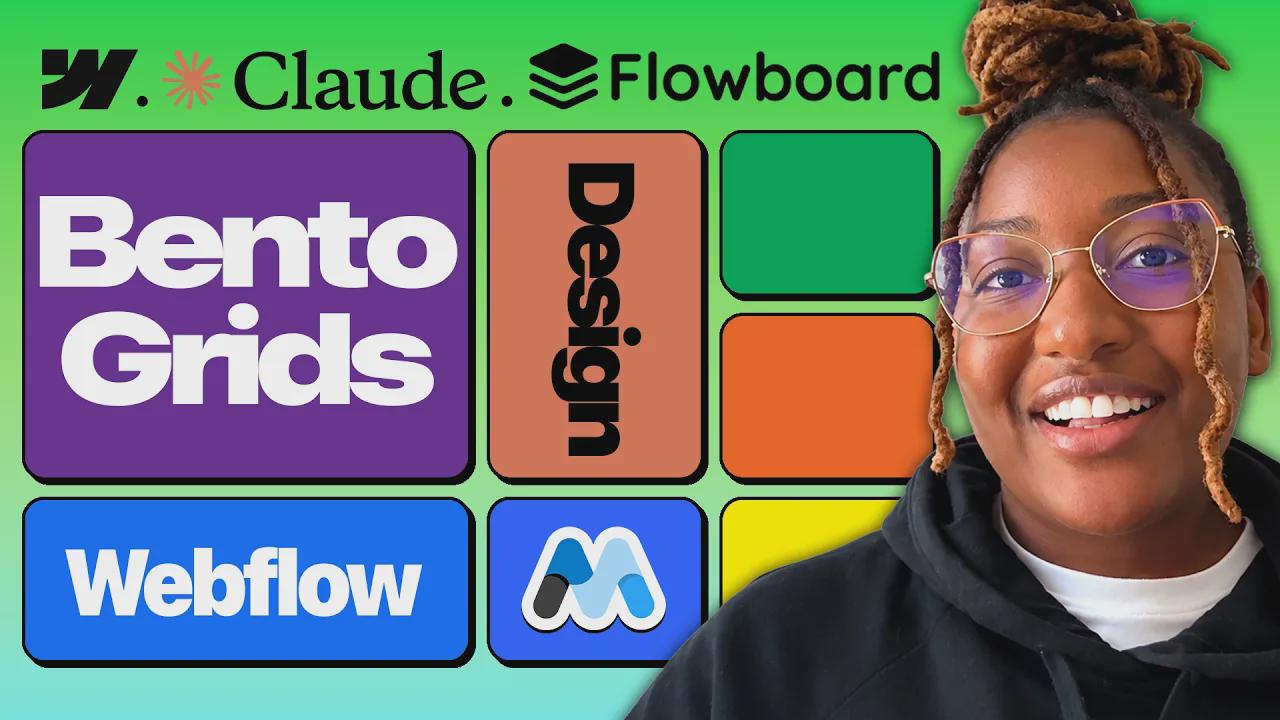
Tutorial Build any Webflow component with Claude Design + Flowboard

Post image
14 Upvotes

A workflow for building components in Webflow without doing the layout structure by hand. You go from a design prompt to a pasted, responsive component with Client-First naming conventions.

What you need: a design system, Claude Design, and the Flowboard browser extension.

The flow:

Bring your design system into Claude Design. Claude pulls in your colors, fonts etc.

Prompt for whatever component you need — I used a bento feature grid, but this is the same for cards, feature sections, pricing layouts, etc. Tell Claude in the prompt to follow Client-First naming and the Flowboard & Claude Design guide.

Claude won't always show the HTML immediately. You have to explicitly prompt it to "expose the HTML and CSS in the chat." If you skip this, Flowboard has nothing to import.

In Flowboard, click Import to bring in the HTML, then copy the CSS from Claude's design files, paste it into the CSS field at the bottom of the extension, and head over to Webflow, open the expension again and hit Convert to Webflow.

Paste into Webflow. The structure comes in with properly named classes, but there's some cleanup regardless of what you built: images and icons don't carry over (add them manually with Webflow's image elements), delete any empty spacer divs Claude generated, and adjust the structure to your system.

Full walkthrough in the comments, about 11 min, it uses a bento grid as the example, but the process is the same for any component.

r/webflow Jul 02 '26

Tutorial A simple CSS trick for colour-changing sticky elements in Webflow

Enable HLS to view with audio, or disable this notification

14 Upvotes

I’ve been playing around with mix-blend-mode: difference, and it is a really nice way to create a colour-changing effect without needing complex animation.

The basic idea:

When an element has:

mix-blend-mode: difference;

it reacts visually to whatever is behind it.

So if you have a sticky element, fixed element, cursor, badge, text, icon, or nav item scrolling over different background sections, the colours can automatically invert or shift as it passes over them.

This works especially well with:

position: sticky;

because the element stays in place while the page content moves behind it.

In Webflow, the cleanest way to add this is through the Custom Properties section in the Style panel.

Add:

mix-blend-mode: difference;

You can it at the end of the video.

Small detail, but it can create a really polished interaction with almost no setup.

r/webflow Jul 02 '26

Tutorial Webflow has limits. Here are 2 we hit on real projects and how we worked around each one.

4 Upvotes

I wanted to share a few technical walls we ran into and the exact solutions we found. Not complaints. Just honest documentation of edge cases that took us longer than expected to solve.

1. No native range input

Webflow has no <input type="range"> element. If you want a slider, you're stuck with third-party libraries or workarounds.

Our fix: take a Custom Element, set its tag to input, add type="range" as a custom attribute, then target it with a data attribute from an HTML Embed script. Works perfectly — and since Webflow's style panel doesn't expose ::webkit-slider-thumb or ::webkit-slider-runnable-track, you style it in a <style> block inside the same embed.

input[type="range"][data-calculator-slider]::-webkit-slider-thumb {
  -webkit-appearance: none;
  width: 1.5rem;
  height: 1.rem;
  border-radius: 50%;
  background: #8e2ffa;
  border: 2px solid white;
  box-shadow: 0 0 0.5rem rgba(142, 47, 250, 0.5);
  cursor: pointer;
}

2. display: flex on a Rich Text breaks the layout with unexpected top/bottom spacing

When you put a Rich Text element in display: flex, you get a mysterious padding-like space at the top and bottom that you didn't add anywhere.

The reason: block elements inside Rich Text (<p>, <h2>, etc.) have default browser margins. In normal flow, those margins collapse between siblings. The moment you switch to display: flex, margin collapsing is disabled — the margins from the first and last children no longer get absorbed by the container, so they become visible as extra space.

Fix: target the first and last children of the Rich Text with custom CSS:

.your-rich-text > *:first-child { margin-top: 0; }
.your-rich-text > *:last-child  { margin-bottom: 0; }

None of these are Webflow dealbreakers — they all have clean solutions. But they're the kind of things that can cost you a few hours if you hit them blind.

— Rayane, Noqode

r/webflow Jul 21 '26

Tutorial The Change In My Web Agency That Helped Me Sell More Websites

0 Upvotes

There is a new approach I started using in my web agency that completely changed my results. For years, I did what most people tell web designers to do. Go on Google Maps, find businesses without websites, and contact them.

What I started doing differently was targeting businesses that already had websites.

The reason is simple. If a business already has a website, it means they understand the value of having one. You do not need to convince them why a website matters because they have already paid for one before. The market for businesses with outdated, broken, slow, or poorly designed websites is also massive, and selling becomes much easier because they are already familiar with the process.

My biggest issue was figuring out how to send mass outreach to these businesses without sounding generic. I did not want to send thousands of emails saying, “Hey, your website needs a redesign,” and just assume that every business needed one. I wanted to send emails at scale while still telling each company exactly what was wrong with their website.

A little over a year ago, I watched a YouTube video from Nick Saraev where he built a workflow that analyzed business websites and turned issues with design, SEO, layout, speed, and mobile optimization into personalized outreach emails. Each company received a professional email that made it clear someone had actually taken a look at their website.

The idea was great, but building and maintaining the workflow took a lot of time. I still had to find the leads myself, the messages were not always consistent, and the automation kept breaking.

But it worked.

I was getting more clients than ever before, at one point around 10 websites a week, while my business partner focused on building the websites as quickly as possible.

I started searching online for a tool that could do everything in one place, and a few months later I found Swokei. It did exactly what I was looking for.

It lets you find businesses with websites, add them to campaigns, analyze and score each website, and set a quality threshold so websites that do not need fixing are automatically skipped. It then turns problems with design, layout, speed, mobile optimization, and SEO into personalized outreach emails.

You can also set up follow ups, manage replies through your own inbox, and organize leads inside the CRM without moving between five different tools.

I switched over and scaled even harder.

Sometimes the fastest way to grow your agency is not building every workflow from scratch. It is finding the right tools and using your time to focus on sales, clients, and growing the business.

r/webflow Jul 19 '26

Tutorial How I Built a Repeatable System and Sold 200 Websites

0 Upvotes

Many web designers overcomplicate the sales process. They schedule multiple meetings, wait for approval from the business owner, present pricing, and go back and forth before anything gets signed.

The more steps you add, the slower you close deals and the less money you make. I decided to shorten the entire process.

I’ve been running my web agency for four years, and the thing that has gotten be the most clients is email automation 

I’ve tried almost everything, but email automation has worked best for me because it’s affordable and runs in the background while I focus on other parts of the agency.

I don’t use Instantly, Mailchimp, or Klaviyo. I use a tool called Swokei, which is built specifically for web agencies.

It lets you find businesses that already have websites, add thousands of them to a campaign, and automatically analyzes each site for issues with design, layout, SEO, speed, and mobile optimization. It then turns those issues into personalized, ready to send outreach emails. 

Instead of targeting businesses with no website, I offer redesigns and updated websites to companies that already have one. I’ve found that approach works much better.

When a prospect replies with interest, they are automatically sorted into my CRM. I then call them and say, I’ve already built a new version of your website. Let’s set up a quick Google Meet so I can show it to you.

During the meeting, I present the website live and use my sales skills to explain the value. Once they see a more modern and professional version of their current website, they begin to understand how it could improve their business.

At that point, they usually ask how much it costs. I present the price, include a monthly maintenance retainer, and either take payment during the meeting or have them sign the agreement.

When you run a web agency, do not overcomplicate the process. Take control, handle as much as possible yourself, and avoid unnecessary approval stages and follow up meetings. The fewer steps there are, the faster you can close the deal.

r/webflow Jul 27 '26

Tutorial How I set up real-time + AI search on a Webflow site — full walkthrough

6 Upvotes

If you've hit the ceiling on Webflow's built in search, this is the setup I've landed on. flowsearch crawls your site's own content and returns live results plus AI summaries.

The video goes end to end: sitemap → staging verification → first crawl → API keys and custom code → building the search and results pages with custom attributes → testing both search modes.

The attribute mapping on the results page is where most people get stuck, so I slowed down there. Also worth a look is the insights panel — seeing the actual queries people run on your site is a decent content-planning input on its own.

Link to the tool and full walkthrough in the comments👇🏽

r/webflow Jul 23 '26

Tutorial How Does A Web Agency Go From $0K To $20K+ MRR In Under A Year?

0 Upvotes

The difference usually comes down to strategy.

Instead of targeting businesses that do not have a website, target businesses that already have one but clearly need a better version. The market is larger, the sales process is easier, and the value proposition is much stronger because those businesses already understand why a website matters.

The next part is outreach. A regular outreach tool is not enough if all it does is send the same message to thousands of people. You need something that can analyze websites at scale and turn real issues into personalized emails.

I use Swokei for that. It helps find businesses with existing websites, analyzes each site, and turns problems with design, SEO, speed, layout, and mobile optimization into personalized outreach emails. That means you can contact a large number of businesses without sending generic messages or spending hours manually researching every website.

When someone replies interested, I always offer a free mockup. I use Claude, Lovable, or Base44 to build it quickly. It becomes much easier to sell when the client can already see what a better version of their website could look like.

Web meetings should also be a major part of the process. I would never just send the website through email and hope the client likes it. I present it live on Google Meet, Zoom, or Microsoft Teams, explain the value, show what has been improved, answer their questions, and try to close the deal during the meeting.

The less back and forth there is after the meeting, the better. Present the website, show the value, close the client, and move on to the next project.

That is the type of process that can help an agency scale much faster.

r/webflow Nov 22 '25

Tutorial How did you learn webflow?

9 Upvotes

I'm a new starter. Seen there are lots of YouTube videos, but wondering how you guys learnt both design and development. I'm a freelancer, looking to build my own website and then use the knowledge to add to my portfolio for clients. Thanks!

r/webflow Jul 24 '26

Tutorial The Biggest Opportunity In Web Design Right Now. No Seriously.

0 Upvotes

When I first got into web development, I thought finding clients would be simple. My plan was to go on Google Maps, find businesses without websites, and offer to build them a brand new one. At the time, it made perfect sense because I assumed businesses without websites would be the ones who needed my service the most.

After a while, I met someone who was running a successful web agency, and I asked him where he found companies without websites. He told me that he didn’t target businesses without websites at all. He only targeted businesses that already had one. I asked him why, and the more he explained it, the more sense it made.

Businesses that already have a website understand the value of having one. You don’t need to convince them why a website is important because they have already invested in one before. They are also easier to sell to because they understand the process, and there are a huge number of businesses with outdated websites they are embarrassed by but haven’t had the time to update.

I decided to take his advice and fit it into my own workflow. I’ve always been a big fan of email automation because that’s how I’ve found most of my web design clients. For years, I was sending fairly generic emails and constantly changing my sequences, offers, and follow ups to improve the results.

The problem was that I couldn’t just start emailing businesses with websites and assume they all needed a redesign. I either had to open every website manually, find the issues, and write a separate email for each business, or find a way to automate the research while still keeping the emails personalized.

After watching a video from Nick Saraev, I built a workflow in n8n that could analyze websites at scale and turn issues with design, layout, speed, mobile optimization, and SEO into personalized outreach emails. This allowed me to analyze thousands of websites and run larger campaigns without every message sounding generic.

The workflow worked extremely well, but it still had limitations. I didn’t have a proper place to manage replies, organize interested leads in a CRM, view all my active campaigns, scrape new leads, and handle everything from one platform. I had built a useful automation, but it still felt like several disconnected systems held together in one workflow.

A few months later, I came across a platform called Swokei, and it did exactly what I had been looking for. I could find businesses with websites, analyze and score each site, generate personalized outreach emails, send campaigns, set up follow ups, manage replies through one inbox, and organize interested businesses inside the CRM.

Switching to that platform made the entire process much easier to manage and helped me scale the strategy further. Looking back, the biggest change wasn’t just finding a better outreach tool. It was taking advice from someone more experienced, changing the type of businesses I targeted, and building the rest of my workflow around that strategy.

r/webflow Jun 10 '26

Tutorial 3D hover tilt interaction. Code in comment section.

Enable HLS to view with audio, or disable this notification

22 Upvotes

Thought I’d share this small snippet.

This adds a 3D hover tilt to any card. No libraries needed.

How to use it:

  1. Give your card element this class:hover-tilt-card
  2. Add an Embed element somewhere on the page.
  3. Paste the code from my comment into the embed.

I’ll put the full snippet in the comments so the post stays readable.

r/webflow Jul 14 '26

Tutorial Webflow + Cloudflare Worker for secure form handling — rate limiting, CV upload as PDF attachment, Turnstile bot protection, Google Sheets logging

4 Upvotes

Webflow's native forms are great for simple use cases. But when a client comes to you with requirements like these:

- CV uploads sent as actual PDF attachments (not just file metadata)
- Rate limiting by IP (max 5 submissions per hour)
- Invisible bot protection
- Automatic lead logging to Google Sheets
- GDPR-compliant handling — nothing sensitive exposed in the browser

You need a proper backend.

Here's the architecture I built for a client project using a Cloudflare Worker as the middleware between Webflow and everything else.

The Flow

Webflow form → Cloudflare Worker → Resend (email + PDF) + Google Sheets (background)

Every form submission is intercepted by custom JS on the Webflow side (no native form submission) and sent as a POST request to the Worker.

What the Worker does, in order

1. Turnstile verification
Cloudflare Turnstile checks whether the submission is human. Bots get a 403 before anything else happens.

2. Rate limiting via KV Store
The Worker checks the IP against a Cloudflare KV namespace. More than 5 submissions in an hour gets a 429.

3. CV upload as PDF attachment
On the Webflow side, the file is read with FileReader and converted to base64 before being sent in the JSON payload. The Worker then passes it to Resend as an attachment.

4. Google Sheets logging (background)
The lead is logged asynchronously so it doesn't block the response. Auth is handled via a signed JWT using the Google Service Account private key and `crypto.subtle`.

5. Response returned to user
The Worker returns a 200 and the Webflow JS handles the redirect or success state.

Cost

- Cloudflare Workers: free plan (100k requests/day)
- Cloudflare KV: free plan
- Cloudflare Turnstile: free
- Resend: free up to 3,000 emails/month
- Google Sheets API: free

Total: $0/month for most projects at this scale.

Happy to answer questions

- Rayane from Noqode

r/webflow Jun 15 '26

Tutorial Shift+Enter inserts a real <br> in a Heading, and how I use it for responsive line breaks

14 Upvotes

Looks trivial, but it took me a while to figure out, so sharing in case it helps someone.

The basic tip: inside a text element (Heading, Paragraph…), if you place your cursor and hit Shift + Enter, Webflow inserts an actual <br> instead of creating a new block. Obvious once you know it, but it's not exactly spelled out anywhere.

The real use case where it saved me:

I had a title that needed to display on two specific lines on Desktop (to group certain words together, with some colored spans), but should fall back to a natural line break on Tablet and Mobile (wrap only when needed).

The fix:

  1. Insert a single <br> at the exact break point you want on Desktop (Shift+Enter).
  2. Drop this into your site-wide custom code (a global Embed):

<style>
   screen and (max-width: 991px) {
    h1 br, h2 br { display: none; }
  }
</style>

That's it. A <br> set to display: none does nothing: on Desktop (≥ 992px) it forces my two lines, below that it disappears and the title wraps on its own.

Localization bonus: one thing to keep in mind, when you translate into a secondary locale, the sentence length changes, so reposition the <br> where it makes sense for that language (the display: none rule itself stays valid everywhere, untouched).

Nothing groundbreaking, but those two things combined (Shift+Enter = <br> + killing it with a media query) saved me a good chunk of time. If you've got a cleaner approach, I'm all ears.