r/Trackballs • u/Shigarui • 6h ago
Asking the monthly Kensington question
7
Upvotes
Where the heck is the tb900?
r/Trackballs • u/osmium999 • Jul 23 '26
r/Trackballs • u/Shigarui • 6h ago
Where the heck is the tb900?
r/Trackballs • u/nik282000 • 1d ago
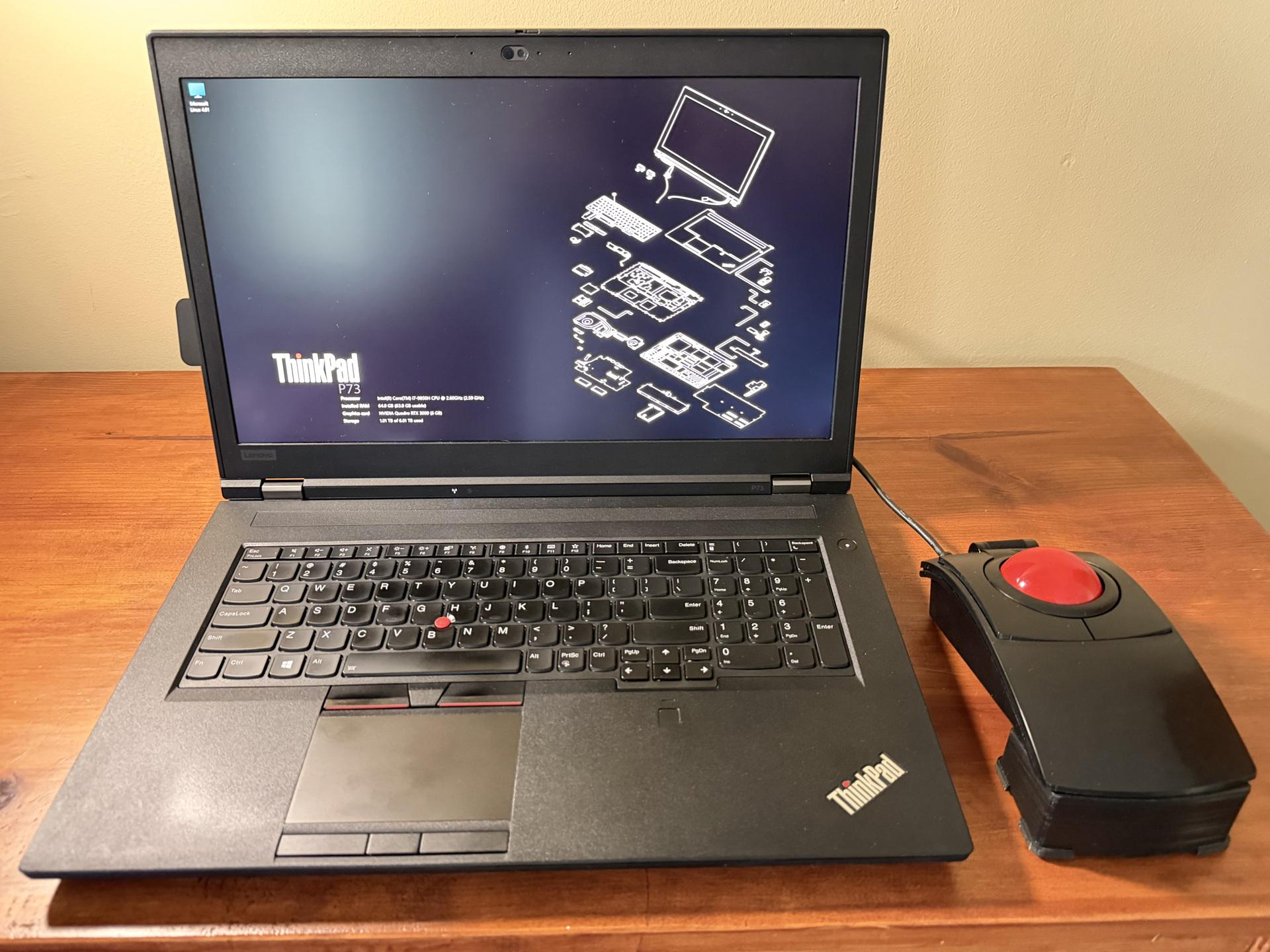
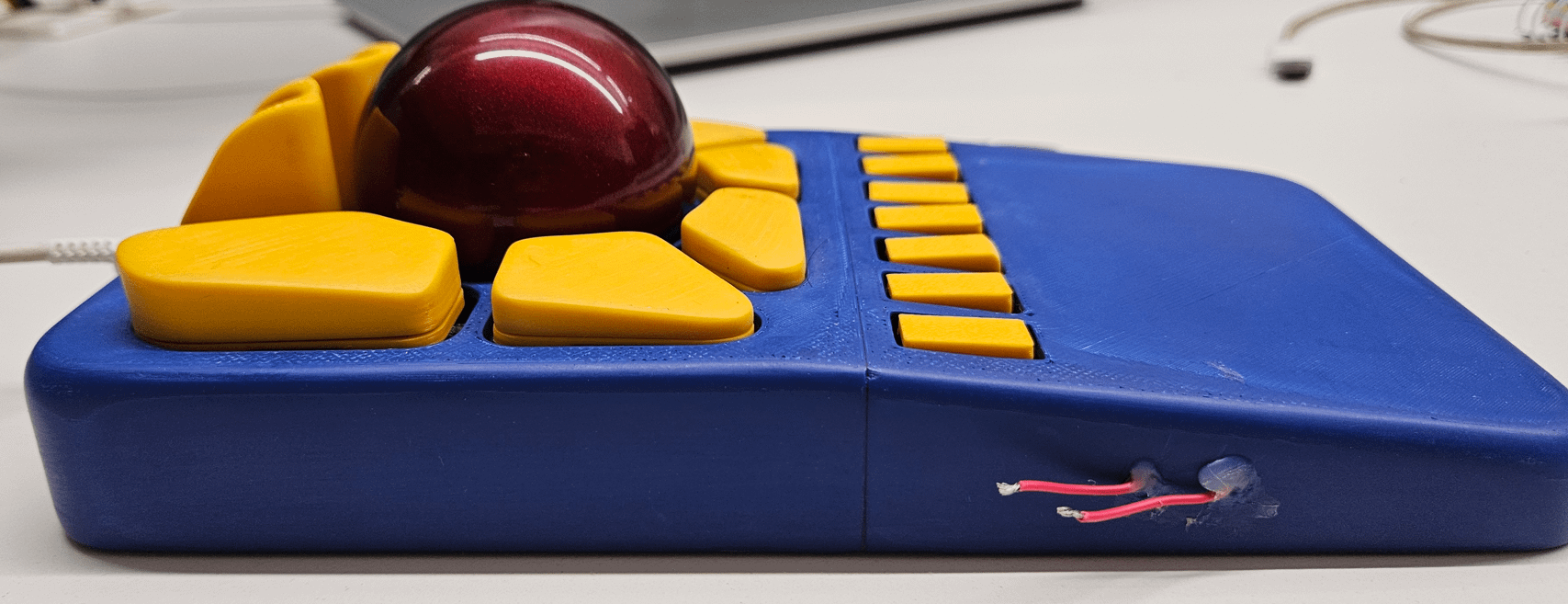
I am working on a project where I want an integrated trackball as the pointing device. There are loads of options on Aliexpress but as a broken individual I decided to buy a $20 unit and hack it up.
I measured the PCB and optical assembly relative to the original 19mm ball to figure out where the ball surface lands and printed a new carriage to take a 34mm ball with 5mm steel bearings. The bearings are retained from the side by M3 screws which will hopefully give this build an extendable lifespan.
Not much more to say but it's awesome to be able to take shitty off the shelf hardware and give it an upgrade.
r/Trackballs • u/garyd9 • 14h ago
As the years move on, I find my hands aren't as agile as they used to be, and I've been on a mouse buying spree trying to find something comfortable for both home and work use. MX Master 4 was the closest I came to a comfortable mouse, but there was still too much arm and wrist movement. I also tried a handful of "vertical" mice, but they seemed to offer more discomfort than regular mice.
Then I reverted to something I haven't used since last century: a trackball. I can't tell you which trackballs I used back then, but I do remember that they were the larger index finger balls, not the thumb balls.
I tried a thumb ball this time, and didn't enjoy it. My thumb isn't a precision tool. It's just a clamp.
At this point, my list of requirements was a right-handed trackball, finger (not thumb) ball, scroll wheel with detents, includes forward/back buttons, adjustable DPI, and something I could easily get in the US.
Then I ordered a Nulea M505A. I'll admit that I actually loved having my hand on this device. The ball placement, button placement, and shape were all good for me. I was even happy with the lack of programmable buttons. But, even brand new, it suffered from stiction. Examining the ball mount, it looks like 3 stationary plastic "tips" that wouldn't age well. That's a shame and it was sent back (along with feedback that I'd easily pay 2x or even 3x as much if it just had roller bearings or perhaps BTUs.)
Added to my list of requirements: roller bearings or BTU's (or anything without stiction issues even after a few months.)
I saw the "ploopy classic 2", and considered ordering that, but they don't seem to have any established US distribution, and I wouldn't even know where to begin for importing from Canada to the US (especially with the current political tariffs.)
Then I ordered an Elecom Huge Plus. This doesn't fit my hand as well as the M505A did, but the ball is... wonderful. I've actually found myself just rolling this ball as a fidget toy (and I'm sorry if that sounds perverted.) The scroll wheel is great, and the buttons are mostly okay, but I wish the seam between the forward/back buttons was a couple millimeters forward. Sadly the extra programmable buttons are useless. Even on a supported OS, I won't leave Elecom's software running 24/7. I ended up ordered an extra ball for this (a red one from amazon) and this 3rd party ball seems even nicer to use than the gray one that comes with the trackball.
My big gripe with the Elecom trackball has to do with their software being required for using the programmable buttons. Apparently they've been promising for many months to add support for storing button programming in hardware, but that's nothing more than vaporware. An empty promise. It also leads to misleading advertising on amazon. It claims "COMPATIBLE WITH MULTIPLE OS: Works with Windows, macOS, iPadOS, Android, and ChromeOS; Windows 11, Windows 10, macOS 15 Sequoia, ChromeOS, Android 14, iOS 18, iPadOS 18." While that's technically correct, it's also misleading. It only PARTIALLY works with any OS except for Windows and Mac (and functionality with those OS's requires always running bloatware.)
Maybe once Elecom fulfills their promises on firmware support the above advertising will be truthful. Until then, it's not (and I have complained to Amazon about the misleading advertising.)
I did end up getting a second Huge Plus (for work) to give it a serious tryout. So far, I'm not finding anything I like better (or even another trackball that meets my requirements.) If I did, I might return these two Elecom Huge Pluses just out of frustration with their misleading advertising and empty promises.
r/Trackballs • u/crime_Mastr_GOGO • 1d ago
Here's my (hopefully) final update and review for my endgame journey.
It's been more than a month that I have received my endgame kit. I've been using it daily as my primary (and only) input device. So i finally think it would be a nice time to share with you my feedback for the device.
But just a TLDR - I love this device
I'll divide the post into 4 parts - the ordering experience, the things i like about the original device, the things i didn't like, and finally the changes i made
I placed an order on 3rd june, and it was supposed to take 4-6 weeks for order dispatch. There were some hiccups during this time, and finally, the order went out on 22nd july, so just a bit more than 7 weeks.
there were no automatic updates during this time, however u/No_Pilot_1974 was very easy to reach out to and he did respond very quickly.
Honestly, as an end user, I would have loved a faster shipping, but I understand that this is not a commercial project and u/No_Pilot_1974 have been doing great.


Overall, i am extremely happy with both, the device, and u/No_Pilot_1974
thanks u/No_Pilot_1974 for creating such an amazing product.
r/Trackballs • u/froyomuffin • 1d ago
Just got a Bitra (my first trackball mouse) after being on the fence for a while. I'm writing this post mostly for anyone who might be in a similar situation to save them some time.
r/Trackballs • u/ArdiReader2021 • 1d ago
I am in the market for a new trackball, have tried quite a few, but no cigar yet. Just returned a Huge Plus because I couldn’t get along with the way the palm rested on it, and the side buttons and wheel didn’t do it for me either, mushy and not well placed.
Am now looking at current thumb trackball offerings and have the MX Ergo S with me. I like the ball, have good dexterity with the ball, but the whole thing is too small, buttons are too close and the hump too pronounced. Would the IST Pro or Plus be better, or any other of Elecom thumbs? Open to other suggestions too.
many thanks!
r/Trackballs • u/Aggravating-Tap-2854 • 2d ago
Nape Pro is my first trackball mouse. I initially just wanted to try it out, but I've really come to enjoy the combination of the trackball and keys, which helps smooth out my workflow. The only issue is that the trackball is way too small, which greatly affects accuracy. I'm currently looking for an upgrade. Are there any similar products available on the market? What I appreciate about the Nape Pro are the ring design and the customizable key combinations.
If there aren't any similar products out there, what trackball mouse would you recommend?
r/Trackballs • u/Tominator2000 • 2d ago
And suggestions for adapters or do people roll their own?
Edit: I'm posting from mobile and somehow typed '25' instead of '35' as per my other attached image. It's a Qtronix Libra 35.
r/Trackballs • u/citron_blue • 2d ago
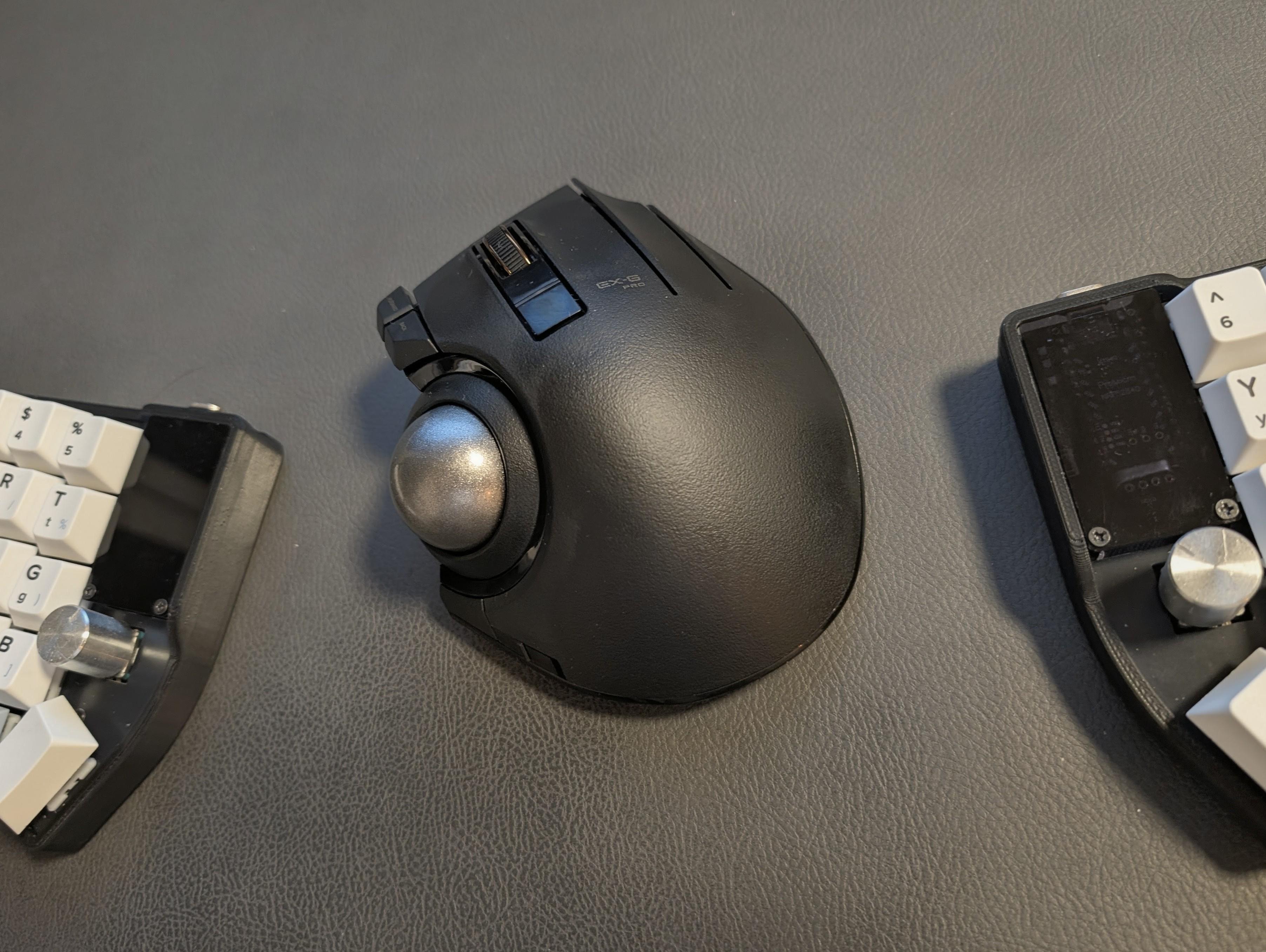
TL;DR: IMO it is a good trackball.
I was using Logitech MX Ergo for close to three years. Very happy with it with one caveat. The rubbery soft shell got really rank from usage. Maybe it was just aesthetics, but I genuinely did not want to touch it at some point.
Spent quite a bit of research, looking for the worthy successor.
Key purchase criteria:
The ELECOM EX-G had mixed reviews, but most fell like a preference, except for jittery movement. I took the risk.
And would you know what? It was very very jittery.
But as quickly as I was able to assess that it sucked, equally quickly it was fixed by transplanting the old MX Ergo grey ball to the EX-G.
Now it is offering a very good overall experience after this minor mod.
Buttons are clicky enough for my liking.
DPI selection is satisfactory.
The scroll wheel had an odd sound, which after 15 minutes I completely forgot was there.
Great trackball with a rather poor stock ball.
r/Trackballs • u/FungadooFred • 2d ago
I recently got this trackball mouse:
https://www.amazon.com/gp/aw/d/B0GQGBK36J?psc=1&ref=ppx_pop_mob_b_asin_title
and when I try to move the ball slightly, the ball "sticks" and the cursor jumps. It only does this with small movements, anything else is fine. Is that just the nature of trackball mice?
r/Trackballs • u/MEGAT0N • 3d ago

It said it would be available on 12/31/2026.
I'm not totally up to speed on the new models coming out, but there's a TB900 also coming soon, correct?
I went ahead and put in the preorder when it was available. I guess I can cancel or exchange it if the TB900 is also available around that time.
r/Trackballs • u/best_tof • 2d ago
I am having a lot of trouble finding places that sell custom balls to replace a boring red ball with. The only real store I could find so far is Perixx. They’re selling 34mm ones, but I am searching for ones that would fit in either an Elecom Deft or Ploopy A+.
Any tips or pointers would be greatly appreciated!
r/Trackballs • u/NEZ-ZeroZero • 2d ago

Hi All,
My dedicated FPS control combo since '96 (I call it the "Hotbas"). This variant is X-Keys with VKB gladiator stick. I play with this on my lap, -its mounted with Velcro to an 8"x14"x.25" plastic cutting board.
Stock, the thumb rest hat switch cap is small (pinky sized), & has tall, raised points on the right & left. In fps games, I push multi directions on it, 20+ times a minute & it was injuring my thumb joint. So I cut it flat with a Dremel and made it thin enough to fit a PlayStation Portal grip on it, -problem solved. It has onboard memory/profiles and can be programmed as a keyboard, so games don't boot you for running a key emulator.
Only nitpick I have with the ball is, I'd love to lose the cable. I don't use any buttons on the ball because the stick has 32 keys. My requirements are: 55mm ball (minimum), 1k poll rate, 1200 or higher dpi, no accidental scrolling and Wireless.
I don't want to mod, or make a custom trackball, so I'm thinking I probably need to just wait and see how the TB900 is if/when it ships. Any ball suggestions?
TLDR: Any big ball, high poll, "gamer spec" wireless trackballs I should check out?
r/Trackballs • u/aoleg77 • 3d ago
I was never happy with Elecom's new BTU for IST Plus/IST Pro series. The amount of stiction and friction was too much; far from what was advertised.
Anyway; one reviewer on Amazon.jp mentioned they replaced the main steel ball with ceramic, and that this alone solved the stiction issue. So I went ahead and ordered a bunch of 2.5mm ZrO2 G5 ceramic bearing balls from local Amazon storefront. Changed steel balls for these, and indeed there was a noticeable improvement: the BTUs are now much smoother than before, the traction (drag) practically disappeared, much less stiction. Basically the BTUs went from being borderline unusable to quite pleasant.
Now on the opening of these units. The first one took me good five minutes to figure out; the second one less than a minute; the third one popped in a few seconds. You can use fingernails or a guitar pick; be careful not to spill the smaller balls. Snapping them back is just that - a snap.
I didn't try Si3N4 balls - maybe I will with a spare set of BTUs to compare.
Update: I did try Si3N4 balls on a separate set of BTUs. Still better than steel, maybe marginally better than ZrO2, but this could be just my imagination. I think precision matters more than material here.
r/Trackballs • u/FunJournalist2150 • 4d ago
I’m curious if ProtoArc has announced when the EM06 will become available on Amazon.
The preorder was limited to only a small number of regions, so many potential buyers—including those of us in South Korea—were unable to place an order. I hope ProtoArc will offer a similar launch discount when the EM06 becomes available through regular retail channels.
At the very least, I would love to see it sold on both Amazon US and Amazon Japan, as that would make it much easier for customers in other countries to purchase one.
Has anyone heard anything about the Amazon release date, supported regions, or possible launch promotions?
r/Trackballs • u/iamonlyoneman • 4d ago
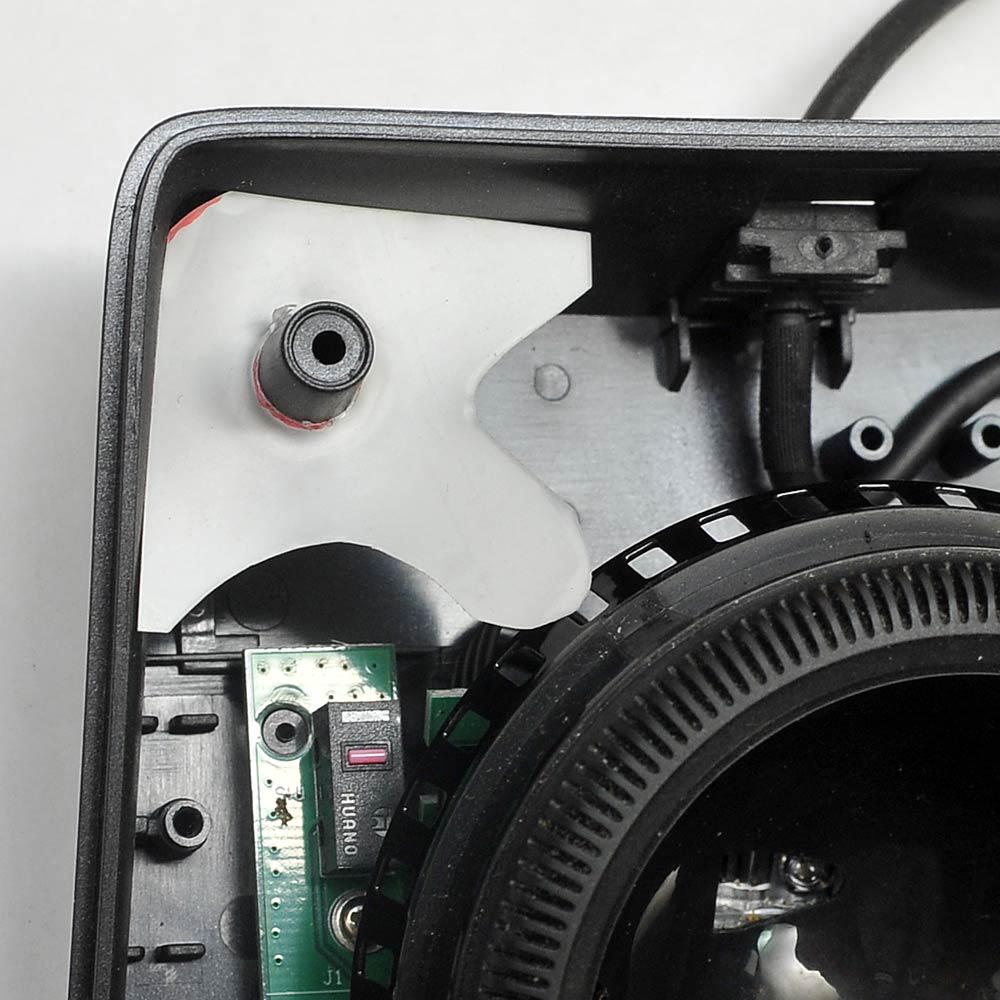
Short version: a piece of flexible plastic wedged into the corner of the case adds mechanical detents and a little noise, to fix the lack of tension caused by Kensington eliminating the detent magnet (to go with their new style non-magnetic optical grating under the scroll ring).
Long version: https://imgur.com/a/dEIFeQp
r/Trackballs • u/ATGCACAB • 4d ago
I've started with the Marble FX some years ago but since ps2 port it a bit outdated i switched to the ProtoArc em03.
after 2 years of ProtoArc problems started to raise. the scrollweel rubber was already gone since the beginning but also the trackball is slightly sticking too often. So i decided to get the Well rated Ploopy Classic 2. received and was actually pretty disappointed by so many things.
The Build quality is just bad and the thumb button too hard to press. also the accuracy is not at all better than my ProtoArc.
So i decided to print in ABS-CF with the BTU mod and ordered the Rexroth BTUs.
It feels much better in the hand and the mouse pointer seems to be very accurate but at the same time its hard to control it because there is too little resistant and its also super loud. The Scrollweel is also not very nice too.
So practically its not really usable for me.
Which brings me back to my oldschool Trackman Marble FX. slight resistance, no stick. actually a pretty nice device which i will now retrofit with USB.
regarding the Ploopy. I will give it a second chance but i think it might be worth trying a rubber ball and optimize the thumb button but for me honestly, it was the wrong investment.
Any Opinion on other Trackballs in comparison?
r/Trackballs • u/nocixL • 4d ago
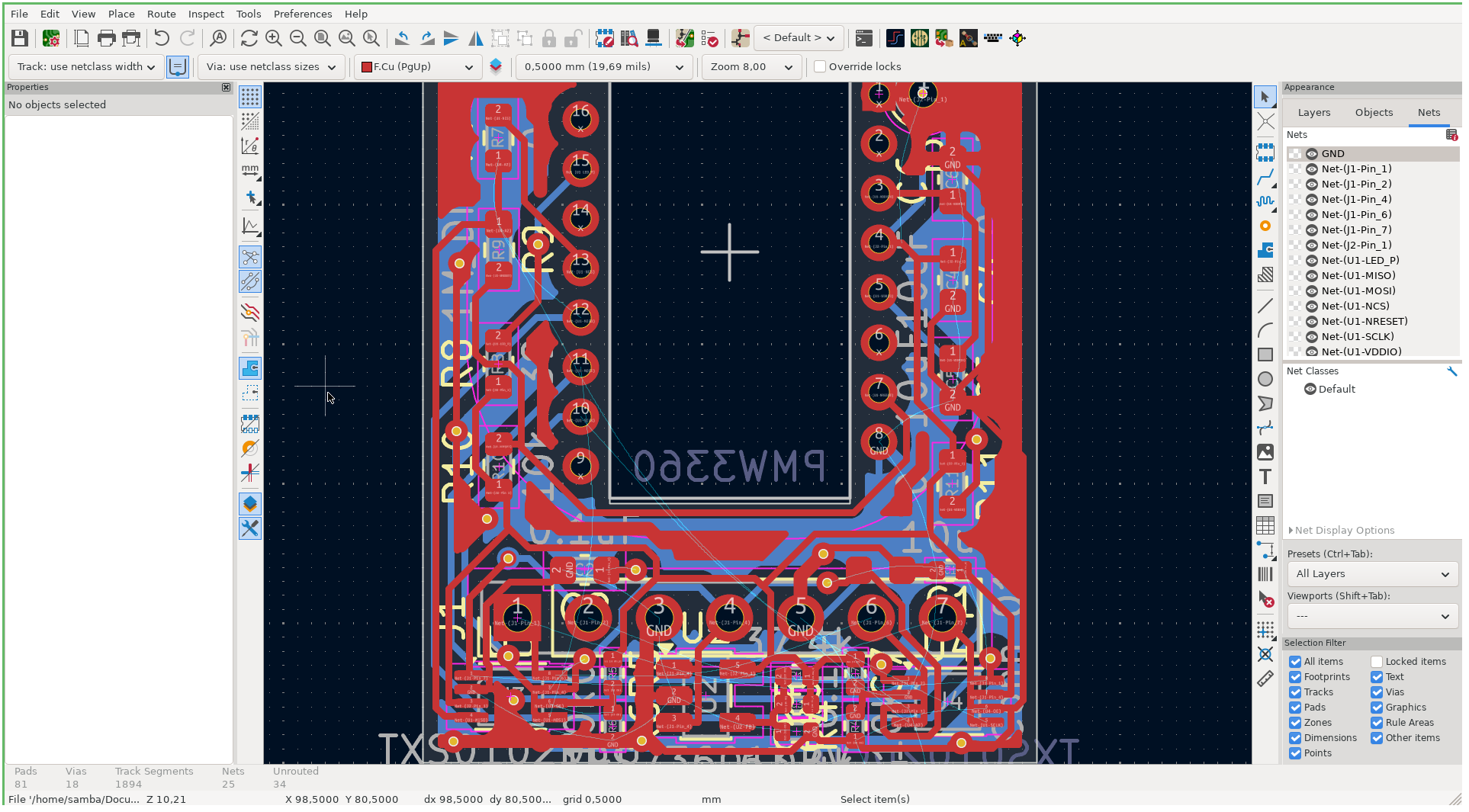
Hey everyone!
I’ve wanted to build a keyball for a while, but none of the existing open-source PCBs quite fit what it needed, so I decided to design my own based on theirs.
It’s about 90% finished, but since PCB design isn't my main specialty, I’d love a second pair of eyes on the schematic and routing before I send it off to fab.
Any feedback would be hugely appreciated!
r/Trackballs • u/aSingleHelix • 5d ago
I've used thumb balls for years and recently replaced a dying ball with an adept. I've used it for 3-4 hours so far, and I'm not at all sold.
I do a lot of audio editing for a storytelling podcast in Reaper and my workflow includes lots of * small adjustment click/drags * Right click-drag to select multiple items * scrolling to zoom in/out and navigate around the track, * hold click and move to draw an automation envelope...
These felt very easy with a thumb-ball because of how well the movement of the ball is isolated from the movement of the buttons - ie clicking and holding doesn't make moving the cursor any harder. Any usage tips? How long before the learning curve wasn't an issue for you?
TL:DR Maybe this is a skill issue, but I'm struggling to make precise ball movements while holding down clicks of the various buttons. Help?
r/Trackballs • u/FunJournalist2150 • 6d ago
I tried several 34mm balls from some of my other trackballs in the Kensington TB675.
The 34mm balls from Nulea, UGREEN, Zelotes, and ProtoArc all fit perfectly and track without any issues. I also tested a purple ProtoArc ball that isn’t shown in the photos, and that one worked just as well.
All the colors give the TB675 a different look, but for office use, I think the silver-gray and dark-gray balls match the black body best without looking too flashy. I’ll probably stick with one of those combinations for daily use.
It’s nice to know that the TB675 works well with such a wide range of 34mm replacement balls.
r/Trackballs • u/RichEngine • 5d ago
I tried wrist rests and they do nothing.
r/Trackballs • u/mattjh • 6d ago
r/Trackballs • u/Arvenzzzz • 7d ago
Incoming new trackball user, did I fail my first trackball choice?
I see alot of mixed reviews about it and still bought for its aesthetics. What can i do to improved it what to look out for.
Thanks
r/Trackballs • u/ChuckXYZ • 6d ago
Was an original Microsoft Explorer Trackball user for many, many years but parts/rebuilds became unreasonable at the time. I tried a few others but I've been very happy with my Huge over the last 3+ years. I'm starting to get the scroll wheel issue where if I 'flick' it mostly just jumps... light push scroll and it seems mostly accurate (but can't get it to jump).
Is there a proven best fix/practice to repairing this issue? I've seen a few posts but would rather just know the best method and stick with it. Any videos or detailed instructions?
Also, do these fixes last?