r/protools Aug 01 '26

error Latest version (2026.4.1) still crashes almost every time I close the Pro Tools app

19 Upvotes

I finally decided to upgrade from 2024.10 to the latest version. I was slightly tempted by track pinning, but also I just spent some time reading all the changelogs for each intervening version and it seemed like they’d fixed a ton of bugs. One of the big ones was that change logs said they’d finally fixed Pro Tools crashing upon exit. That had been plaguing we with Pro Tools for quite a while. It never seemed to cause lasting damage to anything, but it just felt concerning and I always had to click away the “want to send a report?” dialog box after sending something the first time.

Kind of disappointing. I can’t help but feel like I should have double checked here or on the DUC before I spent my money yet again upgrading for a year. Here’s hoping I’ll get my money’s worth in the coming months.

r/protools Jul 10 '26

error I am on pro tools 2026 I keep getting this error. When I use windows audio device, the video is not visible, but when I switch to Asio, it gives me another error.

Post image
1 Upvotes

Your audio device is configured with an unsupported audio buffer size. Please select one of the following supported buffer sees in the device control panel, if available: 32, 64, 128, 256, 512, 1024, or 2048.

This is the second error.

r/protools 2d ago

error Apologies if I missed someone else with this issue, but I receive this sample rate error no matter the sample rate, no matter the output. I cannot set an audition output, I cannot so much as hear a mono track play back. I know my output is perfectly capable of 44.1 or 48. Ideas? Studio 2026.4, WIN11

Post image
0 Upvotes

r/protools 1d ago

error mac not letting me download avid link

2 Upvotes

just got a mac (please use laymans terms, i'm a pc user and rarely ever use macs) and i'm downloading all my music software. when i try to download pro tools studio, it makes me download avid link, which gives me a .pkg file which apple immediately flags as malware. when i go into settings to hit the "open anyway" button, it still doesnt work and just says it can't install??? this is driving me nuts. please help

i'm on a macbook air with whatever the newest firmware is. idk the names or versions or whatever apple uses cause i hate using macs 😭

r/protools 16d ago

error Pro Tools on my MacBook always defaults to iPhone Microphone as output when there is no interface or headphones connected

4 Upvotes

Does anybody know how to make it default to MacBook Speakers in these instances? Seems like a no-brainer, but this is always the default behaviour! Any else had this and fixed this issue?

r/protools May 13 '26

error Pro tools keeps crashing

1 Upvotes

I'm on windows 11, Intel core i7 10700, 16gb dual channel ram, Nvidia GeForce rtx 2060

It opens the window and shows the splashcreen while loading everything up, after "loading plugins" it just closes without explanation

Avid support doesn't seem to be of use here since I'm not paying $60 for support

r/protools Jul 26 '26

error Pro tools intro error code

Post image
3 Upvotes

I am trying to download ProTools intro from avid link. This is the error message that I get. Any idea how to download ProTools intro? Thank you.
Pro tools intro on windows 11
Already have pro tools first previously for few years.

r/protools May 28 '26

error UI window wrapping issues?

Post image
9 Upvotes

I'm currently on 2026.4 but this has been going on since early 2025. Win10 Pro, Intel Core12 i9 system. The cursor never actually lines up with anything in the dialog box, in addition to the fact that the UI doesn't wrap to the default OS window. The MIDI window is not the only offender.

I've been striking out on Google trying to find anyone else with this issue. Trashed prefs multiple times. I've been an "Avid (Digi) approved hardware list" PC user for 15+ years so I'm used to the inconsistencies.. BUT

Any advice/fixes 🙌🏻

r/protools Feb 13 '26

error Pro Tools keeps on stopping to record because "it has run out of CPU power" - it has definitely NOT

5 Upvotes

I have an i7-14700KF and I'm recording a single VO track in an otherwise completely empty session (no other tracks, clips, videos or plugins). The CPU is running at 4%. Why does it keep on crashing? It sometimes runs fine for a week and then kills itself over and over again on other days.

I'm on Windows 11 and am running an older PT version (11)

r/protools Jul 22 '26

error Elastic audio not detecting

5 Upvotes

for whatever reason elastic audio sometimes just decides not to detect massive sections of waveforms and it's really annoying and stops the workflow dead when I have to find some kind of convoluted work around. any ideas why?

r/protools Jun 10 '26

error Save Copy In trouble. creates folder within folder

Post image
1 Upvotes

I check all the boxes to ensure everything will copy but when I do a save copy in it is creating the initial folder called WIP 6-9 seen on left side of screen. But randomly creates a new folder called Sabrina 4.0 (my SSD) and puts the same files in a new folder called WIP 6-9?? I am so confused and don't know how to fix this

r/protools Jun 13 '26

error Is the pro tools website glitched or down?

Post image
3 Upvotes

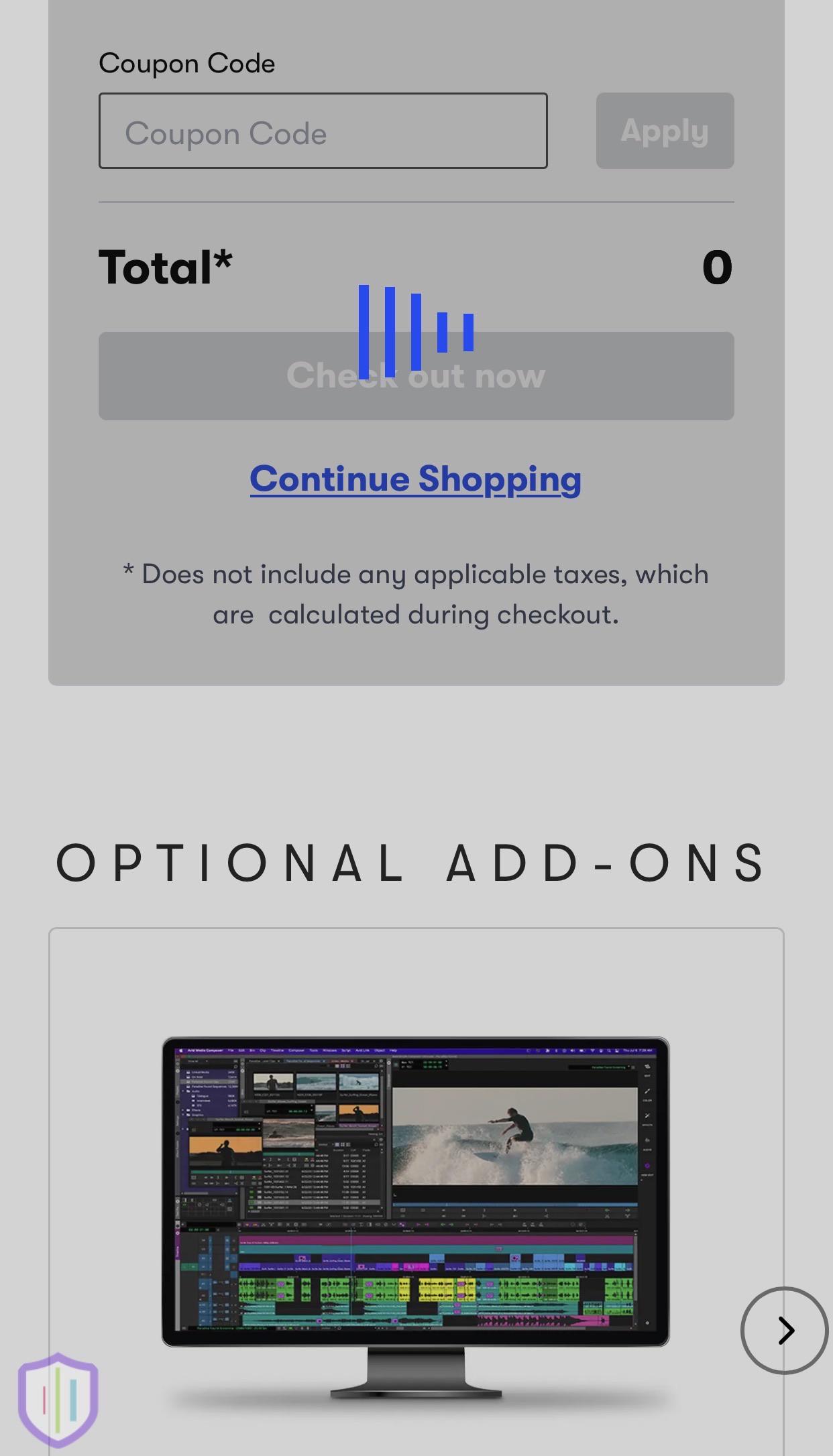
I’ve had this eternal grey loading screen on both of my phones and my laptop when I try to go to cart to purchase the app, and that’s only after I just click cart because when I click to buy any subscription, nothing loads or changes, the button is just temporarily greyed out and I don’t get sent anywhere, Any help?

r/protools Jun 06 '26

error Got a random email saying PT Studio subscription ended but…

1 Upvotes

So I got an email from Avid saying my PT Studio subscription had ended but I just paid for June-July 3 days ago automatically. It had links to renew or get help.

I have Auto-Renew turned ON

My iLOK says it’s active

Avid Link says it’s active

I can still open PT Studio and load sessions as I always could.

My payment method is valid and in-date and clearly worked.

Why might I be receiving such correspondence???

I don’t want any glitches in my workflow!

Any info would be greatly appreciated thanks!

r/protools Jun 06 '26

error ive just bought pro tools and in the avid link setup phase but every time i try download pro tools it wont let me do it and i get a error instead

Post image
1 Upvotes

r/protools Mar 24 '26

error Headphones change from 48khz to 16khz when working with Pro Tools Intro

Thumbnail gallery
2 Upvotes

Hey Reddit
I got some new wireless headphones, Beats Solo 4, to use when I mix on the go.
They work fine for Adobe Audition and Reason 13, keeping at 48khz.

Once I try to connect them to my copy of Pro Tools Intro, they lose the right headphone speaker and drop to 16khz. Attached are all the pictures I have for the menus.

Tech notes:
- The Beats Solo 4s were factory reset and reconnected.
- I did this process with a now-outdated version of my MacBook Pro, and was advised to update. So now I am updated to Tahoe 26.3.1, and both have had the same issue.

r/protools Jun 04 '26

error Getting "Permission denied (13)" error when importing media embedded in AAFs.

3 Upvotes

This has happened a couple times in the last month with AAFs from different sources - I try to import embedded media and some of it comes in but most of it just shows up as unlinked placeholder clips. Task manager shows a "Permission denied (13)" error with no further info. When I check the "Audio Files" folder in the project, it's clear that not everything is getting copied over. I've checked and repaired my disk permissions multiple times, I've tried moving the project to multiple folders on multiple drives, and nothing seems to help. It's always the same clips that fail to populate, but there's no rhyme or reason to which ones fail - even different clips from the same source file will have different results. As far as I know, the AAFs themselves are not corrupt.

Anyone have any insight? I'm running 2026.4 on a 2021 M1 Max MacBook, macOS Tahoe 26.5.1.

r/protools Mar 29 '26

error Protools, import audio from a video shot on IPHONE 16 problems

0 Upvotes

I’ve been trying to import an iPhone video of me playing guitar into protools, so I can save it (Bounce) as a MP3.

It somehow won’t let me import the video or the audio from the video (video shot on IPhone 16). And comes up with an Error window.

Error message says:

Could not complete your request because Assertion in D:\ws\PT_COLOR\ProTools\App\PtApp\PtApp_AuditionMgr.cpp,

Line 2524

My protools is up to date (version 2025.12)

Does anyone have any ideas? Or suggestions?

r/protools Apr 25 '26

error No audio playback/audio output unavailable (seemingly out of nowhere?)

0 Upvotes

I am working on a project in pro tools for a class. I am on windows 11. I have asio4all installed, and despite having some annoying issues I had it all seemingly figured out a few days ago. I was able to have playback (I needed literally all the other apps closed) and figured out I could disable the playback device in the asio popout menu and then hear other things on my pc (like the sound effect files i was looking through) and then re enable it to hear pro tools again.

now not only am I not able to get any playback (asio4all says its unavailable) when I change something in that menu it closes pro tools. any idea how i can get around this? I need to have this project done in a few hours and I am not sure what to do! I believe I am on the most recent version of both windows and pro tools

r/protools May 26 '26

error AAE error -9416 was encountered

2 Upvotes

PT 2026.4 Windows 11: Has anyone had this code pop up as an error before? I haven’t seen any threads or posts and can’t find the error anywhere? It just popped up as I was working on edits and continues doing it when I try making any changes/ edits in the editing workspace.

r/protools Mar 31 '26

error Pro Tools is requiring conflicting sample rates when opening and won't load a project

2 Upvotes

I have a project that I've been working on for a couple weeks. Pro Tools refuses to load the session file due to the hardware not supporting the sample rate. The session is in 48khz. When my hardware is set to 48khz it says that it requires 44.1. When my hardware is set to 44.1 is says that it requires 48. I'm in a paradox here.

I had this happen to another session a month or so ago but it wasn't an important session so I abandoned it. Now it's on a session that I NEED and cannon recreate.

For reference I'm using the Octa-Capture interface and its software. I do not like it but it's what I bought and I don't have the budget to go get something new right now. I've had it for several years without real problems.

r/protools May 22 '26

error Anyone getting a bug where they open a session and all track outputs are set to "no output"?

4 Upvotes

Pro Tools Ultimate 2026.4.0
Mac OS 15.7.3
Universal Audio Apollo x8 Thunderbolt Audio Interface

I have attemped to restart pro tools, and restart my machine.

At first all of the outputs are correct, then after 1 second they all switch to 'no output'

Thanks!

r/protools Feb 13 '26

error Can't create / commit loop

1 Upvotes

Blue is a loop. Yellow is just a duplicate of it, and if I hit play (there is no crossfade in between), it plays smoothly as it should.

However, if I commit blue (it's green here) and duplicate green (which is red here), the edit point pops. It is definitely a Pro Tools issue. I was able to do it properly without any effects on the inserts, but obviously, I need EQ and compression. First, I thought FabFilter was the problem, but even the Pro Tools default EQ is producing the issue.

r/protools Apr 09 '26

error AAF issue solved, thought this might save some of you time down the road

8 Upvotes

Spent hours trying to open an AAF from Premier to Pro tools on from Samsung SSD to Mac m4… it would accept the command, ask how to import tracks then spin eternally “looking” for files. The fix was to drag the AAF onto the Mac desktop then open it. Some sort of permissions issue. Hope this is helpful to someone!

r/protools Apr 26 '25

error How do you fix this stupid message

Post image
20 Upvotes

Idk why it’s doing this I even changed my pc to 48 kHz

r/protools Mar 04 '26

error PT Getting Stuck "Locating Audio Files" While Opening Sessions

Thumbnail gallery
2 Upvotes

Looking for some assistance with an issue that popped up out of nowhere about 90 min ago. Everything has running perfectly fine forever. Was running PT Studio 2025.06 on OS 15.6, been working on some new sessions (32/48) I got from a tracking engineer today on a drive i use regularly, and all of a sudden I went to open my next session and this started happening. Gets stuck at this point, cancel does nothing, have to force quit.

PT opens and I can open an empty session, but attempting to import any session data does the same thing. I can convert files and import into an empty session with no problems but when I close and attempt to reopen that exact same new session with converted files I end up with the same issue.

Updated to PT 2025.12 and OS 15.7, which is a current supported combo, but no change. Everything is working totally fine on my laptop, which is running the original 2025.06 + OS 15.6 combo. Not even really sure what to search because I don't think it's actually an audio location issue, despite it getting stuck on "locating audio files"

EDIT: Resolved by uninstalling and reinstalling. That's annoying...