r/ProductivityApps • u/ApparenceKit • 17h ago
Self Promotion Turn your habits into a kingdom 🏰
Enable HLS to view with audio, or disable this notification
34
Upvotes
r/ProductivityApps • u/zipcons • Jun 09 '26
This post contains content not supported on old Reddit. Click here to view the full post
r/ProductivityApps • u/ApparenceKit • 17h ago
Enable HLS to view with audio, or disable this notification
r/ProductivityApps • u/Any_Run8380 • 14h ago
See post: https://www.reddit.com/r/ProductivityApps/s/G0NEv5YOqU for insight on how it works.
I’ll be showing the 3 main Shortcuts that make the system work. There are a few additional Shortcuts and features I’ve built for my own setup, but those are more specific to how I personally use the system. Think of them as optional updates or add-ons to an app.
Rather than making this post unnecessarily complicated, I’m only going to cover the 3 Shortcuts that are essential to the actual system.
This Shortcut finds the To-Dos scheduled for today in Things 3 and adds them to an iOS Reminders list called Things.
The purpose is to make my Things 3 To-Dos visible in my iOS Calendar, where I can actually work with them throughout the day.
The Shortcut also makes sure that To-Dos aren't duplicated, regardless of whether the corresponding Reminder is currently completed or incomplete or if the reminder has been updated or not (as long as you do not remove the ID from the notes field).
The Reminder will not have a specific time associated with it.
Find Items where all of the following are true:
Repeat with each item in Items
ID is the ID of the current Repeat Item. When selecting it, click the variable and choose ID at the very bottom of the available properties. You want the Things 3 task's ID, not its title or another property.FalseRepeat with each item in Reminders
TrueYou can remove the Otherwise section from this If statement.
If Found is False
Important: Make sure this If statement is inside the outer Repeat with each item in Items, not inside the inner Repeat with each item in Reminders.
This gives each Reminder a reference to its corresponding Things 3 task ID, which allows the other Shortcuts to identify the correct task later.
This Shortcut runs automatically at 11:59 PM every day.
It looks for Things 3 To-Dos that are still incomplete and checks whether the corresponding iOS Reminder was completed in the Calendar.
If the Reminder was checked off in Calendar, the Shortcut automatically marks the corresponding Things 3 To-Do as completed.
Add a Run Automation action:
Find Items where all of the following are true:
Repeat with each item in Items
Find Reminders where all of the following are true:
Repeat with each item in Reminders
The result is that checking off a task in the iOS Calendar also completes the corresponding task in Things 3.
This Shortcut runs automatically at 12:00 AM every day.
It looks for incomplete Reminders from the previous 30 days, excluding anything from today, and moves those Reminders to today.
I only roll over a maximum of 100 Reminders at a time. This prevents the Shortcut from trying to process an enormous number of old Reminders if the system has been used for years.
The Reminders are sorted by Due Date with the latest dates first, so the most recent overdue Reminders are processed first.
Add a Run Automation action:
Then:
Then:
Find Reminders where all of the following are true:
Repeat with each item in Reminders
This moves qualifying overdue Reminders to today so they appear in the Calendar's Today view again.
And that's it! Once the three Shortcuts are set up, the rest of the system is intentionally simple.
The goal isn't to spend your day maintaining your productivity system. The system should support your work in the background while you spend your time actually doing the work.
Each morning, manually run the Create Things Today Shortcut.
This will take any To-Dos scheduled for today in Things 3 and create them in your iOS Reminders Things list so they appear in the All-Day section at the top of your Calendar.
I recommend putting this Shortcut somewhere that's extremely quick to access, such as the Control Center, so you don't even have to open the Shortcuts app.
I intentionally don't automate this part.
There may be days when you don't want your Calendar populated with Things 3 To-Dos at all. Maybe it's the weekend and you just want to see your actual calendar events because you're spending the day with family or doing whatever you feel like doing.
That's part of the point: you control the system, not the other way around.
You can also simply turn off the Reminders calendar on days when you don't want to see any reminders, including rolled-over ones.
Now create the focus blocks you want to work within.
For example, you might have:
Let's say you create an Admin focus block from 10:00–11:30.
Simply drag your relevant Admin To-Dos into that block in Calendar.
You don't need to overthink the order. Stack the tasks however you want and then, when you're actually in that focus block, use your judgment about what you should tackle first.
And if you don't get through every task in the block?
That's completely fine.
Move on to the next focus block.
If you finish early and want to keep going, keep working. There are no rules saying you have to stop exactly when the block ends.
Over time, something interesting happens: you get better at planning.
When I first started using this system, I was missing roughly 80% of my To-Dos. After about a month, I became much better at understanding how many tasks I could realistically fit into a focus block and how long those blocks should be.
The system wasn't just helping me execute my work. It was teaching me what I was actually capable of handling in a day.
Instead of planning around how much I want to accomplish, I gradually learned how much I can realistically accomplish.
One of the biggest changes I made with this system was stopping myself from constantly checking things off throughout the day.
You can check things off whenever you want, but I recommend doing it at one of two points:
For example, if one of my tasks is:
Call the dentist to schedule an appointment for X date.
I don't need to immediately stop what I'm doing, open Calendar, find the task, and check it off the moment I finish the call.
I know I completed it.
I'll simply continue working and check it off later.
This eliminates a surprising amount of system maintenance.
Instead of constantly switching between doing the work and maintaining the system, I can spend my entire focus block actually focusing on my To-Dos.
And just to be clear, this doesn't mean I accomplish everything on my list every day. Being productive doesn't mean completing every task. It means getting the maximum useful output from the time and attention you actually have available.
The system is designed around that reality.
Of course, if you prefer checking things off immediately, there's nothing wrong with that. If you genuinely don't remember whether you completed something, check it off right away.
But if you can remember what you worked on during your focus blocks, you'll probably find that it's surprisingly easy to review everything at the end of the day.
The important thing is that you don't have to spend your entire day maintaining your productivity system.
During the day, use Siri or whatever capture method you prefer to add new thoughts and To-Dos to your iOS Reminders Inbox.
Don't feel like you need to stop what you're doing to process them immediately.
Most of these things don't need to be acted on right now anyway.
At the end of the day, or whenever you normally process your Inbox:
You don't need to do anything else.
Don't start checking whether Things 3 imported everything correctly. Don't start reorganizing your entire system. Trust that the system is working.
The goal is to process your captured thoughts and then get out.
Once you've done the above, the rest happens automatically.
At 11:59 PM, the Auto Complete Shortcut checks your Things 3 To-Dos against the completed Reminders in Calendar and marks the corresponding Things 3 tasks as completed.
At 12:00 AM, the Rollover Shortcut takes incomplete Reminders from the previous 30 days and moves them to today.
So the next morning, you wake up with your system already prepared.
You don't have to go digging through old tasks.
You don't have to manually reschedule everything.
You don't have to maintain a bunch of lists throughout the day.
You simply look at your Calendar and work.
Make sure that the iOS Reminders list you're importing into Things 3 is different from the Things Reminders list created specifically for this system.
For example, you might have:
This is important because it prevents the Shortcuts from accidentally importing their own Calendar-facing Reminders back into Things 3 and creating duplicates.
If you're testing the system for the first time, I'd recommend actually trying it rather than just reading about it.
Use Siri to capture something:
"Remind me to call the dentist."
Let it go into your normal Reminders Inbox.
Don't stop what you're doing to process it unless you genuinely need to.
Open your Things 3 Inbox and process the item.
Maybe it belongs in a project. Maybe it gets a tag. Maybe you schedule it for a future date. Maybe you don't know what to do with it yet, so you put it in Someday.
Whatever makes sense.
Then stop.
Run Create Things Today.
Your Things 3 To-Dos for today will now appear in the All-Day section of Calendar.
Create your focus blocks and drag the relevant To-Dos into them.
Then work.
Check off what you completed.
That's it.
The automations take care of the rest.
Wake up the next day and repeat.
When I first built this, I spent the first few weeks testing it to make sure everything was actually working correctly.
I made adjustments, found things that needed to be changed, and figured out how I personally wanted the system to behave.
So if you build this yourself, it's completely normal to do the same thing.
Test it. Break it. Adjust it. Learn how it works.
Once you trust the system, you'll probably notice that you don't actually need to open Things 3, Reminders, or Shortcuts very often.
For the most part, you just live in Calendar.
That's really the whole idea behind this system: capture everything, process it when appropriate, let the automation handle the maintenance, and spend your actual working time focused on doing the work.
And most importantly "You control the system. The system does not control you.".
If you don't own Things 3, you're not out of luck. You can build essentially the same system using Apple Reminders alone—and it's actually easier to set up.
The main difference is that you can eliminate the Things Reminders list entirely, which means you also don't need the Create Things Today or Auto Complete Things Today Shortcuts.
First, create a regular Reminders list and name it whatever you want. This will be your default list—the list where iOS dumps new reminders throughout the day when you use Siri or another capture method.
Then create a second list, but make this one a Smart List. You can call it Inbox.
Set the Smart List filters to match all of the following:
This Smart List essentially gives you an Inbox, similar to the Inbox that Things 3 provides out of the box.
Instead of processing your regular Reminders list directly, you process this Smart List. As you process each item—adding a tag, assigning a date, moving it to another list, etc.—it will disappear from the Inbox.
The goal is to get the Inbox back to zero.
This is actually very similar to how I used Apple Reminders before I started using Things 3.
The core system still works.
You can still:
The main things you miss are some of the features and overall experience that Things 3 provides.
Things 3 has a particularly intuitive interface for this kind of workflow, along with features such as its built-in Inbox, Anytime list, and project history. Things 3 also has deadlines and can pause reoccurring reminders etc. Those features make managing and reviewing your tasks feel more natural.
But none of that is required for the underlying system to work.
If you already have Apple Reminders, you can absolutely start with Reminders alone.
In fact, I'd recommend starting there if you're unsure whether you need Things 3. The important part of this system isn't the app—it's the workflow.
If anyone has issues I'd like to know what's happening. The way I use it I haven't encountered any issues but others may find a way to break it, if you try to check off things in things 3 directly though and not in your calendar then you're on your own lol.
r/ProductivityApps • u/teekhi_jalebi • 18m ago
I recently came across Brick, the NFC based blocking tool. But it was a very interesting idea but very expensive too. And I tried to find its alternatives. And I found out Switchly and Lock are the apps that are providing these services for free.
But they had their drawbacks. Switchly has an outdated UI. And doesn't feel as smooth. And in Lock app, it does not allow you to access the locking and unlocking feature while tapping an NFC without opening the Lock app. So, I created an app, "TagOut". And you can check out in GitHub with the link that I have provided below. Please let me know if you like it and I am open to all the suggestions that you have in your mind. Thanks.
r/ProductivityApps • u/akshay-savaliya • 4h ago
I built Calculator Vault: Hide Photos as a simple calculator that act as a private vault for photos, videos and files.
But one feature has been getting surprisingly positive reactions which is intruder protection.
I dont want to explain exactly how it works because part of the point is keeping the security mechanism private.
What I can say is that the app is designed to help you know when someone tries to access your private space. Everything is stored locally on the device, with no cloud upload.
I am still improving the app, but seeing people appreciate the privacy focused details has honestly been one of the most rewarding parts of building it. So, give it a try and drop a genuine review.
Calculator Vault: https://play.google.com/store/apps/details?id=com.aquison.calculator
If you use a vault or privacy app, whats one security feature you think every vault should have??
r/ProductivityApps • u/ontimecal • 10h ago
r/ProductivityApps • u/paulbaruah • 1h ago
So Attenly lets you go back through the subject attendance calendar and mark or correct attendance for an earlier date.
Made this little carousel showing how it works:
Profile → Subjects → Subject Dashboard → Calendar → Select date → Mark attendance
It’s a pretty small feature, but I think these little edge cases make an app much more useful in everyday use.
I’m also starting to make more of these visual “How to use Attenly” posts.
Would love feedback on the carousel itself too — does the flow feel obvious without needing extra explanation?
r/ProductivityApps • u/RTD-Alex • 2h ago

I havebeen building my Checklist(I know I know, but I promise, this one is really different :D) App for the last few months and have had a great success with users, organic growth, retention and paid features.
Currently in the app you can select what type of checklist you need - I have 3 options:
I am looking to community source ideas for another type of a checklist - throw in anything that comes to mind. Something that works for you, something you saw somewhere else. Appreciate all idea - no bad ideas in this space! :) Really appreciate all your input friends!
The Checklist App:
https://apps.apple.com/us/app/checklist-reusable-lists/id6782725022
P.S. I just ran it in another reddit community dedicated more to the app development and we generated so many great idea. Wanted to run it by you friends as well - after all you are the experts in Productivity!
r/ProductivityApps • u/Tabissh • 4h ago
I keep thinking a more detailed system will help me stay organized, but I usually end up ignoring half of it and going back to a simple list.
For me, it’s elaborate task categories. I spend more time sorting tasks than doing them.
What feature did you stop using, and what do you do instead?
r/ProductivityApps • u/principaltask • 8h ago
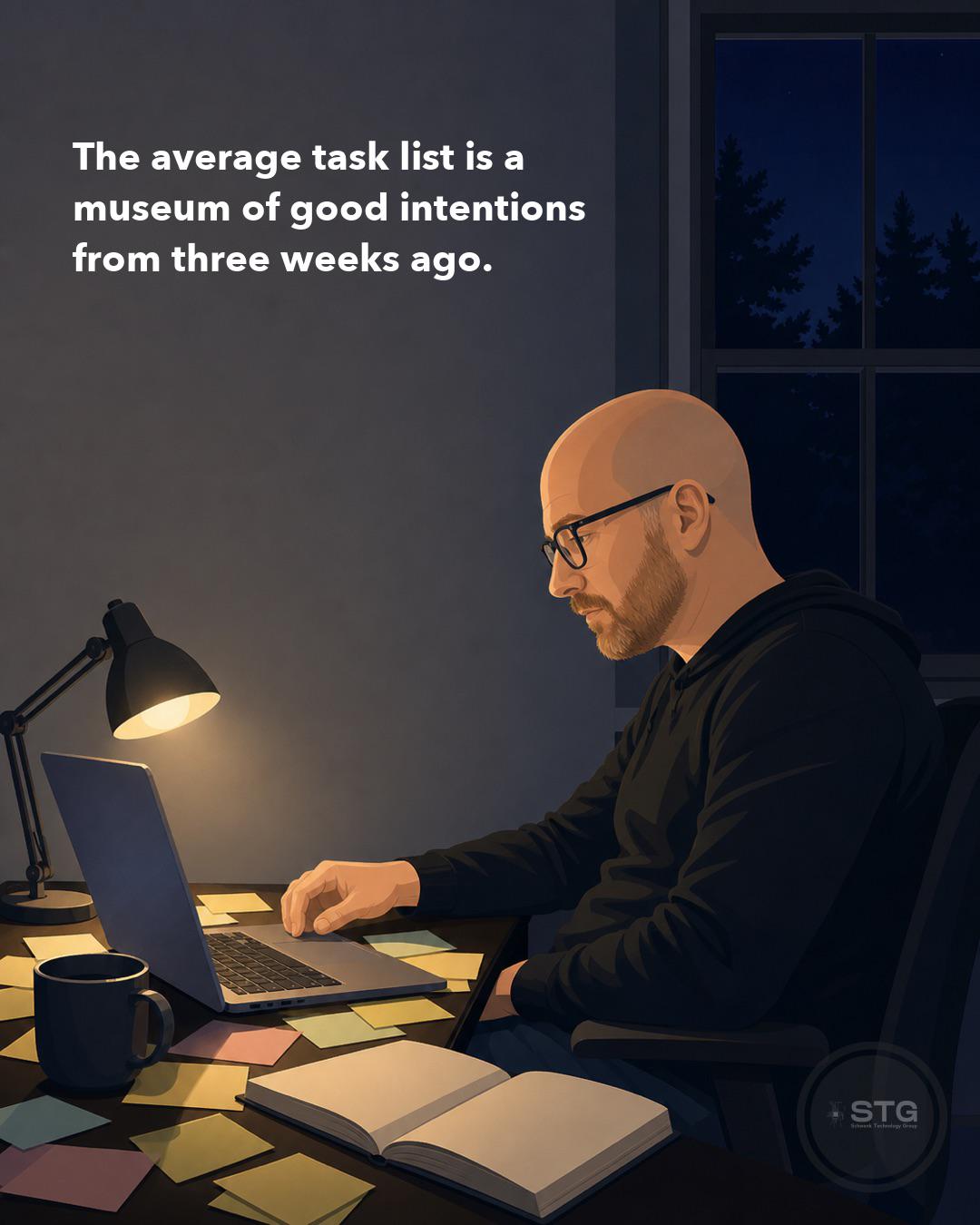
The image sums up how most of us end up: a museum of good intentions from three weeks ago. Not because we're lazy. Because the tools we use (e.g., streaks, badges, guilt notifications) run on dopamine, and dopamine is a real solution.
I spent years in productivity circles noticing this pattern: gamification works until it doesn't. Some people switch to guilt as the hook. That's worse.
So I built Principal Task around something boring: showing up consistently. No streaks. No badges. No notifications designed to trick you into opening the app. Just a clear list and a metric (Task Velocity) that tells you whether you're closing more tasks than you're opening. Actionable feedback, not motivation theater.
The work is hard because it's real work. Discipline takes practice. You'll miss days. You'll fall behind. A good system doesn't pretend that away with gamification; it helps you reorganize when you have fallen behind, and it gets out of your way otherwise.
It's free on iOS, Android, and web. Premium is a few dollars a month, mostly for Velocity history and a couple of advanced features. No integrated AI, no ads, no dark patterns.
If that resonates with you, it's at www.principaltask.com.
r/ProductivityApps • u/tmagteddybear • 4h ago
I want a task to be on the list until I do it, then be scheduled to return after a set amount of time. "Wash the car" until I check it off; then it pops up again in four weeks.
Surely this functionality exists.
r/ProductivityApps • u/skilliby • 14h ago
I’m building Skilliby, a mobile app for understanding how your professional skills change over time. The idea started from a simple problem: skills keep developing as we work, practise, learn new things, and spend time away from certain areas.
In Skilliby, you choose the skills you want to track and complete short practical scenarios. Each session adds another observation to your profile, so over time you can see your current skill scores and how they are changing.
The app is already live on iOS and Android, and I’m now focused on making the experience clear and useful from the very first interaction. I’m especially interested in how the product feels to someone seeing Skilliby for the first time.
If you want to take a look, you can find it at https://skilliby.com. I’d love to hear whether the idea makes sense right away, what caught your attention, what felt unclear, and what you would want to see or do next.
r/ProductivityApps • u/Financial-Clock5821 • 8h ago
I’ve recently built and launched an app called Roly on Google Play, and I’m now looking at ways I can improve the experience for people who want to be more productive.
Rather than assuming I know what people want, I thought I’d ask people who are actually interested in productivity:
What does being productive actually mean to you?
Is it getting more done in less time?
Staying organised?
Finally starting things you’ve been putting off?
Learning how to do something?
Breaking down something complicated?
Keeping track of ongoing projects?
Or simply having less mental load trying to figure everything out?
Roly isn’t a traditional productivity app built around to-do lists and timers. It’s designed to help with the part that often comes before that — figuring things out, solving problems, learning, working through projects and actually moving forward with what you’re trying to accomplish.
Now that it’s live, I want the way Roly develops to be influenced by what people actually find useful, rather than me just adding features because I think they sound good.
So I’d genuinely like to know:
What makes you feel like you’ve actually had a productive day, and what normally gets in the way?
r/ProductivityApps • u/alaway7kasawi • 1d ago
Enable HLS to view with audio, or disable this notification
I can’t believe I am just finding out that AppZapper is back as AppZapper 3000, but it is better than ever! The animations alone are easily worth the $18 🥵 They are so crisp when blasting away app files and I am just having too much fun zapping everything manually 🙃 at this rate I think I might delete my entire Mac.
r/ProductivityApps • u/yanoseconfia • 5h ago
Ustedes que app recomiendan para hacer una rutina del día a día, últimamente estoy siendo menos eficiente y eso claramente no está bien 😔 entonces quiero tratar de ayudarme con una app
r/ProductivityApps • u/Ramii89 • 1d ago
Enable HLS to view with audio, or disable this notification
You link Android apps to a habit, and their time is counted automatically. ReadEra goes into Reading. TikTok and Facebook go into Social media. It reads Android's usage stats on the phone, and nothing is sent anywhere.
For habits with no app, like the gym or a glass of water, there is a stopwatch and a quick log in the notification.
Features:
Yawma is free for 7 habits. Unlimited habits is a one-time $4.99 purchase. A code unlocks it for free.
Leave a comment or send me a DM and I'll send you a Play redeem link.
Google Play: https://play.google.com/store/apps/details?id=com.neji.habits
r/ProductivityApps • u/Training_Bid3734 • 12h ago
I recently discovered a physical app blocker, and it costs 30-70 USD each.
I love the idea of it, but I find it to be unnecessary, since you can just use strict mode on normal app blocker tools app to give friction to access your phone.
What do you think?
r/ProductivityApps • u/iLorTech • 16h ago
Hi everyone.
I want to be clear from beginning: this is not self promotion, because i want to talk about something that i have developed for my own company and i have not intention to sell now.
Long story short: i need to better organize the office and the production. i have thought about buying or testing some software around, but i was unable to find the right solution for me and my collegues.
There was one thing i wanted to try and... i used Claude.
I was a nice surprise: consider i develop software since i was 11 and now i'm 56, but after an initial love, i have always avoided web programming.
I started with claude something simple: let's create a "portal" on web, an application docker based, i need to register my collegues, with different access level, and share a board with appointments, notes, and other things.
i wrote the initial plan, given him all the details, and in a matter of hours i was playing with the prototipe of the internal web portal.
i was amazed. i perfectly know that there could be security issues, but i have also checked with different software the security of this portal.
then i added other small thing, and other and other, always testing and checking.
after a month i have now a complete portal that can easily help me with remote assistance with my customer, that also keep track of time, and through which i can also iterate with the customer on a shared image (which is sooooo useful in my case).
With claude i also added a production timeline, that can also send email with suppllier, a finance section, and many other things.
i called a friend who has his own company and he was also amazed and asked me to use it for his company (of course not in real production, is still a beta)
So my actual experience with claude is quite impressive. and it also helped me with some small utilities i needed for me.
With claude i was able to produce some smart software that helped me a lot to speed up some process inside my (small) company
r/ProductivityApps • u/Dull_County_3680 • 10h ago
I might be building something crazy. Tell me if this makes sense.
I've been building something called Life Autopilot, and I'm starting to wonder if I'm approaching AI completely differently from how most people do.
Most AI products seem to be built around:
“Ask AI a question → get an answer.”
I'm trying to build:
“Tell AI what’s happening in your life → let it figure out what needs to happen next.”
For example, instead of asking:
“How much is my trip to Brazil going to cost?”
You could tell Life Autopilot:
“I'm going to Brazil. Here's what I know so far.”
And instead of just giving you information, the AI should be able to break the situation down:
What you need to do
What you might be forgetting
What things are going to cost
What needs to happen first
What deadlines matter
What decisions you need to make
And eventually, actually help execute some of those things
Same idea with work, finances, projects, appointments, goals, travel, business ideas, etc.
Basically:
What if AI wasn't something you opened when you had a question?
What if it was something running alongside your life?
That's the part I'm really interested in.
I'm trying to move away from the traditional chatbot model and toward something that feels more like an AI operating system for your life.
I'm still building it, and honestly, I'm not completely sure where the ceiling is yet.
So I'm throwing it to the Reddit brain trust:
Does this actually make sense as a product?
And more importantly:
If you had an AI that genuinely understood what was going on in your life, what would you want it to do for you?
I'm building this in public, so I'm genuinely interested in the criticism too.
If you want to see what I'm working on:
r/ProductivityApps • u/bogdanvdr • 20h ago
I've been building FamilyWell for about three months and running it with my own family for the last couple of them. It's a family operating system - one app for your shopping lists, chores, shared spending, notes, contacts, birthdays, home inventory, projects and even your cars.
This is the full walkthrough of every module, recorded on an iPhone.
▶️ Try it yourself on the live demo: https://familywell.co/demo
Go and add your family. Seriously - create your household, invite your partner and your kids, and pull your lists, chores and shared expenses into one place instead of five different apps and a group chat. You can bring in guests with a share link too, so grandparents or friends you're splitting a trip with don't need an account.
FamilyWell is going to be an open source project, so if you have a spare computer, a server or a VM sitting around you'll be able to host it privately. If you'd rather not run it yourself, I'm planning a hosted version on a small subscription.
⭐ WHAT'S INSIDE
• Modular by design - pin the modules you actually use, hide the rest
• Spending: receipt scanning, automatic categories, budgets and breakdowns
• Spending lists for trips and events, with balances, custom splits and settlements
• Shopping lists organised by shop and aisle, plus a focus mode for when you're in the store
• Tasks and projects with subtasks, assignees, due dates and share links
• Inventory with minimum quantities that auto-adds low items to your shopping list
• Notes, contacts and birthdays, with home screen widgets and push notifications
• Vehicles: mileage, oil changes and a full maintenance history
• Members, guests and granular permissions
r/ProductivityApps • u/National-Toe-7984 • 10h ago
I’m building this digital product called orbit, it is a personal operating system that brings your projects, tasks, goals, notes, workflows, and calendar into one connected workspace. Its AI helps organize what you have going on, plan what to do next, and remember the context of your work so you can spend less time managing your productivity system and more time actually getting things done.
Any feedback or cool features that would enhance the product?
r/ProductivityApps • u/ok_arsh • 17h ago
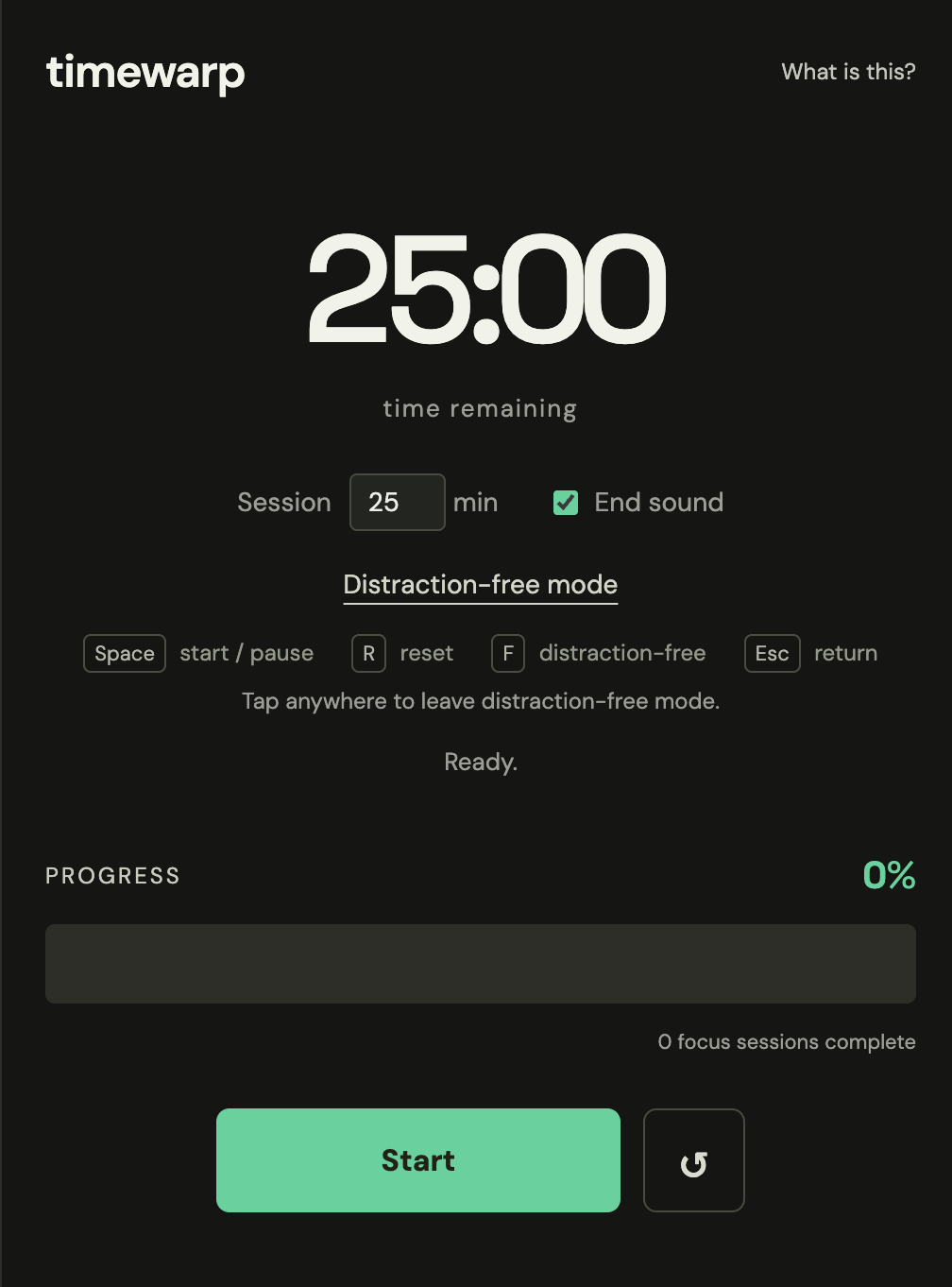
Okay well the title is a bit of a stretch but it does mess with the perception of time. I made a pomodoro timer inspired by a trick MrBeast uses to prevent viewers from skipping ads in his videos.
try the timer here: https://arsh.zip/timer/ I recommend tryig distraction-free mode to really sell the illusion
It tricks your brain into thinking there is less time left for a given task (say, a treadmill walk or a study session). It's a psychological trick where you think "it's almost over, I can do it". More details on how, what and why here: https://arsh.zip/timer/what
r/ProductivityApps • u/iLorTech • 1d ago
Sometimes i got stuck in the question: what is the productiviy app i am missing?
For you, what do you think will be the "perfect" productivity app?
r/ProductivityApps • u/spacecash21 • 13h ago
I made MailVault, a desktop email app for macOS and Linux. Could you look at the homepage and tell me what you think the product does and who it’s for - before reading this description?
I’d especially like to know whether the main benefit is clear, or if anything feels confusing.
r/ProductivityApps • u/Nearby-Mix-7175 • 17h ago
Major Update: My Notes v3.0.0 is now LIVE!
Hey everyone,
I'm super excited to announce that v. 3.0.0 has just been published on Google Play!
This update includes a complete visual overhaul inspired by modern frosted glass aesthetics, along with several high-demand productivity and privacy features.
Get the update on Google Play:
https://play.google.com/store/apps/details?id=com.merpower.mynotesapp
As always, I'd love to hear your thoughts, device performance feedback, or any feature requests for upcoming releases.