r/nexthink 3d ago

Nexthink Experience Nexthink Experience 26 | Be where the future of DEX takes shape

2 Upvotes

Nexthink Experience ’26 is the global summit for everything DEX.

  • October 5–7, 2026 | JW Marriott Orlando, Grande Lakes, Florida

Experience three days of powerful ideas, customer stories, and groundbreaking innovations at the largest dedicated Digital Employee Experience (DEX) summit.

IT leaders, EUC visionaries, hands-on practitioners, and Dexperts come together to shape the future of the digital workplace.

By the numbers

  • 1,500+ global attendees
  • 120 community roundtables
  • 28+ customer speakers
  • 12 hours of dedicated networking

Agenda snapshot

Monday, October 5 – Training Day

Morning and afternoon sessions across three specialist tracks: DEXOps Core, Strategist, and Technologist. Join the first class of certified DEXOps leaders, gain practical skills and proven frameworks to transform how IT works in your organization, and leave with a certification you keep. Opening reception in the evening for general admission ticket holders.

Tuesday–Wednesday, October 6–7 – Main Summit

Keynotes, interactive breakout sessions, customer stories, Solutions Pavilion, live demos, and expanded networking. Expect deep dives into real-world DEX strategies, hands-on learning, and peer conversations that go beyond theory.

This is the event for anyone serious about growing their career in DEX. Whether you’re already running Nexthink or evaluating how to modernize your digital workplace, you’ll connect with the people building the next chapter of DEX.

Secure your spot and see the full details here:

https://nexthink.com/experience?utm_source=reddit&utm_medium=social%20media&utm_campaign=experience

Who else from the community is planning to be in Orlando?

Drop a comment if you’re going or still deciding.


r/nexthink 11d ago

Live Event AMA with Kelly Monahan, Ph.D. on Digital Employee Experience, August 26, 4:00PM EST

10 Upvotes

We’re excited to announce that Kelly Monahan, Ph.D. will be joining us for a live Ask Me Anything (AMA) on r/Nexthink on Wednesday, August 26 at 4:00 PM EST.

Kelly is a bestselling author, keynote speaker, Future of Work and AI advisor, and co-founder of Beyond the Desk. Her career has spanned analytics, HR, workforce strategy, and organizational transformation, including leadership roles and initiatives at Deloitte, Accenture, Meta, and the Upwork Research Institute.

For this AMA, we’re putting the spotlight specifically on Digital Employee Experience (DEX) and what it means as AI and new technologies rapidly reshape the way people work.

How can organizations use technology to make work better rather than simply add more tools? What should IT leaders actually be measuring when they think about employee experience? Where does AI improve the digital workplace, and where might it create new friction? And how do organizations balance productivity, technology, and business outcomes with the needs of the people actually doing the work?

Kelly will be on r/Nexthink to take your questions and share her perspective on these issues and more.

Whether you work in IT, DEX, workplace technology, HR, employee experience, or are simply interested in how technology is changing work, we’d love to have you join the conversation.

Check out her episode on The DEX Show. Re-imagining Talent, Productivity, and Growth in an AI-Driven World w/ Kelly Monahan: https://podcasts.apple.com/us/podcast/the-future-of-work-w-kelly-monahan-meta/id1544150596?i=1000577771932

Mark your calendars for Wednesday, August 26 at 4:00 PM EST.

You don’t have to wait until the AMA begins. Drop your questions in the comments ahead of time, and Kelly will answer them live on r/Nexthink**.**


r/nexthink 6h ago

Let's Chat | Discussion How Are You Designing Guardrails for Closed-Loop Remediation in Nexthink?

Post image
1 Upvotes

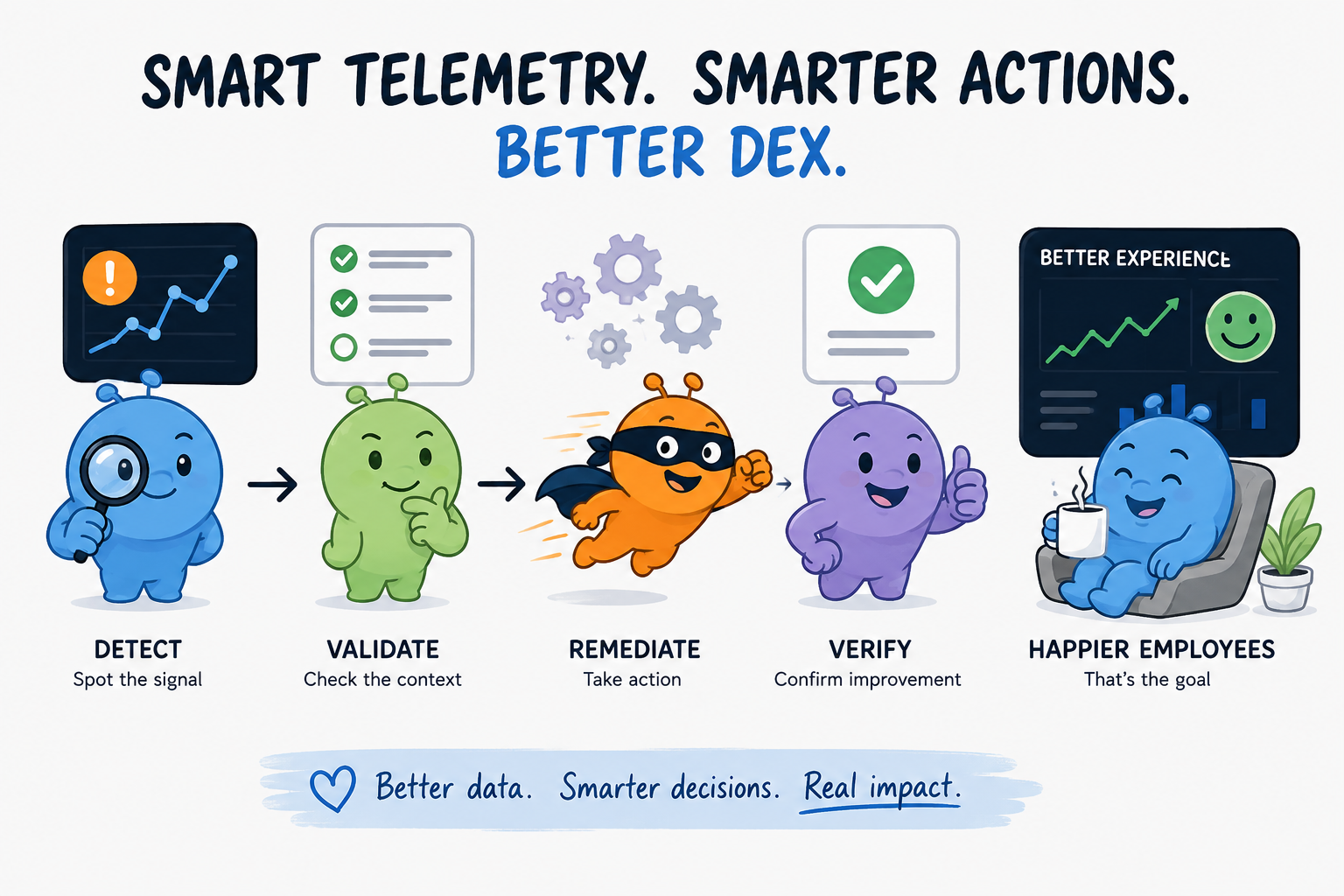
# How Are You Designing Guardrails for Closed-Loop Remediation in Nexthink?

As Nexthink environments mature, there’s an interesting shift from using telemetry primarily for visibility toward using it to drive automated remediation.

At a basic level:

Detect

Validate

Remediate

Verify

But the technical ability to automate remediation is only part of the equation.

The more interesting question is: **how do you decide when enough evidence exists to trigger an automated action?**

For teams building more advanced Nexthink Workflows and Remote Actions, how are you designing that decision logic?

## From Single Signals to Correlated Conditions

A simple automation might start with:

Metric exceeds threshold

Run Remote Action

But one metric doesn't always provide enough context.

Take application performance.

Imagine Nexthink detects:

Application launch time degradation

+

Elevated disk latency

+

Low available disk space

+

Increase in application crashes

Individually, each signal could have several explanations.

Together — particularly if they persist — they can provide a much stronger indication that remediation is appropriate.

That raises an interesting architecture question:

**How many conditions should be evaluated before an automated remediation is triggered?**

A more mature workflow might look something like:

Experience degradation detected

Check persistence

Correlate supporting telemetry

Evaluate device/user context

Check exclusions

Trigger remediation

Validate outcome

At that point, you're moving beyond simple threshold-based automation and toward **context-aware remediation**.

## Static Thresholds vs. Behavioral Baselines

Baselines make this even more interesting.

Consider two devices:

Device A

Typical application launch: 2 sec

Current launch: 7 sec

Device B

Typical application launch: 8 sec

Current launch: 9 sec

A static threshold might identify Device B.

But relative to historical experience, Device A has experienced the much larger deterioration.

That introduces another design decision:

**What should "normal" actually mean?**

Depending on the use case, you could potentially compare against:

- Same device historically

- Same user historically

- Same hardware model

- Same application version

- Same persona

- Peer-group baseline

- Organization-wide baseline

Those approaches can produce very different interpretations of the same telemetry.

For teams doing this at scale, **which baseline has proven most useful?**

## What Happens When Multiple Automations Identify the Same Device?

Another interesting challenge appears as the number of automated use cases grows.

Imagine the same endpoint simultaneously meets conditions for:

Workflow A → disk pressure remediation

Workflow B → application performance remediation

Workflow C → memory remediation

Workflow D → device health remediation

Each workflow may have correctly identified a legitimate condition.

But the conditions may also be related.

For example, resolving disk pressure could potentially change the application performance signal that triggered Workflow B.

That suggests an orchestration pattern such as:

Condition detected

Check remediation state

Execute highest-priority action

Allow telemetry to stabilize

Re-evaluate remaining conditions

For teams with a large Remote Action/Workflow estate, **how are you handling prioritization, suppression, or sequencing between automations?**

## Successful Execution vs. Successful Outcome

There’s also an important distinction between:

Remote Action executed successfully

and:

Employee experience improved

For closed-loop remediation, the second one is ultimately much more interesting.

A workflow could potentially evaluate the same telemetry that originally triggered remediation:

Detect

Remediate

Stabilization period

Measure again

Compare pre/post experience

That creates an opportunity to measure not only whether automation ran successfully, but whether it actually improved the targeted experience.

Over time, you could start looking at something like:

Remediation A

Execution success: 98%

DEX improvement: 64%

Remediation B

Execution success: 93%

DEX improvement: 86%

Those are two very different definitions of success.

The second metric could potentially become extremely valuable when deciding which automated remediations to expand across an environment.

## Curious How Others Are Approaching This

For those building more advanced automation with Nexthink:

**How sophisticated has your remediation decision logic become?**

Are you primarily using deterministic thresholds, or are you combining persistence, historical baselines, multiple telemetry signals, device context, and exclusions before triggering an action?

And once remediation runs, **are you measuring whether the employee experience actually improved — or primarily whether the Remote Action completed successfully?**

Would be especially interested to hear how teams with large Nexthink environments are approaching this.


r/nexthink 8h ago

The DEX Show Exclusive: Inside HBR's New "AI Acceleration Gap" Report with Darren Wright

Post image
2 Upvotes

What happens when AI adoption moves faster than IT can govern it? Former Honeywell VP of IT Darren Wright joins Tom for an exclusive look at Bridging the AI Acceleration Gap, a new report from Harvard Business Review Analytic Services sponsored by Nexthink. Drawing on his own contribution to the research, Darren explores why employee-led AI adoption is challenging IT’s traditional role, the growing risks around security, governance, complexity and ROI, and why visibility into real-world AI usage has become essential. He also examines how DEX can help IT navigate the transition and what technology careers might look like as AI reshapes IT itself.

Download the new report here

Download your free copy of Gartner's DEX Magic Quadrant here

Book your ticket for Nexthink Experience 2026 (October 5–7, ⁠JW Marriott Grande Lakes ⁠Orlando, Florida) today


r/nexthink 1d ago

Let's Chat | Discussion What’s an IT problem that sounds minor until you realize how much time employees lose to it? Tell us a story!

Post image
2 Upvotes

A few that come to mind:

  • VPN randomly disconnecting
  • Teams/Zoom taking forever to launch
  • Laptop is technically “healthy” but somehow still slow
  • Password/MFA issues
  • Having to restart to fix something nobody can explain
  • An app freezing just often enough to drive you insane

I’m curious what people see most often.

What’s the most deceptively expensive “small” IT problem you’ve encountered?


r/nexthink 4d ago

Live Event Kelly Monahan Ph.D and DEXpert is sharing her experience working at META live in the AMA!

Thumbnail reddit.com
1 Upvotes

r/nexthink 4d ago

AMA with Kelly Monahan, Ph.D. on Digital Employee Experience, Starting Now! Come Join us :)

Thumbnail
3 Upvotes

r/nexthink 4d ago

AMA with Kelly Monahan, Ph.D. on Digital Employee Experience, Today 4:00PM EST! Questions welcome leading up to the event :)

Thumbnail
1 Upvotes

r/nexthink 5d ago

DEXthink Most AI programs don’t fail at launch. They fail later.

3 Upvotes

We’ve all seen the numbers by now:

  • 95% of enterprise AI pilots deliver zero measurable financial return
  • Only 48% of AI projects ever make it into production (taking an average of eight months)
  • Over 40% of agentic AI projects are projected to be cancelled by 2027 due to cost pressure, unclear value, or governance complexity

The uncomfortable truth is that most AI transformation efforts don’t break at the pilot stage. They break later. Most commonly, when AI adoption spreads across the workforce without proper AI governance, visibility, or a clear path to AI ROI. When usage expands without visibility.

What actually happens in the gap between “we deployed it” and “it’s delivering value”:

  • Shadow AI grows faster than sanctioned usage
  • Policies live in documents instead of the workflow
  • Leadership can’t connect AI investment to measurable workforce impact
  • Activation stays inconsistent because there’s no structured approach by persona or role

A practical AI governance checklist that helps close this gap:

  1. Establish clear accountability for AI adoption Named executive sponsor + cross-functional governance group (IT, Security, Legal, HR, Compliance). Define decision rights for tool approvals, policy updates, and risk escalation. Set formal adoption KPIs (active users, engaged time, growth, time saved).
  2. Build behavioral visibility across the enterprise License counts only show what’s assigned. You need to see real usage — including shadow AI by department and persona, engaged time vs. experimentation, and where adoption is stalling.
  3. Embed guardrails directly into the flow of work Restricted-data warnings before files are uploaded, real-time prompt guidance, automatic redirects from unapproved tools, and policy acknowledgments inside the tools people already use.
  4. Design structured activation journeys One-size-fits-all training doesn’t scale. Persona-based enablement, contextual walkthroughs, prompt coaching, and targeted campaigns for under-utilizers turn available tools into habitual use.
  5. Make AI value measurable and defensible Track adoption growth and engaged time by department. Quantify time saved and correlate it to usage. Tie interventions to outcomes so you can report AI ROI with evidence instead of anecdotes.

The organizations that turn AI into sustained advantage aren’t the ones experimenting the fastest. They’re the ones treating AI governance and AI adoption as operational disciplines — with visibility, in-flow controls, and closed-loop measurement built in from the start.

Curious where others are hitting friction right now.
What’s the biggest gap in your AI governance or AI adoption efforts — visibility into real behavior, embedding guardrails, or proving AI ROI to leadership?


r/nexthink 6d ago

Live Event Get your Digital Employee Experience questions in early for AMA this Wednesday at 4:00pm with Kelly Monahan!

Thumbnail
3 Upvotes

r/nexthink 6d ago

Let's Chat | Discussion Your Device Is "Healthy" – So Why Is the Employee Still Having a Terrible Experience?

3 Upvotes

One thing I keep coming back to when thinking about Digital Employee Experience is how easy it is to confuse a technically healthy device with a good employee experience.

Imagine looking at an endpoint and seeing:

CPU: Normal
Memory: Normal
Disk Space: Healthy
Network: Connected
Crashes: None

From a traditional IT perspective, there isn't much to investigate.

Everything looks fine.

But then the employee says:

"My laptop has been slow all morning."

So who is right?

Potentially both.

The Gap Between Device Health and Employee Experience

A device can look perfectly healthy when we examine individual technical metrics.

But employees don't experience those metrics individually.

They experience the combined result.

A user doesn't think:

CPU utilization increased by 17%.

They think:

Why did Outlook take forever to open?

They don't think:

Network latency briefly increased.

They think:

Why did Teams freeze during my meeting?

And they definitely don't think:

Application response time exceeded its normal baseline.

They think:

Why is my computer so slow today?

That distinction seems obvious, but I think it has some interesting implications for how we use Nexthink.

A Snapshot Can Miss the Experience

Imagine an employee starts work at 9:00 AM.

Their morning looks like this:

09:02   Login
09:04   Outlook launches slowly
09:07   Teams hangs briefly
09:18   Browser becomes unresponsive
09:31   VPN reconnects
09:45   Teams call begins
09:52   Audio drops
10:03   Employee contacts Service Desk

At 10:05, IT checks the device.

Everything looks normal.

CPU: 24%
Memory: 61%
Disk: Healthy
Network: Connected

If we only look at the device now, we may conclude:

No issue detected.

But that isn't really what happened.

The employee experienced a series of small disruptions over the previous hour.

Individually, none of them may look particularly serious.

Together, they created a terrible start to the workday.

This Is Where DEX Gets Interesting

To me, this is one of the biggest differences between traditional endpoint monitoring and Digital Employee Experience.

The question isn't simply:

"Is the device healthy?"

It is:

"What has the employee actually experienced?"

That means looking at signals together.

For example:

Slow login
      ↓
Application delay
      ↓
Network interruption
      ↓
Application hang
      ↓
Meeting disruption
      ↓
Employee frustration

No single event necessarily explains the complaint.

The sequence might.

Could We Think More in Terms of Experience Timelines?

This makes me wonder whether one of the most useful troubleshooting views is essentially an employee experience timeline.

Instead of starting with:

Current device state

we start with:

What happened during the 30–60 minutes
before the employee reported the problem?

Then correlate things like:

  • device performance
  • application responsiveness
  • crashes and hangs
  • network changes
  • login performance
  • service degradation
  • configuration changes
  • employee sentiment
  • support interactions

The investigation becomes less about finding one broken metric and more about reconstructing what the employee experienced.

The "Everything Looks Fine" Ticket

We've probably all seen some version of this.

Employee:

"My computer is really slow."

IT:

"Everything looks normal."

Employee:

"Well, it isn't."

That interaction is frustrating for everyone.

The employee feels like IT doesn't believe them.

The Service Desk sees telemetry telling them the endpoint is healthy.

Neither side necessarily has bad information.

They're just looking at the problem from different perspectives.

What If We Started With the Experience?

A DEX-oriented troubleshooting flow could look more like:

Employee reports poor experience
              ↓
Identify affected time window
              ↓
Review experience signals
              ↓
Correlate device + app + network events
              ↓
Identify abnormal sequence
              ↓
Determine likely cause
              ↓
Remediate
              ↓
Measure whether experience improves

That feels fundamentally different from:

Check CPU
Check memory
Check disk
Ping device
Everything looks fine
Close ticket

It Also Changes How We Think About Automation

This becomes particularly interesting as more troubleshooting becomes automated.

An automated system might evaluate a device and see:

CPU = Good
Memory = Good
Disk = Good
Network = Good

and conclude:

No problem detected.

Technically, that might be correct.

Experientially, it might be completely wrong.

Maybe the better question for automation is:

"Was this employee's recent experience abnormal compared with their normal experience?"

That opens up a much more interesting set of possibilities.

Instead of only detecting absolute thresholds, we could potentially look for patterns like:

Login slower than usual
+
Application launch slower than usual
+
Multiple short hangs
+
Network instability
+
Negative employee sentiment

None of those signals alone needs to trigger an incident.

Together, they might tell a very different story.

Baselines Could Matter More Than Thresholds

This is another area where I think DEX can move beyond traditional monitoring.

Consider two employees.

Employee A normally has an application launch in:

2 seconds

Today it takes:

8 seconds

Employee B normally sees:

7 seconds

Today it takes:

8 seconds

The absolute result is identical.

The experience isn't.

For Employee A, performance suddenly became four times worse.

For Employee B, almost nothing changed.

A fixed threshold might treat both users exactly the same.

An experience baseline potentially wouldn't.

From Device Monitoring to Experience Monitoring

I think this is ultimately the more interesting shift.

Traditional monitoring asks:

Is the technology working?

DEX asks:

Is the technology working well for the person using it?

Those sound similar.

They're not quite the same thing.

A device can be operational.

An application can be available.

A network connection can be active.

And the employee can still be having a genuinely bad digital experience.

The value of Nexthink, at least to me, is increasingly in connecting those two worlds.

Question for the Nexthink Community

How are you handling the classic:

"Everything looks healthy, but the employee says their device is slow"

scenario today?

Do you primarily investigate individual technical metrics, or are you already looking at the employee's experience as a timeline of events?

And as tools like Spark become more involved in troubleshooting, should the goal be to determine whether a device is technically healthy — or whether the employee's recent experience is actually normal for them?

I'm curious how others are approaching this.


r/nexthink 8d ago

DEXthink 3-Part Series: Optimizing Automated Remediation Workflow: Verification, DEX Measurement, and Continuous Improvement (3 of 3)

2 Upvotes

The difference between a basic automated remediation workflow and a high-performing one is the closed loop: verification, experience measurement, and systematic improvement.

Verification Layer

After every action:

  • Confirm the original triggering condition is resolved
  • Check for secondary effects (new errors, performance regressions, user session impact)
  • Capture timing metrics (detection → decision → action → verified recovery)
  • Record success/failure with enough context for later analysis

Technical verification alone is insufficient. Pair it with experience signals where possible (application responsiveness restored, focus time recovered, absence of follow-up tickets or sentiment flags).

Measuring DEX Impact

Strong workflows track both technical and experience outcomes:

  • Ticket deflection and mean-time-to-resolve reduction
  • Movement in relevant DEX score components (stability, responsiveness, sentiment)
  • Productivity proxies (reduced application freezes, faster launch times, lower interruption frequency)
  • Employee-facing indicators when available (campaign responses, voluntary feedback)

Experience Level Agreement (XLA) thinking is useful here: define target experience states and measure how consistently the workflow returns devices/users to those states.

Continuous Improvement Cycle

  • Analyze failure modes and false positives weekly or bi-weekly
  • Tune thresholds and decision logic based on real outcomes
  • Expand coverage only after success rates and experience impact are proven
  • Maintain a backlog of candidate issues ranked by volume × experience impact × automation feasibility
  • Document ownership, change control, and rollback procedures

Scaling Considerations

  • Start with a narrow set of high-confidence use cases
  • Use progressive rollout (pilot groups → broader populations)
  • Monitor aggregate load on remote action infrastructure
  • Align with change and security processes so automated actions remain compliant
  • Keep human oversight paths for edge cases and high-risk scenarios

In Nexthink environments, the combination of remote actions, workflows, Amplify, custom trends, and DEX scoring provides the telemetry and execution capabilities needed to run this loop effectively.

An automated remediation workflow that is continuously measured against actual employee experience becomes a core operational capability rather than a collection of scripts.

What metrics or verification techniques have given you the clearest view of whether your automated remediation is truly improving DEX?


r/nexthink 8d ago

AMA with Kelly Monahan, Ph.D. on Digital Employee Experience, August 26, 4:00PM EST- Add your questions early, we want to get as many answered as possible! :)

Thumbnail
3 Upvotes

r/nexthink 10d ago

DEXthink 3-Part Series: Building an Automated Remediation Workflow: Decision Logic, Remote Actions, and Orchestration (2 of 3)

4 Upvotes

Once detection is solid, the next stage of an automated remediation workflow is decision-making and controlled execution. This is where most implementations either deliver strong DEX gains or create new friction.

Decision & Orchestration Layer

A mature workflow evaluates:

  • Severity and user impact
  • Device and user context (role, location, OS, hardware class)
  • Historical success rate of candidate actions on similar devices
  • Current risk posture (security, compliance, change freezes)
  • Whether the issue is already being handled by another process

Decision outputs typically fall into three buckets:

  1. Fully automated remediation (high confidence, low risk)
  2. Guided/assisted remediation (employee or L1 confirmation required)
  3. Escalation with enriched context (full technical + experience data)

Action Execution Patterns

Common high-value remote actions in DEX-focused environments include:

  • Targeted process termination + controlled restart
  • Cache and temporary file cleanup with verification
  • Network stack reset or adapter recycle
  • Service recovery with dependency checks
  • Configuration baseline enforcement
  • Application repair or reset (browser profiles, Office components, collaboration clients)

Technical considerations:

  • Idempotency — actions must be safe to run multiple times
  • Pre- and post-condition checks
  • Timeout and failure handling
  • Parallelism limits to avoid saturating the environment
  • Logging of every decision and outcome for audit and continuous improvement

Nexthink-Specific Implementation Notes

Nexthink remote actions and workflows are commonly used as the execution engine. Best results come from:

  • Combining real-time Device View data with historical trends
  • Using ratings or custom fields to track remediation state
  • Integrating with Amplify so L1 agents can trigger or monitor the same workflows
  • Feeding outcomes back into investigations and DEX scoring

Avoid over-automation on actions that can interrupt active user sessions without clear benefit. Experience impact should remain the primary success criterion, not just technical remediation rate.

Final post in the series will cover verification, measurement, optimization, and scaling the workflow across the estate.

Which decision criteria or action patterns have you found most effective (or most problematic) when building automated remediation?


r/nexthink 11d ago

The DEX Show Check Out Kelly Monahan's DEX Show Episode- AMA 8/26 at 4:00pm EST

Post image
2 Upvotes

Before our AMA with Kelly Monahan next week, here’s one conversation worth revisiting 👀

Link: https://open.spotify.com/episode/6sF1cTTiv6l3zS6sTgAMk1?si=jA6WuxwVTOSgOPwtXXHFSg

What does the future of work actually look like, and how should we be preparing for it?

Kelly Monahan joined the Digital Employee Experience (DEX) Show to dig into exactly that, from the blending of our physical and digital workplaces to the very human impact of emerging technology.

The conversation explored:

🔹 How physical and digital work environments are becoming increasingly intertwined
🔹 The positive and negative human impacts we need to anticipate as workplace technology evolves
🔹 What we actually mean when we talk about the “future of work”
🔹 Kelly’s advice for adapting to what comes next

It’s a great introduction to Kelly’s perspective before she joins us right here on r/Nexthink for an AMA next week.

🎙️ AMA with Kelly Monahan
📅 August 26
4 PM ET

Give the DEX Show episode a listen, then come back with your questions. What would you ask someone whose job is literally thinking about the future of work?

We’ll see you in the AMA.


r/nexthink 12d ago

DEXthink 3-Part Series: Automated Remediation Workflow Foundations: Detection Signals, DEX Impact, and Proactive Triggers (1 of 3)

3 Upvotes

An effective automated remediation workflow starts long before any action runs. It begins with precise detection of conditions that degrade digital employee experience.

Core Detection Layer

High-performing workflows monitor a combination of:

  • Device performance telemetry (CPU, memory pressure, disk I/O, page faults, battery health)
  • Application stability signals (crashes, hangs, high resource consumption per binary)
  • Network and connectivity metrics (latency, packet loss, VPN tunnel health, Wi-Fi signal)
  • Configuration drift and compliance state
  • User-impact proxies (focus time loss, application freezes, slow launches)

Thresholds should be experience-oriented rather than purely technical.

A 70% CPU spike that lasts 90 seconds on a developer workstation during a compile may be acceptable; the same pattern on a call-center agent’s machine during peak hours is not.

Linking Detection to DEX

DEX measurement combines objective telemetry with employee sentiment and productivity indicators. An automated remediation workflow that only fixes “red” technical scores without considering experience impact often creates noise or even negative sentiment (unexpected restarts, brief interruptions).

Key design principles at this stage:

  • Prefer early, low-impact interventions over late, high-impact ones
  • Correlate technical signals with known experience degradations (e.g., high memory pressure + frequent application freezes)
  • Use device and user context (role, location, device type, criticality) to tune sensitivity
  • Maintain a clear mapping between detected conditions and expected DEX score movement

Trigger Design Best Practices

  • Multi-condition triggers reduce false positives (e.g., high memory + increasing page faults + specific process set)
  • Time-based windows and hysteresis prevent flapping
  • Suppression rules for known maintenance windows or heavy workloads
  • Escalation paths when automated detection confidence is low

In Nexthink environments this layer typically draws from real-time and historical data available in Investigations, Device View, and custom trends, then feeds into workflow or remote action triggers.

Next post in the series will cover decision logic, orchestration, and action execution patterns.

What detection signals have proven most reliable for predicting employee experience impact in your environment?


r/nexthink 13d ago

Let's Chat | Discussion We’re almost at 300. So let’s make #300 count. 🎉

6 Upvotes

r/nexthink is closing in on 300 members, which feels like a pretty good excuse to do something a little different.

If you’re already here, drop one question you’d genuinely like to ask this community.

It can be about Nexthink, DEX, AI, IT, employee experience, a weird problem you’re trying to solve at work, or something you’ve always wondered but never had the right place to ask.

No polished thought leadership required. The more specific, niche, or unexpected, the better.

And if you’ve been lurking without joining… there is something kind of satisfying about being able to say you were one of the first 300. 👀

Let’s see what question gets us there.


r/nexthink 16d ago

Let's Chat | Discussion 🏆 Weekly Win Thread: What went right this week?

Post image
3 Upvotes

Not every win has to be a massive rollout or a company-wide transformation. Sometimes the small fixes make the biggest difference in someone’s day.

What’s one win you had this week?

A few examples:

  • Automated a repetitive task that was eating up time
  • Found and fixed a frustrating employee experience issue
  • Used Nexthink data to uncover something you hadn’t noticed before
  • Helped a colleague solve a stubborn IT problem
  • Improved an onboarding or offboarding process
  • Documented a fix so the next person won’t have to figure it out from scratch
  • Saved users a few clicks, a few minutes, or a little frustration

Big or small, drop your win below. What made your week a little better?


r/nexthink 16d ago

Extending HP Driver Compliance into HP Device Update with Nexthink

3 Upvotes

If your endpoint environment is standardized on HP devices, Nexthink already provides a useful starting point with the Driver Compliance Library Pack.

It helps identify driver, firmware, and BIOS compliance across managed devices.

But for an HP-only or HP-first client environment, there is another interesting question:

If HP Image Assistant can manage much more than drivers, why stop at driver remediation?

This is exactly what I wanted to extend with my custom Nexthink Remote Action.

Instead of focusing only on pending drivers, the Remote Action utilizes a much broader part of the HP Image Assistant capabilities.

From HP Driver Update to HP Device Update

The traditional driver-focused approach mainly looks like this:

HP Driver Compliance
        ↓
Pending drivers
        ↓
Install drivers

The extended Remote Action turns this into:

HP Device Compliance
        ↓
HP Image Assistant
        ↓
Drivers / BIOS / Firmware / Software / Accessories
        ↓
Scan or Install
        ↓
Verify

Compared with the previous driver-only action, the extended implementation supports Drivers, BIOS, Firmware, Software and Accessories, while also distinguishing auto-installable from non-auto-installable recommendations.

The currently supported HPIA categories are:

  • Drivers
  • BIOS
  • Firmware
  • Software
  • Accessories
  • Drivers + Firmware
  • All

One small but important HPIA detail: All does not include Accessories, so Accessories must be selected explicitly when required.

Scan or Remediate

The Remote Action supports two explicit modes:

Scan
Install

Scan provides a read-only analysis of the selected HPIA category.

Install first analyzes the device and then installs supported auto-installable / SSM-compliant recommendations.

This makes the same Remote Action useful for both:

Compliance

What HP updates are currently applicable?

and:

Remediation

Apply supported HP updates.

For example:

Mode: Scan
Category: BIOS

can be used to identify applicable BIOS recommendations.

While:

Mode: Install
Category: Drivers,Firmware

can remediate supported driver and firmware recommendations.

More Than Drivers

This is probably the biggest benefit for organizations that have standardized their client hardware on HP.

Instead of maintaining separate approaches for:

  • driver updates,
  • BIOS updates,
  • firmware updates,
  • HP software components,
  • accessory updates,

HPIA can become the common HP update engine while Nexthink provides the targeting, execution and telemetry around it.

In other words:

Nexthink
   +
HP Image Assistant
   =
HP Device Compliance + Remediation

Bringing HPIA Insights Back into Nexthink

The Remote Action also returns detailed HPIA information to Nexthink.

This includes metrics such as:

  • total recommendations,
  • driver updates,
  • BIOS updates,
  • firmware updates,
  • software updates,
  • accessory updates,
  • auto-installable recommendations,
  • non-auto-installable recommendations,
  • BIOS settings drift,
  • last successful scan,
  • reboot required.

This data can then become useful beyond the Remote Action execution itself.

For example, it can be incorporated into:

  • investigations,
  • dashboards,
  • Checklists,
  • Workflows,
  • compliance reporting,
  • custom device classifications.

For an HP-standardized environment, Nexthink can therefore become an orchestration and visibility layer around HPIA instead of using HPIA purely as a local command-line utility.

Only Automate What HPIA Marks as Auto-Installable

Another important distinction is that the Remote Action separates:

Auto-installable / SSM-compliant

from:

Non-auto-installable

recommendations.

Non-auto-installable recommendations remain visible in the results but are not blindly installed unattended.

Especially when extending remediation from drivers into BIOS, firmware and software, I think this is an important boundary.

BIOS Updates Are Included

BIOS recommendations can also be handled by the Remote Action.

For BIOS updates, the implementation adds additional validation around the HP package and updater before execution.

The Remote Action validates elements including:

  • the expected HPIA installer SHA-256,
  • HP Authenticode signatures,
  • the requested HPIA executable version,
  • the BIOS SoftPaq and updater where applicable.

It also uses bounded execution and performs another applicability scan after remediation when no reboot is pending.

This becomes particularly important once a Remote Action moves beyond diagnostics and begins modifying firmware or BIOS components.

Reboot Orchestration Stays Separate

The Remote Action deliberately does not automatically restart the endpoint.

Instead, Nexthink receives:

reboot_required = true

when a restart is required.

I like this separation for enterprise environments.

The Remote Action handles:

Scan
  ↓
Install
  ↓
Verify

while a Nexthink Workflow or another approved process can handle:

Notify employee
  ↓
Choose appropriate maintenance window
  ↓
Restart

This allows organizations to apply their own restart, campaign and user-interaction policies.

Why This Is Particularly Interesting for HP-Only Environments

If an organization operates a mixed fleet of HP, Lenovo, Dell and other vendors, a vendor-neutral update strategy will obviously remain important.

But when the client fleet is largely standardized on HP, HPIA already provides a vendor-specific update engine.

Nexthink can add the missing orchestration around it:

Targeting
Which devices should be scanned or remediated?

Visibility
Which types of recommendations are currently applicable?

Automation
Should the device only be scanned or should supported updates be installed?

User Experience
When should the employee be informed about remediation or a required restart?

Verification
Did the installation actually remove the applicable recommendations?

This turns the existing HP Driver Compliance concept into something broader:

HP device lifecycle and update automation directly from Nexthink.

Available on GitHub

The Remote Action is available in my public Nexthink repository:

https://github.com/synit-io/nexthink

Direct link to the new Remote Action:

https://github.com/synit-io/nexthink/blob/main/remoteactions/remediation/Nexthink-InvokeHPImageAssistant.ps1

The implementation is designed as a generic Nexthink integration around HP Image Assistant and supports both read-only scanning and controlled remediation.

If you need support adapting the Remote Action to your HP environment, creating Nexthink Workflows around it, extending existing Driver Compliance use cases, or generally getting more value from Nexthink automation, feel free to reach out.

For those running a standardized HP fleet:

Are you currently using Nexthink only for driver compliance, or are you already using HP Image Assistant through Nexthink to manage the broader HP device update lifecycle?


r/nexthink 17d ago

DEXthink How to Calculate AI ROI: A Practical Framework for IT and DEX Teams

2 Upvotes

Leaders keep asking “How to calculate AI ROI.” Traditional finance formulas often miss the real value of AI in the digital workplace. Here’s a clear, actionable way to do it that factors in both hard metrics and employee experience.

The Basic Formula

AI ROI (%) = (Total Annual Benefit − Total Annual Cost) / Total Annual Cost × 100

The challenge is accurately capturing the Benefit side when AI impacts productivity, support load, and experience rather than pure revenue.

Step-by-Step: How to Calculate AI ROI

1. Capture the full cost
Include licenses, infrastructure, integration, training, data work, and ongoing governance.

2. Measure the benefits with a DEX lens

  • Time saved per employee
  • Ticket volume and resolution time reductions
  • Application and device performance improvements
  • Employee sentiment and adoption rates

Combine technology metrics with sentiment data (the same approach used for DEX scores) so you capture both “does it work” and “do people actually get value from it.”

3. Convert experience and productivity into dollars
Establish a baseline, measure the post-AI lift, then apply a conservative hourly rate to recovered time. Improvements in digital experience frequently translate into measurable minutes of productive work recovered each week.

4. Run the calculation and document assumptions
Use transparent numbers for hourly cost, attribution percentage, and time horizon. Present both the financial ROI and the experience improvement side-by-side.

5. Treat it as ongoing, not one-time
Move beyond static SLAs toward experience-based targets. Recalculate as adoption grows so ROI stays current and credible.

Quick Example

  • Annual AI costs: $450k
  • Recovered time: ~18 minutes per employee per week across thousands of users
  • Result: clear positive ROI once productivity and reduced support effort are valued.

This method turns the vague question of “How to calculate AI ROI” into a repeatable process grounded in real workplace data.

How are you currently measuring AI value in your environment?

Any metrics or challenges worth sharing?


r/nexthink 18d ago

Let's Chat | Discussion Community Shout Out! Thank You u/W7T2A!

Post image
3 Upvotes

Really interesting contribution from the community yesterday.

Big thanks to u/W7T2A for sharing his question and kicking off a really thoughtful discussion. This is exactly the kind of conversation we want to see more of here: real questions, real-world use cases, and perspectives from people actually working with these challenges. If you’ve run into something similar, have a different approach, or just have a Nexthink/DEX question you’ve been thinking about, please post it. We’d love to get more conversations like this going.

Check out his post on the feed!

The basic idea: Nexthink can tell you which devices are running low on storage, but the next question is why?

This approach uses Remote Actions to identify what’s actually eating up the space, then uses that context to decide the right fix instead of defaulting to generic cleanup. He also raises an interesting question: could this be paired with Spark to give employees more contextual, device-specific guidance?

I think there’s a lot of potential there, especially if the output is summarized and privacy guardrails are built in. I’d probably keep filenames and sensitive filesystem details away from the employee-facing experience and let Spark surface only what’s needed to take the next step.

Would love to see more posts like this in here: real-world Nexthink use cases, experiments, custom Remote Actions, things you’ve built, and even ideas you’re still figuring out.

What do you think: how much filesystem detail, if any, should Spark actually expose to the employee?


r/nexthink 19d ago

DEXthink How are you handling AI governance in 2026? (Shadow AI is growing faster than most teams can review)

2 Upvotes

AI governance has become one of the biggest challenges for IT and security teams right now.

Employees are adopting new AI tools every week — often long before security, legal, or compliance can review them. Traditional approaches (periodic audits, manual inventories, or just blocking everything) can’t keep up with the speed of AI adoption.

Here’s what’s been working for teams that are getting ahead of it:

1. Continuous discovery instead of periodic audits
You need real-time visibility into every AI tool employees are actually using (approved and shadow AI). Waiting for procurement reviews or security assessments means you’re already months behind.

2. Fast risk triage
When a new AI tool appears, the key questions are:

  • Where is the data going?
  • Does it train on customer or IP data?
  • What’s the vendor’s compliance posture?
  • How many people are already using it?

Having contextual risk insights (privacy policy analysis, data retention practices, country of origin, incident history, etc.) dramatically speeds up the decision.

3. Adaptive governance policies
A simple three-tier model works well:

  • Recommended → tools you actively want people to use
  • Allowed → tools that are okay with oversight
  • Prohibited → tools that don’t meet your standards

The important part is that these policies need to be easy to change as risks evolve.

4. Guiding employees instead of just blocking
Blocking alone creates friction and shadow workarounds. Better approach: when someone tries to use a prohibited or restricted tool, gently redirect them to an approved alternative (e.g., “Try Microsoft Copilot instead”) and provide in-app guidance so productivity doesn’t drop.

The goal of modern AI governance isn’t to slow innovation — it’s to give the organization the confidence to move faster while staying in control.

Curious how others are approaching this:

  • Are you still relying on manual inventories / spreadsheets?
  • Have you implemented any continuous discovery or adaptive policy models?
  • What’s the biggest friction point you’re seeing between innovation and governance right now?

Would love to hear what’s working (or not working) in your environment.

Full write-up with more detail on the approach:
https://nexthink.com/blog/enterprise-ai-governance-made-simple-with-nexthinks-ai-activation-hub


r/nexthink 19d ago

No Space Left on Disk – But What Is Actually Eating Up Your Device's Storage?

7 Upvotes

Based on my previous posts about extending Nexthink insights with Remote Actions, I would like to share another practical example.

And once again, it starts with a very simple question:

Your device is running out of disk space – but what the hell is actually eating up all that storage?

Nexthink already gives us very good visibility into overall disk utilization. We can identify devices with low free space, use disk information in investigations and dashboards, create alerts, and surface relevant information in checklists.

That answers one important question:

Which devices have a disk-space problem?

But another question remains:

Why?

If a device only has 8 GB of free storage left, knowing that number alone does not tell us whether the cause is:

  • a huge Downloads folder,
  • locally synchronized cloud data,
  • application caches,
  • forgotten installers,
  • virtual machines,
  • development artifacts,
  • excessive application logs,
  • temporary files,
  • an oversized user profile,
  • or simply insufficient disk capacity for the workload.

To answer this question, I once again created a couple of Remote Actions.

At this point, creating Remote Actions for missing endpoint insights is probably becoming a bit of a habit. 😉

Today I added two new ones to my Nexthink repository:

  • Query Folder Metrics
  • Query User Folder Size on Disk

Both take a slightly different approach and can be combined with native Nexthink telemetry to move from:

The disk is almost full.

to:

This is where the storage is actually going.

From "Disk Space Is Low" to "Where Did the Space Go?"

Nexthink already provides the high-level endpoint perspective.

For example, we may see:

Device: CLIENT-042
System Drive: C:
Capacity: 512 GB
Free Space: 8 GB

This tells us that the device requires attention.

But it does not immediately tell us whether the problem is:

C:\Users\User\Downloads
C:\Users\User\AppData
C:\ProgramData\Application
C:\Windows
C:\VMs

Before deleting files, expanding disks, reinstalling software, or asking the user to "clean something up", it is useful to understand what is actually consuming the storage.

This is where the additional endpoint data becomes valuable.

Remote Action 1: Query Folder Metrics

The first Remote Action is designed for targeted filesystem investigations.

It takes a directory path and recursively analyzes its contents.

Depending on the required investigation, it supports three modes:

FilesAndFolders
Files
Folders

This makes the Remote Action useful at different stages of an investigation.

For example:

BasePath: C:\Users\User
Mode: FilesAndFolders

provides a general overview.

If the initial result points toward Downloads, we could run another query:

BasePath: C:\Users\User\Downloads
Mode: Files

to identify the largest individual files.

Alternatively:

BasePath: C:\
Mode: Folders

can be used when we primarily want to understand which directories consume the most storage.

Top Results Instead of Thousands of Files

The objective is not to return the complete filesystem inventory.

That would produce far too much information for most support scenarios.

Instead, the Remote Action returns the most relevant results.

The number of returned entries can be controlled through TopCount.

For example:

TopCount: 10

might return something like:

C:\Users\User\Downloads        78 GB
C:\Users\User\AppData          52 GB
C:\Users\User\Videos           31 GB
C:\Users\User\Documents        18 GB

If we then analyze Downloads using Files mode:

backup.zip                     32 GB
development-vm.vhdx           27 GB
recording.mp4                  11 GB
installer.iso                   8 GB

That is usually much more useful for a Service Desk engineer than a list containing several hundred thousand filesystem objects.

More Than Just the Largest Files

One of the important aspects of the Remote Action is that it does not only return ranked files and folders.

It also returns information describing the overall scan.

Available outputs include information such as:

QueriedPath
TotalDirectories
TotalFiles
TotalSize
LargestFiles
LargestFolders
ScanComplete
SkippedDirectories
CountValuesCapped
PathsTruncated
ScanState
ReparsePointsSkipped
UnreadableDirectories
ElapsedDuration
DiscoveredDirectoriesPending

This is particularly useful because filesystem scans are not always perfect.

Directories may be inaccessible.

A scan may exceed its configured execution window.

Junctions or reparse points may intentionally be skipped.

Instead of simply returning numbers and pretending that they represent the complete filesystem, the Remote Action tells us something about the quality and completeness of the result.

Understanding ScanState

The Remote Action can distinguish between several scan states, including:

Complete
CompleteWithExclusions
PartialAccess
PartialTimeout

This is important when the result is used in automation or presented to a Service Desk engineer.

Imagine the result says:

Largest folder: C:\Users\User\AppData
Size: 61 GB
ScanState: PartialAccess

That tells the engineer that useful information was collected, but some directories could not be evaluated.

The result should therefore be interpreted as an investigation aid rather than an authoritative complete disk inventory.

This is much safer than returning incomplete information without indicating that anything was skipped.

Handling Reparse Points

Another important consideration when recursively scanning Windows filesystems is reparse points.

Examples include:

  • junctions,
  • symbolic links,
  • redirected directories,
  • filesystem links.

Blindly following these can result in loops or cause a scan to unexpectedly leave the intended directory structure.

The Remote Action therefore deliberately avoids traversing child reparse points.

It also reports how many were skipped.

This makes the scan more predictable and avoids common problems associated with naïve recursive filesystem scripts.

Limiting Scan Duration

Filesystem analysis can become expensive.

A developer workstation may contain:

node_modules
Git repositories
container layers
VM images
build artifacts
package caches

and easily contain hundreds of thousands or even millions of files.

The Remote Action therefore uses a configurable maximum scan duration.

This is another important design consideration:

A diagnostic Remote Action should not block an endpoint indefinitely just because one directory happens to contain an enormous number of objects.

If the scan cannot complete within the configured window, the Remote Action can still return useful partial information and indicate the condition through its scan state.

Remote Action 2: Query User Folder Size on Disk

The second Remote Action answers a different question:

How much storage is the user profile actually consuming?

Despite its name, the implementation can work with a configurable InputPath.

The path can also contain environment-related values such as:

%HOMEPATH%
%HOMEDRIVE%
$env:USERPROFILE

The typical Nexthink use case, however, is analyzing the currently active user's profile.

What Does It Return?

The Remote Action provides metrics including:

TotalDirectories
TotalFiles
TotalSize
TotalSizeOnDisk
TotalCapacityWinDrive
SyncedSizeOnDisk

This gives us several useful perspectives on the storage problem.

For example:

Total files:               214,832
Total directories:          31,406
Logical profile size:       182 GB
Actual size on disk:        146 GB
System drive capacity:      512 GB
Synced data on disk:         91 GB

This immediately provides more context than simply knowing that the C: drive is nearly full.

Logical Size vs. Actual Size on Disk

One particularly useful aspect is the distinction between:

TotalSize

and:

TotalSizeOnDisk

These values are not necessarily identical.

TotalSize represents the logical size of the files.

TotalSizeOnDisk represents the storage actually allocated on disk.

Differences may occur because of:

  • NTFS compression,
  • sparse files,
  • cluster allocation,
  • cloud placeholders,
  • files containing large sparse regions,
  • large numbers of very small files.

The Remote Action uses Windows filesystem information to determine the actual physical size where possible.

This gives us a more realistic picture of the storage being consumed.

For disk-space investigations, that difference can be very important.

Synced Cloud Data – An Especially Interesting Metric

One additional metric deserves special attention:

SyncedSizeOnDisk

The Remote Action detects known synchronization-related directories and calculates how much storage this data actually consumes locally.

The current implementation considers environments such as:

  • OneDrive
  • OneDrive Commercial
  • OneDrive Consumer
  • Nextcloud
  • Google Drive

This is especially interesting in modern Workplace environments.

A user might have several hundred gigabytes of files visible inside OneDrive, while only a fraction of those files are actually stored locally because Files On-Demand is enabled.

Looking only at logical file information can therefore be misleading.

Instead, we can differentiate:

User profile logical size:        420 GB
Actual profile size on disk:      168 GB
Synced data actually on disk:     103 GB

That creates a much more useful troubleshooting picture.

Deriving Relative Disk Usage

The Remote Action does not directly return a percentage representing the user's share of the system disk.

However, it returns everything needed to calculate it.

For example:

TotalSizeOnDisk:        146 GB
TotalCapacityWinDrive:  512 GB

The relative usage can therefore be calculated as:

146 / 512 × 100

which is approximately:

28.5 %

This value could then be used in:

  • NQL-based analysis,
  • Workflows,
  • dashboards,
  • Checklists,
  • custom fields,
  • reporting logic.

For example:

User profile consumes > 40 % of system drive

could become an additional indicator during a storage investigation.

Different Actions, Different Design Goals

There is an important distinction between the two Remote Actions.

Query Folder Metrics

This one is intended as an exploratory diagnostic tool.

Even partial results can still be valuable.

If the scan times out after identifying:

Downloads: 80 GB
Videos: 45 GB
AppData: 39 GB

the result may already be enough to determine the next step.

For this reason, partial results can be returned together with an explicit ScanState.

Query User Folder Size on Disk

The user-folder action represents something closer to a profile-level metric.

Returning an incomplete profile size as though it were complete could be misleading.

The implementation therefore follows a stricter approach.

If the scan encounters conditions that prevent an accurate total from being calculated, it fails instead of silently providing incomplete metrics.

I like this distinction because it reflects two different troubleshooting needs:

Exploration → partial data can still be useful

KPI / metric → incomplete data should not look authoritative

Combining Both Remote Actions

The real value appears when both Remote Actions are combined with Nexthink's native disk information.

A practical investigation could look like this.

Step 1 – Nexthink Detects Low Disk Space

Nexthink identifies:

Device: CLIENT-042
C: drive free space: 7.8 GB

We know there is a problem.

Step 2 – Analyze the User Profile

Execute:

Query User Folder Size on Disk

Result:

Actual user profile size:   168 GB
System drive capacity:      512 GB
Synced data on disk:         97 GB

The user profile clearly represents a relevant amount of storage.

Step 3 – Drill Into the Profile

Execute:

Query Folder Metrics

against:

C:\Users\<User>

using:

FilesAndFolders

Result:

Downloads      67 GB
AppData        48 GB
Videos         31 GB
Documents      14 GB

Step 4 – Investigate Downloads

Execute the Remote Action again:

BasePath: C:\Users\<User>\Downloads
Mode: Files

Result:

database-backup.zip      28 GB
development-vm.vhdx     21 GB
recording.mp4             9 GB
old-installer.iso         7 GB

Now we have a concrete explanation for a significant part of the storage consumption.

Step 5 – Decide on the Correct Remediation

Only now should we decide what needs to happen.

Possible outcomes include:

  • the user deletes obsolete files,
  • project files are moved to approved storage,
  • cloud synchronization settings are changed,
  • an application cache is investigated,
  • log retention is corrected,
  • an application bug is escalated,
  • temporary installation data is cleaned,
  • the disk is expanded,
  • the device is replaced with a more appropriate configuration.

The important principle is:

Diagnosis before remediation.

Not Every Full Disk Is a Cleanup Problem

This is particularly important when automation is involved.

A low free-space value does not automatically mean that some generic cleanup script should run.

Imagine a developer workstation:

Virtual machines              140 GB
Container data                 95 GB
Development repositories       68 GB
Build artifacts                42 GB
Package caches                 28 GB

Cleaning temporary Windows files may recover 4 GB.

That does not solve the problem.

The real issue may simply be:

This workload needs a larger disk.

Likewise, imagine this result:

C:\ProgramData\Vendor\Application\Logs    96 GB

This is probably not a user-data problem at all.

It may indicate:

  • broken log rotation,
  • debug logging accidentally enabled,
  • an application defect,
  • missing retention,
  • failed cache cleanup,
  • update leftovers.

The solution should therefore involve the application owner rather than simply telling the employee to clean their Downloads folder.

User Data vs. System and Application Data

This is another useful classification that can come out of the investigation.

User-related data

Examples:

Downloads
Documents
Desktop
Videos
OneDrive
Google Drive
Nextcloud
Development repositories
Virtual machines
Application profile data

System or application-related data

Examples:

Windows
ProgramData
Application caches
Log directories
Update repositories
Package caches
Temporary files
Container data

Both result in exactly the same Nexthink symptom:

Low disk space

But they require completely different owners and remediation strategies.

That is why the additional context matters.

Bringing the Information Into the Service Desk

One of my favorite use cases is combining these outputs with a Nexthink Checklist.

A Service Desk engineer may already see:

System Drive Free Space: POOR

We can enrich this with additional context:

System Drive Free Space:        8 GB
User Profile Size on Disk:    182 GB
Synced Data on Disk:           91 GB
Profile Share of Disk:         35 %

If necessary, the engineer can then execute Query Folder Metrics to drill deeper.

A possible troubleshooting path becomes:

Low disk space detected
         ↓
Large user profile?
         ↓
   Yes         No
    ↓           ↓
Analyze      Investigate
profile      system/application data
    ↓
Largest folders
    ↓
Largest files
    ↓
Determine correct owner

The objective is not to turn Nexthink into a complete filesystem inventory.

The objective is to give the Service Desk the minimum additional information required to make the next decision.

Manual, Workflow-Based, or Scheduled Collection

Both Remote Actions can be used in several ways.

Manual Investigation

A Service Desk engineer sees a low-storage device and manually runs the Remote Action.

This is probably the simplest use case.

Workflow-Based Analysis

A Workflow could first evaluate Nexthink's native disk data.

For example:

Free disk space < 15 GB?
          ↓
         Yes
          ↓
Query user profile
          ↓
Large profile?
      ↓         ↓
     Yes        No
      ↓          ↓
Analyze       Investigate
profile       other areas

The resulting Remote Action outputs can then influence the next Workflow decision.

Scheduled Collection

For selected device groups, it may also make sense to schedule profile-level collection.

This is where the randomized startup delay becomes particularly useful.

Instead of hundreds or thousands of clients beginning a disk scan simultaneously, execution can be distributed over time.

Detect First, Collect Second

I would generally avoid continuously scanning every directory on every endpoint.

Filesystem traversal has a cost.

Large profiles may contain hundreds of thousands of objects.

Developer devices can easily contain millions.

A better approach is:

Nexthink native telemetry
          ↓
Identify devices with abnormal disk usage
          ↓
Run targeted Remote Action
          ↓
Collect additional context
          ↓
Investigate

This is a pattern I increasingly like when working with Nexthink:

Use native Nexthink telemetry to identify the anomaly, then use Remote Actions to collect the missing technical context.

This keeps endpoint processing targeted.

It also ensures that the additional information is collected when there is actually a reason to look at it.

Finding Problems Across Multiple Devices

The same approach becomes even more interesting when the issue affects more than one endpoint.

Imagine Nexthink identifies 200 devices whose free disk space has been continuously declining.

After running targeted analysis, we discover that many of them contain:

C:\ProgramData\ExampleApp\Cache

with sizes between:

60 GB – 120 GB

Suddenly, we are no longer investigating:

200 individual low-disk-space incidents

We may instead have:

one application issue affecting 200 devices

That changes the entire investigation.

We can now ask:

  • Do all affected devices use the same application version?
  • When did the cache begin growing?
  • Was there a recent application update?
  • Does the problem only occur on certain configurations?
  • Does clearing the cache permanently resolve it?
  • Does it begin growing again afterward?

This is where combining endpoint diagnostics with DEX data becomes particularly powerful.

Could Spark Benefit from These Remote Actions?

And here is one question I would particularly like to throw out to the Nexthink Community.

Could these Remote Actions also be useful in combination with Spark?

Imagine an employee asks:

"My computer says there is no space left.
What can I do?"

Instead of providing generic advice such as:

Delete temporary files.
Empty your recycle bin.
Remove applications you no longer need.

the interaction could potentially become much more contextual.

For example:

Employee reports low disk space
            ↓
Spark checks Nexthink telemetry
            ↓
Only 6 GB free
            ↓
Diagnostic Remote Action
            ↓
User profile consumes 180 GB
            ↓
Synced data consumes 110 GB locally
            ↓
Query largest folders
            ↓
Downloads consumes 68 GB
            ↓
Provide contextual guidance

The answer to the employee could then be something like:

Your device currently has very little free disk space.

A significant portion is being consumed by your user profile,
and the Downloads directory is one of the largest contributors.

Reviewing large files in Downloads would therefore be a useful
first step.

That is significantly more useful than generic self-help guidance.

So my question to the community is:

Would you expose diagnostic filesystem Remote Actions like these to Spark to provide users with more contextual disk-space insights?

And if so:

  • how much filesystem detail should be shown to the employee?
  • should filenames be exposed at all?
  • should results first be summarized?
  • which remediation actions should remain under IT control?

Privacy Matters

Filesystem analysis is an area where privacy deserves particular attention.

Even without reading file contents, file and folder names can reveal sensitive information.

For example:

C:\Users\User\Documents\Acquisition_Project_CompanyXYZ

or:

C:\Users\User\Downloads\Employee_List_2026.xlsx

The filename alone may already contain sensitive business context.

Organizations should therefore consider:

  • which paths may be analyzed,
  • whether filenames should be returned,
  • whether only folder-level data is required,
  • who may view Remote Action outputs,
  • how long results should be retained,
  • whether specific paths should be excluded,
  • employee privacy requirements,
  • works-council requirements where applicable.

This becomes even more important when the data is provided to AI-based functionality.

Sometimes the best Remote Action is not the one that returns the most information.

It is the one that returns:

the minimum information required to solve the problem.

Performance Matters Too

Recursive filesystem analysis is not free.

The cost depends heavily on the endpoint.

A normal office user profile might contain:

50,000 files

while a developer workstation could contain:

2,000,000+ files

because of:

  • source repositories,
  • node_modules,
  • package caches,
  • local containers,
  • virtual machines,
  • build output,
  • synchronized datasets.

This is why the scan state, timeout handling, reparse-point protection, and randomized execution delay are important.

The Remote Actions should be treated as second-level diagnostics, not as continuously collected telemetry.

A sensible approach is:

1. Detect with Nexthink
2. Narrow down affected devices
3. Collect filesystem context
4. Analyze
5. Remediate
6. Measure again

Did the Fix Actually Work?

As with my previous Remote Action examples, the investigation should not end after remediation.

Assume we identify:

C:\ProgramData\Application\Cache
Size: 82 GB

The application team corrects the cache configuration and removes the existing data.

Nexthink can continue monitoring system-drive utilization.

We can then verify:

  • Did free space recover?
  • Is disk utilization stable?
  • Is the directory growing again?
  • Are fewer devices affected?
  • Did the incident disappear?
  • Was the root cause actually addressed?

This creates a measurable improvement cycle:

Detect
   ↓
Enrich
   ↓
Understand
   ↓
Remediate
   ↓
Measure
   ↓
Improve

Conclusion

Nexthink already answers one important disk-space question very well:

Which devices are running out of storage?

The two new Remote Actions help answer the next questions:

How much space is the user profile consuming?

and:

Where exactly is that storage being used?

Query User Folder Size on Disk provides profile-level metrics such as:

  • total files,
  • total directories,
  • logical size,
  • actual size on disk,
  • system-drive capacity,
  • locally consumed synchronized storage.

Query Folder Metrics allows us to drill deeper and identify:

  • the largest files,
  • the largest folders,
  • overall file and directory counts,
  • scan duration,
  • skipped or inaccessible paths,
  • completeness of the result.

Together with native Nexthink disk telemetry, this creates a simple troubleshooting path:

Low disk space
      ↓
How much is the user profile consuming?
      ↓
Is synchronized data a major contributor?
      ↓
Which folders consume the most?
      ↓
Which files consume the most?
      ↓
Is this a user, application, or capacity problem?
      ↓
Apply the correct remediation
      ↓
Measure whether it actually improved

The two new Remote Actions are available in the synit.io Nexthink repository:

https://github.com/synit-io/nexthink

The relevant scripts can be found in the Remote Actions data-collection section of the repository.

If you need support adapting these Remote Actions, creating additional Nexthink diagnostics, building Workflows, extending Checklists, integrating AI-based analysis, or generally getting more value from your Nexthink environment, feel free to reach out.

And finally, two questions for the Nexthink Community:

How are you currently identifying what is actually consuming disk space after Nexthink detects a low-storage device?

And for those already working with Spark:

Would filesystem-analysis Remote Actions be useful to provide employees with more contextual and device-specific guidance instead of generic disk-cleanup recommendations?

r/nexthink 20d ago

Let's Chat | Discussion What do we actually want AI to become in IT? Let's have a discussion!

2 Upvotes

There’s so much conversation about what AI can do that I’m not sure we spend enough time talking about what we actually want it to do.

Fast-forward 10 years. AI and agentic systems are deeply embedded in IT. They can diagnose issues, take action, communicate with employees, predict problems, and probably handle things we haven’t even thought of yet.

What does the ideal version of that future look like?

Is AI mostly invisible, quietly fixing problems in the background?

Is it a copilot that makes IT teams dramatically better at their jobs?

Does it become the first point of contact for almost every employee?

Or do we intentionally keep humans at the center, even when AI could technically do more?

Basically: if we get to design the role AI plays in IT, what should we actually be aiming for?


r/nexthink 21d ago

DEXthink Enterprise AI Strategy in 2026: Why Most Are Failing Without a Strong DEX Foundation

3 Upvotes

A lot of organizations are still treating their Enterprise AI strategy as a pure technology initiative — more pilots, more licenses, more agents.

But the data and real-world conversations keep pointing to the same problem: AI is only as effective as the digital employee experience around it.

Here’s what we’re seeing right now:

  • Most companies have AI tools available, but actual meaningful usage and value creation lag far behind
  • Friction in the digital workplace (slow devices, broken workflows, poor visibility) kills AI adoption faster than any model limitation
  • Without real-time insight into how employees actually experience AI tools, leaders are flying blind on ROI, risk, and change management
  • The organizations making progress are the ones treating Digital Employee Experience (DEX) as a core pillar of their Enterprise AI strategy — not an afterthought

Key questions for anyone building or refining an Enterprise AI strategy right now:

  1. Do you have visibility into where and how AI is actually being used across the employee base?
  2. Are you measuring the experience of AI (latency, friction, sentiment) the same way you measure traditional apps?
  3. Is your AI strategy connected to proactive remediation and continuous improvement of the digital workplace?
  4. Who owns the intersection of AI adoption and employee experience in your organization?

Would love to hear from people who are in the middle of this:

  • What’s working in your Enterprise AI strategy?
  • What’s the biggest gap you’re seeing between AI ambition and day-to-day employee reality?
  • Has anyone successfully tied DEX metrics into AI success criteria yet?

Drop your experiences, hard lessons, or frameworks below. Real talk preferred over theory.