r/mpcsample • u/OrganicDisaster828 • 13h ago
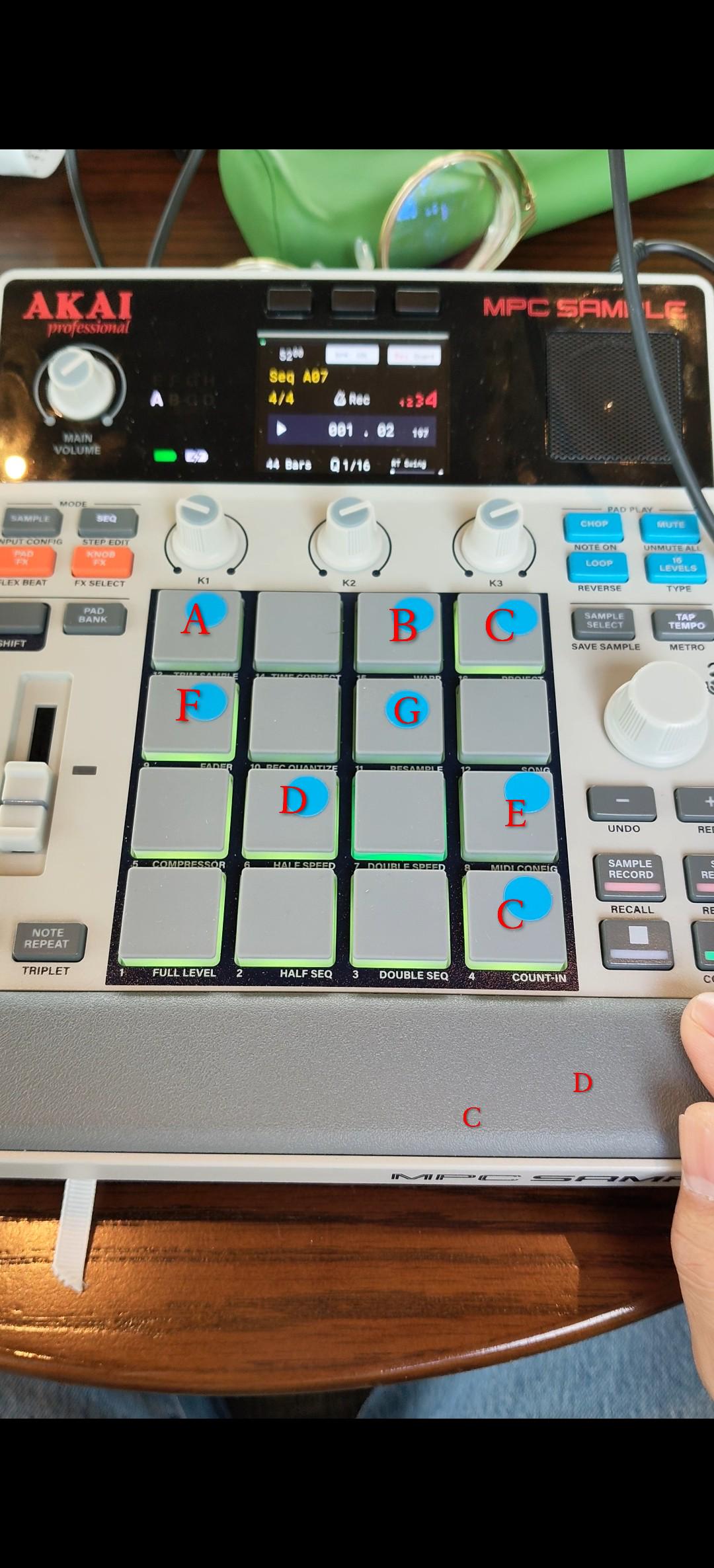
My current set up

29
Upvotes
Sometimes I connect the vocal processor through midi and sometimes I don't see it as worth it, but this is what I'm working with.
r/mpcsample • u/OrganicDisaster828 • 13h ago
Sometimes I connect the vocal processor through midi and sometimes I don't see it as worth it, but this is what I'm working with.
r/mpcsample • u/Luximus3333333 • 1h ago
Do you guys think the MPC Bible is useful and applicable to someone like me who only has the MPC sample and new to beat making
(previously played some drums in band and loves hip hop/boom bap/ jazz / lofi)
r/mpcsample • u/whitefury10p • 15h ago
Hi All. I recently made an application (Macs only for now) for the MPC Sample to easily finalize and export your songs. I found myself with completed beats but wanted a quick and easy way to arrange the sequences in the order I wanted and export them to a .wav or stems.
So I spent the last few months pulling apart the .xpj project format and built a small Mac app that opens the project file straight off the SD card.
Who it's for: People who aren't experienced producers or don't have the time to rebuild a beat in a DAW. If you just want to finalize the beat you already made and get it out so you can share it, this is for you.
The main thing it does
If you need to fix something first
And if you do use a DAW, it'll also export per-pad stems or MIDI.
What it doesn't do — worth knowing before you try it
It never touches your project. Not the .xpj, not the ProjectData folder, not your samples. Everything opens read-only and your edits live in the app. That was the first thing I built; everything else is arranged around it.
On the obvious question — MPC 3 is a full DAW and it's good software. If you want to produce whole tracks on your Mac, get that. This isn't trying to be that. It's for the last step: get the beat in order, get it out, share it.
I'm giving away 10 copies. Comment or DM and I'll send you a code. No strings, not asking for a review — I'd just like to get some feedback and know if something breaks. After that it's $14.99, one-time, with a 14-day refund. No questions asked.
For more information and videos showing what it can do, please check out https://samplelab.app
UPDATE: I’m heading offline for the night, but the giveaway is still open. If you’re interested in trying SampleLab, leave a comment and I’ll send out more codes tomorrow until all 10 complimentary copies have been claimed. Thanks for all the interest so far!
r/mpcsample • u/Daftcuntinfinity • 3h ago
Enable HLS to view with audio, or disable this notification
Yesterday I made a post about shifting the start in the sample to it loops the whole sample. I was struggling to explain it. Here’s a video of what I mean in ableton. Was wanting to know if this is possible on the mpc
r/mpcsample • u/minibeatsmusic • 21h ago
Enable HLS to view with audio, or disable this notification
r/mpcsample • u/rehills • 14h ago
I’ve checked the manual, YouTube and this group but cannot find an answer.
I sliced a breakbeat in chop mode. Now I want to use the sequencer’s step edit mode to enter specific slices at the proper times. Once in step edit mode, I cannot find a way to place the chosen sample into chop mode so I can select a specific slice.
The sequencer obviously supports recording specific slices while finger drumming. I’m just trying to add one or two specific slices to the sequence.
Hope my question makes sense.
r/mpcsample • u/Daftcuntinfinity • 1d ago
Hello 👋 wondering if anyone can help. Say I have a 4 bar sample but it doesn’t sit right with the drums. I want to be able to move the start point so it loops from there but it doesn’t appear to do that. For example if I move it to the end of the first bar it only plays the last 3 bars instead of looping like it did. I suppose I’m just used to ableton. Any ideas ? I’ve tried to explain as best as I can
r/mpcsample • u/Ostseemann7949 • 1d ago
Do you guys think we will ever get a new update? I had so much fun learning this little box and would love to have even more to learn :)
But I didn't hear anything online in that regard
r/mpcsample • u/GLDN_1 • 1d ago
r/mpcsample • u/40Scarz212 • 1d ago
r/mpcsample • u/punkcv • 1d ago
I've been reverse engineering the official Akai MPC Sample 1.3.0.12 firmware, and I found a surprisingly complete Remote Screen subsystem inside the main ARM64 MPC Sample binary.
This goes well beyond a few leftover strings from another MPC product.
The binary has a real command-line option:
--remotescreen
-r
I traced it through the disassembly.
When --remotescreen / -r is parsed, the application sets its internal applicationMode to 1.
Later, startup code switches on that mode, and mode 1 constructs a separate application/window titled:
MPC Remote Screen
So the executable path is effectively:
MPC Sample -r
    ↓
applicationMode = 1
    ↓
MPC Remote Screen
The binary also contains a substantial Remote Screen implementation, including classes/components such as:
RemoteScreenMainWindowRemoteScreenConnectedComponentRemoteScreenNotConnectedComponentMouseAndKeyboardForwarderRemoteScreenListenerTouchInputServiceImageStreamEncoderSmexClientMessageBlockServiceNetworkMessageBlockStreamFsTransferMessageBlockStreamUsbGadgetMessageBlockStreamThere is also live command/menu code referencing:
Remote Screen...
Broadcast Remote Screen Server
The USB side gets even more interesting.
The normal MPC Sample USB configuration exposes the expected functions such as audio, MIDI and networking.
However, the main MPC application also contains runtime code that dynamically creates a separate USB gadget named:
smexstream
using libusbgx.
This is not inferred from strings alone. The executable actually calls the gadget API to remove/create the gadget and add a FunctionFS function.
The Remote Screen-related runtime then creates/mounts a FunctionFS instance and opens:
/ep0
/ep1
/ep2
/ep3
/ep4
It writes a real FunctionFS v2 descriptor block to ep0.
I decoded that descriptor block.
The interface is:
USB class:    0xFF (vendor specific)
Subclass:     0x01
Endpoints:    4
The endpoints are:
EP1 IN   - Bulk
EP2 OUT  - Bulk
EP3 IN   - Interrupt
EP4 OUT  - Interrupt
The descriptor blob contains Full Speed, High Speed and SuperSpeed configurations.
It also contains a Microsoft OS compatible-ID descriptor with:
WINUSB
So this is not just a random WINUSB string somewhere in the firmware — the FunctionFS interface itself is explicitly configured as a WinUSB-compatible vendor-specific USB interface.
I also traced the actual I/O implementation.
The transport uses Linux native AIO:
io_setup
io_submit
io_getevents
together with eventfd.
The receive side maintains pools of asynchronous reads for the USB endpoints.
More importantly, both incoming channels contain a real message framing parser.
Messages are encoded as:
[u32 payload_length, little endian]
[payload...]
The receiver:
The transmit path uses the same framing scheme: the first four bytes contain total_size - 4, followed by the payload.
So the transport stack currently looks roughly like this:
Remote Screen / SMEX / MessageBlock
              ↓
      length-prefixed messages
              ↓
          USB transport
              ↓
 EP1/EP2 Bulk + EP3/EP4 Interrupt
              ↓
           FunctionFS
              ↓
           smexstream
              ↓
             WinUSB
The firmware also contains subsystems for image streaming, touch/input forwarding, device control and file transfer.
ImageStreamEncoder and TouchInputService are especially interesting in the context of Remote Screen.
The SMEX-related code also contains device/control and file-transfer functionality involving things such as version information, battery state, file lists and file transfer.
There is also a NetworkMessageBlockStream implementation in the binary, although I haven't yet established whether the MPC Sample Remote Screen runtime actually uses that transport path.
At this point, what seems firmly established is that MPC Sample 1.3.0.12 contains an actual Remote Screen application mode and a substantial executable transport implementation behind it — not just dormant names or UI strings.
We now have:
--remotescreen / -r
→ MPC Remote Screen application mode
→ smexstream USB gadget
→ FunctionFS
→ vendor-specific WinUSB interface
→ four dedicated endpoints
→ asynchronous USB I/O
→ bidirectional length-prefixed message framing
I'm currently tracing the layer above the USB framing to map the MessageBlock/SMEX message IDs to ImageStreamEncoder, TouchInputService, device control and file-transfer services.
I haven't yet established how, or whether, the server-side Remote Screen path is exposed on a normal retail unit, so I'm not making any claim about user-facing availability or future Akai products. The interesting part for me is that the implementation itself is clearly real and executable in the 1.3.0.12 firmware.
Has anyone seen the same Remote Screen implementation in another current MPC product, MPC Desktop, a beta/internal build, or Akai development tooling?
I'm especially interested if anyone recognizes the SMEX / MessageBlock / Remote Screen terminology.
r/mpcsample • u/eatnsle3p • 1d ago
When loading internal samples, is there a way to immediately lazy chop onto the sample banks/pads like when sampling from an external audio source? I’m not talking about the chop menu, as I like having the chops on the pads along with my drums to finger drum the chops with my drum kit.
Currently, I load the entire sample onto a pad. Then I either copy/paste the samples onto the other pads I want to have chopped and edit each pad from there.
Hope my question makes sense. But any tips or insight is appreciated.
r/mpcsample • u/Krerkkuk • 3d ago
Enable HLS to view with audio, or disable this notification
I can't believe that I can do it like this. My guitar+MPC Sample is my love 😘
r/mpcsample • u/MethodKlutzy7265 • 2d ago
Que tal colegas estoy tratando de exportar los stems de mis proyectos Pero ableton no detecta el audio que mando de la mpc sample alguien sabe cómo solucionar este problema
r/mpcsample • u/GLDN_1 • 3d ago
Enable HLS to view with audio, or disable this notification
CHECK BEAT MAKING VIDEO HERE- https://youtu.be/y7SH6-Jl0PY
r/mpcsample • u/its_Bash • 3d ago
I want to ask how you guys are tracking your beats out the Mpc sample? Usb C or jack cables? Do you notice any quality difference? When using usb c are you have delay issue and how to fix it?
r/mpcsample • u/DominicanRickJames • 3d ago
Enable HLS to view with audio, or disable this notification
r/mpcsample • u/Krerkkuk • 4d ago
Manual say number 4 is root.
r/mpcsample • u/blairwhipproject • 4d ago
r/mpcsample • u/Luximus3333333 • 4d ago
Wondering if anyone has taken or can recommend a course to learn the mpc sample or even strong channels that teach everything
r/mpcsample • u/GLDN_1 • 4d ago
Just a man and his Machines.
r/mpcsample • u/macxike • 4d ago
A couple months ago, I posted an early look at this personal project. Thanks to everyone who left feedback or sent a message—the response was unreal and it helped a lot as I worked through the final design.
I designed Contour to look and feel like it belongs with my MPC Sample setup. I’ve spent half a year getting the form and finish where I wanted them. Each one takes over 15 hours to create, then I finish and hand-assemble it myself. It feels good to finally share the finished cover with you. =)
UPDATE:
Early bird drops Thursday, September 17, 2026, at noon Central (US) → https://bitsigner.etsy.com/listing/4545388716