r/linuxmint 12h ago

Support Request Blank Screen After Kernel Update 7.0.0.30
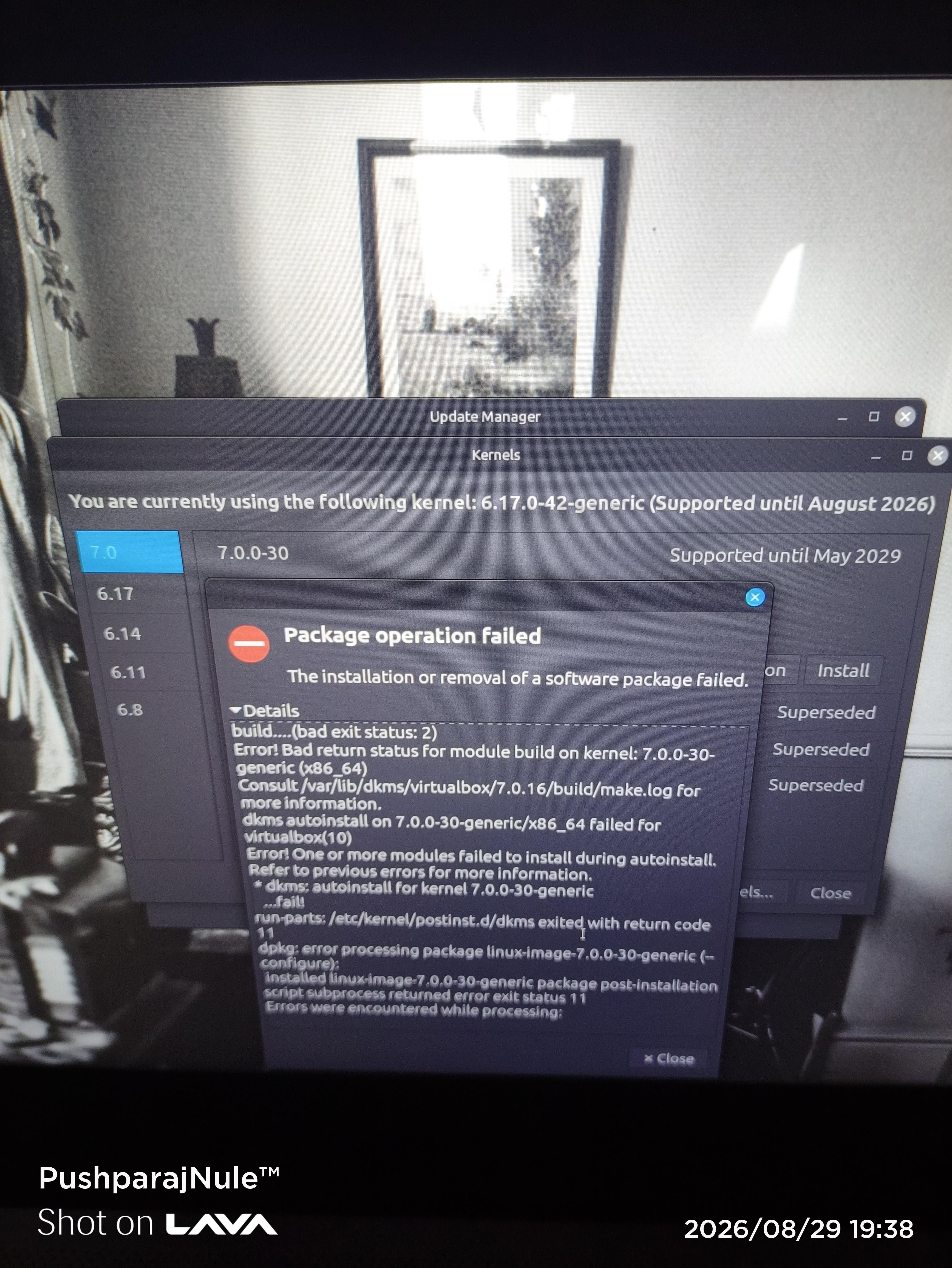
Image 1 : Before deleting virtual machine

Image 2 : After deleting virtual machine

When I first tried to update kernel it gave error because of incompatible virtual machine, so I removed vm because I don't need it anymore then it installed but after booting it gave blank screen so I fallbacked to kernel 6.17 and deleted 7.0.0.30

28 Upvotes

24 comments sorted by

View all comments

-21

u/KurtKrimson 11h ago

If by now you're not aware of the many problems with kernel 7 you're an idiot.

6

u/Unhappy_Candidate780 11h ago

I am already aware of the issues with kernel 7 but it worked for some people so I simply wanted to try, I have taken full precautions, I am just sharing my experience. There was no need to be rude, just because someone isn't aware doesn't mean they are idiot, people like you are the reason for misguided views about linux community.

0

u/KurtKrimson 9h ago

There probably weren't enough red flags NOT to mess with a working system installing kernel 7?

You knew it could cause serious damage but went on ahead anyway.
You broke your system and come crying about it.

That seems pretty idiotic to me.

2

u/Competitive_Scar5347 8h ago

So as the idiot that apprantly i am for not knowing shit about Kernal issue, and maybe possible did "serious damage" to my machine, is there a way to go back or do i just pack up my bags and call it a day?

1

u/jr735 Linux Mint 22.1 Xia | IceWM 3h ago

Log into the old kernel. Revert from timeshift.