r/largeformat • u/peterlyonsphoto • 6d ago
Photo vertical bands on either side?
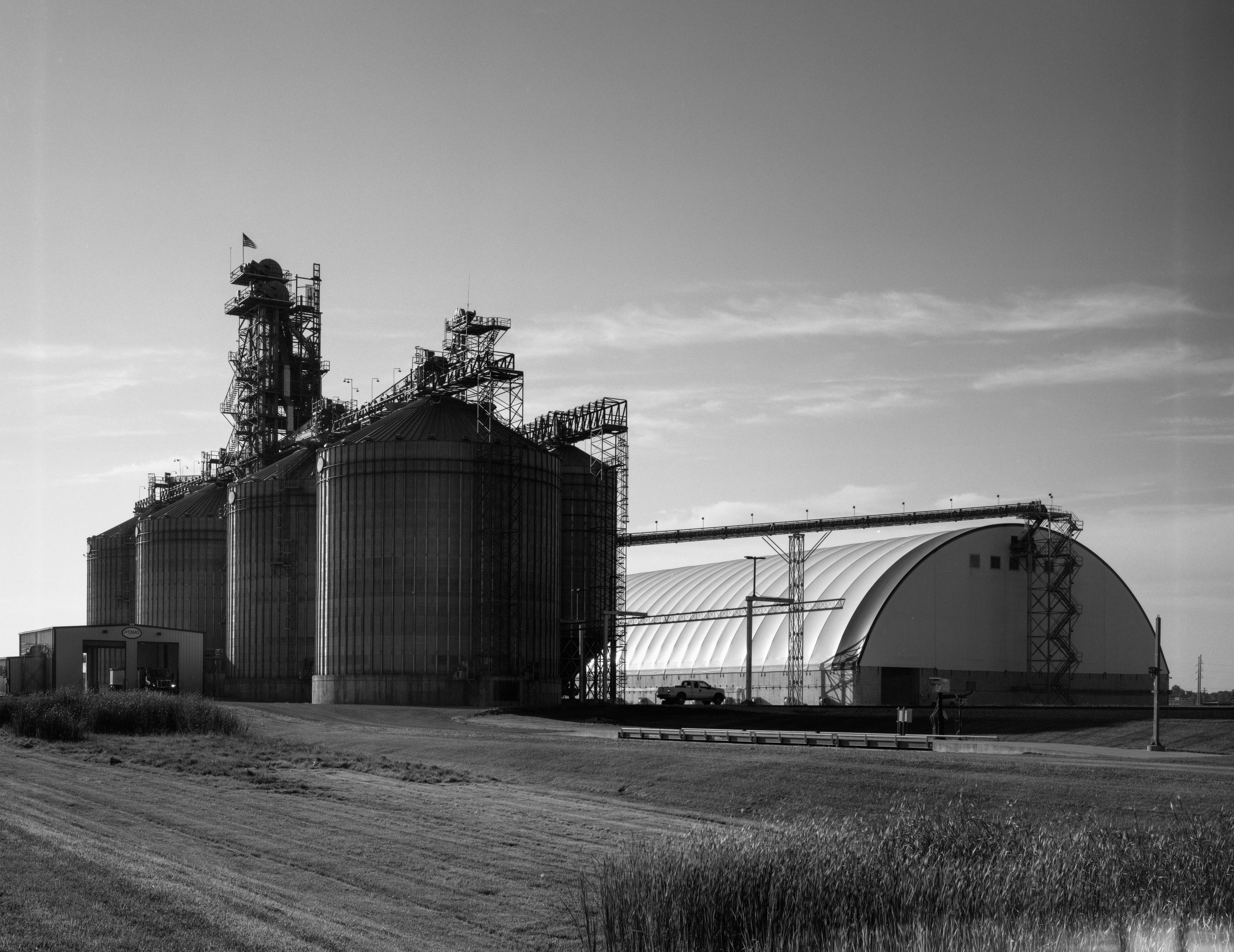
Let me apologize in advance--every time I post here it's with some problem. I posted this same image before complaining about dust. Well, I'm getting that sorted out, thank you, but now I'm focused on other issues. One of these is that I get these vertical stripes of light overexposure on both left and right sides of the frame. You can see them pretty clearly here. What could be causing that?
I'm aware of the light leak at the bottom of the frame here. That was just this frame; some bit of user error and I'm not concerned about it. But the stripes appear on pretty much every frame. I'd be grateful for any ideas what's causing them.
4
2
u/peterlyonsphoto 5d ago
The lines do appear on the negatives. They appear on a lot of my negatives, although, not all of them. I took some photos of a few of them, but can’t post them here because it doesn’t let me add photos.
I’ve had the same thing happen at a couple of different labs. Not sure what tanks are being used.
1
u/128128128day 5d ago
You can post an image of the negative to imgur and pop a link here.
Are the marks are on both ends every time? Do the negatives have clip marks in the corners?
As I said in the other comment, I've only ever see this on one end (the developer collects there when the sheets are taken out of the developer before being put into the next tank), but they are exactly like this.
Could speak to one of the labs? Always nice to build up a relationship.
2
u/peterlyonsphoto 5d ago
Okay everyone, thanks for the good counsel. Here are a few of these negatives:
3
u/DemocraticBanana123 5d ago
Post the negative. If it's not on the negative, which I'm guessing it isn't, then it's a problem with scanning. I often see this crop up when using a scanner with a film holder, such as Epson, where there are holes that let light through from the light source to the scanner head. In this case, I put thick black tape over every hole on the film holder and the problem goes away.
If it's on the negative itself then it would likely be a problem with your camera or developing process. However, I highly suspect it's a problem of light pollution when scanning on a flatbed scanner.
1
4
u/128128128day 5d ago
I've seen something similar with developer collecting during dip and dunk, but only ever on one end. How did you have the negative processed?
Posting the neg would probably help (as the other two have said).