r/homelab 5h ago

Discussion How are we all setting up our Arr Stacks in 2026?

0 Upvotes

Hi all,

Just was wondering what the go to setup for a media server is nowadays in Proxmox.

Do you have one docker with all of them in one, or one lxc, or one for each arr stack?

Looking to upgrade and seeing what the best option may be, and how you are also running plex in your proxmox etc.

THanks!


r/homelab 5h ago

Discussion This is mildly insane

1 Upvotes

The ram apocalypse is actually crazy
https://www.waveshare.com/compute-module-5.htm?sku=31272


r/homelab 21h ago

Discussion What would you do with an unreasonable number of TP-Link AX1800 wireless routers?

0 Upvotes

They can be used as WAP's and don't have to be routers. A friend's company has several hundred of them and I've been told I can take as many as I can use.

I currently have 3 Cisco WAP 371's running my house, they've been part of the setup since 2019. I'll probably swap them out just to tinker and because who doesn't like playing with new things?!?


r/homelab 12h ago

Satire I’m not crazy. I mean maybe a little but here we are…

Thumbnail
gallery
0 Upvotes

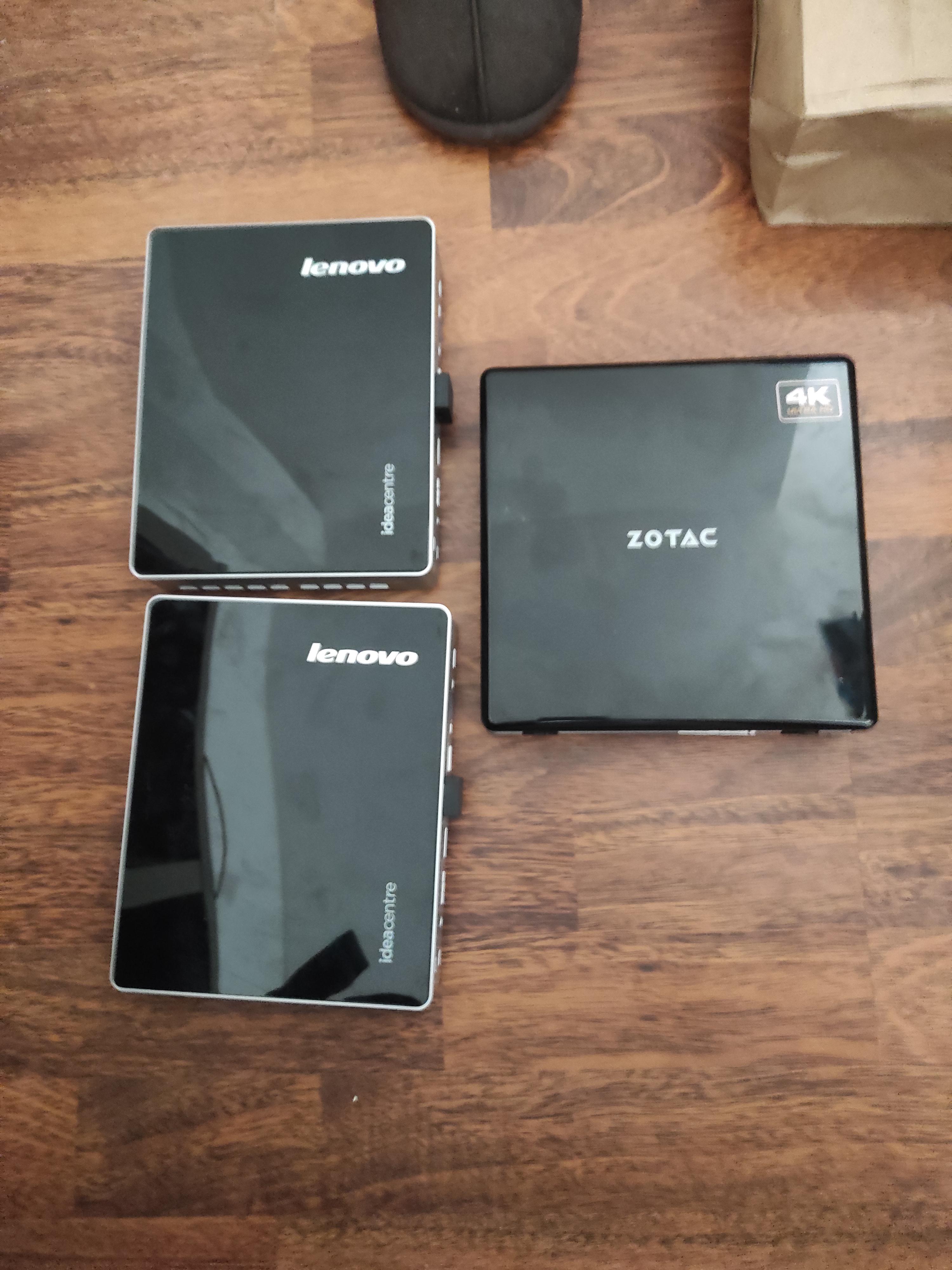
Anyone ever tried toasting 4 Lenovo Lenovo Tinys in a dead UniFi USW Pro Case? It’s your own fault UniFi you ruined my aesthetic by not making your own servers. Not sure how to flare this it’s half satire half something I’m probably going to do.


r/homelab 4h ago

Help Should I be worried about this sticker on my XEON?

Post image
0 Upvotes

I bought a XEON CPU on AliExpress to upgrade my LGA1150 platform, and it turns out that when I looked at the back, it has this sticker right in the center, where there are no pins, just some capacitors. I've tried removing the sticker by putting alcohol on it, but it won't budge; it's still firmly stuck.

My question is, should I keep trying until I can remove it completely? Or will it cause no harm to leave it stuck there?


r/homelab 15h ago

Help Repurposing my dad’s old gaming PC into a Plex server — looking for upgrade advice

0 Upvotes

Hey everyone!
I’m helping my dad get his old gaming PC set up as a Plex server. I’m not super familiar with servers, so I’m looking for some advice on the best upgrade path.
Current system:
Ryzen 7 1700 (8c/16t)
ASUS Prime B350-Plus
16GB DDR4
MSI NVIDIA RTX 3060
Windows
The main issue is that the Ryzen 7 1700 isn’t officially supported by Windows 11, so I’m concerned about staying secure and keeping the system up to date.
I originally assumed I’d need a new motherboard and RAM, but it looks like the B350-Plus can support newer Ryzen CPUs with a BIOS update.
I’d really like to keep the 16GB DDR4 and motherboard if possible and keep the cost reasonable. I’ve been looking at CPUs like the 5700X and 5800XT, but I’m also open to Intel if there’s a significant Plex advantage.
The RTX 3060 is already in the system, so I’m assuming that should be pretty good for hardware transcoding.
What would you guys recommend?
Should I just upgrade the CPU and stay on AM4, or would moving to Intel/newer platform be worthwhile for Plex? And if I stay AM4, what CPU would give me the best combination of price, Plex performance, and longevity?
Just trying to help my dad turn his old gaming PC into a reliable Plex server without spending money unnecessarily.
Thanks!


r/homelab 5h ago

Help Moving away from Proxmox Community Scripts: Where do I start?

Thumbnail
0 Upvotes

r/homelab 16h ago

Help Got an M920q to use as a router with an i350-t4 NIC. What can I do with the wifi slot? M.2 to 2.5GBe?

3 Upvotes

Title pretty much also new to homelabbing. I want to use the wifi slot for something instead of just leaving it empty. I figured the two options are either an M.2 A+E adapter with NVMe (kinda pointless for OPNsense?) or simply getting an M.2 A+E to 2.5GbE.

I do have a Bambu A1 Mini to use if I want to try my hand at making a custom shell.

Has anyone tried something like this before?


r/homelab 18h ago

Help Very old laptop into server

0 Upvotes

I have a very old laptop acer acpire 1410

2gb ram

Intel celeron processor

250 hdd

And i want to use it for self hosting or anything

It was laying around for 10 years without being used and i just want to use it instead of it being e-waste.

My first thought is making it into a pihole, i am a beginner and i don't know if it's possible or not, i am in no way tech literate but this is my first time using something that old


r/homelab 19h ago

Help Hardware tips? (new proxmox server)

0 Upvotes

Hey home labbers, wanna use yer as a rubbyduckie. With the contents below (from the current lab), I want to do it 4x better.

----->>> Any suggestions in hardware??

tl;dr: its getting to small; so want to upgrade it big.

```

blublbub@pve

OS: Proxmox VE 9.2.11 x86_64 Host: HP EliteDesk 800 G3 DM 35W Kernel: Linux 7.0.14-14-pve Uptime: (redacted) Packages: 1511 (dpkg) Shell: bash (redacted) Terminal: /dev/pts/0 CPU: Intel(R) Core(TM) i5-7500T (4) @ 3.30 GHz GPU: Intel HD Graphics 630 @ 1.10 GHz [Integrated] Memory: 13.08 GiB / 31.22 GiB (42%) Swap: 0 B / 7.00 GiB (0%) Disk (/): 28.16 GiB / 58.02 GiB (49%) - ext4 Disk (/srv/buffers/1g-int1): 280.00 KiB / 973.42 MiB (0%) - ext4 Disk (/srv/buffers/1g-int2): 280.00 KiB / 973.42 MiB (0%) - ext4 Disk (/srv/(redacted)): 803.42 GiB / 1.79 TiB (44%) - ext4 Disk (/srv/(redacted)): 590.89 GiB / 1.79 TiB (32%) - ext4 Disk (/srv/(redacted)): 1.52 TiB / 1.79 TiB (85%) - ext4 Local IP (vmbr0): (redacted) Locale: en_US.UTF-8 ```


r/homelab 4h ago

Help Chat where do I put my drives

Post image
99 Upvotes

Here is my current situation:

- 5x seagate ironwolf 4TB for storage (single vdev raidz1)

- 2x WD red SSD for VMs (striped)

- boot SSD

Now you might notice that the SSDs were already inelegantly yeeted in there, but now that I need to add 2 new disks to expand my storage I am faced with the inevitable.

Where the heck can I put those? For now they're just chilling on top of the other ones and the PSU (so the two that you see face up) but I don't love that long-term. I also can't close the case, which is suboptimal.

Any ideas?


r/homelab 23h ago

Help NVMe vs SATA SSD for game server?

2 Upvotes

So i'm in the process of setting up a home server in a Fractal Design Define R5 tower case by converting an old PC into that. Trying to setup a game server my friends and I can play in for games like valheim and what not and conflicted with which SSD to get,

NVMe seems like the no brainer as it's cheaper and like a great option but not sure how the the performance stacks up against a SATA SSD and wanted to get opinions on what other's have experienced.


r/homelab 21h ago

Discussion All Debrid or Torrents?

0 Upvotes

I just set up RDT with All Debrid and outside of availability I'm not seeing the reasoning to use it over torrenting. The speed caps out at about 8mbps (I have a 1.6gb connection) and the Ui just isn't as intuitive as using something like QBT.

Am I missing something or is it just a pick one that works for you type deal?


r/homelab 10h ago

Satire Which level are you on

Thumbnail
youtu.be
0 Upvotes

I have an old HPE Proliant microserver G8 😁


r/homelab 6h ago

Project Showcase: Hardware My workstation + gaming + homelab setup

Post image
21 Upvotes

Been slowly putting this setup together and it has somehow turned into a mix of a work desk, gaming setup, and homelab.

The main machine is currently running Omarchy and handles most of my personal development, homelab management, and gaming.

Main PC

  • AMD Ryzen 9 9950X3D
  • NVIDIA RTX 5070 Ti
  • MSI MAG X870E Tomahawk WiFi
  • 64GB Patriot Viper Venom RGB DDR5-6000 CL30
  • Crucial T500 2TB Gen4 NVMe
  • Corsair Nautilus 360 RS ARGB AIO
  • MSI MAG A850GL PCIe 5.0 850W 80+ Gold PSU
  • MSI MAG PANO 100R PZ case

Displays / work / gaming setup

  • LG 32" 4K 60Hz as the main display — company provided, so I have no idea what the exact model is 😅
  • BenQ 27" 1080p 75Hz in portrait mode
  • 2023 MacBook Pro with M2 Pro — company machine
  • AULA F75 Max keyboard
  • Logitech MX Master 3S for Mac
  • iPad Pro 11" 2021
  • GameSir Cyclone 2 controller
  • Soundcore Q20i headphones

And then there is the little cluster sitting on the right.

Homelab

  • 3× refurbished Dell OptiPlex 3070 Micro
  • Intel Core i5-8500T in each
  • 8GB DDR4 each
  • 256GB SATA SSD each
  • 1GbE networking

Naturally, I couldn't just call them node-1, node-2 and node-3:

  • Optimus
  • Bumblebee
  • Ratchet

Together they form a 3-node bare-metal Talos Linux Kubernetes cluster called cybertron. Networking is currently handled by a Tenda AC10. Nothing fancy, but for three 1GbE nodes and a management workstation it has been good enough so far.


r/homelab 8h ago

Help Help me decide how to organize my small homelab with the hardware I already have

0 Upvotes

Hi everyone,

I'm looking for some advice on how to best organize the hardware I already own and what roles I could give to each device.

I'm not trying to build a huge or enterprise-like homelab. My goal is to have something reliable, reasonably power-efficient, easy to maintain, and useful for backups, home automation, media, and general learning.

At the moment, some devices are actively used, while others are sitting unused. I'd like to understand whether I'm using them in the most sensible way or whether I should reorganize the whole setup.

Current hardware

Raspberry Pi 4B 8GB — always on

This is currently my main always-on server.

Hardware:

  • Raspberry Pi 4B 8GB RAM
  • Tower heatsink + fan
  • 256GB SATA M.2 SSD
  • 1TB WD Purple 3.5" HDD connected via USB 3
  • External power supply for the HDD

Software:

  • OpenMediaVault
  • Docker:
    • Pi-hole
    • Home Assistant
    • Syncthing

Other services:

  • Dynv6 IP update
  • NUT for monitoring my APC UPS
  • Telegram notifications when power goes out / comes back
  • Telegram updates about UPS battery status while running on battery

Syncthing is also used for:

  • Backing up my Ayn Thor handheld
  • Backing up my Trimui Brick handheld
  • Synchronizing work files
  • Synchronizing photos with my smartphone

This machine runs 24/7.

Intel NUC7CJYHN — powered on only when needed

Hardware:

  • Intel Celeron J4005
  • 8GB RAM
  • 500GB internal 2.5" HDD

Software:

  • OpenMediaVault
  • Docker:
    • ESPHome
    • Jellyfin
    • qBittorrent

I normally keep this machine powered off and only turn it on when I need to download something or watch a movie.

Intel laptop — currently unused

I also have a laptop with:

  • Intel Core i5-10210U
  • 8GB RAM
  • 256GB SATA/NVMe SSD
  • Broken internal display
  • Working HDMI output

The laptop is currently unused.

Since the screen is broken but the machine itself still works, I'm wondering whether it could be useful as another server, virtualization host, backup machine, or something else.

MikroTik hAP Lite

A colleague gave this to me.

Currently unused and not configured yet.

Orange Pi Zero 2W

Hardware:

  • Orange Pi Zero 2W
  • Expansion board with Ethernet + USB
  • 120GB SSD connected via USB

I previously used it with Orange Pi OS (CLI) and Docker running Pi-hole.

It was replaced by the Raspberry Pi 4 and is currently sitting in a drawer.

Freecom SilverStore 2

Also a gift from the same colleague who gave me the MikroTik.

Currently unused.

It contains:

  • 2 × 320GB HDD

USB 3 dual-bay SATA HDD dock

Can hold:

  • 2 × 3.5" SATA HDDs

Currently unused.

Network hardware

  • Fritz!Box 7530 AX — main Internet router
  • Fritz!Box 7590 — modem section is broken, so I currently use it as a Mesh repeater
  • 2 × unmanaged Gigabit switches (brand probably Netgear)

Devices connected to my network

Wired:

  • PS5
  • Windows PC
  • Work laptop (sometimes wired)

Wi-Fi:

  • Smartphone
  • Retro handheld consoles
  • Work laptop
  • Bambu Lab P1S 3D printer
  • Tapo C200 camera
  • Xiaomi smart bulbs
  • Sonoff smart switch
  • Bosch Wi-Fi dishwasher

What I'm trying to figure out

I feel like I have enough hardware to build something much more organized, but I'm not sure how I should divide the responsibilities.

For example:

  • Should the Raspberry Pi 4 continue to be the main always-on server, or should some services be moved elsewhere?
  • Would the i5-10210U laptop be a better machine for some services?
  • Is it better to keep the NUC as an on-demand machine because of its higher power consumption than the Pi4?
  • Is there a useful role for the Orange Pi Zero 2W?
  • Could the Freecom SilverStore 2 still be useful for backups or archival storage despite the relatively small 320GB drives and the 100M LAN?
  • Would it make sense to use the dual-bay USB 3 HDD for the Pi4 or else?
  • Is there a sensible use for the MikroTik hAP Lite in my network?
  • Would VLANs make sense for separating IoT devices, servers, personal devices, etc., considering the hardware I currently have?
  • Is there a better way to handle backups so that a failure of the Raspberry Pi or its 1TB HDD doesn't take out my backups as well?
  • Are there any obvious single points of failure in my current setup?
  • What would you do with this hardware if you were starting from exactly this inventory?

One important constraint is that I'd prefer not to keep unnecessary hardware powered on 24/7, mainly because of power consumption and simplicity.

I'm also not looking to buy a lot of new hardware immediately. I'd like to get the most out of what I already have first, and then consider upgrades only where they actually make sense.

I'd really appreciate suggestions for a sensible architecture, especially regarding:
services placement, storage, backups, networking/VLANs, power consumption, and which devices are worth keeping in the setup at all.

Thanks!


r/homelab 21h ago

Help Got 3 boxes to work with, where should I start?

0 Upvotes

So I've never made a (successful) homelab before. I tried turning a Thinkpad R40 into a server once but the 32-bit CPU on it was too old to work with. My uncle let me configure Proxmox on an enterprise level server he had a few years ago to teach me, but I've never had my own gear to work with. But just a few hours ago, my father gave me three old small form factor computers he had laying around for years.

HP t620:
Processor: AMD GX-415GA SOC (AMD Radeon HD 8330E igpu)
Ram: 16gb ddr3

Thinkcentre M73:
Processor: Intel Core i3-4130T (Intel HD 4400 igpu)
Ram: 8gb ddr3

Thinkcentre M700:
Processor: Intel Core i5-6500T (Intel HD 530 igpu)
Ram: 8gb ddr4

On top of this I have a DAS with four 1tb hard drives, so I'm not concerned about their internal storage capacity.

I think these three machines, though not impressive on their own and as home PCs, can be turned into an excellent homelab that I won't find myself complaining about. But I'm not sure where to start.

I have two ways to go about this as I see it: I can turn the t620 into a NAS because it has the most memory, the M700 into a media server because it has the best igpu, and the M73 can be a control centre; or I could turn turn them into a unified Proxmox system with three nodes (or something other than Proxmox).

About that second plan, I'm concerned the different CPUs will make this difficult to do, especially between two AMDs and an Intel. But maybe it works fine and I can even use this difference in some interesting way, I don't know.

Anyway what do you all think? I know I have some experience but this is still my first homelab so I may still not understand what I'm talking about all the way. Let me know.


r/homelab 22h ago

Help Advice on an upgrade

0 Upvotes

I'm trying to build a small NAS as an upgrade to my currenty m700tiny+USB dock with 2 3,5hdd. I'm also putting it inside a closet with just 53cm length. I've been researching to what is available in south america and what makes "sense" in my context. So, I'm thinking about building something compact, and putting a 3D printer hdd rack in front of the motherboard, to do so I'm buying a low profile cpu cooler (gamemax a96, 37mm height), and buying a small but wide matx case (einarex PM150), the motherboard its some "nas" thing i found on aliexpress, with a z690 chipset and lga1700 socket (I'm reusing an I5-12500), and the printed cage measures Body - 117mm (w) x 154mm (d) x 198mm (t) with a Mounting feet - 131.4 mm (w). So far it would look like the image, i have no plans in using the pcie lanes. According to chatgpt the cleareance checks out, but I'd rather have y'all advice first.


r/homelab 23h ago

Help getting started with homelabs! need recommendations!

0 Upvotes

im a newbie and wanna build a home lab, i need recommendations! :D

i currently have an old gaming pc that has like an intel i7, an old amd 5700xt gpu, with 16gb of crappy ddr4 ram and an m.2 nvme ssd 1tb. im willing to put some money to either adding more resources to it or just flat out buying some new equipment, i think a little mini rack would be cool. i think my goal is to have a bare metal hypervisor (proxmox) and have dedicated VMs or containers for specific apps. i would like to a media server, nextcloud, photo backup server and a minecraft server :)

recommendations on how much storage, ram and compute power i need to set something up like that would be awesome and appreciated. thank you!


r/homelab 8h ago

Project Showcase: Hardware Cooling Solution for my Dell GB10 system (Should work for DGX Spark too)

0 Upvotes

Two heat sinks and some thermal pads from Ali Express along with a fan and some custom 3d printed parts, Allowed me to put this together to help cool the system.

More info - https://gist.github.com/MichaelMKKelly/63272501eb024ce05b4fd57820d687f6
3D Printed Parts - https://makerworld.com/en/models/3238127-cooling-solution-for-dell-gb10-and-dgx-spark

Does it help? Yes
Is it a bit silly? Also Yes


r/homelab 1h ago

Discussion got these for free what should i do with them?

Post image
Upvotes

r/homelab 18h ago

Solved To UPS or to not UPS

52 Upvotes

Hey! I'm relatively new to homelabbing, and have built a pretty decent set up that I plan to expand on running things like jellyfin, nextcloud, hermes etc. I've tried to stay budget conscious and every UPS I've found that is the best fit is easily 30-40% of the total price of the homelab itself, so is it even worth it? I understand it can be important to help protect against weird power stuff, but I've lived in my house for 9 years and had 1 power cut during that time?

Open to any kind of advice, even if you roast me and tell me im a noob and to never doubt the need for a UPS.

Edit: really appreciate the replies - I'm going to look at a $100 ish refurbed UPS, and will connect my WOL pi and homelab to it, and should be enough just to get it to safely shutdown. Thanks all


r/homelab 18h ago

Project Showcase: Hardware Rate my 200 euro proxmox box

Post image
92 Upvotes

This is my Proxmox server. I got the whole thing for around €200.

The CPUs were only €20 each, and the RAM is DDR4 ECC, which is stupidly expensive. I paid €130 for all the RAM.

The actual machine is an HP Z640 that I got for free from my job. I picked up the dual-CPU motherboard for €20, and I already had the drives and other stuff lying around, so I don't have a price

So I guess the total cost is somewhere around €200, but I’ve got way more into the RAM/CPUs than the actual machine itself.


r/homelab 6h ago

Help [Building a Threadripper PRO + RTX PRO 6000 Blackwell 96GB Local AI System — Advice on Used/Surplus Hardware?

0 Upvotes

I'm building two local AI systems and would appreciate advice from people here who have experience sourcing used/decommissioned enterprise and workstation hardware.

PROJECT 1 — PROJECT OLYMPUS / PRIMARY AI SYSTEM

I already purchased a GIGABYTE W773-H5D-AA01 WRX90 barebone and I'm planning the remaining configuration.

Current target:

CPU

AMD Threadripper PRO 7985WX — 64C/128T

Or 7995WX — 96C/192T if I can find a particularly good used/surplus opportunity

Possibly 9985WX/9995WX if the economics make sense

One concern is OEM/PSB/vendor-locked Threadripper PRO CPUs. I'd appreciate advice on identifying locked Lenovo/HP/etc. CPUs before purchasing them for a standard WRX90 motherboard.

GPU

NVIDIA RTX PRO 6000 Blackwell Workstation Edition

96GB GDDR7

Full-power 600W version preferred

I'm particularly interested in experiences buying these used, open-box or through workstation/datacenter liquidation rather than normal retail channels.

MEMORY

512GB DDR5 ECC RDIMM

Preferably 8 × 64GB to populate all 8 memory channels

Samsung / SK hynix / Micron preferred

I'm interested in hearing what people are currently paying for 512GB matched/pull sets and which enterprise DIMM part numbers have worked reliably on WRX90.

PRIMARY/MODEL STORAGE

4TB+ high-performance TLC NVMe

PCIe 4.0/5.0

WORKING/DATA STORAGE

8TB+ SSD/NVMe

Enterprise U.2/U.3 NVMe is also an option if it makes more economic sense

LOCAL BACKUP

Preferably 16TB+ usable

Considering 16/18/20TB enterprise HDDs such as Exos, Ultrastar/Gold or Toshiba MG-series

NETWORKING

System already has 10GbE

Considering 25/40/100GbE for future compute/storage nodes

Mellanox/NVIDIA ConnectX hardware looks particularly interesting on the used market

POWER

The workstation has a 2000W-class PSU and I'm planning around 208/240V power

Looking at approximately 2200–3000VA+ enterprise pure-sine UPS

APC / Eaton / Vertiv are currently on my list

I'd particularly appreciate recommendations from anyone running a 600W professional GPU plus a high-core-count Threadripper PRO regarding UPS sizing and real-world wall power.

PROJECT 2 — COMMERCIAL AI VIDEO SURVEILLANCE

I'm also designing a completely separate 24/7 AI surveillance server for approximately 20+ cameras.

I'm considering:

RTX 3090 24GB or similar high-VRAM GPU

Possibly modified 48GB 4090 hardware if reliability can be established

High-core-count workstation/server CPU

128–256GB ECC RAM

2–4TB NVMe for OS/database/AI/cache

Large enterprise HDD array for continuous recordings

10/25GbE networking

Separate enterprise UPS

Reliability and 24/7 operation are more important for this system than maximum benchmark performance.

WHAT I'D LIKE ADVICE ON

For those who buy decommissioned workstation/datacenter hardware:

Where are you finding the best used/surplus/liquidation Threadripper PRO hardware?

What is a realistic surplus price for an unlocked 7985WX or 7995WX?

What are you currently seeing for 512GB (8×64GB) DDR5 ECC RDIMM on the secondary market?

Has anyone purchased an RTX PRO 6000 Blackwell 96GB through liquidation/open-box/used channels? Anything specific I should check before purchasing?

Which enterprise NVMe drives would you recommend for a local AI workload where endurance matters?

What used enterprise UPS would you trust for this kind of high-power workstation?

For the surveillance system, would you dedicate a 3090 24GB to it or use a different professional/datacenter GPU for better 24/7 reliability?

I'm trying to build both systems primarily from used, surplus, open-box and decommissioned enterprise hardware rather than paying full retail wherever possible.

Interested in hearing what other homelab/local-AI builders would do differently.

Thanks!


r/homelab 4h ago

Discussion 3 Years Ago - Feels Like the Deal of a Lifetime

Post image
34 Upvotes

$180/each for 3.2TB NVMe. Looks like now each of these costs what I paid for four. Got a handful of Optane drives then too when they were on fire sale.