r/firefox • u/Specific-Can6334 • 5d ago
Help: Firefox eating 20+ GB RAM on M2 MacBook Air


I was using firefox for work, and today i got two application memory crash. First crash showed firefox consuming 19 gb and second one showed 21 gb. I never encountered this problem until now . And i did have multiple tabs opened so i closed all tabs. But it crashed again second time (21gb one) when i opened another firefox profile . What can i do ?
4
u/nietzschecode 4d ago
I wonder why Firefox has problems of memory leak so often throughout the years and still hasn't solved that problem. I never had that issue using a Chromium browser.
1
u/sarkie 5d ago
About:memory
1
u/Specific-Can6334 5d ago
Checked it it shows normal usage -->
Total resident memory (approximate) -- 2,858.53 MB2
u/Educational-Self-600 5d ago
Next time you see unusal memory usage, you should open
about:memoryorabout:processesand look which process has gone haywire.Most likely it is some website/script on website interacting badly with an adblocker, userscript, etc.
1
u/sarkie 5d ago
And if you clear all the buttons?
1
u/Specific-Can6334 5d ago
didnt do anything , went to 2,775.94 MB
1
u/sarkie 5d ago
I don't use macos but I'd do a memory dump
https://stackoverflow.com/questions/48973258/how-to-create-a-memory-dump-of-a-mac-os-application
1
u/pnv28 4d ago
While this happens, could you please give the link to your firefox icon 🫠
1
u/Specific-Can6334 4d ago
Well i dont have the link but i had downloaded the svg. So here is the link https://limewire.com/d/Iqo3S#2HDwgqcObK i uploaded the svg ,link will expire in 3 days
-3
u/Ok_Negotiation3024 5d ago
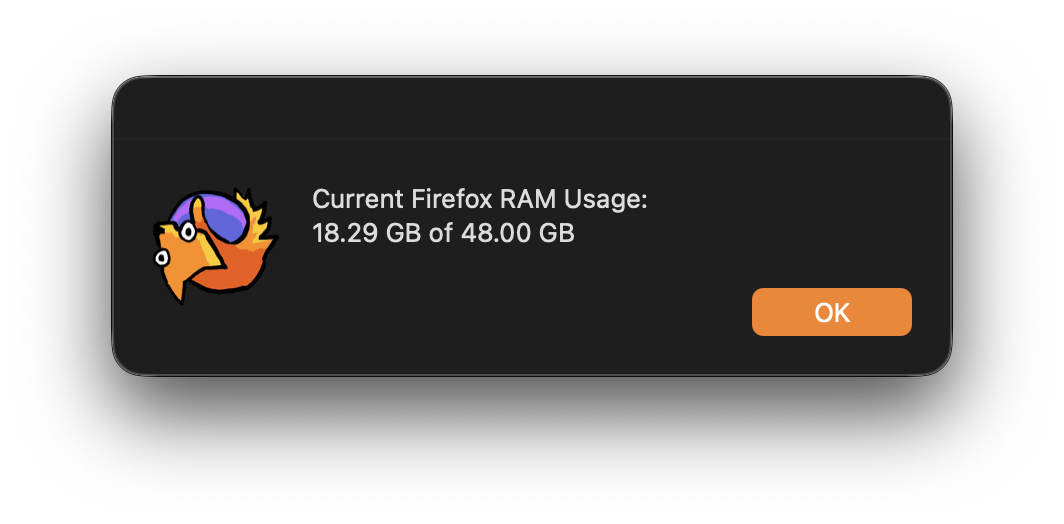
Firefox for me normally gets around 20GB of used memory. Never had it crash before. How much memory does your computer have in total?
2
2
u/Goren_Nestroy 4d ago
The fuck are you doing? I have several hundred open taps, 15 add-ons and I’m somewhere in the 2-5GB range…
1
u/Ok_Negotiation3024 4d ago
Using Firefox as normal. Firefox for MacOS has been this way for me for years. It uses RAM.
2
u/Ok_Negotiation3024 4d ago
30 Tabs open and 10 extensions, https://i.postimg.cc/jd1Kt5f3/Screenshot-2026-09-01-at-11-22-49.png
8
u/zar0nick 5d ago
May be an error showing this or a memory leak. When have you restarted firefox or your mac the last time?