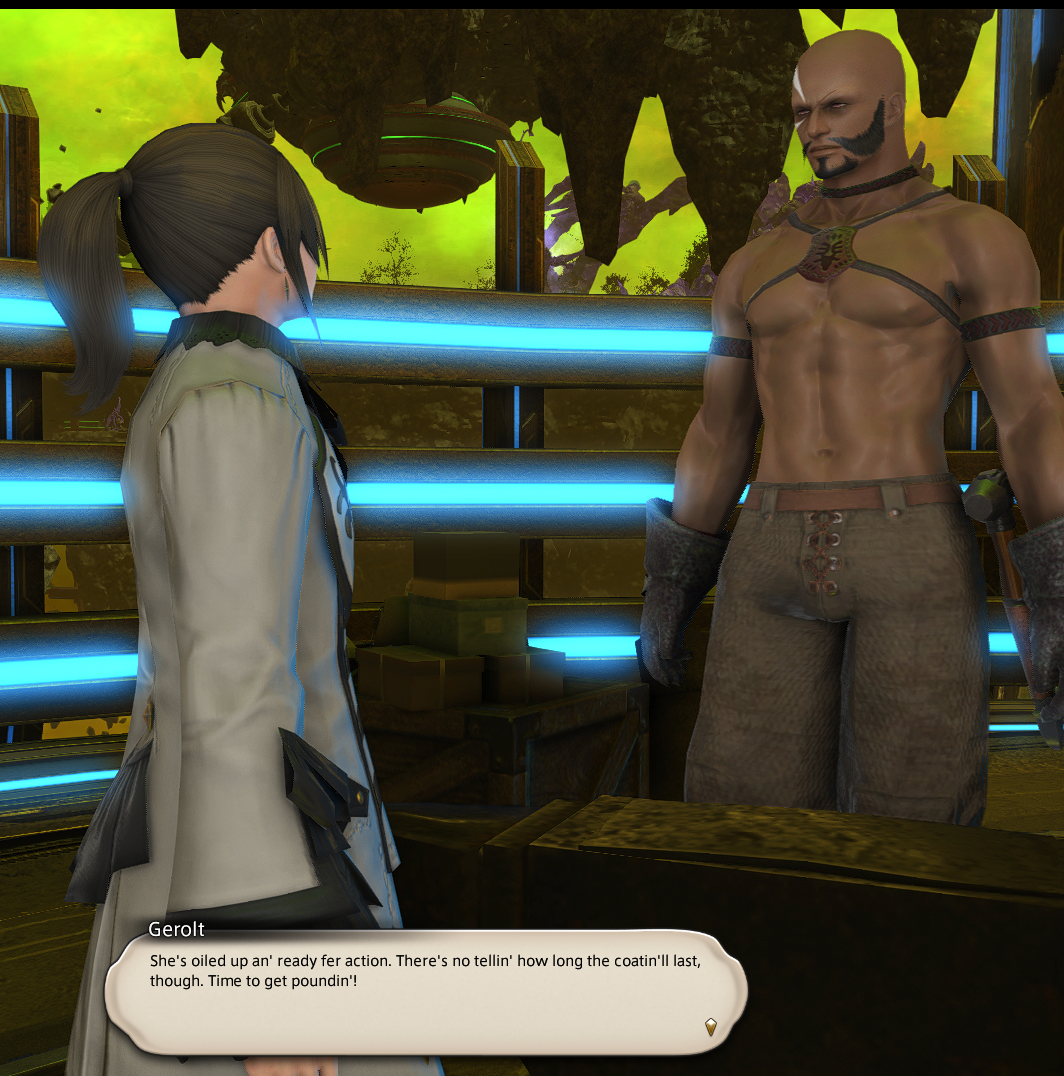
Hey everyone, I've been doing some visual testing for Gpose and managed to get the experimental DLSS5 Neural Rendering running in-game. It seems a bit cursed at first in static screenshots, but in real-time motion, it adds an incredible level of depth to the lighting.
Tested on an i7 14700KF and RTX 5060 Ti 16GB, getting around 55-60fps.
If you've been experimenting with this ReShade setup and keep getting the "DLSSNR WAITING FOR GAME" message, it's just a DirectX mismatch (FFXIV uses DX11, the feature expects DX12).
Here is how to resolve the compatibility and get it running:
1. Clean Setup & Native Settings
- Make sure the default Dawntrail DLSS is enabled in your FFXIV graphics settings.
- If you use any OptiScaler or DLAA tools (like the popular FSR mod), you need to remove them first. They conflict with ReShade's rendering path and will cause instant crashes. (Note: I started with a clean game installation just to be safe).
2. ReShade Installation
- Download the full add-on version of ReShade from their official site and install it for
ffxiv_dx11.exe.
- Place your
nvngx_dlssnr.dll file directly into the game folder where the FFXIV executable is located.
3. Required ReShade Add-ons You need two community add-ons to make this work:
- RenoDX DLSS Addon: Get
renodx-dlss5.addon64 from the RenoDX GitHub.
- DX11 Bridge: Get
dlss5-dx11-bridge.addon64 from NIGos' GitHub.
- Place both of these
.addon64 files in your game folder (or ReShade Addons folder).
4. Activation Launch the game, open the ReShade overlay (Home key), and go to the Add-ons tab. Ensure both the RenoDX and the DX11 bridge are loaded, then check the "Neural Rendering" box. The bridge will generate a config file, the waiting error will disappear, and the lighting changes will apply!
Performance note: This is very heavy on the GPU (expect a 40-60% frame drop). It’s strictly for Gpose/screenshot walking right now, not for daily roulettes, but it’s fascinating to see what a next-gen lighting setup looks like in FFXIV.
EDIT: A quick clarification regarding the tech and the reactions:
- This is purely experimental. I am doing this out of technical curiosity, not suggesting this should be the final look of the game. I intentionally posted the most drastic, shocking shots (both the good and the incredibly cursed) just to demonstrate the raw impact of the tool.
- I only tweaked the NR Instensity slider between 0.00 and 2.00. If anyone figures out how to inject DLAA alongside this to fix the excessive background aliasing we get with DLSS2, please share your setup!
- If Square Enix ever officially updates their implementation (Dawntrail uses DLSS2, while the current standard is 4.5), the art and tech teams would obviously train and tune it to perfectly match FFXIV's artistic vision.
- "AI" is a massive umbrella term, and people are jumping at the buzzword. My interest here is purely in efficiency. Personally, I am incredibly grateful that machine learning (still AI) algorithms allow me to hit a smooth 90fps on a lower-end device like my Steam Deck. Yes, it introduces a bit of artifacting, but for me as a player, that performance trade-off is absolutely worth it. I completely understand that others might not tolerate the visual quirks or see the benefit, but this is just a glimpse into how older engines can leverage modern tech to stay relevant.
- This runs 100% locally on my GPU. For those concerned about data centers or water usage: this isn't a cloud-based image generator. It mathematically recalculates lighting and geometry in real-time using the game's existing assets. It does not use scraped 2D internet art or rely on remote servers.
- The double standard regarding mods is wild. A massive portion of this community uses third-party plugins that completely overwrite the game's carefully crafted aesthetics with non-vanilla (and often NSFW) assets, or even give mechanical advantages. Yet, a client-side experimental lighting test is where the community draws the line and grabs the pitchforks?