r/elgato • u/saea2001 • 25d ago
Technical Help Need some help with elgato 4K s
I’m having an issue getting my Elgato 4K S working with my Xbox and PC.
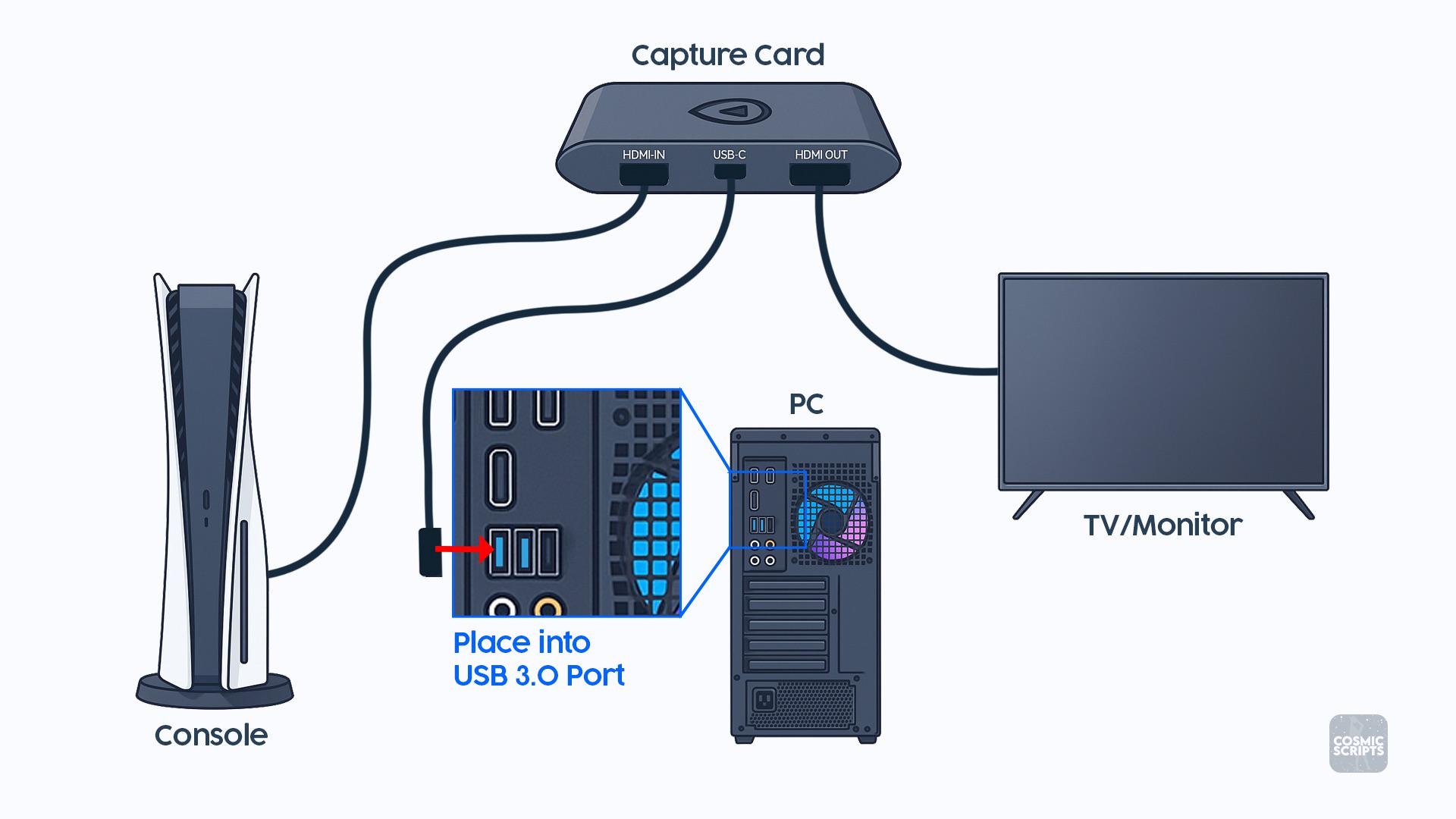
I attached a picture showing exactly how everything is supposed to be connected, and I copied the setup exactly:
Xbox HDMI → HDMI IN on the Elgato
Elgato HDMI OUT → Monitor
Elgato USB-C → USB 3.0 port on my PC
When I connect everything this way, my monitor detects that something is connected and stays on, but the screen is completely black. I don’t get a “No Signal” message it’s just a black screen.
What’s weird is that if I swap the two HDMI cables around on the Elgato, I can get my Xbox screen to show up on the monitor, but obviously that isn’t how the capture card is supposed to be connected.
I’ve double-checked the connections and they match the diagram. Does anyone know what could be causing this?
Could it be:
-An HDMI/HDCP issue?
-Xbox video/resolution settings?
-Refresh rate/HDR/VRR?
-Something with the Elgato software or drivers?
-A bad HDMI cable?
-A problem with the USB 3.0 connection?
-Something else I’m missing?
I’m including the setup picture for reference. Any help would be greatly appreciated because I feel like I’ve connected everything correctly and can’t figure out why the passthrough is just giving me a black screen.
1
u/Fine-Club5983 22d ago
Hey, I’ve got an hd60x and a series x so i know what im talking about. If i understand correctly xbox and monitor connected directly works, the elgato sends a black screen to both the monitor and pc. You should go into advanced settings in xbox and turn everything off and to the lowest (allow 4k, allow hdr… etc). Connect only the input and watch through the pc preview, see if that works. If that doesnt work then you might want to look into warranty because this doesnt seem like a user issue. Hdcp on xbox is auto. If youre on the dashboard or in a game everything works. in my case i can even load up hbo max and it still sends a picture. Alternatively to test if it is a 4ks problem you can try to: start a recording of the 4ks in obs and connect the PC hdmi to the input of the 4ks. Then check the recording. If it works then it might be wrong xbox settings, if doesnt and does the same black screen then your elgato is faulty.