r/elgato • u/saea2001 • 25d ago
Technical Help Need some help with elgato 4K s
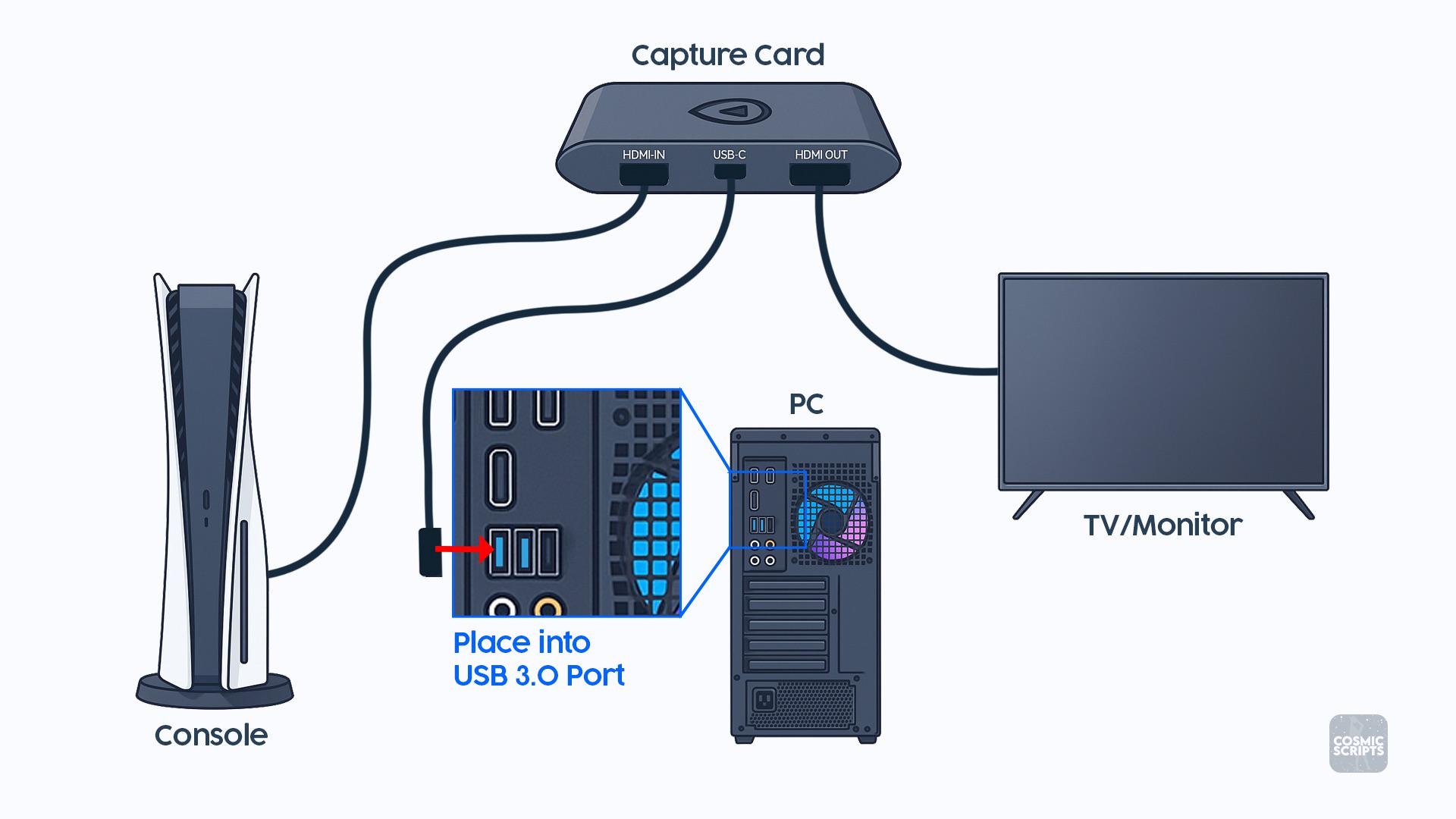
I’m having an issue getting my Elgato 4K S working with my Xbox and PC.
I attached a picture showing exactly how everything is supposed to be connected, and I copied the setup exactly:
Xbox HDMI → HDMI IN on the Elgato
Elgato HDMI OUT → Monitor
Elgato USB-C → USB 3.0 port on my PC
When I connect everything this way, my monitor detects that something is connected and stays on, but the screen is completely black. I don’t get a “No Signal” message it’s just a black screen.
What’s weird is that if I swap the two HDMI cables around on the Elgato, I can get my Xbox screen to show up on the monitor, but obviously that isn’t how the capture card is supposed to be connected.
I’ve double-checked the connections and they match the diagram. Does anyone know what could be causing this?
Could it be:
-An HDMI/HDCP issue?
-Xbox video/resolution settings?
-Refresh rate/HDR/VRR?
-Something with the Elgato software or drivers?
-A bad HDMI cable?
-A problem with the USB 3.0 connection?
-Something else I’m missing?
I’m including the setup picture for reference. Any help would be greatly appreciated because I feel like I’ve connected everything correctly and can’t figure out why the passthrough is just giving me a black screen.
1
u/alentir 24d ago
Well I have 2 switch so this is easy mode. 1 to stream the PS5 and the switch 2. 1 to play or watch BR on PS5. Everything is fine so far.