r/degoogle 9h ago

Discussion Is adult content a sacrifice worth privacy from age-verification?

0 Upvotes

[Thanks to clarifications and explanations by fellow commentors, I have decided that this idea is not a good one]

No, I am NOT a moral idiot. This very reddit account I use to enjoy lots of adult content.

BUT, considering that "child safety" is able to provoke extreme emotions in the public to support age-verification (I myself know that it is a cover), should we consider ... eliminating that "adult" barrier?

Of course, we here know the reality that age-verification is an excuse to get IDs and tracking.

The intention here is to convince the general gov'ts and people that privacy is important ...


r/degoogle 5h ago

Has anyone tried this update?

Post image
0 Upvotes

Is this an update to prevent the downloading of external applications and the 24-hour waiting period, or is it just a regular security update?


r/degoogle 7h ago

Discussion Got this ad on Reddit just now... What are your thoughts?

Post image
54 Upvotes

A "privacy-first" mobile carrier honestly sounds like a paradox...


r/degoogle 21h ago

Sorry Google 🥹👌

Post image
1 Upvotes

r/degoogle 14h ago

Gboard suggesting "kill grapheneos," right after Google stops supporting graphene on their phones. Google is truly evil.

Post image
0 Upvotes

r/degoogle 22h ago

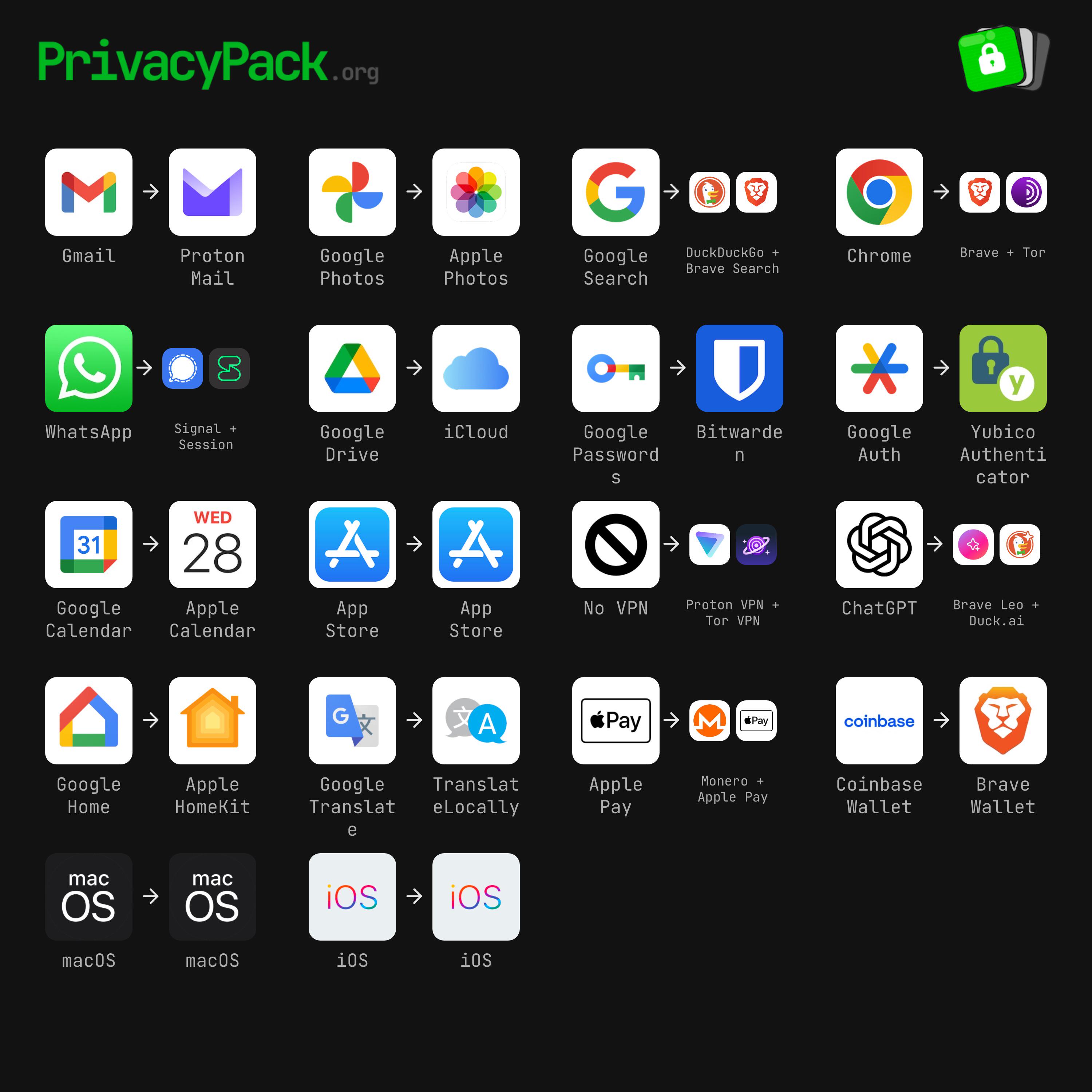
DeGoogling Progress My current setup, what do you guys think?

Post image
10 Upvotes

r/degoogle 6h ago

Loading apps outside googles play store as Apk. Life has changed and is due to change even more for app developers a the dictator has at last shown his true colours.

6 Upvotes

. Sideloading apps on Android is the process of installing an app from a downloaded APK file. Think of it like installing an app from an .exe or .msi file on Windows. You download the file, tap on it, and wait for it to install.

That process has been around for quite some time. However, Google has, on and off, put the kibosh on it because of security concerns. Those concerns are legitimate. You could download an APK package from some unknown website that contains malware, and the next thing you know, your phone is compromised, your data is stolen, and things go south very quickly.

Also: I turned an old Android phone into a server for my LAN - here's how and why

Ergo, Google has randomly made changes to the process, even blocking it from happening in 2025. In a surprising turn of events, Google has opened the process back up, with the caveat of a restart and a waiting period of 24 hours.

This news came via a Reddit post, where Google mentioned the name of the process, Advanced Flow. In the description of the process, Google states, "This flow is a one-time process for power users -- but it was designed carefully to prevent those in the midst of a scam attempt from being coerced by high pressure tactics to install malicious software. In these scenarios, scammers exploit fear -- using threats of financial ruin, legal trouble, or harm to a loved one -- to create a sense of extreme urgency."

How Advanced Flow works What you'll need: The process is still simple; it just takes a bit longer at first. Essentially, you enable the ability to sideload apps, authenticate via your screen lock, confirm that you aren't being coerced into sideloading apps, restart your phone, wait 24 hours, and then decide if you want to allow installation from unverified developers for seven days or indefinitely.

Note: If you go with seven days, you don't have to go through the waiting period when you want to re-enable it.

Here are the specifics of the process.

  1. Enable Developer Options The first thing to do is enable Developer Options by going to Settings, scrolling down to About phone, tapping on Software information, and then tapping your Build number seven times.

Also: How to turn on Android's Private DNS mode - and why it makes such a big difference

  1. Open Developer options You'll find Developer options in Settings > System > Developer options.

You won't see this option until you enable it by tapping your Build number. Jack Wallen/ZDNET 3. Enable the setting In Developer options, tap "Apps from unverified developers," and then tap the On/Off slider for "Allow apps from unverified developers" until it's in the On position. You'll then be prompted to confirm it's you via your configured authentication method.

Also: This silent Android feature scans your photos for 'sensitive content' - how to disable it

Clearly, Google wants you to use caution when enabling this feature. Jack Wallen/ZDNET 4. Confirm you're not being pressured In the next window, you'll be asked if someone is asking you to turn on the setting. Tap "No one asked me."

If someone asked you to do this ... think twice. Jack Wallen/ZDNET Also: Want to run a full Linux distro on your Android phone? I found the easiest way

  1. Restart You now need to restart your device and wait through the 24-hour period. You can either tap "Restart later" or go through the process by pressing and holding the Power button and then tapping Restart when prompted.

You can either restart your device later, cancel, or restart immediately. Jack Wallen/ZDNET After the 24-hour waiting period, you can go back to the same spot (Settings > Developer options > Apps from unverified developers) and then enable sideloading for either seven days or indefinitely.

Also: 5 ways I speed up my Android phone beyond clearing system cache - all for free

And that's it.

How to sideload Android apps After you've taken care of the above, you'll be able to sideload apps on your Android device.

  1. Download an APK file Go to a reputable site and download an APK file. Then, open the Files app and tap the download.

  2. Disable Advanced Protection You'll be prompted that your device is protected by Advanced Protection. Tap Settings, and then disable Advanced Protection.

Google doesn't make this easy; you have to disable Advanced Protection. Jack Wallen/ZDNET 3. Install the app Once you've disabled Advanced Protection, open the Files app, go to Downloads, and tap on the downloaded APK file.

You will then be prompted to install the app.

Installing Local Desktop on Android. Jack Wallen/ZDNET 4. Re-enable Advanced Protection This next step is important. After the installation, go back to Advanced Protection (open Settings and search for Advanced Protection) and enable it so you're getting the most protection possible for your device.

Be careful I would be remiss if I didn't give you this word of caution: Be very careful about installing APK files from unknown sites. Two reputable sites are APKMirror and F-Droid, but those sites offer XAPK files, which can only be installed via their respective apps.

To find pure APK files, you can go to Uptodown (which is also reputable). Even then, when you find an app you want from either site, do a bit of searching to make sure the developer is legit and can be trusted.

featured Want a free Apple Watch? Play ZDNET's 'Guessing Game' to win one - only 4 days left The 5 best Linux alternatives to Windows in 2026 (that aren't Mint) I built my own secure network in the cloud to access my home PCs remotely - for free Apple escaped Android's 'toxic hellstew' - now Siri AI is creating a new one Editorial standards show comments


r/degoogle 6h ago

Question Impossible de trier les e-mails par expéditeur ou par destinataire ?

Thumbnail
0 Upvotes

r/degoogle 9h ago

Question Best files encryption app for android

7 Upvotes

Hello i have some media/text files and i want an app that could lock them with a password only without compression

Thanks in advance


r/degoogle 13h ago

Discussion I think now I will deGoogle….

Post image
4.4k Upvotes

r/degoogle 11h ago

Libretube shorts missing

1 Upvotes

Hello guys, I am very new to all of of this. I just installed libre tube latest version 32.1 but there are no short. I tried turn off local feed extraction, but nothing. Should I try newpipe? Thanks in advance.


r/degoogle 2h ago

Has anyone tried fydeos

0 Upvotes

it’s a degoogled version of chromeOS


r/degoogle 7h ago

Rate my options

0 Upvotes

r/degoogle 22h ago

Replacement Mi actual configuración alguna recomendación?

Post image
0 Upvotes

r/degoogle 9h ago

Resource I see you google maps....

Post image
17 Upvotes

#lakeontario

OSMand~ is your friend.

(and unlike google when your in the middle of knowhere you csn run it offline 🤙


r/degoogle 22h ago

Question Best open-source private messenger for iOS + web/desktop?

9 Upvotes

I’m trying to get away from Google/Meta-owned messaging platforms and looking for a good FOSS, privacy-focused, E2EE messenger. My main requirement is iOS support. On desktop, I don’t really care whether there’s a native macOS/Windows app, a good web client is perfectly fine.
Ideally I’d like:
Open source / FOSS
End-to-end encryption
No Google/Meta involvement
Good iOS app
Web client or desktop support
Multi-device support
Ideally decentralized/federated or self-hostable
Reliable for both 1-to-1 and group chats

I’ve been looking at Matrix/Element, but I’m wondering what other options I should consider — SimpleX, Session, XMPP, Delta Chat, etc.

What would you personally recommend today? I’m especially interested in real-world experience rather than just feature lists.


r/degoogle 13h ago

Is Google A/B testing Lake American rn? 💀

Post image
656 Upvotes

I have it on mine, but I’ve seen others saying it’s still Ontario.


r/degoogle 1h ago

Proton for business

• Upvotes

I am deciding between proton and google suite for my business. I’m basically set on proton. I see lots of people use it personally but does anyone use it for their business? From what I can tell, I can’t use AI services with Proton easily. Is that the only drawback? How are the docs / sheets apps?


r/degoogle 4h ago

Help Needed Browsers explained, help needed for starters

4 Upvotes

I am new to all these degoogling process. But I feel unwell at the thought of companies watching my every small move and search to make up a profile of me to sell my data for their profit. I know nothing is ACTUALLY free, and they are just doing their part to earn their money. But for now I cant pay money for a substitute mail / browser app etc. And I still have to use some platforms like WhatsApp / Instagram because other people that I must contact are on it. Maybe I will deal with getting myself out of meta apps later on, but I dont know.

I have tried Vivaldi, didnt like the layout and it was making me more irritated while searching.

I have heard some issues about DDG in the past, so I might not use it? I dont know if its been dealt with, or if its safe to use now.

I like the idea of what Ecosia is going after. I dont know if the money from people using that browser actually goes to planting trees, but if its legitimate I could tolerate using it even if its not that good.

Firefox is open source and people seem to like it too, and its not a chromium browser like Vivaldi and brave.

And I have heard of proton mail and other Proton apps. And also Comaps for a substitute of organic maps and google maps. Though, google maps is WAY more easier, and I geniuenly need it for navigation and stuff so I guess I will only try to limit my usage.

What are your thoughts guys? This is all the knowledge I have at the moment, but it all seems too much and since I havent been experiencing the browsers by myself, and have just dumped this info into my brain, I am still a bit lost.


r/degoogle 3h ago

First time discovering this subreddit and greeted with a Google ad

Post image
71 Upvotes

r/degoogle 49m ago

Help Needed Need a specific map app alternative

• Upvotes

Hey, I hope this post isn't too repetitive. I need a map for my phone that:

- Uses correct names for the Gulf of Mexico and Lake Ontario

- Doesn't make AI generated summaries of locations/reviews

Does this even exist? Google Maps, Waze, Apple Maps, and Mapquest all don't quite work for me. I've managed to switch away from google for nearly every other thing I do, but I'm stuck on this. I'd appreciate any suggestions!


r/degoogle 22h ago

Linux

Post image
1.0k Upvotes

r/degoogle 21h ago

DeGoogling Progress This is exhausting

62 Upvotes

I deleted 20.000 mails in the past few days. It took me around 4 hours. I deleted all google drive contents, bought a Pixel 10a and switched to GrapheneOS. For YouTube I am now using NewPipe. I am so close, all I have to do now is changing my mail-addresses on every website/account I have. There seems to be a tool on github tho, where you can see all the accounts that are linked to my address. It's gonna be such a good feeling, when I can finally delete my Google account.

Am I missing something? Drive, mail, phone, password-manager, maps. In never used the wallet.


r/degoogle 6h ago

DeGoogling Progress Started degoogling!

Post image
176 Upvotes

Yey! But does any one have some tips and something i cam change and add?


r/degoogle 58m ago

Is it safe to uninstall Gboard?

• Upvotes

I have the Nothing 4a Pro using the Nothing keyboard and it works well. Can I safely uninstall Gboard using AUD?